

What is VoIP Caller ID, and Why Is It Beneficial?

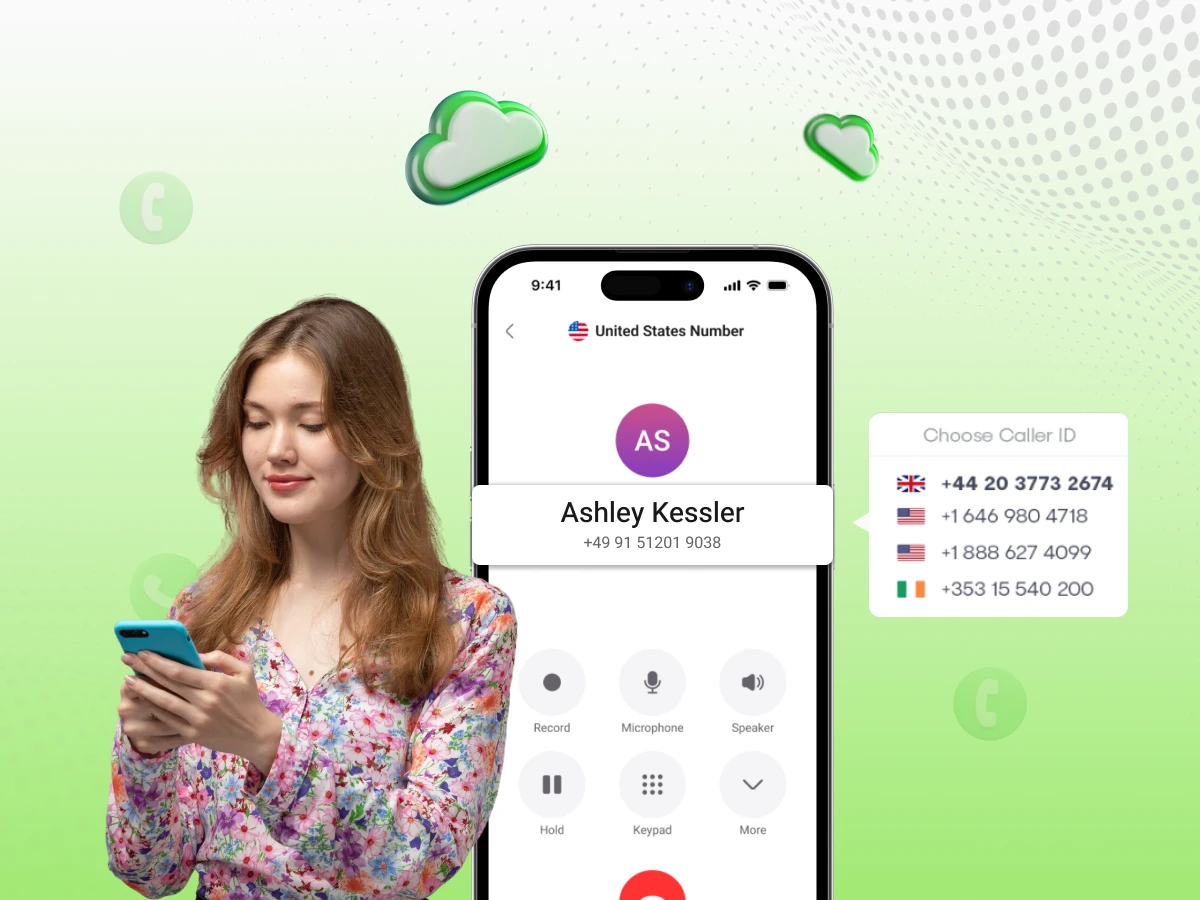
Have you ever looked at your phone, seen an “Unknown Number” calling, and immediately pressed the “Decline” button? We all have. In fact, most of us do it several times a day.
Now, imagine you are a business owner. You are calling a lead who asked for a quote, or a customer whose order is delayed. If your name doesn’t show up on their screen, they aren’t going to answer. Your time is wasted, your message isn’t heard, and your business loses money.
This is where VoIP Caller ID comes in. In the old days, a phone was just a plastic device on a desk connected to a copper wire in the wall. Today, phone calls rely on digital technology relaying as data packets over the internet. They travel as data packets over the internet. Because they are digital, we have much more control over what people see when we call them.
In this massive guide, we are going to explore everything about VoIP Caller ID. We’ll talk about how it started in 1973, the “secret” protocols like SIP and UDP that make it work, and how you can use it to make your business look professional and trustworthy.
When choosing a VoIP provider or configuring your business phone system, not all Caller ID features are created equal. To truly benefit from this technology, there are specific capabilities your system must possess.
You need a provider that lets you link your actual business name to your phone number in the national database. If they don’t support easy CNAM updates, your clients will just see “Unknown” or a random string of digits, which kills trust immediately.
For sales teams, this is a game-changer. It automatically swaps your outbound area code to match the person you’re dialing. People are far more likely to pick up a local New York number than a generic toll-free line.
Don’t just look at a number on a screen. Modern systems should recognize who is calling and instantly pull up their customer profile from your CRM. This gives you the full context of their last order or support ticket before you even say hello.
Your system has to handle SIP and RTP headers correctly. This ensures that your caller identity stays attached to the call as it moves across different networks and firewalls. Without this, your ID info often gets “stripped” and lost mid-transit.
Carriers are aggressive about labeling calls as “Spam Risk” these days. You need a service that monitors your number’s health and helps you maintain a clean reputation so your legitimate business calls don’t get blocked by mobile filters.
Simply put, VoIP Caller ID is what identifies you when you make a call. It’s the digital “ID card” that pops up on a recipient’s screen, usually showing your business name and your phone number.
The beauty of modern communications platforms is that your office isn’t a physical desk anymore. You could be working from a home office in New York or a cafe in London. As long as you’re connected to the web, you can handle voice calls from anywhere. VoIP voice technology makes sure that no matter where you’re sitting, the person you’re calling sees your professional office line, not a random mobile number. This level of consistency is why many businesses are switching their standard hardware over to IP phone systems.
Most people assume Caller ID is just one single piece of data. It’s actually two separate things working together:
The Number (CID): This is the actual string of digits. In the industry, we call this the CLID (Calling Line Identification).
The Name (CNAM): This is the text string that displays your company name (for example, “Dialaxy Support”).
Here is the part most people don’t realize: your name usually isn’t “sent” during the call. When you dial out, your system only sends the number. The person’s phone provider then takes that number and checks it against a massive database, essentially a global digital phone book, to see which name matches.
While we often focus on video conferencing for face-to-face meetings, this background “lookup” process is what keeps traditional voice communication reliable and professional. We’ll explain how that lookup works in detail below.
To see how we got to where we are today, you have to look at the timeline. Caller identification didn’t just appear overnight; it’s been evolving for over fifty years.
The whole concept was actually the brainchild of Theodore Paraskevakos. In 1973, he figured out a way for a calling machine to transmit its identity to a receiver. At the time, the idea of knowing who was on the other end of the line felt like something out of a science fiction movie.
By the late 1980s, the tech finally hit living rooms. You might remember those clunky, separate boxes with tiny screens that sat next to the phone. These devices relied on “Frequency-shift keying.” Essentially, the phone company would send a quick burst of voice data, a digital “blip”, between the first and second rings to display the caller’s number.
Everything changed with the rise of voice over Internet Protocol. We moved away from those analog “blips” and started sending data packets via the Internet Protocol. Suddenly, caller identification wasn’t an expensive monthly add-on you had to beg the phone company for; it became a core feature.
Today, VoIp services provide way more than just a simple number display. Because modern communications platforms use SIP headers and IP addresses, your identity isn’t stuck to a copper wire in a wall. Whether you are using VoIP calling for a sales pitch or jumping into video conferencing for a team sync, your ID is tied to your digital account, not a physical location. Your “office” is now wherever you have a stable connection.
You don’t need to be a technical expert to understand how a call travels. It’s easiest to think of voice over internet protocol as a letter being sent through the mail.
The Envelope (SIP): This is the Session Initiation Protocol. It handles the “addressing” and tells the network where the call is going.
The Letter Inside (RTP): This is the Real-time Transport Protocol, basically the actual voice data or message you’re sending.
The Delivery Truck (UDP): This is the User Datagram Protocol, the “fast lane” that zips your data across the web.
The moment you start a call on one of your cloud communications, your system sends out a “SIP Invite.” This contains a header that acts like a digital return address. It’s the system’s way of telling the receiver, “Hey, Dialaxy is calling you from this specific number.”
Because this relies on internet protocol, your voice isn’t sent as one continuous stream. Instead, it’s chopped into thousands of tiny data packets. These packets might take different paths across the internet, but they arrive in milliseconds and reassemble perfectly on the other end. This same tech is what makes modern VoIP calling and high-def video conferencing possible.
This is where caller identification gets secure. When your call hits the recipient’s carrier (like Verizon or T-Mobile), they don’t just trust the name attached to the call. Since scammers often “spoof” or fake names, the carrier performs a “CNAM Dip.”
They essentially pause for a split second to check a trusted national database. They ask, “Who actually owns this number?” The database confirms it’s “Dialaxy,” and that’s the name that pops up on the screen. It’s a background process that most professional VoIP services provide to ensure your business calls look legitimate and don’t get ignored.
Not every company uses caller identification the same way. Depending on your workflow, your communications platforms will likely handle ID data in one of these four ways:
This is simply how you identify who is calling your office. While “Basic” ID just shows a phone number, most professional voip services provide an “Enhanced” version that includes the caller’s name.
The real advantage here is integration. When your VoIP calling system connects to a CRM like Salesforce or HubSpot, you get a “screen pop.” Before you even pick up the phone, your computer shows you the customer’s name, their recent purchases, and any open support tickets. It turns a cold call into an informed conversation immediately.
This is your public-facing identity. You have the flexibility to decide what the world sees when you dial out. You can display a specific employee’s direct line, or you can set every outbound call to show your main office number. This helps maintain a consistent brand image regardless of which department is making the call.
This is a heavy hitter for sales teams. Dynamic ID automatically changes your outbound area code to match the person you’re dialing. If you’re calling a prospect in Chicago, they see a area code; if you call Miami, they see. Statistics show that people are significantly more likely to pick up a local number than a toll-free one, making this a vital tool for increasing connection rates.
You don’t need a full 10-digit number for a quick chat with a colleague. For internal voice calls, your system uses a Private Branch Exchange (PBX) to show simple names or extensions. If Bob from Accounting calls Sarah in Sales, her screen just says “Bob – Accounting.” It keeps things simple and professional within the office, whether you’re using desk phones or video conferencing apps to stay in touch.
Is it actually worth the effort to set this up? Absolutely. Here is why skipping this step is a mistake for any growing company.
Everyone is tired of “Scam Likely” labels. If you call a customer and your name doesn’t pop up, they’ll assume you’re a telemarketer or a robocaller. Having a verified business name show up on a mobile screen instantly proves you’re a real company. It’s the simplest way to make sure your calls actually get answered.
Remote work is the standard now, but you don’t want your employees handing out their personal cell numbers to every client they talk to. This is where a VoIP phone system becomes essential. By using an app on their own devices, your team can make calls that show the office’s identity. This keeps their private lives separate while maintaining a professional front for the business.
Every dial is a free brand impression. If your company name, like “Dialaxy,” appears on a hundred screens a day, that’s a hundred people seeing your brand. Even if they don’t pick up, they’ve seen your name. It makes a small business feel established and widespread. This is all possible because VoIP voice technology sends your identity as packets over the internet, ensuring a consistent look across every call.
Stop wasting hours leaving voicemails that no one ever returns. When you improve your answer rates with a solid voip phone system setup, your team spends more time talking and less time waiting. Whether you’re using desktop apps or physical VoIP phones, higher connection rates lead to faster support resolutions and more closed sales. Since every call is tied to a specific ip address, you can manage these identities from a central dashboard to ensure your global office presence always looks local and professional.
Sometimes, technology fails. Here are the most common problems businesses face with VoIP Caller ID and how to fix them.
This is the most frustrating issue. You have your ID set up, but people still see “Unknown.”
The Cause: Usually, your call is traveling through a “low-quality route.” To save money, some cheap VoIP providers send calls through carriers that “strip” the data to save space.
The Fix: Make sure you use a premium provider like Dialaxy that uses high-quality “Tier 1” routes. This ensures your data packets arrive with all the information intact.
You changed your company name from “Bob’s Tools” to “Bob’s Home Solutions,” but people still see the old name.
The Cause: Remember the “CNAM Dip”? The recipient’s carrier is looking at an old version of the “phone book.”
The Fix: Ask your VoIP provider to update your CNAM record. Be patient, it can take 7 to 14 days for every phone company in the country to update its records.
This is happening more often because of new laws.
The Cause: If you make too many calls in a short time, or if your calls usually last less than 15 seconds, carrier algorithms think you are a robot.
The Fix: You need to register your numbers with the major carriers. You should also ensure your provider is using SHAKEN/STIR (we will explain that next).
You might see these funny words in your VoIP settings. SHAKEN and STIR are not about James Bond; they are about security.
For years, scammers have “spoofed” Caller ID. They make a call look like it’s coming from the IRS or a local bank. To stop this, the industry created a framework:
STIR (Secure Telephone Identity Revisited): This is the technical part. It adds a “digital signature” to the call.
SHAKEN (Signature-based Handling of Asserted information using toKENs): This is the set of rules for how carriers should handle those signatures.
When you make a call, your VoIP provider (like Dialaxy) “stamps” your call with a digital signature. When the call arrives at the other end, the other carrier sees the stamp and says, “Okay, this call is verified. This really is Dialaxy.”
On many modern smartphones, this shows up as a little green checkmark or the words “Verified Caller.” This is a huge boost for your answer rates.
If you are ready to get your Caller ID working perfectly, here is a general guide on how to do it.
Don’t use a “free” or ultra-cheap VoIP service for your business. They often don’t support CNAM updates or SHAKEN/STIR. Choose a reputable provider that specializes in business phone systems.
Once you get your phone numbers, ask your provider to register your business name.
In your VoIP dashboard, you can decide what number to show.
Don’t just assume it’s working. Call a few different phones:
Different businesses use VoIP Caller ID in different ways. Let’s look at a few examples.
Real estate agents are always on the move. They use mobile devices to stay in touch with buyers. By using VoIP, they can call a client from their car, but the client sees the official “Real Estate Agency” name on the screen. It keeps the transaction feeling professional and secure.
Doctors and nurses often need to call patients with test results. If the patient sees “Private Number,” they might not answer. But if they see “City Hospital – Oncology,” they will pick up immediately. This can literally save lives.
If you are calling someone about a payment, they are already nervous. If you call from an “Unknown” number, they will ignore you. Using a clear Caller ID helps establish a professional dialogue and improves the chances of settling the bill.
For a support team, Inbound Caller ID is the star. When a customer calls, the agent doesn’t have to spend three minutes “verifying” the account. The system already knows who it is. This reduces “Average Handle Time” and makes the customer much happier.
We are moving toward something called Rich Call Data (RCD). Imagine that when you call a customer, your name doesn’t just show up as text. Instead, your company logo appears on their screen. You could even include a short note that says, “Calling about your delivery at 2:00 PM.”
This is the future of transmitting data over the telephone network. It will make phone calls feel more like a secure app notification and less like a mysterious “ping” from the internet. As VoIP technology continues to evolve, your ability to identify yourself will only get better.
Let’s clear up some confusion by debunking a few myths.
While you can technically change your settings, carriers are getting very strict. If you try to set your name to “The White House” or “Amazon Support” and you aren’t actually them, your calls will be blocked immediately by SHAKEN/STIR protocols.
You still need a VoIP number (a “Virtual Number”). Even though the call travels over the internet, the telephone network still needs a number to route the call and look up your identity in the CNAM database.
Actually, it doesn’t. The United States has a very advanced CNAM system. In many parts of Europe and Asia, the name is rarely transmitted between different carriers. In those countries, the recipient only sees the name if they already have you saved in their personal contacts.
At Dialaxy, we understand that your Caller ID is your reputation. We don’t just give you a dialer; we give you a professional identity.
In the digital age, your phone number is more than just a way to reach you, it is your digital ID card.
Whether you are a small business owner working from home or a large call center manager, VoIP Caller ID is a tool you cannot afford to ignore. It is the difference between a successful connection and a declined call.
By understanding the history from 1973, mastering the protocols like SIP and UDP, and staying on top of your CNAM updates, you can ensure that your business always looks professional, trustworthy, and ready to help.
Stop letting your calls go to voicemail. Take control of your VoIP technology today and make sure your customers know exactly who is calling.
Regular Caller ID (PSTN) uses analog frequency signals sent between rings. VoIP Caller ID uses digital SIP headers embedded in data packets sent over the Internet. VoIP allows for more flexibility, such as changing the displayed number (dynamic ID).
Yes. You can request a CNAM (Caller Name) update through your VoIP provider. They will update the central database. However, it may take some time for all other carriers to update their local records to reflect your new name.
Carriers use algorithms to flag numbers that make many short calls or have been reported by users. If your number is flagged, you need to register it as a legitimate business number with the major carriers or use a reputation management service.
It is complex. While the number (CLID) usually transmits fine across borders, the name (CNAM) often does not. Different countries have different databases and privacy laws regarding caller identification.
Yes. If you use a VoIP app (softphone) on your mobile, your calls will display your business VoIP number, not your personal SIM card number.
Spoofing is the act of displaying a number that is different from the actual line you are calling from. While scammers use it for fraud, businesses use it legitimately to display a main office number while calling from a remote branch or home office.
The location displayed is usually tied to the area code of your phone number, not your physical location. If you are in Texas but use a New York (212) area code, the Caller ID will likely say “New York, NY.”
Most business VoIP providers include Caller ID features as standard. However, advanced features like Dynamic Local Presence or Reputation Monitoring are often premium add-ons.”
