

Best Google Voice Alternatives in 2026: Honest Breakdown

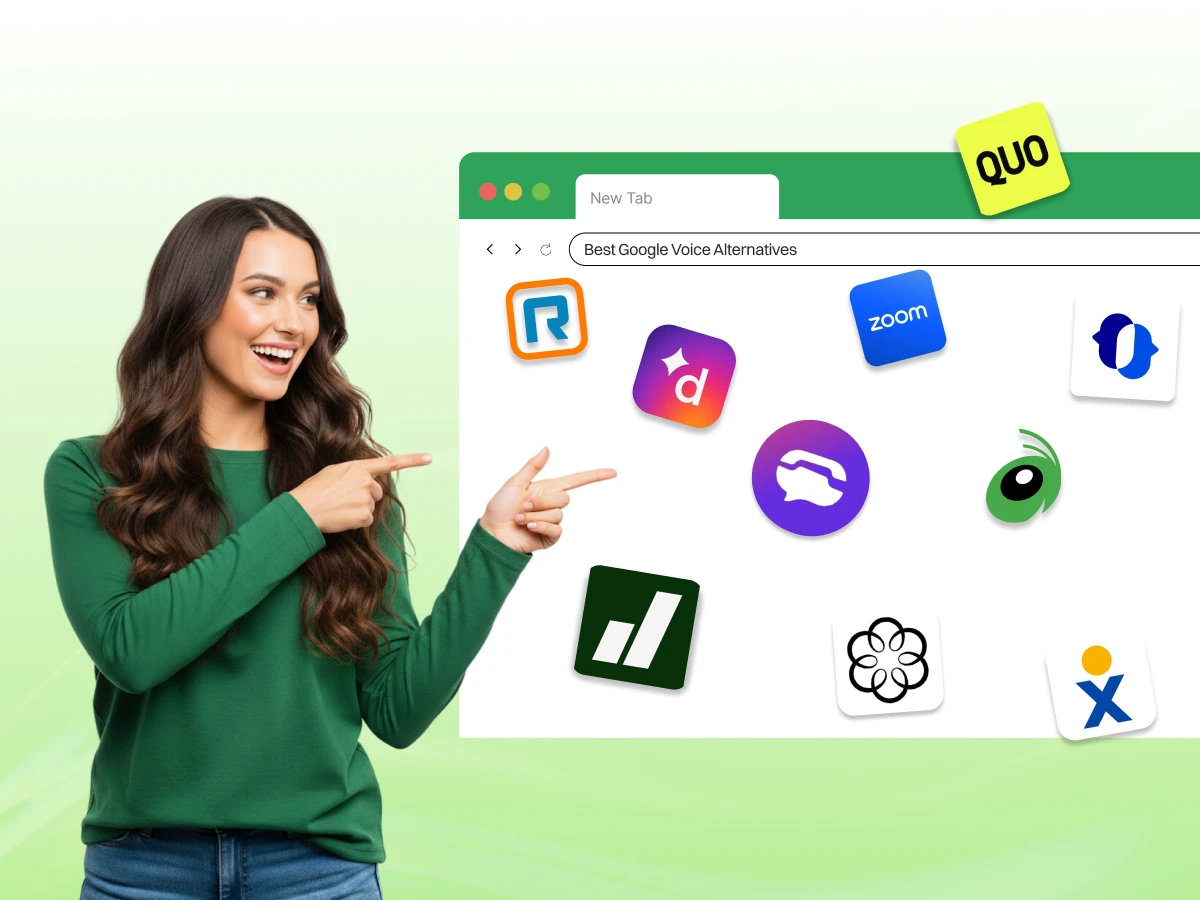
Google Voice provides a simple way to get a phone number for your business. Many startups choose it because the initial setup is fast and free. However, Google Voice offers very little for teams that need to scale.
In 2026, upgrading to a full business phone system requires AI features and better call routing. You might find that missed calls happen too often with basic tools.
This guide helps you to find the right Google Voice alternatives among the many alternatives in 2026. We explain why switching to a professional voice alternative helps your company grow.
Many entrepreneurs start with a Google Voice account for their daily tasks. It works well for a person working alone from home. But growth brings new challenges that a basic virtual phone system cannot solve.
Google Voice lacks robust management features. The interactive voice response (IVR) is very basic and lacks the depth you would find in a real phone system. You cannot see deep analytics about how your team handles phone calls.
Most growing support teams need better call queue management. Sales departments often miss out on call recording features that help with training. Some even require an AI answering service to keep up. If your team expands, these missing pieces hurt your productivity.
You can only use the service in specific countries. This restriction makes it hard for a US company to expand to Europe or Asia. You cannot easily get international phone numbers for your global customers.
People prefer calling a local line rather than a long-distance one. A more advanced phone system allows you to build a local presence anywhere.
The platform works with Google Workspace but ignores other business tools. Most companies use a CRM like Salesforce or HubSpot to track leads. Google Voice does not log calls or texts automatically into these systems. You must manually enter every detail after every call.
This reliance on manual data entry wastes time and leads to mistakes in your data. Using third-party tools via Zapier is also quite limited.
Managing multiple users and various business lines is a nightmare on the basic plan. The admin controls do not allow for complex department routing.
If you have multiple locations, Google Voice struggles to keep everyone connected. You need a system that supports unlimited users without a drop in call quality.
The best alternatives to Google Voice now use AI for efficiency. You miss out on AI-powered call transcription that captures every detail. Basic voicemail transcription is no longer enough for busy professionals.
Teams now want sentiment analysis in contact centers to see if customers are happy. Modern sales managers use live coaching features to improve customer conversations during active calls.
| Provider | Starting Price | AI Features | Best For | Mobile App |
|---|---|---|---|---|
| Dialaxy | $15/user | Advanced | SMB Growth | Yes |
| RingCentral | $20/user | High-end | Large Teams | Yes |
| Dialpad | $15/user | Industry Lead | Sales Teams | Yes |
| Grasshopper | $14/line | Minimal | Solo Owners | Yes |
| TextNow | $0 (Free) | None | Micro Budget | Yes |
| JustCall | $29/user | Sales Focus | International Teams | Yes |
| Zoom Phone | $10.50/user | Moderate | Hybrid Work | Yes |
| Nextiva | $15/user | Solid | Support | Yes |
| Ooma Office | $19.95/user | Basic | Local Retail | Yes |
| Quo | $15/user | Modern | Startups | Yes |
We spent time researching the top Google Voice alternatives to ensure they meet modern standards. A business phone system must be reliable and easy to use.
1. Pricing transparency: We check the monthly cost per user for every plan. We look for hidden fees like activation charges or extra costs for SMS. Some brands offer a low price but charge for every small add-on. We prefer a VoIP solution with clear, all-inclusive pricing.
2. Features: A voice alternative must include more than just inbound calls. We look for a strong auto attendant and advanced call routing. Every platform should offer call recording and team messaging. We also test the quality of video meetings and business texting.
3. Ease of setup: Setting up a virtual phone system should be fast. We evaluate how easy it is to port an existing phone number. The dashboard must be simple enough for a non-technical person. We also test the mobile and desktop apps for speed.
4. Scalability: We look at how these phone systems handle growth. A solo user should be able to add multiple team members in minutes. The system must support multiple devices like desk phones and laptops. We check if the platform works for small businesses and large enterprises.
5. Customer support: Good support is vital when your phone lines go down. We check for live chat, phone support, and a knowledge base. The best providers offer setup assistance to help you get started correctly.
6. Overall value: We compare the feature set against the pricing plans. A more expensive, advanced phone system might save you money in the long run. We look for the best mix of reliability and modern business tools.
This section breaks down the top choices for your next phone system.
Best for: Growing businesses needing affordable virtual phone numbers and global reach.
Dialaxy is a modern business communications platform built for the digital age. It provides a clean interface and helps teams stay connected across the globe.
Key Features:
Pros and Cons:
| Pros | Cons |
|---|---|
| Exceptional call quality | No free version for individuals |
| Easy to set up in minutes | AI features require a higher tier |
| Great international phone numbers | Support is primarily digital |
Pricing: Starts at $15 per user per month.
Why choose Dialaxy over Google Voice:
Unlike Google Voice, Dialaxy offers international numbers for teams outside the US. You get a much better virtual receptionist to handle incoming calls. It is a more advanced phone system for professional teams.
Best for: Large enterprises that need a total business communications solution.
RingCentral is a heavyweight in the world of VoIP phone system providers. It handles everything from simple calls to massive video meetings. The busi
Key Features:
Pros and Cons:
| Pros | Cons |
|---|---|
| Highly reliable uptime | The interface can feel cluttered |
| Excellent management features | It is quite expensive for small teams |
| Great for multiple locations | Learning the system takes time |
Pricing: Plans usually begin at $20 per user. The business plan includes unlimited domestic calling and team chat, all within the same group.
Why choose RingCentral over Google Voice:
RingCentral provides a more advanced feature set for large companies. You get a dedicated account manager and 24/7 support. It is built for businesses that cannot afford a single minute of downtime.
Best for: Sales and support teams that want to use data to improve.
Dialpad uses AI to help you understand your customers better. It records every call and provides live insights to your agents. You can send SMS and handle video calls in one place.
Key Features:
Pros and Cons:
| Pros | Cons |
|---|---|
| Leading AI technology | Some features are US-only |
| Very fast and modern app | Requires high-speed internet |
| Good for sales training | The basic plan is a bit limited |
Pricing: Starts at $15 per user per month.
Why choose Dialpad over Google Voice:
Dialpad turns your phone calls into useful data. Google Voice just gives you a basic audio file or text. It is the best Google Voice alternative for data-driven companies.
Best for: Small businesses and solo founders who want a professional image.
Grasshopper is a unique voice alternative. It sits on top of your existing phone number and manages your business calls. You get a professional business number and can even secure a free toll free number.
Key Features:
Pros and Cons:
| Pros | Cons |
|---|---|
| Use your own cell phone | Not a full VoIP system |
| Very easy to understand | No video conferencing |
| Low monthly cost | Lacks deep CRM integrations |
Pricing: Starts at $14 per month for one line.
Why choose Grasshopper over Google Voice:
Grasshopper makes you sound like a big company even if you work alone. You get a toll-free number that builds instant trust. It is much more professional than a basic Google Voice account.
Best for: Micro-businesses that need a free Google Voice alternative.
TextNow is a great choice if you have a zero-dollar budget. It uses an ad-supported model to offer free calls and texts. It provides a free phone number for those who only need basic calling.
Key Features:
Pros and Cons:
| Pros | Cons |
|---|---|
| It is essentially free | You must see ads in the app |
| Works on multiple devices | No professional management tools |
| Fast and easy signup | Not great for customer support teams |
Pricing: Free with ads; paid options remove ads.
Why choose TextNow over Google Voice:
TextNow is easier to get if you are outside the Google ecosystem. It provides a simple phone number without a complex setup. It is the top choice for free alternatives.
Best for: Sales teams that do a lot of international calling.
JustCall is a cloud phone system built for outbound sales. It helps your team make more calls in less time.
Key Features:
Pros and Cons:
| Pros | Cons |
|---|---|
| Amazing for sales teams | Pricing is a bit high |
| Fast number porting | Can be too complex for simple needs |
| Great call quality | The mobile app is decent but not perfect |
Pricing: Starts at $29 per user.
Why choose JustCall over Google Voice:
JustCall is a more advanced phone system for selling. It automates your workflow and saves hours of manual work. Google Voice cannot compete with its sales-focused features.
Best for: Remote teams already using Zoom for video meetings.
Zoom Phone is a modern business phone system that integrates with the Zoom app. It is very affordable and reliable.
Key Features:
Pros and Cons:
| Pros | Cons |
|---|---|
| Very easy to use | Requires the Zoom app |
| Low cost per user | Privacy can be a concern |
| High-quality audio | Basic plans lack some features |
Pricing: Starts at $10.50 per user per month.
Why choose Zoom Phone over Google Voice:
Zoom Phone unifies your business communications. You don’t need separate apps for calls and video meetings. It is a more advanced feature choice for hybrid teams.
Best for: Customer service teams that value high-quality support.
Nextiva is a robust business phone provider known for its reliability. It offers a suite of tools to help you manage customers. It provides a reliable phone service and often custom pricing for larger teams.
Key Features:
Pros and Cons:
| Pros | Cons |
|---|---|
| Best-in-class customer support | High price for small teams |
| Very stable platform | Setup can take a while |
| Tons of business tools | The interface is a bit dated |
Pricing: Generally starts at $15 per user.
Why choose Nextiva over Google Voice:
Nextiva provides essential business phone features that Google Voice lacks. You get 24/7 help from real people. It is the best Google Voice alternative for those who want stability.
Best for: Small businesses with a physical office or retail shop.
Ooma Office is a solid choice for those who still like desk phones. It is very easy to set up for a small team.
Key Features:
Pros and Cons:
| Pros | Cons |
|---|---|
| Great for physical offices | Hardware costs can add up |
| Very clear call quality | Limited third-party tools |
| Simple monthly pricing | Not ideal for giant teams |
Pricing: Starts at $19.95 per user per month.
Why choose Ooma Office over Google Voice:
Ooma Office supports physical phone systems better than Google. It makes your retail shop or office look more professional. It is a more advanced features platform for local businesses.
Best for: Tech-forward startups and small teams.
Quo is a newer player in the market. It focuses on a fast user experience and modern design.
Key Features:
Pros and Cons:
| Pros | Cons |
|---|---|
| Sleek and modern app | Fewer integrations than giants |
| Very easy to manage | Newer company in the space |
| Fair and clear pricing | No enterprise-level legacy |
Pricing: Competitive with other modern SaaS brands.
Why choose Quo over Google Voice:
Quo feels like a modern tool for 2026. Google Voice feels like an old service that hasn’t changed. The user experience is much better on Quo.
Quo offers the best balance of speed and price. It allows you to set up your business phone number in minutes without a complex manual. This makes it a great choice for teams that move fast.
Dialpad is the clear winner for data lovers. It tracks every detail of your phone calls and gives you instant feedback. Your sales team can use these insights to close more deals every month.
Nextiva provides the reliability remote teams need. It offers a stable internet connection and professional support around the clock. Your employees can stay connected no matter where they work in the world.
Zoom Phone is incredibly cheap for what you get. It provides a professional phone number for a very low cost per user per month. This is perfect for individuals who already use Zoom for video meetings.
Dialaxy and JustCall lead the way in global numbers. They provide international phone numbers in dozens of countries with ease. You can build a global presence without having a physical office in every city.
Switching to a paid Google Voice alternative involves some costs you might not see. Always read the fine print before you sign a contract.
Sometimes you just need a free Google Voice alternative for a small project. These are the best options if you have no budget.
Best for: Extreme budget users who need a basic line.
Pros: It is truly free for basic use on your phone or laptop.
Limitations: You have to see ads in the app all the time. It lacks the professional management features that a real business needs.
Best for: International texting and customer service.
Pros: Everyone has it, and it is very secure for messages.
Limitations: It is not a traditional phone system and doesn’t handle inbound calls like a PBX phone system. You cannot get a toll-free number with it.
Best for: Tech-savvy users who want an open-source tool.
Pros: High privacy and no cost for the software itself.
Limitations: You must provide your own SIP provider, which costs money and time. It is very hard to set up for a normal person.
Best for: Getting a second US number for free on a tablet.
Pros: It is very easy to use on an old phone or iPad.
Limitations: It is not professional enough for a growing business team. The call quality can be hit or miss depending on your internet.
Are free alternatives enough for businesses?
Usually, no. Free tools lack security and real human support. They don’t scale when you hire more people for your team. Reliability is often a gamble with free services. For a professional image, a paid business phone is always a better investment.
When you move away from Google, you must check the security of your new provider. Data privacy is more important than ever in 2026.
Moving your business communications platform is a simple process if you follow these steps.
Once you leave Google Voice behind, your business will change for the better. You will finally have a standalone phone system that gives you total control of your communication.
Finding a Google Voice alternative helps your business reach the next level of professionalism. You gain access to advanced call management and better team collaboration tools.
While the basic Google Voice account works for some, most teams need a more advanced phone system. Take the time to compare pricing and features before you choose.
A reliable business communications platform is an investment in your success. Choose a provider that fits your specific needs and start calling today.
Sign up with Dialaxy today to start using advanced call features that actually help your business grow.
For a professional business, it can be. Some customers feel a Google Voice number looks temporary or cheap. Using a dedicated business phone provider builds more trust. It shows that you are an established company that invests in its tools.
Yes, many. Companies like Dialaxy, Dialpad, and RingCentral offer similar services with much more power. They are designed specifically for business users rather than individuals. These alternatives provide better support and more features.
VoIP is cheaper and more flexible than traditional landlines. It allows you to work from anywhere with an internet connection. You get more features like video calls and texting for a lower price. It is the standard for modern business.
The biggest downsides are limited customer support and poor integrations. It is hard to scale for multiple team members. It also lacks the advanced AI tools that competitors now offer in 2026.
Yes. Google complies with legal requests from law enforcement. Your account is tied to your identity and your Google Workspace details. It is not an anonymous service for illegal activities.
No, it is a legitimate service from a major company. However, because it is free, scammers sometimes use it for spam. This is why some people prefer a more verified business phone system. Using a paid service looks better to your clients.
