

What Is SIP Phone? Key Features, Benefits, and How It Works

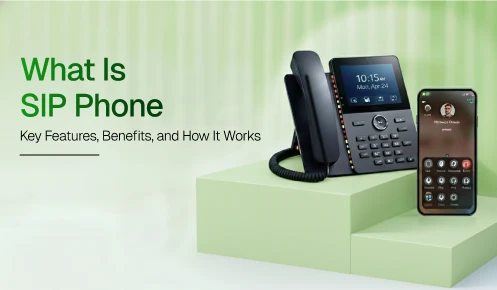
Your office phone rings. A customer calls from across the world. Your remote teammate answers it on their laptop. No physical line. No expensive hardware. Just the internet. That is a SIP phone at work.
You have probably heard the term thrown around a lot lately. But what exactly is a SIP phone, how does it work, and why are so many businesses switching to it? These are fair questions, and by the end of this guide, you will have clear answers to all of them.
A SIP phone is any device that makes and receives calls over the Internet using the Session Initiation Protocol. That device could be a physical desk phone, a laptop app, or even your smartphone. The common thread is that it uses the internet, not old copper phone lines, to connect calls.
Think of it like this. A traditional phone uses physical wires to carry your voice from one place to another. A SIP phone converts your voice into digital data and sends it over your internet connection instead. The result? Cheaper calls, more features, and the freedom to work from anywhere.
SIP stands for Session Initiation Protocol. That sounds technical, but the idea is simple. The SIP Protocol is just a set of rules, a common language that devices use to start, manage, and end calls over the internet.
Here is a helpful way to think about it: SIP is the traffic controller of your phone call. It does not carry the conversation itself. It just decides where the call goes, when it starts, and when it ends. The actual voice travels separately using another protocol called RTP (Real-time Transport Protocol). SIP is the organizer. RTP is the delivery truck.
Because SIP is an open standard developed by the IETF in 1999, devices and systems from different brands can communicate with each other. You are not locked into one company’s ecosystem the way you would be with a proprietary system.
These three terms get mixed up constantly. Here is the clear difference:
| Term | What It Means | Key Notes |
|---|---|---|
| IP Phone | Any phone running over an IP network | Broadest category |
| VoIP Phone | Converts voice to digital packets over the internet | Can use SIP or proprietary protocol |
| SIP Phone | A VoIP phone using the SIP protocol specifically | Most flexible and interoperable |
The one line to remember: All SIP phones are VoIP phones, but not all VoIP phones are SIP phones. SIP is the open standard that makes phones from different brands and systems work together seamlessly.
Every SIP call follows a clear, predictable sequence. Here is exactly what happens from the moment you dial to the moment you hang up in plain English, no technical jargon required.
Step 1: Registration
When you turn on your SIP phone, the very first thing it does is register with a SIP server. It sends a REGISTER message that essentially says: ‘I am here, and this is my number or extension.’ The SIP server records this, so it knows exactly where to send incoming calls for you. Think of it like checking in at the front desk of a hotel. The server now knows your room number.
Step 2: Initiating the Call (INVITE)
When you dial a number, your SIP phone sends an INVITE message to the SIP server. This is like a digital knock on the door. The INVITE carries important information your caller ID, the type of call (voice or video), and which audio format (codec) your phone prefers. The SIP server then finds the recipient and passes the request along.
Step 3: Negotiation and Handshake
Here is where the two phones agree on a common language. The receiving phone responds with ‘180 Ringing’ like a regular phone ringing, and then ‘200 OK’ when someone picks up. Both devices quickly negotiate which codec to use and confirm the session details. This whole back-and-forth happens in milliseconds. You never notice it you just hear the call connect.
Step 4: The Session Begins (RTP Takes Over)
Once both phones agree, SIP steps back and hands off to RTP (Real-time Transport Protocol). RTP is what actually carries your voice and video during the call. It sends your audio as tiny digital packets across the internet in real time. SIP stays quietly in the background, managing the session, but it is RTP doing the heavy lifting during the conversation itself.
Step 5: Ending the Call (BYE)
When you hang up, your SIP phone sends a BYE message to the server. The server then terminates the session on both ends simultaneously. Call logs, recordings, and data are stored automatically based on your system settings. Clean, simple, and instant, just like hanging up a regular phone.
Communication Fundamentals
Dec 22, 2025
Read More
Still not sure if SIP is worth switching to? Here is a direct comparison that puts both options side by side. The differences speak for themselves. The table below highlights the key features of a SIP phone to help you determine whether it is the right fit for your business needs.
| Feature | SIP Phone | Traditional Landline |
|---|---|---|
| Setup time | Minutes | Days to weeks |
| Monthly cost | Low – per-user pricing | High + maintenance fees |
| International calls | Very low cost | Very expensive |
| Remote work support | Yes – works anywhere | No – office only |
| Video and messaging | Built in – no extra app | No – office only |
| Scalability | Add users instantly | Requires a technician |
| CRM integration | Full integration available | Not possible |
| AI features | Transcription, analytics, routing | Not available |
| Disaster recovery | Automatic call rerouting | The line goes down with the office |
| Hardware required | Optional – softphone works | A physical phone is always needed |
Getting started with a SIP phone system is much simpler than most people expect. Here is the whole process in four clear steps.
Step 1: Choose Your SIP Provider
This is the most important decision. Look for a provider that offers strong uptime guarantees, CRM integrations, AI features, and global number availability.
Many providers also work with trusted channel partners such as resellers and specialists who can help you find the best plan for your specific team size and industry. Always take advantage of a free trial before committing to test the call quality, mobile app, and admin portal in real conditions.
Step 2: Pick Your SIP Phone Type
Decide which type of SIP phone works best for your team’s work style. Remote workers will do best with a softphone app. Office-based staff might prefer a SIP office phone. Hybrid teams often benefit from both options running on the same account.
Step 3: Set Up Your Numbers, Users, and Call Routing
Log in to your admin portal and start configuring. Add users, assign local or international numbers, and build your call routing rules and IVR menu. Most modern SIP systems have intuitive admin dashboards. You do not need an IT degree to figure them out.
Step 4: Integrate With Your Tools and Go Live
Connect your SIP system to your CRM, helpdesk, and calendar tools. Run a quick test call to check audio quality and call routing. Then train your team, most SIP systems take less than 30 minutes to learn. After that, you are live.
A SIP phone is not just a new way to make calls. It is a smarter, more flexible, and more affordable communication foundation for any business that wants to grow.
You now know that a SIP phone is a device that uses the Session Initiation Protocol to make internet-based calls. You know how it works from the initial registration to the final BYE message. You know the types available: hard phones, softphones, ATAs, and wireless options. And you know the benefits: cost savings, scalability, remote work support, and seamless tool integration.
The only real question left is: what is stopping you from making the switch? For most businesses, the answer is nothing. SIP phone systems are easier to set up, cheaper to run, and more powerful than anything traditional landlines could offer.
If your team is growing, working remotely, or simply tired of a phone system that costs too much and does too little, a SIP phone system is the upgrade you have been waiting for.
Ready to upgrade your business communication with a smarter SIP phone solution?
No hardware is required if you use a softphone, an app that turns your computer, tablet, or smartphone into a business phone. While physical SIP desk phones are available, they are entirely optional.
Yes. Most modern SIP providers offer mobile apps for iOS and Android. Simply download the app and log in to use your business number from anywhere with an internet connection.
Yes. Modern SIP systems use TLS for signaling and SRTP for voice encryption. For maximum security, select a provider that supports both standards and requires two-factor authentication for administrative access.
SIP plans generally cost $10–$50 per user monthly, offering significant savings over landlines. Most providers use tiered pricing, allowing you to start with a basic plan and scale up as your team grows.
Most SIP providers offer free number porting, allowing you to keep your existing digits. The process typically takes 3 to 10 business days; just ensure your old service remains active until the transfer is confirmed complete.
SIP calls require about 100 Kbps each. For 5 concurrent calls, you’ll need 650 Kbps (including a 30% buffer), which most modern connections easily support. For maximum stability, always use wired Ethernet over Wi-Fi.
For most 2026 businesses, yes. SIP phones are more cost-effective, scalable, and feature-rich than landlines, supporting remote work and seamless app integration. Traditional lines are now only necessary for the rare locations lacking reliable internet.
