

Softphone: What Is It, Benefits, & How To Choose The Best One?

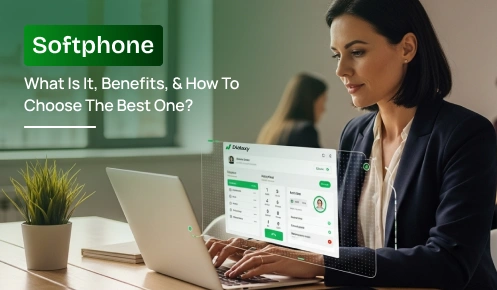
A softphone is a software application that lets you make and receive phone calls over the internet using a computer, smartphone, or tablet. It works with a VoIP (Voice over Internet Protocol) service, so you can use a business phone number without needing a physical desk phone.
Businesses use softphones to handle calls from the office, home, or other locations. The features available depend on the provider and plan, but may include call transfers, voicemail, business texting, and CRM integrations.
By the end of this guide, you’ll understand what a softphone is, the powerful benefits it offers, and exactly how to choose the best one for your business.
Imagine your full-featured office desk phone with extensions, call transfer, and caller ID existing entirely inside an app. That’s what a softphone is. Software where you make and take business calls directly from existing devices like a computer, tablet, or smartphone, and are not limited to a physical handset.
A softphone is a digital, screen-based alternative to traditional phones. It removes wire clutter and enables professional communication anytime, anywhere through a simple, modern interface.
It’s available in three main formats to match how your team works:
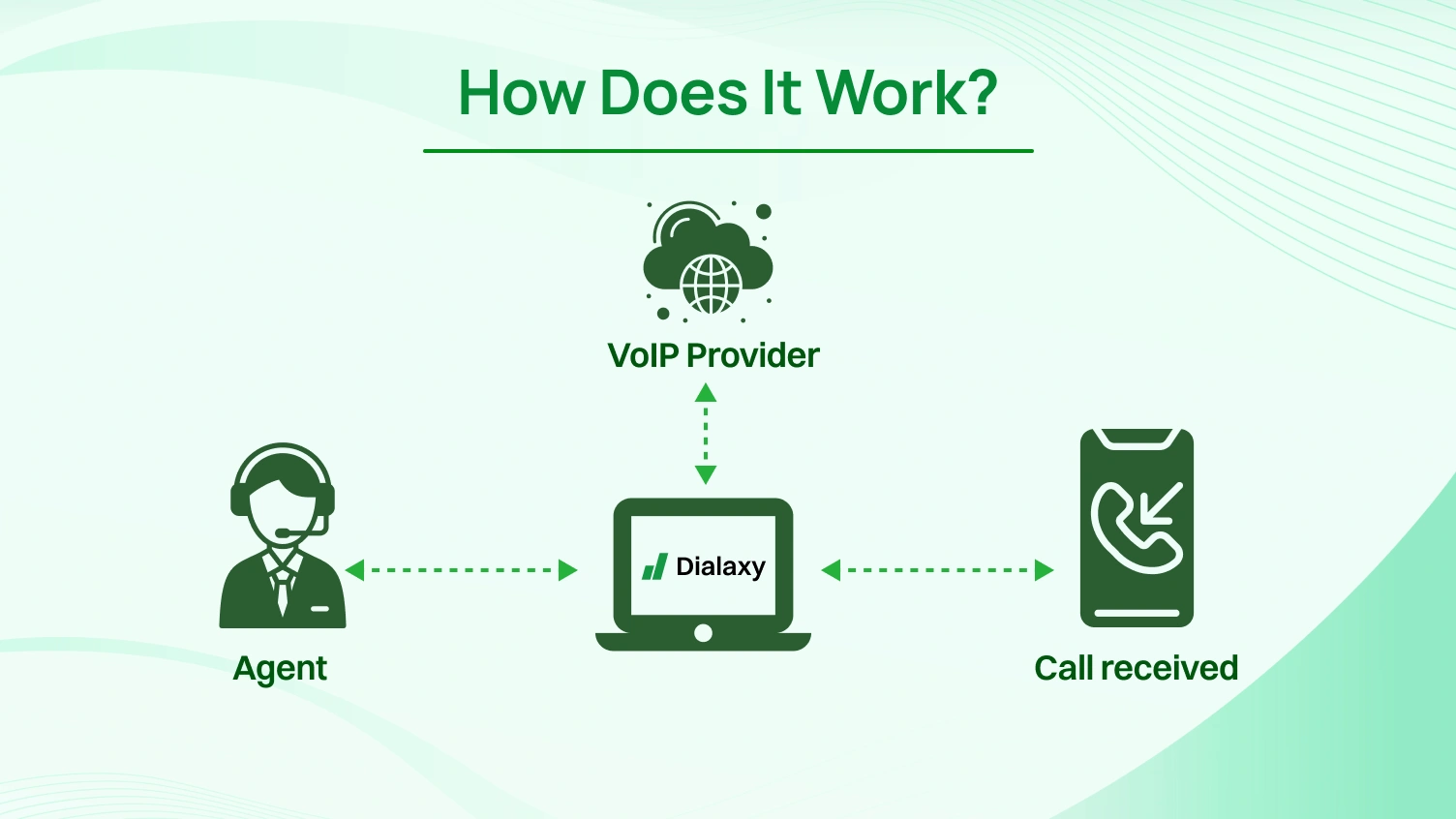 1. Open the softphone app
Sign in to a softphone account connected to a VoIP service.
Use the on-screen dial pad or available contact list to place a call or answer an incoming one.
The app converts voice into digital audio data and sends it over the network.
The VoIP service routes the call to the recipient, which may be another internet phone or a regular telephone.
Knowing what a softphone is sets the stage, but the real value comes from seeing how it improves real business situations. It is more than a replacement for a desk phone. It becomes a practical asset that makes work more flexible and more productive for every role in your company.
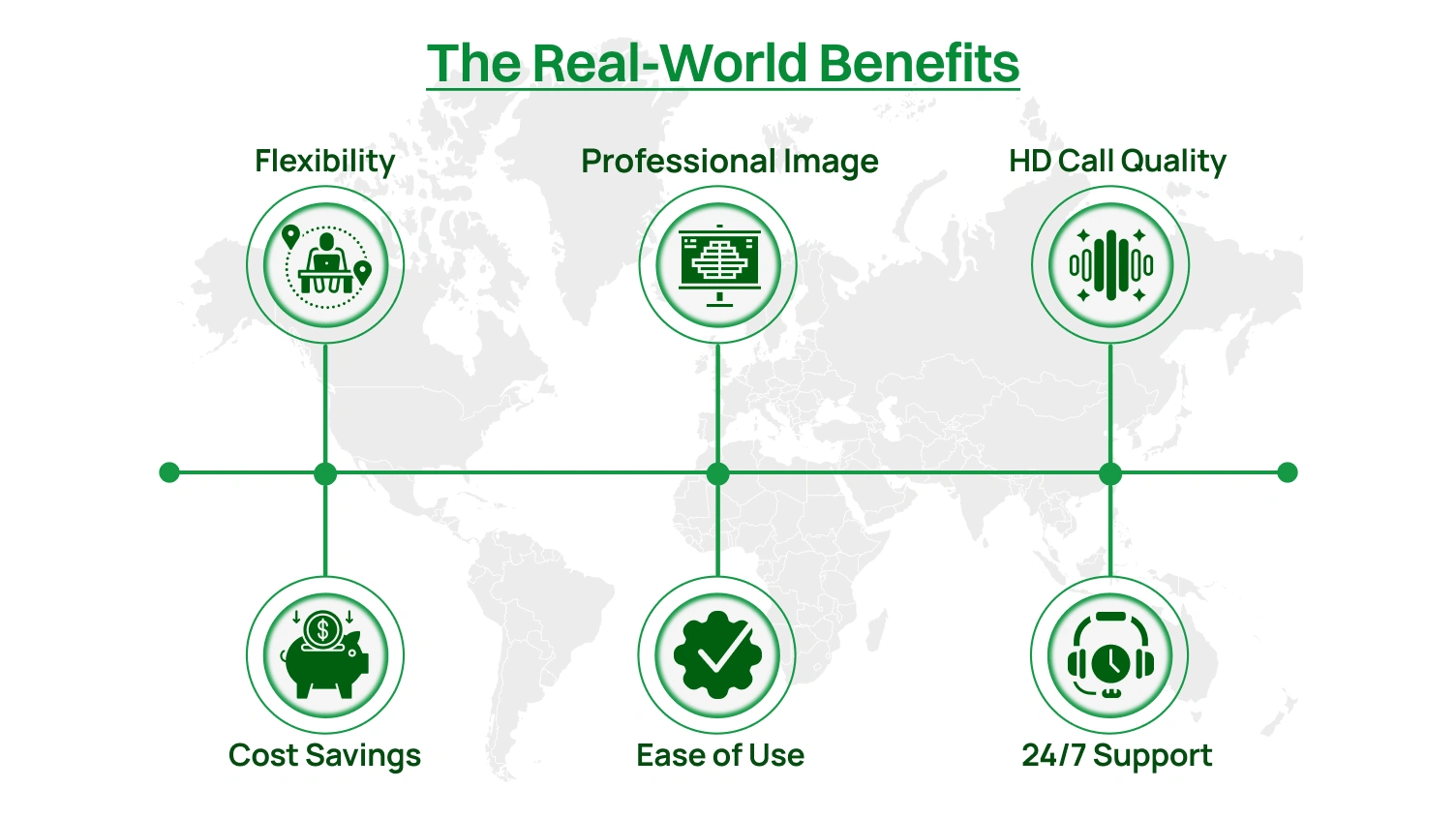
Picture your top sales rep in an airport lounge when a high-value lead calls back. Instead of the call going to an empty office voicemail, it rings on their laptop through the softphone app.
They respond with the business number, update the CRM, and confirm the deal before getting on the flight.
This is mobility that allows your team to remain connected, whether they are on the road, at home, or in the office, using the same business communications tools.
Also, the flexibility not only drives productivity but also delivers a compelling advantage in cost savings.
Traditional desk phones require expensive handsets, wiring, and maintenance. Adding a new user often means calling a technician. A softphone removes those costs.
There is no physical hardware to buy or service, and adding or removing a user is a simple setting change. Calls over the internet can also lower long-distance and international charges, with savings showing quickly on the monthly bill.
Lower costs are valuable, but a softphone also helps your business present a stronger, more professional image.
Features like auto-attendants ensure that even a small team sounds established and organized by professionally greeting every caller. It has features such as IVR and auto-attendant, whereby each caller is greeted with a professional menu and is directed to the appropriate person with no delay.
This professional routing builds trust by ensuring customers are connected to the right person on the first try. A professional image sets the stage, but powerful integrations empower your team to deliver on that promise.
An incoming call is more than a phone number. With CRM integration, the softphone can display a complete customer profile before the agent answers. This means the agent knows the history and current needs without asking for repeated details.
Dialaxy’s softphone connects with the CRM and productivity tools your team already uses, giving staff the context to respond faster and improve customer satisfaction.
When you see these benefits in action, the next question is clear: how does a softphone truly compare to a traditional desk phone? That’s where the differences become even more obvious.
You have examined the advantages of a softphone now. How does it stack up against the traditional desk phone that has been in use for decades?
Both can actually call and be called, but the contrasts are evident when comparing the price, flexibility, features, and levels of scalability.
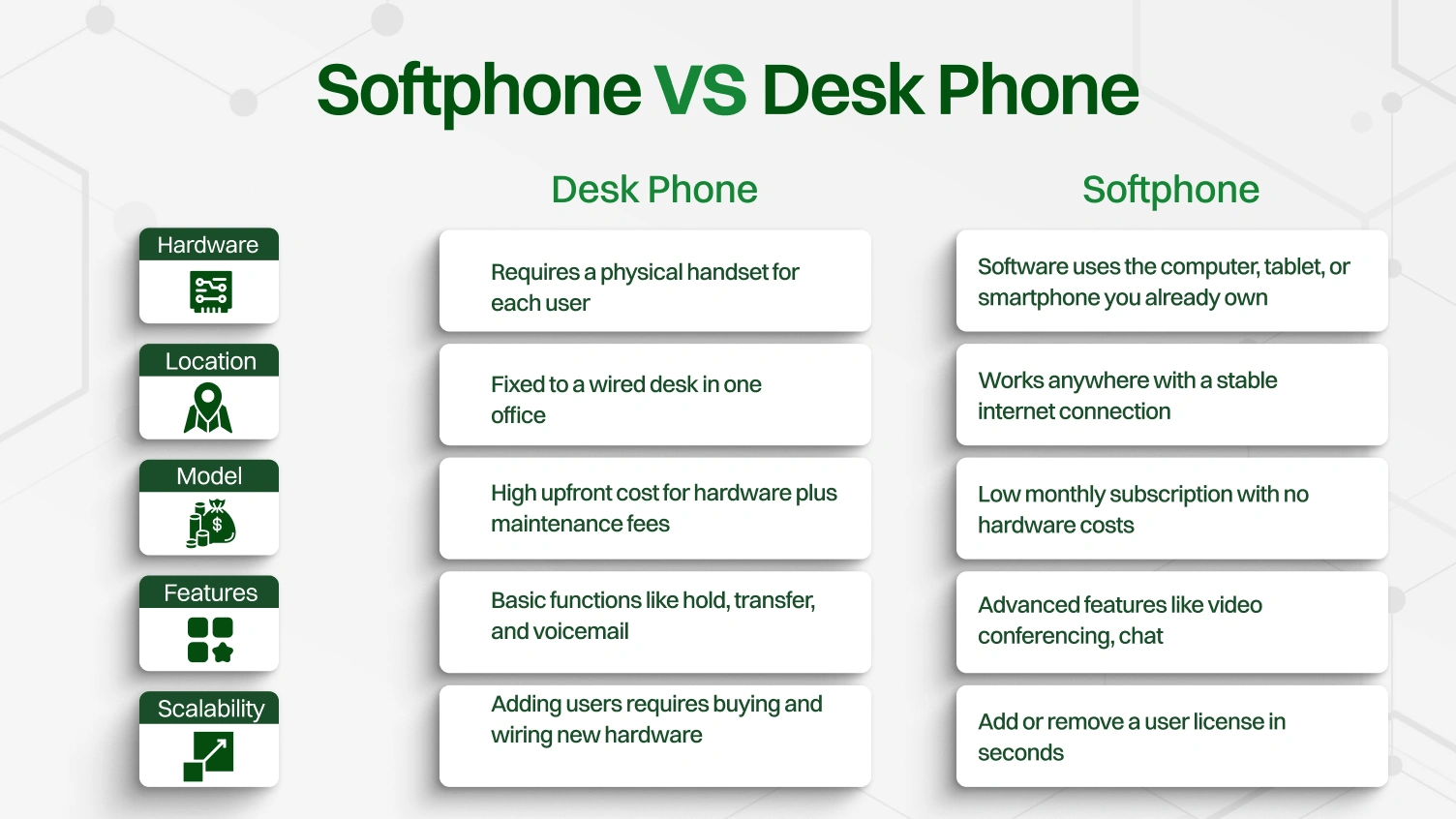
Traditional desk phones have been standard for decades, but they limit mobility and carry high long-term costs. They are tied to a single location, so a team member cannot take their number with them unless they forward calls or use additional systems.
A softphone, by contrast, allows the same business number to be used from a desktop, mobile phone, or web browser. This supports flexible working arrangements without extra equipment or complex setup.
Switching to a modern phone system does not have to be all or nothing. Many companies choose a hybrid setup that combines desk phones and softphones.
For example, a business may keep a few traditional desk phones in high-traffic areas such as reception, security desks, or shared conference rooms. These locations benefit from the instant pick-up and consistent availability of a fixed handset.
Flexibility to Different Roles: You can provide desk phones for employees in fixed locations while equipping mobile and remote staff with softphones.
Cost Efficiency: It will help to cut down on the budget for physical handsets, maintenance, and wiring costs.
Better mobility: Enables employees to access the same business number when they are in a place with an internet connection.
Scalability: Add and/or delete softphone users in seconds without additional hardware.
Business Continuity: Maintain communication when offices are closed or network outages are experienced at a single site.
Phase-by-phase transition: This allows the business to transition to a modern communication system at a comfortable pace.
Efficient Allocation of Resources: Employ and utilize every phone type in the areas where they do the most good.
The balance is the benefit of a hybrid setup. You can retain the comfort and trustworthiness of desk phones in the places where it is most valuable and provide the other staff with the portability, versatility, and additional features of softphones.
It also supports gradual adaptation, where the employees adapt to the new system as the business experiences cost savings, scalability, and increased productivity.
This strategy combines the best of the traditional and the new, such that the communication tools are relevant to the requirements of each role.
Adopting new technology is a smart move, but it is natural to have questions before making a change. While a softphone offers many benefits, you might still wonder about call quality, security, and team adoption. Let’s address these concerns directly so you can move forward with confidence.
Many remember poor sound from early internet calls, but modern softphone technology delivers HD voice that can be clearer than a landline. The key factor is a stable internet connection, not extreme speed.
A good guide is about 100 kbps upload and download per active call. Using a quality headset instead of a built-in microphone also helps maintain professional audio for every conversation.
Sending business conversations online raises valid security concerns. Reputable providers use TLS/SRTP encryption to scramble call data, making it unreadable to anyone trying to intercept it.
For industries with strict requirements, compliance is essential. Leading platforms meet HIPAA rules for healthcare and GDPR standards for customer privacy. At Dialaxy, security and compliance are core features, not optional extras.
A tool only works if people use it. The best way to ensure adoption is to choose a softphone with a clean, user-friendly interface where call transfer, voicemail, and contacts are easy to find.
The Dialaxy softphone is built for clarity so that most users can start in minutes without long training. Running a small pilot program builds confidence before rolling out to the entire company.
With these concerns addressed, the next step is clear: choosing the right softphone for your business using a proven checklist.
You know the advantages and have discussed the most common concerns; the next step is choosing the softphone that suits your business. The process is simple with a checklist that is centered on what is most important to your team and agenda.
Before comparing providers, start with your own team. The right softphone should solve specific challenges, not just add features. Ask yourself:
Clear answers here will shape your requirements and guide every choice you make in the next steps.
Once needs are clear, connect them to essential features. Avoid chasing long feature lists and focus on value:
A short, focused list of three to five must-haves will keep evaluations on track.
Even the most advanced system will fail if it is too hard to use. Look for:
Dialaxy’s softphone is built with these principles to help teams adopt it with minimal effort.
A phone system must be dependable. Look for:
A provider that invests in reliability and support will protect your operations.
Test the softphone with a small, varied group from your company. This confirms call quality, checks usability, and reveals any workflow issues. A successful pilot builds confidence for a company-wide rollout and ensures the choice is right for your team.
By working through these five steps, you can replace uncertainty with clarity and select a softphone that delivers real results for your business. But for many organizations, especially in regulated industries, one area requires an even deeper look: security.
Your business phones handle client details, financial data, and strategic plans, so your softphone app must meet strong security and compliance standards. Many providers stop at basic protections, but these measures are essential for serious business communications and regulated industries.
What to seek: Role-Based Access Control (RBAC) and full audit logs.
It matters because RBAC ensures only the necessary features are available for access. Audit logs monitor activity as part of troubleshooting and auditing of security processes.
Selecting vendors that address these demands is no longer an IT decision: It is a protection of revenue, reputation, and brand loyalty. Such security is hard-coded into the softphone software that Dialaxy writes, and enables both business growth and highly trusted spaces like an AI-powered contact center.
When business communications fail, problems like complex software, disconnected tools, poor audio, and slow support can hurt performance. Dialaxy’s softphone app is built to solve these issues, helping your team send and receive calls efficiently while keeping operations smooth.
Most of the platforms overwhelm employees with menus, obscure settings, and other unintuitive user controls that hold them up.
Solution: Clean interface in which calls, contacts, and important features are accessible on both desktop and mobile platforms.
The Benefit: It does not require lengthy training to get staff started on the system; this can be done within a few minutes, reducing the learning curve and adoption on the first day.
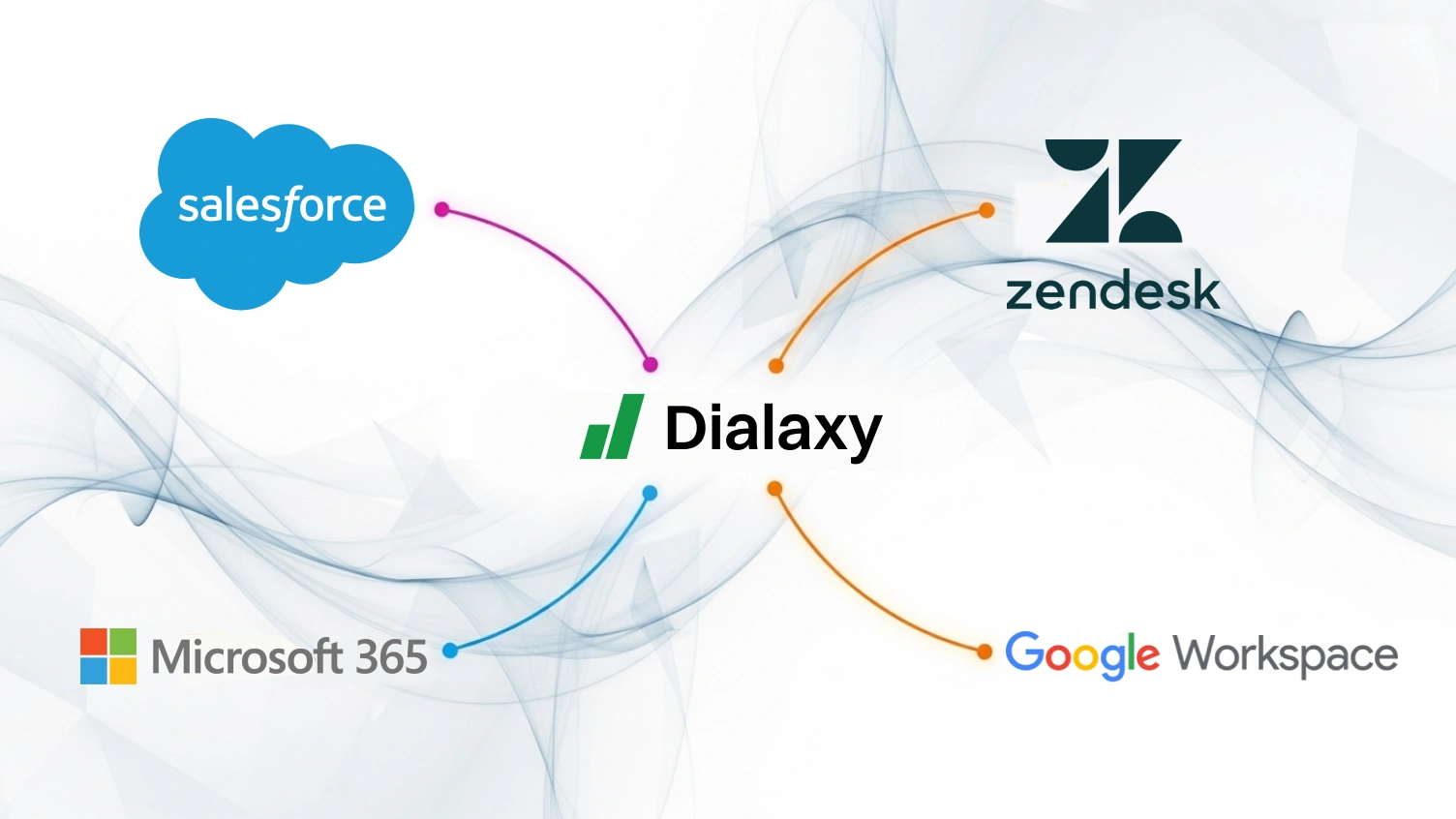
The use of multiple tools for each customer activity makes the processes slow and increases the probability of errors.
Solution: Integration through direct connections with CRM systems, helpdesk systems, and productivity software such as Salesforce, Zendesk, Microsoft 365, and Google Workspace.
The Benefit: The agents notice recorded data, history, and past tickets immediately in the softphone application, which enhances response precision, shortens response time, and elevates the client experience.
Inaudible audio or having calls dropped at a time when they are crucial can be damaging to professionalism, and they can aggravate clients.
Solution: Premium HD voice codecs to ensure clear, stable audio, even when video conferencing or when network conditions degrade.
The Advantage: Inbound calls and conversations remain natural and clear with less misinterpretation of information, support trust, and make both staff and customers’ work easier.
The disadvantages of slow support include prolonged delays and a loss of opportunities, as well as an increase in stress on your team.
Solution: A 24/7 support team and a committed team that responds to issues over the phone, email, and chat.
The Benefit: We have faster resolution to problems, less downtime, and your business phones are up and running, so teams can get to work and not be interrupted by a phone call.
One way or another, Dialaxy offers a trustworthy way to always be in touch, be more efficient, and increase business profits, whichever is the case (a developing team, an AI-powered contact center, or channel partners).
Softphones let businesses make and receive calls through software rather than relying entirely on physical desk phones. They can support remote work, reduce the need for dedicated phone hardware, and provide business calling features through a computer or mobile device.
Before choosing a softphone, compare its features, supported devices, call quality, security, pricing, and customer support.
If you need a business phone system for your team, explore Dialaxy to see whether they fit your communication needs.
No. Softphones require an active connection to VoIP (Voice over Internet Protocol) services to make and receive calls. Without internet protocol access, the app cannot connect to communication protocols that carry voice data.
The Opus codec offers the highest quality for VoIP voice calls while adapting to network conditions. G.711 also delivers excellent quality but uses more bandwidth. These codecs ensure clear audio on both desktops and mobile devices.
Yes, if the softphone software provider meets HIPAA requirements, uses encryption in VoIP voice-over-IP calls, and agrees to a Business Associate Agreement. These steps safeguard sensitive health data.
E911 routes emergency calls to the nearest center using your registered address in the softphone app. It’s crucial to keep your registered address updated if you change locations to ensure first responders are sent to the right place. Leading providers like Dialaxy make this easy to manage directly within the app.
Yes. Many include video conferencing, additional features like call recording, CRM integration, and analytics. These tools help teams, channel partners, and even an AI-powered contact center improve customer service and scale operations.
