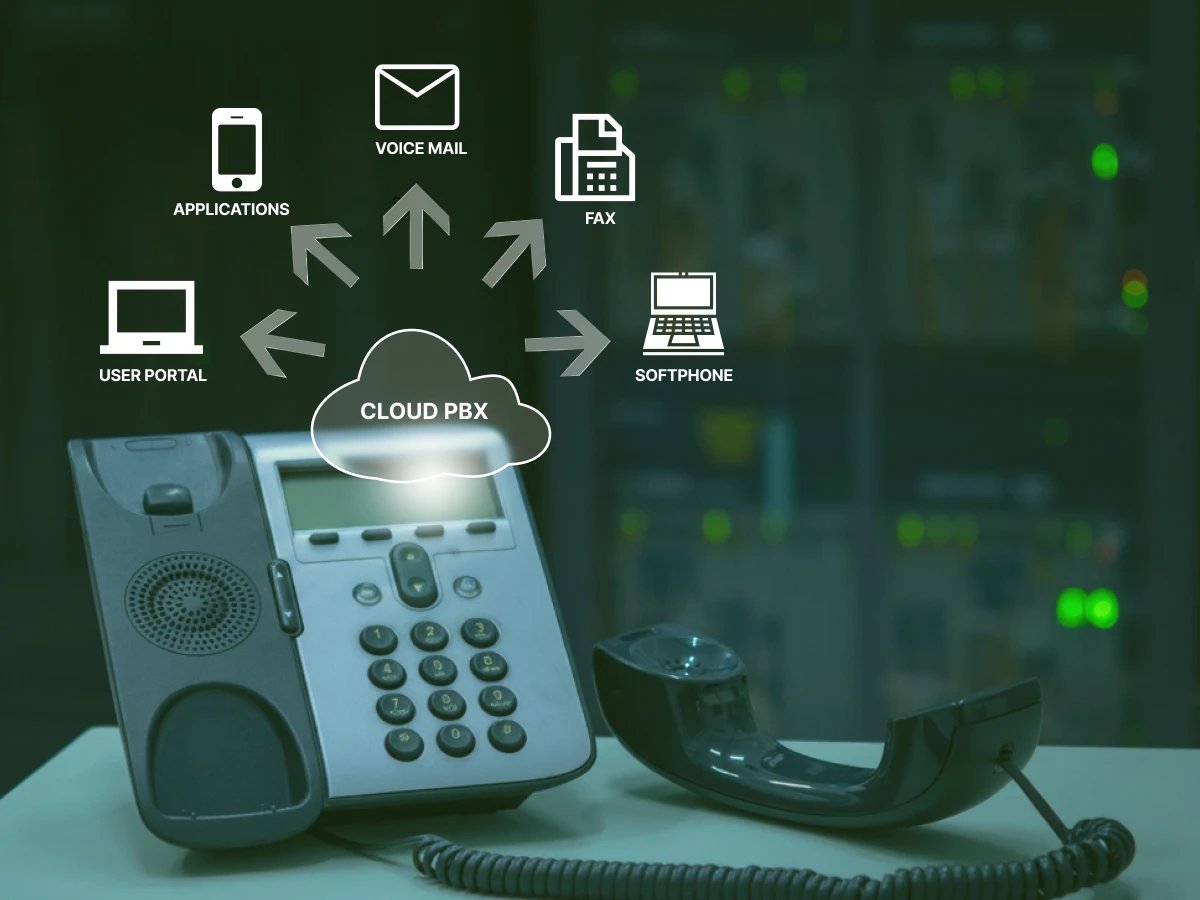
Overview: A SIP line is a virtual phone connection that replaces traditional analog lines using the internet. By utilizing Session Initiation Protocol, it enables voice, video, and messaging, offering businesses significant cost savings, easier scalability, and seamless remote connectivity through VoIP technology.
Traditional landlines are going the way of the fax machine; obsolete and overpriced.
As carriers replace copper wires, businesses are scrambling for a reliable alternative.
Solution? The SIP line.
It’s not just a digital phone number; it’s a way to run your entire communication system over the internet.
If you’re tired of high bills and rigid hardware, it’s time to see how SIP modernizes your office and keeps you connected.
Key Highlights
A SIP line allows you to replace expensive analog copper landlines with virtual connections to slash monthly phone bills.
You can add or remove phone lines through a digital dashboard in minutes; no waiting for a technician to run new wires.
VoIP-specific firewalls and call encryption can help you guard your business against hackers and costly toll fraud.
For better audio, you can prioritize voice data on your router using Quality of Service (QoS) settings.
Your team can remain connected even when working remotely, with a mobile app or laptop, employees are able to take their office line anywhere.
What is a SIP Line?
To get a clear picture of a VoIP line, you first have to understand the Session Initiation Protocol.
SIP is a set of rules, an application-layer protocol, that tells computers how to start and end a communication session. While we mostly use it for voice calls, it is also the engine behind video conferencing and instant message platforms.
A SIP line is essentially a single path of communication over the Internet Protocol. In the analog world, a line was a physical wire. In the digital world, a SIP line is a virtual lane on your internet “highway.”
This allows you to conduct calls over the internet without needing a separate physical infrastructure for your phones. Everything runs over the same fibre or cable connection you use for your email and web browsing.
This technology is the backbone of internet telephony. It allows a unified communications setup where your desk phone, laptop, and smartphone all share the same identity.
When a provider offers you SIP lines, they are providing you with the digital capacity to handle concurrent calls over your existing data network.
Communication Fundamentals
Understanding SIP Gateways: Architecture, Features, and Benefits
The technical side of a VoIP line is handled by software called a SIP proxy or a SIP server.
When you pick up your VoIP phone and dial a number, the SIP protocol transmits a digital request to the server.
This server acts as a traffic controller. It examines the dialed number, locates the person on the global network, and establishes a virtual connection.
Once the connection is established, your voice is converted into digital packets.
These packets travel via the Internet Protocol to the receiver. Because this happens on a virtual connection, the physical location of the caller doesn’t matter.
Your private branch exchange (PBX) manages these lines. In a modern setup, you likely use an IP-PBX or a cloud-based system. This business communications hub handles the call routing, ensuring that when someone dials your main number, the call goes to the right person’s VoIP app or desk phone.
This entire process is orchestrated by telephony service providers who manage the partner network that carries your data to the public telephone network.
Benefits of Using a SIP Line
The transition from a traditional phone line to a SIP line offers more than just a tech upgrade; it offers a total shift in how you spend money and manage resources. The benefits of SIP connection are as follows:
POTS Line Replacement: Many carriers are raising the price of analog lines to force customers off the old network. A SIP connection is a direct POTS line replacement that usually costs 40% to 60% less per month.
Infrastructure Savings: Since SIP trunking uses your existing internet, you don’t have to pay for a separate “phone company” wire to enter your building. This reduces your hardware footprint.
Dynamic Scalability: During a season of increased demand, you can add more SIP channels immediately via a partner portal. You can reduce when you are out of the busy season. You pay for the capacity that you require.
Local Presence: A SIP line allows you to buy any local phone number in any city. You can have a Los Angeles number even if your office is located in Chicago, so that local customers will feel comfortable calling you.
Simplified Management: A centrally managed system would enable your IT team to manage all the phone settings in one web dashboard. You do not have to call a technician and have him/her punch down wires in a closet.
Switching to SIP is a budget-saver. Between the lower monthly bills and the ability to add new lines instantly, it’s the most logical move for a business that wants to grow without the hardware headaches.
Key Features of a SIP Line
The main characteristics of a VoIP line are as follows:
High-Definition Voice: SIP lines provide much better call quality than ancient analog systems using the latest codecs. The audio is crisp, reducing the “what did you say?” moments in important meetings.
Presence Information: You can tell when a colleague is on a SIP call, in a meeting, or out of their desk without even attempting to transfer a call.
A2P 10DLC Registration: For 2026, if your business sends texts to customers, you need this registration. Modern SIP providers include this as a standard feature to keep your messages from being marked as spam.
Virtual Auto-Attendant: A small company can resemble a big company with a professional menu of greetings and automated call routing.
Seamless Integration: Your SIP line can be directly connected to your CRM so that your sales team can access customer information as soon as that phone rings.
Therefore, you get crystal-clear audio, professional call menus, and the ability to send business texts. These tools help a small company look and act like a big corporation.
Tips: Turn more conversations into conversions with a better sales setup.
SIP Line vs. SIP Trunk vs. SIP Channel
There is a lot of jargon in this industry, and it’s easy to get confused between a SIP line and SIP, a trunk whats the difference, and a channel. Let’s simplify the SIP line vs. SIP trunk vs SIP channel debate.
Feature
SIP Channel
SIP Line
SIP Trunk
What it is
A single digital path for a phone call.
The digital version of a phone extension or number.
A virtual “pipe” that connects your office to the internet.
Call Capacity
Exactly one call at a time (concurrent call).
Typically, one call per user/number.
Can handle hundreds or thousands of calls at once.
Analogy
A single lane on a highway.
A specific car driving in a lane.
The entire highway connecting two cities.
Business Use
Used to buy concurrency (how many people can talk at once).
Used to give individual employees their own identity or number.
The main bridge between your PBX system and the provider.
Scalability
You add channels to a trunk as your team grows.
You add lines when you hire new employees.
You only need one trunk to support your entire office.
Understanding the line and SIP trunk distinction helps you when talking to a telephony service provider about your specific needs.
How to Calculate Your SIP Capacity Needs
You don’t need a VoIP line for every single desk in your office. That is a waste of money. Instead, you need to look at your peak call volumes.
For most offices, a 3-to-1 ratio is the industry standard. If you have 30 employees, you likely only need 10 SIP lines.
It is statistically unlikely that all 30 people will be on an external VoIP call at the exact same minute. However, if you are a call center, you might need a 1-to-1 ratio.
To get an accurate number, check your current phone bill for “concurrent call peaks.”
Also, consider your data bandwidth. Each VoIP line requires about 90 kbps of bandwidth, depending on the codec. If you have 20 people on the phone, that’s nearly 2 Mbps of your internet speed dedicated strictly to voice calls.
Always ensure your internet plan can handle your phone needs plus your regular data usage.
You don’t need a line for every single desk. Just count how many people usually talk on the phone at the same time to find your total.
Negotiation Guide: How to Buy SIP Lines
When you start looking for SIP providers, you will find that prices vary widely. Don’t just pick the cheapest option on the partner network. Use these points to negotiate a better deal:
Request Tier-1 Status: Always ask if the provider is a Tier-1 carrier. This means they own the physical network. Resellers often have more downtime and worse call quality.
Ask About Porting: Moving your numbers should be free or very cheap. If a provider tries to charge a high “per number” fee to move your traditional phone numbers over, negotiate it down.
CRM Integration: Your SIP line must integrate with your existing tools. Ask if they have native integrations for Salesforce, HubSpot, or Microsoft Teams.
Uptime Guarantees: Find a Service Level Agreement (SLA) of 99.999%. If their network fails, so does your business.
Trial Period: Do not sign any long-term contract without a 30-day trial. You should check the quality of the SIP call in your particular office setting before making the commitment.
Look for a provider with a good reputation and real human support. A low price is a bad deal if your phones stop working and no one helps you.
Common SIP Line Issues
Even the best internet telephony can run into trouble. Knowing how to fix it yourself can save you thousands in consulting fees.
Technical Troubleshooting
How to Measure Call Latency: Latency is the delay between when you speak and when the other person hears you. You can measure this using a “ping” test to your SIP servers. Any result over 150ms will cause people to talk over each other. If latency is high, check if your router is overloaded.
Dealing with Jitter: When the audio sounds either robotic or choppy, you have jitter. This occurs when packets are received out of sequence. You may solve this by turning on a jitter buffer in your VoIP phone by setting Quality of Service (QoS) on your router to give priority to SIP protocol traffic.
SIP 403 and 404 Errors: A 403 error indicates your SIP line is not authenticated. Usually, this is a wrong password in your IP-PBX settings. A 404 error means the system can’t find the destination, which often points to a call routing mistake in your dial plan.
Security: Protecting Your Lines
Because VoIP lines are connected to the internet, they are vulnerable to “toll fraud.”
VoIP Firewall: Standard VoIP firewalls often block SIP line traffic by mistake or leave ports open for hackers. You need a firewall that understands the Session Initiation Protocol to keep your sipline safe.
Change Default Ports: Most hackers scan port 5060 for SIP traffic. Changing your internal ports can prevent 90% of automated “brute force” attacks.
Encryption: Ask your provider for TLS and SRTP. This ensures that even if someone intercepts your data packets, they can’t listen to your private voice calls.
Most problems, like choppy audio, are caused by your internet settings. A few simple tweaks to your router usually fix these issues immediately.
Communication Fundamentals
VoIP Jitter and Latency: Causes, Thresholds, Testing & Fixes
As we move deeper into 2026, the SIP line is becoming more than just a way to talk. It is becoming a data stream. We are seeing SIP providers integrate AI directly into the line, providing real-time transcription and translation during a SIP call.
The rise of Microsoft Teams has also changed the landscape. Many companies are now using a SIP link to connect their existing SIP trunks to the Teams interface. This allows employees to stay in one app for everything.
Additionally, with the rollout of 5G, the reliability of a VoIP app on a mobile device is now equal to a hardwired desk phone. The SIP line is the foundation for this mobile-first, AI-driven future of business communications.
Conclusion
Switching to a SIP line is a move toward freedom and efficiency. By understanding the basics of the SIP protocol, protecting your network with a VoIP firewall, and knowing how to troubleshoot latency, you put your business in a position of strength.
The “Virtual Highway” of SIP trunking is ready for your business. Choose SIP today and build a communication system that is ready for 2026 and beyond. Every voice video call you make will be clearer, cheaper, and more secure.
Ready to ditch expensive landlines for a smarter, scalable solution?
Switch to Dialaxy today to slash your phone bills and modernize your business communication in minutes.
A typical office will only need 3 or 4 lines. You don’t require a line to each individual; you only need as many as you can manage with individuals talking simultaneously at the same time.
Do I need a SIP line for a fax machine?
You can use one, but you’ll need an Analog Telephone Adapter (ATA) to connect the old machine to the digital line. Newer businesses prefer Fax-to-Email services to be more reliable than using a fax machine to connect to a SIP connection.
Can I keep my old phone number with a new SIP line?
Yes. Your new provider can transfer your old carrier numbers to your new one through a process called porting. You’ll not need to switch your business cards or website.
Is SIP line cheaper than Microsoft Teams Calling?
Usually, yes. Microsoft Teams calling plans are often “per user,” which gets expensive fast. Connecting your own SIP lines to Teams (Direct Routing) allows you to pay only for the concurrent calls you actually use, which is much cheaper for larger teams.
Ready to transform your business telephony?
Dialaxy gives your team local numbers in 100+ countries, smart call
routing, and a centralized dashboard — all set up in under 90 seconds.
George Whitmore is an experienced SEO specialist known for driving organic growth through data-driven strategies and technical optimization. With a strong background in keyword research, on-page SEO, and link building, he helps businesses improve their search rankings and online visibility. George is passionate about staying updated with the latest SEO trends to deliver effective, measurable results.