

PSTN vs VoIP: Which Phone System is Right for Your Business?

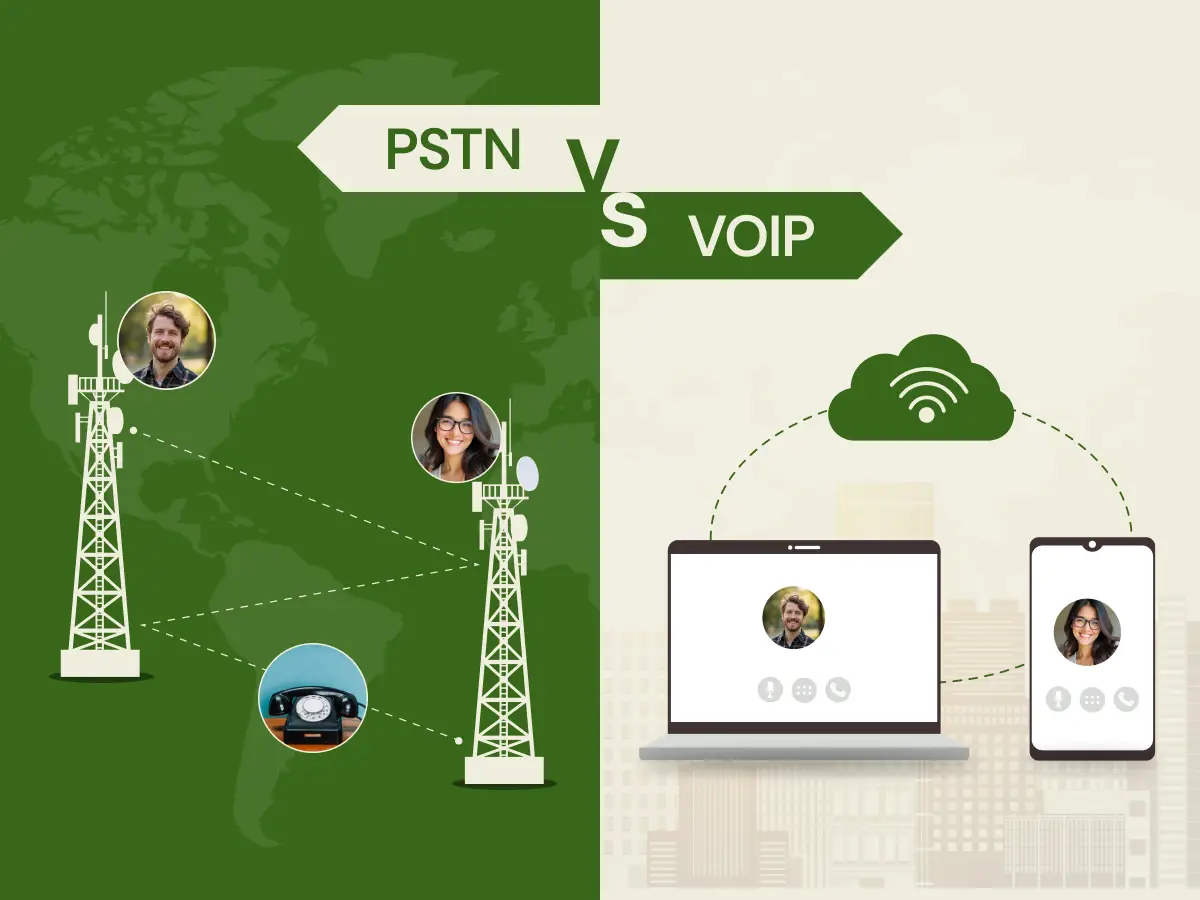
Are you still spending high bills on a phone that just stays on a desk? A majority of business owners find themselves in a dilemma whether to stick to the traditional calling or go digital. Over the years, we have all used heavy copper wires and phone jacks when contacting our customers. This old network is reliable, but it can be very expensive and hard to relocate.
The good news is that you now have a choice that fits the modern world. You can use the internet to make your calls instead of traditional lines. This discussion of PSTN vs. VoIP is about finding the best balance of price and features for your team.
This blog will give a comparison of these two phone systems to help you choose the best one based on your business requirements.
PSTN stands for Public Switched Telephone Network. It is the traditional telephone system that relies on a physical infrastructure of copper wires and underground telephone lines to facilitate voice communication. It is often called “landline” or “Plain Old Telephone Service (POTS) because it has remained the standard landline choice for over a century.
Key Features of PSTN:
When a phone number is dialed, the telephone network provides you and the recipient of a call with a dedicated path. This path stays open for the full length of the call. It uses a method where voice signals travel as electrical waves over copper wires.
Central offices and switchboard operators once managed these connections manually. Now, automated network devices handle the routing. The voice signal moves through various telecom carrier hubs until it reaches the destination number. This creates a stable but rigid voice communication solution.
Pros
Cons
VoIP stands for Voice over Internet Protocol. It is a technology that lets you make voice calls using an internet connection instead of traditional analog lines. It converts your voice into digital data packets that travel over the internet to reach the recipient. This internet-based telephony solution allows users to communicate from almost any location with internet access.
When you start a call, the software or IP phone captures the speaker’s voice. It encodes the audio signals into digital bits. These bits are sent as data packets through your router and across the internet. The Real-time Transport Protocol (RTP) ensures these packets move fast to keep the call clear.
On the other end, the VoIP device or softphone receives the data. It puts the packets back in the right order. Then it turns the data back into sound for the listener. This packet switching technology allows multiple users to share the same bandwidth efficiently.
Pros
Cons
The choice between PSTN and VoIP depends on your business goals. Now, let’s look at the various ways these phone systems differ for your businesses.
PSTN often requires a high upfront investment for hardware and maintenance. You must pay for physical telephone lines and installation in your office. Each new line adds a monthly rental fee that can grow quite large. Long-distance and international calls also come with high per-minute call charges.
In contrast, VoIP offers big cost savings. It runs on the Internet connection you already have. You do not need to pay for extra telephone lines or heavy hardware. Many VoIP providers offer flat price plans with unlimited voice calling. This makes your monthly fees very easy to predict.
Scaling a PSTN system is often slow and requires a technician to visit. You must wait for a carrier to install new cables and phone lines. Moving your office means you must reinstall the whole telecommunications system. This makes business scalability difficult and very expensive. It can slow down your business growth during busy seasons. It is a rigid system that stays fixed to one physical location.
VoIP is built for business growth and instant changes. You can add a new VoIP number or user in minutes through an online dashboard. There is no need for a site visit or new cables. This scalability allows your telecommunications system to expand right alongside your team without any downtime.
Old systems like PTSN focus mainly on basic voice calling and voicemail. They offer a few tools, like call waiting or call forwarding. However, these systems do not talk to your other office apps. You cannot easily record calls or see detailed call analytics. This makes it hard to track how your team performs.
Whereas VoIP offers advanced features from the start. It includes video conferencing, text messaging, and voicemail transcription. The system works with CRM systems like Salesforce. This helps you track call analytics and improve your voice communication strategy.
PSTN is known for its extreme reliability. The voice signal stays clear because it has a dedicated path. Since it does not use the Internet, it never suffers from network congestion. It also stays active during local power outages.
VoIP call quality depends entirely on your internet connection. If you have low bandwidth or a weak Wi-Fi signal, you may experience packet loss or call drops. However, high Internet speed and good network management make the audio sound perfect. Most VoIP providers now have redundancies to keep the service running during network outages.
PSTN is a closed network, which makes it hard for hackers to reach. Physical wiretapping is the main security risk for these traditional lines. It does not face the same digital threats as Internet-based systems. This provides a sense of safety for sensitive voice calling.
VoIP faces different security risks. Since calls travel as data over the Internet, there’s a risk that hackers could try to intercept them. Use a strong VoIP firewall and passwords to prevent spoofing. However, modern VoIP providers use encryption to protect your data packets. They also follow STIR/SHAKEN rules to prevent illegal scammers. With the right network management, it is very secure.
PSTN service keeps you stuck at your desk. You cannot take your desk phones home and expect them to work. This makes it very hard to manage a hybrid business. When out of the office, you might miss calls that really matter.
VoIP is designed for people working remotely. Your VoIP phone number follows you on any mobile device. You can manage calling activities from a beach or a home office. This support for mobile device use is why many companies are moving to a VoIP setup today.
Selecting a new phone system requires a very careful look at your daily operations. So, follow these six steps to find the perfect fit for your specific office needs.
Start by looking at your total number of employees and how they communicate. Do you have a local team or a global one? A small business might only need two lines for daily tasks. A large firm may need a massive call capacity to handle hundreds of users.
Think about your future growth over the next three years. If you plan to hire fast, you need a system that adds users easily. Rigid systems can hold back your business when you need to adapt quickly. Always match your tool to your actual daily voice communication volume.
Check your office for existing telephone lines and cables. Older buildings might already have a solid landline setup. This can save you money on a new PSTN install. However, you must check the age of those copper wires. Old wires can cause static or even call drops. Reliability is key to every professional voice communication.
Next, you must test your current internet speed. VoIP relies entirely on a steady and fast internet connection. You need enough bandwidth to handle all your voice calls. Use an online tool to check your upload speed regularly. If your internet is slow, your call quality will suffer. High latency can make a conversation very difficult.
List the tools your team uses to talk to customers. Basic landline services only offer things like caller ID. If you need video conferencing, you must go digital. Many users now expect features like voicemail-to-email as standard. These tools help your business stay productive and modern. They turn a simple phone into a workstation.
Make sure not to forget about call management features like an auto attendant. This tool greets callers and sends them to the right spot. It works much better than a manual switchboard operator. VoIP often includes text messaging and call recording in basic plans. These features help you keep track of all calling activities. Make sure your choice supports your daily workflow.
You must look past the monthly bill and see the total cost of ownership. PSTN usually has high setup costs because a technician must install physical telephone lines. You also have to buy expensive hardware like a PBX phone system to manage your internal calls. These costs can add up quickly if you have many different offices.
VoIP usually has a lower upfront price because it runs on your existing internet. You often pay a flat fee per user, which makes your budget very predictable. However, you should check for hidden fees like international calls or subscriptions for devices. Compare how much it costs to add one more person to each system. This shows which phone system stays affordable as your brand scales up.
Never commit to a new telecommunications service provider without a test run first. Most VoIP firms offer a free trial so you can check the VoIP call quality. You can see if the software is easy for your staff to use. This is a great time to check for network congestion during your busiest hours. It ensures that the audio signals remain crisp and clear for every caller.
For PSTN, you can talk to other local businesses about their carrier. See if they have problems with telephone lines during bad weather or storms. While you can’t always do a “trial” with wires, research is key. Ask the provider about their reliability during a local power cut. A quick test prevents a very big mistake later on.
Decide how fast you need your new phone system to be ready. Setting up PSTN can take weeks if a technician needs to run wires. You have to wait for the carrier to visit your physical office location. This can slow down your business if you are moving into a new space.
VoIP can often be set up in just a few hours. You simply download the apps and connect your VoIP-enabled phones to the internet. This fast setup is perfect for companies that need to start calling right away. Just make sure to plan the transfer of your phone numbers carefully.
Every business has its own way of handling its daily tasks. So, let’s look at which phone system fits specific types of work.
Police and fire departments require a phone system that never fails during a crisis. Since a landline does not need the internet, it stays active even when the internet connection crashes. The physical wires also help emergency services find your exact location instantly. This high level of reliability saves lives when every second counts for the caller.
A hospital or clinic might also keep these lines as a critical backup for voice communication. If the electricity goes out, the PSTN still carries the voice signal to help doctors coordinate. It is a stable choice for any group that handles life-or-death situations daily. It provides reliability, knowing the dial tone is always there.
Some offices are in remote locations where the internet speed is slow or very unstable. In these areas, a VoIP network would lead to constant call drops and poor audio. PSTN uses established copper wires that do not care about your Wi-Fi strength. It provides a clear voice signal in places where digital tech has not yet reached.
A local farm or a remote research station might rely on these traditional telephone lines. They cannot afford to lose a call just because a storm hits the local data tower. The PSTN offers a reliable connection to the world regardless of local infrastructure limitations. It remains the most dependable tool for the most isolated users.
Government offices or legal firms often deal with very private or classified information. A PSTN line is a closed loop that is much harder for a hacker to tap. Unlike digital files, these signals, including SMS, do not travel across the public internet, where they can be stolen. This physical isolation provides a strong layer of defense against modern cyber threats.
There is no risk of a “denial of service” attack on a copper wire. You don’t have to worry about complex software updates to keep your conversation private. It provides a simple way to ensure that only the person on the other end is listening. For some, this security is worth the higher monthly fee.
Some old buildings still use very old fire alarms and elevator phones. These devices were built to work with a traditional landline only. Replacing all that equipment would lead to a massive extra cost for the owner. It is often cheaper to keep the old lines active.
You might have a fax machine that needs a dial tone, too. These old machines do not understand how to communicate with a modern router. Keeping one or two PSTN lines saves you from buying all new equipment. It keeps your old tools running without any major changes.
Modern teams often work from home or in a busy cafe. VoIP allows these workers to take calls on a laptop or a mobile device. They can use their office number even if they are in another city. This keeps everyone connected, no matter where they are.
You can host a quick video conferencing session with the click of a button. There is no need for a technician to visit a home office. Everything is managed through the internet-based platform with simple login steps. It is the best way to lead a modern, mobile staff.
Large call centers need tools to handle hundreds of calls at once. VoIP offers a smart call queue that places people in a neat line. It also uses call routing to direct a customer to the right expert. This keeps your wait times low and your clients satisfied.
Managers can also use call recording to train their new hires. They can use call analytics to find out when the team is busiest. These digital tools help a business improve its service every single day. It turns a phone line into a data-driven engine.
For Box
A new company needs to save as much cash as possible at the start. VoIP removes the need for dedicated lines that cost a lot to install. You can use the internet you already have to handle all your voice needs. This keeps your starting budget low while giving you a big-office image.
Most VoIP providers offer streamlined call handling for a small fee. This makes your small business sound like a much larger firm to every caller. You get professional tools without the high price of old-school equipment. It is a smart way to grow without wasting your essential budget.
When a firm grows fast, it needs a tool that can keep up with the pace. Any upgrades require just a few clicks in a simple online portal. You do not have to wait for a tech to come and pull new wires. This speed lets you open a new branch in a new city in one day.
You can add 20 new lines without any mess or a long wait time. The system expands as fast as you can hire and train your new staff. It removes the old limits on how many people can call you at once. This keeps your growth on track without any technical roadblocks. It is a tool built for the speed of modern trade.
Sales teams that reach out to the U.S. or UK from abroad love this digital technology. The difference between VoIP and the traditional line is most clear when you look at the monthly bill. Instead of paying high call charges for every minute, you send your voice data over the internet. This makes the cost of a long-distance call nearly the same as a local one.
You can even get a local VoIP number in another country to help your sales. This builds trust with locals who see a familiar code on their caller ID. It is a smart move for any firm looking to expand abroad. Your team can stay active in any market at a low cost.
Switching your office to VoIP is a simple process if you follow a plan. Here are the five essential steps you need to follow for a smooth transition to the VoIP lines.
You must confirm your network can handle the new digital traffic without failing. High-speed IP networks are essential for maintaining clear conversations during busy work hours.
Decide how your team will physically answer their daily calls. This step highlights the many advantages of VoIP by giving you more choices than a standard desk phone.
Research and select a VoIP provider that offers the right tools for your specific daily workflow. The key factors to look for:
Keeping your current phone number is important for your existing customers. This process ports your number from your old carrier to the new one.
The final step involves setting up your digital workspace to match your office hierarchy. This part of the process is usually very fast and does not need a pro.
Choosing between a traditional network and a modern VoIP system is a major decision for any office. You must consider the high reliability of copper wires against the internet’s massive growth potential. Most businesses find that the key differences between VoIP and PSTN favor the digital path today. This choice helps you stay competitive and keeps your staff connected in a dynamic market.
A well-planned Business VoIP strategy can lower your bills and improve how you help your customers. This transition helps your staff stay connected from any location they choose. Preparing your company for the future of work is a smart step.
The right phone system will help your business thrive in a busy market. Take the time to review your current needs and your internet speed today. Upgrading the best technology is the first step toward better communication and success.
Modern digital calls often sound much better and clearer than old analog lines. As long as you have enough bandwidth, the key differences between VoIP and PSTN quality are now very hard to notice.
You should look at Dialaxy if you want an affordable and feature-rich way to manage your calls. We offer a powerful VoIP system, including features like call routing and SMS, to help your team stay productive.
Most major carriers are phasing out PSTN infrastructure because it is old and very expensive to maintain. Switching to VoIP now helps you avoid future service shutdowns and high maintenance fees.
Yes, you can use SIP trunking to connect your existing on-site equipment to a modern internet-based network. This allows you to enjoy lower call rates without the high cost of replacing every desk phone in the building.
Modern providers use strong encryption to protect your conversations from being intercepted on the web. You can further improve your safety by using a secure firewall and keeping your software updated.
