

How to Use Call Center Dashboards for Better Analysis?

Most call centers are flying blind. There are mountains of data, but if that noise isn’t converted into a clear signal, revenue and customer loyalty are left on the table every single day. In this high-stakes game, seconds are the difference between a brand advocate and a lost lead.
Call center dashboards are the ultimate secret weapon for total floor dominance. It’s not merely about nice charts; it’s really about having the business at your fingertips.
When you use real-time insights, guessing is out of the question, and the gaps that hold your team back close. It is time to stop relying on the static reports and start leading with the kind of clarity that drives elite results.
By the end of this post, you will have a clear roadmap to turn your raw data into a powerful engine for growth and better customer service.
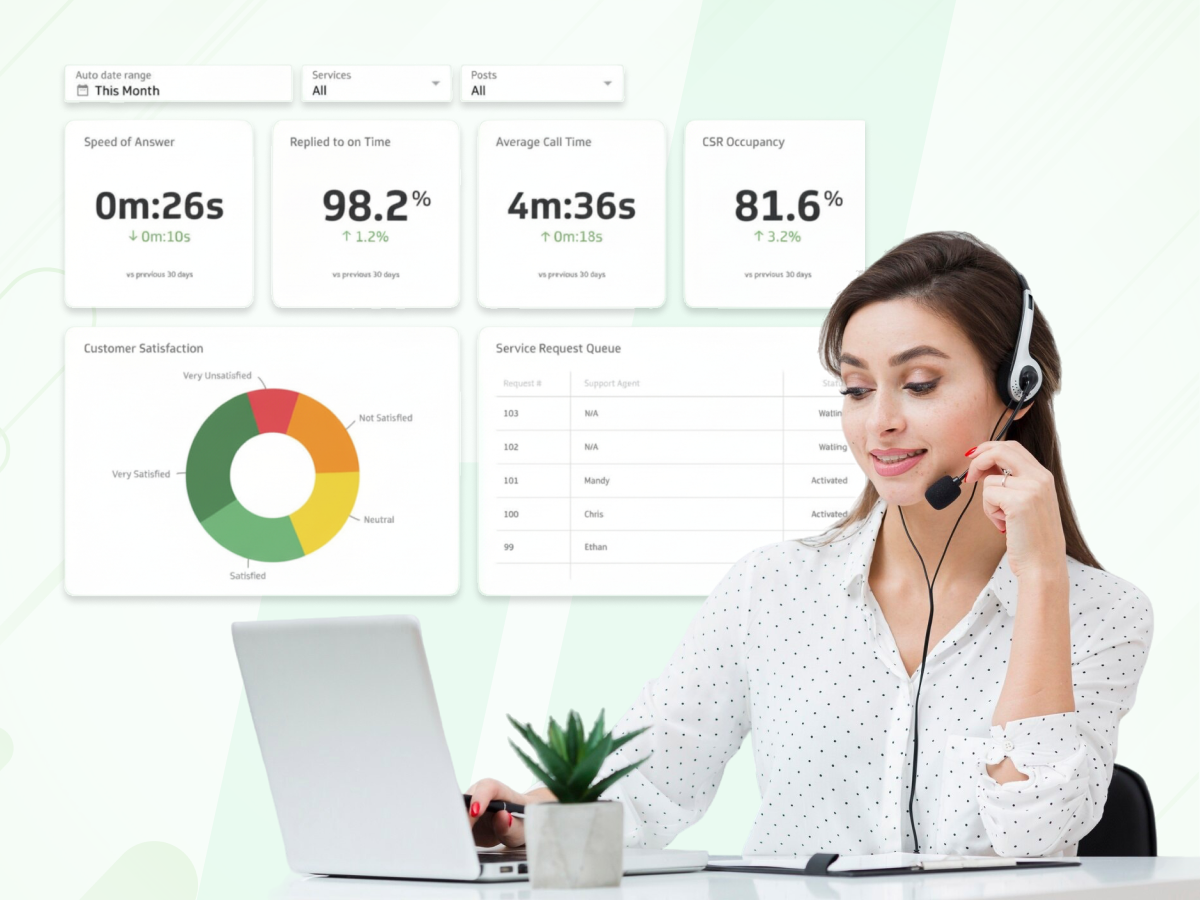
A call center dashboard is a visual screen that shows your most important call center data in one place. It works like a car’s dashboard, pulling info from your phone system and CRM so you can see how your center team is doing at a glance. Instead of reading long reports, you see charts that update as calls happen.
This tool helps center management stay on top of daily goals without doing manual math. It automates the tracking of key metrics like missed calls or average handle time. Because the data is visual, anyone can look at the screen and know instantly if the team is winning or losing the day.
Example: A manager sees a large red circle on the screen. This circle shows that wait times have jumped to five minutes. Because they saw this instantly on the call center dashboard, they can immediately ask more agents to log in and help.
Not everyone in your office needs to see the same information. To make your call center analytics actually useful, you should create different “views” based on what people do every day.
By giving the right data to the right people, you make sure everyone can focus on the tasks that matter most to them.
This view is for the people on the front lines. It helps agents track their own work so they don’t feel like they are working in the dark. It shows their personal call resolution rate and their handle time. When an agent can see their own stats, they often fix their own mistakes. They don’t have to wait for a “scary” meeting with a supervisor to know if they are doing a good job.
Example: An agent might have a small counter on their screen. If they help a customer quickly and get a high CSAT score, a green light pops up. It’s a small win that keeps them moving through a tough shift. It turns a repetitive job into something more like a game with clear goals.
Supervisors use real-time dashboards to watch the entire floor at once. They are looking for “fires” to put out, like too many calls abandoned in the tech support queue. This view is all about the “here and now.”
It helps a supervisor decide where to spend their time. If the numbers look good, they can sit down and coach a new hire. If the numbers look bad, they can jump in and help manage the lines.
Example: Imagine a supervisor sees that the “Billing” line has 12 people waiting, while the “Sales” line is totally quiet. They can move a few sales agents over to billing for an hour. This keeps the wait time low and stops people from hanging up in frustration.
Leadership looks at call center analytics to see long-term trends. They don’t care about a single phone call from ten minutes ago. Instead, they want to see the percentage of calls that turned into sales over the last month. This dashboard helps them decide on big things, like whether to hire fifty more people or if they should change their company policy.
Example: An executive might see a chart showing that virtual assistants (chatbots) handled half of all basic password resets. This proves the tech is working. They might then decide to put more money into digital channels and less into expensive toll-free phone lines for the next year.
This is a large screen physically mounted on the office wall for the whole center team to see. It’s like the scoreboard at a stadium. When everyone can see that the “Calls in Queue” number is turning red, it creates a sense of collective accountability.
The whole room feels the urgency to wrap up their current tasks and get back to the phones.
Pro Tip: For remote teams, create a “Virtual Wallboard” in a pinned browser tab or a shared Slack channel. It keeps the same sense of urgency even when everyone is working from home.
A messy dashboard is as ineffective as having no dashboard at all. Cramming too much information into a single view results in your team members simply ignoring it. So, how do you make your helpful dashboard? Just implement these simple design rules:
Good design is largely about the biggest being the most important figure. If your main goal is to reduce missed calls, that number should be the biggest thing on the screen.
Using bright, contrasting colors with ample space, you are very effective at guiding the eye to the intended destination without misleading it.
Secret Hack: Use unique patterns or labels alongside colors (like “!” for Red) to ensure team members with color blindness can still read the status instantly.
While people often confuse these terms and use them interchangeably, they actually have very different functions in the management of a center.
To illustrate the difference, one could say that a weather app is to a climate study what a dashboard is to analytics: the former informs you whether you need an umbrella at the moment, while the latter tells you whether you will need to buy a warmer coat next winter.
A call center dashboard is a dynamic instrument that changes with the data. Its sole function is to present the events taking place “this very second” to you. Real-time dashboards are at your disposal when you need to take immediate action, solve a problem quickly, or find the solution that fits best.
For example, if you observe a sudden increase in calls because users cannot log in to the website, the dashboard visually communicates the “signal of fire” you must respond to.
Reports are static snapshots of the past. Usually delivered as a PDF or spreadsheet, a report looks at call center data over a day, week, or month. You don’t use a report to fix a long queue happening right now; you use it to figure out why the queue was long last Tuesday. It is your best tool for identifying long-term trends in your center’s performance.
| Feature | Call Center Dashboards | Reports |
|---|---|---|
| Timeframe | Right now (Real-time) | Past (Historical) |
| Primary Use | Quick reactions & adjustments | Planning & performance reviews |
| Vibe | “Help! The phone is ringing!” | “Let’s look at last month’s wins.” |
| Output | Interactive screens | Static files (PDF/Excel) |
The trick is knowing when to look at which one. If you only look at dashboards, you might fix today’s fire but forget to ask why the building keeps catching fire every Friday.
If you only look at reports, you might find a great solution for a problem that already frustrated your customers three weeks ago. A strong center management strategy uses dashboards to win the hour and reports to win the year.
To fully use your dashboard, you still need to conduct an analysis, despite how fantastic it looks. Analysis is the process of going beyond the question ‘What happened? ‘ to ‘Why did it happen? ‘ and ‘What should we do next? ‘
To gain the most valuable insights, the first step is to ensure your contact center software’s dashboard sources data from multiple channels. In other words, you need to connect your phone system (ACD) for call stats, your CRM for customer history, and your WFM (Workforce Management) to know who is on the shift.
Once your data is combined, you have the opportunity to employ these five techniques to enhance the performance of your center:
Look at your auto attendant data. If 30% of your missed calls happen while people are stuck in a long menu, your customers are getting bored and hanging up. Shortening the menu can drop your abandonment rate overnight.
Compare the average handle time of top agents against new hires. If the new folks take twice as long, it’s usually because they haven’t mastered the software. Focus your training on the phone system tools to help them speed up.
Use historical call volumes to predict the future. Modern call center dashboards use AI to spot patterns and warn you: “Based on current volume, you will run out of agents in 30 minutes.” This lets you call for backup before the wait time explodes.
Use sentiment analysis to see how people feel. If customers are angry even when handle time is short, your agents might be being too blunt. This tells you to work on empathy and “soft skills” rather than just speed.
You shouldn’t have to stare at a screen all day. Set up your center analytics tool to send a Slack or SMS alert the moment a KPI like the abandonment rate hits a critical limit.
This level of analysis turns your dashboard into a “flight simulator” for your business. Instead of just watching a disaster happen, you can use these tools to predict how a new product launch will impact your call volumes. It moves your management style from “putting out fires” to “preventing them before they start.”
It is necessary to understand the figures that accurately reflect your business before you start putting together your charts.
Although you can monitor a multitude of things, these seven key call center metrics make up the lowest layer of any instrument for operating a center effectively. These metrics enable you to maintain a balance between the accuracy and usefulness of the information.
Even with a great plan, errors can be made easily, which can transform your useful contact center dashboard into a confusing mess. It is equally important to know what decisions to take and which ones to avoid. These are the most frequent stumbling blocks that cause poor data and overworked teams.
The decision couldn’t be simpler: either you start leading with the kind of clarity that really changes the way your center works, thus turning it into a high-performance engine or you keep drowning in spreadsheets and playing catch, up. Most insightful thoughts only have value to the extent that they lead to more productive discussions.
Call & Contact Center
Dec 11, 2025
Read More
It would be best if you had a straightforward method to get going if you are willing to lead with facts rather than guesses. You don’t have to overhaul your system totally overnight.
By executing these four steps, you will be able to develop a system that evolves with your center team and still provides you with valuable insights for the coming years.
Prior to constructing anything, ensure that your instruments are communicating with one another. Is your phone system providing data to your CRM? If your data sources are not linked, your dashboard will display incorrect figures.
Spend an hour checking whether the calls recorded on your phone correspond to those in your database. If they are not, do not trust the screen until you have fixed the connection.
There is no need to repair all the faults at the same time. Just pick one performance measure that is most significant to your brand at the moment. For example, if customers are complaining about bad service, then make call resolution your North Star.
If the lines are too long, concentrate only on the average handle time. Turn this single metric into the biggest and most visible font on your dashboard, so everyone understands it immediately.
One size does not fit all. An agent needs to see their own handle time and CSAT score to stay motivated. A supervisor needs to see the whole center team and how many calls are abandoned in the queue.
Build a specific screen for each role so they only see the info they can actually control. This keeps the screens clean and easy to read.
A dashboard is never “finished.” Every 30 days, sit down with your team and ask: “Is this screen actually helping you do your job better?” If you find that a chart is just sitting there, unused, for decision-making, get rid of it.
This keeps your call center analytics sharp and prevents the “noise” from hiding the truly valuable insights.
A call center dashboard is not just a few pixels on a screen; it is actually the final scoreboard for success. The way for better analysis and reporting is now clear. The road to floor dominance is clear if the proper metrics are established, typical blunders are avoided, and the design secrets of the experts are applied.
The choice is as straightforward as it gets: either start leading with the kind of clarity that transforms a typical center into a high-performance engine, or continue to drown in spreadsheets and play catch-up.
The most insightful ideas are only worthwhile if they lead to more fruitful discussions. Empower every agent with these tools, delight every customer, and win every single hour of the day. Get those screens ready, commit to those targets, and start achieving the numbers that define excellence.
Book a Dialaxy Demo today to see how our live dashboards can transform your team’s performance.
No. A call center is the actual place (or team) where agents handle customer calls and chats. A dashboard is a digital tool, a screen full of charts, used to watch how well the team is performing in real-time.
Yes. By watching the “Occupancy Rate,” managers can see if agents are working too hard without breaks. If the dashboard shows agents are busy 99% of the time, the manager can add more staff to lower the pressure before the team gets exhausted.
A dashboard is usually an interactive tool on a computer used for deep analysis. A wallboard is a simplified “scoreboard” version of that data, designed to be shown on a large TV in the office (or a shared tab for remote teams) so everyone can see the main goals at once.
You should review your metrics every 30 days. As your business goals change, like moving from “answering calls fast” to “fixing problems better”, your dashboard should change too. If a chart isn’t helping you make decisions, replace it with one that does.
For daily tracking, you only need today’s numbers. In case you want to find ‘trends’ (like whether Tuesdays are always busy), you should have at least 3 to 6 months of data. This way, the system can present to you what a ‘normal’ day is so that you can easily find out when a day is exceptionally good or bad.
Yes, but you must use Data Masking. While it’s great for morale to show the “Wallboard” to the whole office, you should never display private customer info like full credit card numbers or home addresses.
You have to set your dashboard to show only the first name and last initial (like “Sarah M.”) to keep your customers’ privacy safe while still keeping the team informed.
