

What Is Call Routing Software? How It Works & Why It Matters

Have you ever called a business only to wait on hold for twenty minutes? Or maybe you finally reached someone, but they couldn’t help you.
These bad experiences happen when a phone system lacks a smart plan for incoming calls. Most businesses today use call routing software to fix these exact problems. This tool acts like a smart guide for every customer calling your office.
You might think this is only for huge companies with hundreds of workers. That is not true because even small teams need to manage call volume well. If you miss too many inbound calls, you lose money and trust. Modern call routing helps you handle types of calls with much more speed. It keeps wait times low and ensures your customers get the right answers fast.
This blog covers the definition, setup, key features, and 2026 trends for intelligent call routing software to improve customer experience.
Choosing the right call routing software requires looking for specific tools that keep your business running.
Your routing software must be smart enough to look at customer call data right away. It should check the type of calls coming in and match them to the best agent. If a person needs help with sales, the system should send them to the sales department. This prevents extra call transfers, which often annoy your customers. A good routing rule makes sure no one waits on hold for too long.
The best communications platform focuses on the specific skills of your team. You should be able to label each agent based on what they know best. If a customer calling speaks a certain language, the routing logic finds that match. This boosts agent performance because they only handle an inquiry that they can solve. It also helps lower the average handling times (AHT) across the whole team.
Your call routing needs to live on a modern cloud phone system to be useful. This allows your team to take incoming calls from any destination or device. It also makes it easy to update your call flow when your business grows. You should not need a routing hardware expert to make a simple change. A flexible communications platform keeps your system status green even during busy hours.
You cannot fix what you do not measure in your contact centers. High-quality call routing features must include call reports and data tools. These show you where bottlenecks happen during the day. You can see agent productivity levels and check if waiting times are too high. Good information lets you adjust your routing plan to meet customer expectations.
The software should talk to your CRM to share important details about the person calling. When the phone system rings, the agent should see the name and past messages of the caller. This saves time because the individual does not have to repeat their story. It improves the customer experience by making the talk feel more personal.
Not every customer wants to talk to a live center agent for a simple task. Your call routing system should offer self-service options like automated menu options. These allow people to check a balance or hear business hours on their own. This clears the call volume so your team can focus on harder tasks. It is a great way to manage customer communication without adding more staff.
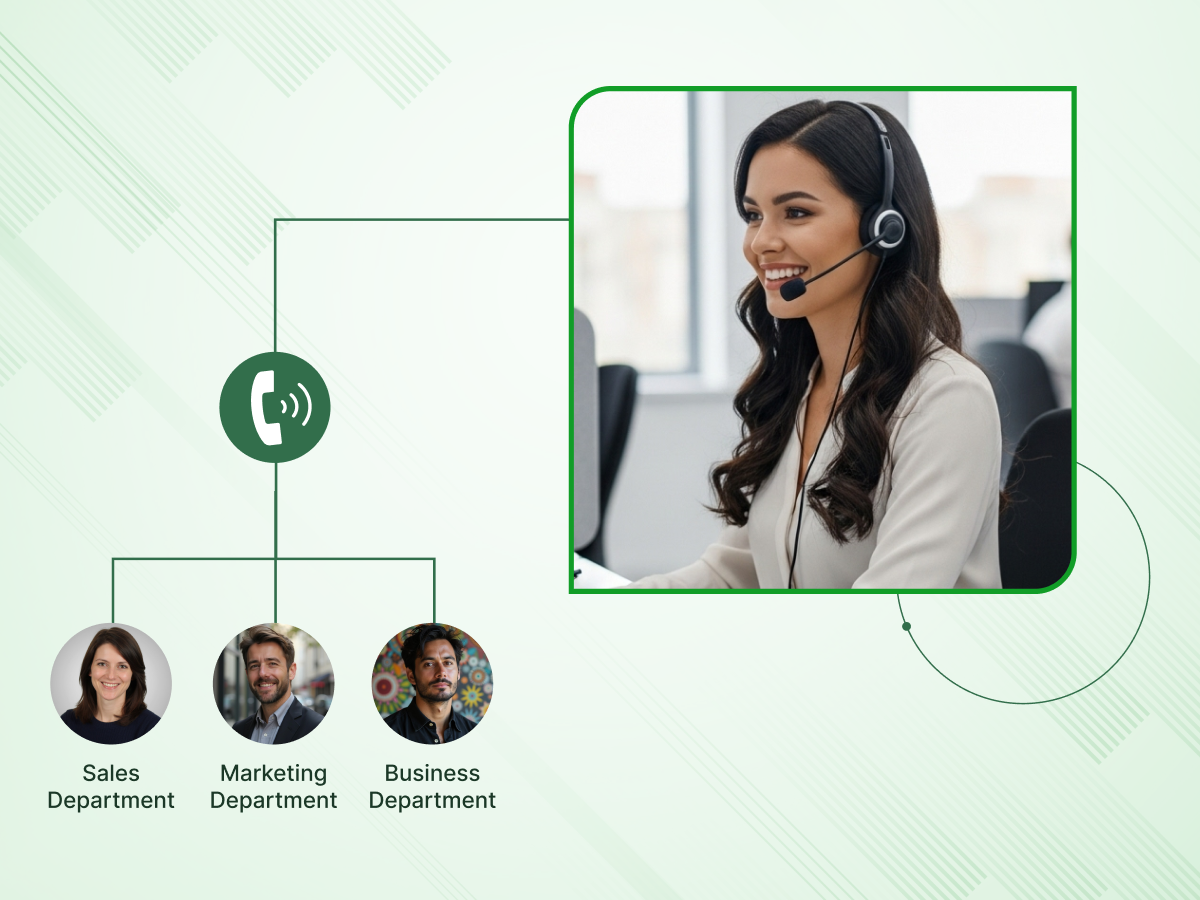
Call routing is the process of managing and sending incoming calls to the most suitable agent or department. It acts as a digital switchboard, sorting each request upon arrival. The system uses a set of rules to decide where the individual should proceed. This ensures that a technical problem is routed to a technician and a billing issue is routed to an accountant.
A call routing software is a digital tool that automates how you handle every single customer calling your line. It manages the entire call flow by looking at the customer’s needs and the status of your staff. You can customize call paths to ensure people reach the right department without any delay. This contact center software is the main engine that keeps your customer communication organized and professional.
Understanding the path a call takes helps you see why your setup matters so much. The process follows a clear path from the moment the person dials your business phone number.
The first step starts the moment the routing software picks up the line. It looks at the routing rules you set to see why the person is calling. The system might ask for a department name or a specific inquiry type through voice prompts. This stage gathers the basic details needed to move the person to the next step.
It acts as a filter to sort every customer communication into the right pile. This ensures the call flow remains steady and organized.
Once the system knows what the person needs, it looks for the best available agent. It checks your call center software to see who is ready to take a new task. If everyone is busy, the software places the person in a virtual line to wait. During this time, the call routing system can play music or share helpful messages.
Good call management keeps people informed while they wait for help. This step is important for keeping wait times under control.
In the final phase, the routing software sends the call to a specific destination. It uses intelligent routing to pick an agent based on their routing skills or rank. The software “rings” the phone or the computer of the chosen center agent immediately. Once the link is made, the agent can start helping the individual right away.
This final handoff is what lowers AHT for your whole team. It makes the entire customer experience feel fast and professional. The system tracks how long this final step takes to ensure agent performance stays high.
These steps provide the foundation for several advanced tools your team can use daily.
Modern tools offer many ways to handle your incoming calls with ease and speed. These features will allow you to create a call flow that suits your particular team.
The ACD feature is the core of any routing software used today. It takes every customer calling and sends them to an available agent based on your set rules. This tool ensures that no single person on your team gets too many tasks at once.
It keeps the call flow moving even when you have high call volumes. This plays a significant role in ensuring consistent agent productivity throughout the day.
IVR allows individuals to follow a menu option without a human operator. They can speak or press keys to tell the system about their specific inquiry. It is a great way to offer self-service options for simple tasks like checking a balance.
This reduces the total call volume that your live team has to handle. It makes the customer experience much faster for easy questions.
Skill-Based Routing looks at the routing skills of each agent before sending a call. If a person needs help with a complex product overview, the system finds a specialist. It ensures the most qualified individual handles the most difficult tasks.
This is a key way to boost agent performance and solve problems on the first try. It matches the right brain to the right problem every time.
You can set your routing software to change based on your business hours. In case an individual makes a call late at night, the system will redirect them to another destination. This could be a call service after-hours or a group with a different time zone.
It makes sure that you do not miss any calls because the office is closed. Your customer communication stays active around the clock.
The Priority Routing feature identifies your most important customers using caller ID or account data. These people get moved to the front of the call queue immediately. It ensures your top clients never face long waiting times when they need help.
This is an important part of a strong customer experience strategy for growing businesses. It shows your best clients that you value their time.
This feature looks at where the customer calling is located in the world. It uses the caller ID or the area code to send the call to a local department. This is very helpful for businesses with many branches in different cities.
It makes the individual feel like they are talking to someone nearby. Local connections often build more trust during a customer calling experience.
When all your available agents are busy, the call queue feature holds the call in a neat line. It can play helpful messages or give updates on the expected wait times. This keeps the person on the line engaged so they do not hang up.
It helps prevent missed calls during sudden spikes in traffic. A well-managed queue is essential for a professional phone system.
If your primary team is full, this feature sends the extra call volume to a backup team. It can also act as a safety net if your main system status has an issue. This ensures that every incoming call always finds a human or a voicemail.
It acts as a guard against bottlenecks during your busiest days. Your customer experience stays consistent even when things get hectic.
The call recording feature saves the audio of every talk for your team to review later. It provides a clear call history so you can check on agent performance. Managers use these files to provide better feedback and training to the staff.
It also adds a layer of security for your business and your clients. Reviewing these files helps you understand common customer needs better.
You get detailed call analytics and call reports that show you how your team is doing every day. These tools track AHT and how many people hung up. You can see which routing rules are working and which ones need a change.
Having this information allows you to make smart choices for your contact centers. It is the best way to prove the value of your routing software.
By using these features, you can build a very strong case for why this technology matters.
Investing in the right technology helps a business grow by solving common communication hurdles. The points below show how a smart setup improves your bottom line and helps your team succeed.
Solving a problem during the first talk is a top goal for businesses. A smart routing plan connects a caller to an expert who has the right details. This prevents the need for multiple messages or follow-up calls later. It saves time for both the agent and the caller.
The system uses customer call data to find the best match instantly. This reduces the frustration of repeating a story to different people. High resolution rates lead to a much stronger customer experience for your brand.
People often hang up when they face long wait times or confusing menus. Effective call management keeps the call flow moving so people stay on the line. By using a callback option, you give the caller control over their own time. This keeps your missed calls count low even during a busy call volume spike.
A steady stream of inbound calls remains manageable with the right logic. This ensures that a high inquiry count does not lead to lost leads. It protects the revenue that comes from every customer calling your line.
Your center agent team feels less stress when they handle tasks they actually understand. Skills-based routing ensures that an individual is not overwhelmed by calls they cannot solve. When people feel capable at work, they are less likely to leave the company. This reduces the high costs linked to hiring and training new staff every year.
A balanced workload improves overall employee engagement across the whole office. Staff can focus on their agent performance without feeling constant pressure. This creates a much more stable environment for your customer communication team.
Automation through intelligent call routing helps you do more with a smaller team. You can use self-service options to handle basic tasks without needing a live person. This lowers the total handle time required for each common type of call. By reducing manual work, you save money on every single interaction.
Your communications platform becomes an asset that pays for itself over time. It removes the bottlenecks that often waste expensive staff hours during the day. This efficiency is important for maintaining a healthy bottom line for the business.
Modern call reports give you a clear look at how your team spends its time. You can see which department needs more help based on real call analytics. This information helps you plan your staffing levels for the next month or year. You no longer have to guess why average handling times are high.
Having the right data allows you to adjust your routing rules on the fly. You can identify a problem in the call flow before it ruins a relationship. This level of insight makes your phone system a powerful growth tool.
With the business case clear, the next step is learning how to get your own system running.
Setting up your call routing plan does not have to be a difficult task for your team. You can follow a clear path to ensure your phone system is ready for any challenge.
Before you touch any settings, you must draw out your ideal call flow on paper. Think about every destination a caller might need, from sales to technical support. This map should show where a call goes if the first agent does not answer. Having a visual guide helps you spot potential bottlenecks before they happen in real life.
You want to keep the path as short as possible to avoid frustrating the individual. Clear paths lead to a much better customer experience overall. This planning phase is the foundation for a professional business phone system.
Now you can enter your specific routing rules into the communications platform. You might choose to send calls to the available agent who has been idle the longest. Another option is to use skills-based routing to match experts with complex problems. These choices decide how your team will manage multiple calls during the busiest parts of the day.
Setting these rules correctly keeps the workload fair for every center agent. It also ensures that wait times stay within a reasonable range for everyone. Proper rules are key to maintaining high agent productivity levels.
The next step is to set up the voice response prompts that your callers will hear. Use simple and direct language for each of your menu options so people do not get confused. Make sure to offer self-service options for basic questions like checking a balance or office hours. This allows your live team to focus on the most important customer needs.
Test the audio to make sure the messages are easy to understand on any device. A clear menu prevents people from choosing the wrong department by mistake. This small detail can greatly reduce unnecessary call transfers.
Linking your routing software to your CRM is vital for modern contact centers. This integration allows the system to share customer call data with the agent instantly. When a call arrives, the staff member should see the person’s name and call history on their screen. This saves time because the individual does not have to repeat their basic info.
Having the right details ready helps your team solve problems much faster. It makes every customer communication feel more personal and high-quality. This connection is a major factor in improving agent performance.
The final step is to run several tests before you go live with your new call routing. Make a few types of calls yourself to see if they end up in the right place. Ask your team for feedback on how the new call flow feels during their daily work. You should check your call reports after the first week to see if waiting times have gone down.
Continuous monitoring helps you catch and fix any system status issues early. You can then adjust your routing plan as your business grows or changes. Regular updates keep your customer experience sharp and reliable.
Now that your system is ready, it is time to look at the new trends arriving in 2026.
The world of routing calls is changing fast as we move into 2026. These new shifts help every business move away from old methods toward a more proactive style of service.
Modern systems now look at a caller’s digital footprint before the phone even rings. By checking recent website clicks or open support tickets, the automated call routing logic guesses why you are calling. This allows the cloud phone system to skip the long introduction and start solving the problem immediately. It turns a standard inquiry into a tailored experience that feels very personal.
This trend helps teams stay one step ahead of customer needs at all times. It ensures that routing options are always based on real-time behavior rather than just guesses. Your team can handle more work because the system does the complex thinking for them. It is the ultimate way to make a phone system feel smart.
New AI voice agent tools can now detect the mood of a caller by listening to their tone and pace. If the software detects frustration, it changes the routing call plan to find a senior manager. This prevents a bad situation from getting worse by getting an expert on the line fast. This shift moves the focus from just “answering” to providing active support for the person on the other side.
This feature acts as a powerful safety net for your customer experience goals. It allows the cloud phone system to protect your brand’s reputation during tough moments. Your staff will appreciate getting a heads-up from the agent assist tool before they say hello. This leads to better outcomes for both the caller and the worker.
We are seeing a move from simple bots to agentic AI that can finish entire tasks on its own. These digital workers can enter data into a CRM or process a refund without any human help. They use automated call routing to pick up the easy tasks, so your team can focus on the hard ones. This keeps your available agents free for the moments that require deep empathy and care.
This technology allows a business to scale up without hiring hundreds of new people. It ensures that your communications platform stays active and helpful every hour of the day. You can manage multiple calls at once while the AI handles the paperwork in the background. It is a massive boost for overall agent productivity across the board.
Even when a human takes the call, the software provides a live agent assist tool. This feature listens to the talk and pops up helpful notes or product overview links on the screen. It can even suggest the best “next step” to take based on the call history. This ensures that even a new center agent can solve problems like a seasoned pro.
Having this support at their desk lowers the stress for every member of your team. It lowers down on AHT because no one has to search for answers. This tool works within your contact center software to keep the conversation moving forward. It is an important part of a modern employee engagement strategy.
Building a smart plan for your incoming calls is no longer just an option for big companies. It is an important step to ensure your business stays organized and ready for any customer calling your line. By using the right call routing software, you turn every communication into a chance to build trust. You can see how the right call flow keeps your team calm and your clients happy.
The features we discussed help you manage high call volumes without losing your mind. It is made much more robust with features such as skills-based routing and IVR. These systems do the main work so your team can focus on real human connection. Integrating these features into your workflow ensures no task is missed during busy shifts.
As we look toward the future, the technology will only get smarter and more helpful for your department. Staying updated on intelligent call routing helps you stay ahead of the competition. You now have the knowledge to choose and successfully implement the best routing features. Take the first step today to improve customer experience and boost your team’s results.
Linking your software to a database lets agents see a caller’s past messages and account history. This leads to much faster solutions and better results for every customer calling your line.
An intelligent virtual tool uses AI to communicate with people instead of just offering a list of buttons. It can solve problems on its own, which improves your overall workforce engagement by freeing up humans for difficult tasks.
Yes, most modern tools allow you to update your routing options through a simple dashboard. You can adjust your rules in seconds to handle a sudden spike in call volume.
Yes, most modern tools allow you to update your routing options through a simple dashboard. You can adjust your rules in seconds to handle a sudden spike in call volume.
Yes, smaller businesses use these tools to manage multiple calls without needing a large front desk team. It helps them look professional and ensures they never miss calls during busy hours.
Yes, a modern cloud phone system allows your team to handle routing calls from any location. This flexibility supports better workforce engagement by letting staff work from home while staying connected to the call flow.
