

Migrating to Cloud Phone Systems: Avoiding Common Pitfalls

Thinking of migrating to cloud phone systems? One wrong move could cost you.
Many businesses dive into migration expecting a smooth upgrade, only to encounter unexpected roadblocks, such as service disruptions, number porting issues, or poor user adoption.
The truth is, moving to the cloud isn’t just about switching platforms; it’s a process that requires planning, coordination, and awareness of potential pitfalls.
In this guide, you’ll discover the most common pitfalls during cloud phone system migration and how to avoid them with confidence and clarity.
Let’s get started🚀
A cloud phone system functions completely on the internet. There are no hardware requirements, and there is no complex configuration or setup! All your calls, messages, video meetings, and call analytics are run on a secure online portal.
When organizations use a contemporary cloud phone system, they can give teams the flexibility to work from wherever and immediately reflect that in the way they communicate, whether that’s with call logs, messaging, or conferencing capabilities, while providing more mobility, scalability, and total cost savings.
With on-premise systems, which are physically installed and managed at your office, you’re stuck where you are. With cloud communication systems, you can continue to grow, change, and connect from anywhere.
Deciding when to move to a cloud-based phone system often comes down to what your business truly needs. If your current setup is holding you back, consider making the switch.
Here are the top signs it’s time to migrate to Cloud Phone Systems from your on-premise system to a cloud-based phone system.
Cloud communication tools enhance business agility, as evident in the ability to work remotely via our phone system, which allows users to make calls, join meetings, and send messages from anywhere. You support international customers with our around-the-clock service, eliminating the need for a physical location.
Traditional PBX systems fall short in comparison to cloud phone systems, which offer features such as video conferencing, call analytics, and CRM integration. Additionally, cloud solutions consolidate all your communication on one platform, eliminating the need for multiple tools and hardware.
On-premise systems demand significant upfront investments in hardware and maintenance, along with ongoing high expenses. In contrast, cloud-based solutions convert these costs into predictable monthly fees, reducing overhead while offering scalable features and minimal downtime.
Security issues are a significant cost issue. Leading cloud communications players ensure that what is provided is enterprise-grade encryption, automatic backup, disaster recovery, and 0.001% downtime, which translates to 99.999% uptime. Additionally, Migrating to Cloud Phone Systems improves business continuity and provides peace of mind.
Today’s customers demand diverse communication channels like chat, SMS, and video. A cloud-based phone system offers unified communications, allowing teams to switch between voice and messaging seamlessly. If your traditional system falls short, consider migrating to meet these expectations.
Before making the switch to a cloud phone system, careful preparation across several key areas will help ensure a seamless and successful transition.
Here are the essential steps to focus on before you begin:
Start by understanding your existing setup. List how many users you have, what features you use, and what hardware is in place. This evaluation helps identify gaps, avoid surprises, and build a migration plan based on your actual business needs, not assumptions.
Clearly outline what you want from your new phone system. Whether it’s better remote support, call recording, or CRM integration, knowing your goals will guide your provider selection and feature choices. Don’t move forward without understanding what success looks like for your team.
Not all providers offer the same quality or features. Look for strong uptime guarantees, competitive pricing, great customer support, and built-in security. The right provider should meet your current needs and scale with you as your business grows and evolves.
Cloud phone systems rely entirely on your internet connection. Run speed tests, ensure enough bandwidth, and configure network settings like Quality of Service (QoS). A weak network can lead to dropped calls and poor audio issues that are avoidable with the right setup.
A rushed migration causes more problems than it solves. Set a clear timeline that includes preparation, testing, training, and go-live. Choose a low-traffic period and decide whether to switch all at once or roll out in phases to reduce disruption and confusion.
Success depends on your people, not just the technology. Inform everyone early, explain the reasons for the change, and provide hands-on training. Staff should know what to expect and how to use the new system confidently from day one without hesitation.
Before going live, configure your call flows, voicemail, auto-attendants, and extensions. Run internal tests with different teams to check call quality, reliability, and feature performance. Catching and fixing issues early ensures a smoother, disruption-free launch when the full system goes live.
If you plan to keep your existing phone numbers, start the porting process early. This requires paperwork and coordination with both your old and new providers. Porting may take several days, so timing it properly is essential to avoid unexpected downtime or service loss.
Even with training, users will have questions. Set up internal support channels, assign go-to contacts, and share quick-start guides and FAQs. Being prepared with support resources ensures fast issue resolution and helps your team feel confident using the new phone system.
Going live isn’t the end; it’s the beginning of optimization. Regularly track call quality, uptime, user feedback, and feature usage. Make adjustments based on real-world data and continue training if needed. A cloud phone system should improve over time with intelligent monitoring and updates.
Migrating to a cloud phone system is a significant step forward for any business, but only if done right. To avoid disruptions and ensure a smooth rollout, you need a structured migration plan, clear responsibilities, and strong vendor support. Here’s a detailed, step-by-step guide to help you make the move with confidence.
Begin with a complete audit of your current telephony environment. Identify the number of active users and extensions, the hardware in use (desk phones, switches, routers, and PBX systems), and the features your teams rely on.
Analyze call volume patterns, call quality reports, and any ongoing pain points like dropped calls, system downtime, or maintenance issues. Also, take note of your current telecom costs, including international calling charges, line rentals, and maintenance contracts.
This evaluation forms the foundation for identifying what needs to be replaced, retained, or improved. Without this visibility, you risk migrating blindly into a solution that may not address your business challenges.
Create a clear list of your business needs from a cloud phone system now and in the future. Start with essential features like call routing, auto-attendants, voicemail-to-email, and real-time reporting. Think about advanced needs like integration with CRM systems, mobile access, and regulatory compliance (GDPR, HIPAA).
Who will use the system: sales, support, executives, and their call workflow? Will you need a system that scales if you plan to grow some in the next 12–24 months? Make sure goals are Identifiable, Measurable, and Business outcome-focused, like efficiencies and cost savings.
Select a provider that emphasizes reliability, security, and features that meet your needs above all else, including a low price. They should have at least a 99.9% uptime guarantee, geographically redundant data centers, and support available 24/7.
Make sure they can integrate with the tools you use, like Salesforce or Microsoft Teams, have solid security policies including TLS encryption, and have a two-factor authentication option.
Ask for a demo, ask about initial onboarding and training services. Review case studies of companies in your industry and ask for customer references. The right provider should act more like a strategic partner – not a vendor.
A cloud system for voice calls all the way to the handsets is dependent on the infrastructure (network) you use. Look at your bandwidth to confirm it supports concurrent voice calling at the same time without impact. Run a series of VoIP readiness tests to evaluate jitter, packet loss, and latency.
Establish Quality of Service (QoS) rules on your router to prioritize voice traffic over general internet usage. Replace older networking devices, switches, routers, etc., if needed, and ensure your networking devices talk to your SIP phones or softphone clients.
If you have remote or hybrid teams, make sure your employees find themselves with good, reliable internet access, good, reliable devices, proper headsets, and help to install things. That is the most important element poor network planning is one of the top reasons for failed VoIP installations.
If you’re keeping your existing business numbers, begin the porting process early. Collect necessary documentation like the latest phone bill and Letter of Authorization (LOA) to avoid delays. Coordinate porting schedules with both your old and new providers to ensure a seamless transition.
In parallel, configure your new system with call flows, IVRs, user extensions, voicemail greetings, ring groups, business hours, and failover rules. Ensure emergency call routing (E911) is configured properly.
Run pre-launch simulations and test calls internally to validate configurations and identify misrouted calls or feature issues. Thorough configuration in advance minimizes business disruption on go-live day.
Avoid switching your entire organization in a single day. Instead, launch the system in controlled phases, starting with one department, location, or pilot group. Monitor how the system performs under real conditions, and collect feedback from early users to fine-tune workflows, troubleshoot issues, and optimize settings.
Use this phase to validate training, test integrations (like CRM or ticketing systems), and assess how support teams respond to user requests. Once everything is stable, expand to the next group. A phased rollout gives you time to adapt without risking your entire communication infrastructure at once.
User adoption is the key to a successful transition. Without proper training, even the best cloud phone system can fail. Design a training plan that covers system basics, feature usage, mobile app navigation, and device setup. Break down training by user roles, agents, managers, and IT admins, and include real-life call scenarios to build familiarity.
Use a mix of formats like short tutorial videos, live virtual sessions, interactive PDFs, and quick-reference cheat sheets. Also, establish a help desk or champion group for ongoing support. When users feel confident, you’ll see fewer support requests and faster ROI on your new phone system.
After deployment, continue monitoring performance through analytics dashboards, user feedback, and support tickets. Pay attention to call volume trends, peak usage hours, missed call rates, and voice quality reports. Fine-tune call flows, routing logic, or feature settings based on actual usage patterns.
Revisit training needs based on common support issues. As your business grows, use the system’s scalability to add new users, departments, or integrations without downtime. Also, review billing reports to ensure you’re not overpaying for unused extensions or features. Optimization should be continuous, just a one-time task after launch.
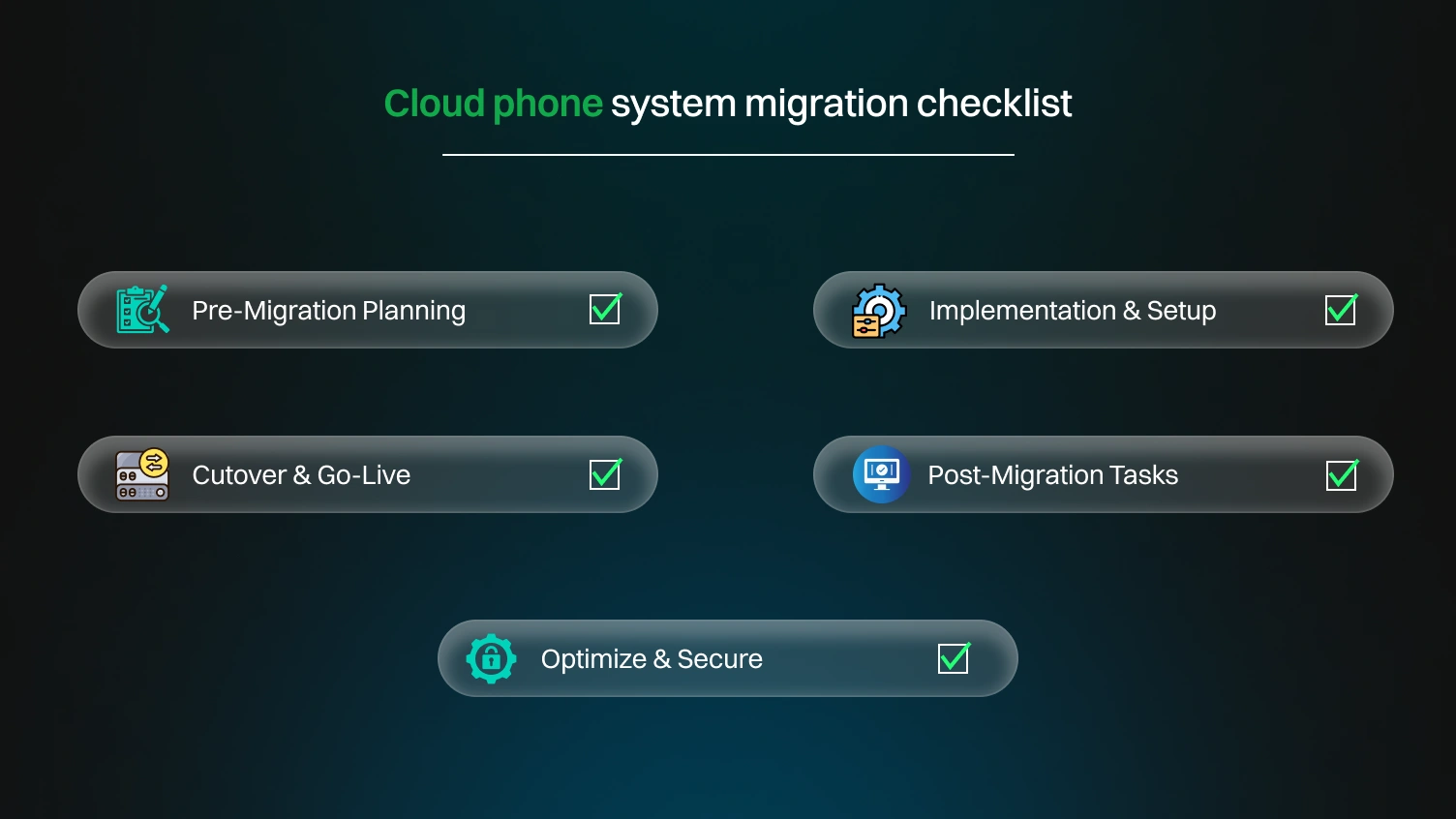
Set the foundation before any technical steps begin. This stage ensures you’re making informed choices.
This phase marks the beginning of configuration and provisioning. It’s all about preparing the new system for launch.
This is the moment your new system goes live. Smooth execution here avoids major disruptions.
Once live, focus shifts to stability, training, and feedback.
With the system stable, it’s time to maximize value and secure the system.
Migrating to the cloud isn’t just a technical upgrade; it’s a team transformation. Keep these best practices in mind:
Effective migrations start with a known roadmap that identifies impacted users, numbers, and departments. You assign a project lead who is actively involved and has clear guidelines regarding his/her role.
The roadmap should define a timeline, risks, and restoration methods. A good roadmap eliminates surprises and brings everyone together to migrate to an agreed end state.
Clear communication removes confusion and fosters team buy-in. Announce the upcoming move early, communicate the benefits, and establish what users can expect. Communicate progress on milestones and what support options are available. Using an open dialogue replaces resistance with confidence about the move.
Never go live without first validating performance. Conduct pilot tests with internal teams to evaluate call quality, feature compatibility, and integration with tools such as CRMs. Simulate various usage scenarios to uncover issues early and prevent disruptions during the full rollout.
Thorough documentation is important. Document every configuration, network changes, and implementation processes. Document and save user feedback and training materials in one place. This will facilitate troubleshooting, add scalability for the future, and ease knowledge transfer across teams.
Security is not optional during migration. Choose providers with end-to-end encryption, enforce multi-factor authentication, and verify compliance with regulations like GDPR or HIPAA. Ongoing patching and access control must be enforced to protect your systems and sensitive business data.
Empower your remote teams with the resources and training to be successful in their work. Ensure access to softphone applications, headsets, and formal orientation. Provide virtual orientation/training on procedures, and document these procedures so that the systems are utilized consistently, regardless of the team’s location.
Very common problems that you must avoid during migration. Understanding these obstacles is crucial for navigating the process efficiently and minimizing delays.
Here are several issues to be cautious of while moving so that you can minimize potential disruption.
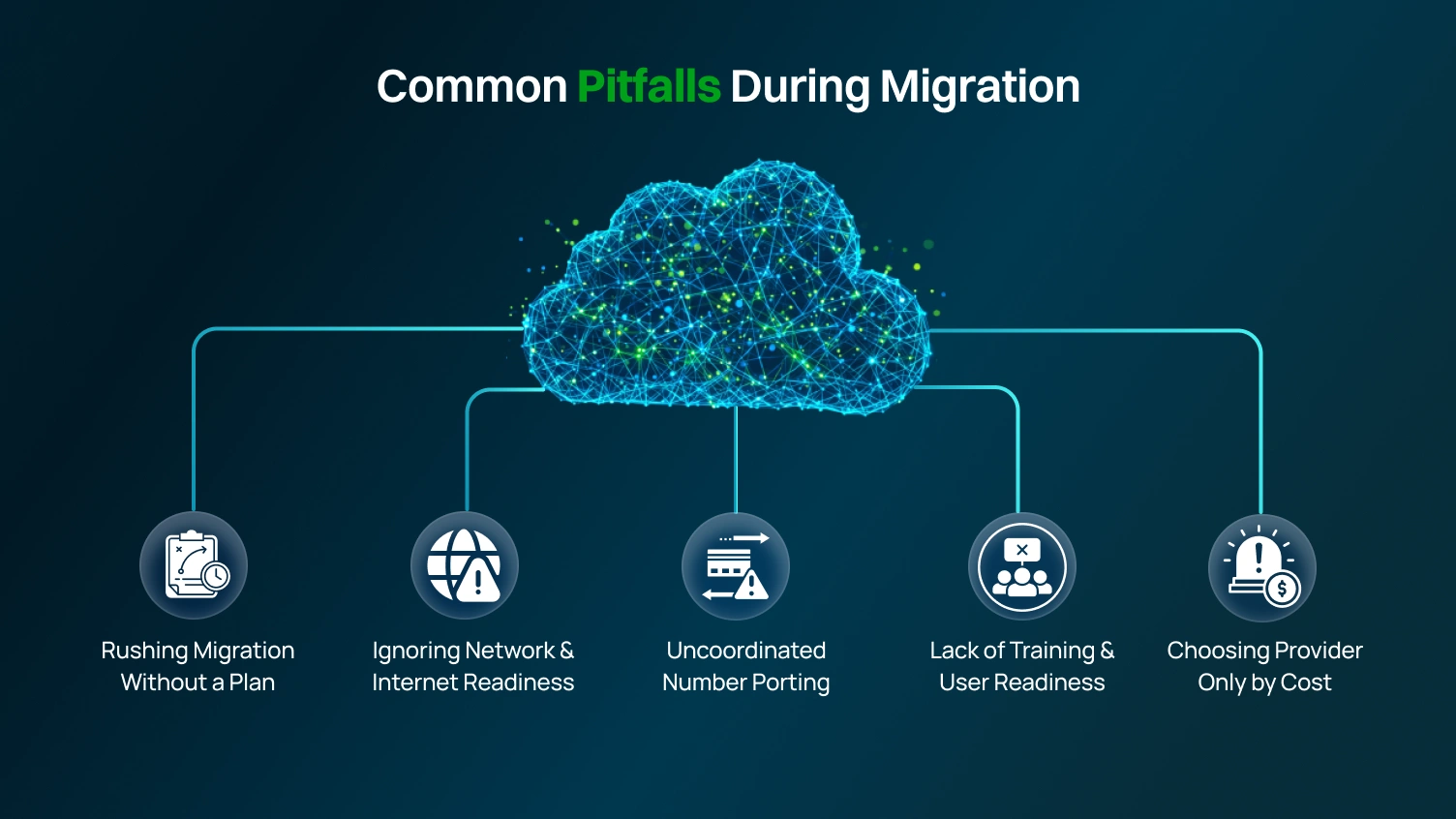
A large number of companies rush into migration with no plans and overlook steps, and face service interruptions. If you force the migration, you can risk not completing setups and experiencing downtime.
Work through the checklist, as we have discovered that taking the time to go through a phased migration and planning is vital to a successful rollout. It also allows everyone to test and be trained up.
Cloud-based phone systems rely on a strong and reliable internet connection. Bandwidth, latency, and reliability need to be validated to ensure there are no call drops and you have quality audio. You will also want to set up your Quality of Service (QoS) settings, so it is important to be sure your network is solid prior to going live with the system.
In terms of phone number porting, teamwork between you and the provider is key. If the timing was off, however, you might be subject to service interruptions and missed calls. This may take 7 – 14 days, and it’s good practice to have backup plans in place to maintain smooth customer operations.
User adoption is crucial to success, but it depends on successful training. Without adequate support, productivity suffers, and help desk requests soar. Offering hands-on help, tutorials, and clear guidance is essential to restore confidence and ease frustrations while acknowledging that everyone will have an adjustment period to the new system.
While the cheapest provider may sound logical, it is often a recipe for costly complications down the road. There is a chance you will encounter issues with too few features, poor service, and scalability that just appear too late. There’s more to it than the price considered value by comparing service quality, uptime guarantee, customer support, and how well the provider can scale with your business.
After a successful migration, maintaining a smooth operation of your cloud phone system requires ongoing attention. Here are a few areas to focus on for long-term system reliability and efficiency.
Once your cloud phone system is implemented, don’t simply relax and assume everything is functioning properly. It is equally important to monitor System Uptime, Call Quality, Call Drop Rate, User Feedback, and Latency. Make use of system analytics. It is even better if you integrate other analytics systems to interrogate your systems and fix problems proactively.
Check for active two-factor authentication and access control, current encryption, and active two-factor authentication. Security is not a once-off problem, and ensuring up-to-date patching and updating your systems is a must. Also, ensure that you adhere to telecoms regulations relative to your operations, such as GDPR, HIPAA, and other local regulations.
The next step is to inform and educate, as qualified users are essential for effective technology use. Organize training sessions on available features, new workflows, and updated processes. Document office procedures and centralize them to encourage users to take advantage of systems like voicemail-to-email, call recording, and auto-attendants..
For your business, perform cost and usage audits every quarter to ensure everything is cost-effective. Removing inactive users also cuts costs. Usage should only be increased when absolutely necessary. Keeping cloud cost management lean keeps your IT spending in check and maximizes your resource management.
As your organization expands, integrate and optimize your systems to the cloud, doing so during off-peak hours to avoid downtime. Cloud-based systems should allow high scalability to seamlessly add new users, regions, or tools.
Being unprepared is the most expensive risk to take. Back cloud-based systems and workflows on systems that are designed to help circumvent your workflows. Maintain up-to-the-minute system communication and contact systems to ensure seamless team connectivity during outages and emergencies.
When selecting the right cloud phone system provider, several factors should be considered.
Here are some factors to consider:
Before selecting a provider, take a moment to assess your business needs. Consider how many users will need access and which features are essential, such as call recording or CRM integration. Also, consider your team’s setup: are they working remotely? It’s critical to select a system that can scale with your business.
Don’t just go with the first provider that pops up. Do your homework and create a shortlist of a few reputable options. Look into their features, read customer reviews, and check how well they integrate with your existing tools. Testing out their platforms can help you find the user-friendly ones.
Opt for a phone system that guarantees reliability, aiming for strong uptime (99.99% or better) and top-notch voice quality. If your team is spread out or located in different regions, prioritize providers that offer global coverage and have a robust infrastructure.
Pricing can be tricky. Some providers might lure you in with low base rates, but then hit you with extra fees for essential features like call recording or analytics. It’s vital to know what’s included in your plan to avoid any surprise costs and to keep your budget in check.
Having reliable support during migration is key. A good provider will walk you through the setup process, provide training, and be available to help with any issues that arise. Pay attention to their response times and how accessible they are; if they’re supportive from the get-go, they’re likely to be a trustworthy partner in the long run.
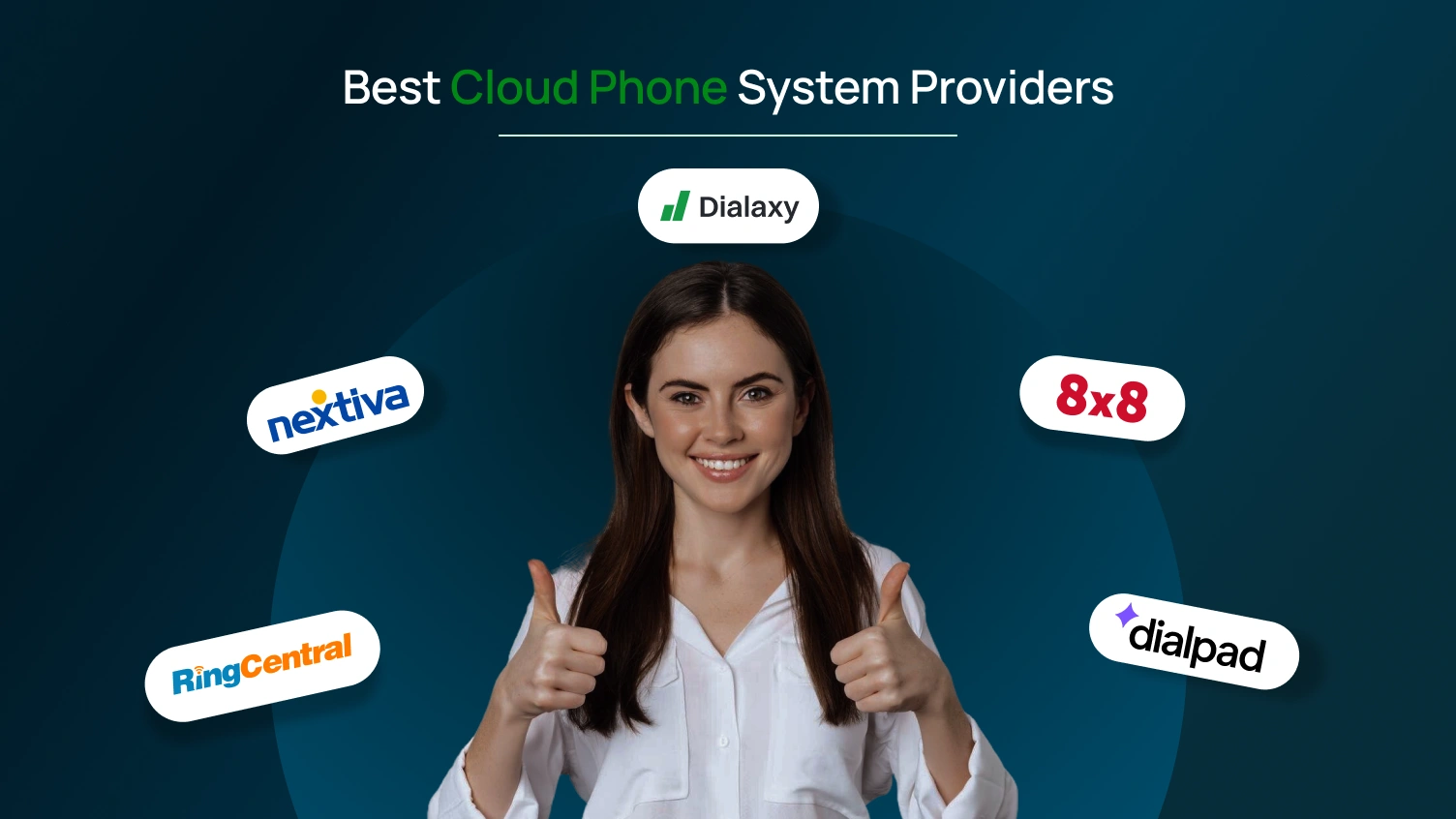
Choosing the right cloud phone system is key to staying connected and competitive. Below is a table of some of the best providers leading the way with powerful features, flexible plans, and reliable performance.
| Provider | Best For | Starting Price | Key Features |
|---|---|---|---|
| Dialaxy | Small businesses, startups, and remote teams | $10/user/month | HD voice, SMS/MMS, voicemail-to-email, call recording, CRM sync, web/mobile access, instant number setup |
| RingCentral | Midsize to large teams needing advanced scalability | $20/user/month | Voice, video, and messaging in one platform, AI analytics, IVR, call queues, 99.999% uptime, integrations with Salesforce, Microsoft, and Google |
| Dialpad | Teams needing AI-powered call intelligence | $15/user/month | Real-time AI transcription, unlimited US/Canada calling, CRM integrations, mobile and desktop apps, built-in analytics |
| 8×8 | International businesses need global calling | Contact with the sales | Unlimited calling to 40+ countries, voice/video/chat, advanced analytics, contact center features, compliance with HIPAA and GDPR |
| Nextiva | Growing businesses need unified communication | $15/user/month | VoIP system, video, SMS, and team chat, built-in CRM, call flow automation, reporting tools, 24/7 US-based support |
Highlighting where the technology is headed and what’s emerging across platforms, networks, and communication channels. Here are some of the significant trends shaping the future of cloud telephony
AI is transforming cloud telephony from smart call routing to real-time transcription and sentiment analysis. It helps businesses respond faster, personalize calls, and reduce manual work. As AI tools evolve, expect voice systems to get smarter and more human-like.
5G is raising the bar for call clarity and speed. With faster networks, VoIP calls will have near-zero lag, better stability, and HD-quality sound. This upgrade is crucial for mobile teams and remote workers who rely on cloud phone apps.
Customers expect more than voice; they want to connect via SMS, chat, email, or video, all in one flow. Cloud telephony is moving toward seamless integration of every channel. That means smarter, unified communication, no matter where the conversation starts.
As data protection laws tighten, cloud phone systems must keep up. End-to-end encryption, call consent tracking, and region-specific compliance will become standard. Businesses that prioritize secure, compliant systems will gain trust and avoid penalties.
The workplace has changed, and so has the contact center. Cloud telephony supports hybrid teams with remote access, browser-based calling, and mobile flexibility. Future-ready systems will be built to adapt wherever your team works, and your phones follow.
Switching to a cloud phone system is a smart step toward modern, flexible communication. With the right planning and provider, your business can enjoy better scalability, cost control, and reliability. As technology evolves with the rise of AI, 5G, and hybrid work, cloud telephony provides the tools to keep your team connected and productive.
Avoid common migration pitfalls, stay proactive with maintenance, and choose a system that supports your long-term goals. The future of business communication starts in the cloud.
Are you ready to upgrade your business communication? Choose Dialaxy for a robust, reliable, and affordable cloud phone system built for modern teams. Get started today and experience the difference.👉 Sign Up
A cloud phone system runs over the internet, needing no bulky hardware. It’s more flexible, remote-friendly, and easier to manage than on-premise systems.
Very critical. A stable, high-speed internet connection is essential for clear calls and reliable performance.
It reduces risks, allows testing, and ensures smoother adoption with minimal disruptions.
Low-cost providers may lack features, support, or reliability, leading to poor service and hidden fees later.
Check what’s included, ask about setup, support, and scaling fees, and read the fine print for hidden charges.
AI features, 5G support, better analytics, strong security, easy integrations, and tools for hybrid work are key trends.
