

What Is Call Center Reporting: Types, Benefits, and Importance

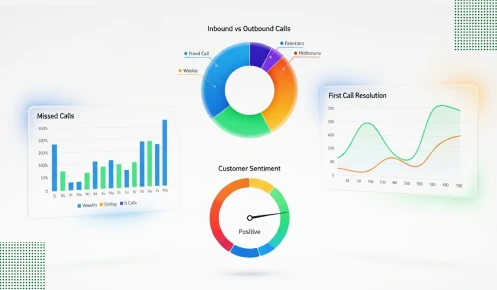
Ever wondered why some call centers understand and master their systems, staff, and customers through metrics, and they use that knowledge to get the most efficiency?, It’s data.
Call center reporting is the process of identifying the essential insights from the given data, i.e., figures, which in turn facilitates the businesses in providing customer service of a higher standard. In the absence of appropriate reporting, you are basically operating in the dark. You might falsely assume that your team is performing excellently, while the data is revealing an entirely different scenario.
This guide breaks down everything you need to know about call center reporting. You will understand what measures have actual importance and how to introduce functional reporting systems.
3 Things You Will Walk Away
The bottom line? Call center reporting isn’t optional anymore. It’s the difference between surviving and thriving in today’s competitive landscape.
Call center reporting matters because every interaction tells you something about your business. A customer calls to complain about a product. Another call to place an order. Someone else just needs basic information. These conversations are data goldmines if you bother to look at them.
Customer expectations aren’t getting lower. They’re rising every single year. Today’s customers won’t sit on hold for ten minutes while easy listening music plays. They won’t explain their problem three times to three different agents. Contact center shows you when you’re failing these basic tests.
Your agents aren’t all created equal. Some handle thirty calls efficiently while others struggle through fifteen. Some resolve issues on the first try, while others create callback loops. Call center reporting software reveals these patterns so you can actually do something about them.
Money flows through every call that comes in. An abandoned call might represent a $500 sale that just walked away. Multiply that by hundreds of abandoned calls per month, and you’re looking at serious revenue loss. When you track call abandonment rate and similar key metrics, you can put a dollar figure on your problems.
Contact center solutions with good reporting give you visibility you never had before. You see which hours get slammed with calls. You learn which problems take forever to solve. You discover which processes create unnecessary work.
The stakes are higher than most managers want to admit. Bad call center performance doesn’t just annoy customers. It kills your reputation and hands business to competitors who have their act together.
Call center reporting collects and analyzes data from every customer interaction across all your channels.
In the same way, a call center has a fitness tracker that can be monitored. A fitness tracker of yours shows steps, heart rate, and calories burned. Call center reporting displays call volume, wait times, and resolution rates. Both of them provide you with insight into something that was not visible before.
Everything starts with collecting data. Each inbound call gets logged automatically. Every outbound call leaves a record. Chat sessions, emails, and social media messages all get tracked. Modern contact center reporting tools capture details from start to finish.
Raw data in itself is of no use to anyone unless it is converted into valuable information. The system processes several thousand data points and converts them into figures that are easy for you to understand.
Reports come in different flavors for different purposes. Some show what’s happening right this second for quick decisions. Others look back at last month or last quarter for strategy planning. The best call center reporting software lets you customize everything based on what you actually need.
An omnichannel contact center is a single point of supervision for all customer service channels. The separate channels, like inbound calls, emails, chats, and social media messages, are combined in the same platform. Therefore, there is a common understanding rather than a fragmented one.
Old systems just counted calls like a tally sheet. Today’s AI-powered contact center platforms analyze conversation content, detect emotions through sentiment analysis, and predict what’s coming next.
Center reporting vs basic call logs is like comparing a smartphone to a calculator. One does everything while the other handles simple math.
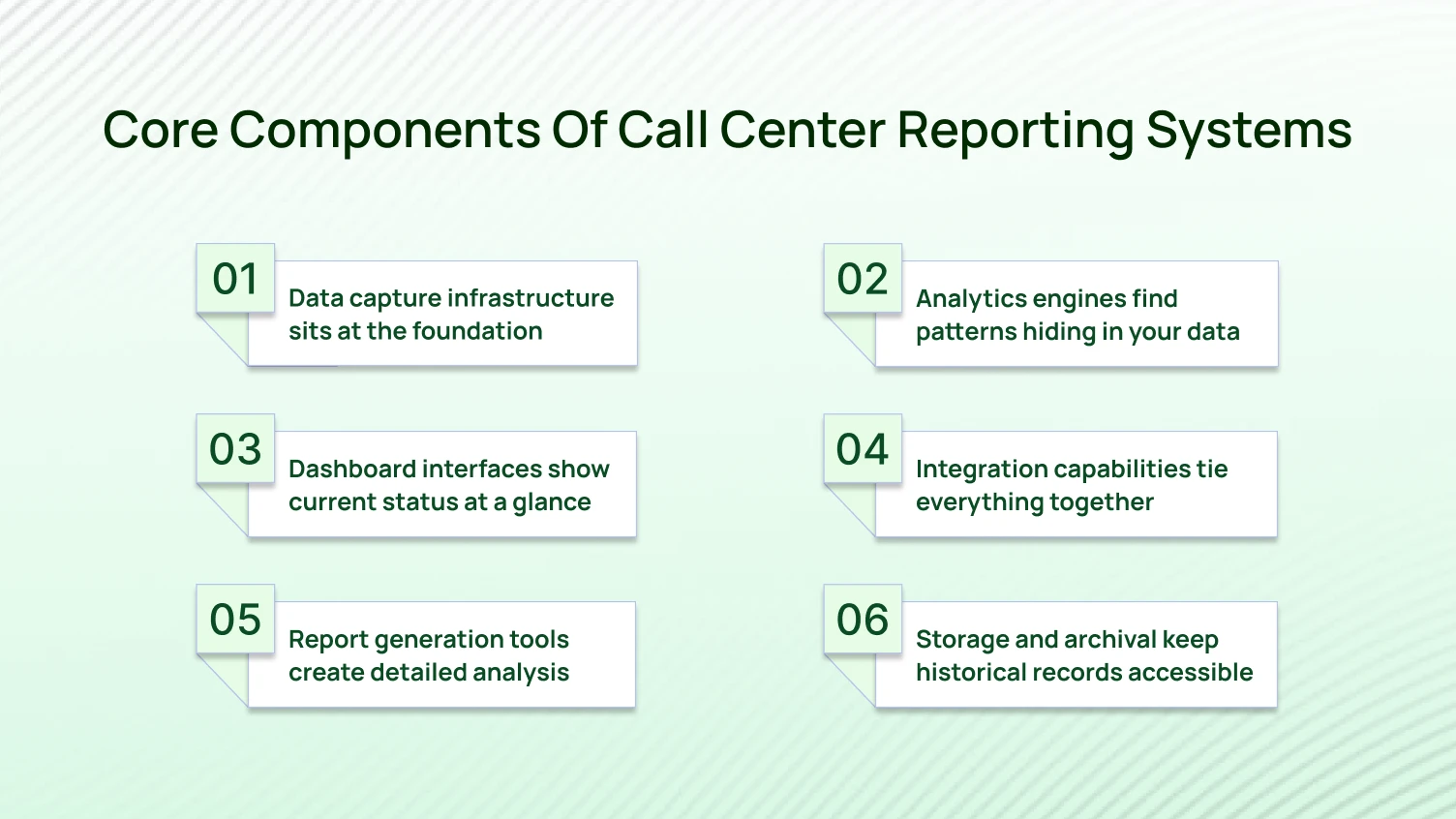
Several pieces need to work together for reporting to actually function.
Your phone system logs every interaction without anyone thinking about it. Call timestamps, duration, agent identity, and call outcome all get recorded automatically. If your data capture fails, everything else becomes worthless.
Center managers need to see call queues, available agents, and average wait times without clicking through menus. The dashboard should make problems obvious immediately.
These let you build custom reports focusing on what matters to you. Maybe you care about agent performance this week. Maybe you want customer effort score trends. You schedule reports to generate and send themselves automatically.
Advanced systems use algorithms to spot trends humans miss. They predict busy periods based on historical data. They suggest staffing levels that actually make sense.
API integration pulls data from your CRM, workforce management tools, and other business systems. This creates one unified view instead of five separate spreadsheets. Once that integration is in place, it’s worth learning how to bring multiple data sources to Power Bi so the same unified view can feed into whatever reporting tool your team already uses.
You need past data for trend analysis and compliance. The system stores everything securely while making it easy to retrieve when you need it.
Contact center solutions worth paying for include all six components. Missing even one piece leaves gaps in your visibility.
These components must actually work together smoothly. A reporting system that needs manual data entry or crashes during integration isn’t worth the software license fee.
Different reports serve different purposes in your operation.
These matter most during busy periods when things change fast. You see customers waiting, agents working, and problems developing. Real-time dashboards let supervisors make immediate decisions about routing calls or sending agents on break.
These cover days, weeks, months, or quarters. They reveal trends in call volume, agent productivity, and customer satisfaction scores. Historical data helps with planning and spotting seasonal patterns.
These track metrics like average handling times, first call resolution, and satisfaction ratings for each person. They’re essential for reviews and figuring out who needs coaching.
These compile data from customer effort score surveys, net promoter score feedback, and CSAT score ratings. They tell you what customers actually think about their interactions.
These track abandonment rate, how fast you answer, and first-contact fixes. They show you where things get stuck.
Using historical data and trends, these estimates future call volume and suggest how many agents you’ll need. They’re valuable for workforce management planning.
These compare this month against last month or measure your metrics against industry standards. They answer whether you’re improving and how you stack up.
The best center reporting tool gives you access to all these types from one platform. Jumping between systems wastes time and creates inconsistent data.
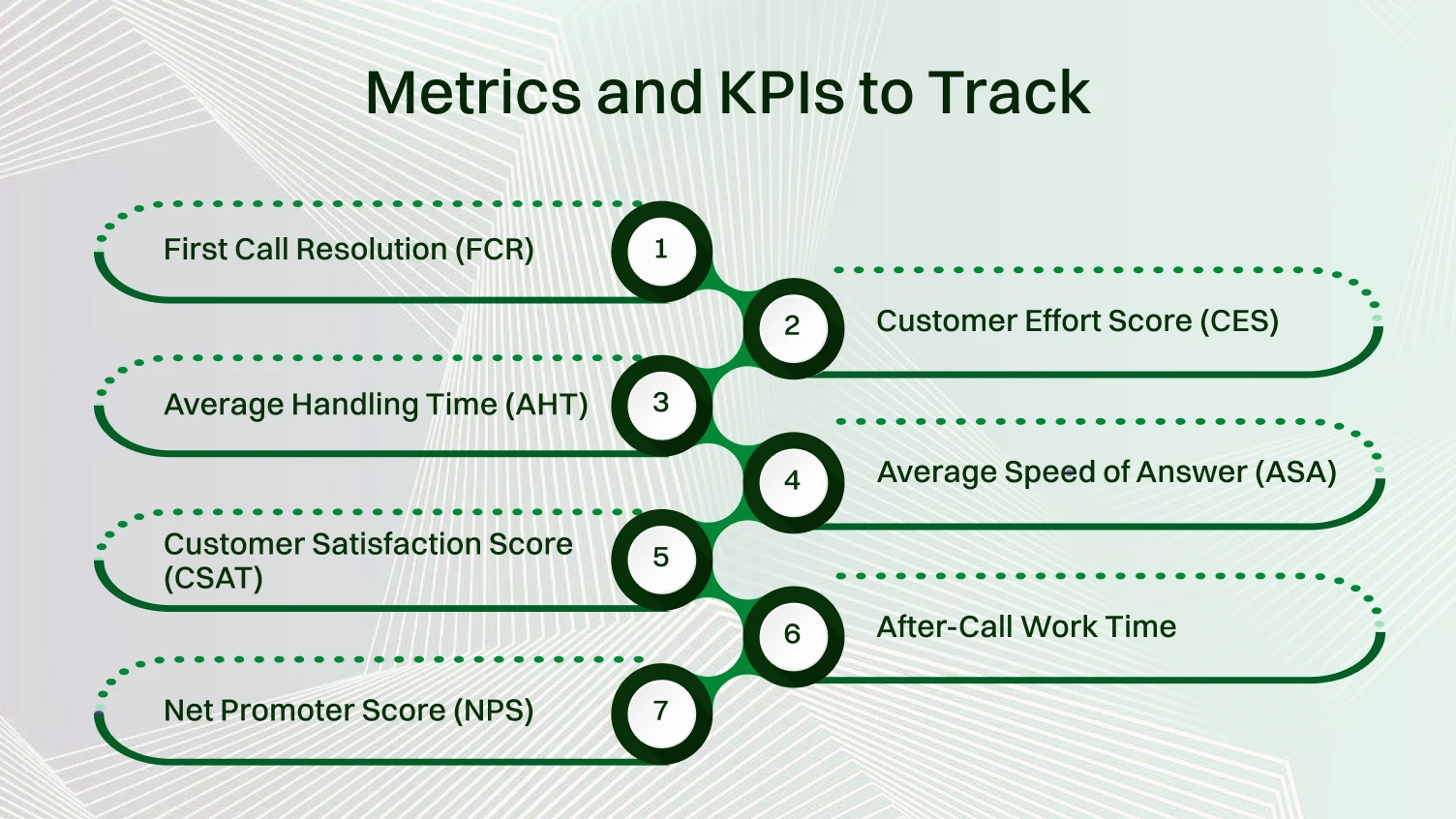
Some metrics matter while others just clutter your dashboard.
This shows how often you actually fix problems on the first call. No callbacks needed. High FCR means happy customers and lower costs. Industry benchmarks sit around 70-75%.
It tracks call duration. This covers talk time, hold time, and paperwork afterward. Faster isn’t always better, though. Rushing customers creates terrible experiences. Find the balance between speed and quality.
It directly measures happiness. This basic number tells you if you’re meeting expectations. Drop below 80% and you’ve got problems.
It predicts loyalty. This asks how likely customers are to recommend you. Scores go from negative 100 to positive 100. Zero or above means you’re doing okay. Anything above zero is acceptable. Above 50 is excellent.
It measures how hard customers have to work. Low effort experiences create loyalty. This metric asks how easy it was to get their issue resolved. Customers stick around longer when you make things easy for them.
It measures responsiveness. This shows how quickly agents pick up calls. Industry standards suggest answering within 20 seconds. Long ASA times frustrate customers and increase abandonment.
It measures administrative efficiency. Better systems cut down the time agents waste on paperwork after calls end. Fix your after-call work time and track your call center reporting.
These metrics work together to show you the full story. Focus on just one or two, and you’ll miss important problems.
Proper reporting isn’t just about collecting data. It creates real advantages for your business and better experiences for your customers.
You finally understand where resources go and which processes create bottlenecks. Call center analytics reveals inefficiencies that existed for years without anyone noticing.
Tracking metrics like first contact resolution and customer effort shows you what needs fixing. Better service keeps customers around longer and increases what they spend over time.
Call center workforce management becomes accurate when based on real data. You stop overstaffing slow periods and understaffing busy ones. Even small efficiency improvements save thousands monthly.
When performance metrics are transparent and objective, top performers get recognized. Struggling agents receive appropriate support. This beats subjective manager opinions.
Historical data reveals which products cause the most support calls. You learn which customer segments need the most help. You discover which times of year are busiest. This information guides product development and marketing campaigns.
Many industries require specific recording and reporting standards. Automated call center reporting software ensures you meet requirements without manual tracking.
The ROI of proper reporting typically shows up within months. Companies implementing comprehensive call center reporting and analytics see measurable improvements in both satisfaction and efficiency.
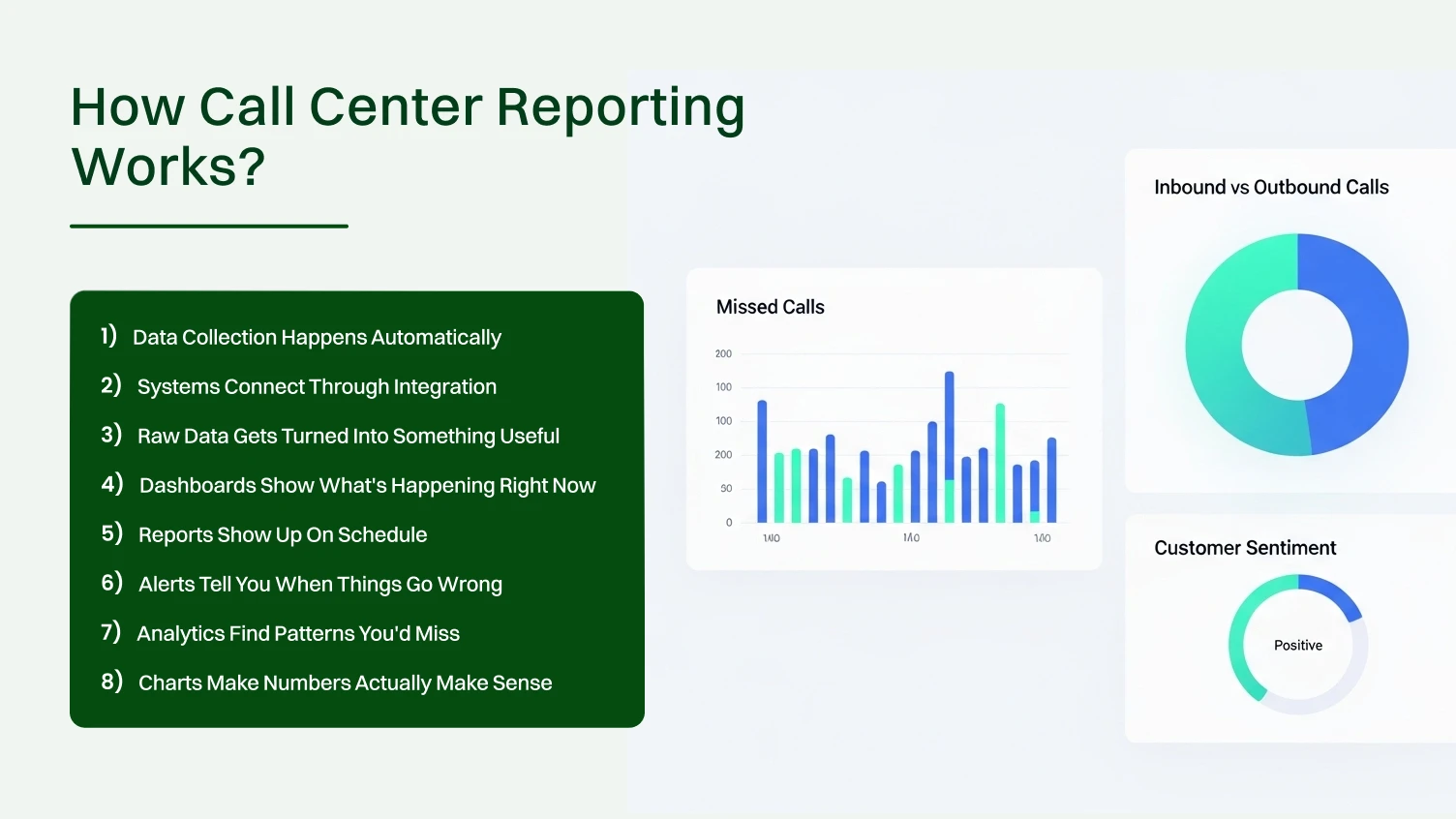
Knowing how reporting actually works helps you avoid setup mistakes. Here’s what happens behind the scenes when everything runs.
Every interaction gets logged. Inbound calls, live chats, and emails, the system captures all of it. Timestamps, agent names, customer details, how long it took, what happened. All recorded without anyone lifting a finger. Your agents talk to customers. The system handles the paperwork in the background.
Your phone system talks to your reporting software through API integration. Modern contact center solutions make this connection so that data flows from one place to another without getting lost. When the connection works right, you don’t even think about it. When it breaks, everything falls apart.
The reporting engine takes all those logged interactions and does the math. It sorts, categorizes, and calculates everything. Thousands of data points become actual metrics you can understand. This happens fast. What would take you hours with a calculator happens in seconds.
Real-time feeds update on their own. Center managers look at a screen and see current call queues, available agents, and how long customers are waiting. No refreshing. No guessing. You know exactly what’s happening in your call center without walking the floor and asking everyone.
You set it once, and reports arrive on your schedule, every day, every week, or every month. These arrive in your inbox without manual generation. You can set different report types for different stakeholders.
The system watches your metrics constantly. Abandonment rate jumps above 10%? You get a notification immediately. Average wait time hits three minutes? Another alert. You fix problems as they happen instead of reading about them in next week’s report.
Advanced systems dig deeper than basic numbers. They analyze call recordings for customer sentiment. They spot common complaints. They predict trends based on patterns in your historical data.
Graphs, charts, color-coded dashboards. Visual tools turn spreadsheet hell into something your brain can process quickly. You see trends at a glance instead of squinting at rows of numbers.
Implementation determines whether reporting helps or just creates more work.
Identify what you’re trying to fix. Better customer satisfaction? Lower costs? Improved agent performance? Check what reporting capabilities already exist in your phone system and contact center software before buying new tools.
Pick contact center reporting tools that fit your business size and integrate with existing systems. Set data quality standards from day one. Train agents on proper call logging. Garbage in means garbage out.
Focus on 8-12 key metrics that directly impact your goals. Don’t track everything. Use industry standards as starting points, but adjust for your situation. Find the balance between challenging and achievable.
Teach center managers how to interpret reports and take action. Implement daily huddles for real-time metrics, weekly meetings for operations, and monthly sessions for strategy. Consistency drives improvement.
Assign an owner to every key metric. Begin with core metrics like first call resolution and average speed of answer. Ensure accuracy first, then add complexity gradually.
Listen to agents and supervisors about what works. Document when reports get reviewed and what actions different metric levels trigger. Documentation ensures consistency even as team members change.
Implementation typically takes two to three months from planning to full deployment. Rushing leads to mistakes. Excessive delays mean missing improvement opportunities.
Learning from others’ mistakes saves time and frustration.
Mistake 1: Tracking too many metrics creates confusion: Some managers think that more data automatically means better insights. Wrong. Drowning in metrics makes it impossible to focus on what truly matters. Stick to 8-12 core KPIs that drive business results.
Mistake 2: Focusing exclusively on agent performance backfires: Agent productivity matters. But obsessing over individual metrics without considering system issues creates toxic environments. Sometimes low performance stems from poor processes, not poor agents.
Mistake 3: Ignoring the customer perspective is shortsighted: Metrics like average handling times matter for efficiency. But customer effort score and satisfaction ratings tell you if you’re actually helping people. Optimize for speed without sacrificing service quality.
Mistake 4: Using outdated benchmarks leads you astray: Industry standards evolve constantly. A benchmark from five years ago doesn’t reflect current customer expectations. Regularly update your comparison points.
Mistake 5: Failing to act on insights wastes everyone’s time: Generating reports that sit in inboxes unread accomplishes nothing. Reports must trigger decisions and actions. Otherwise, you’re just collecting data for data’s sake.
Mistake 6: Over-relying on historical data creates blind spots: Past performance helps with planning. But real-time data prevents current problems. Balance both types of reporting to stay ahead of issues.
These mistakes happen surprisingly often. Even experienced contact center managers fall into these traps when they’re not careful.
Now let’s talk about what actually works in real operations.
Every tracked metric should connect to a specific business goal. If you can’t explain why a metric matters to company success, stop tracking it.
Track both speed-related metrics, such as average handling times, and quality indicators, such as customer satisfaction scores. This prevents sacrificing one for the other.
Don’t wait for scheduled reports to discover your abandonment rate is spiking. Set automatic alerts that notify managers immediately when thresholds are breached.
Overall metrics hide essential variations. Break down performance by agent, team, time of day, customer type, or issue category to spot specific problems.
Every report review should end with action items. What will we do differently based on these insights? Reporting without action is just expensive record-keeping.
Companies following these practices consistently see better results from their call center reporting and analytics efforts. Best practices aren’t complicated. They just require discipline and consistency
Let’s look at how proper reporting transformed one company’s operations.
The Problem Was Obvious, But the Cause Wasn’t. A mid-sized e-commerce company was drowning in customer complaints. Their satisfaction scores hovered around 65%. Call abandonment rates hit 15%. Management knew something was broken but couldn’t pinpoint where.
They Installed Call Center Reporting Software. The new system tracked first call resolution, average speed of answer, customer effort score, and agent performance. Within a month, clear patterns emerged.
The Data Revealed Shocking Truths. Peak call volume hit between 10 AM and 2 PM. But most agents worked evening shifts based on outdated assumptions. The worst abandonment rates happened during these understaffed midday hours.
Certain product categories generated way more support calls due to confusing documentation. The data showed exactly which products caused problems.
They Made Quick Targeted Changes. They shifted agent schedules to match actual call patterns. The product team rewrote unclear documentation. Struggling agents got focused training on specific issue types.
Results Came Fast. Within three months, abandonment rates dropped to 6%. Average speed of answer improved from 45 seconds to 18 seconds. Customer satisfaction jumped to 82%. First contact resolution increased from 68% to 79%.
Lower abandonment rates meant more completed sales. Better first contact resolution cut total call volume by 12%. The company saved approximately $180,000 annually in operational costs.
The Culture Changed Too. Managers stopped guessing and started checking reports. Agents understood expectations clearly. Strategic planning improved because forecasts used historical data instead of assumptions.
The reporting landscape is changing fast, and you need to know what’s coming. AI and automation are transforming how we collect, analyze, and act on call center data. Here’s what’s actually arriving soon.
Instead of reporting what went wrong yesterday, systems will warn you about developing problems today. Machine learning algorithms will analyze patterns and flag anomalies automatically.
Current systems track what happened during calls. Future systems will understand how customers feel about interactions. This emotional intelligence will provide much deeper insights into service quality.
It will eliminate manual tagging. AI will listen to conversations and categorize them by topic, sentiment, and outcome without human intervention. This creates more accurate data and frees agents from administrative tasks.
Predictive analytics will revolutionize workforce management. Systems will forecast call volume with increasing accuracy by analyzing historical data, seasonal patterns, marketing campaigns, and even external factors like weather or news events.
Instead of building custom reports, managers will simply ask questions like “Which agents have the highest customer satisfaction scores this month?” The system will generate answers automatically.
Instead of staring at dashboards trying to spot trends, the system will tell you “Wait times increased 23% compared to last week because of a staffing shortage on Tuesday.”
These aren’t distant possibilities in some far-off future. Many of these capabilities already exist in leading center reporting software. The question isn’t if these changes will happen but how quickly your organization will adapt to them.
Companies that embrace AI-driven reporting and analytics will gain significant competitive advantages. Those who stick with legacy systems will fall behind and struggle to catch up.
Call center reporting replaces guesswork with actual data by tracking metrics like first call resolution, customer satisfaction scores, abandonment rate, and average speed of answer. You need more than software, though; clear goals, clean data, and real accountability matter just as much as the tools themselves.
Don’t track everything. Don’t ignore what customers feel. Don’t create reports that sit in inboxes unread. Keep things focused on action. AI tools are reshaping how we understand customer interactions, and early adopters are gaining real advantages over businesses that stick with old methods.
Better reporting helps everyone. You cut costs and run smoother operations. Customers get faster service and better experiences. The systems pay for themselves quickly through better efficiency and happier customers. The real question isn’t about affordability; it’s whether you can keep running blind much longer.
You’ll usually see improvements within 3-6 months. Quick wins like lower abandonment rates happen fast. Bigger benefits like smarter staffing decisions build up over time.
Cloud-based tools handle remote teams perfectly. Your agents can work anywhere while the system tracks everything the same way. Location doesn’t matter for reporting visibility.
Most modern systems are built for regular business users. You get intuitive dashboards and ready-made reports. Some training helps but you don’t need a technical background.
Write down the issues and tackle the biggest ones first. Track whether your small changes help move things in the right direction. Making progress matters more than fixing everything at once.
Yes. Clear metrics help your agents know what’s expected and see their own growth. Let them access their personal dashboards. Just don’t use the numbers to embarrass anyone publicly.
Check a few reports manually to prove accuracy. Point out specific times when reporting caught real issues. Early successes build trust better than arguments about why the data matters.
