

What is VoIP Texting, How Does It Work & Its Benefits


Remember the days of T9 (Text on 9 keys) texting? Pressing the same button multiple times just to type one letter. Those were the times.
That’s ancient history now. These days, businesses are all about VoIP texting and sending texts over the internet. No need to indulge in messy wires, no hassle, just smooth sailing.
Whether it’s real estate updates, appointment reminders, or marketing campaigns, business VoIP keeps things smooth and unified.
Why switch? Because customers expect fast, flexible, mobile-friendly service, which VoIP text messaging delivers.
Let’s explore what VoIP texting is, how it works, why it matters, and how it’s changing the way businesses connect.
Before diving into what VoIP texting is, it’s essential to understand what VoIP is.
Let’s unpack the term “Voice over Internet Protocol (VoIP)”:
Think of it like how Zoom or WhatsApp calls work. It’s all online.
Simply put, VoIP (Voice over Internet Protocol) lets you call and text using the internet rather than regular phone lines.
(We’ll dive deeper into how this works shortly.)
VoIP texting works smoothly together with messaging apps, business SMS platforms, and full-blown VoIP systems.
That means no need to keep switching between apps or screens. You can manage calling, texting, and much more from one dashboard.
The cool part? You’re not tied to just one device. All your devices (mobile app, laptop, desktop, or VoIP phone) are linked.
When you send or receive a text on one, it instantly syncs across all others. As long as you have Wi-Fi or data, you stay connected everywhere.
It’s perfect for customer communication, marketing campaigns, or industries like real estate, where fast replies matter.
Let’s take a trip back to when texting was a totally different game. Imagine no smartphones, no internet. Just old phones with buttons.
Here’s a brief texting timeline. It shows how it all began and where we all are now:
| Year | Tech Moment | Description |
|---|---|---|
| 1990s | T9 keyboard on feature phones | Phones had tiny screens and 12 buttons. At first, you had to press the same button multiple times for each letter (multi-tap). Later, predictive text called T9 (Text on 9 keys) let you press each key just once (e.g., 4 then 4 would suggest ‘hi’). No internet, no apps, just basic texting over phone lines. |
| Early 2000s | SMS over cellular networks | Phones used to send short text messages through cell towers. You could text friends, but no pictures or fancy stuff yet. This was called SMS. |
| 2010s | Smartphones + messaging apps | Phones got bigger screens and apps like iMessage and WhatsApp. You could send pictures, videos, and group chats using internet data instead of just SMS. |
| Today | VoIP texting via TCP/IP | Now, texting happens over the internet using something called TCP/IP (the language computers use to talk). Businesses use VoIP texting to send texts from computers, phones, or apps, all connected to one system. |
VoIP texting sends messages over the internet using TCP/IP, the same language computers use to communicate online.
(Sounds technical, right? Don’t worry. All you need to know is that TCP/IP is the ‘language of the internet.’ It’s the same reliable system that delivers your emails and streams your videos, and now it powers your texts.)
Here’s how VoIP texting works in simple steps:
Because it’s all internet-based, VoIP texting works seamlessly on mobile devices, desktop apps, and integrates with contact center systems.
Getting started with VoIP texting is easier than setting up your grandma’s Wi-Fi (and way more fun).
Here’s a step-by-step guide to get your business texting in no time, whether you’re using Dialaxy or any other VoIP provider.
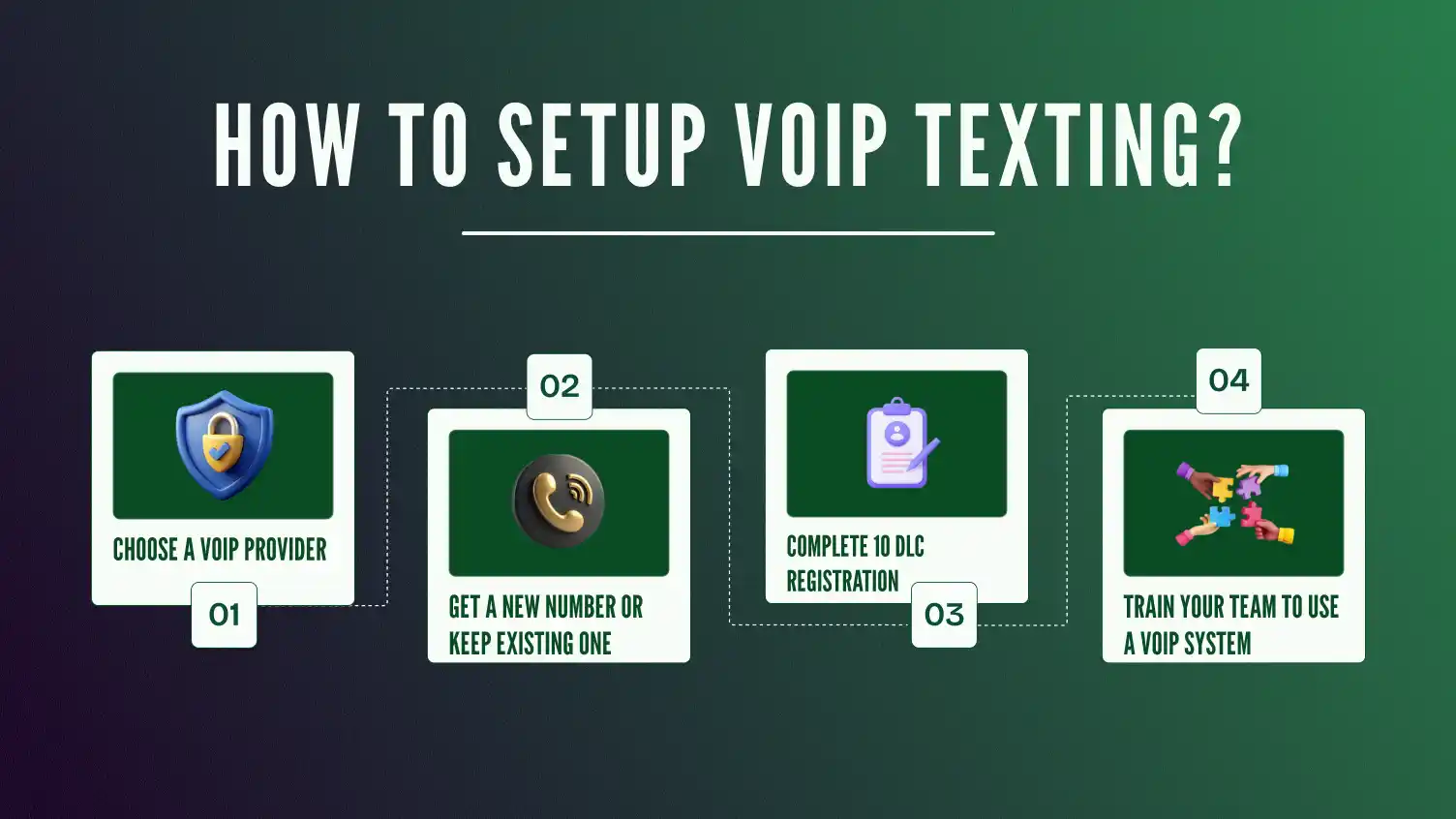
Sign up with a provider like Dialaxy that offers calling, texting, and many other features.
(Note: Different providers support different business types.)
You can grab a new virtual phone number or text-enable your existing VoIP line. Some providers do this in minutes.
Use a desktop dashboard, mobile app, or browser-based system to manage your texts.
Activate texting in your account settings. Some platforms let you choose between SMS, MMS, or both.
Pull in your customer list so you can start conversations, send updates, or launch SMS marketing campaigns.
Boom! Now you’re ready to send and receive texts from any device. Schedule appointment reminders, follow up on customer stories, or chat live in real time.
VoIP texting helps businesses do way more than just send simple texts. It makes talking to customers faster, easier, and more personal.
Here’s how different businesses use it every day:
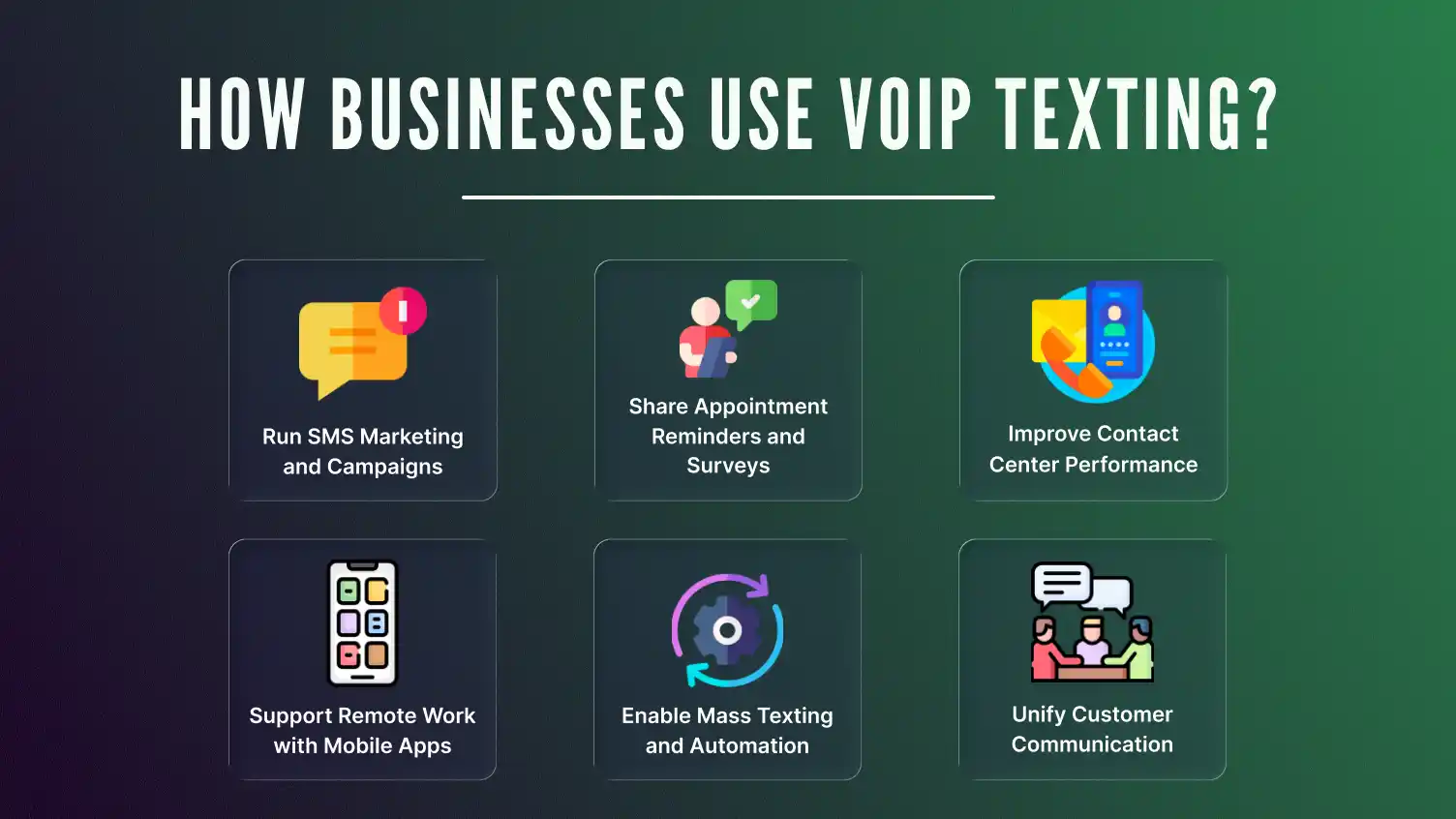
Great for clinics, salons, dentists, and spas.
 Traditional texting has its limits, especially for modern businesses that move fast and serve customers everywhere.
Let’s look at common problems teams face and the benefits of VoIP texting that help to solve them.
This table highlights problems businesses face and how VoIP texting fixes each one, making it easy to scan and understand.
| Common Problems | How VoIP Texting Solves Them |
|---|---|
| Expensive texting on cellular plans | Sends texts over the internet with no per-message fees. Many providers offer unlimited texting. Perfect for cost-effective marketing campaigns. |
| Hard to scale with traditional phones | Easily add users, numbers, and devices anytime. Great for growing teams and industries like real estate. No extra hardware needed. |
| Separate systems for calls and texts | Unified platform for calling and texting. Sync contacts and customer history in one dashboard. |
| Remote teams struggle to stay connected | Text from mobile devices, desktops, or tablets anywhere with Wi-Fi or data. Ideal for mobile, remote, and on-the-go teams. |
| Slow or impersonal customer communication | Real-time 2-way messaging, VoIP integrated with CRM. Enables personalized, fast, and friendly customer interactions. |
VoIP texting offers businesses a smart, modern way to communicate that solves many traditional texting headaches. In addition to VoIP texting, businesses are also adopting modern networking tools to enhance communication and contact sharing. For example, a comparison like hihello vs blinq helps professionals choose the right digital business card solution.
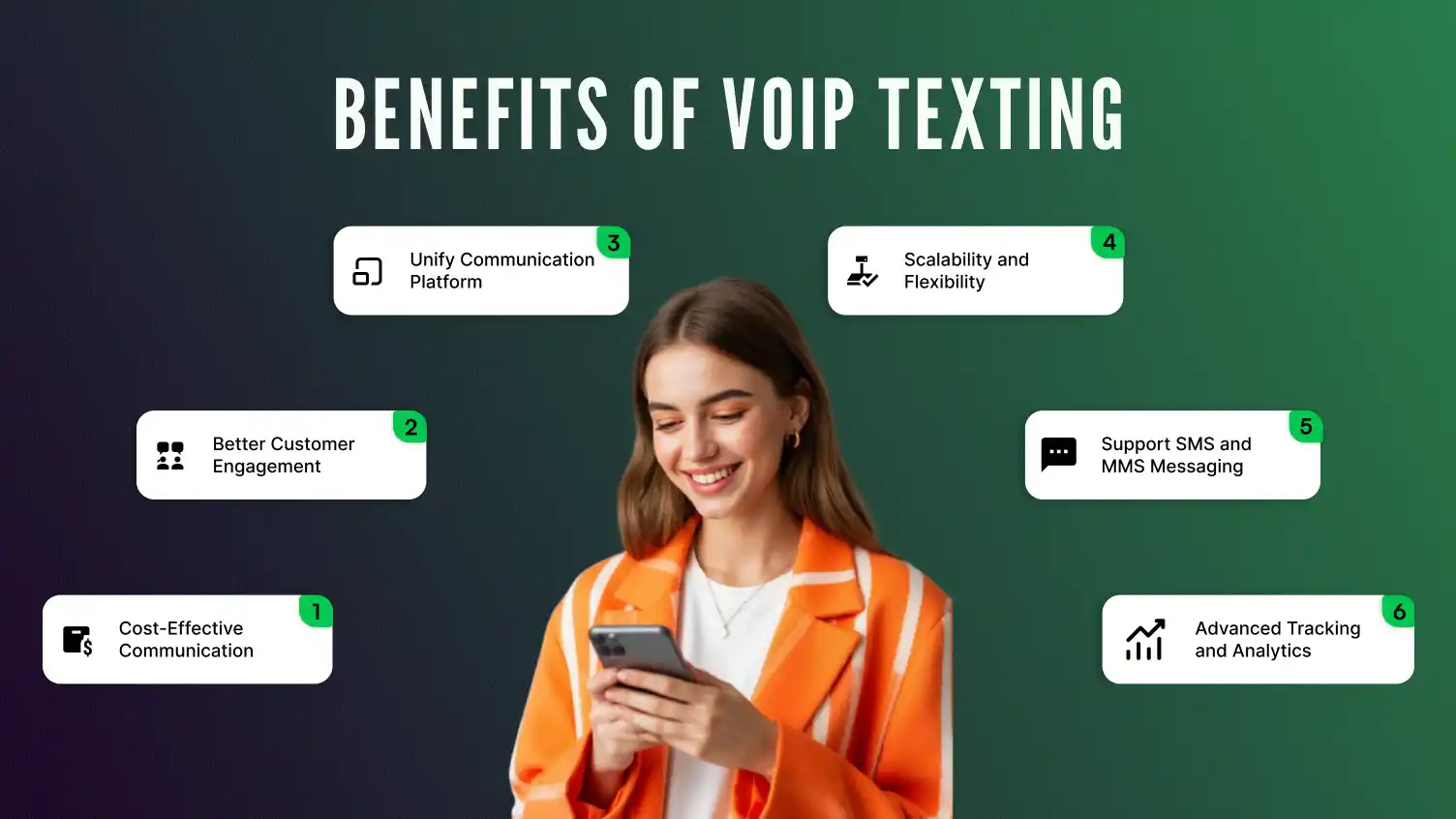
Here are the benefits of VoIP texting explained in detail:
Unlike regular SMS, which uses costly cellular networks, VoIP texting sends messages over the internet.
This cuts costs dramatically, especially for heavy users or marketing campaigns. Many VoIP providers offer unlimited texting plans, making budgeting simpler.
Whether you have a small team or a large contact center, VoIP texting grows with you. Add phone lines, users, or new features instantly. No need for new hardware or complex installations.
This makes it perfect for seasonal businesses like real estate or rapidly expanding teams.
Instead of juggling separate apps or devices, VoIP platforms combine calling and texting into one easy dashboard.
Your address book, customer history, and conversations are all in one place, streamlining your workflow and boosting productivity.
VoIP texting works anywhere with Wi-Fi or data. Whether your team is in the office, working from home, or out in the field, everyone stays connected and responsive.
Mobile apps and desktop clients ensure flexibility for modern, mobile-first workstyles.
Fast, personal communication is key. VoIP texting supports 2-way messaging, so customers can reply, ask questions, or confirm appointments easily.
Integration with CRM systems lets you personalize messages and track conversations throughout the customer journey. This leads to higher satisfaction and loyalty.
Texting your customers is powerful, but with great convenience comes great responsibility. Sending messages without proper safeguards can lead to legal trouble, privacy issues, and frustrated users.
Here’s how to keep your VoIP texting secure, compliant, and customer-friendly.
The Telephone Consumer Protection Act requires that:
Example:
If you’re running a salon promo, you might say
“Hi Sarah, want 20 percent off your next cut? Reply YES to join, STOP to opt out.”
If you’re in the healthcare industry, HIPAA rules apply when texting patients. That means:
Instead of: “Your test results came in. Let’s chat.”
Say: “Your lab results are ready. Please check your patient portal.”
Too many texts can overwhelm your audience and get your number flagged. Protect your sender reputation by:
Example:
Rather than messaging everyone, send pet grooming offers to known pet owners:
“Hi Jamie, Max is due for a trim. Book his grooming today and save 15 percent.”
Security isn’t optional. Business text messages should be protected from unauthorized access. Look for VoIP providers that offer:
Whether you’re sending customer surveys or reminders, proper access controls keep your messages confidential and traceable.
While VoIP texting is a powerful tool, it isn’t without its limitations. Understanding these challenges helps you avoid disruptions and keep your business communication running smoothly.
Knowing these limitations helps you prepare backup plans and choose the best VoIP texting solution for your business needs.
If your VoIP texting service isn’t working as expected. Messages aren’t sending, you’re not receiving replies, or photos and codes just don’t go through. Don’t panic.
These issues are common and usually tied to a few simple factors like network stability, device behavior, or provider limitations.
Here are the steps to diagnose and fix VoIP texting issues, step by step, even if you’re not a tech expert. Let’s troubleshoot and get your messages flowing again:
VoIP texting is evolving quickly, blending new tech and fresh ideas to transform business communication. Here’s a close look at what the future holds:
What’s changing:
AI is leveling up how businesses text. No more basic auto-replies. Smart bots and virtual assistants now handle complex conversations.
Real-world examples:
Coming soon:
Predictive texting, where AI recommends what to say next, based on customer tone and past interactions.
What’s changing:
VoIP texting platforms are merging with tools like Facebook Messenger, WhatsApp Business, and even Instagram DMs. You’ll soon manage all conversations, social and SMS, in one spot.
Use case:
A real estate agent using HubSpot CRM can track texts, Facebook leads, and follow-ups in one conversation thread. No more switching tabs. No more guessing.
RCS is like SMS 2.0. It’s texting with a glow-up. Think of it like iMessage, but for Android. Businesses using VoIP can now send:
Who’s using it?
Why it matters:
Customers feel more engaged. It’s texting, but more like a real-time, app-like experience.
VoIP texting is no longer just for tech-savvy startups. More industries are jumping on board to improve communication:
| Industry | Use Case | Example |
|---|---|---|
| Real Estate | Follow-ups, open house alerts, and fast replies | Redfin agents use VoIP to text leads via desktop or mobile |
| Healthcare | HIPAA-compliant appointment reminders, lab result alerts | Kaiser Permanente uses secure SMS reminders |
| Education | Class cancellations, parent notifications, and school surveys | Charter schools use texting for snow days and urgent updates |
| Salons & Clinics | Automated appointment reminders, promo campaigns | Squeeze Massage sends SMS deals and reminders via VoIP |
| Retail & eCommerce | Flash sales, delivery updates, support chats | Chewy.com texts shipping updates via VoIP platforms |
As more sectors adopt VoIP texting, providers will develop industry-specific features, like secure messaging for healthcare or CRM integrations for real estate agents.
Upgrade your business texting with Dialaxy’s powerful VoIP texting platform. Send and receive texts, run marketing campaigns, and manage customer support all from one easy-to-use place.
Perfect for real estate, sales, appointment scheduling, and more, Dialaxy fits seamlessly into your workflow.
Use it on mobile devices, desktops, and connect it with your existing phone system.
Text smarter, faster, and more professionally with Dialaxy.
Try Dialaxy now with a free demo or book a consultation to see how VoIP texting can transform your business communication today.
VoIP texting gives businesses a better way to connect. It’s flexible, fast, and works across mobile devices, desktops, or VoIP phones.
You can manage calling and texting from one dashboard. Perfect for real estate, customer support, and marketing teams.
It helps you cut costs, stay mobile, and improve customer communication across the entire journey.
Whether you’re a small team or growing fast, VoIP texting scales with you.
Ready to simplify how your business sends and receives text messages? Get started today.
Yes, VoIP texting numbers can be blacklisted if they send spam or violate TCPA regulations. Using opt-in and compliant texting helps prevent VoIP texting numbers from being flagged.
VoIP texting uses SMS/MMS to send messages to any phone number, no app required. App messaging needs both users to have the same app and an internet connection.
Yes, many providers let you text-enable your existing landline for VoIP texting. This allows calls and texts on the same number without needing a new one.
Yes, many platforms support short codes and toll-free numbers for VoIP texting marketing. Some features, like MMS or two-way chat, may be limited on these numbers.
Yes, VoIP texting works well for sending 2FA codes, appointment reminders, and alerts. Make sure to use verified A2P channels for compliance and reliable delivery.
VoIP texting platforms often provide encryption and better security than traditional SMS. Many follow HIPAA or SOC 2 standards for protecting sensitive data.
Standard VoIP texting limits messages to 160 characters per SMS segment. Longer texts are split but usually appear as one message on the recipient’s phone. Some platforms support MMS or RCS for longer, richer message content.
