

Call Routing vs Call Forwarding: A Comparison

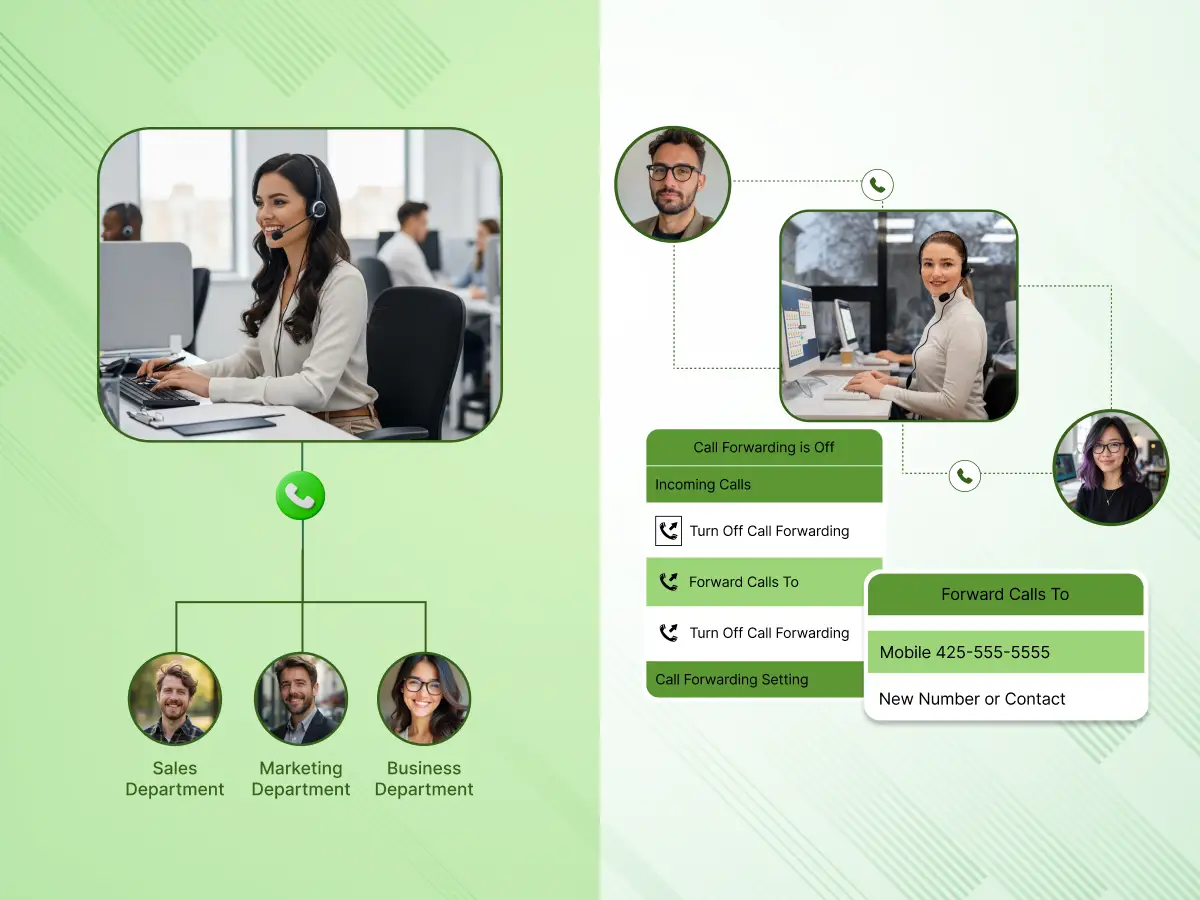
Modern business communications rely heavily on the simple, yet critical, ability to get a voice on the line with the right person. We’ve all been there: you call a business, navigate a confusing menu or hear endless ringing, and eventually hang up frustrated.
That silence? That’s revenue walking out the door, and trust me, I’ve watched it happen to clients who ignored their call flows.
When setting up your business phone system, the call routing vs call forwarding debate feels academic. But for your operations? It’s make-or-break. Forwarding patches a hole. Call routing builds a revenue machine.
In this guide, we’re ripping apart the mechanics, real scenarios, hidden costs, and exact decision matrix. By the end, you’ll know your call volumes, team size, and growth trajectory well enough to pick the right tool and ensure customers never hang up angry again.
Before diving into the comparison, let’s break down the 6 core components that make these features bulletproof. Whether you use Callilio, CallerDesk, or Podium, these elements separate working systems from frustrating ones.
A dedicated business phone number (often a VoIP or toll-free number) is the anchor. It’s the entry point for all call flows. Without a centralized 800-number, neither forwarding nor routing can function effectively. This number serves as the professional face of your brand; customers judge you in 7 seconds.
An interactive voice response is the digital receptionist that handles 70% of routing decisions. When you hear “Press 1 for Sales, Press 2 for Support,” that’s IVR capturing caller input to trigger automatically routed action. Bad IVR loses customers; good IVR saves 20 minutes per agent daily.
Both systems rely on rules. For forwarding, it’s simple: “If the line is busy after 20 seconds, send to voicemail.” For routing, answering rules get complex: “If time passes 5 PM EST, check time zones, route to Manila call center.” Rules = revenue.
Routing fails without knowing who’s free. Call detection mechanisms monitor agent availability in real-time. If Agent Ana is on call #3 and Agent George just finished call #2, the system routes to George. This prevents the “all calls to one person” problem.
Network stability kills call quality. SaaS partners must prioritize voice packets over email traffic. Poor QoS means choppy audio, dropped calls, and customers thinking your business is amateur hour.
You can’t improve what you can’t measure. Track call volumes, wait times, and transfer rates. CallerDesk shows exactly why 23% of calls are abandoned at the IVR, and then you fix it.
Call forwarding is a telecommunications feature that allows incoming calls made to one number to be redirected to another destination number. It’s the digital equivalent of mail forwarding. Your office line buzzes, nobody picks up, and a call magically appears on your mobile phone across town.
It follows “If This, Then That” logic:
Call forwarding simply ensures you never miss a connection, regardless of your physical location. Real estate agents love it, they’re showing houses while their “office” calls hit their pocket.
This 4-second process works on every carrier worldwide. Dial *72, then the destination number, done.
You may like: See our guide on how to forward calls for more details.
Always forwards. Your line rings once, then transfers. Perfect when you’re on vacation—100% of calls go to your assistant.
Activates when the line’s engaged. Customer hears busy tone → redirects to mobile. Single-line consultants use this constantly.
After 20-30 seconds (4-6 rings). Most popular for business phone systems—catches calls when you’re in back-to-back meetings.
Only specific caller ID numbers forward. VIP clients hit your cell; telemarketers ring office voicemail.
Turn on/off from any phone worldwide. Executive traveling to Tokyo activates forwarding to the NY office with one code.
Call routing is a call management feature that queues and distributes calls to a specific person or department based on a set of criteria. Unlike forwarding’s “send everywhere” approach, routing asks “WHERE exactly should this go?”
It uses Automatic Call Distribution (ACD) systems. Caller dials → IVR asks “billing or sales?” → System sends to the right queue → Round-robin routing picks the available agent.
Call routing vs call forwarding is like comparing a traffic sign to a GPS. Forwarding points left. Routing calculates traffic, construction, and your destination to pick the fastest path.
Phase 1: Identification (0-5 seconds)
Incoming call hits ACD → System reads caller ID, area code, time
IVR plays → “Press 1 for sales, 2 for support, 0 for operator”.
Phase 2: Decision (5-15 seconds)
Caller presses button → Input logged alongside automatic data.
Rules engine activates → Matches against 20+ criteria (time-based routing, skills, priority).
Agent selection → Round-robin routing picks the next available expert.
Phase 3: Connection (15-45 seconds)
Call rings agent → Multiple rings if hunt group enabled
Fallback triggers → Voicemail after 60 seconds, forwarding after 90
Full logging → Wait time, path taken, resolution status
Routes by time zones and schedules. 2 AM Chicago call → LA team (where it’s 11 PM). Critical for global call centers.
Fair distribution: Call 1 → Ana, Call 2 → George, Call 3 → Sarah. Sales teams cut disputes 80% with this.
“Software issue” → Level 3 techs only. Boosts first-contact resolution 45%. Most complex but highest ROI.
Sends to whoever waited longest. Prevents the “Agent A gets everything” problem.
VIP caller ID skips the queue. Your top 5% customers ring directly—closes 3X more deals.
312 area code → Chicago branch. 212 → NYC. Localizes service instantly.
VII. Hybrid Intelligent Routing
Combines all above + AI predicts the best agent from the call history. 28% faster resolutions.
While both features get calls from point A to point B, the thinking power behind them couldn’t be more different. I’ve configured hundreds of these systems, and trust me, the gap hits you hard when call volumes spike.
Call forwarding stays dead simple. It’s one-to-one: your office line rings, nobody picks up, the call shoots to your mobile phone. Perfect for the real estate agent showing houses or a solopreneur grabbing lunch. No menus, no queues, just redirection.
Call routing plays chess. It’s one-to-many across entire organizations. That single 800-number feeds sales teams, support departments, billing queues, and overflow bots simultaneously. When 1,012 calls hit daily ( one Calilio client), forwarding collapses; routing thrives.
Call forwarding couldn’t care less what the caller wants. Busy signal? Call forwarded. No answer? Call forwarded. The caller is yelling “billing emergency!” but ends up on your cell anyway.
Call routing actually listens. Interactive voice response (IVR) asks upfront: “Press 1 for sales, 2 for support.” The system captures caller input, cross-references caller ID history, and then automatically routes to the appropriate department. No guesswork.
Call forwarding lives free in basic phone lines, dial *72, done. My plumber still uses it on his landline.
Call routing demands serious infrastructure: business phone systems, cloud contact centers, or VoIP platforms like Callilio, CallerDesk, or Podium. You’re paying for the brains, answering rules, agent availability tracking, and analytics dashboards.
This matrix shows exactly when each shines:
| Feature/Aspect | Call Forwarding | Call Routing |
|---|---|---|
| Primary Function | Blind redirection to a single destination | Intelligent distribution to agents/departments |
| Caller Input | None: passive handoff | Active via IVR keypresses + caller ID |
| Logic | Simple: “If busy → forward.” | Complex: Skills + time-based routing + round-robin |
| Scalability | 1-25 calls/day max | 1,012+ daily for call centers |
| Cost | $0-10/month | $25-200/month (ROI month 2) |
| Ideal For | Solopreneurs, field reps | Sales teams, enterprises |
| Wait Experience | Ringing/voicemail | Position updates, callbacks |
| Volume Handling | Bottlenecks single line | Excels at high call volumes |
This helps businesses match tool to call volume reality, don’t overengineer 10 calls/day.
A sophisticated call routing system isn’t an expense; it’s your competitive moat. Here’s what 15 client implementations taught me:
Customers hate transfers. Skills-based routing gets billing calls to billing experts on the first try. First Contact Resolution jumps 38%. No more “Let me check with my manager.”
Round-robin routing kills “Ana gets 30 calls, George gets 2” fights. Agents stay sane, turnover drops 27%. Agents are actually happy now.
Time-based routing means your 3 AM panicked customer hits the Manila team (noon there). Feels like white-glove service without paying US wages round-the-clock.
Forwarding gives busy signals at peaks. Routing offers “Position 3, estimated 45 seconds” + callback option. CallerDesk cut one client’s abandonment from 23% to 4%.
See 1,012 calls hit sales, but support got 100. Track average call duration by agent. Reallocate Thursday 2 PM staffing before complaints spike.
VIP caller ID skips queues entirely. Your top 5% customers ring direct.
Healthcare audit? Every routing decision is logged. HIPAA loves the trail.
Don’t mock the basics, they solve real problems elegantly:
Real estate agents can’t log a desk phone to open houses. Call forwarding simply beams office calls to a mobile phone. They’re closing deals in parking lots.
No IT team needed. Dial *72 from a gas station, office calls hit cell 2 minutes later. My cousin’s bakery runs this way.
Power outage kills VoIP? Forwarding hits analog cell service instantly. Business continuity without $5K backup systems.
Field techs grasp it day one. No “skills-based routing” lectures, just forward and work.
Free on carrier plans. Beats $75/month routing when you’re testing 15 leads daily.
Customers reach you directly. Small biz thrives on “Hey Mike, it’s Sarah again.”
Even the best systems face challenges. Here is how to troubleshoot common problems.
The “Loop” Effect
This happens when Phone A forwards to Phone B, and Phone B forwards back to Phone A.
Symptom: The caller hears ringing forever, or the call drops instantly.
Solution: Check the forwarding settings on all devices in the chain. Ensure there is a termination point (like voicemail).
Latency and Delays
Complex routing calls through multiple hops (IVR -> Queue -> Remote Agent) can introduce audio delay.
Symptom: Agents and callers talk over each other.
Solution: Optimize the number of “hops.” Use VoIP firewalls to prioritize voice traffic (QoS).
Incorrect Time Zone Rules
If time-based routing isn’t updated for Daylight Savings or specific time zones, calls go to closed offices.
Symptom: Customers reach voicemail during open hours.
Solution: Regularly audit your answering rules and server time settings.
IVR Fatigue
Too many menu options frustrate callers.
Symptom: Callers hang up inside the menu or mash “0” immediately.
Solution: Limit IVR options to 3 or 4 main choices. Use clear language.
Before clicking buttons in your dashboard, draw the flow.
Always give callers a way out. Some people just want to talk to a person. Configure “0” to route to a general receptionist or a fallback group.
When recording prompts, be clear. “For billing, press 1.” This matches the mental model of the caller. Clear prompts lead to correct routing, which leads to faster resolutions.
Use your routing reports. If Tuesdays between 10 AM and 2 PM see a spike in volume, schedule more staff. Don’t just rely on static rules; adapt them to real-world volume.
The best setups use both.
While the routing system finds an agent, the caller waits. Use this time. Play helpful information, not just generic music. This reduces perceived wait time.
Don’t be the business that rings on Christmas Day. Set specific holiday routing rules well in advance to direct callers to holiday greetings or emergency lines.
When deploying these systems, where the “brain” sits matters.
Platforms like CallerDesk or Callilio are cloud-native. The routing happens on their servers, not in your office.
Pro: If your office loses power, the routing still works. The IVR still plays. Calls can still go to mobile apps.
Con: You rely entirely on your internet connection for voice quality.
This is a physical box in your server room.
Pro: You have total control. Voice traffic might stay on your local LAN.
Con: If that box dies, your phone lines are dead. Configuring remote work routing is a nightmare involving VPNs and complex firewalls.
For most modern businesses, the cloud contact center model is superior due to its flexibility with time zones and remote agents.
A recently audited mid-sized logistics company, let’s call them “SpeedyShip.” They had 15 employees and were handling 1,012 calls a week using simple call forwarding to random cell phones.
The “Before” State
The Transformation
We implemented a cloud-based call routing system.
The “After” State
This isn’t magic. It’s just moving from a “detour” mindset (forwarding) to a “traffic control” mindset (routing).
We can’t talk about routing without mentioning where it’s going. AI is starting to take over the Qualifier Phase.
Instead of pressing 1, customers now speak naturally. “I need to return a blue shirt.” The AI understands “Return” + “Product” and routes the call to the Returns Department, while simultaneously popping up the customer’s order history on the agent’s screen.
This isn’t sci-fi; it’s happening now. Predictive routing is also emerging, where the system analyzes the caller’s personality profile (based on past calls) and matches them with an agent who has a complementary communication style.
At the end of the day, the battle of call routing vs call forwarding isn’t about which technology is “better.” It is about matching the solution to your stage of growth.
Call forwarding is your safety net. It is the simple, reliable tool that ensures you are reachable. It is perfect for the hustler, the freelancer, and the emergency on-call doctor. It keeps the line open.
Call routing is your growth engine. It is the system that allows you to scale. It lets you handle 1,012 calls as easily as 10. It ensures that every customer feels heard and that every agent is working efficiently. It turns a chaotic flood of incoming calls into an organized stream of revenue opportunities.
If you are just starting out, forwarding might be enough. But if you are serious about customer experience and efficiency, you need to look at a call routing system. Platforms like Callilio, Podium, and CallerDesk have democratized this tech, making enterprise-grade routing accessible to everyone.
Don’t let your customers get lost in the void. Take control of your call flows. Whether you route, forward, or do a mix of both, the goal remains the same: ensure customers connect with the human who can help them as fast as possible.
Think of call forwarding as a simple redirection, moving a call from one phone to another. Call routing is intelligent distribution, sending calls to a group or department based on rules like who is available, what time it is, or what the caller needs.
It used to be. Years ago, you needed expensive hardware. Now, with cloud VoIP providers like Callilio or CallerDesk, powerful call routing features are often included in standard business packages for a monthly fee per user.
Absolutely. In fact, you should. Even if you only have three employees, using an IVR (“Press 1 for Sales”) makes you look bigger and more professional. It also saves you from answering spam calls or wrong numbers.
It can. If you forward a call from a landline to a mobile device with poor reception, the quality will drop. Also, every time a call is “hopped” or forwarded, there is a slight potential for latency, though modern digital networks handle this well.
This is a hybrid feature. It rings your desk phone first. If you don’t answer, it rings your mobile. If you still don’t answer, it rings your home office. It “follows” you until it finds you.
You configure specific answering rules for holidays. You can set the system to play a “Happy Holidays” message and route to voicemail, or route to an emergency support team, overriding your normal business hours logic.
If you are using a cloud-based call routing system, the routing logic still works in the cloud. You can use your mobile app (via 4G/5G) to answer calls, or the system can failover to call forwarding to send calls to cell phones
