

Best Auto Attendant Phone System for Businesses in 2026

Overview:
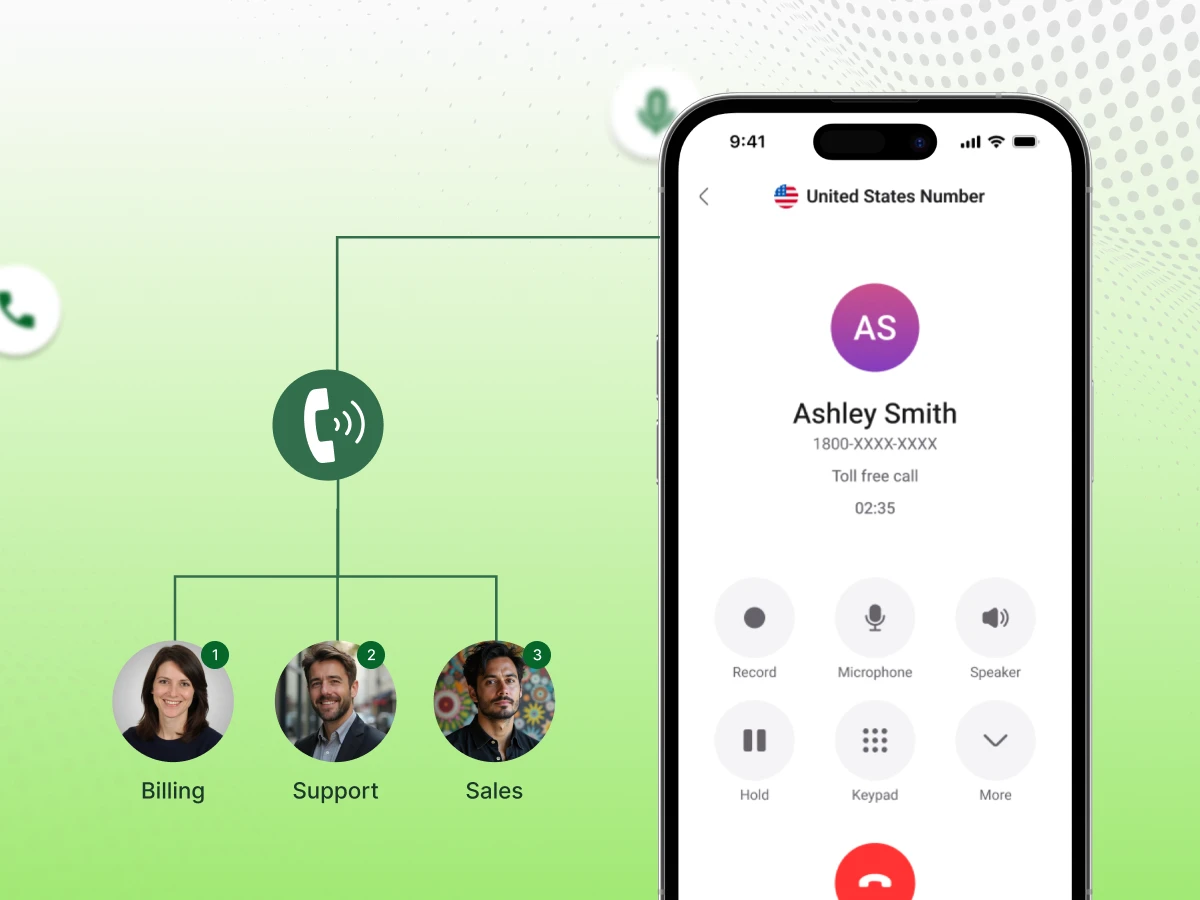
An auto attendant phone system simplifies your daily call management by directing every caller to the right department. Top auto attendant phone system providers for 2026, like Dialaxy, Nextiva, Dialpad, and many more, offer smart tools that handle high traffic with ease. This setup ensures your team stays focused while every customer enjoys a fast and professional experience.
Your phone rings nonstop during lunch hour. Half the calls get dropped. Frustrated customers hang up before reaching anyone. Sound familiar?
Missing calls means lost revenue and damaging your reputation. Your team wastes time answering basic questions repeatedly. Meanwhile, important clients wait on hold for too long. This chaos blocks your growth potential.
The best auto attendant phone system changes everything for modern business communication. Smart routing sends each caller to the right person instantly. Professional greetings build trust while allowing your team to focus. Your business finally sounds as professional as it really is.
This blog guides you through everything you need to make the right choice for your business. We’ll explore the top auto attendant phone systems available in 2026 and show you exactly which features matter most.
Every business needs specific tools to make sure its auto attendant phone system runs at its best.
The customizable greetings feature helps an auto attendant phone system set a professional tone from the very first second. You can record a custom greeting that tells people your hours or current deals. This simple action creates trust and informs customers that they arrived at the right destination.
The interactive voice response (IVR) helps an auto attendant phone system understand exactly what a caller needs. Your IVR menu gives customers clear menu options to choose from using their voice or keypad. The IVR setup reduces the workload on your staff by answering common questions.
An intelligent call routing system ensures your phone system sends every person to the right desk team based on their needs. This routing feature looks at the data to find an available agent who can help right away. It minimizes the time people spend sitting on hold while waiting for a transfer.
Modern voicemail features are an essential attendant phone system part that keeps your team connected to missed incoming calls. The system records clear audio and can send a text version of the message to your inbox. This helps you respond to urgent needs without listening to long recordings one by one.
A CRM integration helps a phone system identify exactly who is on the line before you even pick up. The attendant systems retrieve data from your customer files to show the name and history of the person calling. This directs callers to their specific account manager based on their past purchase data.
Detailed call center analytics show you exactly how your auto-attendant phone performs during the busiest parts of the day. You can see which menu options get the most clicks and where people tend to hang up. These data points help you fix problems in your call flow to keep customers satisfied.
AI-Powered Capabilities turn a basic automated phone system into a smart assistant that understands natural speech. Instead of just pressing buttons, the caller can speak naturally to find the appropriate department. This makes the level of customer service feel much higher than a standard robotic menu.
An auto attendant phone system is a feature used to automatically answer and route calls without requiring a live receptionist. This technology acts as a digital switchboard that greets every caller the moment they dial in. It plays a recorded message that offers various choices to help the person find help.
The system operates by presenting a list of departments or extensions to the caller for selection. The menu is used by either pressing a number on the keypad or by speaking a simple command. After a decision is made, the call is sent to the appropriate desk or a particular mobile device.
This tool handles multiple calls at the same time to prevent busy signals. It stays active all day and night to ensure no contact goes ignored during off-hours. Modern versions link with digital tools to keep the entire office connected through one central hub.
The market is full of smart tools that help you manage your calls with ease and precision. These platforms use the latest technology to make sure your customers always find the right person.
Here are the best auto attendant phone systems with advanced features for your company to consider this year.
| Platform | Starting Price (Monthly) | Best For |
|---|---|---|
| Dialaxy | Starts at $10 per user/month | Small and medium-sized businesses |
| Nextiva | Starts at $23–$36 per user/month | Small to mid-sized businesses |
| RingCentral | Starts at $30 per user/month | Medium and large businesses |
| Ooma Office | Starts at $19.95 per user/month | Small businesses and offices |
| Dialpad | Starts at $27 per user/month | Small to mid-sized businesses |
| GoToConnect | Starts at $26 per user/month | Medium-sized businesses |
| Vonage | Starts at $19.99 per user/month | Small and medium-sized businesses |
| Grasshopper | Starts at $14–$28 per user/month | Solo entrepreneurs and small teams |
| CloudTalk | Starts at $25 per user/month | Sales and customer service teams |
| 8X8 | Starts at $24–$25 per user/month | Medium and large businesses |
Dialaxy is a top choice for teams that need a fast and smart setup to handle every call. It provides a simple way to create professional menus that greet your callers with high-quality voice prompts.
Features:
Pricing: Starts at $10 per user/month.
Best For: Small and medium-sized businesses looking for a budget-friendly way to start.
Nextiva provides a stable platform that handles large volumes of traffic without any dropped calls. Their visual builder makes it simple to map out exactly how you want your phones to ring.
Features:
Pricing: Starts around $23-$36 per user/month, depending on plan.
Best For: Small to mid‑sized businesses that need a visual way to build complex call flows.
RingCentral is a major provider in the industry, known for offering deep settings for large corporate offices. It can handle hundreds of sub-menus to keep a massive workforce organized and reachable.
Features:
Pricing: Starts at around $30 per user/month for core calling plans.
Best For: Medium and large businesses requiring advanced global settings and extensive sub-menus.
Ooma Office is the go-to choice for small shops that need a professional feel without a high cost. It is very easy to install and does not require a tech expert to manage.
Features:
Pricing: Around $19.95 per user/month at the base level, with higher tiers available.
Best For: Small businesses and offices in need of direct and easy communication.
Dialpad stands out by using advanced technology to help your team take notes during a live talk. It works best for companies that want to automate their daily tasks and save time on paperwork.
Features:
Pricing: Starts around $27 per user/month.
Best For: Small to mid‑sized businesses that want to use AI to automate notes and tasks.
GoTo Connect offers a powerful integration of video meetings and phone tools in one package. It is perfect for teams that do a lot of remote work and need to stay in sync.
Features:
Pricing: Starts at $26 per user/month.
Best For: Medium‑sized teams that need to combine video meetings with their phone tools.
Vonage provides a flexible system where you can select and choose the exact tools you want to pay for. This helps you keep your costs low while still getting high-end features.
Features:
Pricing: Starts at $19.99 per user/month, with additional tiers.
Best For: Small and medium‑sized businesses that want to customize their features to be more cost-efficient.
Grasshopper is designed specifically for people who run their business from their personal mobile phones. It adds a professional business line to your existing phone without needing a second device.
Features:
Pricing: Starts around $14-$28 per user/month for basic plans.
Best For: Solo entrepreneurs and very small teams working primarily from personal mobile phones.
CloudTalk is built for teams that make a lot of sales calls and need to reach prospects quickly. It offers smart tools that help you dial numbers and track your success in one place.
Features:
Pricing: Commonly around $25 per user/month at the entry level.
Best For: Sales and customer service teams that require advanced dialers and CRM-driven data.
8×8 is well-known for its strong security and its ability to connect teams across different countries. It is a reliable choice for firms that have offices in many parts of the world.
Features:
Pricing: Starts around $24-$25 per user/month and rises with additional features.
Best For: Medium and large businesses that need secure lines and a strong global reach.
The appropriate auto attendant system will make sure that your customers do not need to go through a confusing menu or a dropped call. The steps you must follow before purchasing any auto attendant system in your business are as follows:
Before you buy anything, you must understand why people are calling your office. You should list your average call volume and the specific departments that need their own lines. If you have many callers asking for basic facts, look for a system that can direct callers to prerecorded messages.
Your support hours also play a huge role in this first step. You may need a virtual receptionist who will receive incoming calls when your core team has gone home at the end of the day. By planning these goals, you will not spend money on the features that you will never use.
You choose how much you can spend based on the difference between cloud and on-premise technology. Cloud phone systems are often the best choice for a 2026 budget because they have low upfront costs. You usually pay a monthly fee per user, which makes your expenses very easy to predict.
On-premise systems require you to buy expensive hardware and pay for a pro to install it. While you own the equipment, you also have to pay for all the repairs and updates yourself. Cloud model is affordable and requires no extra work to update in most smaller teams.
Only a VoIP company that can prove that its service is online virtually 24/7 should be relied on. Find a company that provides 99.99% uptime guarantee to ensure that you do not miss a lead. Check reviews by other users to determine whether their mobile phone app is easy to use while travelling.
Good support is just as important as the technology itself. You want a vendor that answers your chat or call quickly if something goes wrong. A reliable provider will offer clear guides on setting up an auto menu without making it feel like a chore.
A great business phone system should be able to expand as fast as your sales do. You might start with three people, but end the year with ten. Your communication system should also allow you to add new lines or relevant departments with a few clicks.
When the system is too limited, you will have to use a new vendor. Ask about the option of future upgrading to more advanced features, such as video conferencing or call queueing. Real scalability means your phone never holds your company back from reaching the next level.
You need to take a free trial to get a feel of how the IVR menu works with a real human being. Dial the business contact number and listen to whether the custom greeting was professional and understandable. Having to press too many buttons before you can get to a human is likely to frustrate your customers.
On the back end, your employees must have a user-friendly and quick interface. They must be able to check voicemail and manage call forwarding without a manual. A difficult-to-use system will just cause errors and lost opportunities for your team.
Every industry has unique needs that a professional communication solution can solve with ease. High call volumes and complex departments make these tools essential for businesses of all sizes today.
Here is how different industries use auto attendant systems to stay ahead.
In medical offices, an automated phone system is used to address urgent patient calls and regular checkups. These systems would safely route calls to a nurse or billing desk instantly. This saves time that would have been wasted in a long wait time for the patients during an emergency. It also sends out appointment reminders through text to ensure that the clinic runs on time.
Law firms rely on a phone system with an auto attendant to manage sensitive client calls with confidentiality. The routing feature ensures that new leads go to intake while existing clients reach their specific lawyer. This keeps the office quiet so staff can focus on deep research and trial prep. Most firms also use call recording to keep an accurate log of every legal consultation.
Online shops use an IVR menu to help customers track their own packages. It is a self-service tool that allows individuals to enter an order number and get an update on the status without any waiting. It frees live agents to resolve more complex issues, e.g., returns or product defects. Retailers frequently use custom greetings to inform all callers about flash sales or new store hours.
Banks use an auto attendant system to provide secure access to account details over the phone. Callers can check a balance or report a lost card through a simple IVR menu path. This routing system adds a layer of safety by verifying the caller before they talk to a person. It helps banks handle thousands of routine tasks every day without hiring extra staff.
Hotels and travel agents use multilevel auto attendants to manage bookings and guest requests 24/7. The virtual receptionist allows a guest to press a button to call room service or check out. The reason is to ensure that the front desk does not miss any of the requests, even when they are busy with checking in. It also allows for international calling support, so travelers from any country feel welcome.
Consultants and agencies use a VoIP phone system to look like a large firm, regardless of their size. The dial-by-name directory makes it easy for clients to reach the right expert in seconds. This communication solution also includes a softphone app so pros can answer calls from any job site. It keeps the team connected while maintaining a high level of customer service for every client.
The way you set up your auto attendant workflow determines if a caller stays on the line or hangs up in frustration. The wrong choices in your menu can drive away good leads before you even say hello.
Here is how to fix the most frequent blunders.
The main problem is creating a menu with too many options that confuse the person on the other side.
Here’s how to fix it:
Many owners set up their call handling rules once and never look at the data again.
Here’s how to fix it:
Businesses often forget that their communication channels must work outside of the physical office.
Here’s how to fix it:
Old recordings that mention past holidays or wrong business hours make your company look unprofessional.
Here’s how to fix it:
Using low-quality hardware or a weak internet connection makes your auto receptionist sound muffled or robotic.
Here’s how to fix it:
Building a professional phone experience is about more than just picking a provider. It needs a smart combination of clear menu options and efficient routing features to ensure that calls are satisfied. When you consider the needs of your customers, your phone system becomes a powerful tool for growth.
An auto attendant works best when it helps callers quickly and stays simple and easy to use. With no delays in service, such as lengthy menus or poor sound, every call runs smoothly. This setup lets your team perform their best work while the system manages the rest.
As technology continues to evolve in 2026, staying connected has never been easier for businesses of all sizes. Investing in a modern communication solution today secures your reputation for years to come. Choose a system that grows with you and always puts the caller first.
In All the post should be change FAQ (v3)
An auto attendant is a key part of contact center software that manages the initial greeting and routing. It works alongside other tools to ensure every person who dials in gets a professional and fast response.
A basic call menu uses simple buttons, while newer AI receptionists can understand and route calls based on the specific words a person speaks. This automated attendant technology makes the experience feel much more natural for the person dialing in.
If you want a system that is easy to use and scales fast, Dialaxy is a great choice for modern teams. This platform offers a clean interface and smart tools that make managing your daily traffic feel effortless.
The top providers for 2026 use advanced call screening to block every spam call before your phone even rings. This smart filtering improves operational efficiency by ensuring your team only talks to real customers.
The system will play your chosen hold music to keep the caller engaged until a line opens up. You can also use call queueing to route the call to the appropriate person based on the order in which they arrived.
