Skip to content

UCaaS vs CCaaS: Key Differences Explained

George Whitmore
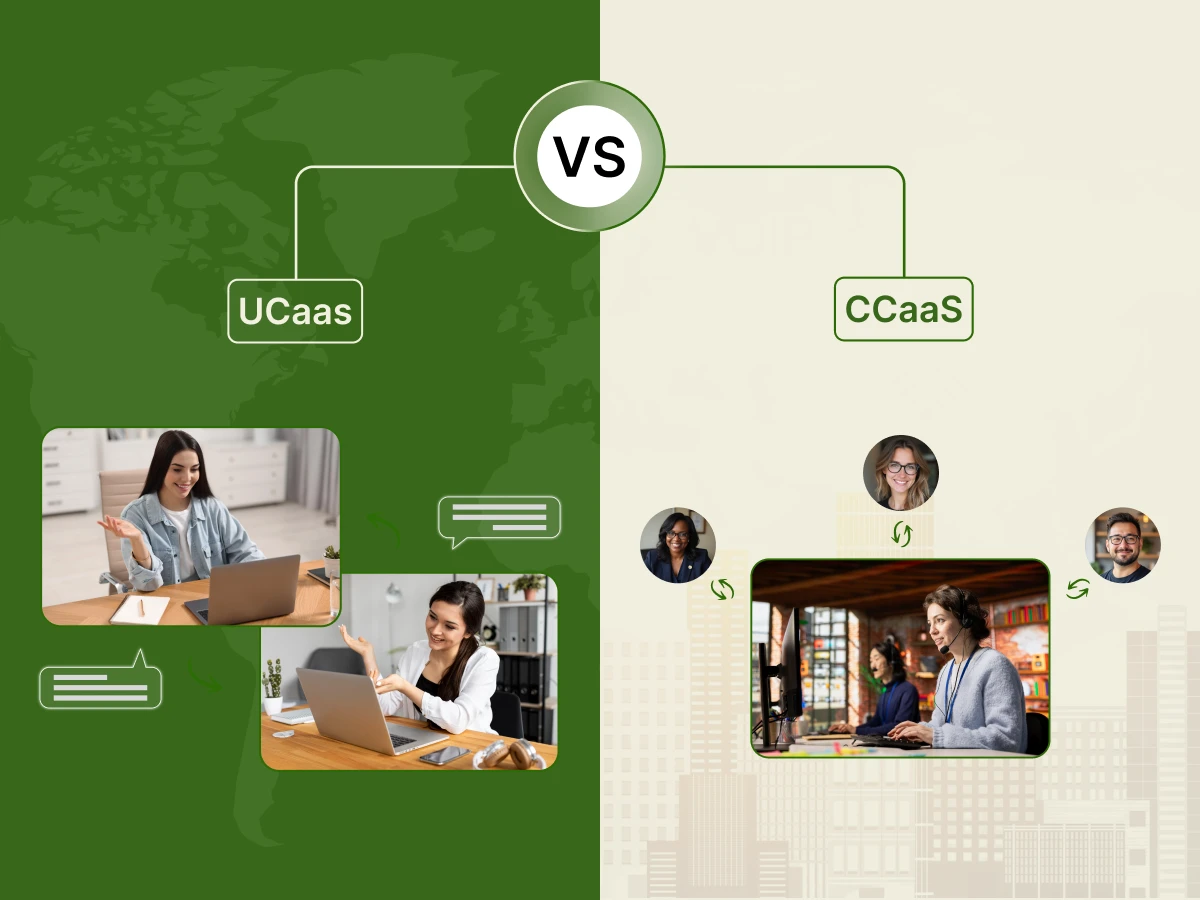
UCaaS vs CCaaS
Ready to transform your business telephony?
Dialaxy gives your team local numbers in 100+  countries, smart call routing, and a centralized dashboard — all set up in under 90 seconds.
Summarize with AI block
Overview: UCaaS and CCaaS are cloud-based communication solutions designed for different business needs. UCaaS improves internal collaboration through voice, video, and messaging, while CCaaS enhances customer service with omnichannel support, AI-powered routing, CRM integration, and analytics. Together, they create a seamless communication experience.

Modern business communication is more than just the business telephone. The success of the appropriate business tools will be determined by whether it is coordinating the global teams or resolving the customer problems. In the context of the firms abandoning on-premises contact center in favor of the cloud, one tends to encounter two terms: UCaaS and CCaaS.

The choice of the appropriate technology is a serious affair. The improper stack will break the connections between teams and frustrate the customers. On the other hand, the correct decision enhances the experiences of employees, reduces expenses, and increases customer satisfaction. Since such tools are based on the cloud, a successful rollout is based on the availability of a reliable internet connection.

This guide will explain the UCaaS vs. CCaaS controversy compared to SaaS and CPaaS, the advantages of AI-powered CCaaS, and the reasons why an integrated solution is optimal, as discussed in the following sections.

Comparison Overview

While both are cloud-based (SaaS) business tools that replace on-premises contact centers and hardware, they solve different business problems.

Feature UCaaS CCaaS
What it stands for UCaaS stands for Unified Communications as a Service CCaaS stands for Contact Center as a Service
Primary Goal Streamline employee experiences and internal collaboration Improve customer experience and sales performance
End Users All employees (HR, IT, Finance, Marketing) Support agents, sales reps, and supervisors
Core Channels Internal voice, video meetings, and chat Business phone, email, SMS, and live chat
Specialized Tools Presence indicators, screen sharing, and file storage IVR, ACD, and AI-powered CCaaS tools (sentiment analysis)
Common KPIs Employee productivity and system uptime First-call resolution, CSAT, and Average handle time
Integrations Project management (Slack, Trello, Teams) CRM (Salesforce, Zendesk, HubSpot)

The Evolution of Business Communication

We should examine the reasons why this discussion is occurring at this time before delving into the definitions. In the past, companies used to have a phone closet, a room with wires and costly equipment referred to as an on-premises PBX (Private Branch Exchange). In case you needed to hire a new staff member, you had to have a physical wire to their desk.

Then there was the pandemic, and the world changed. Employees appeared, of a sudden, everywhere. They were not just in the office, they were in bare bedrooms, cafes, or other time zones. The former physical phone systems were unable to cope. This change increased the use of cloud-based solutions.

Cloud systems are in use today due to the flexibility, scalability, and cost-saving benefits. But “the cloud” is a big place. It has spawned two particular models, which are used to manage various forms of communication: UCaaS with your team and CCaaS with your customers.

What Is UCaaS?

UCaaS stands for Unified Communications as a Service. You can take it as your digital office. It is designed to help your employees communicate with each other. It helps in bringing your voice, video, instant messaging, and file sharing into a single platform. Let’s break down its acronym.

  • Unified Communications (UC): This means you don’t need five different apps. You don’t need one app for video calls, another for instant message chats, and a third for voice calls. Everything is “unified” in one place.
  • As a Service (aaS): This is the delivery model. Instead of buying a system, you subscribe to it. The UCaaS software is hosted in the cloud by vendors, and you access it via the internet.

Common UCaaS Features

A good UCaaS solution (such as Zoom, Microsoft Teams, or RingCentral) typically comprises:

  • Cloud Calling: dial business phone calls on any device.
  • Video conferencing: Screen sharing and team meetings in high-definition video calls.
  • Status: You can find out whether a teammate is Available, Busy, or in a Meeting before you can contact them.
  • Unified Messaging: A cross-functional venue of both direct messages (DMs) and group messages.
  • File Sharing: Share files securely in an app.
  • Calendar Integrations: Integrate with Google or outlook to create meetings easily.

Examples of UCaaS Solutions

Some of these communication tools may already be in use and you might not know they are under the umbrella of UCaaS.

  • Nextiva: A potent UCaaS application that integrates calling and collaboration.
  • RingCentral: This one is highly reliable and deep-integrating.
  • 8×8: A UCaaS and CCaaS solutions leader that has a global presence.
  • Zoom: Zoom is a well-known video application, but the company has just expanded to provide a complete UCaaS platform, which means that phone services are also offered.
  • Microsoft Teams: This is a thoroughly integrated part of the Office 365 technology platform.

What Is CCaaS? (The Customer Storefront)

CCaaS stands for Contact Center as a Service. This is your digital storefront. It is designed specifically for external communication, the interactions between your contact center agents and your customers.

While UCaaS is for everyone in the company, CCaaS is the specialized tool for your support and sales team. It focuses on providing an omnichannel customer experience, a topic covered in depth in

What Is “Omnichannel”?

In the past, we had “call centers” where people only handled phone calls. Today, customer expectations are higher. They want to reach you via:

  • Voice calls
  • SMS/Texting
  • Web Chat
  • Social Media (Facebook, WhatsApp, etc.)
  • Email

A CCaaS platform takes all these different communication channels and puts them into one interface for the agent. This is the core of an Omnichannel Contact Center. If a customer starts a chat on your website and later calls you, the agent has the history of that chat ready to go.

Common CCaaS Features

A CCaaS solution (like Five9, Talkdesk, or Amazon Connect) includes advanced tools to enhance customer satisfaction:

  • Interactive Voice Response (IVR): The “Press 1 for Sales” menu. A speech-enabled IVR helps route customers without human help.
  • Automatic Call Distributors (ACD): This smart call routing ensures the customer goes to the right subject matter expert.
  • CRM Integration: When a customer calls, their info from Salesforce or Zendesk “pops up” on the screen (a screen pop).
  • Workforce Management (WFM): Tools to help managers schedule the right number of agents for predicted call volumes.
  • Agent Assist: Real-time AI that gives agents the answers they need while they are on a call.
  • Call Whispering: Allows a manager to talk to an agent during a call without the customer hearing.

Examples of CCaaS Providers

  • Five9: Focused on cloud-based contact centers with strong AI features.
  • Talkdesk: A user-friendly CCaaS platform known for fast implementation.
  • NICE CXone: A massive platform for large-scale organizations.
  • Amazon Connect: A “pay-as-you-go” model that allows for extreme scalability.
  • Genesys Cloud: A leader in creating omnichannel customer journeys.

UCaaS vs CCaaS: 5 Key Differences Explained

To help you decide choosing between UCaaS and CCaaS, let’s look at the five biggest differences.

1. The Core Purpose (Internal vs. External)

The simplest way to remember the difference is the direction of the talk.

  • UCaaS is for internal communications. It’s for you to talk to your boss, your teammates, or other departments.
  • CCaaS is for external communication. It’s for your company to talk to the outside world, your customers, and leads.

2. The Features and Tools

UCaaS features are built for collaboration. You need video conferencing and file sharing.
CCaaS features are built for efficiency. You need call queuing, interactive voice response (IVR), and call center analytics. While both use voice video, the reason for the call is different.

3. The Target User

Every single person in your organization likely needs a UCaaS license. From the CEO to the receptionist, everyone needs to stay in the loop.
However, only your contact center agents, support staff, and sales representatives need CCaaS. It is a specialized tool for people whose primary job is handling customer service interactions.

4. Integration Requirements

A UCaaS solution usually integrates with productivity apps (like Google Drive or DocuSign).
A CCaaS platform must prioritize CRM integration (with tools like Salesforce) to create a unified customer view, so the agent knows exactly who is calling and why. The goal is to create a unified customer view, so the agent knows exactly who is calling and why.

5. Data and Analytics

UCaaS gives you basic data: Who is using their phone? How long are the meetings?
CCaaS gives you deep, actionable data. It tracks problem resolution rates, wait times, and real-time agent performance. This data helps you improve customer experience and lower costs by making the team more efficient.

Advantages and Disadvantages of UCaaS and CCaaS.

There are merits and demerits to every technology. The knowledge of these assists you in managing expectations.

UCaaS Pros

  • Reduces expenses: No additional expenses on the maintenance of the old hardware.
  • Improve internal communication: A single app.
  • Scales High: Hire more people to add users in a matter of seconds.
  • Flexibility: The staff members are free to operate anywhere, which enhances productivity.

UCaaS Cons

  • Internet Dependency: Your video calls will be delayed in case the internet is slow.
  • Security issues: Similar to any cloud service architecture, you should make sure that your vendors have the best-of-the-best security and compliance.
  • Poor Customer Tools: It is not capable of performing large volumes of inbound queues.

CCaaS Pros

  • Improve customer service: Deliver omnichannel customer care.
  • Data-Driven: Be data-driven in your business decisions.
  • Productivity of agents: Agents find work easier through tools such as Agent Assist and the IVR system.
  • Cloud Integration: Bridges your tech stack with your CRM to have a seamless flow.

CCaaS Cons

  • Complexity: Generally, more training is necessary on the agents.
  • Increased Prices: AI and workforce management are associated with increased costs.
  • Integration Problems: Integrations with legacy software or older CRMs may be time-consuming.

UCaaS vs CCaaS vs CPaaS: The “Service” Family

In order to get to the bottom of the UCaaS vs. CCaaS meaning, we shall consider CPaaS and SaaS.

  • SaaS (Software as a Service): This is the Grandparent. Any application you use on the cloud is called software. The UCaaS and CCaaS are both forms of SaaS.
  • CPaaS (Communications Platform as a Service): This is one that belongs to Builders. CPaaS provides the APIs to add communication functionality to your own applications. CPaaS is used in case you want to add a Call Now button within the custom mobile app of your company.
  • The Decision: When you desire an accessible and ready-to-use communication media, use UCaaS or CCaaS. Pick CPaaS in case you have a pool of software developers and desire to make something tailor-made.

How to Choose the Right Solution for Your Business

Picking the right system requires a clear plan. Follow these steps to audit your needs.

Step 1: Know Your Goal

Begin with the question: What am I trying to solve?

  • We are disconnected and have too many apps, and cannot communicate. → You should have a UCaaS solution.
  • There are complaints of long hold times and bad service by our customers. → You need a CCaaS.

Step 2: Reflect on Who You Are conversing with.

  • Internal: When you make 90 percent of the calls to your colleagues, prioritize internal teamwork.
  • External: When your business lives or dies only because of customer communication, concentrate on your contact center.

Step 3: Check Your Tech Stack

Consider what business tools you already have in place. When you use Salesforce to do it all, you must have a system and Salesforce compatible with it. Assuming that you use Microsoft 365, you could consider Microsoft Teams as your UCaaS.

Step 4: Check the Budget

UCaaS is typically priced per user per month. It is very affordable for general office use.
CCaaS is priced per agent. It is more expensive because of the advanced analytics and routing features.

The Power of Integrated UCaaS and CCaaS

For many modern organizations, the answer isn’t one or the other. The answer is an integrated UCaaS and CCaaS approach. Why Integrate? In many companies, the back office (employees on UCaaS) and the “front office” (agents on CCaaS) are separated. This creates silos.

The Integrated Scenario:

Imagine a customer calls your support agent (CCaaS) with a complex billing question. The agent doesn’t have the answer, but they see that the billing manager is “Available” on the company’s instant message app (UCaaS).

With an integrated UCaaS and CCaaS system:

  1. The agent sends a quick chat to the manager.
  2. The manager provides the answer instantly.
  3. The agent solves the customer’s problem on the first call.

This streamlines workflows, lowers costs, and leads to a massive improvement in customer experience. Companies like Dialaxy, 8×8, and Nextiva offer these integrated UCaaS platforms to ensure internal and external communications are perfectly synced.

The Psychology Behind Your Choice

Why does this matter so much? It comes down to how humans react to technology.

The Employee Perspective (UCaaS Psychology)

Employees today suffer from “App Fatigue.” Switching between email, Slack, Zoom, and a desk phone is exhausting. It breaks their focus. A UCaaS solution removes this stress by providing a single platform. When communication is easy, productivity goes up.

The Customer Perspective (CCaaS Psychology)

Customers feel valued when you respect their time.

  • Calling feels urgent and personal.
  • Texting feels low-pressure and convenient.
    A CCaaS platform allows the customer to choose. When you use interactive voice response (IVR) to get them to the right person quickly, they feel understood. If they have to repeat their name and order number three times, they feel like just another “ticket.”

Real-Life Examples of UCaaS vs CCaaS

Example 1: The Fast-Growing Law Firm (UCaaS)

A law firm has 20 lawyers working across three cities. They don’t have a “customer support” line, but they have a lot of internal and external meetings with clients.

  • Solution: They use a UCaaS platform.
  • Result: They use video conferencing for depositions and file sharing to collaborate on legal briefs. Their IT department doesn’t have to manage any hardware, and the firm saves on maintenance expenses.

Example 2: The E-commerce Support Hub (CCaaS)

A company sells specialized drones online. They get 500 questions a day about shipping and technical specs.

  • Solution: They use a CCaaS solution.
  • Result: They set up a speech-enabled IVR to handle “Where is my order?” questions automatically. Complex technical questions are routed to their best engineers using skill-based routing. Their customer satisfaction scores skyrocket.

Example 3: The Unified Bank (Integrated)

A local bank wants to provide a personal touch.

  • Solution: Integrated UCaaS and CCaaS.
  • Result: When a customer calls the branch, the CCaaS system recognizes their number and pulls up their CRM file. If the agent needs help with a mortgage question, they use the UCaaS side of the app to bring a mortgage specialist into the call instantly.

Mini Exercise: Test Your Communication Approach

Pick the answer that fits your current business situation best.

  1. When a new person joins my team, the hardest part is:
    A) Getting them set up with all the different chat, video, and phone apps we use.
    B) Training them on how to handle our high volume of customer complaints and tickets.
  2. My biggest frustration with our current phone system is:
    A) I can’t easily see if my teammates are busy or available.
    B) We have no data on how many calls we are missing or why customers are hanging up.
  3. In an ideal world, I want my team to:
    A) Work from anywhere and stay perfectly in sync.
    B) Provide a fast, omnichannel experience where no customer is ever ignored.

Results:

  • Mostly A’s: Your priority should be streamlining internal communications with a UCaaS solution.
  • Mostly B’s: Your priority should be improving customer experience with a CCaaS platform.
  • A Mix: You are a prime candidate for integrated UCaaS and CCaaS.

Practical Tips for Implementation on UCaaS Vs CCaaS

Once you’ve decided on UCaaS or CCaaS, how do you ensure it works?

1. Focus on User Adoption

The best technology is useless if people won’t use it. Provide clear training sessions. Show the contact center agents how Agent Assist makes their lives easier. Show the remote team how video calls can replace long email chains.

2. Audit Your Internet

Since these are cloud-based solutions, your network is your lifeline. Make sure your IT department checks your bandwidth. You don’t want your UCaaS platform to fail during a big sales pitch because the office Wi-Fi is overloaded.

3. Start with the Basics

You don’t need every feature on day one. Start with voice calls and instant message for UCaaS. Start with voice calls and IVR for CCaaS. You can always turn on omnichannel features like SMS or Social Media once your team is comfortable.

4. Clean Your Data

Before you integrate with a CRM like Salesforce, make sure your customer data is clean. CCaaS is only as good as the information it provides to the agent.

The Future: AI in UCaaS and CCaaS

The next big shift in business communications is Artificial Intelligence. We are already seeing this in:

  • Meeting Summaries: In UCaaS, AI can listen to a video conferencing session and automatically send out notes and action items.
  • Sentiment Analysis: In CCaaS, AI uses Sentiment Analysis in Contact Center technology to listen to a customer’s voice and tell the agent if the person is getting frustrated.”
  • Self-Service: Intelligent virtual agents can handle routine tasks like resetting passwords, leaving human agents free for complex problem resolution.

Summary

The choice between UCaaS vs. CCaaS is a critical one for any business.

  • UCaaS offers speed, internal collaboration, and cost savings for your entire team. It is the heart of internal communications.
  • CCaaS provides a personal connection, omnichannel reach, and deep analytics to improve customer experience.

Understanding the difference between UCaaS and CCaaS is key. It helps you recognize that while they are both cloud-based solutions, they serve two different masters.

We encourage you to look at your business as a whole. Don’t let your team work in silos. By using integrated UCaaS and CCaaS tools, you create a seamless bridge between your employees and your customers. This strategy leverages the strengths of both, ensuring a personalized touch in every interaction. Embrace UCaaS and CCaaS solutions today to build lasting relationships and a more productive business.

FAQs

Is UCaaS or CCaaS more effective for business communication?

Neither is “better.” UCaaS is more effective for internal teamwork, while CCaaS is more effective for managing high-volume customer support. Most successful businesses use both.

How do I know when to switch to the cloud?

If you are still paying for on-premises hardware maintenance, or if your team is struggling to work remotely, it is time to look at cloud-based communication.

Does CCaaS convey emotion better than UCaaS?

They both use voice and video, which are great for conveying emotion. However, CCaaS includes tools like call whispering and sentiment analysis to help agents manage customer interactions more effectively.

Can I integrate UCaaS with my current CRM?

Yes. Most leading UCaaS providers, such as RingCentral and Nextiva, offer CRM integrations. However, CCaaS platforms generally provide deeper customer data integration and advanced workflow capabilities.

How do I combine calls and texts effectively?

Use an omnichannel CCaaS platform. It allows agents to manage voice calls, SMS messages, and other communication channels from a single interface without losing conversation history.

Can UCaaS replace a call center?

For very small teams handling occasional customer calls, UCaaS may be sufficient. However, businesses that need call routing, call queues, analytics, or workforce management should use a dedicated CCaaS platform.

Do these systems lower costs?

Yes. Cloud-based communication systems reduce hardware expenses, minimize maintenance costs, lower IT workloads, and improve operational efficiency, often resulting in significant cost savings.

Ready to transform your business telephony?
Dialaxy gives your team local numbers in 100+  countries, smart call routing, and a centralized dashboard — all set up in under 90 seconds.
George Whitmore is an experienced SEO specialist known for driving organic growth through data-driven strategies and technical optimization. With a strong background in keyword research, on-page SEO, and link building, he helps businesses improve their search rankings and online visibility. George is passionate about staying updated with the latest SEO trends to deliver effective, measurable results.

Related Posts

Starting at just $10/month

See how Dialaxy helps you build efficient sales and support teams that deliver faster, smarter, and more satisfying customer interactions.

Starting at just $10/month

See how Dialaxy helps you build efficient sales and support teams that deliver faster, smarter, and more satisfying customer interactions.

Document
Back To Top