

UCaaS Explained: Architecture, Features, Benefits, and Real Business Use Cases

Your sales rep has just missed a million-dollar deal as they couldn’t join the client call from the airport.
Sound familiar? Failure in communication costs businesses thousands of dollars each day. One employee has a problem with a desk phone that can only be used in the office. Another is not able to use video conferencing on his laptop. Your team wastes 20 minutes just trying to connect for meetings.
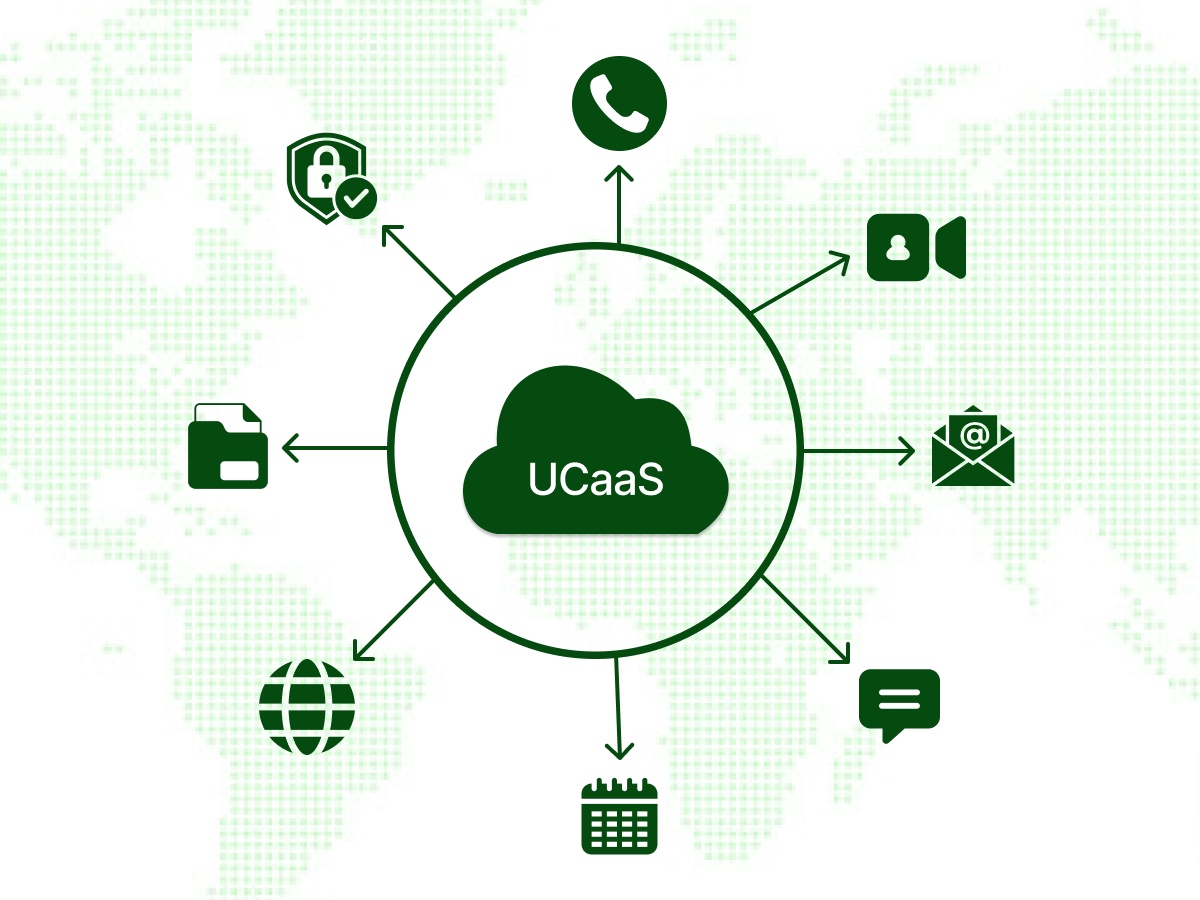
UCaaS (Unified Communications as a Service) solves these headaches. It brings voice, video, and messaging together in a platform that works everywhere. You no longer have to switch five apps to chat with your team.
This blog explains everything you need to know about UCaaS. You’ll discover how it works and how real businesses use it on a daily basis.
Complete Understanding of UCaaS Technology: Learn what UCaaS is, how it differs from traditional phone systems, and why cloud-based solutions are transforming business communication.
Practical Implementation Strategies: Discover the five-step provider selection process and best practices for implementing UCaaS.
ROI Expectations and Success Metrics: See real customer numbers, cost savings potential, and how companies measure success with unified communications platforms.
Let’s address the main question first. Why do thousands of companies move to UCaaS today?
Hybrid workforces have become the standard across industries. Team members now work from home offices, coffee shops, client sites, and traditional offices at different times. UCaaS platforms give employees the same features whether they’re using a desk phone, laptop, or mobile device.
Traditional on-premises phone systems require significant upfront investment in hardware and infrastructure. Companies buy expensive equipment, maintain servers in their data center, and pay specialists to manage everything. UCaaS solutions provide predictable per-user fees with providers managing infrastructure and maintenance.
In the modern market, business has to evolve fast. The companies win big contracts, hire 50+ people, or open offices in new states. A unified communications platform can be expanded automatically by allowing businesses to add and remove users within minutes.
Customers expect quick responses across multiple communication channels throughout their journey. They may start with a text, move to live chat, and finish with a call, expecting full context. UCaaS providers link channels for full history and quick video conferencing.
Modern communication tools need to work seamlessly with other business systems. CRM triggers calls, helpdesk shows history, and sales teams view customer data. Enterprise UCaaS platforms provide APIs and integrations. These help evaluate UCaaS with existing tools and improve workflow efficiency.
Now that you understand why UCaaS matters, let’s define exactly what it is.
UCaaS stands for Unified Communications as a Service. It is an internet-based cloud phone system that integrates various communication channels within a single platform. The platform brings together voice, video, messages, and collaboration in a single app on any device.
Here’s a simple way to think about it. Traditional phone systems required different tools for voice, email, video, and SMS. The teams were juggling with four or five tools only to communicate with colleagues and customers. UCaaS removes complexity by integrating all communications into one interface.
The “as a Service” part means everything runs in the cloud without physical infrastructure in office buildings. UCaaS does not require on-site servers as it is all hosted in secure data centers. Teams just need to log in and begin communicating wherever there is an internet connection.
Let’s explore what comes with a unified communications platform. These UCaaS features change the way teams collaborate.
Voice remains the foundation of business communications for most organizations. Modern UCaaS platforms provide advanced features for phone calls at a professional level, which the old system did not have. Advanced call routing directs calls, voicemail-to-email, and call recording supports training and compliance.
Video conferencing is now a necessity for hybrid workforces in any industry. UCaaS platforms have HD video and several participants that compete with isolated systems. Screen sharing lets people present documents, software, or designs, while recording captures meetings for absentees.
Instant messaging enhances quick communication in organizations. Internal teams can make quick questions, updates, and decisions without scheduling formal meetings. Discussions are made in group channels, and documents are added through file sharing.
Modern collaboration tools are more than simple communication and enhance work processes. Document collaboration allows individuals to work on files together. Many UCaaS providers integrate with project management systems. This lets teams see tasks, deadlines, and discussions in one place.
Mobile apps bring business phone features to smartphones and tablets to increase real flexibility. The professional number does not change regardless of whether the team is in the office or at home. Softphones can turn laptops into phones, and BYOD can help employees access their devices safely.
UCaaS platforms monitor call volumes, call durations, waiting times, and call quality to allow managers to see how teams use the system. The trends and bottlenecks are presented with performance dashboards. Usage reports demonstrate the features that add value.
All these features combine to form a complete business communication platform.
Knowledge of the technical background helps make sensible decisions about implementing UCaaS. Let’s break down the architecture in practical terms.
Multi-Tenant: This is when multiple companies share the infrastructure with logical data separation to save cost. This will lower the per-user cost, but ensure security, with a high level of isolation.
Single-Tenant: Firms receive dedicated infrastructure, which is not shared with other customers. This is the most expensive model. However, it offers the highest levels of control and customization.
Hybrid: There are businesses that combine cloud UCaaS and on-premise phone equipment to meet certain requirements. This approach is ideal for digital transformation or when local control is required due to regulatory demands.
Step 1: Users initiate actions (make calls, send messages, start videos) through their client applications.
Step 2: Requests travel through Internet Protocol networks to reach UCaaS providers’ infrastructure.
Step 3: Authentication and authorization systems verify users have permission for requested actions.
Step 4: Application servers process requests and connect to necessary services like call routing or message delivery.
Step 5: Systems deliver communications to intended recipients through the most efficient paths.
Step 6: Analytics systems log interactions for reporting and quality monitoring.
This architecture delivers reliable business communications without managing complex infrastructure. The layered approach makes it possible to have each component scale separately depending on demand.
Let’s talk real advantages. What do companies actually gain from making the move to UCaaS?
The financial case for UCaaS often closes the deal for decision-makers. You eliminate hardware expenses and reduce operational costs. Monthly fees replace unpredictable maintenance expenses, so you know exactly what you’ll spend each period.
Most businesses save 30-50% compared to traditional systems over 3 years of operation. UCaaS vendors are fully automated, removing hardware upgrade cycles. The recent features are available to your team at no extra cost and without any inconvenience.
Growth becomes simple with a cloud-based communication infrastructure. You can add or remove users in minutes through your admin portal as your team changes. You can pay only for what you actually use every month.
This flexibility is popular among seasonal businesses since they can expand and contract accordingly. During the holidays, retail businesses hire more staff on a temporary basis, and tax preparation firms will boost their number of staff during the busy period. The UCaaS solution scales up and down alongside your actual staff, without excess capacity or overage fees.
Time savings add up quickly when your team uses integrated tools. Your employees stop switching between multiple apps because everything lives in a single platform. Less time searching for information means more time serving customers and executing projects.
Workflow automation handles routine tasks such as call distribution and voicemail transcription. Integrated communication tools save employees 30-60 minutes per day. It is 250+ hours per employee annually that move to high-value activities.
Team collaboration changes when people work under a similar communication structure. Impromptu video meetings start with a single click, not complex scheduling. Screen sharing will make explanations simpler than the long emails or phone descriptions.
When barriers are removed, distributed teams are equally effective as co-located teams. Time zones matter less with instant messaging for quick questions and asynchronous video for detailed answers. Projects move faster because communication friction virtually disappears with the right tools.
Every interaction with customers matters in competitive markets. UCaaS helps you deliver consistent professional service across all communication channels that customers prefer. They can contact you via phone calls, text messaging, live chat, or video.
Your team sees the complete conversation history regardless of which channel the customer uses. This context prevents customers from repeating information, which frustrates them and wastes time. Automatic call routing boosts response times, while improved call quality enhances customer engagement.
Theory matters less than practical results. Let’s see how companies use UCaaS platforms to solve real problems across industries.
Telehealth appointments allow healthcare organizations to provide more access to patients through video conferencing. Patients can communicate remotely with providers, and call recordings help ensure HIPAA compliance. Electronic health records are integrated to automatically record all interactions with patients.
Financial services companies rely on comprehensive call recording and audit trails for regulatory compliance. Security features protect sensitive financial information during client communications. Sales teams access customer portfolios to deliver personalized investment advice with security and compliance.
Retail businesses connect stores to headquarters through unified systems for operational efficiency. Store managers escalate issues to corporate support through instant messaging or video calls. Text message notifications keep distributed teams informed about promotions and policy changes in real-time.
Virtual learning classes through video conferencing make learning more accessible in education institutions. Professors are able to screen share and work collectively with students anywhere. Internal communication among campus departments also happens on the same integrated communications platform.
These examples show how UCaaS solutions can be flexible under different circumstances.
The success of your long-term strategy depends on the selection of the appropriate UCaaS providers. Follow these five steps to make an informed decision.
Start by documenting your current situation and identifying specific pain points. What are the issues you have to solve? Are remote workers able to communicate and collaborate effectively?
Enlist your must-have features based on actual business requirements, not wishlist items. Determine the number of users that the system will require at this point and its future expectations over the next 3 years. Identify CRM, helpdesk, and project management tools to integrate with your UCaaS solution.
Go through the full list of features of each provider without assuming that all UCaaS platforms have the same features. Compare what’s included in basic plans versus premium tiers. Some providers offer advanced functions. Others include added features like call recording, analytics, or contact center tools.
Test the uptime SLAs (Service Level Agreement) since reliability will directly affect business. The industry average is 99.99% uptime, or less than an hour of downtime per year. Review the security credentials of the provider, including SOC 2 Type 2, ISO 27001, and HIPAA. This makes them address your business requirements.
Pricing in UCaaS providers is different, which complicates direct comparison. The majority are priced at between $20-40 per user per month, with the premium plans being valued at between $50-80 per user. See beyond the advertised base price in order to know the overall costs.
Identify hidden charges like setup fees, migration costs, phone number fees, and call recording storage. Calculate total ownership costs over 3-5 years, including anticipated user growth. Some providers offer volume discounts that significantly reduce per-user costs at higher user counts.
Request free trials from your top 3 providers for hands-on evaluation. Most UCaaS vendors offer 14-30-day trials, which provide adequate testing time. Use this period to evaluate the interface, features, and overall user experience across desktop, mobile, and web apps.
Test actual integrations with your business tools rather than trusting marketing materials. Set up your CRM connection and make test calls to verify it works as advertised. Gather feedback from different departments. Executives, sales teams, and support staff all use the system differently.
Customer support quality matters tremendously when technical issues arise. Check whether support operates 24/7 or just business hours in specific time zones. Confirm the support coverage aligns with when your team actually works.
Test the available support channels and typical response times. Phone support resolves urgent problems fastest, while live chat handles quick questions efficiently. Review training resources, onboarding programs, and the partner portal. Proper implementation drives successful adoption.
Choosing the right provider is only half the battle. Implementing UCaaS correctly ensures you actually realize the expected benefits of unified communications.
Secure stakeholder buy-in across all levels before starting any technical work. Executive teams need to understand and actively support the change. Department heads advocate for the new system with their teams.
Conduct a thorough assessment of your current communication infrastructure. Document existing phone lines, devices, call flows, and integrations so nothing gets missed during migration.
Choose between phased and full-scale approaches based on your risk tolerance and business needs. Phased migration moves one department at a time, which reduces risk but extends the timeline.
Start with a pilot group of tech-savvy employees who can provide valuable feedback. Test extensively before going live by making test calls, hosting practice video meetings, and verifying that all integrations work correctly.
Create comprehensive training programs tailored to different user groups and skill levels. Power users need advanced call center software training, while most employees only need the basics.
Develop clear communication plans that explain what’s changing and how it affects each person. Establish a champions program by identifying enthusiastic early adopters. They can help colleagues during and after migration.
Assess bandwidth thoroughly before implementing UCaaS anywhere in the organization. Insufficient bandwidth leads to poor call quality and dropped calls, undermining adoption efforts.
Configure QoS on all network equipment to prioritize real-time communication over less sensitive traffic. Adjust firewall settings to allow UCaaS traffic without blocking critical ports and protocols.
Monitor usage regularly through admin portals to understand adoption patterns across teams. Dashboard data shows which features get used and which get ignored.
Schedule quarterly reviews with your UCaaS provider to discuss performance and improvements. Track feature adoption across teams because low usage indicates training gaps that need addressing.
A regional accounting firm with 120 employees across four offices faced serious communication problems. Their 12-year-old traditional phone system failed constantly during peak tax season. Remote work was impossible. Adding temporary workers took days. IT spent 10-15 hours weekly just maintaining the aging system.
What They Did:
Results:
Takeaway: For professional services firms, UCaaS adoption isn’t just about cutting costs. With the right planning, phased rollout, and training, businesses can boost efficiency, team collaboration. This approach also enhances the overall customer experience. The key is to treat it as a change management effort, not just a technology upgrade.
UCaaS delivers complete business communications through a cloud platform. Companies get voice, video, messaging, calls, and collaboration tools in one platform. The single platform works anywhere. Businesses save 30-50% compared to traditional systems while gaining powerful new features.
Successful implementation requires careful planning and systematic provider selection. The five-step evaluation process helps identify the right UCaaS provider for specific needs. Phased rollouts minimize disruption while comprehensive training drives adoption.
The shift to UCaaS unified communications gives companies competitive advantages. It enhances collaboration and improves customer experience. Companies that delay upgrades accumulate technology debt. Starting with a small pilot program reduces risk while demonstrating the benefits of UCaaS before full commitment.
Discover how Dialaxy unifies voice, video, and messaging for your team–anywhere, anytime.
Yes, UCaaS platforms require specific requirements to function optimally. These requirements primarily relate to networks, devices, security, and integration.
Communication Channels: Voice calling, video conferencing, instant messaging, text messages, live chat, and file sharing.
Features: Call routing, call recording, screen sharing, presence indicators, and integration with business tools.
Leading UCaaS providers maintain certifications like HIPAA, SOC 2 Type 2, and PCI-DSS. These certifications ensure compliance for regulated industries. They encrypt communications, implement access controls, and provide audit logs for compliance.
Most UCaaS providers integrate with CRMs like Salesforce and HubSpot. These integrations enable click-to-dial, automatic call logging, screen pops, and improved workforce engagement.
UCaaS solutions are ideal for remote and hybrid workforces because they work the same everywhere. Regardless of location, consistent features empower employees to collaborate and stay productive.
UCaaS offers cost savings, scalability, and seamless collaboration, but relies on a stable internet and may require employee training.
Yes, most providers offer on-demand demos so businesses can test features and integrations before committing.
