

How to Block a Number on a Landline: A Complete Review

Is the constant ringing of your landline phones ruining your quiet evening? You are not alone!
These valuable home lines have become the main target for non-stop unwanted calls and robocalls. These automated systems exploit your line because they know it is reliable. Some calls come from “known” registered telemarketers, while others are completely “unknown” scam call attempts hiding their caller ID.
This comprehensive guide will show you exactly how to block a number on a landline with simple, proven steps. We promise to give you back control of your phone line using free codes, carrier tools, and specialized blocking devices.
Taking action is simple once you know your phone type. Here is a quick, three-step overview of how to get started immediately:
Step 1: Identify Your Landline Type
First, identify whether your line is copper or digital; digital lines offer online tools, while analog lines use star codes or devices.
Step 2: Use the *60 Star Code for Specific Numbers
Dial *60 to enable call blocking, follow voice prompts to add numbers; this free option is ideal for blocking known repeat callers.
Step 3: Consider a Physical Device for Advanced Protection
Buy a physical call blocker for maximum security; it automatically screens thousands of robocalls and best stops persistent spoofed numbers effectively today.
The modern telephone landscape has changed significantly. People rely on their mobile phones for daily communication. Meanwhile, landline phones have become a prime target for automated systems. Spammers know older landline users often answer their phones. They also know that these users may not have advanced digital screening tools.
The Rise of Spam, Scam Calls, and Neighbor Spoofing
We are facing an epidemic of scam call attempts. Criminals use sophisticated technology to make thousands of calls per minute. These automated calls are called robocalls. They aim to trick you into providing personal information or money.
Neighbor spoofing is a very clever and very annoying tactic. This technique makes the incoming call appear local. It looks like it is coming from a number in your same area code. You are more likely to answer if the number seems familiar. This is a deliberate attempt to overcome your natural resistance to an unwanted phone call.
Taking Back Control of Your Phone
These constant interruptions impact your overall peace of mind. Every ring could be another aggressive sales pitch or a financial threat. This is especially stressful for seniors who use landlines frequently. They often become targets for elaborate cons.
You must take back control of your phone experience. Implementing effective call blocking allows you to restore quiet in your home. You regain security and ensure only desired calls get through. It is about deciding who can reach you and when you are ready to receive calls.
You cannot choose the right blocking method unless you know what type of landline you use. Many readers skip this step. That leads to confusion. Blocking tools differ across landlines. Some star codes work on certain lines. Some do not. Some blocking devices only work on traditional lines. Some carrier features only work on digital or VoIP lines. Once you identify your landline type, you can activate call blocking with fewer mistakes.
A traditional analog landline is also called a POTS line. POTS stands for Plain Old Telephone Service. It is the original service that runs over copper wires. These lines have existed for decades. An Analog Landline is highly reliable but has limited modern features. If your service comes from a classic phone company, you probably have this type. This kind of service relies heavily on carrier-specific star codes for extra features. You will need a rotary or push-button phone to use the features.
VoIP means Voice over Internet Protocol. This service uses the internet to make and receive calls. Cable companies like Spectrum or Xfinity usually offer this service. You also get it with fiber internet providers such as Verizon Fios. The service often comes with more advanced features included in a premium package. You typically manage your call blocking settings online through a web portal or a dedicated app. This offers greater flexibility than traditional copper lines.
Difference Between Traditional Analog Landline and Digital or VoIP Landline
| Feature | Traditional Analog Landline | Digital or VoIP Landline |
|---|---|---|
| How it connects | Uses copper wires that run through your home | Uses a modem that connects to the internet |
| Power needs | Works during power outages because it uses its own line power | Stops working during power outages unless you have a battery backup |
| Phone plug | Phone plugs into a wall jack | Phone plugs into a modem or router |
| Call quality | Steady quality that depends on the wire condition | Often clear because it uses digital signals |
| Blocking support | Works well with star codes and physical blocking devices | Works with online dashboards and apps from the provider |
| Features | Basic calling features | Advanced features like voicemail to email and online call logs |
| Best for | Homes that want a simple and steady phone system | Homes that want modern features and app-based control |
Blocking unwanted calls on a landline can feel complicated, but there are simple ways. You can use free codes, carrier tools, physical devices, government services, or even remove your info online. Each method works differently depending on your phone type.
Star codes are simple codes you dial on your phone’s keypad. They instantly activate specific features offered by your phone company. This is the simplest, most immediate way to start blocking a specific number. This is a standard calling feature on most traditional landlines.
This code allows you to add the last incoming number to a permanent block list. It is the perfect solution when you know the number you want to stop. You will be able to easily block a number on a landline with these steps.
Steps to block a specific number (60):
Note: Most providers allow only 12 to 30 numbers on the block list using this method. This is why *60 is best for blocking specific numbers or people you know personally.
Anonymous or private numbers hide the caller’s identity. This prevents your Caller ID from showing the number. You can often stop these calls immediately with another star code. This is how you stop all unknown, private, or withheld calls.
Steps to block private or anonymous numbers:
If you want to disable all selective call blocking you have set up, use this code. It allows you to deactivate call features quickly if you made a mistake.
Steps to turn off blocking:
Limit Check: Remember that most landlines only hold 12 to 30 blocked numbers, so manage your list carefully.
Most modern providers offer superior online tools that make blocking a specific phone number far easier. You manage your rejection list through a secure website or app. This method works best for Digital/VoIP Landline customers.
AT&T offers a free service called Call Protect to help stop unwanted calls. This feature often screens calls and identifies potential spam before your phone rings.
If you are a Verizon Fios user, you are lucky because controlling your phone settings is easy. You can manage everything, including blocking a specific phone number, right from your online dashboard.
Xfinity Voice customers actually have some of the most flexible options. You can often manage your line straight from a mobile app, which is super convenient.
Spectrum’s digital voice service includes a super helpful online portal for managing calls. It gives you real power over your phone line.
CenturyLink customers must check their specific region. They usually use the standard *60 code. If that fails, you need to contact operator assistance or their technical support. Ask them to activate call blocking on your line.
For traditional analog landline users, a physical call-blocking device is often the best solution. These small boxes plug in between your phone and the wall jack. They offer an advanced and simple method for blocking unwanted calls.
Call-Blocking Boxes
These small boxes use advanced blocking software to screen calls. They often have memory to stop unwanted calls from over 1,000 numbers. Some models require callers to press a specific key. This prevents robocalls from connecting because robots cannot press the key. They also have a button to block a number on a landline with a single press after a call.
Landline Phones with Built-in Blocking
You could simply upgrade your equipment. Many new handsets, like those from Panasonic, have an integrated blocking feature. When an unwanted caller rings, you just hit a special button. The phone instantly rejects the number. It then permanently adds that number to the block list. This is the simplest way to manage blocking specific numbers.
Pros and Cons
When considering a physical device, you weigh the costs. A call-blocking box is a one-time cost. Once you buy it, you never pay monthly fees. Conversely, using premium call blocking features from your carrier often involves monthly fees. The physical device is frequently the most economical and effective long-term solution to block unwanted calls.
The National Do Not Call Registry is a federal program. It is designed to reduce the number of unsolicited telemarketing calls.
How to Register
You can add your home phone number quickly and for free. Simply call the toll-free number at 1-888-382-1222. Alternatively, you can register online at the official Do Not Call website.
Does It Really Work?
The National Do Not Call Registry is highly effective against legitimate businesses. These companies must comply with the law. They face massive fines if they call a registered telemarketer’s number. However, scammers and foreign bad actors ignore the registry completely. They do not care about US law. The registry is a good starting point, but it will not stop criminal scam call operations.
Reporting Spam
If a registered legitimate telemarketer calls you, you can file a complaint. The Federal Trade Commission (FTC) accepts complaints online. Reporting is important. It helps the government track and prosecute violators.
Sometimes, your number is on a telemarketer’s list because they bought it. Data brokers are companies that collect and sell personal information, including your phone number. This process contributes significantly to the flow of unwanted phone calls. You can proactively reduce the number of spam calls you receive.
Data Brokers:
These companies secretly collect and sell your personal data. They compile your name, address, and phone number into lists. They sell these lists to telemarketers and lead generation companies. This is how your number ends up in mass dialing campaigns.
How to Opt-Out:
You can often remove your information manually. Search for your name on major public directories like Whitepages or BeenVerified. Each site has an opt-out process. Following these steps helps stop unwanted phone calls before they even start. You are removing your data from the source of the sales lists.
Picking the correct way to block a number on a landline can feel complicated. Don’t worry, it’s easier than you think! Your decision will be mainly determined by two factors: the type of your phone service and the number of your annoying calls.
Basically, it’s like deciding which tool is the most suitable for the work. You cannot use a small hammer for a big nail. Let’s figure out your perfect tool for call blocking.
This is the easiest situation. Your modern phone likely has built-in features, sometimes called a call registry. You can use the handset features to press a “Block” button while the phone is ringing.
Alternatively, use Method 1: Star Codes like *60. This free solution lets you add those few specific phone numbers to a small rejection list. It handles minor annoyances perfectly without any cost.
If your phone comes from a cable company (like Xfinity or Spectrum), you have a digital service. You should use Method 2: Carrier Dashboard/App. These providers offer a powerful call blocking feature online.
Simply log into your account, find the Voice settings, and add the unwanted callers to a large, easy-to-manage list. This is a very effective and completely free way to block a number on a landline.
If you have the traditional analog landline POTS, you need the heaviest tool. You need Method 3: Physical Device. The star codes only hold 12 to 30 numbers, which is not enough to block robocalls.
A physical call-blocking box plugs right into your wall and can store thousands of known scam call numbers. It’s a one-time purchase that offers the absolute best protection against constant, invasive calls.
If you are trying to stop unwanted calls from businesses that follow the law, you need Method 4: National Do Not Call Registry. This step won’t stop the illegal scammers, but it is the legal method to prevent calls from legitimate companies.
You should combine this with one of the other methods to cover all types of unwanted phone calls.
When you start managing your landline phones, especially for blocking calls, people often make simple errors. You should learn to navigate these issues. This ensures your call blocking efforts are successful.
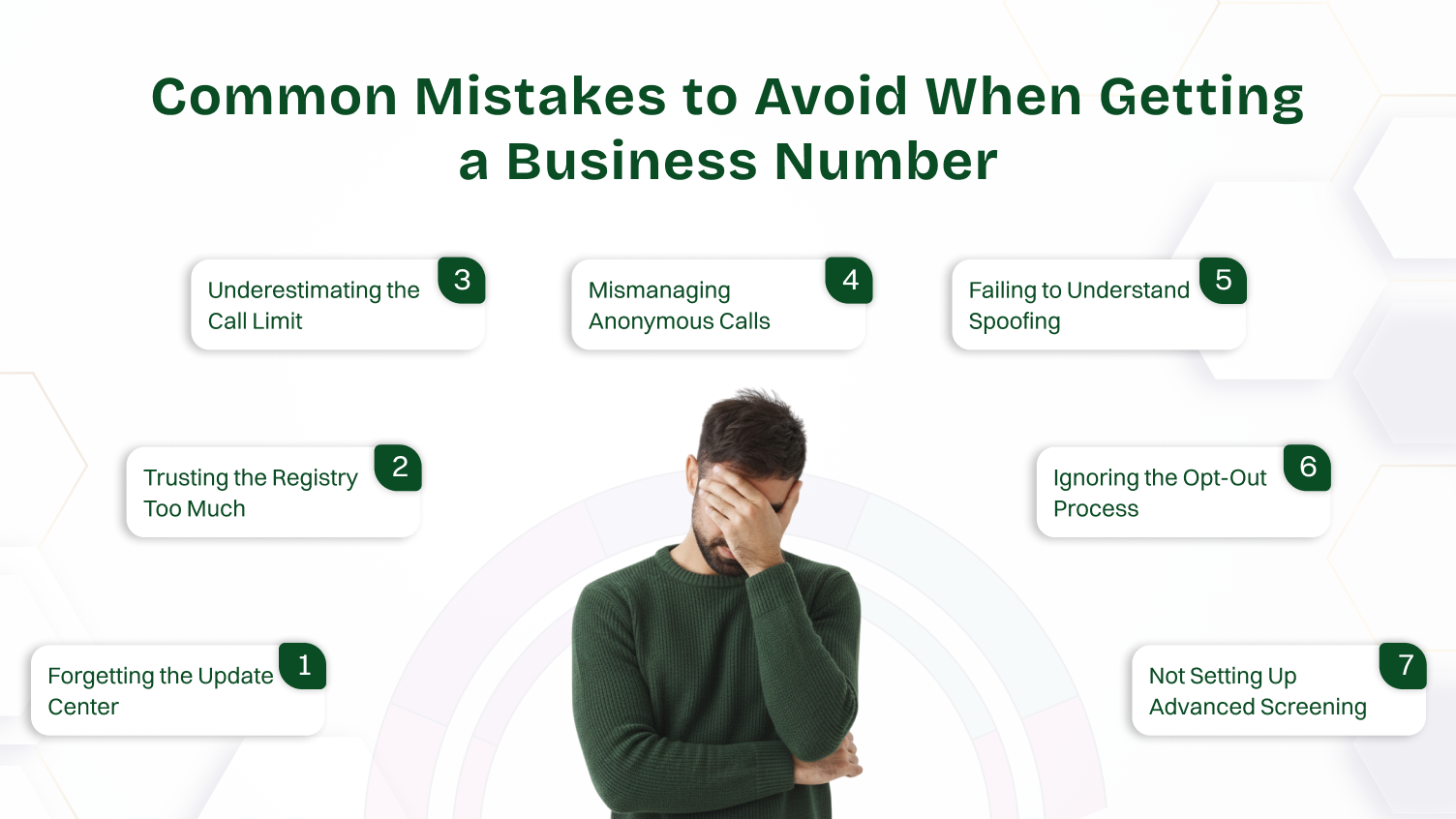
Many folks change their phone service but forget a crucial step. You must call the update center of your new provider right away. Your old call blocking rules do not transfer automatically. You need to ask them to activate or deactivate features like selective call rejection on your new line. If you skip this, you might think the service is broken.
People often register on the National Do Not Call list and assume their problem is solved. The registry is great for stopping legal businesses. It does absolutely nothing to stop criminal scam call operations. You must use active tools, like the *60 code feature or a physical device, to truly stop unwanted calls.
The free carrier feature to block a number on a landline using the *60 code is limited. Most services only let you block about 30 specific phone numbers. Once you hit that limit, the oldest number falls off. If you face heavy spam, you cannot rely on this free method alone. It is not a permanent protection against unwanted calls.
Using the code *77 to block anonymous calls is a powerful tool for privacy. However, be careful. Doctors’ offices, hospitals, or private numbers might hide their caller ID for valid reasons. Blocking them means you might miss an important call. Remember to deactivate call blocking if you are expecting a private call.
This is a big mistake. When a scammer uses a fake number that looks local, they are “spoofing.” You can block a phone number with *60, but they will just call from a new spoofed number the next day. The only way to win this fight is by using advanced blocking software in a physical device. This software blocks the pattern of the calls, not just the single number.
Your number is probably on lists sold by data brokers. You can reduce unwanted phone calls before they even start. Take the time to search for yourself on public directories. Go through the opt-out process to remove your information. This cuts off the source of many problems.
If you buy a physical blocker, read the instructions carefully. Some of the best boxes require callers to press a key, like the # sign. This proves they are a person and not a machine. If you do not set this screening, the box loses its power to block robocalls. You must complete the full setup to get maximum security.
You have now reviewed the complete set of tools available. You no longer need to feel powerless against the flood of unwanted calls on your landline phones. The best method depends entirely on your phone system. A digital voice line gives you free access to powerful online call blocking dashboards.
A traditional analog landline benefits most from the ultimate protection of a physical blocking device. You can use the free call feature *60 to address a few specific phone numbers right away. You should also definitely register for the National Do Not Call list.
By implementing one or more of these methods, you transition from being a target to being in charge. You successfully block a number on a landline and regain your peace of mind. Start today and enjoy the silence you deserve.
60 does not work on all landline phones. It depends on the provider and whether they support call-blocking features.
You can block a number permanently through your phone or carrier settings. Once blocked, the number won’t be able to call or message you again.
Yes, you can block international calls. You just need to enable call restrictions through your carrier or phone system settings.
There is no single, free, and completely effective method to block all robocalls.
Yes, you can permanently block a number. Once blocked, it won’t be able to contact you again unless you unblock it manually.
Blocking a number means you manually enter a specific phone number to be rejected. Rejecting an anonymous call means you deactivate call reception for any caller who hides their caller ID.
No, the blocked caller will not know they are blocked. Their calls will simply fail or go unanswered without any notification.
This happens because of caller ID spoofing, where the caller disguises their number so it bypasses your block.
If dialing *60 results in a fast busy signal or an error message, your carrier likely does not support standard star codes or requires you to activate the feature first. Digital and VoIP customers (like Xfinity or Spectrum) should log into their provider’s website or app to manage block lists instead of using the keypad.
Blocking specific numbers works poorly for neighbor spoofing because scammers change their number daily. The most effective solution is a physical call-blocking device with a “Call Screening” feature. This forces callers to press a button (like #) to connect, which automated robocalls cannot do.
Yes. Call blocking only stops the specific numbers you have added to your “reject list” or anonymous callers. Emergency services (911) can still reach you, as they often utilize priority lines that bypass standard consumer blocking features. Your ability to dial 911 is also never affected.
