

What is Elastic SIP Trunking?

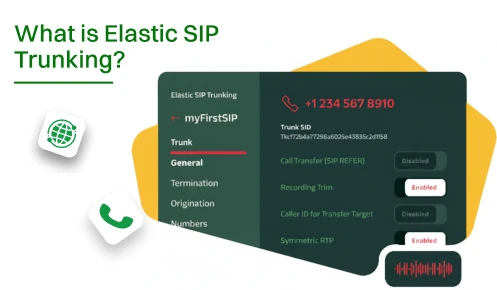
Your phone bill probably makes you flinch every month. You’re paying for 50 phone lines but only using 15 of them most days. That’s like renting a 10-bedroom house when you live alone.
Elastic SIP trunking changes this outdated model. You pay for what you actually use instead of what you might need on your busiest day of the year.
This blog explains how Elastic SIP Trunking works and whether it makes sense for your business.
Here’s what you actually need to make this work. Some things are necessary by all means, and others are only for convenience.
The internet connection you use should not drop packets or disconnect randomly during business hours.
This is the brain of your phone system that routes all your calls to the right places.
Your provider connects you to the regular phone network so you can call anyone.
These are the actual phones or software apps that people can use to make and receive calls.
The routers and switches that you are using must be capable of handling the voice traffic efficiently without any breakdown.
Ensures your calls remain clear even when a large file is being downloaded.
A backup internet so you can still make calls when your main line goes down.
Enterprise switches give you better control over how traffic flows through your network.
Good headsets with noise cancellation make everyone sound professional instead of like they’re calling from a wind tunnel.
When a customer calls, their information is automatically shown to you.
Displays patterns in your call volume so you can staff appropriately.
Call recording helps with training and keeps you compliant with industry regulations.
It is best first to purchase what is necessary and then gradually add other things as your needs increase. You don’t need everything on day one.
SIP trunking is basically a way to make calls through the internet rather than using traditional copper wires. Your voice gets converted into data packets that travel through your existing internet connection. There is no need for additional cables.
The “elastic” term refers to the system’s ability to increase or decrease capacity automatically. So if 50 people are making calls, the system will provide 50 channels. And if only 5 people are talking, then only 5 channels will be in use. You cannot be forced to pay for a capacity that stays unused during the night and on weekends.
Your current phone system probably works fine with this technology. You keep the same phone numbers and features. The only thing that changes is the pipe carrying your calls.
Elastic SIP trunking handles both inbound and outbound calls through one service. No more dealing with multiple phone companies or trying to decipher three different bills each month. Your billing becomes straightforward and tied to actual usage.
The system adjusts in real-time throughout your business day. Morning rush of customer calls? You automatically get more capacity. Afternoon off-peak hours? The system scales back down. This flexibility eliminates the guessing game of planning phone capacity.
Here’s what actually happens when you pick up the phone and dial a number. Understanding this process helps when things go wrong.
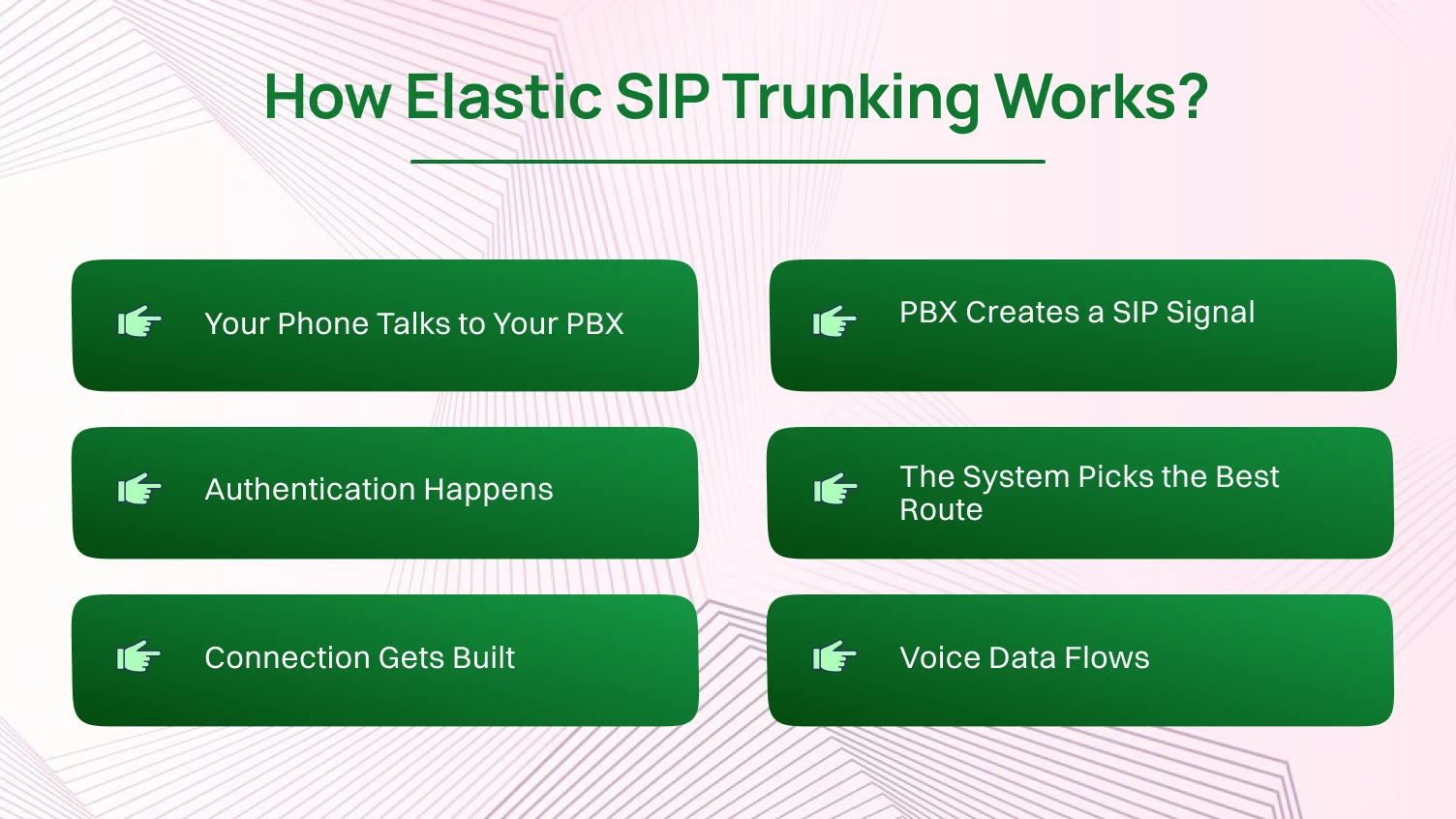
You dial a number on your desk phone or softphone app. That signal goes to your SIP-enabled PBX system sitting in your server room or running in the cloud. The PBX (Private Branch Exchange) is basically the traffic cop for all your phone calls.
Think of the PBX as the post office for your calls. It knows where everything needs to go and handles all the routing. Your phone only has to inform the PBX of the number that you want to reach.
Your PBX translates your dial request into something the internet understands. It packages up the destination number and your caller ID into a SIP signal. This happens faster than you can blink.
The SIP signal is like an addressed envelope. It contains all the information needed to connect your call. The PBX handles this translation, so your phone doesn’t have to be a networking expert.
Your provider’s border elements check that you’re allowed to make this call. They verify your credentials and also check if your account is in good standing. This safety measure stops strangers from forcibly taking control of your phone service.
If something’s wrong with your credentials, the call stops right here. This protection saves you from surprise bills when hackers try to use your service for international call fraud.
The network determines the least expensive and fastest way to connect your call. Local calls go through nearby infrastructure. International calls route through your provider’s global network to minimize costs and delay.
Your provider has agreements with phone companies worldwide. Depending on your calling location, the system selects the best route. You are not aware of any of this when you make a call.
A virtual connection opens between you and whoever you’re calling. Both sides negotiate which audio format to use and how to handle the voice data. This setup completes before you hear the first ring.
The system runs quality checks during this phase. In case of a weak connection, it can take a different route. This all happens behind the scenes and within a millisecond.
Your voice gets chopped into tiny packets and sent through the internet. These packets arrive at the other end and get reassembled into speech. Modern systems handle this so well that most people can’t tell the difference from traditional phones.
The connection constantly monitors quality during your call. If problems pop up, the system adjusts on the fly to keep things clear. This is why a stable internet connection matters more than raw speed.
Let’s actually go through the setup process. Take your time with each step instead of rushing through everything.
Check with providers who may offer an elastic SIP service in your area. Have a look at the reviews from the companies that are similar to you in size and industry. Get demos from at least three providers before deciding.
Test their call quality by calling places you frequently contact. Verify they handle emergency calling correctly in your region. Check whether their documentation actually makes sense or reads like a robot wrote it.
Run internet speed tests during your actual business hours. Configure your firewall to permit SIP traffic on UDP port 5060. Ensure that your PBX has the RTP ports required by voice traffic.
Set up QoS (Quality of Service) rules on your router to give phone traffic the highest priority, regardless of what else is happening. Keep a record of all your configurations, such as IP addresses and port numbers.
Log in to your PBX admin panel. Create a new trunk entry for your provider. Enter the origination URIs your provider gave you in their setup email.
Configure your termination URI so your PBX knows where to listen for incoming calls. Add your authentication credentials in the authentication section. Set up your domain name exactly how your provider specifies in their guide.
Build outbound rules that send calls through your new trunk. Set up inbound routing for each of your phone numbers. Configure emergency dialing with accurate location information for every extension.
Ensure that your phone’s caller ID displays your business number and not an unfamiliar extension number. A call from a random 4-digit number would not be appealing to anyone.
Try calling local, long-distance, and international numbers to see how the service works. In the same way, you can request your colleagues to call your business numbers from the outside so that you can confirm if the incoming calls are working. Try making multiple calls at once to see if the system scales properly.
Test every feature, including hold and call transfer. Use the system for real work calls for a day before entirely cutting over. Document anything that doesn’t work right.
Turn on detailed logging in your PBX for the first few weeks. Check the logs daily to catch any weird patterns. Monitor your bandwidth consumption in order to keep some extra space available.
Check out your provider’s usage dashboard to find out how much capacity you are really using. Schedule a one-week review and a one-month review to see how things are working in the real world.
This whole process takes a few days if you do it right. Rushing through setup just creates problems you’ll have to fix later.
Here’s what you actually get out of switching to this technology. These benefits matter for different reasons depending on your business.
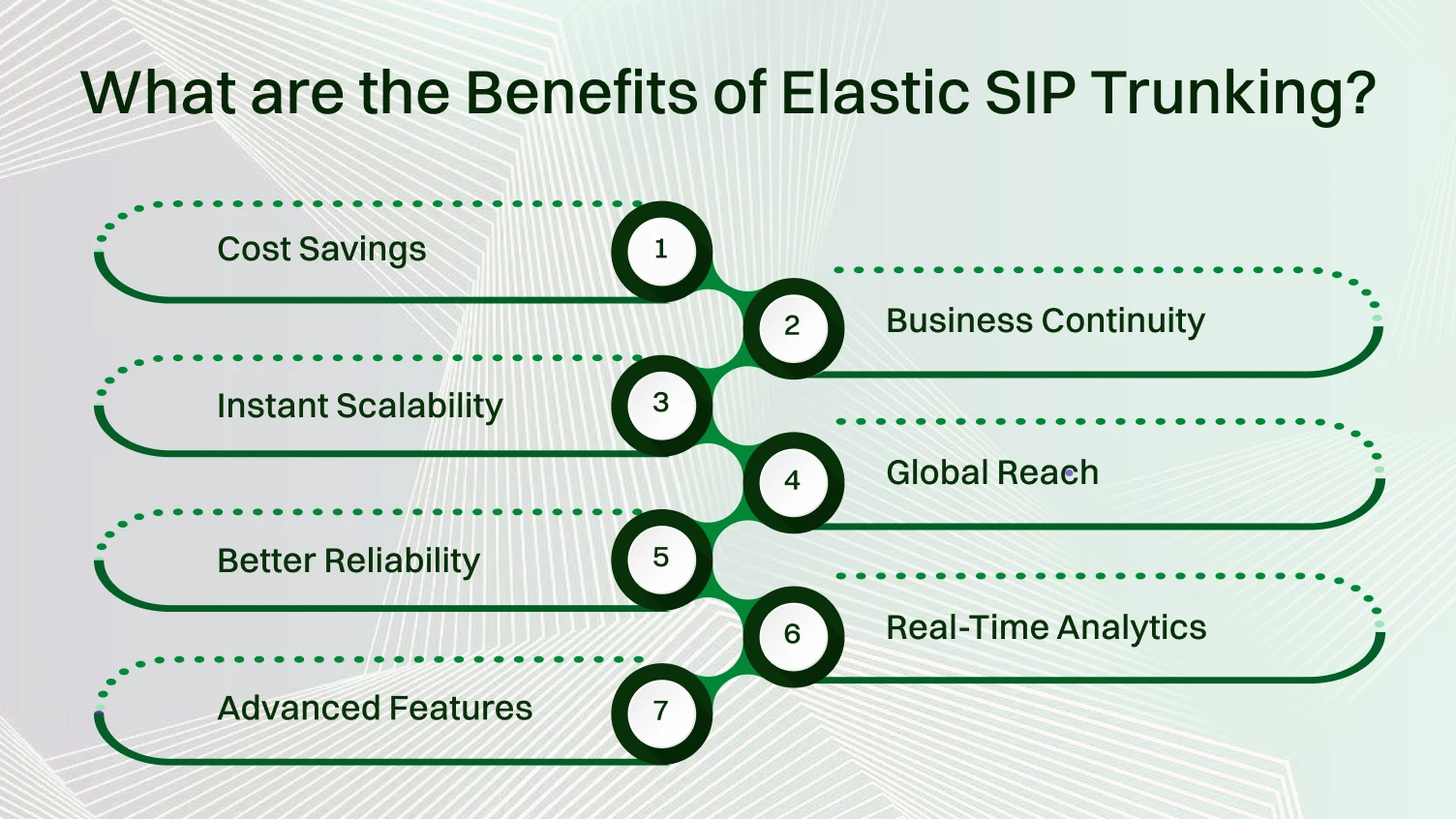
Traditional systems force you to buy capacity for your absolute busiest moment. That’s like buying a school bus to commute to work because you carpool once a year. Elastic SIP charges you for what you actually use each day.
Businesses that switch often find themselves wondering why they ever paid so much before. You stop paying for hardware sitting in closets collecting dust. Maintenance becomes someone else’s headache since you’re not babysitting old PBX equipment anymore.
Adding capacity to old phone systems means scheduling a technician visit and waiting weeks. Elastic SIP trunks just scale up when you need more and scale back down when you don’t. Seasonal businesses love this because they’re not stuck paying for peak capacity all year.
Opening a new location takes hours instead of weeks. Remote workers get all the same features as office staff without complex VPN setups. You can test a new market without committing to expensive infrastructure upfront.
Geographic redundancy is your safety when a power failure occurs in a single region. Encrypted secure trunking prevents unauthorized listening to your calls. Session Border Controllers filter out garbage traffic before it reaches your phone system.
Multiple origination URIs mean your calls automatically fail over to backup routes. Your phones keep working even when part of the provider’s network has issues.
Call recording plugs right into your platform for compliance and training. Good API reference docs let you integrate with your other business software. Caller ID management shows the right number for different situations.
Call transfer works smoothly whether people are in the office or at home. Many modern platforms also support text messaging and Teams integration, letting you build voice and SMS capabilities into a unified communication system.
With cloud communications, you can redirect calls or messages to other locations or mobile devices during emergencies, keeping your business reachable no matter what. You can redirect incoming calls to other locations or cell phones during emergencies.
Remote work actually works because employees have full phone system access from anywhere. Weather problems and building issues don’t kill your ability to communicate with customers.
International calling costs drop significantly with optimized call routing. You can get virtual numbers in other countries to look local without opening offices there. Voice calling quality stays good even across continents.
Distributed teams communicate clearly, whether they’re across town or across the world. The audio quality for local calls and international calls is basically the same now.
Detailed call data reveals patterns you never noticed before. You can track network performance metrics to catch problems early. This helps you fix issues before your users start complaining.
Test your emergency calling setup regularly to make sure it works when someone actually needs help. Use the data to optimize your staffing based on when people actually call instead of guessing.
Most companies see returns on their investment within the first year. Your specific savings depend on what you’re currently paying and how you use phones.
Problems happen even with good systems. Here’s how to fix the most common issues without losing your mind.
The Problem: Their voices are quite clear to you, but you are totally inaudible to them. This drives everyone crazy and makes work impossible.
The Solution: Your firewall is blocking voice packets in one direction. Open UDP ports 10000-20000 for both inbound and outbound traffic from your PBX IP address. Disable SIP ALG in your router settings, as it tries to help, but only things get broken most of the time. Ensure that your router’s NAT configuration is suitable for SIP traffic.
The Problem: Your PBX shows the trunk as unregistered, and no calls go through at all. Error messages talk about authentication failures that don’t mean much to normal humans.
The Solution: Verify your username, password, and domain name match exactly what your provider gave you character by character. Even one wrong letter breaks everything. Make sure your firewall allows outbound connections to your provider’s servers on port 5060. Check that you’re using the correct origination URIs from your setup documentation.
The Problem: Conversations sound robotic or choppy, with words cutting in and out randomly. Nobody can have productive conversations like this.
The Solution: Use network monitoring tools to detect packet loss and jitter on your network while real calls are going on. To prioritize voice traffic over file downloads and streaming video, enable QoS in your router. Find out what else is consuming bandwidth when the call quality is poor.
The Problem: Inbound calls either don’t ring anywhere or ring the wrong extensions entirely. Customers can’t reach the right people and give up trying.
The Solution: Review your inbound routing configuration in the PBX for each phone number. Verify that your termination URI matches exactly what your provider is sending to your system. Log in to your provider’s portal to confirm which DID (Direct Inward Dialing) numbers are actually assigned to your account. Check time-based routing rules that might be sending calls to the wrong places based on the schedule.
The Problem: Emergency calling tests show that location information is either incorrect or missing when sent to responders. This is a serious safety problem you need to fix immediately.
The Solution: Update physical location information for every single extension in your system right now. Each extension needs an accurate street address, floor, and suite numbers entered correctly. Verify your elastic SIP trunking provider actually supports E911 services in your specific area. Configure location data in both your PBX and your provider’s portal for redundancy.
User stories help you understand how this actually works in practice. Here are businesses that made the switch and what happened.
A regional clinic network had 15 locations with completely different phone systems at each site. Managing everything was a nightmare for their IT team, who spent half their time fixing phone issues.
They connected all clinics through elastic SIP trunking on one platform. Each location kept its local numbers, so patients didn’t need to learn new ones. Call recording helped them stay compliant with healthcare regulations and train new staff without privacy violations.
The system automatically handled their morning rush and afternoon slowdown without manual adjustments. They lowered their monthly telecom bills while actually improving their capabilities. Emergency calling got special attention with precise location data for each exam room.
An online retailer’s customer service demand multiplied by 10 during Black Friday and the holidays. Their old phone system meant paying year-round for capacity they only needed a few weeks annually.
Elastic SIP lets them scale up automatically during shopping season and back down afterward. The system handled thousands of inbound calls on the busiest days without breaking a sweat. Integration with their order system meant customer information popped up automatically when people called about orders.
They opened a second call center for backup in case something went wrong. Both locations shared the same communications platforms and distributed calls automatically between sites.
A mid-sized law firm needed reliable call recording for client calls. Their old system couldn’t organize recordings in any useful way that made sense. Lawyers wasted time trying to find specific conversations when they needed them for cases.
The new system tagged recordings automatically with case numbers from their practice management software. Remote attorneys worked from home offices with full phone access during bad weather. Caller ID showed the firm’s number instead of personal home numbers.
Secure trunking with encryption protects privileged conversations with clients. This protection matters more in legal work than almost any other industry, where confidentiality is everything.
A creative agency needed a different caller ID for different client work. Account managers wanted clients to see appropriate numbers when they called instead of one generic agency number.
Programmable caller ID lets them set up automatic rules that just work. The system picked the right outbound number based on who they were calling without any user action. Call analytics helped managers coach their teams based on actual performance data instead of gut feelings.
Remote creative staff stayed connected through unified communications platforms as if everyone worked in one office. The distributed team collaborated effectively despite being scattered across the country.
Elastic SIP trunking fundamentally changes how business phone systems operate. You get flexibility and cost savings that traditional systems simply can’t match.
Companies switching from old systems see improvements immediately. Setup requires paying attention to technical details, but it’s worth the effort you put in. Good network configuration and security prevent problems before they start causing headaches.
The elastic model means your costs match your usage instead of paying for capacity you don’t need. The technology keeps improving with new features rolling out regularly from providers competing for business.
Trunking bundles multiple phone lines into one connection that handles all your voice traffic efficiently. You share capacity across everyone instead of dedicating separate lines to each phone in your building.
A single elastic SIP trunk handles as many calls as you need since it scales automatically. Traditional trunks are limited by how many channels you bought from your provider upfront.
Each call needs about 100 kbps in both directions for clear audio. 20 people on calls at once means you need at least 2 Mbps just for voice traffic, without counting data.
Yes, VoIP can use other protocols like H.323 for voice calling over the internet. SIP is the most widely adopted standard for business phones and helps your communication system integrate smoothly across platforms.
SIP trunking needs UDP port 5060-5061 for call setup and ports 10000-20000 for the actual voice data. Check your configuration guides because some providers use different port ranges.
