

What is HIPAA Compliant Voicemail: A Guide

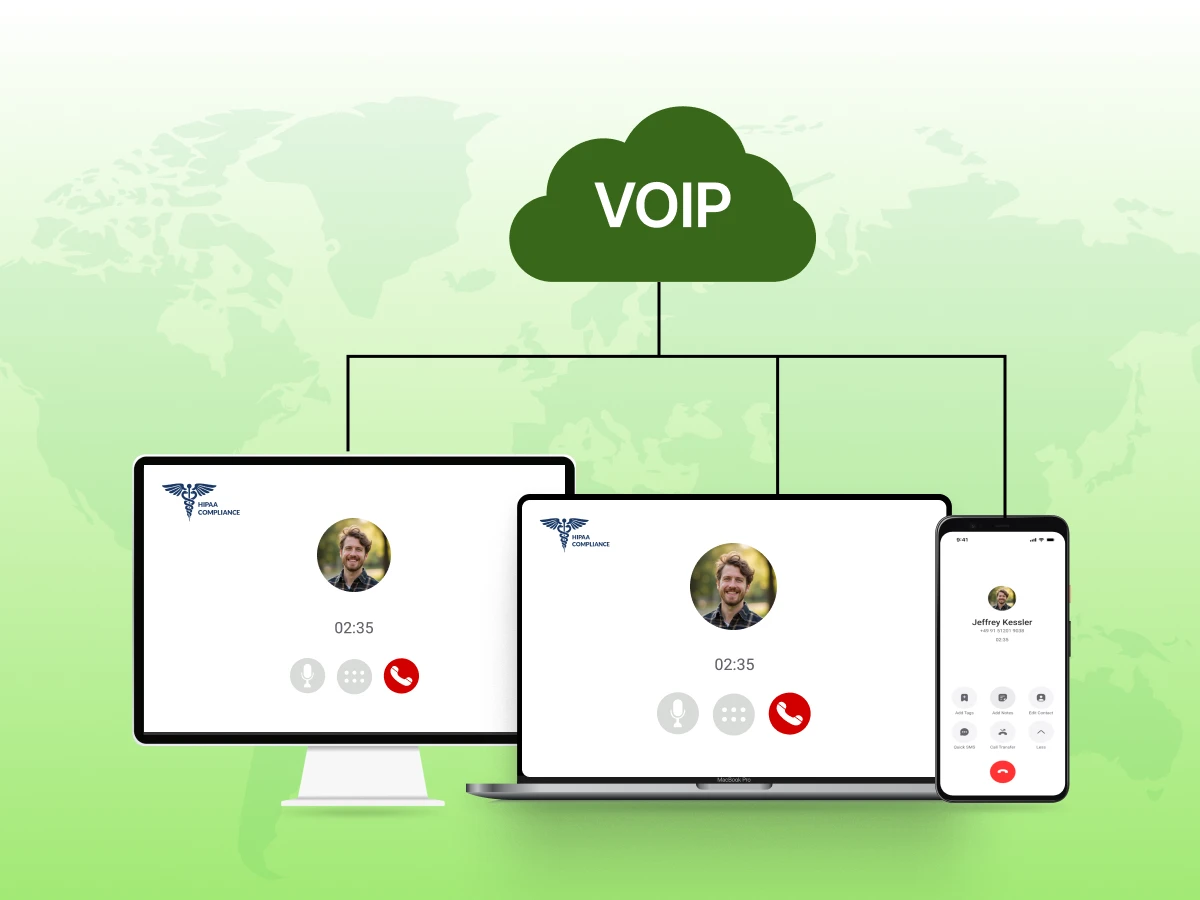
Modern healthcare communications rely heavily on digital tools. This technology offers flexibility and improves client care. However, its widespread use also exposes healthcare organizations to unique regulatory risks.
A HIPAA-compliant voicemail is no longer optional. It is a critical component for safeguarding your Personal health information (PHI). This specialized communication security solution differentiates legitimate patient care from costly Breaches.
In this blog, we will learn what a HIPAA-compliant voicemail is, its types, how it works, its benefits, its challenges, and more. By the end, you will understand the depth of HIPAA compliance in voice messaging.
The choice of a voicemail system depends on the Practice requirements. However, according to the HIPAA Security Rule and Privacy Rule, specific features are non-negotiable.
Strong encryption acts as your Voicemail system’s first line of defense. It meticulously scrambles incoming and outgoing audio data. This crucial function blocks unauthorized access even if a server is compromised. It’s like a digital vault; even if someone steals the hard drive, they cannot play the Voicemail messages.
A Business Associate Agreement (BAA) is the legal backbone of compliance. Unlike basic features, it establishes liability. It tracks the responsibility of the Vendor. If a Voicemail service provider refuses to sign a BAA, they are not compliant, regardless of their security features. This agreement ensures that the third-party Telecommunications company creates a Faith effort to protect PHI.
Access control monitors active logins, providing intelligent security for your Voicemail access. Unlike basic PINs, it requires a unique User identification for every Employee. It tracks who listens to what. If a login attempt doesn’t belong to an established, trusted Workforce member, it’s effectively managed or blocked.
A critical feature is the system’s ability to maintain Audit controls. These are the digital footprints of your Healthcare organization. By being “activity-aware,” the system can specifically identify, record, and report who accessed Voicemail messages and when. It applies tailored logging rules, effectively safeguarding your Practice against Accusations of impropriety.
Automatic log-off rules offer precise control over unattended devices. Instead of leaving a Voicemail inbox open, the system terminates the session after a set time (e.g., 15 minutes). This allows administrators to dictate exactly how long a session remains active.
Extensive documentation and reporting provide crucial visibility into your Voicemail system’s security posture. These features log all relevant Event logs and security alerts. This data is invaluable for troubleshooting any compliance issues, identifying potential Risks, and demonstrating compliance with HHS audits.
It is advisable to consider both needs and enhanced capabilities as Healthcare providers turn to the use of digital tools to protect PHI. For example, a Mental health practitioner may be concerned with absolute privacy, while a large hospital, dealing with high call volume, may require more effective reporting and System status checks.
HIPAA compliant voicemail is a dedicated communication security tool, either hardware or software-based, built to protect Patient voice messages. Unlike standard answering machines or basic carrier voicemail (like standard Verizon or AT&T consumer lines), a compliant system adheres to the Administrative Simplification Rules of the HIPAA Act.
It goes beyond simple recording. It can:
Think of it as the Medical record equivalent for audio. Just as a physical file cabinet requires locks and logs, your Voicemail box needs not only a password but also smart monitoring of how Sensitive information is stored and retrieved.
According to 45 CFR, specifically the Security Rule, any system storing Electronic Protected Health Information (ePHI) must have physical, technical, and administrative safeguards. Standard voicemail often fails because it stores unencrypted audio on carrier servers that are accessible by the carrier’s staff, who have not signed a BAA.
A HIPAA-compliant voicemail system processes audio data differently than standard systems. It applies strict protocols to each Message.
When a Patient initiates a call and leaves a message, the audio is immediately converted into digital data. The Voicemail system intercepts this data. It encrypts the file immediately using standards like AES-256.
If packets match the allowed security rules, they are stored. Otherwise, access is denied. This granular control protects your Personal health information.
A compliant system is “protocol-aware.” It understands that Voicemail messages are ePHI. It segregates this data from non-sensitive data.
For example, it manages Storage on secure servers (often cloud-based) where the Encryption keys are held separately from the data. This prevents common security gaps where IT staff might see/hear messages. It effectively manages Healthcare data traffic for smooth, secure retrieval.
Many businesses use remote access. This conserves time. However, remote access causes problems for privacy. It opens potential leaks on public Wi-Fi. A good compliant system includes secure retrieval methods (like HTTPS or VPNs).
This ensures Healthcare professionals on Business cell phones connect with external voicemail solutions securely. This is key for uninterrupted Client care.
Knowing what kinds of Voicemail systems are available helps. This informs your choice of solutions. Every type offers different levels of protection.
Hardware systems are devices. A hardware voicemail server is on the edge of your Office network. It provides a layer of protection that is dedicated. Hardware systems are strong and high-performance devices. They fit larger Healthcare organizations that require high storage capacity.
A physical dedicated server for voicemail, if managed internally, will usually come with enhanced control. However, you are responsible for the Physical safeguards—locking the server room and managing backup drives.
Software solutions are applications. Install onto either a Mobile phone or a PC. They generally offer a flexible, more affordable solution for protecting your Voicemail messages.
Software apps must use the host system resources but create a “container” (a secure sandbox) to protect the PHI. It fits a small Private practice or individual Practitioner. RingRx and similar apps fall into this category.
Cloud systems can operate just like any other SaaS service. They are filtering and storing traffic before it even gets to your network, providing additional layers of scalability and management convenience.
In particular, cloud solutions benefit businesses that are using Telehealth services. They put a Cloud phone system to their great advantage. Voicemail service providers utilize a cloud infrastructure to manage Voicemail greetings and storage, including remote Staff.
Next-gen systems leverage layers of traditional voicemail features and enhanced Health record integration. Advanced features include attaching the audio file directly to the patient’s chart.
Integrated systems allow you to have complete protection for your Client data by identifying and filing messages automatically. It provides the greatest benefit for platforms like Epic or SimplePractice.
Many modern platforms combine security functions. They include traditional phone capabilities, Texting, fax, and voicemail. They provide a comprehensive solution. They offer strong protection for your entire Practice communication.
They simplify management for Healthcare providers. They are often subscription-based.
Each variety has its own specific strengths. For the best HIPAA compliance, a combination of dedicated products should be used, with a signed BAA to provide legal security.
Setting up a HIPAA-compliant phone system isn’t plug-and-play. Your network architecture affects security directly.
Separate your VoIP traffic from general internet use. Create a dedicated VLAN (virtual local area network) for VoIP phones and healthcare communications. This isolates patient information from other electronic data flowing through your network.
Segmentation prevents unauthorized access from other devices. If someone’s laptop gets infected with malware, it can’t reach your VoIP system easily. This simple step stops most data breaches before they start.
Your firewall needs special rules for VoIP communications. But don’t just open all the ports and hope for the best (yes, IT teams actually do this sometimes). Configure precise rules that allow VoIP traffic while blocking potential threats using a VoIP firewall.
Session Border Controllers (SBCs) add another security layer. They sit between your internal network and the outside world. All VoIP phone calls pass through the SBC, which inspects traffic for suspicious activity.
Here’s a reality check: Bad call quality makes people find workarounds. When your VoIP phone system drops calls constantly, staff start using personal cell phones to call patients. Those calls aren’t HIPAA compliant at all.
Make sure that enough bandwidth is set aside for the voice and video communications. Put in place Quality of Service (QoS) regulations that give top priority to VoIP communication when a user is downloading files or surfing the web. Perfect sound calls are what will motivate all users to follow the system.
Patient care can’t wait for your VoIP provider to fix server issues. Build redundancy into your deployment. Multiple internet connections. Backup power supplies. Secondary VoIP servers are ready to take over if primary systems fail.
Your Business Associate Agreement should specify uptime guarantees. Most healthcare organizations need 99.9% availability. Calculate how much downtime you can actually tolerate. Then engineer your system to beat that standard.
Where does your VoIP provider store patient information? Some healthcare organizations need data to stay within specific geographic boundaries. Check whether your VoIP solution offers local data storage options.
This matters for international practices too. Different countries have different rules about protecting health information PHI. Your VoIP communications platform must comply with regulations everywhere you operate.
The technical side looks complicated. But these architectural decisions directly impact whether you meet HIPAA’s requirements long-term.
Compliant VoIP communications do more than keep you out of legal trouble. They improve how your healthcare business operates.
Patients notice when their information stays private. Secure video conferencing lets them attend appointments from home without privacy concerns. Encrypted text messages enable quick questions without compromising protected health information.
Reliable VoIP phone systems mean fewer dropped calls and better audio quality. Patients don’t repeat sensitive medical details because you didn’t hear them the first time. Small improvements in call quality significantly boost patient experience scores.
Your team needs to discuss patient cases securely. HIPAA-compliant phone systems enable these conversations without fear of violations. Staff can call colleagues about patient information, knowing the line is secure.
Unified communications platforms make team collaboration easier. Instead of calling, emailing, texting, and hoping everyone gets the message, you use one secure platform for all healthcare communications. Response times drop. Coordination improves.
HIPAA violations carry serious financial penalties. The Department of Health and Human Services can fine organizations up to $1.5 million per violation category annually. One data breach through unsecured VoIP communications can cost millions.
Compare that to the monthly cost of a hipaacompliant voip system. The compliance expense looks pretty reasonable when stacked against potential fines. You’re basically buying insurance against catastrophic financial penalties.
Modern VoIP features streamline workflows. Call routing sends patients to the right department automatically. Voicemail-to-email transcription (with HIPAA compliance, of course) lets providers review messages quickly. Video meetings eliminate travel time for consultations.
AI-powered contact center tools analyze conversations to improve patient care. They identify common questions. They flag urgent situations. They help train new staff. All while maintaining strict access controls over sensitive information.
Adding users to a cloud-based VoIP system takes minutes. New locations connect easily. Your communications infrastructure grows with your healthcare business without massive capital investments.
Traditional phone systems require expensive PBX upgrades to add capacity. HIPAA-compliant VoIP providers charge per user monthly. You pay for what you use. Scaling down during slow periods saves money, too.
Patients increasingly care about digital security. Marketing your practice as using HIPAA-compliant phone systems and secure communications tools builds trust. You differentiate yourself from competitors who still use outdated, insecure phone systems.
Channel partners and referral sources prefer working with practices that take compliance seriously. Demonstrating robust security measures through your communications platforms opens business opportunities.
Cloud communications platforms include built-in backup and recovery. If your office floods, your VoIP phones can forward to mobile devices immediately. Staff work from home without interruption. Patient care continues.
Traditional phone systems leave you scrambling to redirect calls manually. Your patients hear busy signals or disconnected numbers. That’s terrible for patient experience and potentially dangerous in medical emergencies.
The benefits go beyond checkbox compliance. The right voip solution actively improves your healthcare organization’s operations.
Even the best VoIP systems hit snags. Here’s how to fix the most common problems before they become HIPAA violations.
The Problem: Staff access recordings they shouldn’t. Maybe someone listens to a colleague’s personal medical calls. Or worse, patient information leaks because too many people have access.
The Fix: Implement strict role-based access controls. Audit your access permissions quarterly. Use your VoIP provider’s logs to track who accesses what call recording files. Most security breaches happen from the inside.
Set up automatic alerts when someone accesses recordings outside their department. Review these alerts weekly. Most unauthorized access is accidental, but you need to catch it quickly.
The Problem: Your staff uses mobile apps to access the VoIP phone system. But those apps don’t encrypt properly. Or employees use personal phones for patient calls because the compliant system is clunky.
The Fix: Choose VoIP communications platforms with robust mobile apps that maintain encryption. Test the mobile experience yourself. If it’s frustrating, your team will find workarounds that bypass security measures.
Provide company phones if necessary. Implement mobile device management (MDM) to enforce security policies on any device accessing protected health information. Ban personal devices from patient communications entirely.
The Problem: Your VoIP provider won’t sign a BAA. Or you forgot to get one signed when you started service. Either way, you’re not actually HIPAA compliant, no matter what security features you use.
The Fix: Make BAAs non-negotiable. If a VoIP provider refuses to sign one, they’re telling you they won’t protect patient data properly. Find a different provider.
Review all your communications tools and verify you have BAAs on file. This includes your VoIP system, fax service, email provider, and any other platform that might touch patient information. Document everything for audits.
The Problem: You can’t prove compliance because your VoIP system doesn’t log enough detail. Or logs get overwritten before you review them. During an audit, you have no evidence of your security measures.
The Fix: Configure your VoIP phone system to retain logs for at least six years. HIPAA requires documentation for this period. Set up automated backups of all audit logs to separate secure storage.
Review logs regularly instead of waiting for audits. Monthly reviews help you spot patterns of unauthorized access or system vulnerabilities. Use conversation analytics tools to automate parts of this review process.
The Problem: Your video meetings platform isn’t truly HIPAA-compliant. Maybe it lacks proper encryption. Or it stores recordings on unsecured servers. Telehealth appointments expose patient information daily.
The Fix: Verify your video conferencing solution is part of your HIPAA-compliant VoIP system or get a separate BAA. Enable waiting rooms so patients don’t see each other in virtual appointments. Require passwords for all meetings.
Never use consumer video platforms for patient consultations. Those free services explicitly state that they’re not HIPAA-compliant. The cost savings aren’t worth the HIPAA violation risk.
The Problem: Staff text patients about appointments or test results. Standard SMS isn’t encrypted. Those text messages contain protected health information sailing across networks in plain text.
The Fix: Use only HIPAA-compliant messaging features within your VoIP communications platform. These encrypt messages end-to-end and include access controls. Disable standard SMS for patient communications entirely.
Train staff on what information can go in text messages, even on compliant platforms. General appointment reminders? Usually fine. Specific test results? Risky. Treatment details? Definitely requires secure messaging.
The Problem: Your new HIPAA-compliant VoIP system needs to work with old electronic health records or scheduling software. The integration creates security gaps or exposes patient data during transfers.
The Fix: Work with your VoIP provider to design secure integrations. Use APIs with their own encryption rather than direct database connections. Test thoroughly in a non-production environment first.
If legacy systems can’t integrate securely, they need upgrades too. Sometimes the answer is replacing old software entirely. Delaying this decision just extends your compliance risk.
Most VoIP system issues come down to configuration and training rather than technical failures.
Setting up your system correctly from day one prevents most security problems. Follow these practices for maximum protection of patient information.
Start by creating a detailed inventory of where patient information might flow through your VoIP system. Map every communication channel. Phone calls, video meetings, text messages, voicemails, fax, and team chat. Each needs security measures.
Change all default passwords immediately. Your VoIP phones arrive with generic credentials that hackers know. Within the first hour of deployment, update every password to something strong and unique.
Enable two-factor authentication on all administrative accounts. Anyone who can configure your VoIP phone system has enormous power over patient data security. Protect those accounts accordingly.
Create a formal process for adding and removing users. New employees get access only after completing HIPAA training. Departed employees lose access within hours of leaving (not days or weeks).
Use the principle of least privilege. Give each user the minimum permissions needed for their job. Your receptionist doesn’t need administrative access. Your billing department doesn’t need video conferencing administration rights.
Review user accounts quarterly. You’ll find forgotten test accounts or consultants who still have access months after their contract ended. Clean them out.
Verify VoIP encryption is active for all communication channels. Don’t assume it’s on by default. Check these specific settings in your VoIP provider’s control panel:
Test the encryption with your IT team. Use network monitoring tools to verify that data leaves your office encrypted.
Position your VoIP phones behind your firewall. Configure the firewall to allow only necessary VoIP traffic. Block everything else by default.
Enable MAC address filtering on network switches. Only registered VoIP phones can connect to the voice VLAN. Unknown devices get rejected automatically.
Implement 802.1X authentication for an extra security layer. Devices must authenticate before gaining network access. This stops someone from unplugging a VoIP phone and plugging in their laptop to access your network.
Document exactly what gets recorded and why. Not every call needs recording. Maybe you record only patient consent conversations or financial discussions. Clear policies prevent unnecessary storage of protected health information.
Set automatic retention policies. Recordings older than your policy requires should be deleted automatically. Keeping records longer than needed increases your liability during data breaches.
Mark recordings containing sensitive information clearly. Your VoIP system should tag and segregate these for additional access restrictions.
Configure automated backups of all VoIP system data. This includes configuration settings, user accounts, call recordings, and voicemail messages. Schedule backups daily with off-site storage.
Test your disaster recovery plan quarterly. Actually, try restoring from backup. Verify call forwarding rules work when your office is inaccessible. Make sure staff can work remotely using the VoIP communications platform.
Document the recovery procedures. During an actual disaster, nobody remembers the complicated steps. Written instructions help your team restore service quickly.
Set up automatic alerts for suspicious activities:
Configure these alerts to notify multiple people. You don’t want a critical security alert sitting in one person’s email while they’re on vacation.
HIPAA-compliant VoIP systems protect your healthcare business on multiple fronts. They shield patient information from data breaches. They keep you clear of financial penalties. They enable modern healthcare communications without compromising security.
Choosing the right VoIP provider means looking beyond feature lists. You need a partner who understands the healthcare industry and takes protecting ePHI seriously. One who signs Business Associate Agreements without hesitation. One whose security measures match or exceed HIPAA requirements.
The investment in compliant VoIP communications pays dividends through better patient experience, operational efficiency, and peace of mind. Your staff can focus on patient care instead of worrying about HIPAA violations through inadequate phone systems.
Remember that compliance isn’t a one-time setup. It requires ongoing monitoring, regular audits, and continuous staff training. Your VoIP phone system needs maintenance just like your medical equipment.
The healthcare industry keeps evolving. New communication channels emerge. Regulations get updates. Your VoIP communications platform should evolve with you. Partner with VoIP providers who invest in staying current with HIPAA security requirements.
Protecting patient data through secure communications isn’t optional. It’s fundamental to ethical healthcare practice and legal operation. Your HIPAA-compliant VoIP system is essential infrastructure, not a nice-to-have add-on.
In All the post should be change FAQ (v3)
A hipaacompliant voip system must include end-to-end encryption for all communications, comprehensive access controls, detailed audit logging, and secure data storage with backup procedures. The VoIP provider must sign a Business Associate Agreement that accepts responsibility for protecting patient information in accordance with HIPAA standards.
Yes, any VoIP provider handling protected health information must sign a BAA before you can use their service for healthcare communications. Without this agreement, you’re operating in violation of HIPAA requirements, even if technical security is perfect.
No, because regular business or consumer VoIP systems lack the security measures required by HIPAA for protecting patient information. Healthcare organizations must use specifically HIPAA-compliant VoIP solutions designed with healthcare security requirements.
You must follow breach notification requirements under HIPAA, including notifying affected patients within 60 days and reporting to the Department of Health and Human Services. You may face financial penalties depending on the cause and response with fines ranging from thousands to millions of dollars.
Expect to pay approximately $25-50 per user monthly for basic HIPAA-compliant phone service with voice calling and standard features. Advanced unified communications platforms with video meetings and AI-powered contact center features cost more, potentially reaching $75-150 per user for enterprise-grade systems.
Only if they use your HIPAA-compliant VoIP system’s mobile app, maintaining proper encryption and security features across platforms. Never allow staff to call patients from personal cell phones using standard calling because those communications bypass all security measures.
