

10 Best VoIP Phone Systems for HVAC Business

It’s 2 AM, and someone’s AC just quit working. They’re calling you right now. But your on-call tech is at home. Your office phone won’t help. You might lose this emergency job because your phone system is stuck in 2005.
Modern VoIP fixes. Take calls anywhere. Route emergencies automatically. Keep customers happy. Cut your phone bills in half.
Let’s find the best VoIP HVAC tool that actually works for your business.
Your technicians are rarely at their desks. Emergency service calls don’t follow a schedule. A customer calls about a broken furnace, and they need help now, not tomorrow.
Traditional phone systems can’t keep up. They tie you to an office. They cost a fortune to maintain. And when you’re out on a job, you miss important calls.
VoIP HVAC changes everything. Your business phone system lives in the cloud. That means your team can answer calls from anywhere. A technician finishing a job can take the next incoming call right from their truck.
VoIP does more than just let you take calls on the go. Businesses everywhere are switching – the global VoIP market hit $132.2 billion in 2024 and will reach $349.1 billion by 2034. For HVAC contractors running multiple jobs at once, these systems solve real problems.
You’ll cut your communication costs significantly. You get advanced features like call forward, video meetings, and call analytics without paying extra.
Plus, features like caller ID and call routing help you prioritize. Is it an existing customer with an emergency? Route it to your senior tech. New customer inquiry? Send it to sales teams.
Here’s the thing. Not every communications solution understands the HVAC industry. You need a business phone system built for field work. One that handles live calls during peak season. One that helps with scheduling and customer information.
The correct VoIP HVAC system becomes your command center. It’s not just about making calls anymore. It’s about enhancing communication across your whole operation and boosting customer satisfaction.
Now that you know why VoIP matters, let’s look at the specific features that set great HVAC VoIP systems apart.
Not all VoIP systems are built for the chaos of HVAC work; here’s what actually matters for your VoIP HVAC system.
Intelligent call routing sends calls where they need to go. Emergency call? Straight to your on-call tech. New customer? Sales teams get it first.
Auto attendant gives callers options without a receptionist. The call queue holds people when lines are busy. You won’t lose calls during your busiest days.
Your techs aren’t sitting at desks. Why should your phone system?
A cloud phone system works on any device. Take incoming calls on your phone while fixing an HVAC system. Check customer information from your truck. Call forward to another tech if you’re tied up. Business phones that only work in the office don’t cut it anymore.
When customers call, you want their history right there. Past jobs, invoices, notes; everything in one screen.
Good integration with scheduling tools means you book appointments during the call. Send SMS messages to confirm. No double-booking. No switching between five different programs. HVAC contractors save hours every week with this.
Record calls to cover yourself. The customer says they never approved that repair. Pull up the recording. New guy struggling with a problematic caller? Jump in and help.
Call logs give you a history of every conversation. Great for training and settling disputes.
Get voicemails as emails or texts. Read them in 10 seconds instead of dialing in to listen.
Your field team can handle messages between jobs. Respond fast. Keep customers happy. Simple as that.
Numbers don’t lie. See your call volume, busiest times, and how long customers wait.
Call tracking shows which ads bring in business. Maybe that Facebook campaign isn’t worth it. Perhaps you need more staff on Mondays. Analytics and reporting tell you the truth about your business communication patterns.
VoIP voice runs on the internet. Bad internet means bad call quality and dropped calls.
Get solid business internet. At least 100 kbps per phone line. Video conferencing needs more. Have backup power for your router. When storms knock out power, that’s when HVAC emergencies happen. Keep your communications solution running no matter what.
These features separate basic phone service from systems that actually improve how you run your HVAC business.
With these features in mind, let’s explore the top 10 VoIP providers that deliver what HVAC contractors actually need.
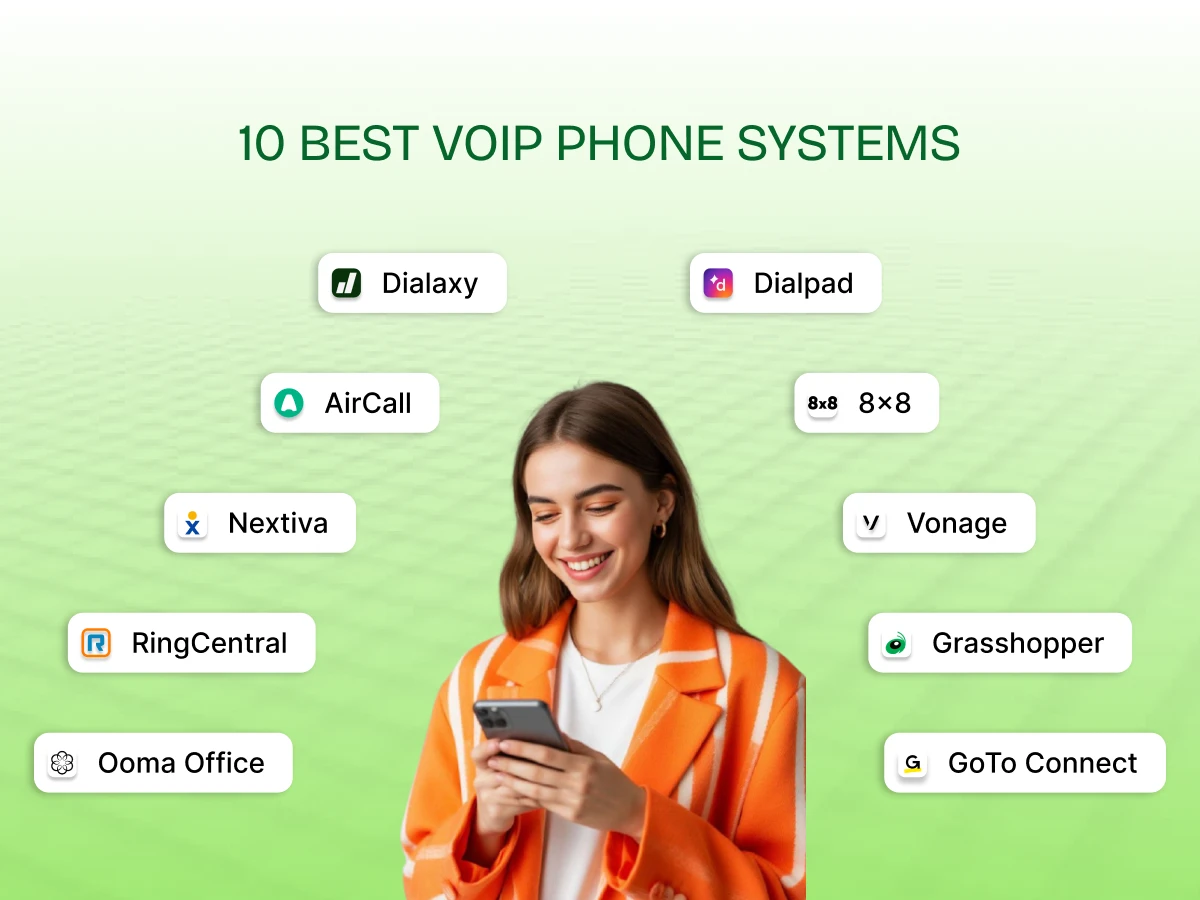
Here are the 10 best VoIP HVAC platforms that actually deliver for your HVAC contractors.
Who It’s For:
HVAC contractors that expand into new cities or manage customers across different regions.
Why It Stands Out:
Dialaxy works in over 100 countries and lets you get local numbers anywhere. Your Phoenix-based company can have a Tucson number without opening a second office.
Customers feel like you’re local, and your techs can pull up customer information right on their phones while driving to jobs.
Pros:
Cons:
Verdict:
Dialaxy makes sense if you’re expanding your service area while keeping things simple. The local presence thing works. Just know you’re not getting all the bells and whistles of pricier systems.
Who It’s For:
Growing HVAC companies that need their phone system to talk to their other software.
Why It Stands Out:
RingCentral integrates with Salesforce, HubSpot, Microsoft Dynamics, and Zendesk. When someone calls, customer information pops up automatically.
Your dispatcher sees the AC unit model, last service date, and previous visit notes without searching through files. The analytics show which marketing campaigns actually generate calls.
Pros:
Cons:
Verdict:
RingCentral costs more than basic options, but if you’re running a serious operation with sales teams and multiple locations, it pays for itself. Just be ready for the learning curve.
Who It’s For:
HVAC businesses that care about their reputation and want to manage all customer conversations in one place.
Why It Stands Out:
Nextiva combines phone calls, Facebook messages, texts, WhatsApp, and emails in one inbox. Call quality is excellent with 99.999% uptime.
Your team sees customer reviews immediately and can respond fast. The voicemail transcription lets techs read three voicemails in 30 seconds instead of listening to each one.
Pros:
Cons:
Verdict:
Nextiva costs a bit more upfront, but if you’re trying to build a reputation in your market and keep customers happy, the customer experience tools matter. No free trial stings though.
Who It’s For:
Small HVAC shops that want a real business phone without the complexity.
Why It Stands Out:
Ooma includes 50 standard features and unlimited calling to the US, Canada, Mexico, and Puerto Rico. You can use desk phones you already own.
Virtual faxing comes standard, which helps with building permits and warranty claims. The mobile app shows your business number, not your personal one.
Pros:
Cons:
Verdict:
Ooma works when you’re a 2 to 5-person operation that needs professional phone service without the enterprise features. Simple, affordable, gets the job done.
Who It’s For:
HVAC businesses operating in multiple states or dealing with property management companies across different regions.
Why It Stands Out:
8×8 handles complexity well across multiple locations. The analytics show which branch has the longest wait times and where techs spend the most time on calls.
Suitable for property management companies that need detailed call records for billing. Strong international calling capabilities if you deal with suppliers or customers overseas.
Pros:
Cons:
Verdict:
8×8 is overkill for small local operations. But if you’re running a regional HVAC business or dealing with commercial clients who demand detailed records, it handles that complexity.
Who It’s For:
Solo HVAC techs or new businesses that need to look professional without spending much.
Why It Stands Out:
Grasshopper is completely virtual with no equipment needed. You get a business number that rings on your cell phone. All plans include unlimited calls in the US and Canada.
Voicemails get transcribed and sent to your email so you can read them between jobs. Set up takes 10 minutes.
Pros:
Cons:
Verdict:
Perfect for starting out or staying small by choice. Once you’re hiring multiple people and need real team features, you’ll outgrow it fast. But for the price, it does what it promises.
Who It’s For:
HVAC companies that get slammed during peak season and need help managing call volume.
Why It Stands Out:
Vonage’s AI assistant can answer calls immediately, understand requests, and take action. This helps during July when AC units die constantly.
Call monitoring, whisper, barge, recording, and analytics help train new dispatchers. Call flip lets you switch from office phone to mobile mid-call without interruption.
Pros:
Cons:
Verdict:
Vonage makes sense if you deal with high call volume and want AI help. Just watch the costs – features add up fast with add-ons. Suitable for established businesses, not startups, that watch every dollar.
Who It’s For:
HVAC businesses that want modern features without enterprise pricing.
Why It Stands Out:
The AI transcribes calls in real-time and creates post-call summaries. Customer describes a weird furnace noise; you’ve got it in text.
You get unlimited domestic calling, team messaging, SMS/MMS, and video meetings in one package. The system saves time on paperwork since summaries are generated automatically.
Pros:
Cons:
Verdict:
Dialpad hits a sweet spot. Modern AI features that actually work, reasonable pricing, suitable for teams of 5-30 people. Not the cheapest, not the most powerful, but solid middle ground.
Who It’s For:
HVAC companies with dedicated sales teams are trying to grow their customer base.
Why It Stands Out:
Built for outbound sales with Power Dialer for high-volume calling. Over 100 integrations are available in the base plan.
Every call logs automatically to your CRM, no manual data entry at day’s end. AI features provide call scoring and summaries. Strong connection with HubSpot, Salesforce, and lead management tools.
Pros:
Cons:
Verdict:
Aircall costs more and requires at least three users. Only makes sense if you’re actively selling, not just taking service calls. If you’ve got someone making calls all day to grow the business, it’s worth it.
Who It’s For:
Multi-location HVAC businesses that need one system to manage everything.
Why It Stands Out:
One system supports multiple locations with unlimited extensions, auto attendants, and ring groups. One admin dashboard controls all offices. An AI receptionist handles calls at all locations consistently.
Network monitoring catches internet and call quality problems before customers notice. Transfer calls between locations seamlessly.
Pros:
Cons:
Verdict:
GoTo Connect solves multi-location headaches. If you’re running one location, it’s more than you need. But managing three or more offices? The centralized control saves hours every week and prevents customer service disasters.
Each system has strengths for different HVAC business models, so match the provider to your business needs.
Want to compare all these options at a glance? Next up, we have a quick reference table for you.
Here’s everything side-by-side so you can compare quickly.
| Provider | Best For | Key Features | Starting Price | Free Trial/Demo | Notable Cons |
| Dialaxy | Small to mid-sized HVAC teams expanding regionally | Mobile app, Global numbers, CRM integration, Call logs, SMS | $10/user per month | Yes | Fewer AI features than premium systems |
| RingCentral | Medium to large HVAC businesses with multiple locations | CRM integration, video conferencing, call analytics, mobile app, and Team messaging | $20/user per month | Yes (Demo) | Customer support can be slow; watch auto-renewal |
| Nextiva | HVAC businesses focused on customer experience | Omnichannel inbox, social media integration, AI transcription, mobile app, call recording | $15/user per month | No free trial | Higher starting price; best features on upper tiers |
| Ooma Office | Small HVAC shops (2-5 people) that want simplicity | Virtual receptionist, virtual fax, mobile app, desk phone, compatible, call forwarding | $19.95/user per month | 30-day money-back | Video and SMS only on higher plans |
| 8×8 | Multi-state or international HVAC operations | Multi-location support, international calling, analytics, contact center, video meetings | Contact sales | Yes (Demo) | Complex for small businesses; pricing increases with features |
| Grasshopper | Solo HVAC contractors and startups | Virtual numbers, Voicemail-to-email, Mobile app, call forwarding, multiple extensions | Starting $14/month | 7-day trial | No video conferencing; limited team features |
| Vonage | HVAC companies with high call volume during peak season | AI Virtual assistant, call monitoring, call flip, call recording, analytics | $13.99/line/month | Yes (Demo) | Basic features are locked to expensive plans; add-ons are costly |
| Dialpad | Mid-sized HVAC teams wanting AI features affordably | Real-time AI transcription, post-call summaries, team messaging, video meetings, and a mobile app | $15/user/month | 14-day trial | Some advanced features require upgrades |
| Aircall | HVAC businesses with dedicated sales teams | 100+ integrations, power dialer, CRM auto-longging, call analytics, mobile app | $30/user per month (3 user min) | Yes (Demo) | 3-user minimum; call recording limited to 6 months |
| GoTo Connect | Multi-location HVAC companies that need centralized control | Multi-location support, AI receptionist, network monitoring, video monitoring, video meetings, unlimited international calls | $24-26/user per month | Yes (Demo) | Only 1000 toll-free minutes shared; fewer integrations |
Use this table to narrow down your top three choices, then test them with free trials.
Beyond these features and pricing, let’s see how VoIP actually transforms your daily HVAC operations.
Beyond just making calls, a VoIP HVAC system changes how your entire HVAC operation runs day-to-day. Here’s a breakdown:
Your techs work in attics, basements, and parking lots, not at desks. A cloud phone system follows them everywhere. Incoming calls reach their phones or tablets. They check customer information from their trucks. Call forward urgent jobs to whoever’s closest.
Traditional phone systems tie you to an office. VoIP voice keeps everyone connected wherever work happens.
Emergency calls come in randomly. Your dispatcher needs to find the nearest tech and get them there fast.
Intelligent call routing sends emergency calls to the right person immediately. Call queue features hold multiple callers during busy times, no busy signals during July’s AC rush. The auto attendant gives options while people wait.
Integration with scheduling software lets dispatchers book appointments during calls. Tech calendars update automatically. Confirmation SMS messages go out instantly. No double-booking or missed appointments.
Caller ID shows who’s calling before you answer. Is it Mrs. Johnson with the finicky furnace? You already know her history.
Call logs track every conversation. When a customer says, “I already told someone about this,” you can verify exactly what was discussed. Call recording protects you when disputes happen and helps train new team members.
Voicemail-to-email means techs read messages in 30 seconds instead of dialing in to listen. They respond faster between jobs. Customers don’t wait hours for callbacks anymore.
Your CRM, scheduling tool, and invoicing software already hold your business data. Good HVAC VoIP systems connect with them.
When customers call, their information pops up automatically. Service history, equipment details, payment status, it’s all there. Your team doesn’t waste time searching through files or switching between programs.
Call analytics feed into your business reporting. You see which marketing brings in calls. Track response times. Measure customer satisfaction. Make decisions based on real data instead of guesses.
Traditional phone systems cost a fortune. Line installations, hardware, maintenance contracts, and long-distance charges add up fast.
VoIP voice runs on your internet connection. No expensive phone lines to install. No hardware to maintain. Communication costs drop by 40-60% for most HVAC companies. You pay per user, not per phone line.
SIP trunking eliminates traditional phone company bills entirely. Video conferencing replaces travel for some customer consultations and team meetings. Every dollar saved goes back into your business.
Hired three new techs? Add three phone lines in minutes. Opening a second location? Set it up the same day.
Cloud phone systems grow with businesses of all sizes. No calling the phone company and waiting weeks for installation. No buying expensive equipment that becomes obsolete. You add or remove users as needed and pay only for what you use.
Seasonal HVAC work means your team size fluctuates. Scale up for the summer AC season. Scale down in slower months. Traditional phone systems can’t do that.
A business phone system makes you look established. Professional auto attendants greet callers. Call features like hold music and voicemail sound polished.
Your techs keep their personal numbers private. Customers see your business number even when techs call from personal phones. When techs leave, they don’t take customer contacts with them. Everything stays with your business.
Custom call routing ensures customers reach the correct department. No more “let me transfer you” three times. Professional first impressions matter in the HVAC industry.
Storms knock out power exactly when HVAC emergencies spike. Traditional phone systems go dead.
VoIP systems include disaster recovery features. Calls automatically reroute to mobile phones when the office internet fails. Your team stays reachable during power outages. Some systems use multiple paths for reliable communication even in bad conditions.
Cloud-based means no data loss. Call logs, voicemail, customer information, it’s all backed up automatically. Your communications solution keeps working when you need it most.
These operational improvements add up to faster service, happier customers, and better profit margins.
If you’re ready to choose a VoIP HVAC system, we have a step-by-step approach to picking the right provider for your specific situation.
With so many options, here’s how to cut through the marketing and find what actually works for you.
Call Volume: Solo contractor taking 10 calls a day? You need basic features. Managing 200 calls during July’s AC rush? You need a call queue and multiple lines. Match the system to your actual volume.
Mobility: Techs always in the field? Get a solid mobile app. Team mostly in the office? Desk phones with some mobile backup work fine. Don’t pay for features you won’t use.
Team Size and Structure: Three employees need different tools than thirty. Multiple offices need centralized control. Sales teams want CRM connections. Know your structure before shopping.
Budget: What can you actually spend per month? Factor in setup fees and add-ons. Cheapest isn’t always best. But don’t buy enterprise features for a five-person shop either.
Smart Call Routing & Auto-Attendant: Emergency calls go to your on-call tech. Regular stuff goes to scheduling. The auto attendant handles basic questions. This stops you from losing calls during busy times.
CRM/Scheduling Software Integration: Using ServiceTitan or Housecall Pro? Your phone should connect to it. Customer info pops up when they call. Book appointments right there. Saves you from switching between five programs.
Call Recording and Analytics: Recordings protect you when customers claim they never said something. Analytics show your busiest times and who’s handling calls well. You need data to improve.
Voicemail-to-Email Transcription: Techs read messages instead of listening. Takes 10 seconds instead of two minutes. Simple but saves tons of time.
Business Text Messaging (SMS/MMS): Send appointment reminders. Text job updates. Share photos of completed work. Customers want texts now, not just calls.
Uptime Guarantee: Look for 99.9% minimum. Your phone can’t go down when someone’s furnace dies in January. Check what they actually do if they miss their guarantee.
Disaster Recovery/Failover: Storm knocks out the internet. Where do your calls go? Sound systems send them to mobile phones automatically. You need this; HVAC emergencies happen during storms.
24/7 Customer Support: Your system breaks at midnight. Can you get help? Check reviews for real response times. Some companies promise 24/7 but make you wait hours.
Security: You’re storing customer info and payment data. Ask about encryption and backups. One breach can ruin your reputation.
Use the free trial. Make real calls. Have techs test the mobile app. Try connecting to your current software.
Check call quality. Voices clear? Any weird delays? Test during your busy hours.
Get your team’s opinion. Your dispatcher will use this every day. If she hates it, it won’t work.
Read the contract. Check cancellation rules and auto-renewal terms. Some providers trap you in bad deals.
Take your time with this decision; your phone system affects every customer interaction.
Picking the right VoIP HVAC system changes how your HVAC business runs. Better call handling means happier customers. Integration saves hours of paperwork. And you’ll cut communication costs significantly.
Start by figuring out what you actually need. Test a few options. Get your team’s input. The right business phone system pays for itself quickly.
Compare the providers above and try their free demos. Your customers are calling, make sure you’re set up to answer.
Ready to upgrade your HVAC communications?
VoIP needs a reliable internet connection to work. Bad internet means poor call quality or dropped calls. You also lose service during power outages unless you have backup power.
Use local phone numbers, answer calls quickly with auto attendants, get good online reviews, and use call tracking to see which ads work. Follow up with customers via SMS messages.
Your AC can cool about 20 degrees below the outside temperature. If it’s 100°F outside, expect your house to reach 80°F at best. Going lower overworks the system.
The air filter. Customers forget to change it, which blocks airflow and causes breakdowns. Send SMS reminders to prevent service calls.
