

VoIP Phone Installation: Avoid Common Troubles Before They Start


A VoIP phone promises reliable, cost-effective communication, but only if it’s installed correctly. From my experience, a poor setup leads to dropped calls, choppy audio, and frustrated clients. A proper installation is what separates a seamless system from a constant headache.
Setting up a VoIP phone is simple if you follow the right steps. Start with a stable internet connection, connect your device, and configure the network settings. Skipping these basics often causes common installation problems.
A correctly installed VoIP phone improves efficiency and reduces costs. This guide will walk you through the VoIP phone installation with actionable steps, so you can complete your setup confidently.
Let’s go!
A VoIP phone system uses your internet connection for phone calls. Unlike an analog phone, it converts voice into digital packets. These packets travel over the internet. This technology allows for greater flexibility.
It supports various features like video conferencing and text messaging. Business communication benefits greatly from this advanced system. It’s a significant leap from traditional phone systems.
After deciding to use VoIP for your home or business, proper installation is the next critical step. A correct setup ensures the system performs exactly as intended. This goes far beyond simply plugging in a phone and hoping it works.
Here are the key reasons why proper VoIP phone installation matters:
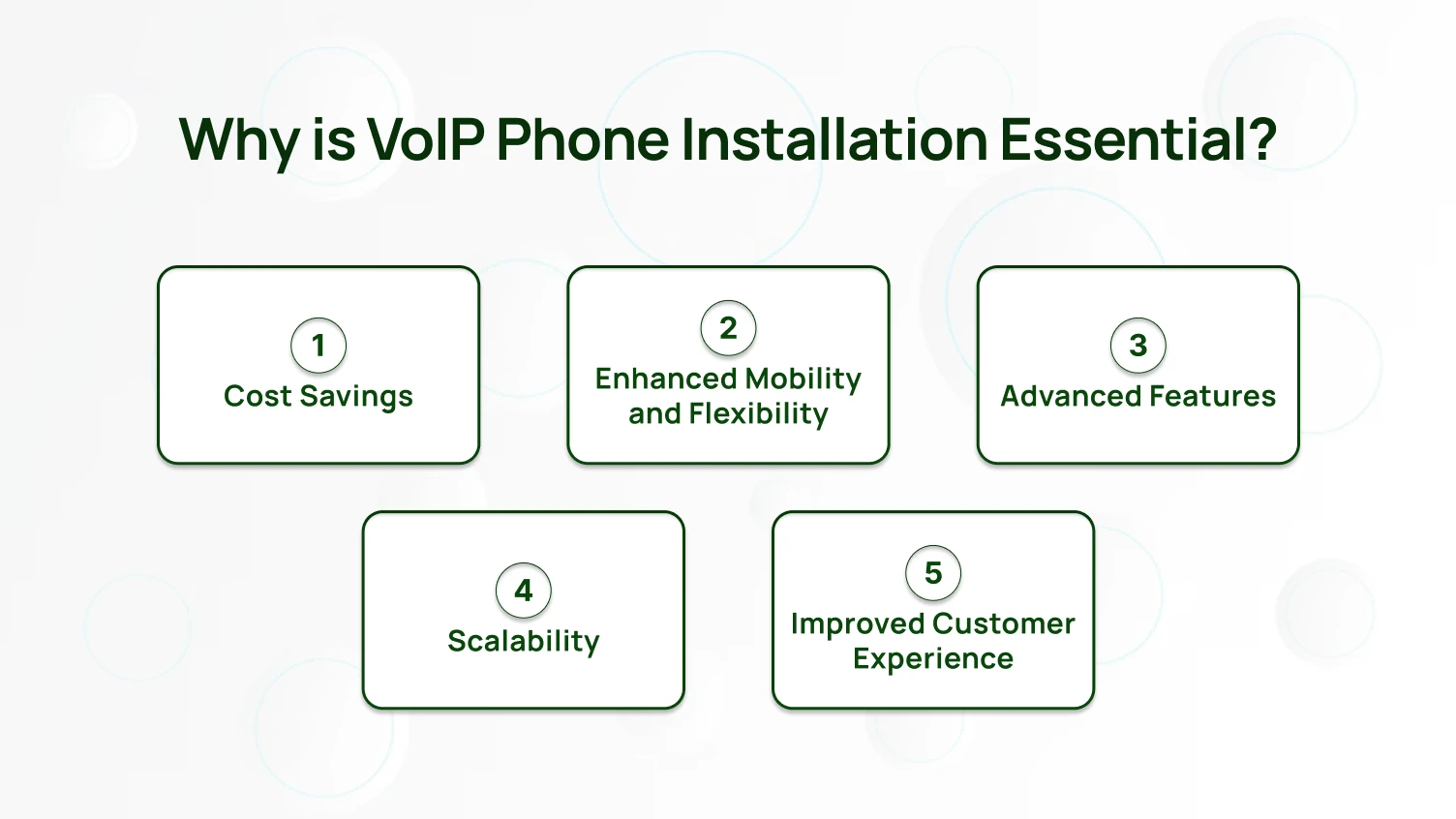
Installing a VoIP phone system can significantly reduce your business communication costs. Unlike traditional phone lines, VoIP uses your existing internet connection for all calls. This eliminates the need for separate telephone wiring and removes extra phone line fees entirely.
Long-distance and international calls are also far more affordable with VoIP. These savings compound over time, making VoIP one of the most cost-effective communication options available for startups and small businesses.
A VoIP phone does not restrict you to a single location. You can make and receive calls from virtually anywhere with a working internet connection. This makes VoIP ideal for remote employees and frequent business travelers.
Your team can handle important business calls from a client’s office, a coffee shop, or a home desk — without missing a beat. Teams stay connected with customers and colleagues without being tied to a physical desk phone.
VoIP phones come equipped with communication tools that go well beyond basic voice calls. Standard features include video conferencing, text messaging, call forwarding, and voicemail-to-email transcription. Most systems also integrate directly with Customer Relationship Management (CRM) tools.
These features make business communication faster and more efficient. A busy contact center, for example, can manage multiple customer calls at the same time, turning a basic phone system into a fully connected communication platform.
Growing your business becomes much simpler with a VoIP system. You can add or remove phones and extensions at any time without additional physical cabling. If your team expands or you open a new office, your phone system scales with you.
This level of flexibility is nearly impossible to achieve with traditional analog phone systems, where adding lines involves long wait times and high installation costs.
A properly installed VoIP phone system directly improves the quality of your customer service. Tools like call queuing, interactive voice response (IVR), and real-time analytics help your team handle incoming calls efficiently.
When all lines are busy, the VoIP system automatically queues customers and provides them with wait time estimates or helpful information. This reduces frustration, shortens wait times, and ensures every customer feels respected throughout the interaction. Better service leads to stronger customer relationships and long-term business growth.
Preparation plays a big part in a successful VoIP phone installation. A work of time to plan is like a treasure. It will pay off at a later time. The paragraph below refers to the work that you should carry out in order to prepare for a VoIP phone installation.
It will be much easier to switch to VoIP if you follow these instructions.
It is a good business practice to find out what is necessary before you decide to purchase a new piece of equipment. Is it that you only need to make simple phone calls for a small office? Or a fancier unified communication system for a big company? Think about how your business talks right now. Also, think about how you might grow later. Will you need video conferencing? Do your employees need to send text messages?
Knowing these things helps you pick the right features. It makes sure your VoIP system works well with your business goals. Taking time to think this through stops you from buying things you do not need. It also prevents you from forgetting important stuff. This step is all about making sure the technology fits your unique way of working.
Your internet connection is like the main road for your VoIP system. If your internet is not strong, your call quality will be bad. Do not just assume your current internet is good enough. Do some proper internet speed tests. Look at how fast you can upload and download things. More importantly, see how steady your connection is.
VoIP needs a stable internet. It can have problems with delays or packet loss. Even super-fast internet can have these issues. These problems make voices sound bad. Do your tests when many people are using the internet at your office. This shows you how well your network really works when it is busy. For bigger setups, you might need a special VoIP network or to make sure phone calls get priority. Doing this check now stops many sound problems later.
Your internal network is crucial for good VoIP call quality. Before starting any VoIP phone setup, check your network carefully. Are your routers and switches up to date to support business VoIP? Do they have Quality of Service (QoS) capabilities? QoS is a must-have as it gives top priority to the voice traffic, thus the call quality remains good even if the network is busy.
How about using Power over Ethernet (PoE)? PoE lets the IP phones get power and data from one Ethernet cable, thus the installation becomes easier and there is less cable mess. Check if your network cabling is up to the current standards. Using old or worn-out cables can result in dropped calls or loss of the audio signal. A strong and properly maintained network is what will make your VoIP phone system the source of your phone calls’ reliability, and you will be sure of the call quality every time.
It is very important to decide on the right VoIP hardware when getting a new phone system. The hardware here means a lot more than just the desk phone. Think of the headset needs of your team. Maybe you want to use an Analog Telephone Adapter, or ATA, to connect any existing analog phone lines. Make sure that all the hardware is fully compatible with the VoIP service provider you have chosen. This will save you from connectivity issues that may cause you to feel frustrated later on.
Look into different IP phone models. Some offer advanced features like large color displays and programmable buttons. Others are simpler. Your contact center might need specific phones with advanced call handling. Consider if you need hardware that supports Power over Ethernet. This simplifies cabling significantly. Investing in quality, compatible hardware from the start will improve your customer experience. It also ensures reliable phone calls.
Picking the right VoIP provider is super important. This choice affects everything, from what features you get to how much help you receive. Look for providers with a solid history. Check out their customer stories and what others say about them. See if they promise that their service will be working most of the time. Also, check their customer experience support. A good provider often offers complete VoIP installation services.
Talk about their prices. Understand exactly what is included in their plans. Can they easily add more users or features if your business grows? Can they connect with other systems you already use? A trustworthy VoIP service provider acts like a partner. They help you understand the complicated parts of VoIP configuration. They make sure your business VoIP system is always running perfectly.
Once you have picked everything out, make a detailed plan. This plan should explain the whole VoIP installation process. It should say where each IP phone will go. It also needs to show who is responsible for each step. For bigger setups, it is a good idea to install things in stages. This causes less disturbance to your business communication.
Most importantly, make sure you set aside time for thorough test calls. Do not skip this! Make calls inside your office and to outside numbers. Test every feature: call forwarding, voicemail, video conferencing, and text messaging. Check the call quality on different devices. Write down any problems you find. This careful planning helps everything go smoothly when you go live. It catches issues before they affect your actual work.
A VoIP phone (Voice over Internet Protocol) system installation at your home or office will not be a problem if you carry out these steps. Using this manual, you will be able to make clear voice calls and get excellent service.
Before setting up your VoIP phone, ensure your internet connection is stable and fast enough to handle voice calls. A minimum speed of 90–100 kbps per call is recommended. If multiple users will be making calls simultaneously, higher speeds are necessary to maintain call quality.
Select a VoIP service provider that meets your needs. You may want to think of such things as the quality of the calls, support to customers, pricing, and features that are available. There are providers that give you additional services such as voicemail, call forwarding, and video conferencing.
You’ll need the following hardware:
Ensure all equipment is compatible with your chosen VoIP service provider.
For a wired connection:
For wireless connections:
Once connected, you’ll need to configure your VoIP phone:
If everything has been properly adjusted, test a few calls to check the functionality of the system. You should listen to clear audio, monitor proper routing of the call, and check the receiving of voicemail as well as the calling forwarding features if you want to be sure everything is up and running.
Installing a VoIP phone followed by the execution of each of the mentioned steps is within your power. Not only is it a practical way of enhancing communication, but it is also a means of saving money.
Supposing you face any hurdle when setting up, turn to the help resources made available by your VoIP supplier. In addition, you may also get in touch with their customer support for aid.
Dialaxy gives you a virtual phone number, crystal-clear call quality, and a setup that takes minutes — not hours.
Even with the best VoIP Phone Installation, problems sometimes pop up. The good news is that most issues are easy to fix. You just need to know exactly where to look first. Here are several common VoIP system problems and simple ways to troubleshoot them.
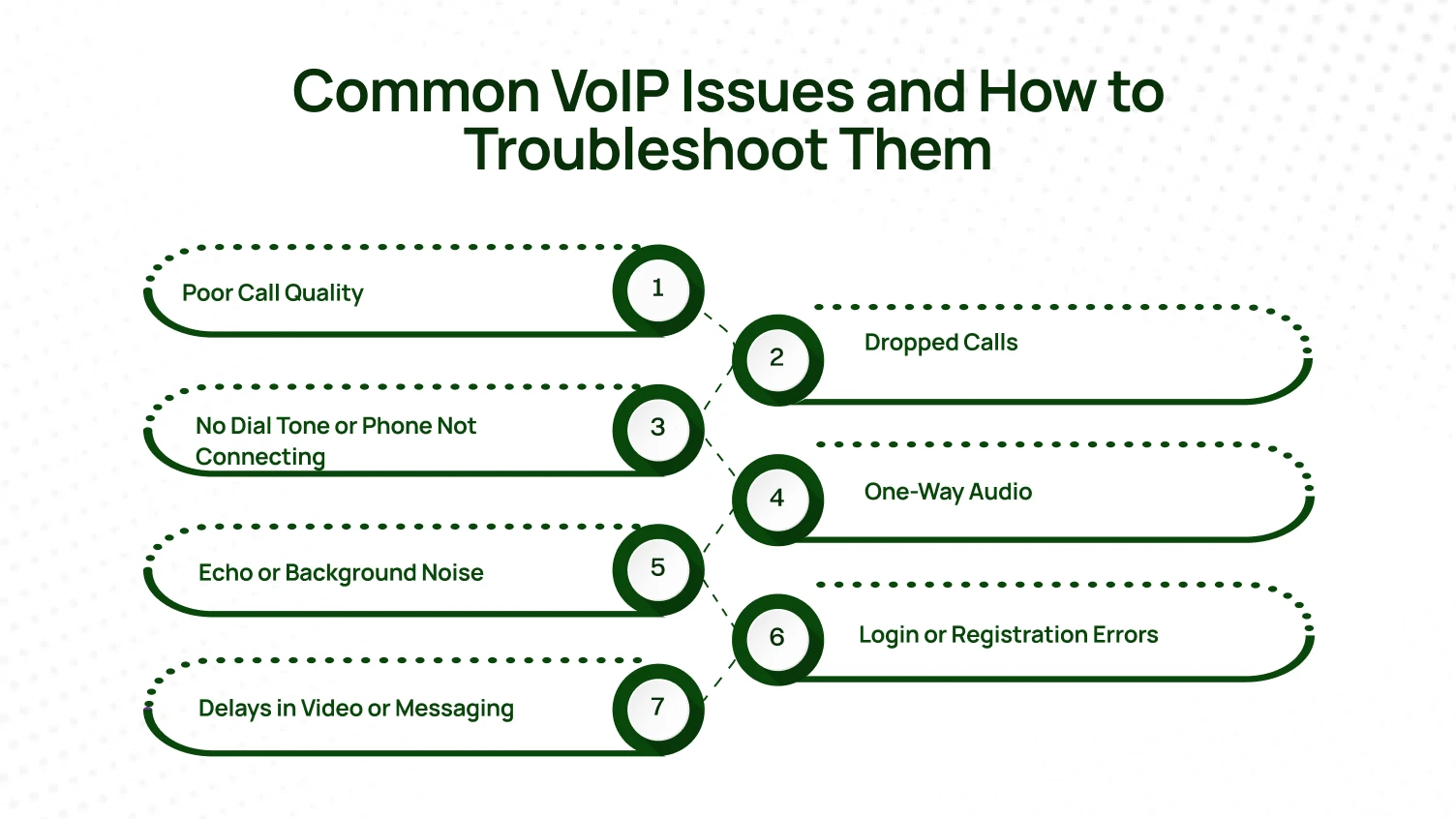
Call quality issues are very disruptive. This includes echo, delays, or voices sounding robotic. They usually happen because of an unstable internet speed or excessive packet loss. These problems directly harm the clarity and professional feel of your voice over internet protocol calls. A weak or overly busy network connection is often the main reason. This makes reliable business communication quite difficult.
Fix: Test your network connection thoroughly. Make sure your internet speed meets the specific needs of your business phone system. For example, verify the speed of both your upload and download. Don’t ever rely on Wi-Fi if you want to have more stable calls. Use a wired Ethernet cable. Particularly, if it is a desk phone, think of allocating more bandwidth to your VoIP network if you want better quality calls.
When your phone calls are dropping off by themselves, it may be due to insufficient bandwidth, an unstable internet connection, or incorrectly configured VoIP settings. Such a situation can seriously interrupt the flow of business communication. It may cause feelings of frustration and loss of working time.
Fix: Check the router settings for Quality of Service (QoS) features. Give the top priority to voice over Internet Protocol traffic. By doing this, calls will be stable even if your network is heavily used. There are routers that allow you to reserve a certain amount of bandwidth for VoIP only. This is very effective in the elimination of dropped calls. Additionally, it would be a good idea to go over your complete VoIP system with your voip provider.
Sometimes your VoIP phone or IP phone fails to register with your VoIP service provider. This stops it from connecting to the VoIP network. Consequently, it cannot make or receive any phone calls. This is a basic problem with your initial VoIP setup.
Fix: Firstly, ensure that the Ethernet cable is firmly connected to both the phone and the network port. In case you are using Power over Ethernet, verify that the phone is getting the power properly. The VoIP provider double-checks the login details and SIP credentials that you have given. Sometimes, a simple restart of the IP phone can be the solution to a minor registration glitch.
One-way audio happens when you can hear the other person, but they cannot hear you, or vice versa. This usually indicates issues with network security settings, especially the manner in which your firewall or Network Address Translation (or NAT) deals with data communications for VoIP.
Fix: Review your firewall settings carefully. Firewalls sometimes mistakenly block the data communications that VoIP calls need. Work with your cloud provider or channel partners to configure your system correctly.
Echo makes business communication frustrating, unprofessional, and hard to understand. It can make a simple phone call sound unclear and very irritating for both people. This negatively affects the whole customer experience.
Fix: Use top-quality VoIP phones or desk phones with built-in noise cancellation features. Do not use old analog phones with adapters, as these may cause an echo. Keep your headset or VoIP hardware in good condition. Make sure that the microphones are not too close to the speakers. Sometimes phone volume adjustment can work.
Users sometimes struggle when setting up their VoIP phones or logging into their VoIP service provider account. This is typically due to incorrect credentials or minor system errors. When this happens, they cannot communicate via the VoIP system.
Fix: Confirm your username and password with your VoIP provider. Restart the phone system and verify your internet connection before calling VoIP installation services.
If the video calls or text messages you send are slow, freeze, or have long delays, most likely it means that the internet connection is overloaded or does not have enough bandwidth. This directly affects unified communication features and can be a great obstacle to team collaboration.
Fix: Try to refrain from heavy downloading or streaming while you are making an important phone call or video call. If your business is dependent on unified communication, it is wise to upgrade your internet speed or bandwidth. Apart from providing enough capacity for all your data communications, it will also help prevent the occurrence of interruptions in your important calls.
The decision of choosing an appropriate VoIP phone system is basically a tactical move concerning business communication. It involves factors beyond the mere cost of the system.
The decision you make in the end will affect the company’s output, ability to expand later on, and the customer experience at the very end of the line.
Before comparing VoIP service provider options, first analyze your exact needs. Do you operate a high-volume contact center? If so, you require advanced call routing and reporting features. Does your team rely heavily on mobile access and remote work?
Then search for a robust application that supports text messaging and video conferencing. A small real estate office has different needs than a national company. Do not overspend on features you will never use. Also, avoid buying a system that cannot grow alongside your company.
Modern business phone system offerings include features far beyond simple phone calls. Look for unified communication features like team messaging and presence indicators. Confirm how easily you can add new lines to the system.
A good cloud provider offers seamless scalability. You can add ten new users in mere minutes. This is impossible with an analog phone system. Ask your potential provider for customer stories and case studies relevant to your sector.
The quality of the VoIP network directly determines your call quality. Ask the provider about their infrastructure and redundancy protocols. The provider’s technical support must be exceptional. This is especially true during the VoIP Phone Installation and initial usage period. Reliable channel partners often offer the best local support.
Remember, you are not just buying a piece of VoIP hardware. You are investing in a service platform. The quality of that ongoing service is what truly matters. Use the provider’s resource center to understand their commitment to security and uptime.
Check how the VoIP system integrates with your existing tools. Excellent integration with CRM software is absolutely crucial for overall efficiency. It allows features like click-to-dial directly from your customer records.
Seamless connectivity with email and internal communication apps is also a key factor. This ensures your unified communication platform works together perfectly.
Security for your VoIP network is non-negotiable. Ask the provider about their data encryption methods. Look for support for Secure Real Time Transport Protocol (SRTP).
Confirm their protocols for protecting your internet protocol data. A secure system safeguards your private business communication.
Confirm the system works with various IP phone models. This is better than being locked into proprietary VoIP hardware.
Flexibility allows you to choose the best desk phone for each employee. It also helps manage costs over time
A successful VoIP Phone Installation makes a huge difference for your business or home setup. Installing a VoIP phone system correctly ensures clear phone calls and smooth business communication. It guarantees access to helpful tools. These include video conferencing and text messaging.
This upgrade saves money, provides great flexibility, and simplifies growing your team. You must take time to plan things right. Check your internet connection thoroughly. Choose the correct VoIP hardware. Work with a reliable VoIP service provider. This careful approach prevents major problems later on. With proper VoIP setup and thorough test calls, your business phone system will work reliably. It will improve the customer experience. Most importantly, it will help your entire team stay connected every single day.
Ready for a communication system that just works? Get crystal-clear audio, 100+ advanced features, and 24/7 expert support. Skip the installation headaches
Yes. Most VoIP providers charge a monthly subscription fee, which typically includes calling features, phone numbers, and support. Costs vary based on the provider, number of users, and included features.
The biggest drawback is that VoIP depends on an internet connection. Poor network quality, outages, or high latency can affect call quality and lead to dropped or delayed calls.
Yes. You can use a VoIP desk phone, mobile app, or computer softphone at home as long as you have a reliable internet connection and an active VoIP service.
VoIP requires around 90–100 kbps per concurrent call. For example, 10 simultaneous calls need at least 1 Mbps dedicated to voice traffic. A stable, low-latency connection is more important than high bandwidth.
Not necessarily. You can use an IP phone, a softphone application on your computer or smartphone, or an ATA device to connect a traditional analog phone to a VoIP service.
No. VoIP requires an internet connection that is typically managed through a router or network switch. Without network access, VoIP devices cannot make or receive calls.
