

POTS vs. VoIP: The Ultimate Showdown for Business Communications

Imagine your business phone line going down in the middle of an important client call or paying huge bills for a system that barely keeps up. Many businesses face this dilemma daily, wondering if their communication setup is holding them back.
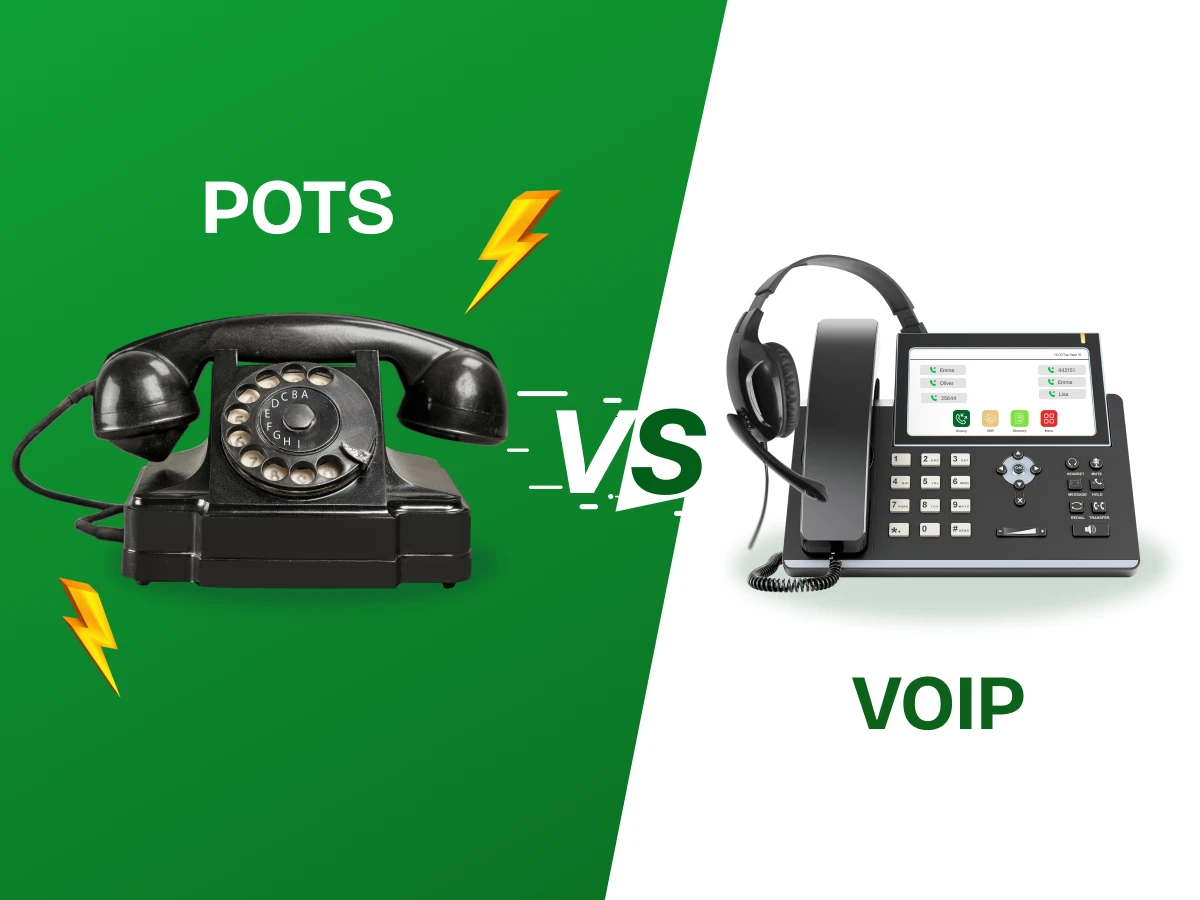
The choice often comes down to two main options: the classic POTS (Plain Old Telephone Service) and modern VoIP (Voice over Internet Protocol). Each has its strengths, but the differences aren’t just about cost. They affect reliability, flexibility, and how your team connects with clients.
In this guide, we’ll break down POTS vs VoIP, helping you see which option fits your business best. By the end, you’ll know exactly which communication solution can save money, boost efficiency, and keep your team connected effortlessly.
POTS stands for plain old telephone service, which represents the traditional analog infrastructure that powered global conversations for years. It relies on physical copper wires running from a central office to your specific building. These traditional landline systems use dedicated circuits to ensure a clear and very consistent connection. One major benefit is that they usually stay active even during local power outages.
They do not require an internet connection to send or receive high-quality voice calls. You will often find them in small offices or used for very specific hardware needs. Emergency tools like elevator phones and building fire alarms almost always require these stable lines. Many older fax machines still perform best when they are plugged into a standard jack. It is a simple technology that does not need constant software updates or complex hardware.
Voice over Internet Protocol (VoIP) is a modern way to handle all your professional voice communication. This system transmits voice data as digital signals over your existing high-speed internet connection. Instead of copper, it uses the same path as your emails and web browsing tools. A VoIP system offers much more than just a way to hear a human voice.
You get advanced features like video conferencing and instant business texting in one single app. It integrates with other business tools like your CRM to keep track of every client. Remote teams love this setup because they can answer office calls from any global location. VoIP enables professional calling via laptops and smartphones. You can scale up by adding new users without calling a technician to your office.
Deciding between these two options requires a look at how they handle your data and your daily workflow. While one relies on physical copper and circuits, the other uses the power of your existing office internet connection.
This detailed comparison table breaks down the technical and functional gaps between the two systems.
| Feature | POTS | VoIP |
|---|---|---|
| Technology | Uses analog signals over copper wires with dedicated circuits | Transmits voice digitally over the internet using IP packets |
| Voice Quality | Highly stable with minimal latency | HD voice quality depending on internet bandwidth |
| Reliability | Works during power outages due to line-powered service | Depends on electricity and internet availability |
| Setup Cost | High installation and infrastructure costs | Lower setup cost with subscription-based pricing |
| Scalability | Limited by physical wiring and phone lines | Highly scalable through software-based expansion |
| Advanced Features | Basic calling functionality only |
Call forwarding, video conferencing, business texting, call recording, and CRM integrations |
| Maintenance | Minimal maintenance for analog systems | Requires updates and occasional IT support |
| International Calling | Expensive long-distance and international rates | Affordable global calling, often included in plans |
| Typical Users | Legacy offices, fax machines, alarms, elevators | Remote teams, sales, marketing, and support teams |
When you weigh your options, you have to look at the good and bad sides of each. Every business has different needs, so what works for a shop might not work for a call center. Here is a simple breakdown of the strengths and weaknesses of these two telephone worlds:
Pros of POTS
Cons of POTS
Pros of VoIP
Cons of VoIP
In the real world, you do not always have to pick just one side. Many smart companies use a hybrid approach to get the best of both worlds. This means you keep some traditional phones for safety while using a VoIP system for your daily office work. It is a very practical way to move away from old copper wires without taking any big risks with your security.
A hybrid setup usually works by using a small device called an Analog Telephone Adapter or a gateway. This special tool lets your old POTS phones talk to the modern internet. It bridges the gap between your legacy systems and the new voice-over-Internet world. This way, you do not have to throw away all your expensive equipment on the very first day.
Here’s Hybrid Solution at a Glance in table format:
| Feature | How the Hybrid Setup Works | Why It Helps Your Business |
|---|---|---|
| Emergency Lines | You keep one or two POTS lines for fire alarms and elevator phones. | Ensures safety during power outages and meets local building codes. |
| Daily Calling | Your team uses VoIP phones or mobile apps for everyday calls. | Reduces international calling costs and monthly service fees. |
| Fax Machines | Old fax machines connect through digital adapters. | Keeps existing workflows while modernizing communication. |
| Growth | New VoIP users are added without installing new phone lines. | Allows fast scaling without high setup or infrastructure costs. |
When you look at the monthly bills for your company, the phone system is often a major line item. Deciding between POTS vs VoIP is not just about technology; it is about protecting your bottom line. Understanding the setup cost and recurring fees for both will help you build a smarter budget for the coming year.
The True Cost of POTS (Traditional Landline)
Many owners think staying with traditional phones is cheaper because the hardware is already there. However, the price of pot lines is rising fast as the technology becomes harder to maintain.
The Savings with VoIP (Voice over IP)
Switching to VoIP almost always lowers your monthly communication spend immediately. Most VoIP provider companies use a “per-user” model that makes your bills very predictable.
Cost Comparison Table
| Feature | POTS (Traditional) | VoIP (Digital) |
|---|---|---|
| Monthly Price | $50 – $100 per line | $15 – $40 per user |
| Setup Cost | High due to wiring and installation | Low, uses existing internet connection |
| Maintenance | Extra charges for repairs and upkeep | Included in the subscription |
| Long Distance | Expensive per-minute calling rates | Usually includes unlimited domestic calls |
| Expansion | $100+ cost to add a new line | $0 to add a new digital line |
Choosing the right phone setup is a big step for your business success today. You need to think about how your team works every single day now. Here are some practical tips to help you pick between POTS vs VoIP correctly.
A VoIP system relies entirely on your office’s internet connection to work well. You should run a speed test to ensure you have enough bandwidth for everyone. High call volume requires a very stable and fast connection to avoid any lag. If your internet is slow, your voice quality will suffer during important client calls. Understand the bandwidth for VoIP requirements before switching.
Look at your old traditional phones and see if they can still work. You do not always have to buy expensive new VoIP phones right away. You can use a small device called an Analog Telephone Adapter (ATA) to connect an analog phone to the internet. This helps you save money on your initial setup cost when you are starting out.
Think about the advanced features your employees really need to stay productive. Do you need call forwarding to reach staff who are working from home? Would your sales team benefit from seeing detailed call records every week? Make sure your VoIP provider offers business texting and video conferencing in one package.
Remember that power lines keep working even when the electricity goes out completely. If you switch to voice over the internet, you should buy a backup battery for your router. This ensures your voice communication stays online during a storm or a local power failure.
Check if your building has elevator phones or fire alarms that use copper wires. These legacy systems often need a traditional landline to meet local safety codes and laws. You might decide to keep one or two pot lines just for these emergency needs.
Compare the monthly price of traditional landline service against modern digital options. Switching to VoIP usually lowers your bill for international calling and long-distance calls. However, you must account for the cost of upgrading your office network if it is very old.
Deciding between these two systems depends on how your business operates on a daily basis. Every company has different needs for its voice communication and growth goals. These are the most suitable use cases that can help you find the fit that fits your case.
If you run a small physical shop, a traditional landline is often enough. You likely have a low call volume and just need a reliable way for locals to call. POTS plain old telephone service works perfectly here because it is simple and always stays on. It is great for businesses that do not need to move around or use advanced features.
For companies with workers in different cities, voice over the internet is the best choice. It allows your team to use VoIP phones or laptop apps from any location with internet. This makes global calling much cheaper and keeps everyone connected to the same office number. VoIP adoption is perfect for teams that need to stay mobile and flexible.
Large buildings must keep certain legacy systems for safety and legal reasons. Elevator phones and fire alarms usually require the dedicated circuits found in pot lines. These telephone lines provide a life-saving connection that does not fail during a power outage or internet crash.
Modern call centers benefit greatly from a VoIP system because it integrates with other business tools. Call records can be tracked, call routing is possible, and business texting can be managed on a single dashboard. This aids in managing a high number of calls and having a happy and supported customer base.
Moving from an old phone system to the cloud is a smart move for growth. You are able to retain your old number and have a lot of new specifications with your team. This is known as switching to VoIP and is not as difficult as most people would assume. You just need to follow a few simple steps to ensure your voice quality stays high.
Choosing a phone system today is about much more than just making calls. It is about making sure your business can talk to customers easily, stay online during a storm, and give your team great tools like video meetings and business texting. You also want a system that connects with your customer records so you always know who is calling.
While POTS is very reliable because it uses old-fashioned copper lines that stay on during power outages, it can be very limited. VoIP gives you the freedom to work from anywhere, save a lot of money on international calls, and grow your team without calling a technician to pull new wires. It is the perfect choice for modern offices that want to stay ahead of the competition and keep their workflow smooth.
Try a Free Demo of Dialaxy today to experience HD voice quality, seamless CRM integration, and 50% lower monthly bills.
Yes, POTS lines are gradually being phased out in favor of digital and VoIP services.
A POTS dial peer connects calls through traditional phone lines, while a VoIP dial peer routes calls over the internet using IP addresses.
For small businesses, VoIP is generally better because it’s more affordable, flexible, and feature‑rich than POTS.
Yes, VoIP can fully replace POTS, but you need a reliable internet connection and proper setup.
Yes, POTS phone service is still available, but it’s increasingly being phased out in favor of VoIP and digital lines.
POTS (Plain Old Telephone Service) is the traditional analog phone service for homes and businesses, while PSTN (Public Switched Telephone Network) is the global network of all traditional telephone lines, including POTS, connecting calls worldwide.
Yes, VoIP is generally cheaper than traditional landlines (POTS) because it uses the internet instead of dedicated phone circuits, lowering monthly costs and long‑distance charges.
For remote teams and modern businesses, VoIP is better because it’s flexible, feature‑rich, and works anywhere with internet.
