

Best customer support software for business

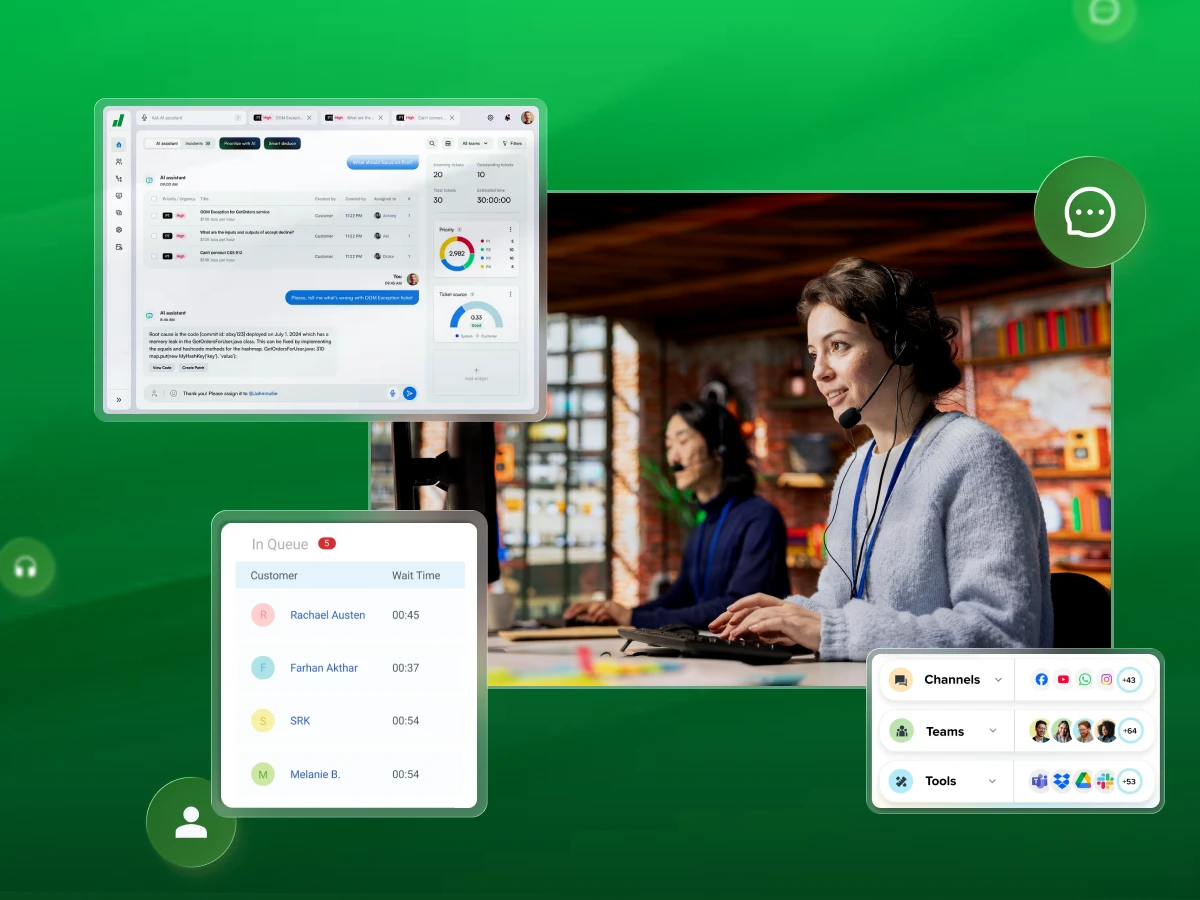
Keeping your customers happy doesn’t have to be hard. The right customer support software can make answering questions, solving problems, and staying organized much easier.
Whether it’s chat, email, or tickets, the right tools help your team work faster and smarter.
In this guide, we’ll show you the best customer support software for businesses, so you can choose one that keeps your customers smiling and coming back for more.
Let’s dive in!!!🚀
| Platform | Best For | Strength | Pricing |
|---|---|---|---|
| Dialaxy | Phone-centric support | Voice tools & global numbers | Basic: $15/mo Plus: $30/mo Pro: $45/mo Enterprise: Contact sales |
| Zendesk | Enterprise support | Scalability & custom AI | Support Team: $19/agent/mo Suite Team: $55/agent/mo Suite Pro: $115/agent/mo Suite Enterprise: $169/agent/mo |
| Monday Service | Workflow integration | Visual boards & automation | Standard: $26/seat/mo Pro: $38/seat/mo |
| Nextiva | Unified communications | Call quality & analytics | Core: $15/user/mo Engage: $25/user/mo Power Suite CX: $75/user/mo |
| Freshdesk | Teams of all sizes | Ease of use & AI | Growth: $15/agent/mo Pro: $49/agent/mo Enterprise: $79/agent/mo |
| Clinked | Secure client projects | Private portals & security | Lite: $95/mo Standard: $239/mo Premium: $479/mo |
| HubSpot Service Hub | CRM-centric support | Full customer context | Professional: $90/seat/mo Enterprise: $150/seat/mo |
| Zoho Desk | Small & mid-sized businesses | Value & CRM integration | Express: $7/user/mo Standard: $14/user/mo Professional: $23/user/mo Enterprise: $40/user/mo |
Customer support software is an application that helps businesses manage and respond to all customer inquiries. This online support software centralizes communication from different sources. These sources include email, social media, and live chat.
Its primary function is to transform incoming requests into manageable support tickets. This system ensures every customer issue is tracked and resolved effectively. It is much more than just a help desk tool. It is a comprehensive customer service management solution.
Here are the must-have features of customer support software for businesses:
The ticketing system is the core of any support solution. It converts every customer inquiry into a trackable ticket. This ensures no customer issues are ever lost or forgotten.
A good system allows for easy categorization and prioritization. It also enables automatic ticket assignment to the most appropriate agent or team. This feature is crucial for maintaining low resolution times.
A knowledge base is your library of helpful articles and answers. It is a powerful self-service portal for your customers. They can look up solutions to common problems on their own, 24/7. When customers help themselves, they get instant satisfaction.
Your support team also sees a significant drop in simple repetitive tasks. This frees your agents to focus on the more complex and interesting issues.
Modern support tools now use smart technology for AI-Powered Automation. An AI agent can handle many simple, common questions immediately through chat. This provides real-time answers to your customers engaged on your website.
Beyond the chatbots, automation workflows are handling the monotonous stuff. These are the things that are done without the need to manually tag tickets or to send a follow-up email. These AI features help agents save time and improve overall team performance.
Your support team needs to know who they are talking to. A good CRM integration connects your support tool to your customer records.
Agents can instantly see purchase history and past problems. This complete view, known as customer data, allows for personalized help. It builds stronger customer relationships because agents are informed.
Customers today expect help on any channel. They might start on live chat, then switch to email. Omnichannel support gathers all these multiple channels into one agent screen.
This seamless integration means the customer never has to repeat their story. It gives a smooth, consistent experience across the whole customer journey.
Sometimes, solving a tough problem takes more than one person. Built-in collaboration tools let agents easily ask a colleague or manager for help.
They can share notes and transfer tickets internally. This internal team collaboration speeds up how quickly complex customer issues get solved.
Think of automation workflows as a digital assistant for your team. They are rules that automatically handle simple actions. For example, they may automatically switch a ticket status or remind an agent of a follow-up.
This automates the repetitive work and enables your agents to be far more productive. It enhances the performance of the team.
These tools allow you to see real-time dashboards and transparent reports where significant metrics are displayed, such as response times and customer satisfaction.
Using this information, you can locate areas to work on and appreciate the gains of your team easily.
The best way to improve is to ask customers what they think. The software should make client testimonials easy to collect. Sending short surveys right after an interaction is a simple example.
Analyzing this feedback helps you quickly find areas where your service needs improvement.
A self-service portal is a dedicated online space for your customers. Here, they can manage their own open tickets, check their status, and find the knowledge base.
It gives customers control and is available 24/7. This greatly improves the efficiency of your online support software.
Communication Fundamentals
May 27, 2026
Read More
Using special customer support software is like giving your team superpowers. It is a smart move that helps your business grow and keeps everyone happy.
This kind of digital customer service platform does so much more than just answer emails. Here are the benefits of customer support software for business:
Imagine waiting a very long time for someone to answer your question. It is annoying, right? This software makes your team super fast. It uses smart tools like call routing and automation. This means customer inquiries go to the right person right away.
Sometimes, a chatbot can even answer simple questions instantly. This leads to much faster response times. When customers get help quickly, they are much happier. This speed shows customers that you truly value their time.
When customers get fast, correct answers, they feel good about your company. Quick resolution times are key to this feeling. The software gives your agents all the customer history they need right away. This allows agents to be personal and helpful.
When customers have great customer experiences, their customer satisfaction score goes way up. Happy customers are loyal customers who will tell their friends about you.
Think about your support team being able to focus only on solving problems. The software takes care of all the small, repetitive tasks like sorting tickets. Think about automatically assigning tickets or sending follow-up emails. The software handles all that with automation workflows.
Agents can focus on the tricky, important customer issues. This increase in the effectiveness of the team will allow you to process a greater number of customers without being overloaded. It will make the working process a lot easier and less stressful for all people.
Customer support is not just about fixing things when they break. It is about building solid customer relationships. When the software integrates with your CRM, agents see the full picture.
They understand the entire customer journey. This will allow them to be proactive and helpful in their advice, as opposed to reacting to a problem. When you know a customer well, you can enhance customer experiences.
There are numerous ways of contacting customers nowadays. They could be through email, live chats, or social media. This customer service system is a system that lumps all these multiple channels into a single, easy-to-use screen.
The agents do not need to switch between the five different apps. This easy connection ensures that customers receive the same good service, no matter how they reach you. It gives a smooth and steady experience for customers everywhere.
How do you know if your team is doing a great job? The software tells you with excellent reporting and analytics. You can see exactly how fast your response times are. You can measure customer satisfaction scores. You can see which customer issues happen most often.
This information is like a secret map. It helps you make smart choices to improve customer service processes. You stop guessing. You start using real data to make your business even better.
When it comes to running a business, providing excellent customer support is essential. The right customer support software can help you respond faster, manage queries efficiently, and keep your customers happy.
Here’s a detailed look at some of the top platforms that can make support smooth, reliable, and productive.
Dialaxy is a specialized tool that focuses mainly on phone calls and messages. It’s a powerful cloud-based system that helps businesses manage all their voice communications easily. If your customers talk to you mostly over the phone, Dialaxy gives you the best tools to handle those calls professionally.
It allows you to set up virtual numbers all over the world. This makes your business look local to customers everywhere, greatly enhancing the customer experience. It’s the perfect foundation for a modern contact center.
Key Features:
Why I picked Dialaxy?
I picked Dialaxy because it delivers strong calling tools at a price most businesses can afford.
Many support platforms focus only on tickets or chat, but Dialaxy stands out with its reliable voice features. It also offers a clean dashboard that is easy for new agents to learn.
Pros
Cons
Pricing
Rating and reviews: 4.8/5. People love how easy it is to use, and it has great customer service.
Zendesk is a huge, powerful system that handles support across pretty much every communication channel. It is a true omnichannel help desk solution that can grow with you from a small team to a huge global company. Zendesk takes requests from email, chat, social media, and phone, and puts them all into one organized spot called a ticketing system.
It is essentially known for its feature-packed depth, such as intelligent routing and AI agent tools that can be used to automate resolutions. If you operate a business with a high volume of customer service requests and you are in need of a device that can be customized to suit any of your demands, then Zendesk is definitely a powerful option.
Key Features:
Why I picked Zendesk?
I selected Zendesk due to its unparalleled scalability and real omnichannel capabilities. The design of the product is that it can comfortably handle a huge volume of tickets and provides a broad marketplace for integrations.
Its cutting-edge AI features and numerous options for customization make it a frontrunner for start-ups that are experiencing fast growth or large enterprises that are looking for the easiest way to integrate all their support channels.
Pros
Cons
Pricing
Rating and reviews: 4.3/5
Trial Info: You can usually get a free 14-day trial for their higher-tier plans.
Monday Service is built on the flexible monday.com Work OS. This makes it a special solution that mixes customer support with team-wide work planning and automation. It’s great for teams that need to work closely with other departments like IT or sales. Instead of just a simple ticket list, you see your work on visual boards.
This visual approach simplifies managing complex service requests. It’s perfect for companies that need custom rules and automation workflows to quickly route issues beyond just the support team.
Key Features
Why did I pick Monday Service?
I chose it because it excels at breaking down the walls between support agents and other departments.
If your customer service often needs to talk to product development or operations, the way monday service integrates support into project workflows is a huge advantage for fast internal problem-solving.
Pros
Cons
Pricing
Rating and reviews: 4.2/5
Trial Info: A free trial is available so you can test all the features before you commit.
Nextiva is a very reliable platform that brings together phone, video, and customer experience tools in one place. It is a fantastic choice for businesses that need rock-solid phone service. Nextiva’s main strength is its high-quality voice service, making it a great call center option.
It helps route calls smartly and provides detailed reports on call activity. The platform ensures you have smooth internal team communication while providing excellent service to customers. It is built to keep your communication unified and always working.
Key Features:
Why I picked Nextiva?
I selected Nextiva as it is the perfect option for companies that wish to integrate their customer service directly into their phone system.
If phone calls are your most valuable way of communication, and you are in need of a voice-first solution that is reliable, high-quality, and scalable, then Nextiva is a leading choice.
Pros
Cons
Pricing
Rating and reviews: 4.5/5
Trial Info: Demos are offered, but typically, no long-term free trial is available for the core plans.
Freshdesk is an extremely popular and user-friendly help desk. It is a complete web-based customer service software that is famous for its clean look and powerful internal AI, called Freddy. It handles all channels, from email to social media, in one easy-to-use screen.
It is great for any business size because it’s simple to set up, but still packed with features. It provides amazing self-service options through its strong knowledge base tools.
Key Features
Why I picked Freshdesk?
I chose Freshdesk because it provides the best combination of power, simplicity, and reasonable pricing for teams that are getting bigger.
It is feature-rich, especially its AI tools, but is a great deal simpler and quicker to work with than most of its rivals. It is the right solution if you need to support your growth rapidly without a huge technical problem.
Pros
Cons
Pricing
Rating and reviews: 4.4/5
Trial Info: 14-day free trial + free plan available
Clinked is a specialized platform that is not a typical help desk but a secure, private client portal. It is essential for businesses, like lawyers or accountants, that handle very sensitive customer data and require high-level security for documents and communication.
Clinked allows you to give each client their own branded, secure space. Here, you can share files, manage project tasks, and chat privately. It builds trust by ensuring everything stays secure and organized. It’s the perfect tool for professional service firms focused on strong customer relationships and security.
Key Features
Why I Picked Clinked?
Clinked fills a very important need for businesses that deal with confidential files and ongoing client projects. It’s chosen because its focus on security and dedicated client portals is unmatched.
It helps professional firms build major trust by ensuring customer data is protected in a personalized environment.
Pros
Cons
Pricing
Rating and reviews: 4.9/5
Trial Info: A demo is available to show how the portal works for secure client management.
HubSpot Service Hub is an awesome tool that can help a company deliver the best customer experience. It is the only support software that is fully connected to the HubSpot CRM platform. The connection signifies that the support staff will always be up to date with the complete customer context, as they can see the sales and marketing history of the customer in no time.
The main goal of the company is to convert customer support from a means of problem-solving into a massive loyalty-building tool. By collecting customer feedback and associating it directly with customer records, you get to make the entire customer journey better. Therefore, it is the best option for you if you are already using, or intend to use, the HubSpot ecosystem.
Key Features
Why I picked HubSpot Service Hub?
I chose HubSpot Service Hub due to its integration, which is just flawless and cannot be beaten by any other tool. The integration with sales and marketing data delivers to your customer service team a full 360-degree view of the customer.
With this, they can offer really personalized customer service. If you are looking for a way for sales, marketing, and customer service to work like one team, then this platform is the right one.
Pros
Cons
Pricing
Rating and reviews: 4.4/5
Trial Info: Offers a free version and a free trial for higher tiers.
Zoho Desk is a highly rated, versatile, and reasonably priced customer support software. Its intelligent, contextual support features and powerful native link to the Zoho family of apps are the main reasons for its popularity. It offers features you would expect from much more expensive tools, including its own AI assistant named Zia.
This AI helps with automated tasks and smart routing. Zoho Desk is a fantastic option for small and mid-sized businesses that want a powerful, scalable digital customer service platform without having to spend a huge amount of money.
Key Features
Why I picked Zoho Desk?
I picked Zoho Desk for its incredible value and powerful AI automation features, especially its blueprint tool. It offers enterprise-level capabilities such as custom process design and multi-brand support.
Despite these features, it comes at a much lower price than many competitors. This makes it an excellent all-around digital customer service platform.
Pros
Cons
Pricing
Rating and reviews: 4.4/5
Trial Info: Zoho Desk’s free plan offers three user licenses to help you start small and grow your support team.
AI is now a huge deal in fixing customer problems. It is making support much faster and easier for everyone. Here is how AI is helping our digital customer service platform:
Choosing the right system for helping customers is very important. It makes people happier and helps your team work faster. A good platform saves time, stops mistakes, and makes your customer relationships much stronger. Here is how to find the perfect one:
First, figure out exactly what your business needs. How do most people talk to you? Is it usually on the phone, by email, through live chat, or on social media?
Some tools, like Dialaxy, focus mostly on phone calls. Others, like Zendesk or Freshdesk, can handle multiple channels at once. Knowing where your customers are helps you choose the right customer service platform for your daily work. If you are using social media, we recommend that you have a high-quality profile picture across all platforms. Creating a high-quality profile picture can enhance your professional appeal and make a strong first impression.
Make sure the support software has the main tools your team must have. You absolutely need a ticketing system, a helpful knowledge base, and smart AI-powered automation. Also, check for CRM integration.
With these tools, your team can handle all the questions from customers, quickly respond to them, and monitor the entire customer journey. Automation workflows save time by doing monotonous tasks, and reporting and analytics tell you ways to enhance your team’s performance.
Your business may grow, and so will your support needs. You need to choose the right customer platform that can easily grow with you.
If you need to add more customer service agents, expand to multiple new channels, or handle a bigger ticket volume, the software should adjust. It must be able to adapt without becoming slow or losing its efficiency.
The software should be a breeze and a delight for your team to work with every day. If a tool is too complicated, it will make the support process slower and less efficient. Look for clear screens, simple ticket management, and easy team collaboration tools.
A platform that is simple to understand helps agents respond faster and handle more customer interactions well.
Your new support system needs to connect well with the other tools you already use. This includes your customer relationship management system, your project planning software, and other communication apps. Strong CRM integration is key.
This makes sure all your customer data flows smoothly. This helps agents give personalized support because the seamless integration provides the full context.
Look at the different payment plans carefully. Some platforms charge based on how many agents you have. Others charge based on the features you choose.
Find a good balance between the cost and the tools you get. The main point is the value you get back: faster response times and much better customer satisfaction usually make the cost worthwhile.
Most good software offers free trials or demos. You should use them. Try a few options with your team to see which one feels best to use.
Check how it handles your ticket volume and how well the live chat and automation features work in real-life situations.
Seeing how different companies use this technology can really help you decide. Here are some examples that demonstrate the power of the right customer support software in action across various kinds of businesses.
As a startup e-commerce company, Zoho Desk can be used to handle customer inquiries effectively. They offer 24/7 chat support powered by their smart Zia AI agent. This setup immediately handles many simple customer inquiries about things like shipping or returns.
Because of this, their three human agents can focus only on complex issues, like difficult billing problems. They keep their resolution times super low without ever needing to hire an expensive overnight support team. This smart use of automation helps manage increasing customer volume efficiently.
A B2B (business-to-business) SaaS company often deals with a large volume of technical questions. They rely on Freshdesk to manage it all. They utilize Freddy AI for automatic summarization of long, complicated technical threads.
This AI agent quickly gives the human agent the main points. They use a powerful automation workflow system to route all high-priority bugs directly to the engineering team’s project manager. This ensures rapid internal action and fast external follow-up, greatly boosting customer satisfaction and team performance.
A financial advisory firm has to handle very sensitive client information. They use Clinked for all client communications. They rely on secure, private client portals for document sharing and approvals. This provides a professional, branded customer service solution that clients trust.
This firm is not just answering questions; they are using the platform to manage sensitive files securely. Most importantly, they maintain the highest security for sensitive customer data, which is a must in their industry. This fosters stronger customer relationships.
No post selected.
We’ve been looking closely at how companies will help customers next. Our research shows some really exciting changes are coming. It’s all about making support feel faster and smarter, almost like magic.
Choosing the right system for helping customers makes that job much easier and faster for your whole business. Tools like ticketing systems, AI agents, and self-service options save tons of time and keep your team super organized.
If you choose the proper software, your team will become a lot more efficient. The software does all the boring, simple work on its own. This allows your human assistants to use their time to find solutions to the big, tricky problems. As a result, your customer receives a response promptly, and they become a lot more satisfied and loyal to your company.
Turn every customer interaction into a great experience.
Dialaxy, HubSpot Service Hub, and Zoho Desk are ideal for small teams because of their usability and low-cost plans.
The best CRM for customer support is one that fits your needs. Dialaxy is a great choice because it makes managing customer communication simple and smooth.
Yes, AI helps small teams handle more tickets with less staff.
Customer support software focuses on issue resolution, while Customer service software covers all interactions, which include success and proactive engagement.
Yes, customer support software can make work easier by handling tasks automatically and helping your team solve issues faster.
Businesses need a ticketing system to keep track of customer issues, stay organized, and make sure every request gets resolved quickly.
Yes, customer support software can help respond faster by organizing requests and providing tools to answer customers quickly.
