

Sales Call Recording: Compliance, Tools & Best Practices

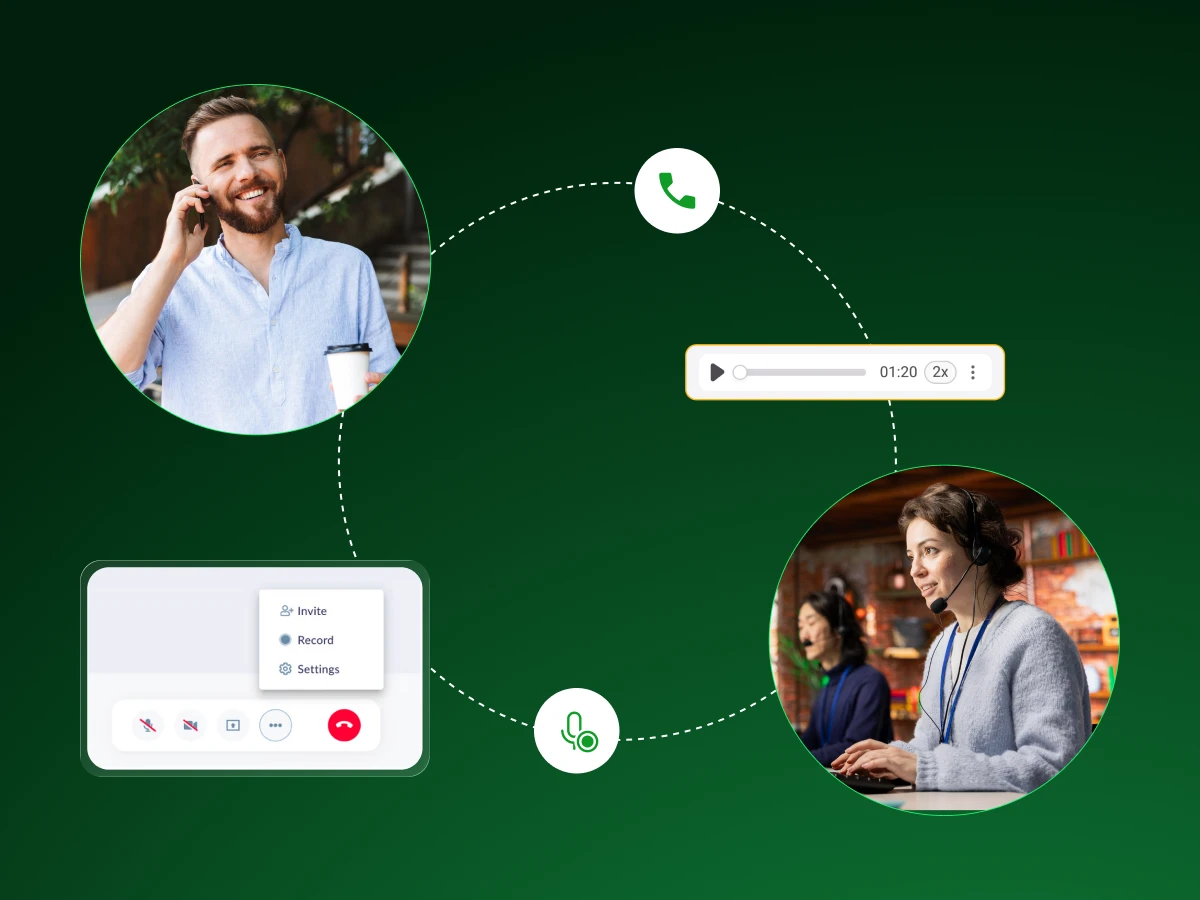
Most sales calls end with both sides remembering completely different versions of what was said. Your agent thinks the prospect agreed to a demo. The prospect thinks they said ‘maybe next quarter.’ This gap costs deals.
Sales call recording fixes that problem.
It captures exactly what happened, helps you coach based on real conversations instead of memory, and turns your best calls into a training library.
Here’s how to do it right, legally, strategically, and in a way that actually improves your close rate.
Sales call recording captures the audio or video from your conversations with prospects and customers. It’s basically like having a backup memory for every call, so you don’t lose track of what was said, promised, or asked.
Most call recording systems these days go beyond just storing files. They connect to your CRM, create call summaries, and pull out key insights while you focus on the conversation instead of taking notes. For account executives handling several deals at once, that’s a huge time-saver.
The real value? Sales leaders get actual conversation data to coach agents, spot what’s working, and help the team close more deals. It turns gut feelings into something you can actually measure and improve.
Here’s the thing: most sales conversations happen fast, and details slip through the cracks. You’re focused on building rapport, handling objections, and moving the deal forward. Who has time to write down everything?
That’s where recording tools come in. They capture what actually happened on the call, not just what you remember happening.
Sales leaders can review real conversations instead of relying on secondhand reports. They spot coaching opportunities they’d otherwise miss and understand why some agents consistently win while others struggle.
There’s also the practical side. When you record calls, your CRM integration can automatically log call data and create summaries. Your agents stop scrambling with notes and stay present during conversations. Plus, new hires learn faster by listening to past conversations from top performers.
Conversation intelligence platforms take it further by analyzing sales conversations for patterns, like competitor mentions, deal health signals, or successful closing techniques.
You’re not just storing calls anymore. You’re surfacing insights that directly improve agent performance and help you close more deals. But how do you record your sales calls? Next up, we have the 5 best methods to do so.
What are Conversational Intelligence platforms?
Conversational intelligence platforms are AI-powered tools that record, transcribe, and analyze sales calls automatically. They pull out insights like objections, competitor mentions, talk-time ratios, and coaching moments without you manually reviewing every conversation.
There are a few different ways to record sales calls, and the right one really depends on what you’re already using and what you actually need from the recordings. Given below are some easy methods to record sales interactions:
This is probably the easiest route. If you’re using HubSpot, Salesforce, or Pipedrive, recording is often built right in. You click record, the call saves to that contact’s page, and you’re done. No extra steps, no file uploads. Everything lives where you’re already working.
For keeping your pipeline management clean and your sales process running smoothly, it’s hard to beat.
Tools like Gong or Chorus are made specifically for sales calls. They record everything, sure, but they also break down what’s happening, how much you talked versus listened, when competitors got mentioned, and what objections keep popping up.
Sales leaders use these to coach agents with actual examples instead of vague feedback. They cost more, but if you want actionable insights that help close more deals, they deliver.
Using Dialaxy, Zoom Phone, or Dialpad? Recording is usually already there. Flip it on in settings, and you’re good to go. It’s straightforward, no bells and whistles, but it gets calls recorded.
You won’t get deep analysis or fancy reports, just the audio saved for later. For a lot of teams, that’s enough.
These are the old-school boxes that plug into phone lines. Most teams don’t bother anymore, but sometimes you need one- maybe you’ve got an older phone setup or specific compliance requirements.
The catch is that everything’s manual. No CRM integration, no smart features. Just recordings; you have to organize yourself.
Running demos on Zoom, Teams, or Google Meet? Just hit record before you start. You’ll get the video file afterward, sometimes with a transcript, which works great for group calls or an interactive training.
The annoying part is keeping track of all those files unless you’ve set up something to organize them automatically.
Most teams mix and match, CRM recording for everyday calls, maybe a conversation intelligence platform when they want to really understand what’s working.
Once you know how to record, the next question is which tool to use. Here’s what’s available in 2026.
Picking the right recording tool matters because you’ll be using it every single day. Here are 12 top sales call recording software tools worth looking at this year.
Dialaxy combines call recording with a business phone system built for sales teams. It automatically records and integrates with major CRMs to log call data and summaries without manual work.
It handles both inbound and outbound calls with a clean interface and quick setup. Suitable for teams wanting solid recording and CRM integration without enterprise complexity or pricing.
Gong’s basically the heavyweight champion of conversation intelligence platforms. It records your calls and then shows you what’s working and what’s not. You get visibility into deal health, competitor mentions, and patterns across your whole team.
Sales leaders use it to coach agents with real examples instead of generic advice. The price tag isn’t small, but if you’re serious about using call data to improve performance, Gong delivers.
Fireflies is solid if you want something that just works without a massive learning curve. It joins your meetings, records everything, and gives transcripts and summaries. The AI agent handles note-taking so you can focus on the actual conversation.
It’s cheaper than the big enterprise platforms but still gives you enough actionable insights to be useful. It’s a good middle ground for teams that want conversation intelligence without the enterprise budget.
If you’re already in HubSpot, this one’s a no-brainer. The CRM integration is seamless because, well, it’s the same system. Calls get logged automatically, you can coach your agents right inside HubSpot, and everything ties back to your deals.
Not as feature-rich as dedicated platforms, but the convenience factor is huge. You’re not paying extra or training people on new software.
Salesloft does recording as part of its whole sales engagement platform. It’s built for teams that want their calling, emailing, and tracking all in one place. The conversation intelligence piece helps sales leaders spot trends and coaching opportunities across the team.
This works well if you want to optimize your entire sales process, not just record calls. The platform overview can feel overwhelming at first, but once you’re in, it keeps everything connected.
Modjo heavily focuses on the coaching side. It records calls and then highlights specific moments where agents crushed it or missed opportunities. You can build coaching libraries and share snippets with the team.
Sales managers like it because it makes improving agent performance less about gut feeling and more about what actually happened on calls. Pricing’s more reasonable than Gong, though you’re trading some features for cost.
CallRail started as a call tracking tool and added recording later. It’s really good if you need to connect marketing campaigns to actual phone conversations. You can see which ads or channels are driving calls that turn into deals.
The recording features are straightforward, nothing fancy, but they work. Better for teams that manage pipelines and track lead sources, attributing revenue back to marketing.
Aircall is a cloud phone system that also records calls really well. If you need a VoIP solution anyway, adding recording is simple. The interface is clean, CRM integration works with most major platforms, and your reps can record calls with one click.
You’re not getting deep conversation intelligence, but for teams that want reliable recording without complexity, it hits the spot.
Claap does video recording and is more about async communication. You record quick video messages or screen shares to send instead of having another meeting. For sales, it’s useful for demos, walkthroughs, or sending personalized follow-ups.
Not really for live call recording, but it fits into the sales cycle when you need to show something without scheduling time. The customer testimonials mention it cutting down meeting time significantly.
Chorus was bought by ZoomInfo, and now they call it ZoomInfo Conversation Intelligence. It’s similar to Gong, records everything, analyzes what’s said, and helps you coach agents based on real data.
You get insights on deal execution, what questions lead to wins, and when deals might be slipping. Good for revenue teams that want the full picture of their sales conversations. The integration with ZoomInfo’s contact data is a bonus if you’re already using that.
Convin leans into AI analysis pretty hard. It’ll track compliance, sentiment, and performance metrics automatically. More popular with call centers and support teams, but sales teams use it too when they need detailed analytics on every conversation.
It’s thorough, maybe more than some teams need, but if surfacing insights from past conversations matters to your sales performance, it does the job.
Revenue.io, formerly RingDNA, combines dialing, recording, and real-time coaching. The platform gives agents battle cards and prompts during calls based on what’s being said. Sales engagement features help manage the whole process from dial to close.
It’s built for high-volume teams that want to coach agents in the moment, not just afterward. The mutual action plan feature helps keep deals moving with clear next steps.
Most teams choose based on what they already use and how deep they want to go with analysis. If you just need calls recorded and saved, simpler tools work fine. If you’re trying to improve your sales systematically, the conversation intelligence platforms earn their cost.
But before you start recording with any of these tools, you need to know the legal side, because recording without proper consent can land you in serious trouble.
Sales & Marketing
Jan 16, 2026
Read More
Sales & Marketing
Dec 5, 2025
Read More
Recording calls isn’t just about the tech; there are actual laws here, and ignoring them can cost you.
Where you are and where your customer is both matter. Different states and countries have completely different rules about recording.
One-Party Consent: One-party consent means just one person on the call needs to know it’s being recorded. That can be you. So in most US states, you can record without telling the other person. But here’s the catch: if you’re calling someone in a different state, their laws might apply too.
Two-Party (All-Party) Consent: Two-party means everyone has to know and agree. California, Florida, Pennsylvania, and some others require this. Record someone there without telling them, and you’re in trouble. Europe’s strict about this, too.
Honestly, the safest bet is to just tell everyone, regardless of where they are.
Here’s how to actually do this without screwing up legally.
Verbal Notification: This is the easiest approach. Start the call with something like, “Hey, I’m recording this for training purposes. Is that cool with you?” Wait for them to say yes. Takes five seconds.
Most people don’t care, but asking keeps you legal and builds trust. Nobody wants to find out later that they were recorded without knowing.
Automated Prompts (IVR): Your call recording system can announce it automatically. “This call may be recorded…” You’ve heard it a thousand times: calling customer support. Works because staying on the line after that message counts as consent in most places.
Set it up once in your VoIP system, and you’re covered on every call.
Written Consent: Some teams get it in writing beforehand, buried in a contract or service agreement. Works when you’ve already got paperwork signed, but it’s useless for cold calls. Your CRM integration can flag who’s already agreed, so you’re not tracking it manually.
Stop Recording Upon Objection: Someone says no? Stop recording. Don’t argue, don’t keep going anyway. Turn it off and either continue without recording or reschedule if you absolutely need it. Ignoring their objection is how you end up with legal problems and a lost deal. Your sales engagement goals don’t trump their rights.
Secure Data: Once you’ve got recordings sitting around, lock them down. Encryption, access controls, the works. Sales leaders need access for coaching opportunities, sure, but the entire company doesn’t need to listen to every call.
Treat it like any other customer data, because that’s what it is. Sloppy security leads to breaches and lawsuits.
Avoid Recording Sensitive Information: Credit cards, Social Security numbers, health stuff- don’t record that. If the conversation goes there, pause recording or make sure your system redacts it automatically.
Some conversation intelligence platforms handle this, but if yours doesn’t, your reps need to know when to hit pause. Recording payment info without proper safeguards can violate PCI-DSS or HIPAA.
Train Employees: Your sales rep won’t magically know all this. Walk them through it. When to announce recording, how to get consent, and what to do when someone objects. Build it into onboarding. Even the best call recording system fails if nobody uses it correctly. Run refreshers occasionally, too; laws shift, and people forget.
Maintain Records: Document who consented and when. If someone claims they never agreed, you want proof. Some platforms log verbal consent automatically. Others need you to note it in your CRM.
Either way, keep records. Protects you later and helps with coaching reps on how they’re handling consent on real calls.
Compliance isn’t fun, but once you’ve got a system down, it runs itself. Your agents get in the habit of asking, your tools do the heavy lifting, and you can focus on using recordings to improve rep performance and close more deals without worrying about legal blowback.
Having a recording is one thing, but actually pulling useful insights from it is what separates teams that improve from teams that just collect files.
Recording calls is the easy part. Actually reviewing them and finding useful stuff is where teams mess up. Here’s how to do it without burning hours on every conversation.
Don’t just listen randomly. Pick what you’re looking for before you start. Trying to understand why deals stall? Want to see how reps handle pricing pushback? Checking if competitor mentions are killing your close rate?
Focus on one or two things per session. This week, track how account executives qualify the budget. Next week, look at objection handling. Trying to catch everything means you catch nothing. Sales leaders who focus their reviews actually get better at coaching reps.
This is where conversation intelligence platforms pay off. Instead of sitting through forty-minute calls, let AI pull out the important bits. It flags competitor mentions, objections, talk-time ratios, and moments worth reviewing.
Tools like Gong spot patterns you’d miss, phrases that show up more in won deals versus lost ones. The AI agent basically pre-sorts everything, so you’re only listening to coaching opportunities that matter.
You still review actual clips, just the relevant parts instead of dead air and small talk.
Build a simple scorecard with what matters for your sales process. Did they qualify properly? Handle objections? Set next steps? Keep it to five or six criteria. Use a basic 1-5 scale or just yes/no.
The point is consistency. When you score the same way every time, you can track if someone’s improving. Makes coaching easier too; instead of vague feedback, you’re pointing to specific scores: “Discovery was solid, but you didn’t lock down next steps.”
One call shows what happened once. Ten calls show what’s actually going on. Look for patterns. Does one rep always struggle when pricing comes up? Does another rush discovery on calls that later stall?
Conversation intelligence platforms aggregate call data so you can see which objections pop up most, what talk-time works best, and where deals fall apart. Past conversations become a database for what works.
Also helps you spot best practices. If three agents crush it while others struggle, figure out what those three do differently, and coach everyone else on it.
Analysis is useless if nothing changes. Pull specific clips to show agents what good looks like or where they’re stuck. Don’t say “handle objections better”, show them calls where they fumbled, then show calls from top performers handling the same thing.
Share wins with the team. When someone nails a tough moment, clip it and show everyone. Update your playbook, and people actually learn. Use what you’re seeing to update your sales process, too.
If certain discovery questions predict deal health, add them to your standard approach. If mentioning features early kills interest, stop doing it.
Teams that close more deals aren’t just recording; they’re feeding insights back into how they coach reps and run sales engagement. That loop is what makes it worth doing.
Knowing how to analyze calls gets you halfway there, but following these
Recording calls doesn’t automatically improve anything. Here’s what actually makes a difference.
Connect recordings directly to your CRM. Every call should sit on the contact or deal record, not buried in some separate system. When account executives pull up a prospect, they see the call history right there. No hunting.
CRM integration means call summaries and next steps get logged automatically. Your pipeline management stays organized because everything’s in one place. Plus, when you’re coaching, you can review calls while looking at the actual deal. Context matters.
Set a schedule, or it never happens. Most sales leaders do quick reviews weekly, two or three calls per rep. Catch issues early, give feedback while it’s fresh. Monthly reviews look at patterns across the whole team.
The cadence keeps coaching from becoming a “someday” thing. It’s just how you run the team.
When someone nails an objection or runs a perfect discovery, save it. Tag it so you can find it later. Over time, you’ve got real examples showing your team what good looks like.
New hires listen during onboarding. When coaching someone stuck on something specific, you’ve got actual calls to reference instead of abstract advice. Conversation intelligence platforms make tagging easy, but even a shared folder works if you stay organized.
If it feels like surveillance, people hate it. Frame it as getting better, not catching mistakes. Sales leaders should review their own calls and share what they learned. When the boss admits they messed up a call, it makes the whole thing less threatening.
Celebrate wins that came from reviewing calls. “Sarah listened back, realized she was rushing discovery, fixed it, and closed three deals this week.” That’s the culture you want.
Don’t record everything just because you can. Record the important stuff, discovery, demos, closing calls, anything that moves deals or teaches something.
Some teams set triggers to auto-record based on deal stage or call length. Others let reps choose. Either way, be selective. You want useful recordings, not an overwhelming pile nobody reviews.
Post-call review is good. Real-time coaching during calls is better when you can swing it. Some conversation intelligence platforms give reps live prompts: ask this question, you’re talking too much, here’s info on this competitor mention.
Even without fancy tools, have managers listen to live calls occasionally and give quick feedback right after. Fresh feedback sticks better than waiting days.
Track what’s changing. Win rates up? Sales cycle shorter? Are agents handling objections better than three months ago? If you’re spending time on this, you should see it in sales performance.
Look at call data too: talk ratios, call length, and topic patterns. Compare across agents and over time. The numbers show what’s working and where your sales process has gaps.
Check these metrics monthly. If recording and reviewing aren’t helping you close more deals, change what you’re doing. Otherwise, it’s just busywork.
Even when you follow best practices, there are common traps that can kill your results or create legal problems. You need to know what to avoid.
Even with the right tools, teams mess up in predictable ways. Here’s what to watch out for.
This is the fastest way to land in legal trouble. Some states and countries require everyone on the call to know they’re being recorded. Skipping consent because you’re busy or forgot isn’t an excuse; it’s a liability.
Always announce you’re recording at the start, or set up automated prompts through your call recording system. One lawsuit over this will cost way more than the five seconds it takes to ask.
Recording everything and then never listening is pointless. You’re just collecting digital clutter. If your sales leaders aren’t regularly pulling calls for coaching opportunities, why bother?
Set the actual time on the calendar to review. Otherwise, you’ve got a system generating files nobody uses while rep performance stays flat.
The second you use call recordings to punish people, your team stops being honest on calls. They’ll avoid recording important conversations or get weirdly stiff trying to sound perfect.
Recordings should help coach reps and improve their performance, not become ammunition for write-ups. Sales engagement drops when people feel surveilled instead of supported.
These recordings contain customer info, deal details, and sometimes sensitive business data. Leaving them unsecured is asking for trouble.
Lock down access so not everyone can listen to everything. Use encryption. Follow basic data protection rules. A breach doesn’t just cost money; it kills trust with customers and your own team.
Who reviews what? When? What happens with the insights? Without a clear process, call recording becomes random. One agent gets feedback weekly, another hasn’t been reviewed in months. Account executives don’t know if they should record certain calls or not.
Build a simple system that everyone understands: when calls get recorded, who reviews them, and how feedback gets delivered. Consistency matters for actually improving sales performance.
People change their minds. Someone who agreed to record six months ago might opt out today. Your CRM integration should track this, but you still need to check.
Keep your consent lists current. Recording someone who has already said stop is both illegal and stupid. Most conversation intelligence platforms can flag this, but it’s on you to maintain clean records and respect what customers told you.
Most of these mistakes come down to treating call recording like a checkbox instead of an actual system. Avoid these, and you’ll actually get value from the calls you’re capturing instead of just creating problems.
Sales call recording gives you real data to coach your agents, spot what’s working, and close more deals. It’s not just about storing audio, it’s about turning conversations into insights that actually improve your sales process.
Get consent, review regularly, and use what you learn to improve your team.
Dialaxy makes it simple with built-in recording, CRM integration, and conversation intelligence that surfaces coaching opportunities automatically.
You can record sales calls using CRM-integrated tools, conversation intelligence platforms like Gong, VoIP phone systems such as Zoom Phone, dedicated hardware recorders, or conference call services. Most sales teams prefer CRM integrations or specialized platforms because they simplify recording, storage, and analysis.
Yes, you can record sales calls, but you must comply with applicable consent laws. In one-party consent states, only one participant needs to know about the recording. In two-party (all-party) consent states, such as California, everyone on the call must provide consent before recording begins.
It depends on the laws where the participants are located. Two-party consent states and many countries require you to notify everyone on the call before recording. Even where it’s not legally required, informing participants is considered a best practice for transparency and compliance.
Yes, in jurisdictions that require all-party consent, you may have legal grounds to take action if someone records your voice without permission. Depending on the applicable laws, unauthorized recordings can result in civil lawsuits, fines, or even criminal penalties.
