Skip to content

Conversation Intelligence: What Is It, Pros & Cons, and Solutions

George Whitmore
Conversation Intelligence: What Is It, Pros & Cons, and Solutions
Ready to transform your business telephony?
Dialaxy gives your team local numbers in 100+  countries, smart call routing, and a centralized dashboard — all set up in under 90 seconds.
Summarize with AI block
Overview: Conversation intelligence is software that uses artificial intelligence to capture, transcribe, and analyze business conversations. It processes data from sales calls, video meetings, and customer chats. Call recording stores audio files; conversation intelligence extracts structured data, sentiment, intent, objections, topics, competitors, and action items for revenue teams. 

Are you still relying on outdated systems and frantic manual notes to figure out why your sales deals stall? The real fix isn’t spending more time on admin work; it is Conversation Intelligence.

Conversation Intelligence is software that automatically records your customer conversations and transcribes them. It breaks down the dialogue and identifies buyer intentions, mentions of competitors, and potential hidden pipeline issues. 

Here is everything you need to know about conversation intelligence and its key trade-offs. Learn how to choose the right software for your revenue team.

Key Takeaways

  • Definition: Conversation intelligence software records, transcribes, and analyzes customer calls and business conversations.
  • How It Works: The software converts spoken words into text and uses machine learning to identify patterns, customer sentiment, and deal risks.
  • Primary Use Case: Sales leaders, sales reps, and customer experience teams use it to improve coaching, pipeline visibility, and customer retention.
  • Core Capabilities: Automated note-taking, call summary generation, keyword tracking, deal risk scoring, and CRM integration.
  • Benefits & Limits: It scales sales coaching and uncovers customer pain points, but requires proper setup, user adoption, and strict privacy compliance.
  • Buying Decision: Choose a conversation intelligence platform based on your daily communication channels, CRM integration needs, team size, and budget.

What is Conversation Intelligence?

Conversation intelligence is AI software that records, transcribes, and analyzes customer calls, video meetings, and digital chats. Unlike basic tools that only store raw audio, it extracts structured data, automatically detecting customer sentiment, buyer intent, objections, competitor mentions, and pricing discussions.

By syncing automated summaries and deal-risk alerts directly into your CRM, it eliminates manual note-taking, improves sales coaching, and empowers revenue and CX teams to close more deals and reduce churn. 

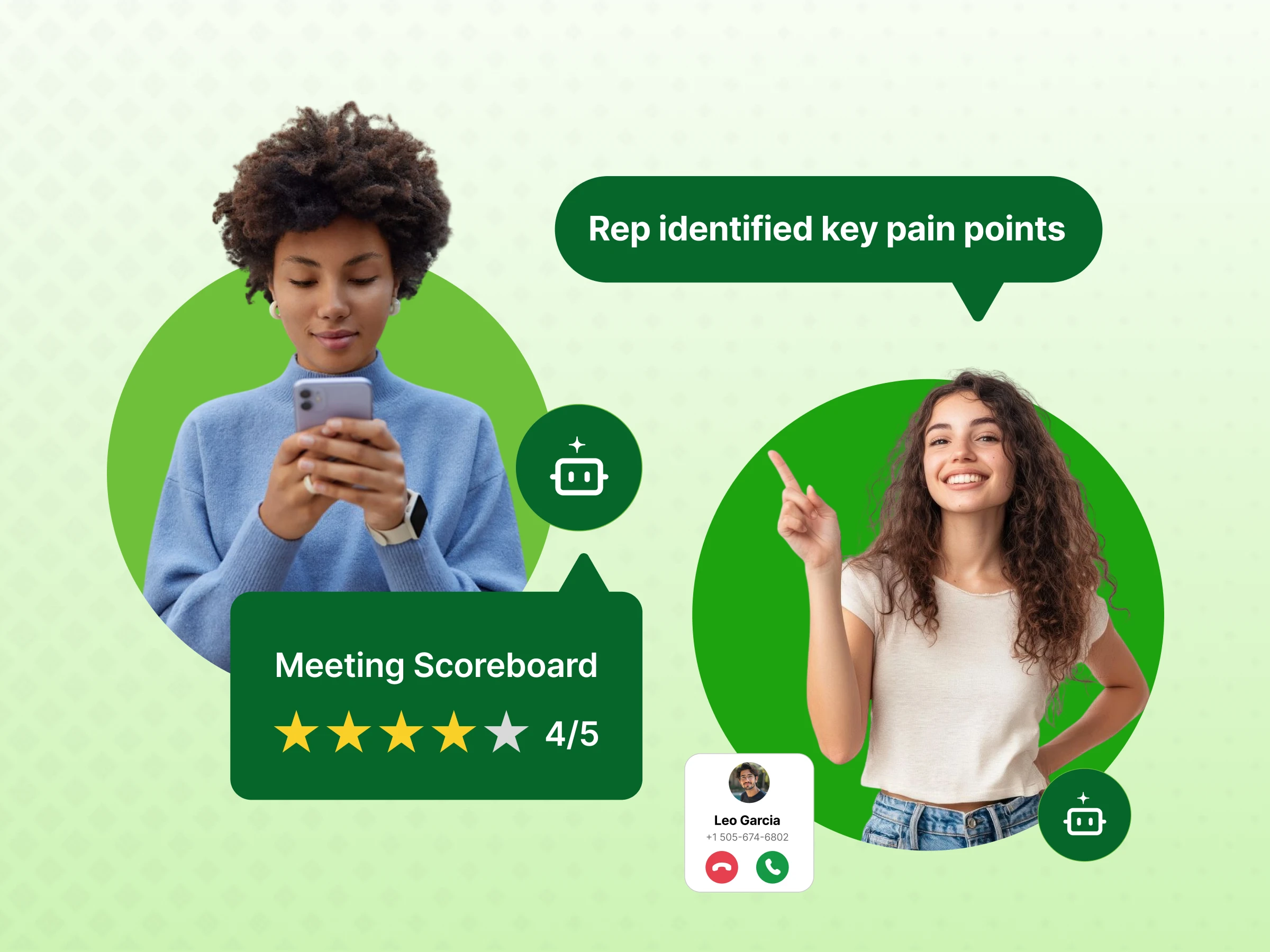
Example: A sales rep finishes a 30-minute discovery call. The software transcribes the conversation, detects that the prospect raised pricing concerns, identifies a competitor mention, summarizes the next steps, and sends the relevant information to the CRM. 

How Conversation Intelligence Works  

A conversation intelligence platform processes voice and text interactions through a four-step workflow. Here is how modern call intelligence software turns audio into meaningful insights.

1. Data Capture

The platform captures customer conversations from multiple communication sources. Depending on the conversation intelligence vendors you select, the tool connects to:

  • Video conferencing tools (Zoom, Microsoft Teams, Google Meet)
  • Cloud phone systems and dialers (Dialaxy, Dialpad, RingCentral)
  • Digital messaging channels, email, and live chat platforms

The software automatically ingests audio and text streams. This happens whenever a sales rep or customer success manager starts a meeting.

2. Transcription

Once the system captures the audio, an AI call transcription engine converts speech into text. Advanced speech analytics software handles:

  • Accurate speaker identification (separating the rep from the customer)
  • Exact timestamps for every phrase
  • Searchable transcripts linked to specific moments in the call
  • Automated call summary generation to eliminate manual note-taking

3. AI Analysis

Next, natural language processing and machine learning are used to evaluate the transcript. The conversation analytics software scans the text to detect:

  • Specific keywords and recurring competitor mentions
  • Customer sentiment and emotional shifts
  • Customer intent, buying signals, and objection patterns
  • Critical key moments such as pricing discussions or contract reviews

4. Insights and Reporting

Finally, the call intelligence platform packages this data into structured reports. Managers and reps receive:

  • Real-time conversation intelligence prompts during calls
  • Automated CRM updates with logged action items
  • Deal risk scoring across the sales pipeline
  • Targeted recommendations for sales coaching

Microsoft documentation highlights that its conversation intelligence analyzes call transcriptions alongside CRM records. This analysis automatically surfaces summaries, follow-up actions, and customer sentiment trends.

Why Conversation Intelligence Matters for Sales & CX Teams

Managing customer interactions across a growing team creates massive data silos. Conversation intelligence technology gives visibility into what prospects and customers actually say.

For Sales Teams

For a sales manager or a sales team, reviewing sales calls manually takes hours. Conversation intelligence for sales teams provides immediate visibility into the entire sales process.

  • Pinpoint exactly where new reps struggle with handling objections and pricing delivery.
  • Early deal risk detection alerts sales leaders to budget freezes and competitor mentions before deals stall.
  • Want to clone top performers? Enablement teams can turn winning call patterns into faster onboarding playbooks.
  • Base quarterly revenue forecasts on verified buyer signals, not subjective rep optimism.
  • Stop relying on rep guesswork. Let actual customer data guide your pipeline.

For Customer Experience Teams

Customer service teams and customer success managers use conversation analytics for CX. This helps protect retention and improve customer satisfaction.

  • Capture unfiltered customer pain points and feature requests to shape better product roadmaps.
  • Automated quality assurance audits for every single support interaction instead of relying on tiny random call samples.
  • Worried about surprise cancellations? Sentiment tracking flags declining customer happiness during quarterly reviews before it is too late.
  • Protect recurring revenue at scale; instant alerts notify account managers the moment client sentiment drops.
  • Eliminate support blind spots. Retain more customers.

The Common Problem

The primary problem for revenue teams is not a lack of customer conversations. It is the inability to review and interpret conversation data at scale. More customer calls create more unstructured data. Using conversation intelligence helps teams filter out background noise and identify patterns. It enables them to actively engage buyers with data-driven decisions.

Key Features of Conversation Intelligence Software

Leading platforms organize their capabilities across four primary areas:

1. Capture & Transcription

  • Ingest audio, video meetings, and live chat logs directly into a single searchable workspace.
  • Time-stamped transcription converts multi-language spoken dialogue into accurate text matched to the exact second.
  • Need to find past customer discussions fast? Search your entire conversation archive by keyword, attendee, or account name.
  • Automatically distinguish internal reps from external buyers and attribute every statement to the correct speaker.
  • Never lose call context again. Review recordings in seconds.

2. Conversation Analysis

  • Track buyer tone throughout every meeting to pinpoint moments of hesitation, confusion, or enthusiasm.
  • Keyword and topic detection flags critical discussions around pricing, contract terms, product features, and competing tools.
  • Are prospects giving subtle pushback? Spot buying signals and unresolved objections before deals stall.
  • Map customer intent across every conversation, showing reps exactly when a prospect is ready to buy.
  • Read between the lines. Uncover hidden deal roadblocks.

3. Coaching & Deal Insights

  • Measure conversational habits including talk-to-listen ratios, question frequency, and pacing.
  • Deal risk scoring alerts sales managers whenever pipeline opportunities lack clear next steps or decision-maker involvement.
  • Want to scale peer-to-peer learning? Reps can clip and share short audio highlights of great objection handling.
  • Grade rep adherence to standard sales methodologies, replacing subjective reviews with automated scorecards.
  • Spot rep skill gaps fast. Build high-performing revenue teams.

4. Integrations & Workflow Automation

  • Sync structured call summaries, key takeaways, and action items directly into Salesforce, HubSpot, or Dynamics.
  • Live in-call guidance surfaces real-time battlecards and competitive answers while reps are actively on the phone.
  • Tired of reps forgetting manual CRM data entry? Automated logging captures every follow-up task without extra admin work.
  • Push urgent coaching alerts and deal updates directly to team chat, keeping managers informed inside Slack or Teams.
  • Cut administrative busywork. Keep deals moving forward.
Note: Basic platforms focus strictly on recording and transcription, while enterprise tiers add predictive pipeline scoring and live, in-call coaching.

Pros & Cons of Conversation Intelligence

Like any enterprise software, conversation intelligence technology has clear advantages and practical limitations. Evaluating both sides helps you set realistic expectations.

Pros Cons
Scalable sales coaching across the entire sales team High cost per user on premium enterprise platforms
Clear visibility into deal risks and sales pipeline health Requires workflow setup and team adoption discipline
Automated note-taking saves hours of administrative work Strict call recording consent and privacy laws apply
Uncovers hidden customer insights and competitor mentions AI transcription errors on technical jargon or accents
Searchable archive of all past customer conversations Automated scores cannot replace human manager judgment

Looking to Evaluate Your Revenue Tech Stack?

Modern revenue teams use conversation intelligence to cut manual logging and spot pipeline risks. They also run targeted sales coaching. Review your current call recording workflows. Identify where conversation analytics software can save your team time.

Conversation intelligence and related sales tools differ in what data they capture. The key distinction lies in what they do with that data.

Tool Main Purpose What It Analyzes Typical Use
Conversation intelligence Analyze conversation content & context Spoken dialogue, sentiment, objections, intent Sales coaching, pipeline risk detection, CX insights
Call recording Store audio and video recordings Raw audio/video files (requires manual review) Record keeping, reference, dispute resolution
Call tracking Track call origins and campaign sources Caller location, call duration, PPC ad data Marketing attribution, campaign ROI optimization
CRM analytics Analyze structured pipeline and deal data Deal stages, close dates, logged account activity Revenue forecasting, pipeline health reporting
Speech analytics Analyze speech patterns and script adherence Spoken keywords, phrases, acoustic tone Contact-center QA, script compliance, agent scoring

How to Choose the Right Conversation Intelligence Vendor

The best platform isn’t necessarily the one with the longest feature list. It’s the one that fits into your team’s daily workflow without adding friction. Use this practical framework to evaluate vendors:

1. Match Your Communication Channels

Map out where your customer discussions actually happen. Ensure native capture across every touchpoint:

  • Video meetings: Zoom, Google Meet, Microsoft Teams
  • Phone systems & dialers: Inbound/outbound calling platforms
  • Digital messaging: Live chat, support tickets, and email threads

If your reps switch between dialers and video calls throughout the day, the software must capture and sync both automatically.

2. Test Real-World Transcription Accuracy

Run a pilot using your actual sales calls rather than relying on vendor demos. Test whether the software can:

  • Accurately transcribe industry-specific jargon and technical terms
  • Separate multiple speakers without misattribution
  • Handle fast talkers, crosstalk, and regional accents

Correctly flag key buying signals, competitor mentions, and buyer objections

3. Verify Bi-Directional Tool Integrations

The tool should eliminate manual admin, not create extra steps. Confirm native connections with:

  • CRMs (Salesforce, HubSpot): Automatically syncs call summaries, next steps, and deal-stage updates.
  • Sales engagement tools (Salesloft, Outreach): Connects call insights to active outreach cadences.
  • Team chat (Slack, Teams): Pushes instant deal-risk alerts and coaching clips directly to managers.

4. Review Compliance and Recording Laws

Because these platforms handle sensitive customer dialogue, data protection is critical. Verify:

  • Two-party consent features provide automated disclosures and recording prompts customized to local privacy laws. 
  • Security standards include end-to-end data encryption and customizable data retention policies. We maintain SOC 2 Type II, GDPR, and CCPA compliance.
  • Role-based permissions control who can access customer recordings and transcripts. They also determine who can share or download these materials.

5. Right-Size for Your Team’s Needs

Avoid paying for enterprise complexity if you only need core functionality:

  • Growing sales teams: Prioritize fast setup, automated CRM logging, deal summaries, and rep coaching.
  • Large enterprise contact centers: Look for deep custom reporting, advanced compliance governance, and multi-team QA scorecards.

Choose a platform that fixes your immediate pipeline visibility issues. It should not require months of onboarding.

Security, Privacy & Compliance Considerations

Capturing and analyzing business conversations introduces legal and operational responsibilities. You must handle conversation data responsibly.

1. Call Recording Consent

Recording phone calls and video meetings requires compliance with regional wiretapping and privacy regulations. Because some regions require one-party consent while others mandate two-party (all-party) consent, make sure your software includes automated consent banners or verbal recording announcements to protect your team legally.

2. Data Storage & Retention

Verify where and how the vendor stores your audio files and call transcripts. Demand end-to-end encryption for data in transit and at rest, clear data retention policies that allow you to purge old customer interactions, and role-based access controls so team members only view authorized recordings.

3. Sensitive Customer Information (PII Redaction)

Customer conversations often contain credit card numbers, passwords, and private identifying details. Select conversation intelligence tools with automated redaction capabilities to strip payment details and personal data (PII) directly from transcripts and audio files.

4. Vendor Security Review

Examine the vendor’s Data Processing Agreement (DPA) and third-party security audits (such as SOC 2) before signing. Never assume software is compliant with GDPR or CCPA out of the box; true compliance depends on how you configure user access, storage rules, and internal policies.

Metrics & ROI to Track After Adoption

Track specific performance metrics across your revenue teams. This will help you determine if your conversational intelligence tools justify their cost.

A. Sales Metrics

  • Win Rate: Compare closed-won percentages between reps who actively leverage conversation data and those who do not.
  • Sales Cycle Velocity: Track how automated note-taking and early risk mitigation reduce your average time-to-close.
  • New Rep Ramp Time: Measure how much faster new hires reach full quota when learning from top-performer call playlists.
  • Deal-Risk Recovery Rate: Measure how often managers flag objections early to salvage at-risk pipeline deals.

Stop guessing your revenue impact. Close deals faster.

B. Coaching Metrics

  • Manager Review Capacity: Evaluate weekly coaching volume enabled by AI call summaries and automated highlights.
  • Talk-to-Listen Ratio: Reveal whether reps are dominating the conversation or asking deep discovery questions.
  • Battlecard & Playbook Adoption: Monitor how consistently reps review call scorecards and apply live prompts.
  • Methodology Adherence Rate: Track measurable improvements in how reps follow standard sales frameworks over time.

Coach with objective data. Build stronger sales reps.

C. CX Metrics

  • Customer Retention Rate: Confirm account managers resolve client friction points long before renewal discussions.
  • QA Review Efficiency: Slash the hours contact center managers spend manually reviewing agent compliance.
  • Customer Sentiment Trends: Catch drops in satisfaction scores across recurring support and QBR calls early.
  • Account Risk Coverage: Protect recurring revenue by auditing 100% of customer interactions instead of tiny random samples.

Eliminate customer friction. Retain more revenue.

Basic ROI Formula: ROI = ((Time Savings + Revenue Lift + Cost Avoidance – Annual Platform Cost) / Annual Platform Cost) × 100%

Total Software Cost includes user licensing and implementation fees. It also encompasses CRM integration overhead and internal training time. Financial Benefit includes revenue from additional closed deals and saved administrative hours. It also includes reduced customer churn.

Conclusion

Storing audio is one thing; actually turning those conversations into closed deals is what counts. Conversation intelligence takes care of the heavy lifting, automating your CRM notes, spotting pipeline risks early, and showing you exactly where to coach your team.

You don’t need an overcomplicated platform packed with features you’ll never use. You just need something that fits right into your daily workflow and keeps customer data secure.

Ready to Improve Your Sales and CX Coaching?

15 minutes. Real answers. No pressure.

Book a Demo!


FAQs

Is ChatGPT a conversational AI?

Yes, ChatGPT is an advanced conversational AI powered by large language models (LLMs) and natural language processing (NLP) to deliver fluid, human-like dialogue. Unlike traditional rule-based chatbots, it remembers context across multi-turn interactions to generate dynamic, intelligent responses in real time.

What is the difference between conversation intelligence and call recording?

Call recording merely stores raw audio and video files, whereas conversation intelligence transcribes and analyzes dialogue to extract sentiment, deal risks, and automated CRM summaries.

Is conversation intelligence worth it for small sales teams?

It pays off if your reps run high call volumes and spend too much time on manual admin work. If you only take a few calls a week, basic recording tools are plenty.

What are the pros and cons of conversation intelligence software?

You get automated CRM notes, faster rep onboarding, and clear visibility into deal risks. The trade-offs are steep per-seat pricing, occasional transcription slip-ups, and managing two-party consent laws.

How is conversation intelligence software priced?

Basic tools charge a flat monthly rate per user, while enterprise platforms require custom annual contracts with base platform fees and per-seat licensing.

Is conversation intelligence data secure and compliant?

Security and compliance depend on the vendor and how your organization configures the platform. Leading vendors provide SOC 2 Type II compliance, encryption, and automated PII redaction. Your team remains responsible for securing call recording consent. Additionally, you must enforce data retention rules under GDPR, CCPA, or local privacy laws.

Ready to transform your business telephony?
Dialaxy gives your team local numbers in 100+  countries, smart call routing, and a centralized dashboard — all set up in under 90 seconds.
George Whitmore is an experienced SEO specialist known for driving organic growth through data-driven strategies and technical optimization. With a strong background in keyword research, on-page SEO, and link building, he helps businesses improve their search rankings and online visibility. George is passionate about staying updated with the latest SEO trends to deliver effective, measurable results.

Related Posts

Back To Top