

Medical Assistant Voicemail Scripts – Ready to Use Scripts

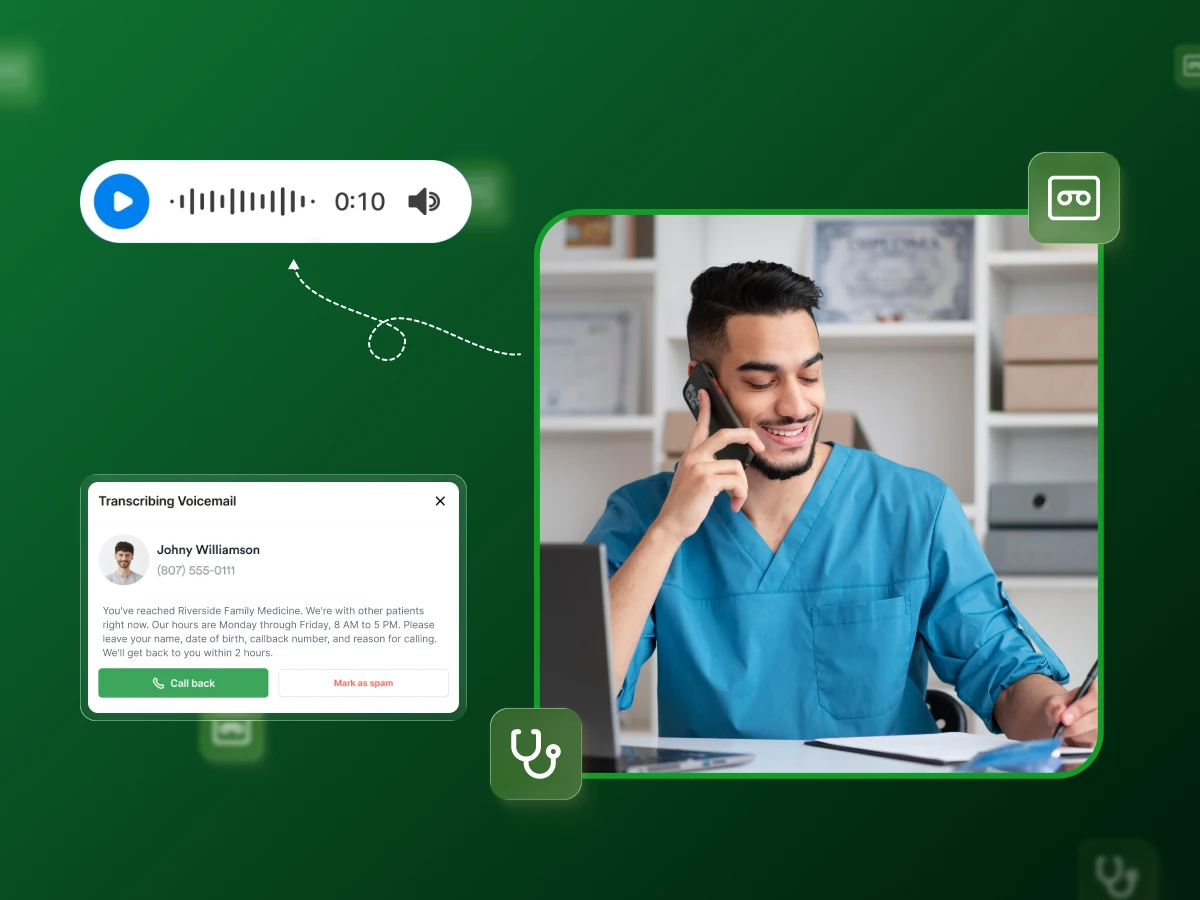
When patients reach your voicemail instead of a live person, that message becomes your practice’s voice. A poorly written voicemail script confuses patients, risks HIPAA violations, and costs you appointments.
A professional one guides callers, protects privacy, and keeps your practice running smoothly; even when nobody picks up the phone.
In this blog, you will find professional medical assistant voicemail script samples, how to generate one yourself, and much more.
Medical assistant voicemail scripts are simple, ready-made messages that help guide a patient calling when a medical office can’t answer right away.
These scripts keep the tone consistent, clear, and calm, which helps maintain effective communication during a missed call or moments when the office is currently closed.
They offer brief instructions, like asking callers to leave their name or share basic details, so the team can return your call smoothly. Good scripts also support a steady call flow and ease common tasks such as appointment requests or quick updates.
Overall, these voicemail templates give medical practices a reliable way to stay helpful, even when no one can pick up the phone.
So what makes a professional voicemail script worth the script? Let’s explore it next.
A professional voicemail script does more than fill the silence when nobody answers. It protects your practice, improves patient experience, and saves your team hours of wasted time.
In most cases, when a person makes a call to your office, he or she is in a situation that needs your immediate attention. Maybe their kid has a high fever, or they are in pain. The only thing that adds to this stressful situation is a disorderly voicemail.
Just tell them directly: “We will return the call within 2 hours” or “If you cannot wait, here is the number to call.” That’s all. Instead of waiting for the call and being unsure whether it is from them, they are aware of their status.
HIPAA doesn’t care that it’s just voicemail. You can’t ask people to spill their medical history on a recording. You can’t leave messages that say why they came in. A proper script keeps you out of trouble by sticking to the basics and adding a quick privacy note.
Skip this, and you’re one complaint away from a headache with fines attached.
Ever call someone back, and they go, “Oh, I also need a refill, but I forgot to say that”? Or they didn’t leave their pharmacy info? Drives you nuts.
A script that asks for name, birth date, number, and what they actually need stops half of that. Your team quits playing detective just to figure out why someone called.
Your voicemail at 10 PM says as much about your practice as your receptionist at 10 AM. Sloppy message? Patients think you’re sloppy. Clear, professional recording? They trust you’ll handle their call. Simple as that.
Getting your voicemail right isn’t optional; it’s essential for running a pratice that patients trust and staff can manage efficiently.
Knowing why medical voicemail scripts matter is helpful, but knowing when to use them makes all the difference.
Voicemail scripts aren’t just for after hours. There are specific situations where having the right messages ready protects your pratice and keeps patients informed. Some of them are discussed below:
Your office is closing at 5, but Mrs. Johnson is not thinking about your time. What about calls beyond business hours?
After-hours voicemail tells her that you will be available the next day and gives her a phone number for emergencies in case she cannot wait. Otherwise, she is placing five calls back or going to urgent care over something that could wait.
Sounds weird, but your voicemail needs to tell people when NOT to leave a message. “Chest pain? Trouble breathing? Hang up and dial 911.”
Some people will actually leave a voicemail about scary symptoms and then sit at home waiting for you to call back. Your script pushes them toward real help when seconds count.
Monday mornings are chaos. Flu season? Forget about it. When every line is ringing, voicemail catches the overflow instead of giving people a busy signal. They leave their info, and you call back based on what’s urgent.
Better than losing them to the practice down the street because they couldn’t get through.
A patient calls about their HIV test results. You can’t leave that on their voicemail where their roommate might hear it. The script keeps it vague: “Please call us back to discuss your results.”
Same with appointments, you confirm the time but don’t announce it’s for their hemorrhoid surgery. Privacy matters.
Your Medical Assistant is at lunch, helping a doctor, or home with the flu. Phones still ring. This is where voicemail fills in, so patients know someone will get back to them. Beats dead air or wondering if you’re even open.
Refill calls take forever. “Which medicine? Which pharmacy? Spell your last name?” A script that asks for everything up front lets your team process refills in batches instead of calling everyone back with the same basic questions. Gets people their meds faster.
Using voicemail strategically in these situations keeps communication flowing and ensures no patient falls through the cracks.
Now that you know when to use voicemail scripts, let’s get into the actual messages you can start using today.
Here are 18 ready-to-use medical voicemail scripts for every situation your practice faces. Copy them as-is or adjust them to fit your office’s style and needs.
Script 1: “You’ve reached Riverside Family Medicine. We’re with other patients right now. Our hours are Monday through Friday, 8 AM to 5 PM. Please leave your name, date of birth, callback number, and reason for calling. We’ll get back to you within 2 hours. If this is an emergency, please hang up and dial 911.”
Script 2: “Thank you for calling Oakwood Medical. All our lines are currently busy. Please leave your name, birth date, phone number, and a short message. We return calls Monday through Friday, 9 AM to 6 PM. For emergencies, please hang up and call 911. You can also reach us through the patient portal.”
Script 3: “Hello, you’ve reached Central Care Clinic. We’re helping other patients right now. Please leave your name, date of birth, callback number, and what you need. We’ll call back within 3 hours, Monday through Friday, 8 AM to 4 PM. If you need help sooner, please call our nurse line at 555-0199. For emergencies, please dial 911.”
Script 4: “You’ve reached Sunset Medical Group. Our office is closed right now. We’re open Monday through Friday, 8 AM to 5 PM. Please leave your name, birth date, and phone number. We’ll call you back when we reopen. If this is urgent, please call our after-hours line at 555-0188. For emergencies like chest pain or trouble breathing, please hang up and dial 911.”
Script 5: “Thank you for calling Valley Health. We’re closed for the weekend and will reopen Monday at 9 AM. Please leave your name, birth date, number, and message. We’ll get back to you on our next business day. If you need help right away, our 24-hour nurse line is 555-0177. For medical emergencies, please call 911.”
Script 6: “Hello, Parkside Family Practice is closed right now. We’re open Monday through Friday, 7:30 AM to 4:30 PM. Please leave your name, birth date, and phone number. We’ll call back when we reopen. For urgent concerns, please contact our on-call provider at 555-0166. For emergencies, please hang up and dial 911.”
Script 7: “You’ve reached Greenfield Medical. Our office is closed for the Thanksgiving holiday from November 28th through December 1st. We’ll reopen Monday, December 2nd, at 8 AM. Please leave your name, birth date, and number. We’ll call when we return. If you need care during this time, please call our partner clinic at 555-0155. For emergencies, please dial 911.”
Script 8: “Thank you for calling Maplewood Health. We’re closed for the winter holidays and will reopen on January 3rd. If you need a prescription refill, please call our pharmacy; they have our on-call information. For urgent medical issues, please visit Northside Urgent Care at 123 Main Street or call 555-0144. For emergencies, please call 911.”
Script 9: “This is Riverside Medical. We’re closed for vacation from July 15th through July 22nd. We’ll return on July 23rd at 9 AM. Please leave your name, birth date, and phone number. We’ll call when we’re back. Dr. Chen at Crosstown Medical is covering urgent matters at 555-0133. For emergencies, please dial 911.”
Script 10: “You’ve reached Hillside Family Medicine. We’re at lunch right now and will be back at 1 PM. Our office hours are 8 AM to 5 PM, Monday through Friday. Please leave your name, birth date, number, and reason for calling. We’ll call back this afternoon. If this is urgent, please call our nurse line at 555-0122. For emergencies, please dial 911.”
Script 11: “Thank you for calling Westgate Medical. Our staff is away from the desk but will be back in 30 minutes. Please leave your name, birth date, phone number, and message. We’ll call you shortly. If you need help right away, please press 0 for our answering service. For emergencies, please hang up and call 911.”
Script 12: “Hello, Lakeside Clinic here. We’re in a staff meeting until 2 PM. Please leave your name, birth date, number, and what you need. We’ll call back when we’re done. If you need help now, our nurse line is available at 555-0111. For emergencies, please dial 911.”
Script 13: “Hi, this is Sarah from Brookside Medical. You have an appointment with Dr. Martinez on Thursday, November 28th, at 10 AM. Please call us back at 555-0100 to confirm or reschedule. If we don’t hear from you, we’ll look forward to seeing you then. Thank you.”
Script 14: “Hi, this is Cedar Health Center. We’re calling to remind you about your appointment tomorrow, Friday the 29th, at 2:30 PM with Dr. Roberts. Please try to arrive 15 minutes early for paperwork. To confirm or change your appointment, please call 555-0199. If you need to cancel, we’d appreciate 24 hours’ notice. See you tomorrow.”
Script 15: “This is Jamie from Pinewood Family Practice. You’re scheduled for Monday, December 2nd, at 9 AM. Please call 555-0188 if you need to confirm or reschedule. Please remember to bring your insurance card and a list of your medications. Thank you, and we’ll see you Monday.”
Script 16: “You’ve reached Riverside Medical’s refill line. Please leave your name, date of birth, medication name, your pharmacy’s name and phone number, and your callback number. We process refills within 48 hours during business days. If you need the medication sooner, please contact your pharmacy; they can reach our on-call provider. Thank you.”
Script 17: “Thank you for calling Oakwood Clinic for refills. Please leave your name, birth date, medication name, dosage if you know it, and your pharmacy’s name and location. Also, leave your phone number. We’ll process your request within 2 business days. If you need it faster, please have your pharmacy call us directly.”
Script 18: “Hello, this is Valley Medical’s refill line. Please leave your name, birth date, medication name, pharmacy information with phone number, and your callback number. Refills take up to 72 hours, Monday through Friday. If your medication is urgent, please have your pharmacist call 555-0177. For new prescriptions, please schedule an appointment with your doctor.”
Script 19: “If you’re experiencing a medical emergency, such as chest pain, difficulty breathing, severe bleeding, or loss of consciousness, please hang up now and dial 911. This voicemail is not monitored for emergencies. If you need urgent medical advice, please call our 24-hour nurse line at 555-0166 or visit your nearest emergency room.”
Script 20: “Please note: If this is a life-threatening emergency, do not leave a message. Please hang up and call 911 right now. This includes chest pain, trouble breathing, heavy bleeding, stroke symptoms, or severe injury. For urgent concerns that aren’t emergencies, please call our after-hours line at 555-0155 or visit Northside Urgent Care at 789 Oak Street. This voicemail is not monitored after hours.”
Script 21: “Important: If you’re experiencing chest pain, difficulty breathing, severe bleeding, or you believe this is life-threatening, please hang up right away and dial 911. Please don’t wait for a callback. For urgent concerns that aren’t emergencies, like high fever, possible infection, or medication questions, please call our on-call line at 555-0144. We monitor that line around the clock. This voicemail is not checked outside business hours.”
Script 22: “Thank you for your interest in Riverside Family Medicine. We’re accepting new patients right now. Please leave your name, phone number, and the best time to reach you. Someone from our office will call you back within 1 business day to discuss our services, insurance options, and schedule your first appointment. We look forward to meeting you.”
Script 23: “Hello and welcome to Oakwood Medical. We’re happy you’re considering our practice. Please leave your name, callback number, and let us know if you’re looking for primary care or a specialist. If you could also mention your insurance provider, that would help us serve you better. We’ll return your call within 24 hours to answer your questions and help you get scheduled. Thank you for calling.”
Script 24: “You’ve reached Valley Health Associates. Thank you for considering us for your healthcare. We’re accepting new patients in family medicine and internal medicine. Please leave your name, phone number, insurance information if you have it, and what type of care you’re looking for. Our patient services team will call you back on the next business day to help you get started. We appreciate your interest.”
These medical voicemail templates give you a solid foundation; customize them with your practice details, and you’re ready to go.
Having templates is useful, but knowing what makes them work helps you customize them properly.
Every effective medical voicemail script has core elements that protect your practice and guide patients. Miss one, and your message either confuses callers or puts you at legal risk.
Voicemail isn’t private. Anyone could be listening when that message plays. Your script needs a heads-up: “Voicemail isn’t secure, please don’t leave detailed medical information.” Don’t ask people to explain their symptoms or mention their diagnosis.
Stick to basics like “reason for calling.” One angry patient reporting a privacy issue can land you in hot water with regulators.
Tell people when you’re open. “Monday through Friday, 8 AM to 5 PM” sounds obvious, but patients call multiple offices and lose track. More importantly, tell them when you’ll call back. “We return calls within 2 hours” beats “we’ll call you soon,” which means nothing.
If you’re closed, say when you reopen. Don’t leave people guessing.
In some cases, individuals might drop a message reporting pain in the chest and then they keep waiting for the call. Really. Your message must communicate: “In case of emergency, do not hesitate to call 911 immediately.”
Moreover, provide them with alternatives like your after-hours line, an on-call number, or the closest urgent care location. Make sure that a person with a potentially dangerous situation does not stay at home just because he/she was not aware of the other options.
Start with who you are: “You’ve reached Riverside Family Medicine.” Patients forget which office they called, especially if they see multiple doctors. End with a quick thanks. Skip the “have a blessed day” stuff; people calling about medical problems don’t want forced cheerfulness.
Just be respectful and move on.
Say exactly what you need: “Leave your name, date of birth, callback number, and why you’re calling.” Otherwise, you get “Hey, it’s Sarah, call me” with no number and three Sarahs in your system.
For refills, ask for the medication name and pharmacy. For appointments, ask what days work. The clearer you are, the less time you waste calling people back for missing info.
Include these elements in every script, and you’ll have messages that work for your practice and your patients.
One of those essential elements, HIPAA compliance, deserves a closer look because getting it wrong can cost you.
HIPAA rules apply to voicemail just like they do to every other part of patient communication. Here’s what you need to know to stay compliant and keep patient information protected.
Your Name: Say who you are and where you’re calling from. Example: “This is Lisa from Riverside Medical.” Patients call multiple offices and won’t remember which one you are.
A Callback Number: Leave your number, even if they have it. People switch phones, call from work, or just lose numbers. Make it easy.
A General Reason for the Call: Keep it bland. “Calling about your appointment” or “following up on your recent visit.” Don’t get specific.
A Request to Call Back: Just ask them to call. “Please call us back when you can.” If it’s time-sensitive, say so: “Please call by 3 PM today.”
Other Secure Options: Tell them other ways to reach you. “You can also message us through the patient portal.” Some people hate phone calls and would rather text or email through a secure system.
Patient-Specific PHI: Do not talk about diagnoses, test results, medications, or treatments. Avoid saying “your cholesterol results” or “about your anxiety medication.” That’s all protected information. Keep it generic or don’t leave a message.
Patient’s Name (Sometimes): Calling about an STD test? A psychological evaluation? Substance abuse treatment? Don’t even say their name. Just leave your number. Their roommate or spouse hearing “This is a message for John about his visit” can cause problems.
Detailed Personal Information: Skip the insurance talk, billing issues, or appointment details. “Your card was declined” or “about your hemorrhoid surgery” doesn’t belong on voicemail, where anyone can hear it.
Medical Jargon: Even safe-sounding medical terms give things away. “Your biopsy” or “mammogram results” tell people what’s going on. Just say “your appointment” and leave it at that.
Use Secure Systems: Regular office voicemail might not be good enough. Get a system that’s actually HIPAA-compliant, encrypted, access-controlled, the works. Check with your vendor.
Listen Privately: Avoid playing voicemails on the front desk speakerphone. Do not check them in the break room where everyone can hear. Use headphones or go somewhere private.
Train Staff: Your receptionist, medical assistants, nurses, and everyone need to know the rules. Walk them through examples. Show them what not to say. One person screwing up can cost you.
Practice Your Message: Before you leave a voicemail, pause. Does this reveal anything private? Could someone listening figure out why they came in? If you’re unsure, say less.
Make sure you follow these guidelines, and your voicemail system stays compliant while still serving patients effectively. But knowing what to say is half the job; knowing how to record it properly is the other half.
A well-written script can still fall flat if the recording sounds unprofessional or unclear. Here’s how to make sure your voicemail actually sounds as good as it reads.
Get someone who can talk well and not be in a hurry. Do not make it peppy and upbeat; patients calling about pain or test results are not interested in such energy. Be consistent and professional, as you would describe to a person you do not know well that you want to assist.
Talk slower than usual conversation to ensure that people understand everything. Here’s a weird tip that works: smile while you record. You can hear it, and it makes the whole thing less robotic.
Record it and listen back on a few different phones. Have someone call from outside and tell you what they hear. Check for background junk, computers humming, people talking down the hall, phones ringing. That stuff sounds terrible and covers up your actual message.
If it’s muffled or too quiet, move somewhere else or adjust your mic. Don’t go live until it sounds clean.
Your holiday hours change. Someone quits, and their extension stops working. Phone numbers get switched. Nothing’s worse than calling an office and getting old information that sends you nowhere.
Before holidays, when contact details change, or when staff leave, update your message. Even if you think nothing has changed, set a reminder every three months to check it; it takes a few minutes and saves you from a lot of angry calls.
Make sure your voicemail is not longer than 30 to 45 seconds. If it is, people tend to ignore it or they just hang up. Name yourself, your working hours, what kind of information they should leave, and where to go if it is an emergency. Done.
Cut all the “your call is important to us” filler. Nobody believes that anyway. They just want the info. If your message takes a minute, you’re dragging it out too much.
A clean, professional recording takes just a few minutes but makes a lasting impression on every caller.
Recording a good message is just the beginning; managing the voicemails that come in is where the real work happens.
Even the best voicemail script won’t help if messages sit unchecked or get handled inconsistently. Here’s how to manage voicemails efficiently so patients get timely responses and nothing slips.
Tell patients when you’ll call back. “We return calls within 2 hours” works. “As soon as possible” doesn’t. Pick a time you can actually meet and stick to it. If you promise 2 hours and take 6, people quit believing you.
Make sure your staff knows the standard, too, so messages don’t sit there while everyone thinks someone else is handling it.
A refill request isn’t the same as chest pain. Sort messages: urgent for potential emergencies, priority for refills and appointment stuff, routine for general questions. Urgent gets handled now. Priority within a few hours. Routine by the end of the day.
Without sorting, the serious stuff gets buried under “when’s my next appointment” calls.
Voicemail-to-text means you read messages instead of listening to each one. Some systems highlight words like “pain” or “bleeding” so urgent calls stand out.
Link it to your practice software, and messages go straight to the right person, refills to pharmacy staff, and billing questions to the front desk. Costs something, but beats replaying mumbled messages trying to figure out what they said.
Every few months, check if it’s working. Are callbacks happening on time? Do people leave the right info, or are you calling back for basics? Listen to how your staff handles returns. Ask patients if the voicemail was clear.
If something’s broken, change it. Don’t just set this up and walk away.
Everyone who checks messages needs training. Show them what’s urgent, what to ask before calling back, and what violates HIPAA.
Walk through real situations: a patient talks about hurting themselves, someone wants test results on voicemail, a parent asks about their 25-year-old’s visit. Make sure they know what to do. One mistake can cause serious problems.
Strong voicemail management turns missed calls into handled calls; patients get answers, and your team stays organized.
Even with best practices in place, there are certain mistakes that can undermine your entire voicemail system.
Some voicemail mistakes seem small but create big problems: confused patients, compliance issues, or wasted staff time. Here’s what to watch out for.
Too vague gets you “Hi, call me back” with no number. Too detailed voicemails have people reciting their entire medical history, which violates privacy rules. Ask for name, birth date, callback number, and why they’re calling. That’s it.
Your message says you’re open, but you closed early for Thanksgiving. Or it mentions someone who quit last year. Patients call, get bad info, and get mad. Update before holidays and when things change. Put a reminder on your calendar.
“Call if it’s urgent” doesn’t help. What’s urgent to them? Be clear: “Chest pain, can’t breathe, heavy bleeding, hang up and dial 911.” Give an after-hours number for stuff that can’t wait but isn’t 911-level. Don’t make them figure it out.
Add a privacy line. “Voicemail isn’t private, skip the medical details.” Otherwise, people leave their whole diagnosis, and you’re liable if someone hears it. Ask for “reason for calling,” not symptoms. One complaint brings regulators to your door.
Some people won’t leave voicemail. Others can’t call during the day. Give them outs: “Message us through the portal” or “Text this number.” You’ll lose people who’d rather just move on to another office.
Recording while people chat behind you sounds bad. So does sounding irritated. Find a quiet room, speak normally, and don’t rush it. Noise makes your whole office look messy. Takes three minutes to get it right.
Avoid these mistakes, and your voicemail system becomes an asset instead of a liability.
Professional medical assistant voicemail scripts protect your practice and improve patient care. They keep communication clear when you’re busy, maintain HIPAA compliance, and guide patients to the right care at the right time.
You can use the templates in this guide as your starting point, then adjust them to fit your practice’s voice and needs.
An example of a medical voicemail greeting is, “You’ve reached Valley Medical. We’re with other patients right now. Please leave your name, date of birth, callback number, and reason for calling. We’ll return calls within 2 hours. For emergencies, hang up and dial 911.”
A good script includes your practice name, office hours, what information to leave (name, birth date, number reason), callback timeframe, and emergency instructions. Keep it under 45 seconds.
To make voicemail HIPAA compliant, add a privacy disclaimer like “Voicemail isn’t secure, please don’t leave detailed medical information.” Only ask for basic info, avoid requesting specific symptoms or diagnoses, and train staff on proper message handling.
To make voicemail HIPAA compliant, add a privacy disclaimer like “Voicemail isn’t secure, please don’t leave detailed medical information.” Only ask for basic info, avoid requesting specific symptoms or diagnoses, and train staff on proper message handling.
You can update your voicemail greeting before holidays, when office hours change, when staff leave, or when contact information changes. Review it every 3 months, even if nothing’s changed to ensure accuracy.
