

What is VoIP Provisioning & Who Needs It?

Quick Overview:
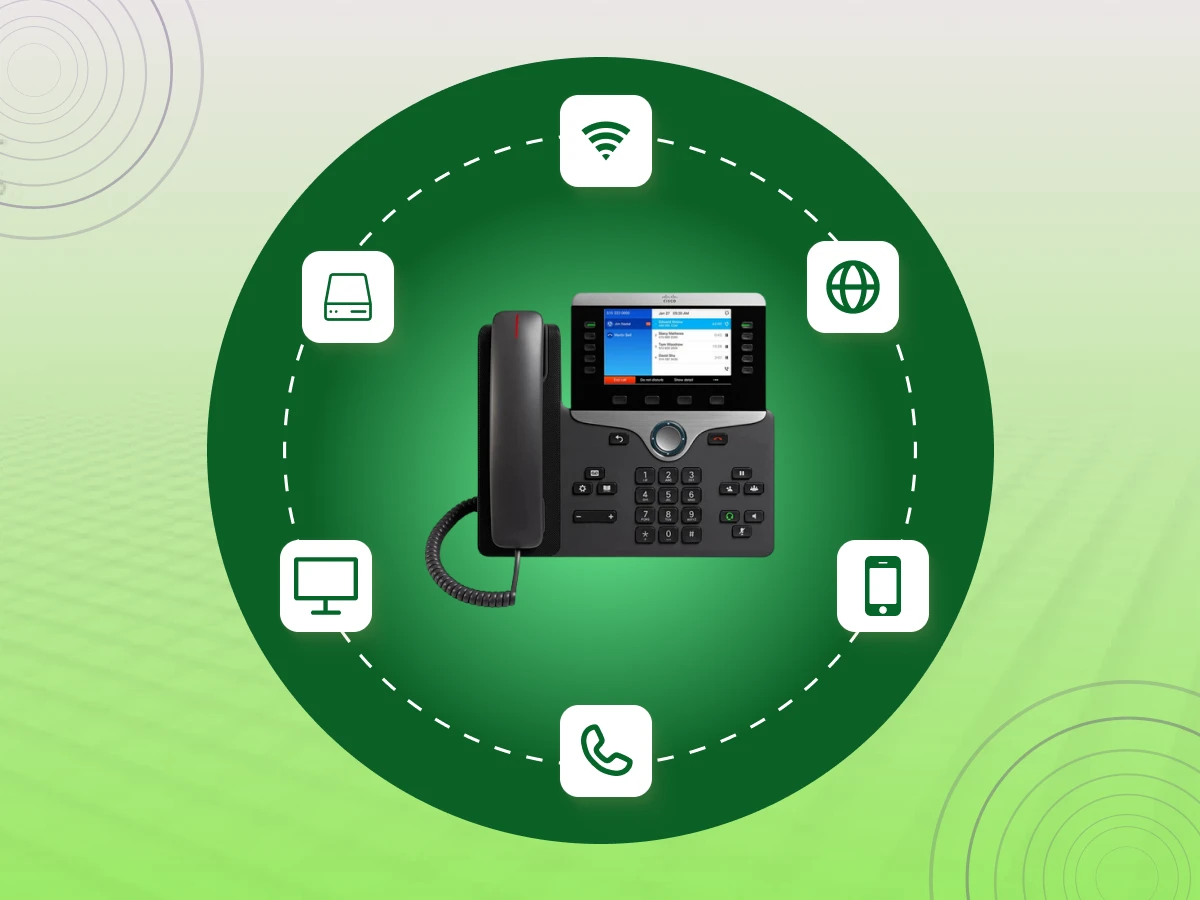
VoIP provisioning is the automatic process that sets up a desk phone to make calls. When you plug it in, the device downloads its configuration files and SIP credentials from a server. This turns a generic IP phone into a working business tool without any manual typing.
Setting up dozens of business phones used to mean hours of manual configuration; plugging in each device, entering settings one by one, and troubleshooting connection issues.
Not anymore.
VoIP provisioning automates the entire process, letting you deploy desk phones, softphones, and entire telephone systems in minutes instead of days.
Whether you’re scaling your team or managing remote workers, understanding provisioning is key to running a modern, efficient phone system.
Here’s everything you need to know.
VoIP provisioning, in simple terms, is a process whereby SIP phones are configured to connect to a particular phone system or phone service provider. Think of it as the digital “onboarding” for your hardware. Without this essential step, a desk phone is essentially just a high-tech paperweight.
A desk phone without this important step is really nothing but a fancy piece of paperweight.
On provisioning, however, the device is fed with its necessary IP address, SIP trunking credentials, and the network preferences it must operate with in order to perform inbound and outbound call operations with unmatched clarity.
Then, who really has to be concerned about this? Though a solopreneur has options to install a single device manually, it becomes indispensable when growing businesses and large corporations.
Be it a few business phones in a local office or hundreds of IP phone systems in various parts of the world, provisioning ensures all the business telephones are prepared to communicate smoothly.
IT teams are the primary drivers of these communication solutions. By using a VoIP gateway to bridge older hardware or setting up brand-new units, they ensure the organization stays connected without individual manual configuration.
Essentially, any company looking for a scalable, professional way to manage their telephone systems will find that SIP phone provisioning is the backbone of their daily operations.
Now that we understand what this process is and who it serves, let’s take a closer look at the technical “ingredients” that make it all possible.
In order to maximize your communication system, there are a few ingredients that must work in harmony. It is not about the phone on the desk; it is a relay race where other various technologies take the baton to make sure your voice is heard at the other end.
Everything starts with a solid foundation. You need a reliable broadband internet connection to carry the data.
The Local Area Network (LAN) is utilized within your office to control the traffic, as well as a Session Border Controller (SBC) to serve as a special security guard safeguarding your VoIP calls and maintaining order within the network.
This is the “brain” of the operation. Whether you use a cloud-based VoIP server or on-premise PBX systems, this hub manages your extensions and features.
To link this hub to the outside world, SIP trunking acts as the digital version of a traditional phone line, allowing you to make and receive calls globally.
These are the tools your employees use every day. Most offices use desk phones from a reputable phone brand like Yealink, Polycom, or Cisco. For team members on the go, softphones (apps on a computer or mobile) work just as well.
If you still have older gear, an analog telephone adapter (ATA) or a VoIP gateway can help those legacy devices join the modern telephony infrastructure.
For a phone to work, it needs a set of instructions. A provisioning server stores specific configuration files that tell the device which extension it belongs to.
To find that server, the IP phone uses DHCP and DNS records to grab its own IP address and download the necessary SIP credentials automatically.
Previously, the installation of 100 phones was a nightmare. Currently, the Zero-Touch provisioning and APIs enable IT teams to provision devices automatically.
This implies that the firmware updates and configuration synchronization occur automatically; therefore, your system capabilities are always current without any busying from any manual effort.
Once these components are in place, the technical heavy lifting is mostly done. But beyond just “making it work,” there are several strategic reasons why getting this process right is a win for any organization.
In the business world, efficiency is everything. Proper phone provisioning is about much more than just getting dial tones; it’s a strategic move to protect your bottom line.
By abandoning manual entry, companies can save a great deal of time and money on scaling their operations.
It doesn’t matter whether you are adding five or five hundred desk phones; auto provisioning will have all your business telephones ready to provide smooth communication without causing a heavy burden to your IT departments.
This streamlined approach minimizes user error, keeps firmware upgrades consistent, and provides much better cost visibility.
Ultimately, a solid provisioning strategy turns a complex technical task into a simple, scalable asset for your daily communication solutions.
With the “why” out of the way, let’s pull back the curtain and see the actual step-by-step journey a phone takes from the box to the desk.
Think of phone provisioning as the moment a generic IP phone “wakes up” and figures out who it’s supposed to be. It is a quick, four-step handshake between your hardware and the network that happens the second you plug it in.
The moment your phone gets power and an internet connection, its first job is to grab a local IP address from your network. This gives the device a digital identity so it can start talking to other systems.
Now the phone needs to find the provisioning server to get its instructions. Since it doesn’t know where to look yet, it uses one of these common shortcuts:
Once the phone finds the server, it introduces itself using its unique phone’s MAC address. The server recognizes this ID and sends over the correct configuration files.
These files are like a custom instruction manual, telling the phone which extension it belongs to and how the buttons should be laid out.
In the final step, the phone reads those files and settles into its role. It logs in with its SIP credentials, checks for any necessary firmware upgrades to stay secure, and turns on specific system features like call waiting or voicemail.
In less than a minute, it becomes a fully functioning business telephone. Now that we’ve peeked under the hood, let’s look at the different ways you can manage this process depending on how many people are on your team.
Getting your hardware ready for calls isn’t a “one size fits all” task. You have a few different paths you can take, and the one you choose usually depends on how many business phones you’re dealing with and how much patience your IT team has.
This is the most basic way to get the job done, often called the “old school” method. You literally have to plug in the IP phone, find its specific IP address, and type that into a web browser to open the device’s web interface.
From there, you manually type in the SIP credentials and the server address.
While it’s fine for a home office with one or two desk phones, it becomes a massive headache if you’re trying to manage a whole floor of people. It’s slow, and one tiny typo can break the whole phone system.
Think of this as the middle ground. Instead of doing everything by hand, you use provisioning tools provided by your telephone systems provider. You go to a central dashboard and enter the phone’s MAC address (a unique hardware ID).
When you plug the phone in and give it the provisioning server address, it “checks in” with the serve. Then it pushes the correct configuration files to it. It’s much faster than the manual route. It’s a popular choice for medium-sized business telephone setups.
This is where the real magic happens for large enterprises. With zero touch, you don’t even have to log into the phone. The phone brand (like Yealink or Cisco) has a relationship with your service provider.
The moment the IP phone systems are plugged into the corporate network, they “call home” to the manufacturer’s redirection service, which points them straight to your server.
The equipment will self-provision itself, update to the new firmware updates, and be prepared to take inbound calls within minutes. This scales the provisioning process and can provision hundreds of devices in different locations at a time.
Striking the right balance between these practices is what makes your communication solutions keep moving on. The ultimate objective is to ensure that your team can pick up the phone and have a normal conversation without a single technical glitch.
Next up, let’s talk about its lucrative benefits you can gain.
Why bother with a formal phone provisioning setup? Simply put, it makes your life a lot easier. If you are tired of setting up devices one by one, you’ll find that a structured approach changes everything. Here are the biggest wins for any business:
Nobody wants to pay an IT expert to spend all day typing numbers into SIP phones. By using auto provisioning, you can get devices ready in a fraction of the time. This rapid deployment slashes labor expenses and keeps your overall time and costs in check.
When you let the system automatically provision your hardware, you know every single phone is following the same rules. It creates total uniformity across your telephone systems, so you don’t have to worry about a small typo in the configuration files breaking someone’s extension.
If your business is growing fast, you need a setup that keeps up. The modular architecture of modern IP phone systems means you can add fifty new business phones as easily as you added one. It’s built for dynamic growth without the extra stress.
Your phones shouldn’t live on an island. Good provisioning ensures your telephone systems sync with your CRM and other business apps, leading to much more seamless communication across the whole company.
Once you see these benefits in action, it’s hard to imagine going back to the old “manual” way of doing things.
But to keep these perks running smoothly, it’s also important to avoid provisioning issues and fix them in a timely manner.
Provisioning doesn’t always go smoothly. Here are the most common problems you’ll face and how to fix them fast.
Problem:
Your calls sound choppy, robotic, or delayed. This happens when voice packets don’t flow properly due to network congestion or wrong settings during phone provisioning.
Fix:
Set up QoS in your provisioning templates to give voice traffic priority. Use VLANs to separate business phones from other network traffic. Make sure you have at least 100 kbps per call.
Push firmware updates through your device manager. Check your SIP trunking provider’s codec settings.
Problem:
Phones won’t register with your PBX system, or calls drop randomly. Usually caused by wrong provisioning server address, bad SIP credentials, or blocked firewall rules.
Fix:
Double-check the provisioning server address in the DHCP options. Verify SIP credentials in your configuration files match your phone system. Open SIP ports (5060/5061) in your firewall.
For zero-touch provisioning, confirm each device’s MAC address is in the system. Use the web interface to check network settings on problem phones.
Problem:
One person can’t hear the other, or there’s no sound at all. This is typically a NAT issue, blocked RTP ports, or wrong IP address setup.
Fix:
Open RTP ports (usually 10000-20000) in your firewall. Add STUN servers to your provisioning templates for NAT handling. Check that IP phones have the right gateway and subnet settings.
If you’re using remote access, verify your VoIP gateway configuration. Test with manual provisioning on one device first to find the root cause.
Problem:
Callers hear themselves echo or get audio feedback during calls. Common with desk phones when acoustic settings or network timing are off.
Fix:
Turn on echo cancellation in your configuration files. Most IP phone brands like Cisco, Polycom, Yealink, and Grandstream have this built in; just activate it in your auto-provisioning settings.
Lower the speaker volume. Make sure softphones aren’t using a headset and a speaker at the same time. Adjust transmit/receive gains in your SIP phone provisioning templates if needed.
Most issues come down to network setup or template problems. If one phone acts up, it’s the device. If many phones fail, check your provisioning templates.
Now that you know how to fix common issues, let’s talk about keeping your provisioning secure and compliant.
When you connect your office to the internet, you’re basically opening a digital front door. If you don’t lock that door correctly, you’re inviting unwanted guests into your private conversations.
Security in phone provisioning isn’t just some technical “extra”; it is the baseline for keeping your company data safe from hackers and eavesdroppers.
A layered defense is necessary in order to keep your system secure. You cannot just create a password and leave; you must secure the data at all points of its movement.
It codes your discussion and makes it only readable by the authorized devices.
By using strong, unique SIP credentials and limiting remote access to only authorized users, you stop “ghost” devices from hijacking your system and making expensive calls on your dime.
That way, if a laptop in the office gets a virus, it’s much harder for that infection to jump over and take down your entire phone system.
If you skip these updates, you’re essentially leaving a window wide open.
You can shut them down immediately.
Depending on what you do, following the rules isn’t just a good idea; it’s the law. Your communication solutions need to play by the book to avoid massive legal headaches and fines.
It also mandates that the system sends a “dispatchable location” so emergency responders know exactly which floor or room you are calling from in a crisis.
It’s one thing to get your phones up and running, but keeping them safe and reliable over the long haul is a whole different ball game.
You don’t want to wait for a massive “toll fraud” bill or a security leak to realize your settings were too loose.
Here is the straight talk on how to keep your telephone systems locked down:
Regular user training on how to spot “vishing” (voice phishing) and other scams is a must.
Your plan should include a way to instantly point your traffic to a backup IP address or a mobile app so your customers can still reach you.
Shrinking your “target size” is the easiest way to stay safe.
If it’s still “admin” or “1234,” you’re essentially leaving your front door wide open.
Sticking to these habits turns your phone setup from a potential liability into a rock-solid asset. Once your best practices are in place, the next step is looking at how the provisioning process scales as your company grows from a small shop to a massive enterprise.
| Business Size | Primary Setup Method | Hardware & Infrastructure | Popular Providers |
|---|---|---|---|
| Solopreneurs & Micro-Businesses | BYOD (Bring Your Own Device): Most people just download an app (softphone) on their laptop or smartphone and log in. It provisions instantly. | Hardware: Existing smartphones or computers. If they use deskphones, they’re usually set up via a simple web interface.
Network: Standard home or office Wi-Fi. |
Dialaxy, Grasshopper, Google Voice, Ooma Office |
| Small to Medium Businesses (10–100 users) | Zero-Touch Provisioning (ZTP): Phones are identified by their MAC address and automatically provisioned when plugged into the internet. | Hardware: Professional IP phone models (like Yealink or Poly).
Network: Needs about 100 kbps of bandwidth per call (e.g., 10 callers need at least 1 Mbps). |
Nextiva, 8×8, Zoom Phone |
| Mid-market & Large Enterprises (100+ Users) | Automated Bulk Provisioning: IT admins use dashboards to set up hundreds of IP phone systems at once. Often uses DHCP “Option 66” to locate the server. | Architecture: Uses SIP trunking to link PBX systems to the cloud.
Networking: Uses VLANs to keep voice and data separate and SD-WAN to manage global traffic. |
RingCentral, Cisco Webex, Microsoft Teams |
The future of VoIP provisioning is moving beyond simple device setup. Businesses are increasingly looking for automation, intelligence, and security in their communications infrastructure.
AI and Automation are becoming core to provisioning workflows. Predictive configuration, self-healing systems, and zero-touch provisioning are reducing the need for manual setup. Gartner had projected that, by 2026, 1 in 10 routine agent interactions will be managed by AI, streamlining deployments and lowering operational costs.
Cloud-native platforms continue to dominate. Over 52% of enterprises have migrated to cloud VoIP, enabling instant updates, scalable deployments, and API-based integrations with CRMs and business systems. This makes provisioning faster, more flexible, and less dependent on internal IT teams.
The rise of 5G and edge computing is another key trend. Higher bandwidth and lower latency allow real-time provisioning for remote and mobile users, ensuring smooth call quality and quicker device onboarding.
VoIP provisioning is also increasingly tied to UCaaS and WebRTC collaboration tools, allowing businesses to provision voice, video, and messaging seamlessly. With 114 million UCaaS seats worldwide in 2025, the need for integrated, cross-platform provisioning is stronger than ever.
Finally, security-first provisioning is critical. Zero-trust models, AI-driven threat detection, and automated compliance checks ensure that provisioning workflows remain safe from misconfigurations or cyber threats.
In short, VoIP provisioning is becoming intelligent, cloud-based, secure, and highly automated, allowing businesses to scale quickly while maintaining reliable and secure communications.
VoIP provisioning doesn’t have to be a headache. Whether you’re a small shop or a global enterprise, the right strategy saves time, cuts costs, and keeps your data secure.
It’s the secret to truly seamless communication across your entire team.
Ready to upgrade your office setup without the stress?
Reach out to us today to see how our automated tools can transform your phone system and keep you focused on the conversation!
VoIP provisioning is setting up IP phones with the right settings, like SIP credentials, IP addresses, and features, so they can connect to your phone system and make calls.
IP provisioning is the same thing as VoIP provisioning. It’s configuring any IP-based phone or device to work on your network.
Yes. Cloud provisioning lets you set up phones remotely. Workers plug in their device, and it auto-provisions through the server. No on-site setup needed.
The different methods of VoIP provisioning are manual (configure each phone by hand), auto-provisioning (phones download settings automatically, and zero-touch (completely hands-off setup using MAC address and DHCP.
