

What Is VoIP QoS: Its Meaning, Causes, and How It Works


Your VP is closing a $500K deal over the phone. Three minutes in, her voice turns robotic. Then choppy. Then gone completely. Meanwhile, Dave from marketing is streaming his fifth TikTok compilation of the morning without a single buffer.
VoIP QoS puts your voice calls first in line when your network gets crowded. It’s the difference between sounding like a professional and sounding like a malfunctioning Speak & Spell. Your network has limited bandwidth, and without QoS, your business calls get the same priority as AI cat videos.
We’ll cover why your calls sound terrible, how QoS actually fixes it, and the specific settings that make business phone systems work properly. No fluff, just the fixes.

VoIP QoS creates a fast lane for your voice traffic. When your network gets busy, QoS tells devices to handle voice packets first and make everything else wait.
Picture a single-lane bridge with cars, trucks, bicycles, and pedestrians all crossing at the same speed. Now imagine giving ambulances their own dedicated lane. That’s QoS for voice over IP. Your network moves data in packets, emails, web browsing, file downloads, and voice calls, all competing for the same bandwidth. Without QoS rules, a large file download gets the same treatment as a live call.
Voice calls need immediate delivery. A half-second delay in downloading a file is fine. The same delay in a conversation causes people to talk over each other, creating awkward pauses. Voice data can’t wait. QoS uses traffic classification and marking to identify voice packets. Once marked, every network device along the path prioritizes them. Your edge router does it. Your switches do it. Even your WAN links and SIP trunking do it, ensuring both internal and external calls stay clear.
The goal isn’t unlimited bandwidth for voice; it’s guaranteeing enough resources when the network is busy. During quiet hours, all traffic flows normally. When everyone hits the network at peak times, QoS protects your business communication. Most VoIP providers recommend QoS because voice applications are extremely sensitive to delays. Email can wait a few hundred milliseconds. Voice calls cannot.
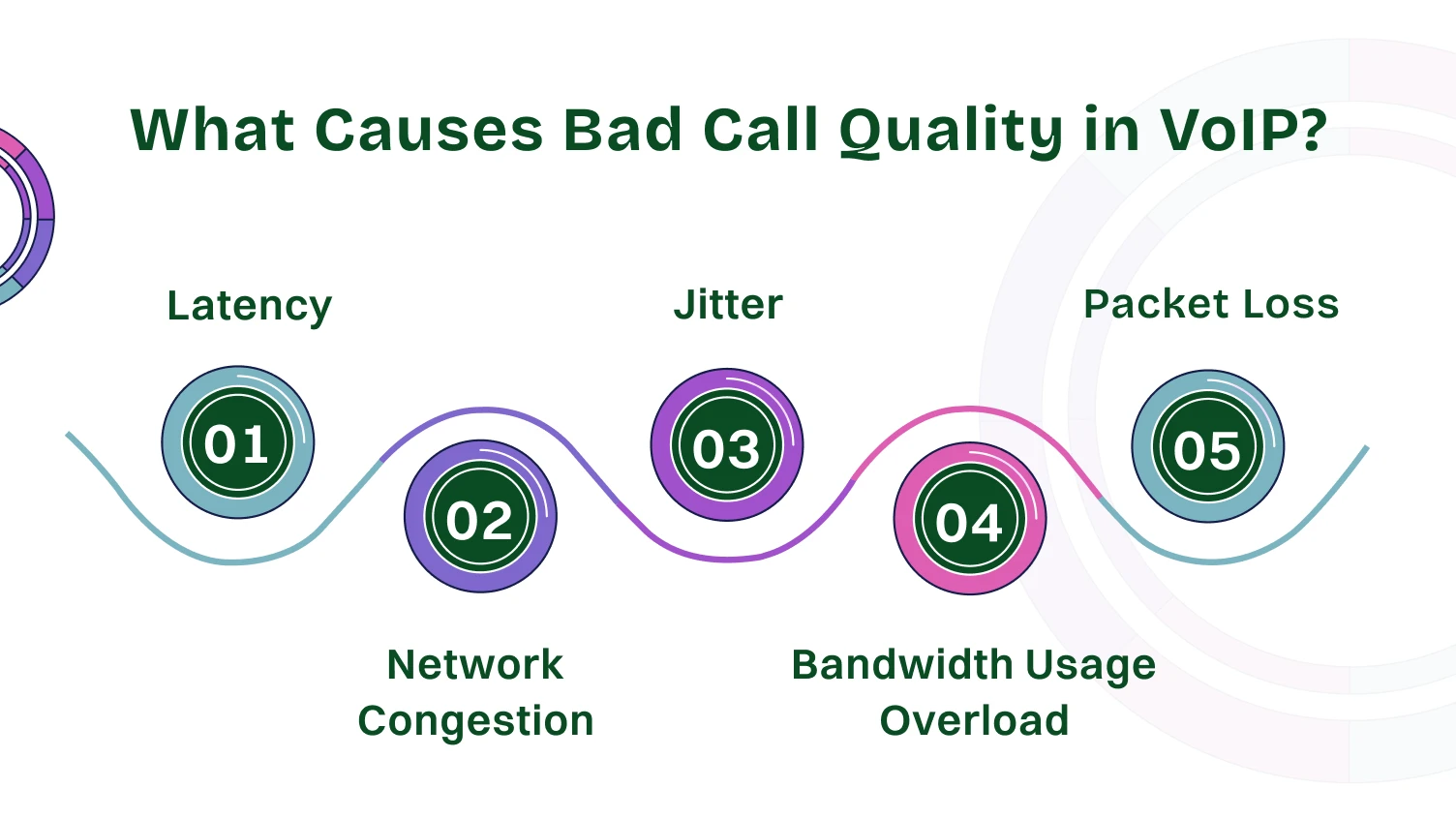
Five network problems turn crystal-clear calls into digital garbage. Let’s break down each one.
Latency is the travel time for voice packets from your mouth to someone else’s ear. Keep this end-to-end delay within acceptable limits, or conversations get weird. You finish your sentence and wait. They start responding, and you start talking. Everyone apologizes.
Every network device between your VoIP phone and the destination IP address adds processing time. WAN links are usually the biggest contributors.
Jitter measures timing consistency. Your voice packets should arrive in steady rhythm. With jitter, they arrive randomly.
Most systems use jitter buffers to smooth things out. This helps until jitter overwhelms the buffer capacity. When that happens, your voice sounds choppy and robotic. Words cut out. Every sentence sounds like a badly edited YouTube video.
Packet loss means voice packets vanish completely during transmission. Maybe a router’s queue filled up. Maybe network congestion forced hard choices. Either way, chunks of your conversation disappear forever.
Lost packets don’t get retransmitted. Your voice application just skips the missing parts and hopes nobody notices. Lose a small percentage, and most people won’t catch it. Lose more, and conversations become comprehension challenges. Important details vanish.
Network congestion happens when too many people use the limited bandwidth simultaneously. Picture dozens of employees hitting the network Monday morning.
Your business phone system has no special privileges without QoS. Those voice packets sit in a queue behind someone’s file transfer. By the time your voice packets transmit, the conversation has already moved forward. Peak usage times coincide with important business calls.
One voice call needs a certain amount of bandwidth. Multiply that across multiple simultaneous calls, and your WAN link feels cramped. Without bandwidth guarantees, voice traffic fights for whatever’s available.
Reserved bandwidth mechanisms set aside network resources specifically for voice applications. When bandwidth gets tight, voice calls use their protected allocation.
QoS uses four main mechanisms that work together. Each handles a different part of keeping your calls clear.
Your network devices identify voice packets by inspecting headers for specific UDP ports and IP addresses. Once identified, they apply priority tags using DSCP codes.
These tags work like VIP passes. Every router and switch along the path sees the marking and prioritizes that traffic. Mark is once at the source, and you’re covered everywhere.
Traffic shaping controls how fast data enters your network. Regular traffic waits in line. Voice traffic goes straight through.
This prevents someone’s massive download from killing call quality. WAN links need this most since they’re usually your bottleneck. Shape traffic at your edge router before congestion happens.
Bandwidth guarantees reserve network capacity specifically for voice traffic, while ensuring other critical applications, like CRM, continue to function smoothly without delay.
Set a minimum amount that voice always gets, even during peak usage.
During network congestion, voice uses its protected allocation first. Other traffic uses whatever remains. Your calls don’t compete for scraps.
Queue management creates separate waiting lines. Voice packets get an express queue that goes first. Data packets wait in standard queues.
Jitter buffers work alongside this by collecting voice packets and releasing them at steady intervals. Together, they turn choppy audio into smooth conversations.
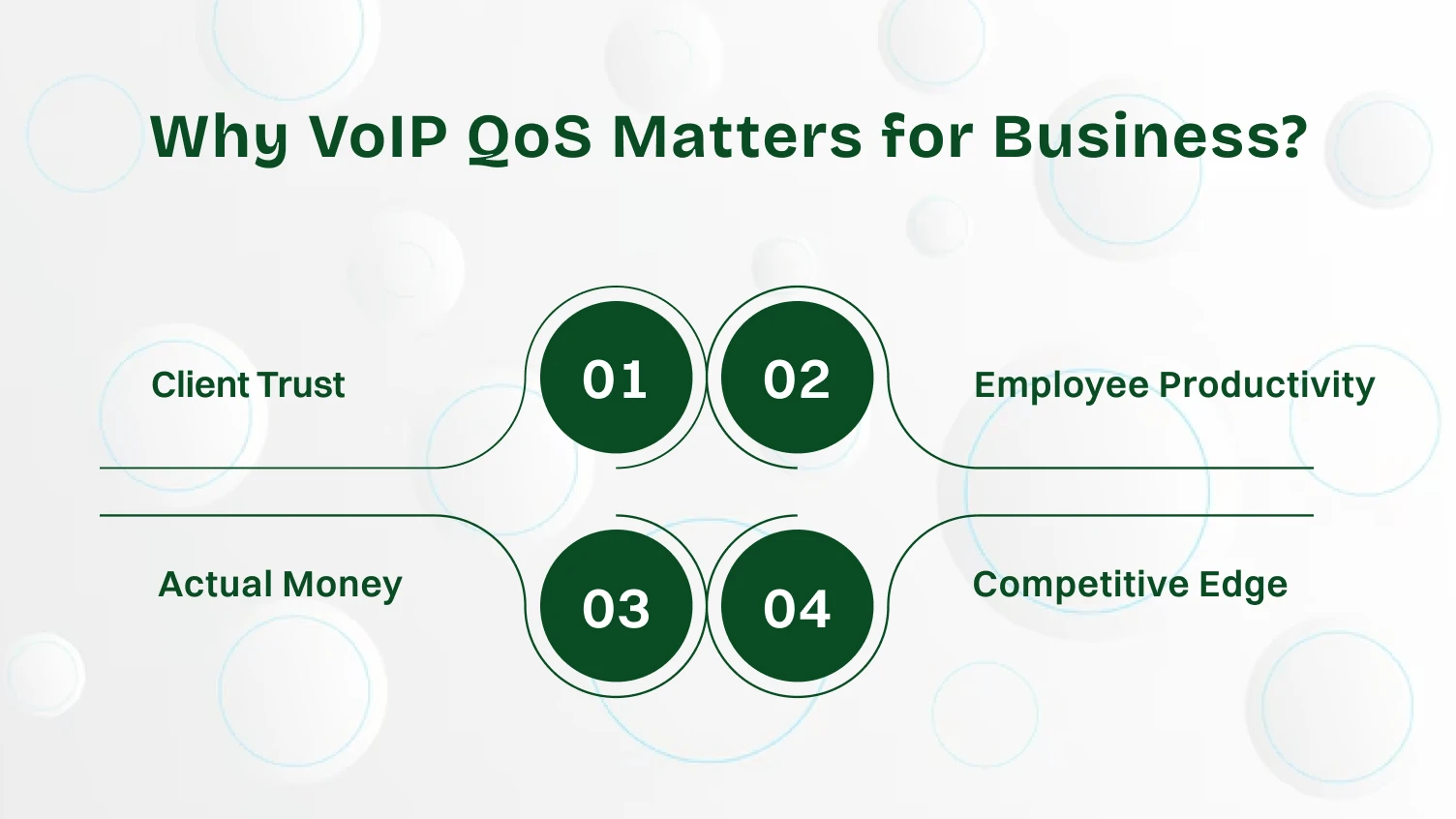
Running business VoIP without QoS is like having a high-speed internet connection but letting everyone use it however they want. Your critical sales call competes with cat videos for bandwidth. Your customer support line fights against software updates. Your executive team’s conference call loses to someone’s Spotify playlist.
Skip QoS and watch your business communication fall apart. Here’s what you lose:
Poor call quality screams unprofessional. Your competitor with clear audio wins the deal while you’re still asking, “Can you repeat that?”
Nobody cares about your network limitations when they can’t understand your sales pitch. They just remember that talking to you was frustrating and move on to someone else.
Teams avoid unreliable phone systems. They default to email for everything. Quick 2-minute calls become 30-minute email threads.
Remote workers stop trusting voice calls for coordination. Video conferencing becomes a joke when the audio cuts out every few minutes. Projects slow down because real-time communication doesn’t work anymore.
Dropped calls mean repeated work. Choppy audio causes miscommunication. Lost details lead to expensive mistakes. Important clients hang up and don’t call back.
Your team spends hours redoing conversations that should’ve worked the first time. Critical numbers get misheard during bad audio. Clients take their business to competitors with working phone systems.
Business moves fast. Your team needs reliable communication to keep up. Competitors with working phone systems close deals while you troubleshoot call quality.
When your VoIP calling fails during peak hours, you’re essentially closed for business. Clients can’t reach you. Your team can’t coordinate. Opportunities slip away because your infrastructure can’t handle basic phone calls.
What QoS Actually Does
It guarantees your voice calls work during network congestion. Peak usage hours don’t affect call quality. Important conversations stay clear regardless of what else happens on your network.
Your business phone system becomes reliable instead of random. Voice traffic gets priority treatment automatically. Bandwidth guarantees protect your calls even when everyone else is streaming, downloading, and browsing simultaneously.
That’s not a luxury. It’s the basic infrastructure for modern business communication.
Four elements separate working QoS from wasted configuration time. Get these right and everything else becomes easier. Miss even one, and your voice quality suffers no matter how well you configure everything else.
Target end-to-end delay under the recommended threshold. Above that, and conversation quality becomes noticeably worse.
Monitor latency continuously and investigate when numbers creep higher. Each network device adds milliseconds that accumulate across your infrastructure.
Keep jitter low for consistent audio quality. Spikes during a specific time point to network congestion at predictable intervals.
Latency and jitter often travel together. Fix one and you usually improve the other.
Target zero packet loss for voice traffic. Even minimal loss creates noticeable quality issues for users.
Bad cables, failing devices, and configuration errors all cause packet loss. Investigate systematically instead of assuming it’s always a bandwidth problem.
Reserve extra bandwidth beyond what voice applications theoretically need. This buffer absorbs unexpected usage spikes.
Build in overhead to protect against surprises when usage spikes unexpectedly or calculations miss something.
QoS works best when deployed at three strategic points in your network. Skip any of these and you create gaps where voice quality suffers.
Different technical approaches achieve similar goals. Here’s what actually gets used in real networks.
Most businesses use DiffServ with Expedited Forwarding for VoIP traffic. It balances implementation complexity with actual effectiveness. Your network devices probably already support it, and your VoIP provider definitely does.
The key is to pick one approach and implement it consistently. Mixing different QoS techniques across your network creates confusion and gaps where voice quality suffers.
Five metrics tell you whether QoS is actually working. Monitor these continuously instead of waiting for users to complain.
Four problems appear repeatedly in VoIP deployments. Here’s how to fix each one. These issues show up across different industries and network sizes, but the solutions remain consistent.
Choppy audio means jitter or packet loss. Check if jitter buffers are properly sized and monitor for packet loss spikes.
Verify traffic classification is working. If voice packets aren’t marked correctly, they don’t receive priority treatment.
Delays point to high latency or insufficient bandwidth. Measure end-to-end delay and look for routing inefficiencies or overloaded devices.
Increase bandwidth guarantees during peak hours. Security appliances can also add latency through deep packet inspection.
Dropped calls result from severe packet loss or network outages. Check network stability first, then verify QoS configured properly across all devices.
Work with your VoIP provider to rule out SIP protocol issues. Intermittent network problems cause more dropped calls than consistent issues.
Robotic voice quality indicates extreme jitter or packet loss. Your jitter buffer is working overtime and creating audible artifacts.
This happens when QoS isn’t configured at all network layers. Ensure consistent prioritization everywhere. Check which codecs your system uses, as some handle packet loss better.
Eight rules prevent most QoS problems before they start. Follow these and you’ll avoid 90% of voice quality issues.
Step 1: Mark traffic at the source. Configure VoIP phones and voice applications to mark packets immediately upon creation. Don’t rely on routers to classify traffic later based on port numbers or IP addresses.
Step 2: Trust markings from trusted devices. Your IP phones should be trusted to mark traffic correctly. Random employee laptops shouldn’t be. Configure switches to honor markings from phone ports but remark traffic from data ports.
Step 3: Reserve adequate bandwidth. Calculate actual voice usage during peak hours and add 30% overhead. Update guarantees as your business grows and call volume increases over time.
Step 4: Configure QoS everywhere. Every network device between endpoints needs proper QoS configuration. One router without it becomes a bottleneck that ruins everything downstream.
Step 5: Use consistent markings. Apply the same DSCP markings and priority levels across all equipment. An inconsistent configuration creates confusion where different devices treat voice traffic differently.
Step 6: Monitor continuously. QoS monitoring tools should track performance 24/7. Set alerts for threshold breaches. Don’t wait for user complaints to discover problems.
Step 7: Test regularly. Make test calls during peak usage periods. Verify audio quality matches expectations. Monitoring tools show numbers but your ears confirm reality.
Step 8: Document everything. Record your QoS settings, bandwidth allocations, and priority schemes. Future troubleshooting goes much faster with proper documentation instead of reverse-engineering everything.
Proper QoS implementation delivers six tangible improvements to business communication. These aren’t theoretical benefits. You’ll notice them immediately.
The investment in properly configured QoS pays for itself through improved business outcomes. Quality voice isn’t optional for professional communication. It’s the baseline expectation.
VoIP QoS transforms unreliable internet calls into business-grade communication. It identifies voice packets, gives them priority treatment, and reserves bandwidth when network congestion happens. The result is a consistent, high-quality voice even during peak usage.
Configuration requires attention at multiple layers. Mark traffic at the source. Prioritize network traffic at every device. Reserve bandwidth across WAN links. Monitor continuously to catch problems early.
The alternative is accepting poor call quality whenever your network gets busy. That’s unacceptable for business communication. Your clients expect better. Your team deserves better. QoS delivers better.
Start with your edge router and WAN links, where bandwidth constraints create the biggest problems. Expand to switches and internal network devices. Measure results using monitoring tools and adjust as needed.
VoIP QoS prioritizes voice traffic over other network data. It uses traffic classification, marking, and bandwidth guarantees to ensure voice packets get preferential treatment during network congestion. This prevents call quality issues.
Voice calls are extremely sensitive to delays and packet loss that don’t affect other applications. QoS prevents choppy audio, dropped calls, and conversation delays by guaranteeing network resources for voice traffic when bandwidth gets tight.
Configuration happens at multiple points. Mark packets at VoIP phones. Prioritize traffic at switches and routers. Reserve bandwidth across WAN links. Monitor with QoS tools. Every network device between endpoints needs proper settings.
Latency, jitter, packet loss, network congestion, and bandwidth limitations all impact voice quality. Proper QoS configuration addresses each factor through classification, prioritization, and resource guarantees at every network layer.
Any business using voice over IP for important communication needs QoS. Call centers, remote teams, customer service departments, and organizations with multiple office locations all benefit from prioritized voice traffic.
Yes. Video conferencing requires similar priority treatment as voice calls. QoS mechanisms prioritize both voice and video applications together since they share similar sensitivity to delays and packet loss.
