

PABX Vs PBX: Key Differences You Should Know

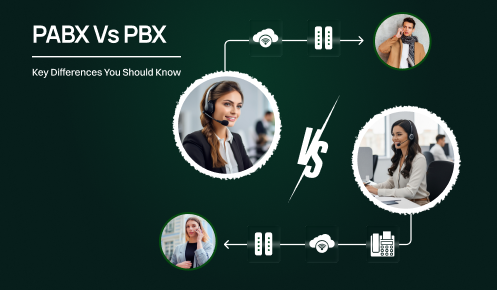
The third caller needs accounting. How does your phone system handle all this without turning into chaos?
That’s where PBX and PABX systems come into play. These technologies manage your business calls behind the scenes. But the point is. The majority of people freely interchange these words without knowing what they mean. That confusion can cost you when you’re shopping for a phone system.
Firstly, PABX and PBX are two different things. The difference between them was the main factor that determined how businesses communicated for a very long time. One required human operators to connect calls manually. The other automated everything. Knowing this difference gives you a better insight into the communication infrastructure of your company.
This guide breaks down everything you need to know about PABX Vs PBX , puts their features in a table to be compared visually. Also, assist you in determining which technology is suitable for your business today.
So what exactly are these telephone networks, and why should you care? Because picking the wrong system costs you money. It frustrates your customers. And it makes your team’s job harder than it needs to be.
PBX is an acronym of Private Branch Exchange. It is a privately controlled telephone network that is used internally in a company. Workers have access to a certain number of outside phone lines, which they can use to make external calls. What PABX does is it allows several people to share one phone line instead of giving each employee his/her own telephone line (which would be very expensive).
The technology was developed in the 1960s. Back then, you needed actual human operators to connect calls. Someone would sit at a desk and physically route your call to the right person. Manual work. Slow process. But it was better than having separate phone lines for every single desk.
Here’s how traditional PBX worked. You’d pick up your phone. An operator would answer. You would let them know the person you wanted to talk to. They would connect the call by plugging in the correct cable. Simple but tedious.
Traditional PBX systems had some basic advantages. You could make internal calls for free. You shared phone lines, which saved money. And you had a centralized system for managing all company communications.
But the limitations were obvious. You needed physical space for the equipment. You had to pay operators’ salaries. And good luck making changes to your system without calling in technicians.
PABX is an acronym for Private Automatic Branch Exchange. The main feature here is “automatic”. There is no more waiting for an operator. There is no more manual cable plugging. The system routes calls automatically according to the programmed rules.
PABX came into existence in the 1980s with the enhancement of digital technology. Companies figured out that they could use computers and software to do the work that operators were doing. Doing it faster. Doing it cheaper. Doing it more reliably.
Automatic call routing brought calls to the right extension without the intervention of a human. Caller ID informed you who the caller was before you answered the phone. Auto attendants welcomed callers with the recorded messages and menu options. Voicemail records the messages when you were not available. These features appear minimal now. However, they were groundbreaking back then.
A PABX system is an electronic switching mechanism that does not require manual intervention. If an individual dials your business number, the system instantly transfers that call in accordance with the instructions given in advance. Press 1 to speak with the sales department. Press 2 for customer service. Press 3 for the accounting department. You have interacted with these systems a million times.
PABX systems have also offered new features such as call forwarding, call waiting, and conference calling. They also include call center quality management features, allowing businesses to monitor performance, track metrics, and ensure high customer service standards. Features that we simply expect now were amazing functions of the system.
The contrast between PBX and PABX is not only in the single word of the acronym. We can analyze the differences of these two technologies layer by layer.
| Feature | PBX (Private Branch Exchange) | PABX (Private Automatic Branch Exchange) |
|---|---|---|
| Automation Level | Required human operators to connect every call manually. Someone physically plugged cables to route conversations. Completely dependent on human intervention. | Fully automated call routing through software. No human intervention needed. The system follows programmed rules to direct calls automatically. |
| Cost Structure | High ongoing labor costs. Paid operators hourly wages. Needed multiple operators during peak hours. Salaries added up month after month. | Higher upfront investment in equipment and software. Eliminated operator salaries completely. Much lower ongoing expenses. The system typically pays for itself within 2-3 years. |
| Features and Capabilities | Basic call connection only. Bare-bones functionality. Limited to simple call routing through operators. No advanced features available. | Advanced features including voicemail, call recording, auto attendants, call analytics, mobile integration, and CRM connections. Extensive functionality is built into the system. |
| Scalability | Difficult and expensive to scale. More calls meant hiring more operators. Required recruitment, training, and ongoing management. Needed additional physical equipment. | Easy to scale through software configuration. Add new extensions in minutes. No additional staff needed. No lengthy setup process. Adapts quickly to business growth. |
| Maintenance Requirements | They are to be always watched by humans. Operators need to be trained, managed, and supervised. High people management burden. Quality control challenges. | Technical maintenance only. The IT person handles software updates and troubleshooting. No daily human management needed. The system runs itself according to programmed rules. |
| Speed and Efficiency | Slow call routing process. Callers waited for the operator to answer. Waited again while the operator connected them. Multiple delays in every call. | Instant call routing. The system recognizes numbers or menu selections immediately. Connects calls without delay. Fast and efficient process from start to finish. |
| Error Rate | Human operators made mistakes regularly. Wrong extensions. Dropped calls. Misunderstood names or departments. Inconsistent service quality. | Follows programmed rules with perfect consistency. Eliminates human error from routing. Works correctly unless a technical glitch occurs. Highly reliable performance. |
| User Experience | Frustrating for callers. Long wait times. Potential for miscommunication. Inconsistent service depending on the operator’s skill. | Better customer experience. No waiting. Predictable service. Professional automated greetings. Consistent quality every time. |
| Best For | Obsolete technology. No longer suitable for any modern business. Only found in historical contexts. | Small to medium businesses need reliable automated phone systems. Organizations want advanced features without cloud dependency. |
| Current Status | Completely obsolete. Nobody uses pure PBX systems anymore. Only exists in museums and old buildings. | IP PBX and cloud computing are replacing traditional PABX. Still functional but aging technology. |
Here’s a truth bomb. Nobody uses pure PBX systems anymore. They’re completely obsolete. If someone tries to sell you a traditional PBX system today, they’re either confused about what they’re offering or trying to dump old equipment..
But the evolution didn’t stop with PABX. The technology kept advancing into even more sophisticated territory.
Modern PABX has gone digital. And then it went to the cloud. These aren’t your grandfather’s phone systems. They’re sophisticated communication platforms that integrate with your entire business infrastructure.
IP PBX Technology (Internet-Based)
Cloud-Based Solutions
Advanced Integration Capabilities
Mobile Functionality
Easy Scalability
Cost Advantages
These six points are the main value propositions that distinguish modern PABX from older systems and give an idea of the reasons why businesses are quickly implementing these technologies.
We will analyze the various types of systems afterward.

Not all phone systems are created equal. You’ve got options. Each type has its own strengths and weaknesses.
Phone systems that are built on hardware and use conventional telephone lines. The equipment sits in your office. Usually, in a dedicated room with cooling systems. You own everything. You maintain everything. You pay for everything up front.
So, who are the users of this at present? Primarily, it is the aging businesses that have not modernized. Or sectors that have certain strict regulations. Traditional PBX is becoming extinct. Like fax machines. Still around but fading fast.
The evolution of traditional PBX. Digital PABX is still used on-premise equipment, but with modern digital technology. Better call quality than analog. More features. Still requires physical hardware in your building.
That was the norm from the 1980s up until the early 2000s. There are still lots of companies that have these kinds of systems. They operate well. But they are being phased out in favor of IP-based solutions.
Internet-based phone systems that operate on servers in your office. You are the owner of the equipment. However, it employs VoIP technology rather than regular phone lines. This allows you to have up-to-date features with local control.
Normally, the decision to use an on-premise IP PBX is made by tech-savvy businesses that wish to have full control over their data and system. Nevertheless, they have to bear the cost of the maintenance and updates themselves. Examples of such systems are Asterisk and FreePBX.
Someone else owns the servers and equipment. You access the system through the internet. All the benefits of IP PBX without the hardware headaches. The provider handles maintenance, updates, and security.
This is similar to cloud PABX, but the distinction is that your provider operates dedicated equipment for your company rather than true multi-tenant cloud infrastructure.
The modern standard. All the operations are cloud-based on shared infrastructure. You are accessing it by internet-connected devices. No hardware to buy. No servers to maintain. Pay monthly per user. Add or remove users instantly.
Cloud PABX offers the most flexibility. Work from anywhere. Scale easily. Get new features automatically. It’s the future of the industry.
Part of the businesses may have a combination in which part of the equipment is kept on-premises for more reliability, while cloud features are added for more flexibility. Hybrid systems offer you the advantages of both worlds. However, they are complicated to manage.
The simplest option. Basic phone system features delivered entirely through the cloud. Usually designed for small businesses. They have a limited number of features, but are very easy to use and quite cheap. For instance, small businesses can get a virtual PBX service from a company.
Every kind of phone system caters to different needs. The decision is yours based on your financial plan, technical skills, and the needs of the business.
By what criteria can you then make up your mind which one fits you best?
Choosing a phone system isn’t a very complicated thing to do. However, you still need to figure out your needs properly. I can explain this to you in a very simple way.
Small Business (Under 20 Employees): Pick a cloud PABX. You’ll want features like call recording, CRM integration, and mobile VoIP apps that sync your contacts and call logs. You get the professional setup without owning any bulky gear.
Medium Business (20-200 Employees): Opt for a cloud PABX. You require sophisticated features such as call recording and CRM integration. However, you are not interested in handling the equipment. Cloud gives you everything without headaches.
Large Business (200+ Employees): Consider on-premise IP PBX or hybrid systems. You have IT staff. You might have compliance requirements. The upfront cost makes sense at your scale.
Limited Cash Right Now? Choose a cloud PABX. Pay $20-40 per user monthly. No big upfront payment. Your cash flow stays healthy.
Have some money to spend right away? Think about an on-premise IP PBX. Make a one-time payment of $10,000-50,000. There will be less money to pay each month afterward. It is a good way to save money in 3-5 years.
Choose Cloud PABX If:
Choose On-Premise IP PBX If:
Must-Have:
Nice-to-Have:
Remove the waste of money on features that you will not use. However, don’t be stingy with what you need.
Test It First: Most cloud providers offer free trials. Sign up. Get your team to test it for a week. Make real calls. If it’s confusing, move on.
Ask These Questions:
For 80% of businesses: Choose cloud PABX.
It’s easy to set up. Simple to manage. Affordable monthly cost. Works from anywhere. Updated automatically.
For the other 20%: You’re either very large with an IT staff or have specific compliance needs that require on-prem systems.
Meet Sarah. She runs a marketing agency with 35 employees.
The Problem:
Three years ago, Sarah used an old on-premise PABX system from 2010. It worked. Barely.
Her biggest headaches:
When the pandemic hit, everything collapsed. Her team forwarded calls to cell phones. Missed important calls. Total chaos.
The Solution: Sarah researched cloud PABX options. Tested three providers. Picked RingCentral. The switch took two weeks. Port numbers. Set up accounts. Install apps. Train team. Done.
The Results:
Adding employees now takes 5 minutes. Log in. Create a user. Send credentials. They download the app. Ready.
Remote work is smooth. Same business number everywhere. Office, home, or coffee shop. Clients can’t tell the difference.
CRM integration changed everything. Client info pops up automatically. Account history. Previous conversations. Open projects. All right there.
The cost? $30 per user monthly. That’s $1,050 for 35 users. Replaced old phone bills and service fees. Actually cheaper overall.
Unexpected bonus: Call analytics. Sarah tracks call patterns, wait times, and team performance. Data she never had before. Uses it to improve staffing and customer service.
Sarah’s Takeaway
Her only regret? Not switching sooner. She assumed it would be complicated and expensive. It was neither.
This isn’t unique. Thousands of businesses make similar transitions. The technology works. The benefits are real.
The only question is when you’ll make the move.
Now let’s summarize the pros and cons of each option.
Sometimes you just need the facts laid out simply. Here’s the breakdown.
Pros:
Cons:
Pros:
Cons:
Pros:
Cons:
Pros:
Cons:
Pros:
Cons:
Pros:
Cons:
The clear winner for most businesses? Cloud PABX. Unless you have specific reasons to choose something else, that’s where you should start.
The PBX versus PABX debate is historical primarily at this point. Traditional PBX is dead. PABX was a major improvement that automated call routing. But even traditional PABX is aging out. Today’s real choice is between on-premise IP PBX and cloud PABX. Both use modern VoIP technology. The difference is where the equipment lives and who manages it.
For most businesses, cloud PABX wins. The economics work better. The flexibility is unmatched. Features improve automatically. You don’t need an IT department to run it. Small businesses get professional features from day one. Even large enterprises are moving to the cloud because flexibility and cost advantages outweigh control benefits.
Your phone system affects your entire business. Customer experience. Employee productivity. Professional image. Cost structure. It’s not just a utility. It’s a strategic tool. If you’re still running an old system, explore your options. Not because it’s broken, but because you’re missing capabilities that could make your business more efficient. Choose wisely. Test thoroughly. And don’t be afraid to switch when better technology becomes available.
PBX required human operators to manually connect calls. PABX automated everything using software, eliminating the need for operators. Calls are routed automatically, making traditional PBX systems largely obsolete today.
Yes. PABX eliminated operator costs, introduced features like voicemail and auto attendants, and routed calls more efficiently. Modern cloud PABX and IP PBX systems are now considered the best options for businesses.
Cloud PABX systems typically charge a monthly fee per user with little to no upfront investment. On-premise IP PBX systems require higher initial hardware and installation costs but may have lower long-term operating expenses.
Yes. Most VoIP and cloud PABX providers offer number porting, allowing you to transfer your existing business number. The process usually takes a few days to a couple of weeks and can be completed without downtime when planned properly.
They are similar, but not identical. Virtual PBX systems are often simplified cloud phone solutions for solopreneurs and small businesses, while cloud PABX platforms typically include advanced features such as CRM integrations, analytics, and mobile applications.
No. Cloud PABX works with devices you already own, including computers, smartphones, and VoIP desk phones. Many businesses use a combination of these devices.
Most providers offer automatic call forwarding to mobile phones during internet outages. Look for providers with a 99.9% uptime guarantee and a reliable disaster recovery plan to minimize disruptions.
Rarely. Traditional manually operated PBX systems are considered outdated and are mostly found in legacy environments. Most businesses now use IP PBX or cloud PABX solutions for better flexibility and lower costs.
For most small and medium-sized businesses, yes. Cloud PABX requires no on-site hardware, scales quickly, and updates automatically. On-premise systems offer greater control but require hardware investments and ongoing IT maintenance.
