

What is SIP ALG, and Why VOIP Users should disable it

The call centers and customer support units strive to ensure that the quality of calls is the best. This helps in creating trust and achieving high-resolution rates, which in turn satisfies customers. However, they struggle to achieve this despite using modern VoIP platforms and high-quality internet.
Call centers experience issues like dropped calls, and who is the culprit here? Nevertheless, a rather obvious suspect can be accessible within your network gear. It is SIP ALG (Session Initiation Protocol Application Layer Gateway), and disabling SIP ALG can solve the VoIP issue.
SIP ALG was designed to facilitate VoIP calls by bypassing firewalls and Network Address Translators. In practice, it has a far more adverse impact on VoIP calls than it does a benefit. Here, we will deconstruct what SIP ALG is, how it works, and why it poses an issue, as well as what you can do about it.
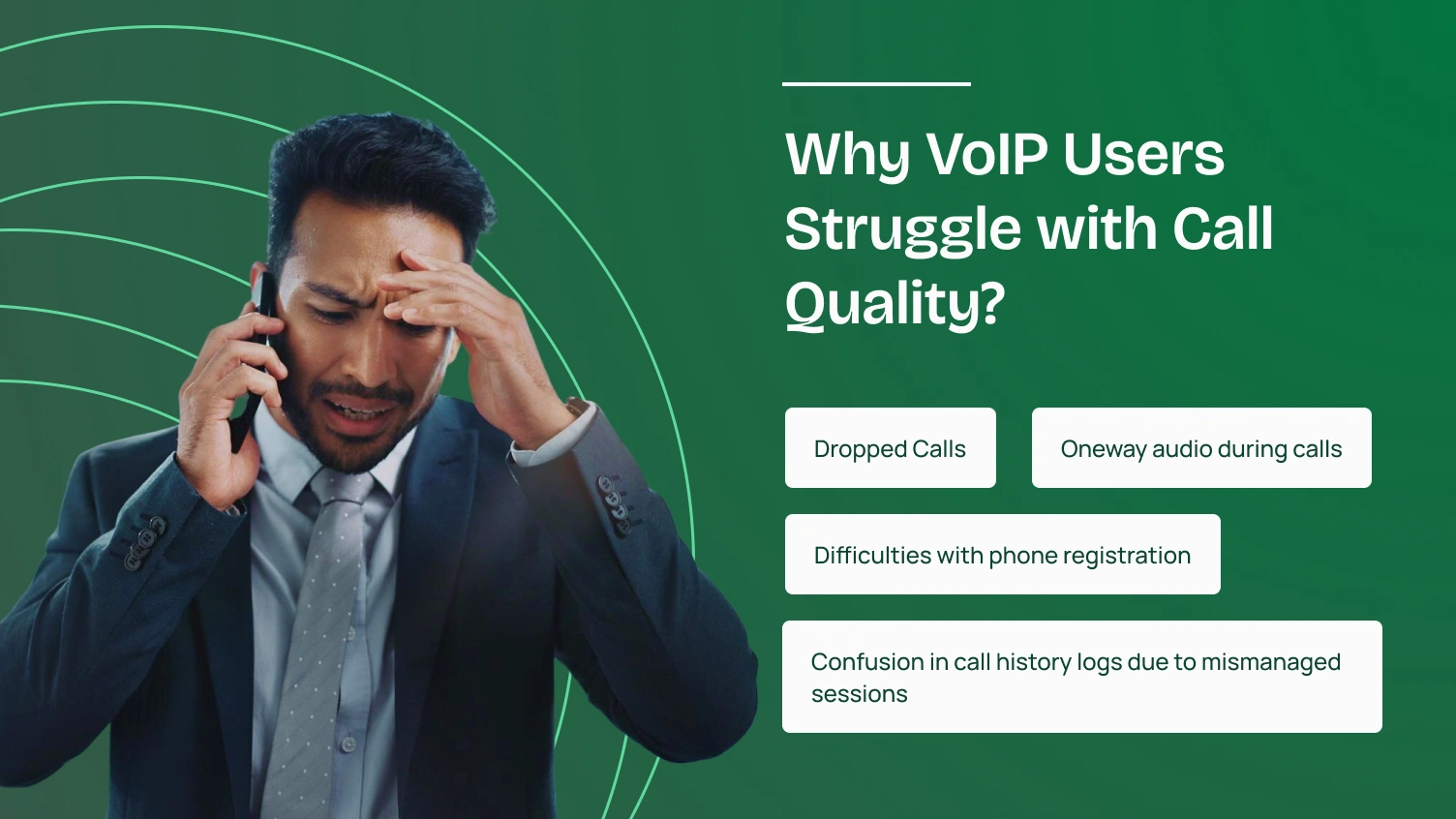
A VoIP phone system is designed to provide businesses with reliable communication by transmitting voice calls over the internet. However, this goal hits a bump when business phone issues start arising, affecting the overall call quality of VoIP phones. The VoIP users experience problems such as:
These issues take place due to network address translation (NAT) and the way routers handle VoIP traffic. NAT enables the routers and firewalls to translate the private IP addresses, as these can be converted to public IPs, so that the devices can communicate on the internet.
Nevertheless, such a process can hamper SIP (Session Initiation Protocol) packets. They are the ones necessary for signaling and managing VoIP sessions. Here’s when SIP ALG arrives, but it often makes the situation worse rather than improving it.
SIP ALG stands for Session Initiation Protocol Application Layer Gateway. It is an “ALG feature” found in most commercial routers and broadband gateways. This operates at the application layer of your network equipment, specifically targeting SIP, the dominant protocol used for VoIP signaling.
SIP ALG is meant to assist VoIP traffic crossing networks using NAT. It translates the IP addresses of privately used devices to those used publicly, allowing communication outside of local networks. It examines, filters, and frequently alters packets and SIP headers as they pass through the router/firewall.
However, today’s VoIP applications and phone systems are designed to handle most NAT traversal challenges on their own. Thus, the additional modifications from SIP ALG often disrupt rather than help the VoIP calls. So, VoIP users should disable it for better call quality.
With NAT, private addresses are translated into public addresses, allowing internal hardware to communicate externally. However, SIP traffic, which drives many VoIP phones, places IP addresses into the payload of messages. Although NAT manages headers, it doesn’t modify the SIP payload.
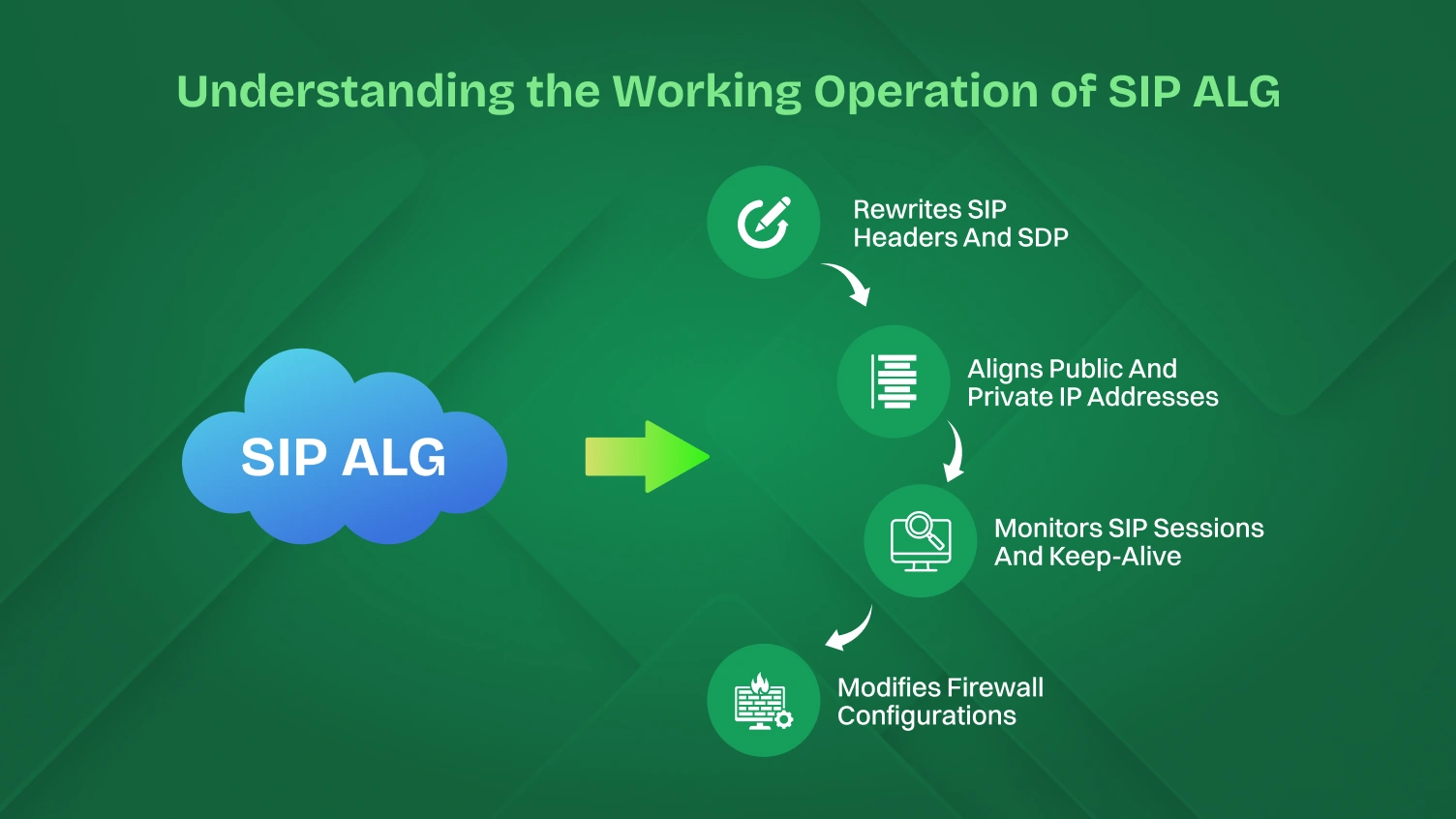
Such an address mismatch of headers as well as payload can lead to disruptions in SIP signaling, resulting in dropped VoIP calls or a decline in voice quality. SIP ALG addresses this issue by rewriting SIP headers, as well as the Session Description Protocol(SDP), after parsing.
It is designed to ensure the alignment of Private and Public IP address translations without interruption for NAT traversal. SIP ALG can dynamically modify firewall configurations and adjust ports as necessary to provide the uninterrupted flow of both internal and external VoIP traffic.
Furthermore, SIP ALG also monitors SIP sessions with sharp scrutiny over signal messages. These signal messages can be INVITE, BYE, and REGISTER. It is also responsible for handling the UDP(User Datagram Protocol) and injecting keep-alive packets to prevent session expiration.
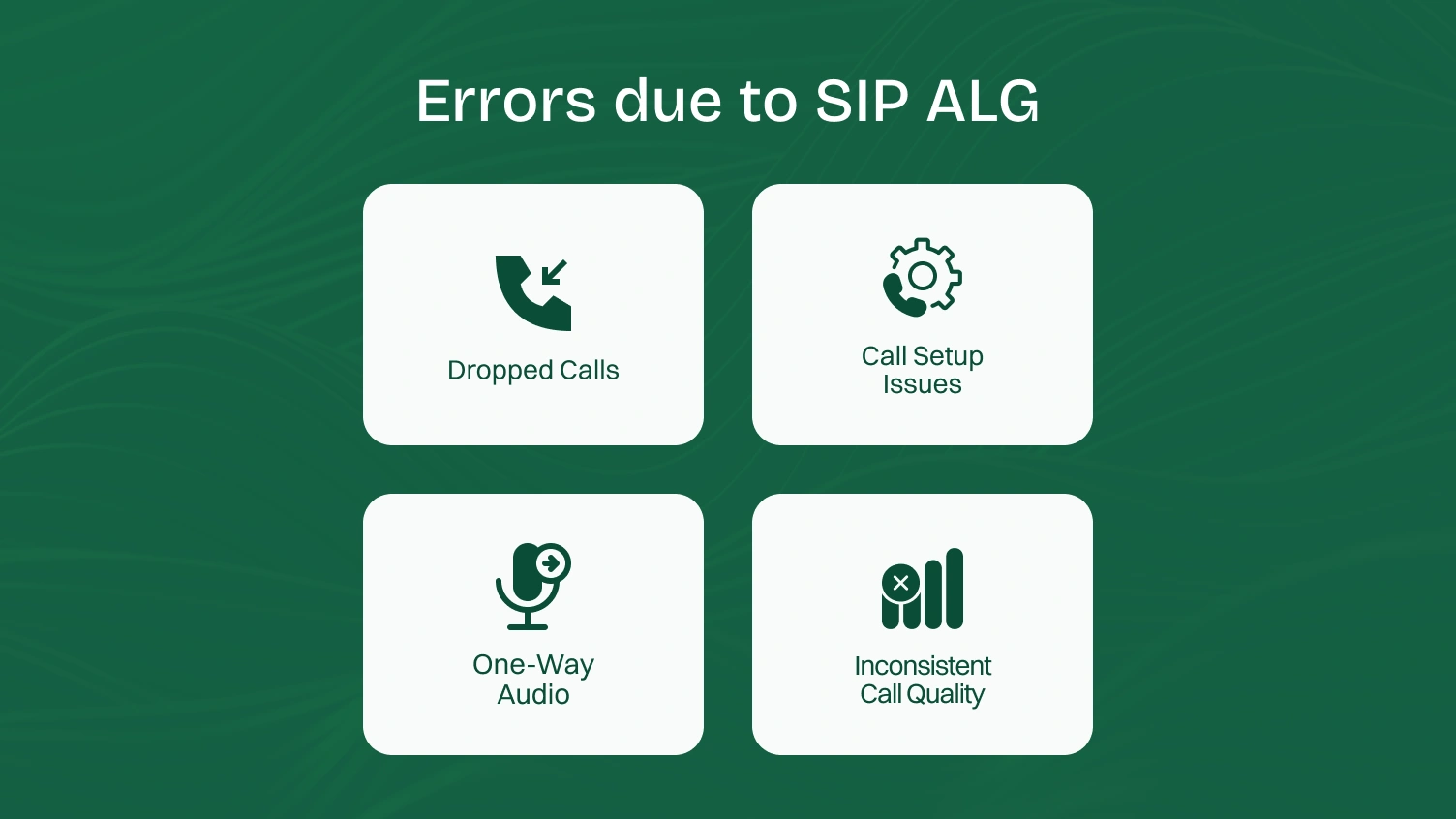
There are several categories of symptoms that SIP ALG affects your VoIP calls. Moreover, it is often subtle and sometimes occurs silently without user awareness. Here are some of them listed, so you can notice that the errors are due to SIP ALG.
In this type of issue, calls are unexpectedly dropped after some duration. This occurs due to the improper handling of SIP keep-alive messages or NAT bindings. Another cause can be a timely refresh of NAT session failures by SIP ALG, which may lead to call drops.
A situation where it is challenging to perform outbound calling or receive inbound calls. Inconsistent alteration of SIP INVITE requests or responses by SIP ALG causes it. This can lead to mismatched or lost essential information during NAT translation, resulting in call setup failure.
It’s a situation where one party cannot hear the other, even though the call is made successfully. Rewriting IP addresses/ports in the SDP body without properly opening corresponding firewall pinholes for RTP traffic also causes it. This situation occurs if SIP ALG incorrectly handles the RTP streams.
Its symptoms can include a sudden drop in call quality or instances of jitter and latency while on a call. This happens when the RTP stream is affected, resulting in lower call quality. RTP streams are impacted when SIP ALG, used for inspecting/ modifying SIP packets, introduces delays in packet transmission.
First, you must log in to the router to disable SIP ALG. The SIP ALG is turned on for most routers, but it will cut VoIP connections. To disable them, go to the admin page of the router and toggle the switch in the Advanced Network or the Security settings section.
It is also necessary to know that disabling steps differ depending on your router brand. It can be router brands like Cisco, Linksys, Netgear, D-Link, Asus, and TP-Link. Here, we have assembled a list of the top routers to disable the Application Layer Gateway.
Most of them follow similar processes, firstly signing in to the router using the admin password. Uncheck the SIP ALG from its security settings and reboot the router. If it’s an advanced corporate firewall, additional adjustments, like port forwarding, may be necessary. Here’s the list of routers and their steps.
| Router Brand | Steps to Disable SIP ALG |
| TP-Link (Archer & Legacy) | Newer Models(Archer series):
1. Start by logging in router. 2. Go to Advanced Tab > NAT Forwarding. 3. Uncheck the SIP ALG, RTSP ALG, and H323 ALG check boxes. 4. Click Save. Older Models (via Telnet): 1. Open the Command Prompt. 2. Enter: telnet 192.168.0.1 3. Enter login credentials. 4. Type command: ip nat service sip sw off. |
| Asus | 1. Firstly, sign in to the router
2. Please go to the Advanced Settings section and select WAN. 3. Select the NAT Passthrough tab. 4. Set SIP Passthrough to Disable. 5. Click Apply. |
| Netgear (Genie Interface & Others) | Genie Interface:
1. Go to Advanced > Setup > WAN Setup. 2. Check the box for Disable SIP ALG. 3. Save and reboot. Other Models: 1. Go to Security/Firewall > Advanced Settings. 2. Uncheck SIP ALG. 3. Adjust UDP timeout to 300 seconds. |
| Cisco (General, ASA, PIX) | General Models:
no ip nat service sip tcp port 5060 no ip nat service sip udp port 5060 PIX Routers: no fixup protocol sip 5060 no fixup protocol sip udp 5060 ASA Models: Under Policy-map global_policy: Find class inspection_default and run: No inspect SIP |
| Actiontec | 1. Go to Advanced, click Yes to accept the warning.
2. Select ALGs. 3. Uncheck SIP ALG, click Apply. 4. Then go to Remote Administration. 5. Check Allow Incoming WAN ICMP Echo Requests. 6. Click Apply. |
| Fortinet (CLI Only) | 1. Open CLI, type:
config system session-helper show system session-helper 2. Identify SIP instance (usually #12). 3. Delete it with delete 12. 4. Confirm with show system session-helper. |
| Ubiquiti (UniFi & EdgeRouter) | UniFi Security Gateway:
1. Go to Routing & Firewall > Settings. 2. Toggle off SIP and H.323. 3. Click Apply Changes. EdgeRouter (CLI): configure set system conntrack modules sip disable set system conntrack timeout udp stream 300 set system conntrack timeout udp other 300 commit → save → exit |
| SonicWall | 1. Navigate to System Setup > VoIP.
2. Check Enable Consistent NAT. 3. Uncheck Enable SIP Transformations. 4. Click Accept. 5. Then go to Firewall Settings > Flood Protection > UDP. 6. Set UDP timeout to 300 seconds. 7. Click Accept. |
| D-Link (Standard & DIR-655) | Standard:
1. Go to Advanced > ALG Configuration. 2. Uncheck SIP, then Save. DIR-655: 1. Click Advanced > Firewall Settings. 2. Disable SPI. 3. Set UDP/TCP Endpoint Filtering to Endpoint Independent. 4. Uncheck SIP ALG, then Save. |
| Adtran | GUI Steps:
1. Go to Firewall / ACLs > ALG Settings. 2. Uncheck SIP ALG. 3. Click Apply. Terminal Command: no ip firewall alg sip |
| Linksys (Smart Wi-Fi & Legacy) | Smart Wi-Fi (E-series):
1. Go to Connectivity > Administration. 2. Under Application Layer Gateway, uncheck SIP ALG. 3. Click Apply. Older Models: 1. Open Advanced Settings. 2. Disable SIP ALG. BEFSR41: 1. Go to Applications and Gaming > Port Triggering. 2. Set TCP port 5060 in all port fields. 3. Check Enable, click Save & Reboot. |
| ZyXEL (ZyWALL, CenturyLink, P600) | ZyWALL/USG60:
1. Go to Configuration > Network > ALG. 2. Uncheck Enable SIP ALG and SIP Transformations. 3. Click Apply. C1000Z/C1100Z (CenturyLink): 1. Go to Advanced Setup > SIP ALG. 2. Set to Disable, then Apply. P600 (via Telnet): Use Telnet to connect to 192.168.1.1. The default password is 1234. Enter: 24 → then 8 Type: ip nat service sip active 0 Press Enter. |
| Arris (General & BGW210) | Most Models:
1. Go to 192.168.0.1. 2. Login: admin / motorola 3. Go to Advanced > Options 4. Uncheck SIP, click Apply. BGW210: 1. Access at 192.168.1.254 2. Use the device’s sticker password 3. Under Firewall > Advanced Firewall, disable: – SIP ALG – Authentication Header Forwarding – ESP Header Forwarding 4. Click Save |
| Mikrotik | GUI (Winbox):
1. Navigate to IP > Firewall > Service Ports 2. Disable SIP Helper. CLI Command: /ip firewall service-port disable sip |
| Verizon FiOS (G1100) | Note: You can’t disable SIP ALG in this router model.
Workaround: To disable SIP ALG, use the bridge mode and connect an external router |
| AT&T U-Verse (Pace 5268AC) | Important: SIP ALG is not an option to turn off in this router.
Fix: Configure the Pace 5268AC in Bridge Mode and install a separate router that supports SIP ALG disablement. |
| UBEE | 1. Log in to the router.
2. Go to Advanced > Options. 3. Uncheck the SIP and RTSP checkboxes. 4. Click Apply. |
Disabling SIP ALG is advisable, as although designed to assist SIP-based VoIP traffic negotiating NAT by altering headers and payload within the SIP packets, contemporary systems are typically intended to suffer at a disadvantage with this function enabled rather than not at all.
SIP ALG was created to address early issues with SIP NAT, as standard NAT only impacted IP addresses within packet headers (but not payloads), which often resulted in the premature termination of VoIP calls. Now, all modern VoIP phones, ATAs, and softphones include NAT traversal capabilities as part of their design, consisting of STUN, ICE, and server-side SIP proxies that are superior to SIP ALG.
SIP ALG operates at the application layer of the OSI Model and attempts to inspect, modify, and “fix” SIP and SDP payloads. Unfortunately, this can introduce inconsistencies. For instance, a SIP ALG might modify SIP INVITE requests inconsistently, leading to failed call setup, broken registrations, one-way audio, or dropped calls as it mishandles the packet structure that newer devices already manage.
Some routers create firewall “pinholes” using SIP ALG for SIP/RTP sessions. If, however, all connections are kept closed by one of these means (e.g., by misinterpretation of SIP keep-alive traffic), calls will be dropped persistently, or later calls will fail. The reason is that the NAT table or firewall session to keep the media flow alive is not being maintained in coordination with the VoIP session.
The SIP protocol has evolved, and VoIP providers now expect to handle NAT and address translation on either the client or server side, rather than in the router. SIP ALG’s attempts to “help” often result in corrupting SIP signaling, doubling up on translations, or masking packets in ways that neither the endpoint nor server expects.
By default, most routers still have SIP ALG enabled. However, most common VoIP problems that IT support technicians typically encounter (call loss, missed calls, and garbled audio) usually boil down to SIP ALG. Turning off the feature is usually easy and a definite cure.
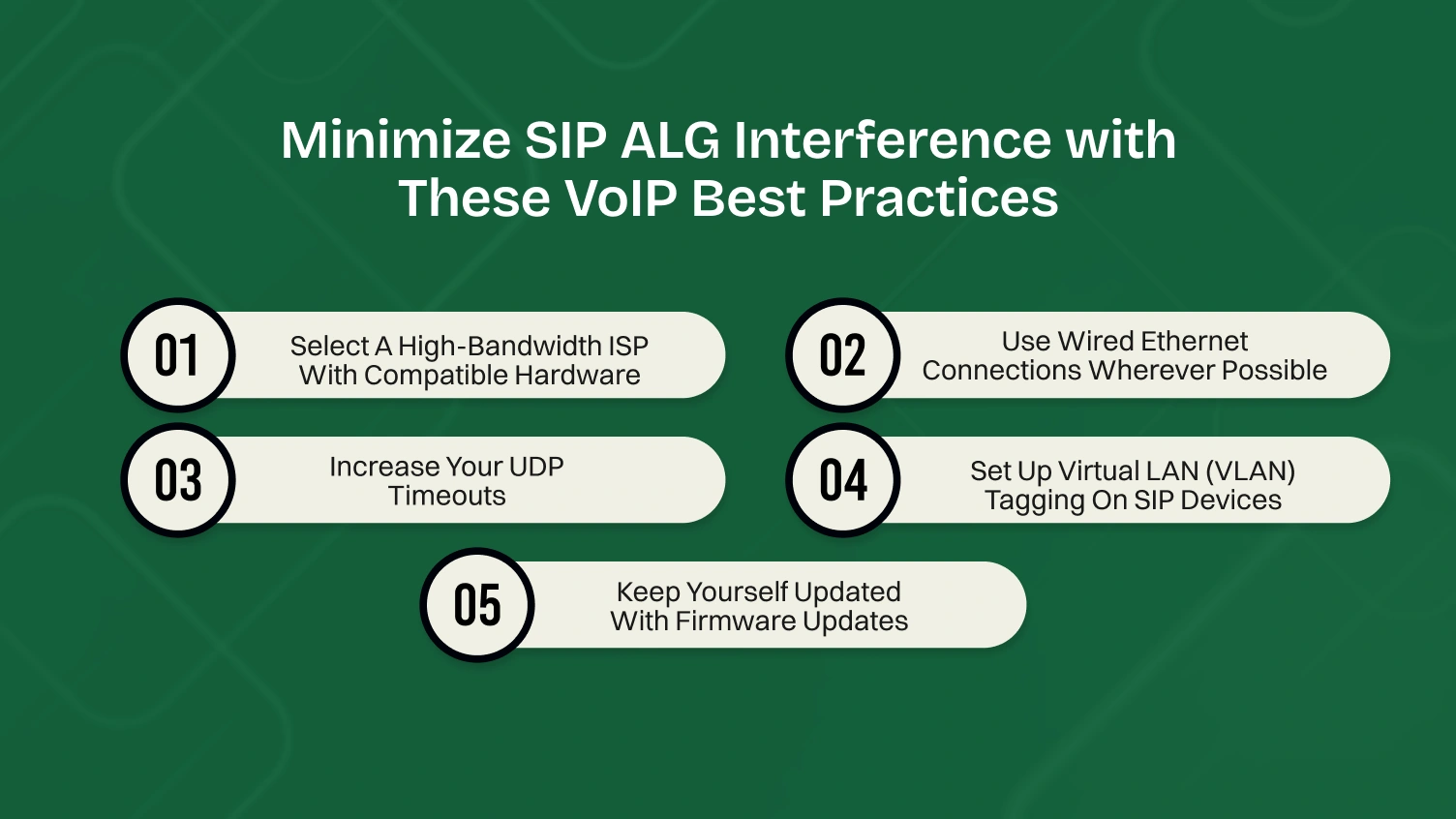
For the sake of ensuring unified call quality and availability, you must simplify your network setup. Based on these practical recommendations, you can efficiently manage your employees’ VOIP calls.
Tip: Use 150-second timeouts with UDP. If call drops continue to be commonplace, then switch to TCP, which is less error-prone.
Tip: In 15-user and above plus-size networks, use VLAN tagging with QoS policies to reduce packet loss along with enhanced security.
SIP ALG was once a simple solution for working with the interactions of NATs and firewalls, but now the root of broken VoIP call connections is SIP ALG. Its interference with signaling protocols and rewriting of SIP messages often does more harm than good, especially for modern VoIP users relying on engagement channels, SIP trunking, or REST APIs.
To guarantee VoIP communications, you’ll also need to turn off SIP ALG through the website or terminal commands that are offered in the vendor firmware. Top that off with VLAN tagging, increased UDP timeout, and occasional firmware upgrades, and you’ve got the ultimate in VoIP configuration.
SIP ALG (Session Initiation Protocol Application Layer Gateway) attempts to rewrite SIP packets for NAT traversal, but in doing so, it often corrupts the call setup and causes dropped or failed calls.
Router settings such as SIP ALG, QoS, and UDP timeout directly affect how data packets and signaling protocols are handled, which impacts VoIP reliability and call clarity.
Log into your router’s web interface, click on Advanced or Security settings, locate the SIP ALG setting, and uncheck it. Instructions may vary depending on your router manufacturer.
Yes. SIP ALG affects SIP trunking by altering SIP messages, disrupting session setup, and causing compatibility issues with VoIP service providers.
Signaling protocols like SIP coordinate call initiation, termination, and data exchange. Disruption by SIP ALG can break these protocols, affecting VoIP calls.
For advanced users, tools like the Telnet client or SSH can be used to run the following command on CLI-enabled routers to disable SIP ALG.
Yes. It rewrites IP address and ports in both headers and SDP, often creating mismatches.
