

How to Fix Caller ID Name Issues in VoIP Systems


Your business calls are going unanswered. Customers say your company shows up as “Spam Likely,” a random person’s name, or worse, nothing at all. Your professional VoIP phone system is making you look like you’re calling from a burner phone. You’ve got VoIP caller ID issues, and it’s costing you money and trust.
This isn’t just a minor glitch. It’s a direct hit to your bottom line. But before you throw your IP phones out the window, let’s fix this.
This guide will walk you through every step, from the ridiculously simple fixes you probably already tried to the deep technical dives that will finally solve the problem.
Let’s begin, first of all, what is the problem we’re looking at? So it’s not just one person missing your name off; this is a shameful trend.
The core symptoms: Your outbound caller ID is completely a mess. When you send out calls, the person on the other end can see:
This problem affects your entire business phone system. It happens on calls from your main line, from your contact center agents working a call queue, and from individual employee extensions.
A Real-Life Example:
Imagine your accounting firm is named “Precision Financial.” You just switched to a new VoIP provider to save money. Now, when your team calls clients to discuss sensitive tax information, the caller ID name shows up as “Billy’s Pizza & Wings.” That’s because Billy’s Pizza owned your phone number three years ago. The client, understandably confused and suspicious, ignores the call. You’ve now delayed an important task and eroded a sliver of that client’s trust. Multiply that by hundreds of calls a week.
This is worse than a nuisance. A faulty VoIP caller ID will automatically affect the answer rates negatively, lower productivity, and degrade brand image. It gives your fair business practices a bad professional look or even a fraudulent profile.
Now that we agree this is a five-alarm fire, let’s find out what’s causing it.
You’d think in this age of instant everything, getting 15 characters of text to show up correctly would be simple. The public telephone network is a patchwork of old and new technologies held together by digital duct tape. Your VoIP caller ID not working is a symptom of this chaos.
Here are the main culprits, from most to least likely.
Outdated CNAM Database:
This is the number one cause. CNAM stands for Caller Name. It’s a collection of national caller ID databases that phone carriers use to look up a name associated with a number. When you make a call, your phone number travels to the receiving carrier’s network. That carrier then does a quick “dip” into a CNAM database to find your name and display it.
The problem? There isn’t just one master database. There are several, and they don’t sync in real-time. Updating your caller ID information is like sending a letter by snail mail. It will get there eventually.
Your Own VoIP Settings Are Wrong
Sometimes, the call is coming from inside the house. Your outbound caller ID settings within your VoIP provider’s portal might be blank, incorrect, or overridden by another setting you forgot about. This is often the case when a new employee’s phone setting was never configured correctly.
Carrier Propagation Delays
Did you recently switch providers and port your number? The previous carrier may not have fully released the CNAM record associated with your number. So while you’re paying Provider B, Provider A’s old data is still stuck in some carrier networks, causing a conflict.
Your Call Routing Is Overriding Everything
This is a big one for businesses with a contact center. Your main phone system might be configured perfectly. But the special call routing rules for your support or sales call queues might be set to send a generic name or number, completely ignoring the individual user’s settings.
SIP Trunk Misconfigurations
Your SIP trunk is the digital bridge between your VoIP phone system and the wider telephone network. For your caller ID name to work, your system needs to correctly format the information and pass the caller ID data in the SIP headers. If these headers are wrong, your name never even leaves your building.
Understanding these causes is the first step. Now, let’s move on to the actual fixes.
Before rushing off to spend an hour on the phone with your VoIP provider, let’s walk through the easiest items to check. These items fix the problem about 20% of the time, so it is worth tackling.
Step 1: Check Your Own Portal Settings.
This should be the first thing you do. And don’t assume that it is correct.
Step 2: The Classic Reboot
It’s a cliche for a reason. Sometimes a simple refresh is all it takes to force your equipment to pull the latest configuration.
This can clear up temporary glitches in the SIP trunk connection.
Step 3: Use a Free CNAM Lookup Tool
Stop relying on what your one coworker sees. Find out what the public databases are actually saying about you.
This is your ground truth. If the lookup tool shows the wrong name, you know the problem isn’t just with one person’s phone. The data itself is wrong at the source.
These quick checks will give you valuable information for the next, more serious steps.
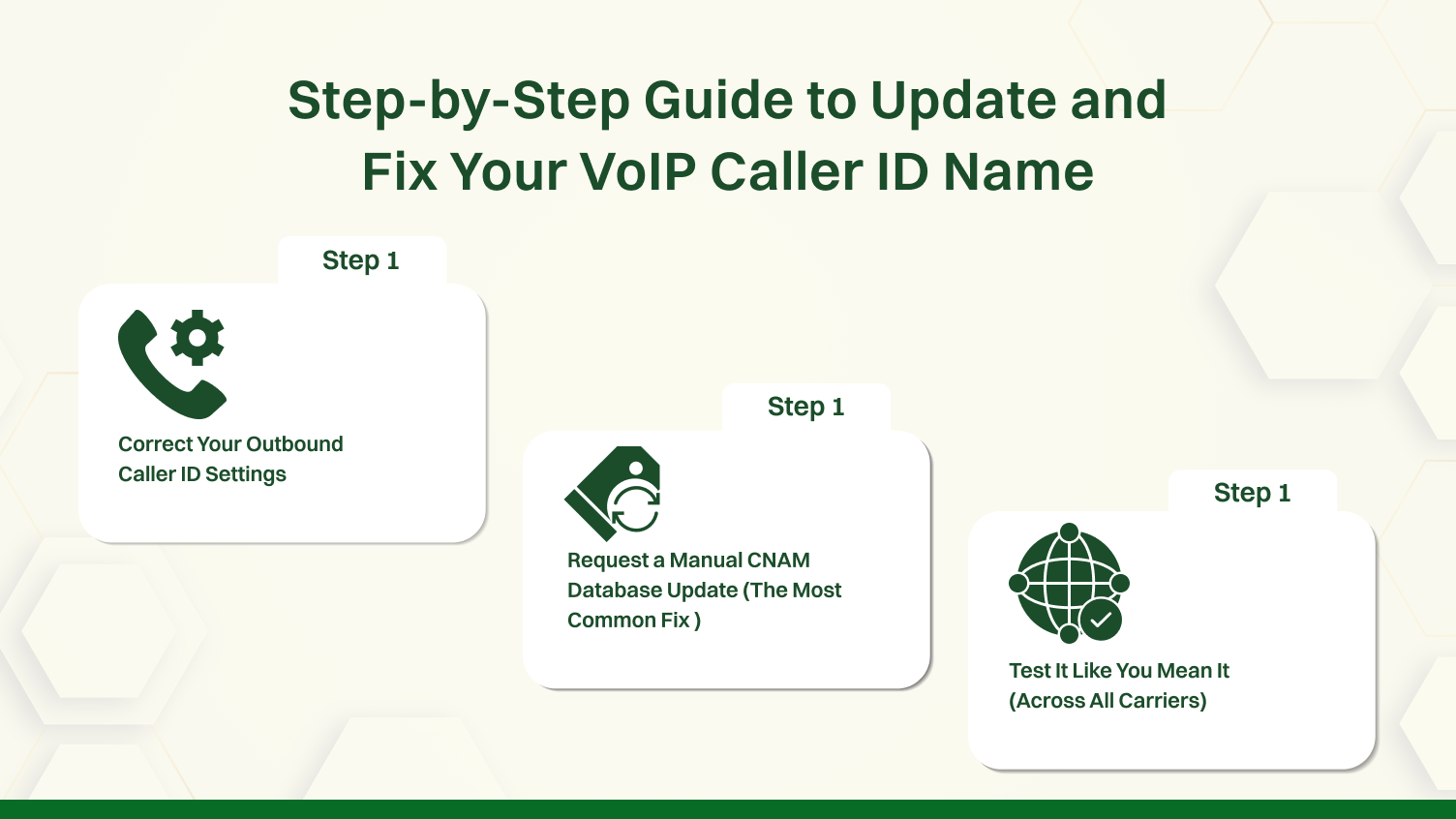
If the quick fixes failed, don’t despair. You’ve just confirmed the problem is deeper. Now we roll up our sleeves and fix it for good. Follow these steps in order.
Step 1: Correct Your Outbound Caller ID Settings
We mentioned this in the quick fixes, but let’s be thorough. Every user, every phone line, and every call queue in your phone system has a potential caller ID setting. You need to check them all.
Once you have confirmed every single setting is correct, save everything.
This methodical check ensures the problem isn’t due to your own configuration. Now you can confidently blame someone else.
Step 2: Request a Manual CNAM Database Update (The Most Common Fix )
This is the most important step in this entire guide. Since the CNAM databases are slow and fragmented, you can’t just wait for them to notice your changes. You have to force the issue.
This single action is the most powerful tool you have for fixing a persistent VoIP caller ID issue.
Step 3: Test It Like You Mean It (Across All Carriers)
While you wait for the CNAM update, and especially after the 2-3 week period has passed, you need to test effectively. Calling one person’s cell phone is not a real test.
Create a small “testing tree” of different phone types and carriers.
Record the outcomes in an easy-to-use spreadsheet. Write down the date, the number that you dialed, the carrier, and the display of the caller ID. This information cannot be overestimated in case you have to revisit your provider. It confirms that the problem is either prevalent or confined to certain receiving carriers.
The guesswork is eliminated as this systematic procedure is followed.
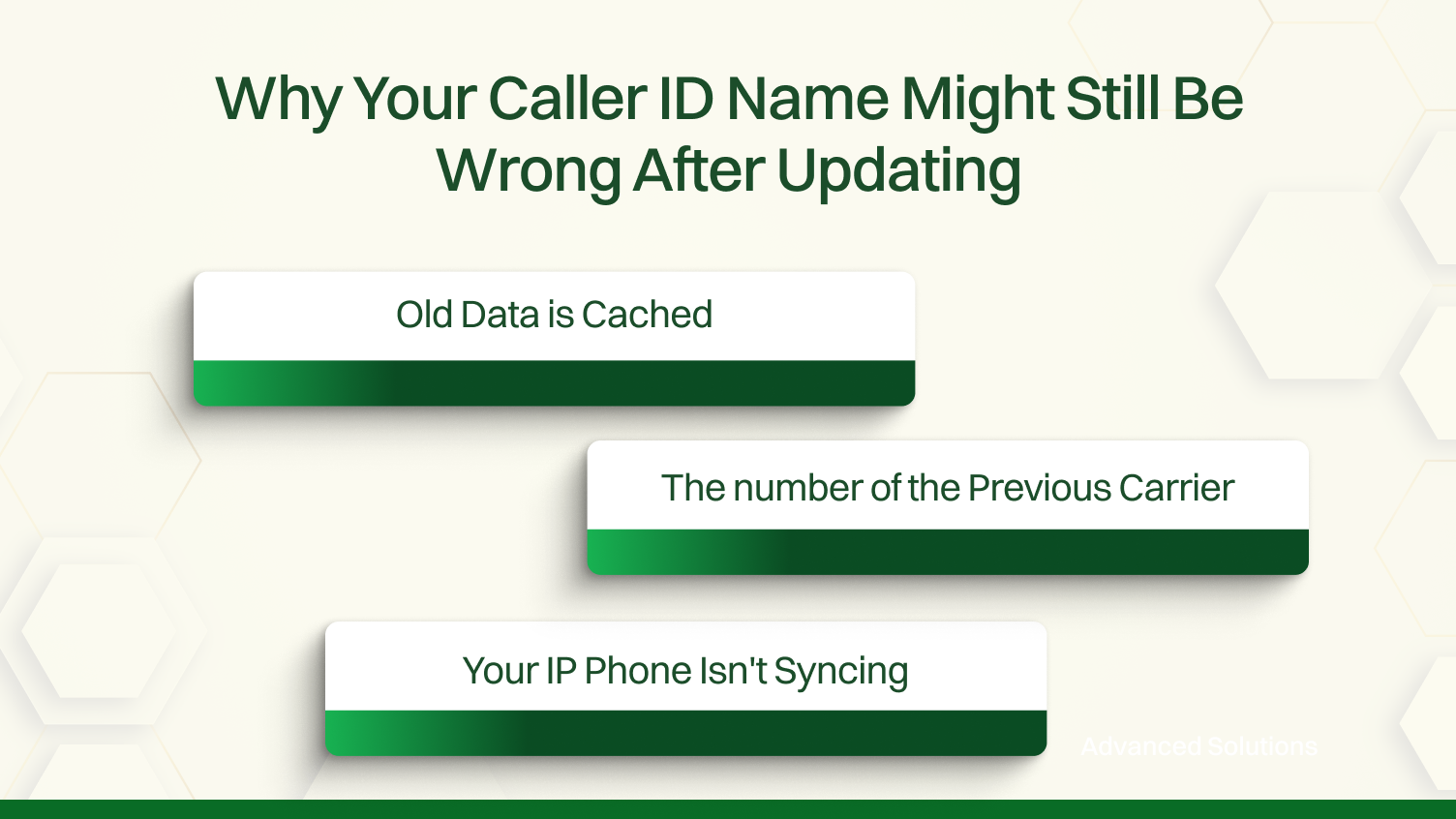
So, you’ve waited three weeks. You submitted the manual CNAM update request. You rebooted everything. And your caller ID name not displaying properly is still a problem, at least on some calls.
Let’s see the world of cache.
Reason 1: Old Data is Cached
Some receiving carriers are notoriously slow at refreshing their local CNAM records. They might be holding onto your old “Billy’s Pizza” data and won’t check for a new record for weeks or even months. If your testing shows the problem is only with one carrier (e.g., it works on Verizon but not AT&T), your provider needs to open an escalation ticket directly with that carrier.
Reason 2: The number of the Previous Carrier
If you ported your number, your old provider might still have a record tying your number to the old name in a database that your new provider can’t easily overwrite. This creates a data conflict that requires your new provider to perform a more forceful “record release” from the previous carrier.
Reason 3: Your IP Phone Isn’t Syncing
In some rare cases, an individual IP phone might not be properly syncing with the central phone system, causing it to use a cached or default profile. A factory reset of that specific phone (after backing up any settings) can sometimes resolve this.
At this stage, your job is to gather evidence (your testing log) and hand it back to your provider’s support team. This is no longer your problem to fix alone.
Once you’ve wrestled this beast to the ground, you never want to do it again. Here are the best practices to keep your VoIP caller ID clean and accurate for the long haul.
Cleaning up after yourself in this manner will save you hours of headache in the future.
If you are still having issues after all of the above, then you are in the 1% of truly complex cases. This is where you need to gather heavy-duty technical evidence.
To say the least, this level of troubleshooting is probably outside the ability of the average business user, but understanding how to formulate your request correctly can get you past the initial support person and get you to a person capable of helping you with deep-running network problems.
You’ve made it. You now know more about VoIP caller ID issues than 99% of business owners. Let’s wrap it up with a quick reference.
The Troubleshooting Flowchart:
Useful Resources:
Fixing your VoIP caller ID is a process of elimination. By following these steps, you can move from frustration to resolution, ensuring your business always puts its best foot forward, one call at a time.
Resolving issues with your business phone system’s caller Id requires looking beyond your own settings. While it’s important to configure your system to send caller id, the definitive solution is to have your provider update the caller id with the correct information. This initiates a formal caller ID update in the national databases that all networks use. This single step is the most critical action for ensuring your business is represented accurately on all outbound calls.
Once requested, patience is essential. The resolution timeline depends on third-party carrier updates, as it is the responsibility of each carrier to update its directory. Remember that names are limited to 15 characters when submitting your details. If problems persist after several weeks, our community forums are an excellent resource for additional support.
Most VoIP users must request a CNAM (Caller Name) update through their VoIP provider. This updated information is then submitted to national caller ID databases. Note that receiving phone carriers control the display, so updates may take 24–72 hours to reflect.
Your caller ID may be showing the wrong name due to outdated carrier records, an old CNAM database entry, or because the recipient’s phone carrier hasn’t updated its local cache. The name seen depends on what their carrier displays, not necessarily what you send.
To change your display name, log in to your VoIP provider’s admin portal and update the outbound caller ID settings. You may also need to open a support ticket for the provider to push this change to external carrier databases.
This typically happens when a previous carrier’s CNAM entry is still active in the receiving carrier’s system. You’ll need your current provider to resubmit a corrected name to the appropriate caller ID databases and ask the carrier to update their cache.
Ensure your VoIP system is configured to send the correct caller ID name and number. Then confirm the name is properly registered in CNAM databases and tested across multiple carriers. Use CNAM lookup tools to validate the update.
Most caller ID systems support 15-character display names, which are constrained by carrier protocols and CNAM systems. Business names longer than this will be truncated, so abbreviations or acronyms are often recommended.
Call landlines and mobile phones on different carriers (e.g., AT&T, Verizon, T-Mobile). Each recipient’s phone may display your name differently depending on how recently their carrier has refreshed the caller ID database.
While you set your caller ID name via your VoIP system, the display is controlled by the receiving carrier. If they have outdated or incorrect information in their CNAM database, the wrong name will still show, despite your updates.
