

Ultimate Guide to SIP Trunk Registration Problems: Error Codes, Fixes, and Prevention Tips

Your phones are down, calls aren’t going through, and error codes are piling up. Sound familiar? SIP trunk registration is the gateway to making VoIP work, and when it fails, your business goes silent.
The most common culprits? Incorrect SIP credentials, firewall or NAT issues, network misconfigurations, or provider-side blocks. These problems can stop your phone system from connecting, and without that connection, calls can’t happen.
This guide focuses on what matters: why SIP trunk registration is essential, what causes it to fail, and how to resolve it quickly. Step by step, we’ll walk through the solutions to restore your connection and keep your communication running smoothly.
SIP trunk registration is the process of registering your business phone system with your SIP trunk provider. SIP trunk is the backbone of the VOIP technology, which allows users to make and receive calls over the internet.
It is like logging in. Your phone system “registers’ with the provider using a username, password, and server address (like a domain, or IP). When your system is registered, you can send and receive calls just like using a regular phone line, but faster, cheaper, and more flexible.
Without proper registration, your phone system can’t place or receive calls, and functions like voicemail and call recording may not work properly. You might hear nothing when you dial, or see messages like:
This implies that your company is losing calls, customers receive voicemail or no sound, and your staff are unsatisfied.
Failing a registration is more than a technical problem to companies that depend on VoIP to conduct their sales, support, or to be able to work remotely; it is lost revenue and lost faith.
Before diving into fixes, it’s important to recognize the signs that your SIP trunk isn’t registering properly. Many phone system issues, dropped calls, silence, and no dial tone trace back to failed registration.
| Symptom | Likely Cause |
|---|---|
| No calls / dropped calls | SIP trunk not registered |
| 403 / 408 / 503 errors | Credential, network, or server issue |
| Constant retry loop | Wrong settings, blocked ports, registration interval mismatch |
| Unregistered status | Authentication failure or provider ban |
| No SIP traffic in logs or capture | SIP blocked by NAT/firewall/SIP ALG |
These issues may seem technical, but the impact is business-critical. If a SIP trunk can’t register:
Spotting these signs early helps prevent downtime and frustration.
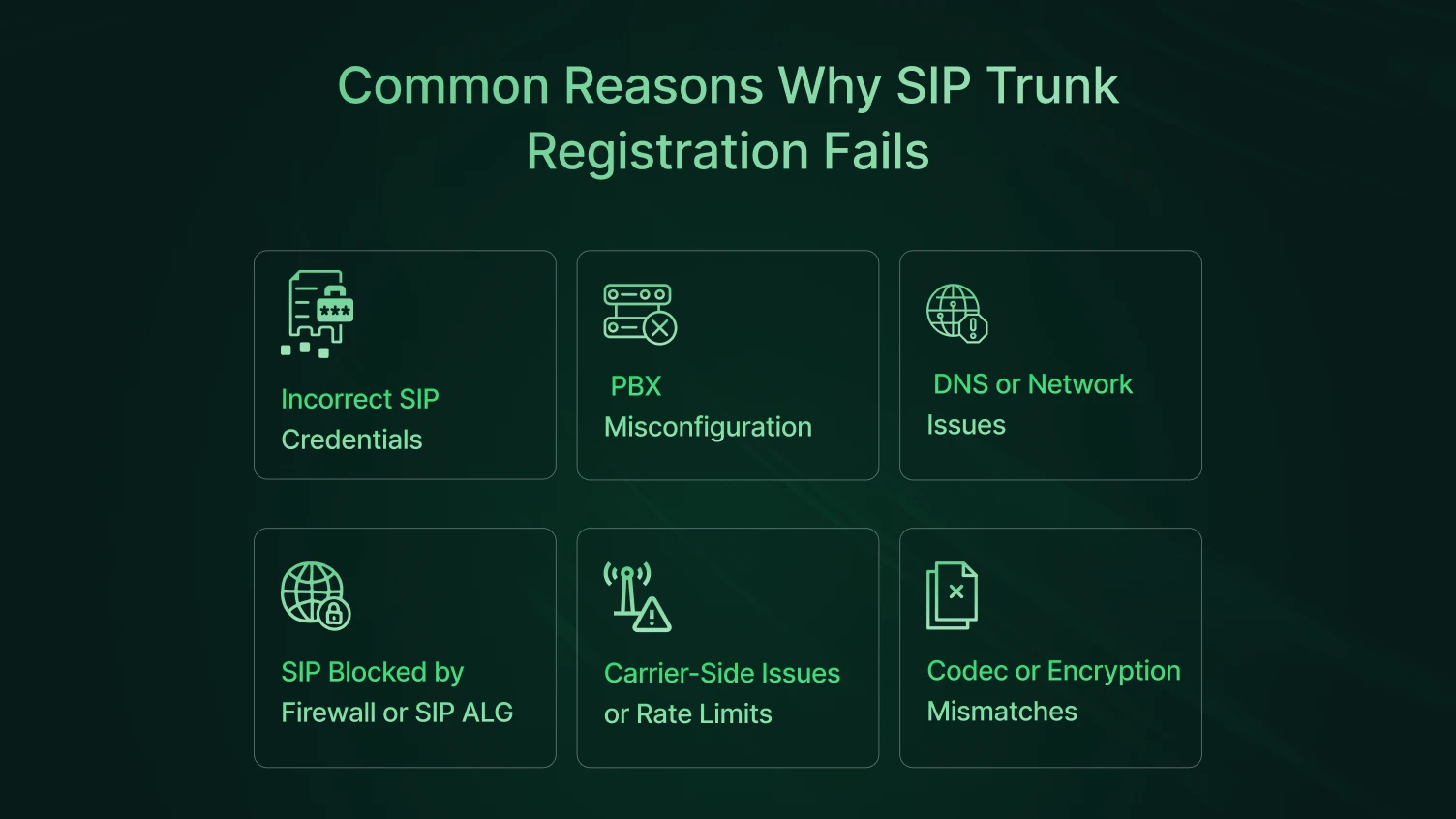
It is very important to understand the root cause of the registration failure. That will help you to solve your problem faster and prevent future failures. When registration fails to connect with the SIP trunk, your phone system loses its connection to the outside world. And when that happens, you know the bad consequences. Some of the common reasons behind the SIP trunk registration failure are highlighted below:
One of the top causes of registration failure is wrong login information.
What to check:
Your phone system (PBX) must match the provider’s requirements. Mismatches can silently block registration.
Common misconfigurations include:
Example: Yeastar and 3CX users often see issues with NAT handling when behind firewalls.
Your system needs to resolve the SIP domain name to an IP address. If DNS fails, the trunk won’t register.
Other network causes include:
Firewalls and NAT can interfere with SIP traffic, especially if SIP ALG (Application Layer Gateway) is enabled.
Symptoms may include:
SIP ALG is often enabled by default on many routers; disable it when possible.
Sometimes, the problem is not on your end:
Though less common, registration can fail due to unsupported:
Always verify that your SIP trunk and PBX support the same media and transport formats.
| Cause | What to Check |
|---|---|
| Incorrect credentials | Username, password, SIP server, register address |
| PBX misconfigurations | SIP port, protocol (UDP/TCP), interval, NAT/STUN |
| DNS/network problems | Domain resolution, IP reachability, and ping test |
| Firewall/SIP ALG interference | Port blocking, NAT, SIP ALG, router config |
| Carrier restrictions | IP bans, rate limits, and provider outage |
| Codec/encryption mismatch | G.711/G.729 support, TLS/SRTP settings |
Don’t panic if your SIP trunk isn’t registering. These issues can be fixed in minutes. This section walks you through quick, actionable steps to get your phone system talking to your SIP provider again.
Start with the basics. Registration fails most often because of wrong login info.
Most of you make mistakes with the simple login information while registering. Start with the basics:
A simple restart can help solve the unknown errors in the system. Registration issues can also be solved by restarting.
This helps reset NAT mappings, refresh DNS, and reload trunk settings.
Your firewall might be blocking SIP traffic or interfering with NAT.
You can use a packet capture tool to confirm whether register packets are leaving and replies are coming back.
See whether your network can reach your SIP provider:
If your domain name doesn’t resolve correctly, your SIP trunk won’t know where to register.
If your SIP trunk still is not registering even after you have tried everything, reach out to your provider for help.
Reach out if you suspect:
Still got SIP trunk registration failure? Even when the fast solutions failed, that is not a big deal. This part specifically offers a more detailed, step-by-step analysis intended to fix ongoing SIP registration issues, such as audio, signalling incompatibility, and misconfiguration.
The first place to look is your SIP settings. Even small mistakes, like a typo in your SIP server domain, can block trunk registration.
Make sure the following matches what your trunk provider gave you:
SIP is very sensitive to firewall behavior, NAT settings, and router configurations.
If you’re behind a NAT and using a dynamic IP, SIP registration may break unless the NAT is correctly handled.
PBX platforms (like 3CX, Asterisk, or FreePBX) offer deep customization. Incorrect transport protocols or timers may silently cause registration failures.
Things to check:
Even if your SIP trunk registers, audio issues (no sound, one-way audio) are common.
Check these:
SIP trunks usually fail with an error code. Here’s what some common ones mean:
| Code | Meaning | Fix Hint |
|---|---|---|
| 403 | Forbidden | Wrong password or IP blocked |
| 408 | Request Timeout | SIP server not reachable |
| 503 | Service Unavailable | Server overloaded or DNS problem |
Check:
Still not sure what’s going wrong? Use these tools:
Look for:
You’ve done the work, now check the result.
If everything’s working, monitor for at least 30 minutes to confirm stability under live conditions.
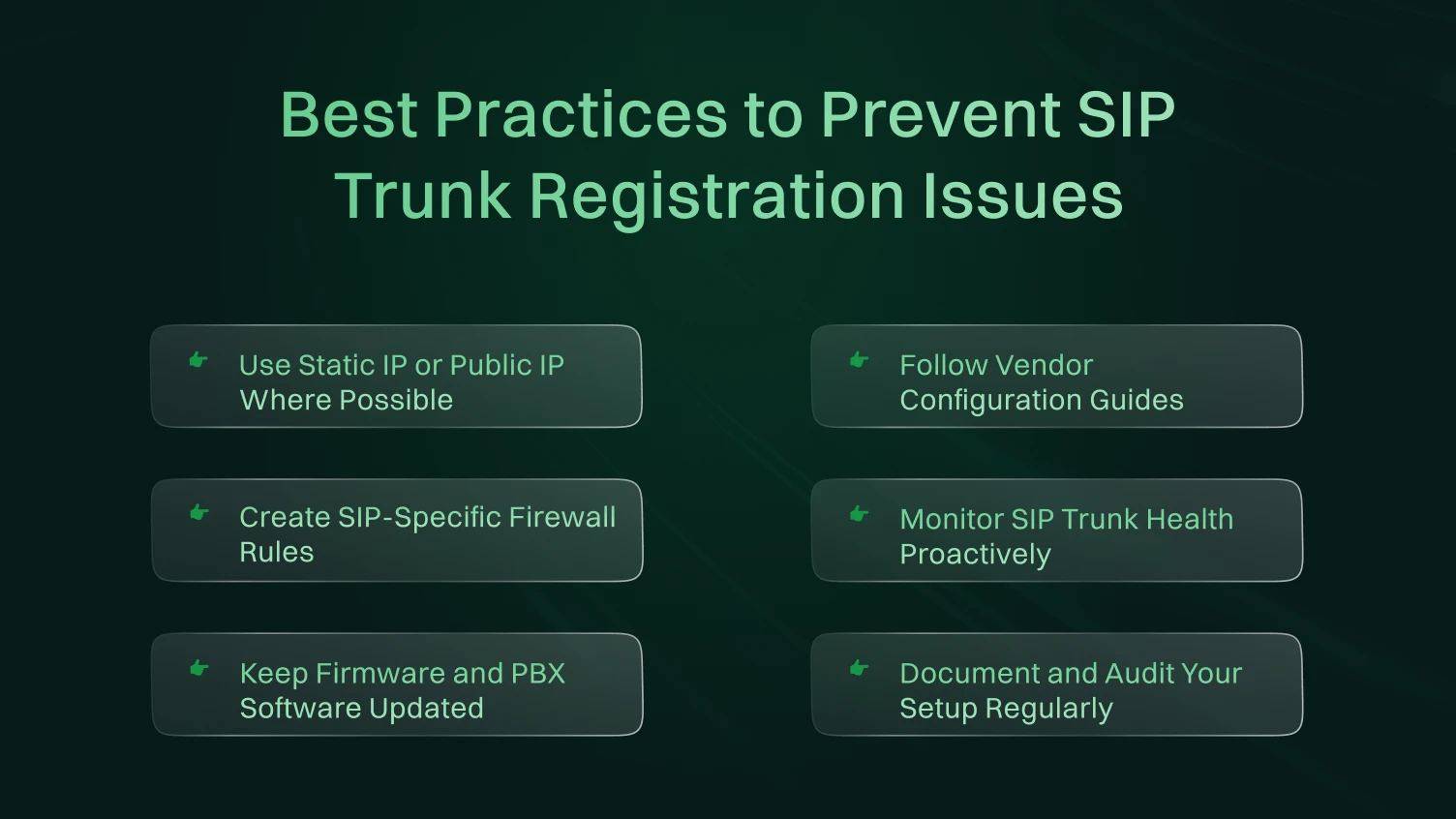
When you have your SIP trunk all set up and operational, then the next target is to support it and help it to stay running. Constantly freshly starting, call drops, or repeated hack off up failures will impact your company’s communication. Uptime matters very much in a contact center.
Here are proven best practices to avoid SIP trunk issues in the first place.
If your SIP trunk provider supports registrationless trunks, request one. These use your public IP address and bypass the registration process. It reduces the chance of SIP signaling errors or DNS query failures.
If registration is required, use a fixed public IP address and whitelist it with your provider.
Why it matters:
Each PBX and SIP provider has certain configuration steps. Never follow an unofficial configuration guide unless required when configuring your SIP trunk. The documents prevent such errors as incorrect SIP ports, transport incompatibility, or codec incompatibility.
Common tips from providers:
Also, monitor your registration status page regularly within your PBX dashboard.
Instead of relying on general firewall settings, build SIP-specific rules:
Bonding your SIP traffic proactively eliminates packet losses, delays on signaling, as well as failures on the trunk registrations.
Whether you’re running 5 or 500 concurrent calls, it’s critical to monitor the health of your SIP trunks.
Set up:
Tools like PRTG, VoIPmonitor, or built-in PBX tools help catch issues early — before users complain.
Security holes or SIP bugs frequently occur by using old firmware. Look up regularly to:
Some updates include fixes for NAT traversal, authentication bugs, or codec support, all of which affect registration stability.
Don’t rely on tribal knowledge. Document everything:
Create a shared checklist for new deployments or escalations, especially helpful for IT teams managing multiple trunks or sites.
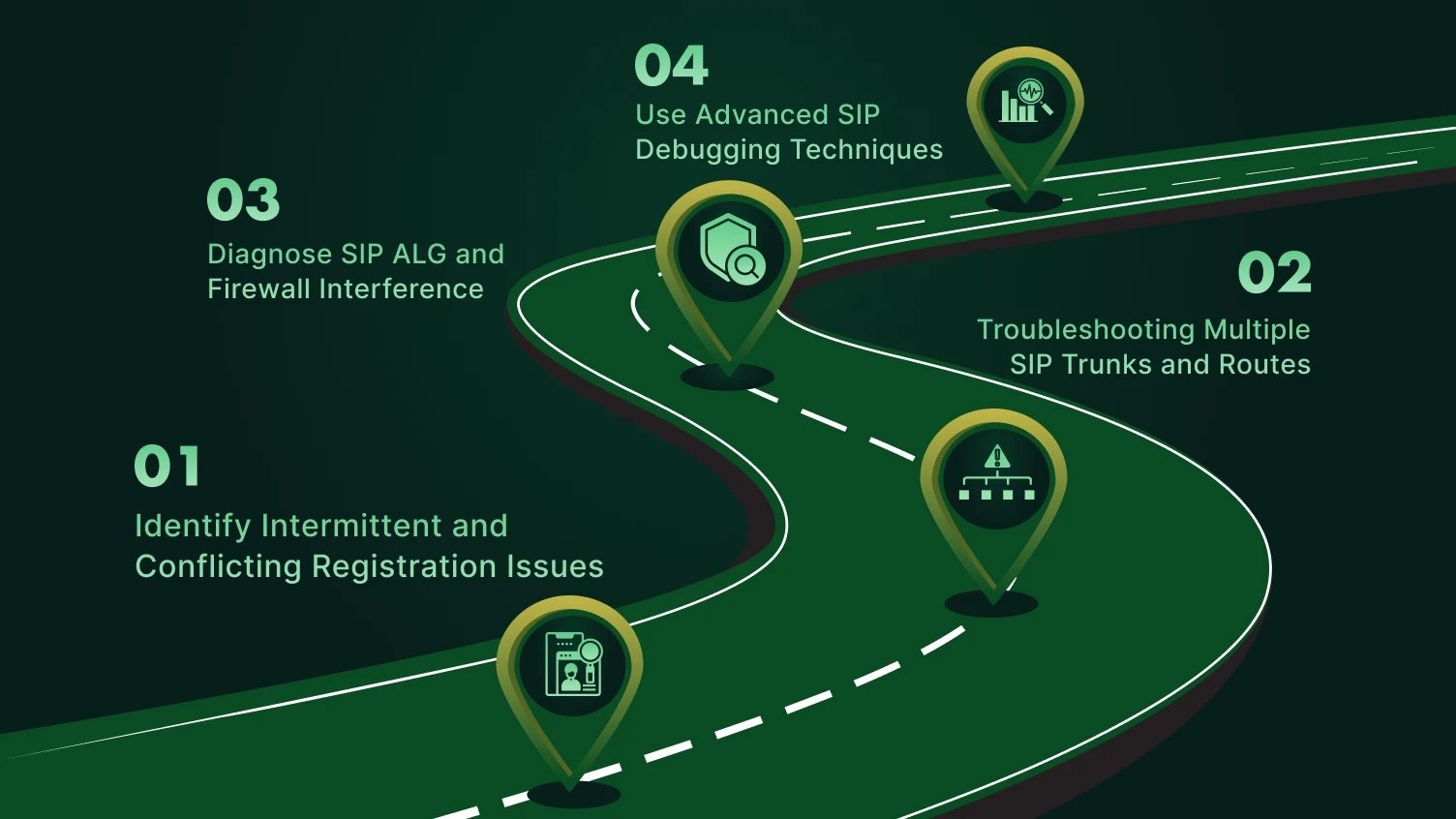
As your SIP infrastructure scales and becomes more dynamic, like supporting multiple SIP trunks, remote offices, or contact centers, the registration process gets trickier. You may begin to experience intermittent failures, conflicting registration issues, or even audio dropouts.
Here’s how to resolve those complex SIP trunk registration problems, with a blend of diagnostic techniques, network best practices, and escalation guidance.
These issues often don’t show up during setup but surface randomly. Common symptoms:
Possible causes:
Fixes:
Managing multiple SIP trunks adds routing and NAT complexity, especially across local phone number networks and remote branches.
Tips:
Common mistake: Mixing trunks with different codec preferences or SRTP settings without media negotiation support.
One of the top culprits for SIP trunk registration failure in complex networks is SIP ALG (Application Layer Gateway).
ALG often rewrites SIP headers, causing mismatches between the private IP address in the SIP packet and what the provider expects.
Advanced fix:
For deeper issues, use these VoIP diagnostic tools:
Sometimes, the issue isn’t inside your network. It could be:
When escalating:
| Problem | Cause | Fix |
|---|---|---|
| Conflicting trunks | Shared credentials | Use unique auth |
| Intermittent fails | NAT/SIP ALG | Disable ALG, adjust timers |
| One-way audio | Media port blocked | Open RTP range |
| No response | DNS not resolving | Check DNS + fallback |
| Auth fails | SIP server policy | Contact provider |
SIP trunk registration is key for good business communication. Not only calls, but it also ensures that features like call forwarding, call recording, and many other features function reliably. It will keep your phone system connected with the trunking provider, whether you are opening a busy call center or attending multiple phone lines.
The majority of the SIP trunk registration issues, such as DNS or private IP address errors, can be successfully addressed in a short period of time with just a few resolution practices. Having a clean procedure on how to solve problems, familiarity with the SIP messages, and being cognisant of the issues, such as failed logins and lack of status updates, can assist you in dealing with the SIP trunk registration problems and maintain the working nature of your systems.
If you or anyone else is posting unclear questions like “I CAN’T get it to work” in online forums, or getting lost in long discussions about one issue among many, you need to make a plan. Create a checklist for your setup, monitor for DNS problems, and keep track of all settings related to your SIP connection with your VoIP provider.
Stay informed. Be aware of any issues with your VoIP system and address them quickly. Your VoIP’s reliability depends on it.
Yes, a majority of SIP trunks require that your PBX be registered with the provider through a registration request. This is critical to allow and ratify the calls. There are static SIP trunks that do not need registration, although registration is usual due to security and flexibility.
Trunk rest can be done by restarting SIP services or a PBX system. Other times, this can be fixed by merely rebooting the device. When in doubt, make sure that you have the possibility to update the app or software of your PBX or SIP device, since it helps eliminate bugs that concern registration.
Make sure your SIP credentials are fine, and your DNS can positively resolve the SIP server domain. Check your configuration with the firewall to see that it permits SIP traffic and shut down SIP ALG in case it was enabled. Reboot your SIP phones or PBXs to refresh liaisons. In case of being stuck, call your SIP provider or make a post as a thread-starter on VoIP forums and get the community to work on it.
SIP registration takes place when your PBX signs in to the server of your SIP provider with the credentials, meaning that you are making a login. This will be very important, and your system will make and receive calls.
The status page of most PBX systems indicates whether or not trunks are registered. Also, you may access the logs or diagnostic tools. In the case trunk status is unregistered, check DNS resolution, firewall, and device online.
The common reasons are the wrong SIP credentials, unresolved DNS requests, and a blocked port as a result of firewall configuration. There is a tendency for NAT and SIP ALG problems to interfere. Look up your firewall setting and make sure that your DNS is resolved. On other occasions, the issue lies on the side of the provider.
Restart the SIP services with the help of your PBX in the Admin panel or CLI. Share with your team your planned restarts. When possible, see whether there is the possibility of having the app installed or upgrading your SIP program to avoid such occurrences.
A SIP trunk is a bit like a telephone channel between your PBX and provider, whereas a SIP session is a call or connection on the channel, i.e., a single connection.
The requirements are a compatible PBX system, appropriate SIP credentials, fast internet, and open ports (check firewall settings). The SIP domain has to be resolved correctly by DNS. In addition, make sure your system can support simultaneous calls and your network is good with VoIP signalling.
