

How to Use Call Parking to Handle Calls Efficiently

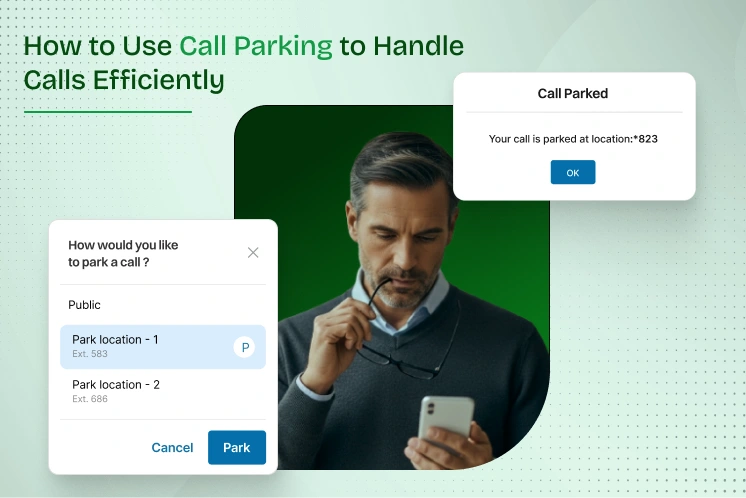
Communication is not only an essential tool in any business, but it is also the experience that you provide. An effective interaction can make all the difference between winning and losing a customer. On this basis, businesses are placing more emphasis on call quality and even more innovative phone systems.
This is where call parking comes in, which is a powerful yet often overlooked feature. It helps you juggle multiple calls seamlessly and improves teamwork. This feature ensures that your callers aren’t waiting unnecessarily, thereby enhancing the customer experience.
Call parking is such an easy solution that you may not have realized you needed. Let’s take a closer look at how you can utilize this simple tool to transform your team. It transforms how your teams handle active calls, but there’s more to it than just placing someone on hold. Let’s explore it all.
Handling business calls without proper tools can quickly become chaotic. During peak periods, workers struggle to maintain on-time conversations. They have to handle a lot of calls, leave the callers on hold indefinitely, or simply not pick up a call to the business without intelligent call routing.
Whether the calls are for customer service, sales, or internal support, they must be handled quickly and without any mix-ups. It becomes a mess when you don’t have a structured way to pass active calls between employees. Issues like losing customer trust, dropping calls, and more arise due to it.
The symptoms you may notice that are causing ineffective call handling:
Some of the typical situations that are causing these call issues can be:
Call handling seems straightforward until you’re in a busy office or customer service environment. In those conditions, multiple calls come in at once, and agents scramble to respond, transfer, or hold chats. It’s a lack of a unified way to pause and reroute calls when one agent can’t handle them.
With outdated or improperly configured business phone systems, the conditions become even worse. Teams can still experience delays or dropped calls even with unified communication tools in place. So, it is difficult to manage an active call on hold without call parking features. Let’s take a look at what’s causing this breakdown and why it is crucial to be aware of it.
In most traditional phone systems, the call hold feature works only on the desk phone or IP phone where the active call began. This limitation disrupts the flow of team collaboration, particularly in high-volume environments such as cloud contact centers or busy front offices. With no way for another agent to assist or answer the call, the caller on hold often hangs up out of frustration.
In business phone systems without smart routing or parking, transferring calls becomes a game of chance. If the receiver doesn’t pick up, they may already be on another call or away. This way, the incoming call gets lost and may go to voicemail or, worse, disconnect entirely. The customer may need to explain their issue repeatedly. Meanwhile, agents waste time trying to manually park the call.
Without a centralized call view, it’s easy for parked calls to get lost. If a call is on hold but there’s no display or alert system, there’s no way to know what’s parked or where. Imagine a team juggling ten active calls, and no one knows which parking spot each one’s sitting in. That’s not a communications platform—that’s chaos. This lack of visibility breaks the customer experience.
Even when your business phone system includes call parking features, success depends on staff knowing how and when to use them. Without clear steps, agents may misuse call hold, forget to park calls, or rely on manual shout-outs across the office. They may confuse park extensions with standard transfers. Agents might not even realize that parked calls exist in a shared parking lot.
Setting up call park may seem simple, but behind the scenes, your phone system needs the right architecture to make it work. Several technical elements must align, whether you’re using modern cloud PBXs or hybrid business phone systems:
It invites issues if these pieces aren’t configured correctly. There can be no ringback after a timeout or two calls land on the same park extension—the result is confusion.
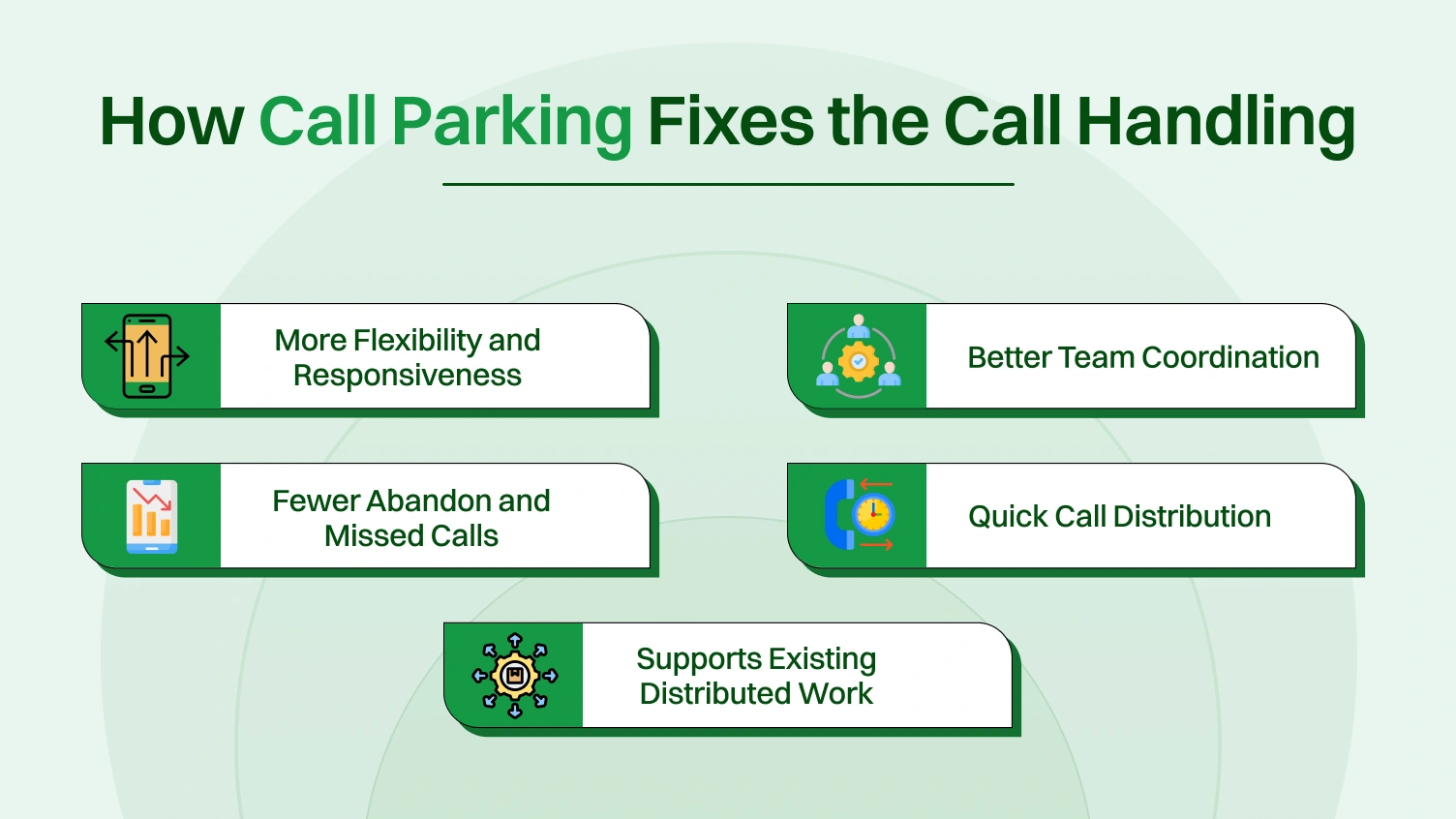
Call parking is a feature that places a live call on hold in a temporary location, known as a parking spot. This ability enables you to answer or retrieve calls from any phone within the business network. Here you can see the key ways call parking enhances call handling efficiency.
A call may be linked to a specific desk phone or passed to an associate who may be unavailable. Call parking allows a call to park in a shared parking space where a variety of agents can pick up. This allows a call to be picked up by a suitable next-available person or by available agents.
As parked calls are visually apparent and recoverable by a team, call parking permits better departmental coordination. Agents are then able to divide responsibility among each other for calls, exchange problematic queries easily, and avert caller frustration by virtue of repetitive transfers or excessive delays.
Call parking permits calls offered from any telephone and permit notification alerts so that those calling are less likely to abandon or be transferred to voicemail. Non-answered incoming telephone calls within a timeout time can automatically be redialed to the original calling agent or transferred, so no call slips through the cracks.
Call parking reduces progressive transfer or call-hopping time. The call can be immediately taken from any parking location by any available employee, resulting in faster call settlement and improved operational productivity.
Particularly where there are hybrid or multi-site scenarios, call parking permits employees to work with their calls no matter where they are. This supports continued servicing between team users who are beyond their work locations and makes remote work possible.
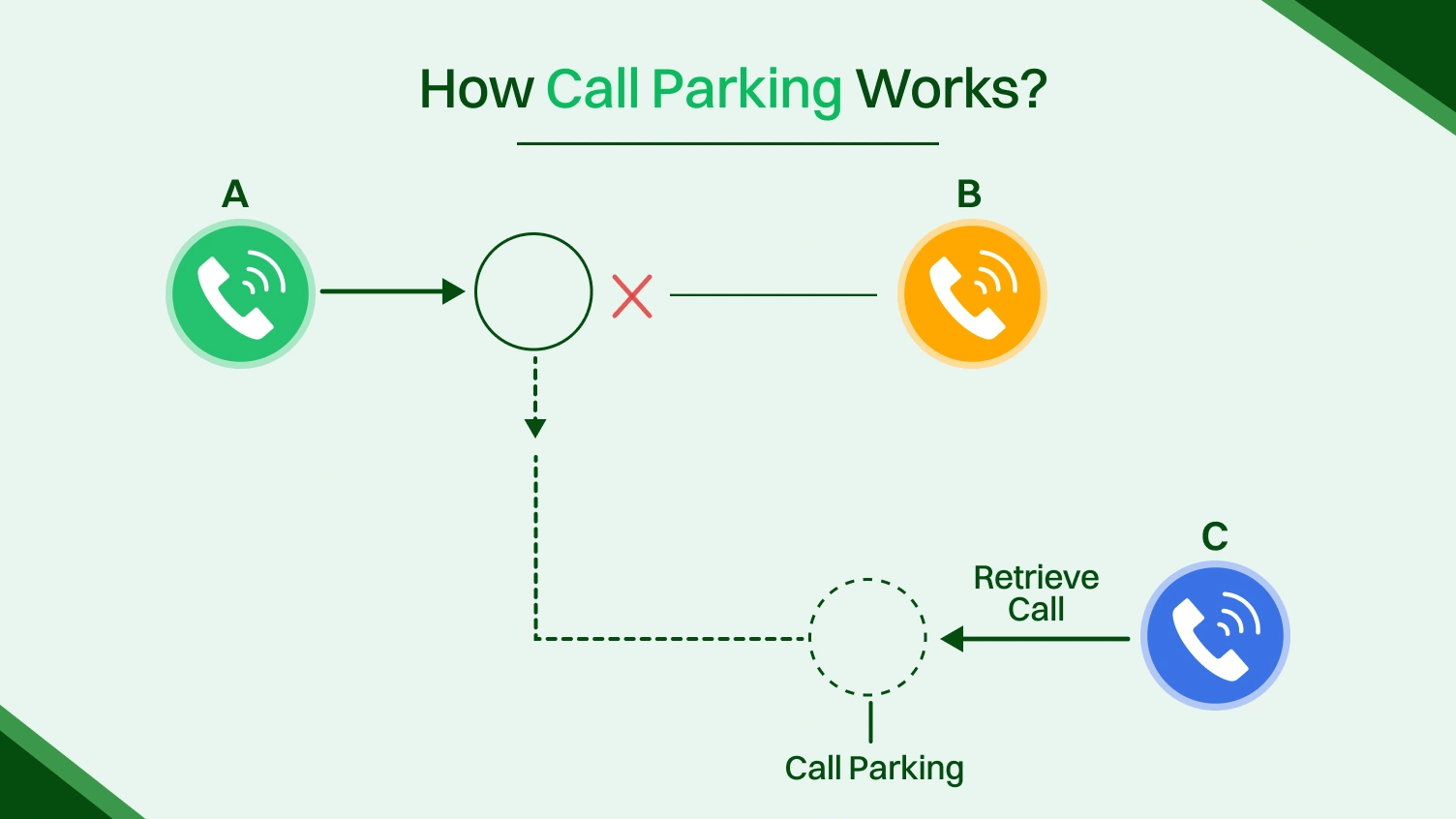
Before you start using call parking, it’s helpful to understand what it actually does. Call parking is a feature in many business phone systems and cloud phone solutions that lets you place an active call on hold in a shared, virtual location. Here are the steps that show exactly how the call park process unfolds.
A customer dials your company’s number, and the call reaches an employee through your cloud phone system. This may take place through a desk phone, softphone, or a mobile application. The call will be activated when the employee picks up.
If the employee can’t help directly, they park the call instead of transferring or placing it on traditional hold. This frees up their line and allows others to retrieve the call from anywhere.
Once the call is parked, the employee alerts the right team member to pick it up. This is done using quick internal communication to keep the caller from waiting too long.
A colleague sees the signal and calls the parking extension, and answers the call. This time, a different person picks up the call, and the passing is smooth.
Call parking is better than traditional hold or transfer because it lets any team member pick up a call from any device. It improves collaboration and keeps calls moving smoothly. Here are the key differences that make call parking unique from the other two.
| Feature | Call Hold | Call Transfer | Call Parking |
| Call tied to a specific device? | ✅ Yes | ✅ Yes (until transferred) | ❌ No
– Works across devices – Ideal for hybrid teams |
| Can team members retrieve? | ❌ No | ✅ After transfer | ✅ Yes
– Pick up from any device – No redial needed |
| Flexible in hybrid teams? | ❌ No | ❌ Limited | ✅ Yes
– Great for remote teams – Enables smooth collaboration |
| Works across all devices? | ❌ Not always | ✅ Sometimes | ✅ Always
– Desk phones, mobile apps, IP phones – Unified experience |
To use call parking effectively, it’s essential to follow some key best practices. These help your team manage calls clearly, reduce wait times, and improve customer experience. You can follow these simple tips to get the most from your call parking system for your business. Let’s explore it quickly.
Assign descriptive names to parking spots or park extensions, such as *701 for Sales, to avoid confusion. This helps teams quickly park the call and pick up the call from the right virtual parking space in their phone systems. Clear labeling also streamlines call routing and minimizes errors during busy times.
Set timers on active calls on hold so unattended calls in the parking lot automatically ring back or notify a manager. This prevents long waits and keeps incoming calls moving in your cloud contact center and business phone systems. Use text-to-speech alerts to ensure no call remains forgotten.
Make sure everyone on your team knows how to park calls and retrieve them when needed. Enable them to use park features professionally, whether on desk phones or softphones via your unified communications platform. Eventually, a well-trained staff can manage calls smoothly in the system.
Enable staff to pick up the call from mobile devices or softphones in your cloud phone system or cloud PBX. This gives flexibility to manage active calls on hold and boosts team collaboration anywhere. Mobile access is especially critical for remote teams or employees frequently on the move.
While call parking features are simple on the surface, technical or usage-based issues can emerge in real-world business environments. These aren’t always obvious, and without the right setup, your team’s collaboration and caller experience may suffer. Here’s how to identify deeper problems and fix them.
Calls are consistently left in parking spots beyond the timeout period or are missed by remote/hybrid teams. It can hinder customer experience and overall workflow. Here are the fixes you can apply.
Users mistakenly park the call on the wrong park extension, leading to delays or confused customers. For example, the inquiry-related call could end up in the sales department. You can apply these fixes.
Parked calls are being dropped without ringing back, often due to misconfiguration in SIP settings or VoIP traffic issues. It could create increased missed call rates and lost opportunities. Here are the fixes.
Remote workers using softphones or mobile apps can’t pick up the call from the parking lot. These are the fixes you can apply to resolve these issues.
Supervisors have no way of seeing who parked the call, where it’s parked, or how long it’s been idle. It blocks them from seeing the workflow of agents and analysing customer interaction. Here are the fixes.
Call parking could be a small component of your telephony infrastructure, but it saves you from significant communication issues. This keeps the incoming calls moving, relieves the pressure on the frontline, and enhances the customer experience. This telephony service adds additional flexibility and clarity to your workflow, whether in the workplace or elsewhere.
You can utilize park features to avoid confusion, minimize dropped calls, and better manage every caller on hold by applying proper training and configuration. Implementing it into your business phone systems, you support smoother operations, stronger team collaboration, and a better reputation for responsiveness.
With call hold, only the initial user will be able to answer the call. With call park, the call is retrievable from the parking lot by any legitimate user, introducing flexibility and collaborative power.
Yes, all the latest cloud telephony systems also support call parking, for example, parking locations, timers, and call park via mobile or browser remotely.
Admins can assign park extensions (e.g., *701) within the cloud PBX or business phone system settings to organize and label parking spaces effectively.
Most phone systems can send a caller on hold back to the original agent or redirect them to voicemail if the parked call times out.
Yes. Many business phone systems allow shared visibility of parking spots so teams can see what’s parked, who parked it, and for how long.
Yes. Even though it’s simple, staff should be trained on how to park calls, identify park extensions, and avoid leaving active calls on hold too long.
