Skip to content

How do Scammers get my phone number?

Edward Dalton
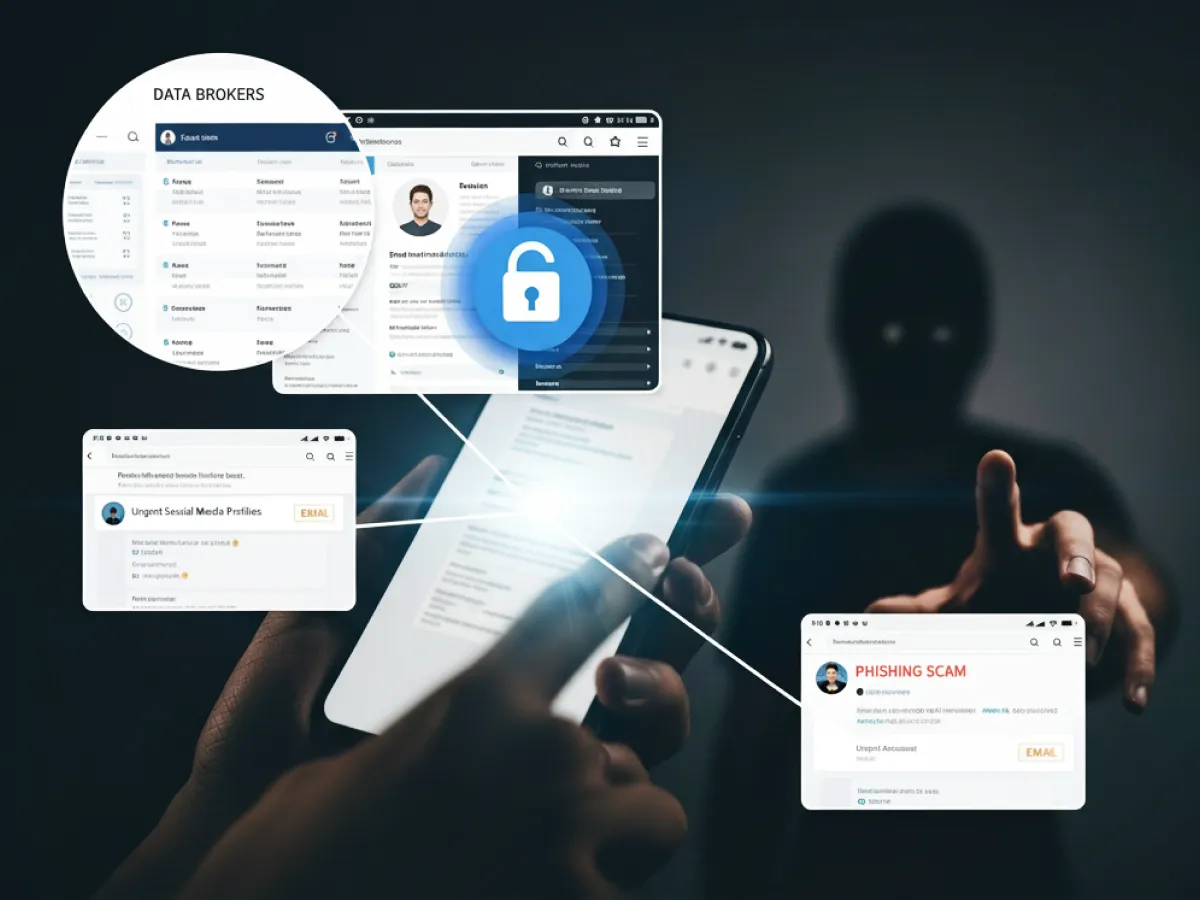
How do Scammers get my phone Numbers - Graphical representation
Ready to transform your business telephony?
Dialaxy gives your team local numbers in 100+  countries, smart call routing, and a centralized dashboard — all set up in under 90 seconds.
Summarize with AI block

Quick Overview:

Scammers get your phone number through data breaches, data brokers, social media scraping, phishing scams, public records, and automated dialers. Sometimes you hand it over unknowingly through sketchy apps or contests. Your number’s likely already circulating; the key is limiting how much damage they can do with it.

Introduction

You know that sinking feeling when your phone buzzes with yet another scam call?

Here’s the uncomfortable truth: your number’s probably already out there, getting passed around like currency in the digital underworld. And no, you didn’t do anything obviously wrong to end up on their radar.

The question isn’t if scammers have your number; it’s how they got it, what they’re planning to do with it, and most importantly, how you stop them before they strike.

If you’re thinking, “How do scammers get my phone number?”, well, here’s a guide for you.

Financial Impact of Phone Number Data Breaches

Your phone number isn’t just ten digits. In the wrong hands, it’s a weapon that can wreck your finances. When a data leak happens, you’re not dealing with a few spam calls; you’re staring down real money problems that stick around for years.

Financial Impact on Individuals

The second a scammer has your phone number, the trouble starts.

  • SIM Swapping Wipes Out Bank Accounts
    Criminals pull off a SIM swap, and suddenly they’re intercepting your 2FA codes. They get into your bank account and clean it out, sometimes in under an hour. People lose anywhere from a few hundred bucks to their entire savings.
  • Identity Theft Bleeds You Dry
    Fixing identity theft costs a fortune. Credit monitoring services, lawyer fees, and notary costs to prove you didn’t go on that $5,000 shopping spree. Some scammers even build synthetic identities, apply for credit cards and loans you never asked for.
  • Phishing Traps Never Stop
    Once your number ends up on the dark web’s “sucker list,” the phishing scams don’t quit. Click on links in one sketchy text message and boom, ransomware locks up your entire digital life until you pay up.
  • Your Credit Score Crashes
    Scammers use your phone to hijack your financial identity, and your credit score tanks. Now you’re stuck with brutal interest rates on any loan, or worse, you can’t get a mortgage at all. A lot of people end up having to freeze their credit just to make it stop.

Financial Impact on Businesses

When businesses lose customer phone numbers in a breach, it’s a total disaster.

  • Average Breach Cost
    One data breach with leaked phone numbers? That can hit US$25 million. And that’s just the beginning.
  • Regulatory Fines & Legal Fees
    Privacy regulations like GDPR don’t play games. When a mobile carrier or bank screws up protecting personal information, the fines are massive. Then customers sue, and the legal bills pile up even higher.
  • Cleanup Costs a Fortune
    Companies have to tell every single victim about the breach. All those call and text notifications, setting up support lines, offering free credit monitoring, the cleanup tab often costs more than what got stolen in the first place.
  • Customer Attrition
    Trust vanishes overnight. People find out their contact information got leaked, and they’re gone. That customer exodus kills long-term revenue.
  • Increased Insurance Premium
    After a data leak, cybersecurity insurance premiums skyrocket. Some insurance companies straight-up refuse to cover businesses that can’t get their digital security together.

Bottom line? A leaked phone number isn’t some minor hassle. It’s a direct threat to your money, whether you’re a regular person or running a company.

Now that you understand what’s at stake financially, let’s talk about how scammers are actually getting their hands on your phone number in the first place.

How Scammers Actually Get Your Phone Number: 11 Common Methods

“How do scammers get my phone number?”

It’s the question we all ask while staring at a screen filled with “Scam Likely” notifications: How on earth did they get my number? You haven’t handed it out to anyone suspicious, yet the phone calls and phishing scams keep rolling in.

The reality is that your cell phone number is no longer just a way to chat with friends and family; it’s a master key to your digital security. Unfortunately, bad actors have turned the acquisition of your digits into a high-tech sport.

Here are the 11 most common ways scammers get your phone number and, subsequently, access to your phone.

1. Massive Data Breaches

This is the “big fish” for criminals. When a major corporation, such as AT&T or a large bank, suffers a data leak, millions of records are exposed. These data breaches often include your customer names, email addresses, and, most importantly, your phone number.

Once this personal information is leaked, it’s often packaged and sold on the dark web, giving fraudsters a ready-made “hit list” for phishing campaigns.

2. Data Brokers and People-Finder Sites

Ever wonder how those “Search Anyone” websites know so much? Enter the data broker. These entities exist solely to crawl public records, social media, and marketing profiles to build a comprehensive dossier on you.

They aggregate everything from your date of birth to your financial information. If a scammer is willing to pay a few dollars, they can buy a report that puts your cell phone number right in their hands.

3. Public Social Media Profiles

We all love sharing, but a “public” social media account is a goldmine for social engineering. If your contact information is visible on your profile, or if you’ve listed your number in a “Contact Me” button, scammers don’t even need to be tech-savvy to find you.

They use an AI web scraper to harvest thousands of numbers in seconds. Remember, once they have your number and your name, they can start crafting a believable phishing attack.

4. Phishing Scams (Smishing)

Occasionally, we end up losing it. Or a scammer may send a text message (also referred to as smishing) stating that there is a problem with a recent purchase or a delivery.

When you click on links in these messages, you are usually redirected to a bogus webpage pretending to be a legitimate bank screen or a checkout screen. When you check your identity by entering your number, you have given the keys to the kingdom to the bad guys.

5. Automated Dialers (Robocalls)

If you’ve ever answered a call, heard a second of silence, and then a click, you’ve been “pinged” by autodialers. These machines dial thousands of phone numbers per minute to see which ones are active.

If you answer, your number is marked as “live” and sold to other scammers as a “vetted” lead. This is also how the infamous one-ring phone scam works: they call once and hang up, hoping your curiosity leads you to call back and incur massive VoIP service charges.

6. Online Forms and Contests

“Win a free iPad! Just enter your name and phone number!” We’ve all seen these ploys. While some are legitimate marketing, many are bait designed to collect online accounts data.

These apps and websites often have buried in their “Terms of Service” that they can share your data with third-party “business partners.” Before you know it, your number is being cycled through the scam call-center industry.

7. Malware and Spyware

Malware could be lurking on your computer in case you have downloaded a harmful application or tapped a suspicious link. Some forms of spyware might access sensitive data, such as your address book and your own number.

This enables the actors to target you as well as spoof your number to target your friends and family.

8. Unsecured Wi-Fi Networks

It would be tempting to log into Free Airport Wi-Fi, but it is a criminal playground. Hackers are able to conduct “man-in-the-middle” attacks to intercept the data that passes through your web browser without a mobile security solution.

This can include payment info, online accounts with strong (or weak) passwords, and the phone number associated with your service provider accounts.

9. Stolen Physical Mail

Old-school but effective. Criminals still rummage through the recycling pile or steal mail to find a bill, credit card statement, or government licenses. These documents are rife with personal information.

A single discarded phone bill can reveal your phone number, account details, and address to a scammer, making identity theft much easier.

10. “Target Lists”

In the scam call-center industry, efficiency is king. Scammers purchase “Target Lists” from the dark web that are filtered by age, location, or even interest (like a “recent baseball fan” list).

These lists are often the result of previous account takeovers or SIM swapping incidents, where the scammer already knows you are a high-value target for romance scams or cryptocurrency schemes.

11. Directory Listings and Public Records

While the Yellow Pages might feel like a relic of the past, public records are very much alive. Voter registrations, property records, and even professional registrations are often accessible to anyone.

If your cell phone is linked to these public records, it’s a simple matter of a search query for a data broker or a dedicated scammer to find your contact information.

So how do scammers get my phone number? Through any of these eleven methods, and sometimes all of them at once, which is why protecting yourself means closing as many of these doors as possible.

Knowing how scammers get your number is one thing, but how do you tell if they’ve already got it and are actively using it against you?

Red Flags: Signs Your Phone Number Has Been Compromised

It is a frightening fact: the machine, which you keep in your pocket, which you call and text your friends and relatives, may not belong to you anymore.

When a scammer possesses your mobile number (or even worse, the phone itself), they do not always pronounce it out loud. They are instead operating in the shadows, and they are accessing your life with every text message.

You must move quickly in case you think you are becoming an identity theft victim. The following are the red flags that scream that your digital security has been compromised.

Immediate Red Flags of a Hijacked Number

These are the “code red” scenarios. If these happen, a scammer called your mobile carrier and likely performed a SIM swap.

  • Sudden “No Service” or “SOS Only”: If you are in a high-coverage area and your cell phone suddenly loses all signal, pay attention. This is often the first sign that someone has successfully ported your number to a new SIM card.
  • Unrequested Porting Alerts: Your mobile carrier might send an automated alert saying your number is being transferred. If you didn’t initiate this, it’s a massive red flag. Bad actors do this to bypass your two-factor authentication (2FA) and grab your financial information.
  • Unrecognized Verification Codes: Are you receiving random 2FA codes for your bank account or social media account? This means someone already has your password and is trying to get past the final authentication factor.
  • Complete Loss of Calls/Texts: If you notice a complete silence where there should be a bustling inbox, your number has likely been hijacked. The scammer is now receiving all your incoming communications, including those sensitive, secure password reset links.

Device-Level Signs of Compromise

Sometimes the breach isn’t a total takeover but rather a “quiet” infection via malware or an AI web scraper-linked bug.

  • Unexplained Battery Drain or Overheating: If your phone is hot to the touch while sitting idle, it’s working overtime. Malicious apps running in the background to harvest personal information or track your location consume massive amounts of energy.
  • Data Usage Spikes: Check your monthly statement. A sudden, massive leap in data usage suggests your device is “phoning home” to a dark web server, uploading your contact information, photos, or credit card details.
  • Outgoing Logs You Don’t Recognize: Check your “Sent” folder and call logs. If your phone is sending text message blasts to strangers or making phone calls to international numbers, you’ve been compromised.
  • Indicator Lights Turning On: Modern smartphones have a small green or orange dot that appears when the camera or microphone is active. If that light flickers on while you’re just reading a report, someone may have access to your phone remotely.
  • Weird Background Noises: If you hear clicking, static, or distant voices during a call, it’s not always a bad connection. It could be a sign of a VoIP service intercept or “vishing” recording software.

Account and External Indicators

The damage often shows up in your “real world” records before you notice it on your screen.

  • Unauthorized Charges: This is the most painful red flag. Small, “test” charges on your credit card or bank account often precede a massive drain. Criminals use your phone number to verify these fraudulent purchases.
  • Account Lockouts: If you find yourself locked out of your online accounts, and your “security questions” have been changed, a scammer has likely used your phone number to reset your credentials. This is the hallmark of account takeovers.
  • Strange Social Media Activity: If your social media account is posting links to cryptocurrency schemes or sending “I’m in trouble, send money” messages to your friends, the bad actors have arrived. They are using your established trust to find new victims.

The quicker you identify these red flags, the quicker you are likely to shut down scammers before they can cause real harm to your bank account or steal your identity.

Now that you have seen the red flags, it is time to know what you can actually do to secure your phone number before scammers seize it.

How to Protect Your Phone Number From Scammers?

In the age when we carry digital horcruxes in our cell phones, ensuring your fingers are no longer a luxury but a necessary practice in digital security.

You must have a proactive defense strategy so that scammers do not have access to your life.

The following is a way of defending yourself and your friends and family against constantly evolving phishing attacks.

Secure Your Mobile Account

Your mobile carrier account is the front door to your identity. If a scammer has your phone number transferred to their device, they can bypass almost every social media account or bank account security measure you have.

  • Set a SIM PIN: This is your first line of defense against a physical SIM swap. If someone steals your SIM card, they can’t use it in another device without a 4-digit code.

On an iPhone, navigate to Settings > Cellular > SIM PIN.

On Android, look under Settings > Security > More Security Settings.

Just don’t forget it; entering the wrong code three times will lock your SIM until you get a PUK code from your carrier.

  • Enable Account Protection: Most major carriers offer a “port-out lock.” For example, use AT&T ActiveArmor or Verizon’s “Number Lock” to prevent anyone from moving your number to a different carrier without your explicit, authenticated permission.
  • Use App-Based 2FA: Stop relying on text message codes for two-factor authentication. SMS is vulnerable to interception. Instead, use a password generator or a dedicated app like Google Authenticator to secure your online accounts.

Filter and Block Unwanted Calls

You don’t have to be a victim of the “always-on” robocalls culture. Use the tools at your disposal to block spam calls before they even ring.

  • Register for “Do Not Call”: While it won’t stop dedicated criminals, the National Do Not Call Registry (DoNotCall.gov) significantly reduces legal telemarketing, making it easier to spot the actual phishing scams.
  • Use Carrier Tools: Apps like T-Mobile Scam Shield or AT&T ActiveArmor are excellent at identifying “Scam Likely” callers.
  • Silence Unknown Callers: Both iOS and Android have settings to send calls from unknown numbers to voicemail automatically. If it’s important, they’ll leave a message; if it’s a scammer, they’ll move on to an easier target.

Practice Data Privacy

The less your number is floating around the dark web or public records, the better.

  • Use a “Burner” Number: For one-time purchases or shady apps, use a VoIP service like Google Voice. This keeps your primary cell phone number private.
  • Avoid Public Sharing: Never post your contact information on a public social media account. Data broker bots crawl these sites 24/7.
  • Ignore One-Ring Calls: If you see a call from an unknown international number, ignore it entirely. Calling back can trigger massive fees that fund the scam call-center industry.

How to Respond to Suspicious Activity

If you do pick up a call that feels “off,” remember these three golden rules:

  1. Don’t say “Yes”: A common scam called the “Yes Scam” involves the caller asking, “Can you hear me?” They record your voice saying “Yes” to use as a signature for fraudulent purchases or identity theft.
  2. Verify Independently: If a “bank representative” calls about your credit card, hang up. Look up the official number on the back of your card or the bank’s official trust center and call them back.
  3. Report Scams: Forward suspicious texts to 7726 (SPAM) to help your carrier track bad actors.

The good news is that you don’t need to be a cybersecurity expert to protect yourself; just be consistent about following these practical steps that actually work.

Next up, let’s break those protection strategies down into a straightforward checklist you can actually follow without getting overwhelmed.

The Phone Number Privacy Protection Checklist

Let’s be honest: most of us treat our cell phone number like a public utility rather than the sensitive piece of digital security it actually is.

To prevent falling victim to account takeovers or SIM swaps, you need a repeatable system. This isn’t just about a 5-minute read; it’s about a lifestyle change in how you handle your personal information.

Think of this checklist as your personal ROI calculator for safety; the small amount of time you invest now yields a massive return in avoiding identity theft.

Limit Sharing and Control Access

  • Pause before sharing your phone number on forms, sign-ups, or loyalty programs.
  • Avoid giving your primary number to retailers or low-trust services.
  • Use a secondary number (Google Voice or burner apps) for online accounts.
  • Keep your main number for banking, healthcare, and trusted contacts only.
  • Review app permissions and remove apps asking for unnecessary access.
  • Opt out of public listings, directories, and registries whenever possible.

Secure Your Phone & SIM

  • Enable call display blocking when calling unknown numbers.
  • Protect your device with biometrics and a strong unlock password.
  • Avoid simple PINs or patterns on your phone and SIM.
  • Install system and security updates as soon as they’re available.
  • Watch for sudden service loss, which can signal SIM-swap attempts.

Practice Ongoing Privacy Hygiene

  • Use encrypted messaging apps for sensitive conversations.
  • Avoid sharing personal or financial details over SMS.
  • Clear browser cookies and cache regularly.
  • Limit ad tracking and personalized ads in device settings.
  • Shred physical documents that contain your phone number or address.

Review & Repeat

  • Revisit this checklist every few months
  • Update passwords and permissions after major app changes
  • Treat your phone number like a security key, not a public ID

This checklist isn’t everything, but if you knock out even half of these items, you’ll be miles ahead of most people, and way too much trouble for scammers looking for easy targets.

Even with all these protections in place, your number might already be floating around in scammer databases, so here’s how to start scrubbing it out.

How to Remove Your Phone Number from Scammer Databases

Once your personal information is out there, it feels permanent. However, while you can’t always delete every byte of data from the dark web, you can significantly shrink your “attack surface.”

If you want to protect yourself from a future phishing attack or the headache of identity theft, you need to scrub your digits from the digital record systematically.

Here is your manual for de-listing your life from the reach of bad actors.

Register with the National Do Not Call Registry

First things first: make it official. While bad actors and phishing scams often ignore the law, reputable telemarketers do not. By visiting DoNotCall.gov, you can add your cell phone to the list.

  • The Benefit: It makes it much easier to identify a scammer who calls out of the blue. If you’re on the registry and still getting phone calls trying to sell you a credit card or a “pre-approved” bank account, you know immediately it’s a fraud.
  • The Wait: Legitimate companies have 31 days to stop calling you. After that, all sales call and texts you receive are red flags.

Remove Your Number from Data Broker Sites

A data broker makes a living by scraping public records and selling your dossier to anyone with a few dollars. This is often where scammers get your phone number to begin with.

  • Manual Opt-Out: Sites like Whitepages, Spokeo, and BeenVerified have opt-out forms buried in their footers. It’s a tedious game of whack-a-mole, but it’s effective for regaining digital security.
  • Automated Services: If you don’t have time for a manual scrub, services like DeleteMe or Incogni act as your digital cleaning crew. They send removal requests on your behalf, ensuring your date of birth, contact information, and phone number aren’t just a Google search away.

Remove Your Number from Public Platforms

Did you know Google has a “Results About You” tool? If your cell phone number appears in search results, you can request its removal.

  • Google Search: Use the “About This Result” feature (the three dots next to a URL) to flag content that shows your personal information. Google will often de-index these pages to prevent bad actors from gaining access to your details so easily.
  • Social Media Account: Go into your social media profile settings. If your number is listed as “Public” or “Friends of Friends,” change it to “Only Me.” Even if you think you’re just sharing with friends and family, social engineering experts can often find a way in.

Adjust Online Privacy Settings

Your online accounts are likely leaking more data than you realize.

  • The “Look Up” Trap: On platforms like Facebook and LinkedIn, there is often a default setting that allows people to find your profile if they have your phone number. Disable this immediately.

Scammers having your phone number may link it to your full identity and create synthetic identities.

  • Two-Factor Authentication (2FA): While 2FA is popular, try to move away from SMS-based codes. If a scammer performs a SIM swap, they can intercept that text message.

Use an authenticator app or a physical security key to secure your online accounts.

Take Protective Measures Against Scammers

Cleaning up the past is great, but you must also lock down the future.

  • Lock Your SIM: Contact your mobile carrier and set up a default PIN or “Port-Out Block.” This prevents locking your SIM card out of your own control via a fraudulent transfer.
  • Password Management: Use a password generator to create strong, unique passwords for every site. Reusing the same password is an open invitation for account takeovers.
  • Monitor the Signs: Periodically check your credit card. You can freeze your credit for free to ensure no one is trying to steal your identity or open a new bank account in your name.

If you are currently seeing the red flags we discussed earlier, or if you realize you’ve already clicked on links you shouldn’t have, take a deep breath. Panic is a scammer’s best friend; a clear head and a bit of grammar-perfect logic are your savior.

But what if it’s too late for prevention and you’re already getting hit with suspicious calls or texts?

What to Do If You’ve Already Been Targeted?

If you realize a scammer has your phone number or has already accessed sensitive information, you must act immediately.

Immediate Actions:

  • Disconnect: If you suspect malware, turn off your Wi-Fi and cellular data. This cuts the connection between your device and the bad actors.
  • Stop Contact: If you are on the phone with a fraudster, hang up. Do not try to “get back at them.” They are experts in social engineering and may try to keep you on the line to record your voice.
  • Change Passwords: From a different, clean device, change the online accounts with strong, unique credentials. Use a password generator to ensure you aren’t just adding a “1’ to the end of your old password.
  • Contact Your Bank: Inform your bank and credit card providers that you have been compromised. They can monitor for fraudulent purchases and, if necessary, freeze your credit card.

Report & Get Support

Don’t suffer in silence. Reporting the incident helps authorities track the scam call-center industry.

  • Official Channels: In Australia, contact cyber.gov.au or Scamwatch. In the US, contact the FTC at IdentityTheft.gov.
  • Emotional Support: Being a victim of a phishing attack is incredibly stressful. Organizations like Lifeline or Beyond Blue provide support for the mental toll of identity theft.

Long-Term Protection

  • Monitor Accounts: Keep a hawk-like eye on your statements for the next six months. Criminals often wait for the initial “heat” to die before trying to steal your identity again.
  • Inform Your Network: Tell your friends and family you’ve been targeted. Scammers often use a hijacked social media account to target a victim’s inner circle.
  • Change Contact Info: If the harassment doesn’t stop, it may be time for the nuclear option: getting a new cell phone number and migrating your online accounts to a more secure VoIP secure.

Therefore, acting fast is everything here. The quicker you move through these steps, the better your chances of limiting the damage and protecting yourself from whatever comes next.

Traditional phone numbers aren’t the only target. If you’re using VoIP or the internet-based services, you’ve got a whole different set of vulnerabilities to worry about.

Protecting VoIP and Internet-Based Numbers

If you use a VoIP service for business or privacy, your security needs are slightly more technical. These numbers are often targeted because they can be accessed from somewhere else in the world without a physical SIM card.

Key Security Technologies and Measures

  • Encryption Protocols: Ensure your provider uses Transport Layer Security (TLS) and Secure Real-time Transport (SRTP). These technologies ensure that your phone calls and text message data are unreadable to anyone intercepting the stream.
  • Network Hardware and Software: A robust Firewall and a Session Border Controller (SBC) act as a digital bouncer for your VoIP traffic, filtering out malicious autodialers.
  • Virtual Private Networks (VPNs): Always use a VPN when accessing your online accounts via a web browser on public Wi-Fi.

Best Practices for VoIP

  • Strong Authentication: Use two-factor authentication (2FA) that relies on hardware keys or app-based authenticators, never SMS.
  • Provider Selection: Don’t just go for the cheapest option. Look for a provider with a dedicated trust center and a clear data handling policy.

The damage might already be done, but how you respond in the next 24 hours determines whether this stays a close call or turns into a financial nightmare.

Beyond the practical advice, here’s what recent research and cybersecurity experts are revealing about the evolving threats to your phone number.

Expert Opinion: Cybersecurity Insights on Phone Number Protection

Phone scams have exploded in scale. They aren’t just “fringe” problems anymore; they are a major security crisis.

By the end of 2024, vishing attacks jumped 442% because scammers improved their social engineering tactics over the phone. Experts warn that these tactics change fast, making phone calls one of the easiest ways for criminals to steal your money or identity.

The report shows 90% of these scammers pretend to be from the government. Even though most people have heard of “vishing”, 71% of them don’t actually know how to identify a scammer. Businesses aren’t doing much to help, with only 28% offering any kind of vishing defense training.

To put these scales in perspective, phishing is a numbers game; 3.4 billion fake emails go out every day, and some, like the LinkedIn scams of 2021, see click rates as high as 42%, with new starters as the prime targets.

Therefore, in an era where a scammer can clone a voice or mask their identity with a click, your best defense is a simple rule: never trust, always verify.

Conclusion

Look, scammers aren’t going away. They’re getting scammer, their tools are getting cheaper, and your phone number is more valuable to them than ever. But you’re not helpless either.

Now that your query “How do scammers get my phone number?” is solved, start with the basics today: lock your SIM card, check those social media privacy settings, tighten up your online accounts with strong passwords.

Every small step makes you a harder target. Because in this game, more challenging targets get skipped for easier ones.

Don’t wait for the call that empties your bank account to take this seriously!

FAQs

How do scammers get my mobile number?

Scammers get your mobile number most likely through a data breach at a major company or by purchasing your data from a data broker. They also use AI web scrapers to pull numbers from public social media profiles.

Should I be worried if a scammer has my phone number?

Yes, you should be alert, but not panicked. A phone number alone is usually not enough to steal your identity, but it is the first step in social engineering attacks. Immediately secure your online accounts with 2FA.

Can a scammer access my bank account with my phone number?

Not directly. However, if they use your number to perform a SIM swap, they can intercept your bank account’s 2FA codes, which could give them full access.

What are the signs of a hacked phone number?

The biggest sign of a hacked phone number is a sudden loss of service (“SOS Only”). Other red flags include receiving 2FA codes you didn’t request or your friends and family receiving strange messages from you.

Ready to transform your business telephony?
Dialaxy gives your team local numbers in 100+  countries, smart call routing, and a centralized dashboard — all set up in under 90 seconds.
Edward develops high-impact content tailored for search, helping brands attract traffic, improve rankings, and build authority with well-researched, audience-centric writing.

Related Posts

Starting at just $10/month

See how Dialaxy helps you build efficient sales and support teams that deliver faster, smarter, and more satisfying customer interactions.

Starting at just $10/month

See how Dialaxy helps you build efficient sales and support teams that deliver faster, smarter, and more satisfying customer interactions.

Back To Top