

What is Call Disposition and Why it Matters in Call Centers?

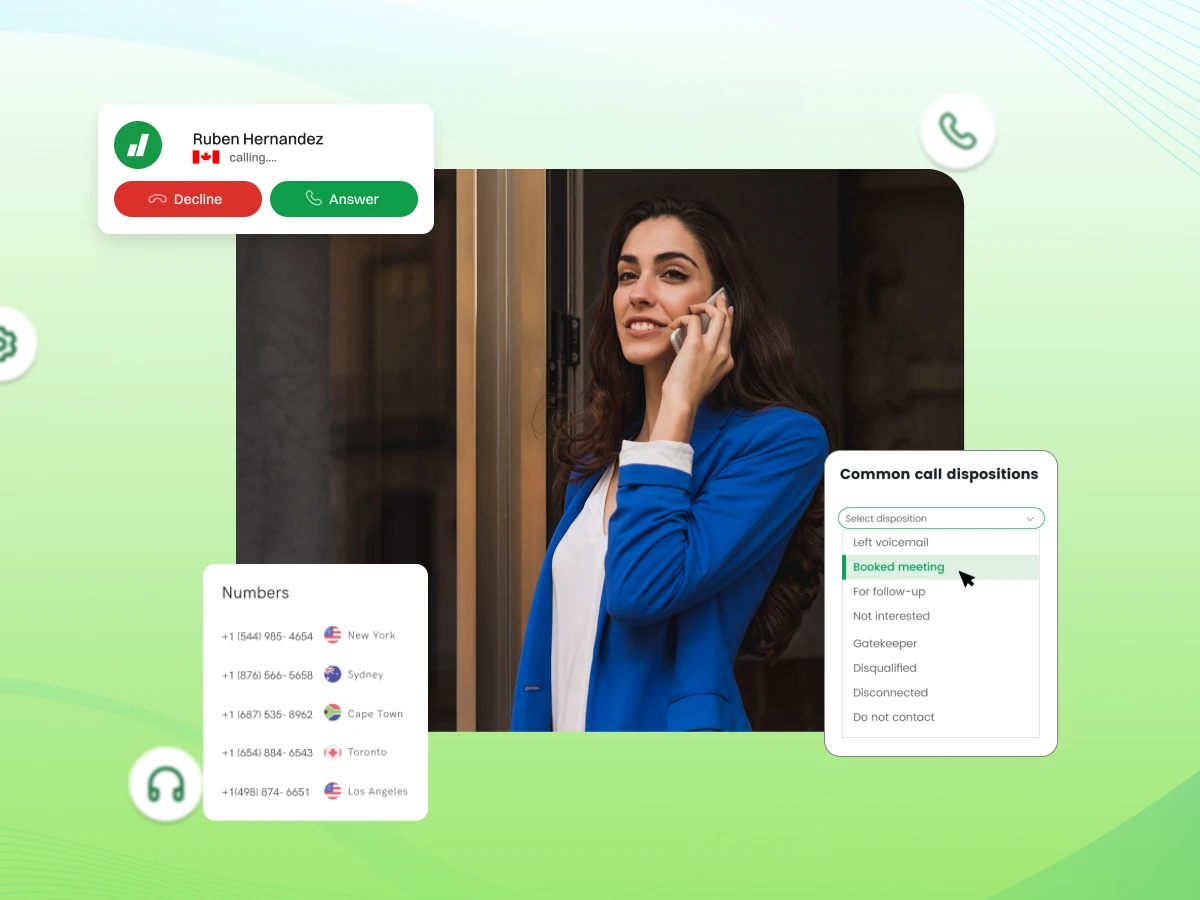
Your agents just finished 347 calls today. So, how many actually converted? How many need follow-up? What problems keep coming up?
If you’re guessing, you’re losing money.
Up to 28% of organizations say first-call resolution is their most important priority. That’s exactly where call disposition gives you leverage: tracking outcome codes so you can improve follow-ups and reduce repeat calls. It turns chaotic call logs into data you actually use.
In this blog, you’ll explore the call disposition meaning, its benefits, some call disposition examples, how to implement call disposition, and more.
Your call center handles 500 calls daily, but by Friday, nobody can tell you how many issues got resolved, how many customers need callbacks, or what people are actually calling about. Without a call disposition, that’s exactly what happens.
Call classification turns messy call logs into organized data you can actually use. When your call center agent finishes a call, they pick a disposition code that captures what happened.
It’s one simple step, but it creates a record that shows the full picture of your customer interactions.
Call center managers get real visibility from this. You’ll see which customer service representatives are performing well and who needs help.
You’ll catch patterns, like a sudden jump in billing complaints, before they spiral out of control. Your entire team stays on the same page, which makes workforce management less chaotic.
Contact center software needs accurate disposition data to route calls properly, send automated follow-ups, and track meaningful metrics. Without it, you’re just guessing. With it, you’ve got facts to back up your decisions.
Call labelling isn’t a fancy add-on; it’s what keeps call management running smoothly.
Now that you understand why call disposition matters, let’s break down exactly what it is and how it works.
It is how you label what happened on a call. After a call center agent wraps up with a customer, they pick a code that describes the outcome. Did they fix the problem? Leave a voicemail? Schedule a follow-up? That’s what the disposition tracks.
It’s basically shorthand for call outcomes. Instead of typing long notes, agents click a category in their call center software. “Issue resolved.” “Payment collected.” “No answer.” These codes help you see patterns across hundreds of calls without reading through pages of notes.
The main difference: call notes are observations about what happened. Call labelling is structured data. Notes might say “Customer was frustrated about their bill.” The disposition says “Billing dispute: escalated.”
Notes help the next agent. Dispositions help management see that billing complaints jumped 40% this week.
Call disposition codes turn individual conversations into data you can measure and fix. When you’re handling dozens or hundreds of calls daily, that structure matters. It’s the difference between knowing something feels off and knowing exactly what’s broken.
Now that the call disposition meaning is clear, let’s explore its important features.
A good call classification system is more than just a dropdown menu. It needs the right features to capture accurate data, support your team, and actually improve your call center operations.
Your call disposition codes shouldn’t need a manual. “Customer called back” beats “Subsequent inbound contact initiated by client.” When call center agents pick the correct code in seconds, they spend more time helping customers and less time hunting through options.
Codes need to match what actually happens on your calls. Sales calls need “Not interested” and “Demo scheduled.” Support needs “Issue resolved” and “Escalated to tier 2”. Generic codes that don’t fit just create insufficient data.
Too few codes and everything gets lumped together. Agents get overwhelmed. Most call centers work best with 8-12 primary categories. Add sub-categories for detail without cluttering the main screen.
Good call center software acts on your disposition data. Mark a call “Requires follow-up,” and it automatically schedules. Tag it “Billing issue” to create a ticket for accounting. Dispositions should trigger what happens next, not just record what happened.
When someone calls back, the call routing should check their last disposition. If their previous call was “Technical issue, unresolved,” route them to a senior tech. Smart systems use disposition history to get customers to the right person faster.
Dispositions need to live where your customer data lives. When contact center software syncs with your CRM, every agent sees the full history. They’ll know this customer left a voicemail twice before connecting. That context changes the conversation.
Real-time sync matters. When an agent picks “Payment processed,” your billing system should update immediately. Delays create confusion; customers call back asking why their payment isn’t showing. Modern center software handles this automatically.
Call disposition data shows who’s performing and who’s struggling. If one sales agent has twice as many “Demo scheduled” dispositions, that’s worth studying. If another marks everything “No answer,” they might need coaching on timing or technique.
Watch disposition patterns over time. A gradual increase in “Product defect” calls means quality problems are brewing. A spike in “Billing question” after a rate change means your communication wasn’t clear. Catch these trends early.
Call center managers make better choices with solid disposition data. Should you extend hours? Check when “No answer” peaks. Need more staff? Look at call volume by type. Hiring, training, and process changes work better with facts, not hunches.
The best contact center software makes disposition selection quick. Agents shouldn’t hunt through menus or remember codes. One or two clicks, done. The faster it is, the more accurate it stays.
Sometimes a code isn’t enough. Your system should let agents add notes when needed without making it mandatory. “Issue resolved” works for password resets. “Escalated to supervisor” needs context about why.
Newer contact center solutions use AI to suggest dispositions based on call content. The AI agent listens and recommends code based on keywords. Agents can accept or override, but it speeds things up and catches details they might miss during busy periods.
When these features work together, your call disposition system becomes a powerful tool that drives better decisions, smoother workflows, and measurable improvements across your entire operations.
Having the right features in your software is just the foundation. The real success comes from how you set up and manage those features in practice.
Setting up a call classification isn’t just about picking categories; it’s about building a system that works for your team and your business. Here are the critical elements that make call disposition systems actually effective.
Every disposition code needs a clear definition. “Follow-up required” means different things to different people. Does it mean call back tomorrow or next week? When call center agents interpret codes differently, your data becomes useless.
Write definitions for each code and make them accessible. Your call center software should show these definitions in the interface so agents don’t guess.
Good dispositions tell you what happened and what should happen next. “Left voicemail. Callback in 48 hours” is better than just “Left voicemail.” Your disposition codes should trigger automatic workflows when possible.
Set up your contact center software so specific codes create tasks, schedule follow-ups, or route cases to particular teams.
Your sales teams can’t use different codes than support for the same outcomes. If one group marks callbacks as “Pending contact” and another uses “Awaiting response,” you can’t compare performance.
Standardize codes across your entire team. When you manage calls across departments, everyone needs the same language.
Call disposition data shouldn’t live alone. Your call center software needs to sync with your CRM, helpdesk, and billing system. When a call center agent marks a disposition, it should update the customer record everywhere automatically.
This prevents duplicate data entry. Modern contact center solutions handle these integrations natively.
Don’t assume agents will figure out dispositions on their own. Train them on when to use each code and why accuracy matters. Use real call examples. Show how “Issue resolved” versus “Partial resolution, follow-up required” affects reporting.
New customer service representatives especially need hands-on practice. Budget time for refresher training when you update codes.
Disposition codes give you the “what.” Notes give you the “why.” Your phone system should make it easy for agents to add context without slowing them down.
Sometimes “Escalated to manager” needs explanation: was the customer angry, or was it a technical issue? Just don’t make notes mandatory for every call, or agents will start writing “N/A” to move on.
Some industries require specific call documentation. Healthcare, finance, and collections all have rules about what needs recording. Your call labeling category setup needs to support these requirements.
If regulations say you must document why a customer declined, you need codes that capture that. Call recording helps, but dispositions make it searchable.
Disposition codes aren’t set-it-and-forget-it. Review your call outcome data monthly. Are agents using all the codes? Is one getting overused? The call center manager should run these reviews with agent input.
They use the system daily and can tell you what’s working. Update codes when your business changes.
Long handle time kills productivity. If selecting a disposition takes 30 seconds and agents make 50 calls daily, that’s 25 minutes just on coding. Your call software should make a selection fast, under 5 seconds ideally.
Require disposition before the next call starts, but don’t make the process so complex that agents rush through it. Balance accuracy with efficiency.
Once you get these elements right, your call labeling system becomes the foundation for better service, smarter decisions, and stronger performance across your call center.
With these elements in place, the benefits begin to flow to everyone involved, from management to frontline agents.
Call classification isn’t just about organizing data; it directly impacts how well your business runs and how your team performs.
When you implement call dispositions correctly, everyone benefits. Businesses get clearer insights and better results. Agents get fair evaluations and smoother workflows.
Let’s break down exactly what both sides gain.
It data removes guesswork from management decisions. When you know 35% of calls are “No answer” during mornings, you shift resources to afternoons.
When sales management sees cold calling converts at 8% but warm leads hit 24%, they know where to focus. Your cloud call center operates on facts, not assumptions.
Accurate call disposition examples help predict what’s coming. If “Billing inquiry” dispositions spike every month-end, you schedule extra staff accordingly. Predictive dialers and auto dialer systems work better when fed historical disposition data.
You’ll know how many agents to schedule, when to expect peak times, and what call types are heading your way.
Call center dispositions show exactly where customer satisfaction scores drop. If “Issue unresolved” calls lead to low ratings, you know what needs fixing. Track dispositions like “Transferred multiple times” or “Long waiting time” to improve call center operations.
The AI contact center tools need this data to route calls better and create personalized customer experiences.
Call monitoring becomes easier with accurate dispositions. Instead of listening to random calls, focus on specific categories that carry compliance risk.
In outbound call centers, tracking “Do Not Call requested” keeps you legally protected. Your virtual call center can filter recordings by disposition for quality audits without drowning in paperwork.
Center dispositions reveal agent performance patterns you’d miss otherwise. Sales teams can see which approaches work through disposition best practices.
Management CRM systems pull this data to show who needs coaching and who deserves recognition. Track dispositions across your team to identify top performers and where your sales process breaks down.
Customer service representatives know exactly what’s expected after each call. No confusion about documentation. The system is simple: pick a disposition, add notes if needed, and move on.
Progressive dialers and power dialer systems won’t queue the next call until disposition is complete, which creates a clear workflow.
Good call disposition examples make wrap-up faster. Instead of writing paragraphs, agents click “Payment processed” or “Scheduled callback.”
The phone system handles the rest, creates tasks, updates the CRM, and routes follow-ups. This cuts handle time without sacrificing quality. Agents spend less time on paperwork and more time talking to customers.
Call classification data makes the evaluation objective. Agent performance reviews reference specific numbers: conversion rates, first-call resolution percentages, and callback success rates.
Sales reps know their “Demo scheduled” rate. Support agents track their “Issue resolved on first call” percentage. Fair metrics based on call distribution data improve morale and make coaching more effective.
When implemented correctly, it creates a win-win situation, businesses gain the insights they need to grow, and agents get the clarity and fairness they deserve in their daily work.
Knowing the benefits is motivating, but execution is what counts. Here’s your step-by-step roadmap to get it done right.
Getting call dispositions right from the start saves headaches later. A structured rollout ensures your team actually uses the system and your data stays accurate. Here’s how to implement call dispositions step by step.
Ask what you need to track and why. Are you measuring sales conversions, tracking customer issues, or managing callbacks? Talk to your call center manager, sales management, and agents about what matters most.
Outbound call centers need different dispositions than inbound call centers. List the specific outcomes you want to measure.
Build codes based on actual call outcomes. Stick to 8-12 primary categories. Common call dispositions include “Issue resolved,” “Left voicemail,” “Payment processed,” and “Callback scheduled.”
Add sub-categories only when necessary. Make each code clear and distinct. Test with real examples of call dispositions to catch gaps.
Pick call center software like Dialaxy that handles dispositions and integrates with your systems. Your platform should sync with your management CRM, support automatic call distribution, and provide reporting.
If using predictive dialers, power dialer systems, or an AI contact center, ensure disposition data flows everywhere. Cloud call center solutions typically integrate better.
Create a reference guide defining each code with examples. Answer “When do I use this?” for each disposition.
Include call disposition examples showing edge cases. Make a quick-reference sheet for agents’ desks. Your virtual phone system should display definitions on-screen.
Run hands-on training sessions where customer service representatives practice on sample calls.
Use role-playing for real situations. Train supervisors first so they can answer questions. Explain why dispositions matter, not just how to use them. Understanding purpose drives accuracy.
Roll out to a small team first. Choose experienced agents for feedback. Run the pilot for 2-4 weeks while monitoring closely. Track which codes get used most and what outcomes you’re missing.
Adjust your structure based on real usage before full launch.
Pull weekly reports on disposition usage. Look for patterns. Are agents overusing “Other”? Your categories have gaps. Is one code rarely used? It’s probably redundant.
Use call monitoring and call recording to verify accuracy against actual call content.
Audit regularly by comparing dispositions to recorded calls. Aim for 95%+ accuracy. Give feedback on errors; most come from confusion, not carelessness.
Update training materials based on common mistakes. Make disposition accuracy part of quality scorecards.
Expand department by department after pilot success. Don’t launch everywhere at once. Keep disposition structure consistent; sales teams and support use the same codes for the same outcomes.
Update automated call systems, interactive voice response flows, and call distribution logic to work with dispositions.
Follow these steps systematically, and you’ll build a suitable disposition system that your team actually uses and your business can rely on for accurate, actionable data.
Before you start building your system, it helps to see what disposition codes look like in different scenarios.
Different call types need different dispositions. Here’s what each category tracks and when agents use these codes.
Sales dispositions track outcomes when agents contact prospects or existing customers to sell products or services.
| Disposition | When to Use |
|---|---|
| Sale Completed | The customer agreed to purchase, and the transaction was finalized during the call |
| Appointment Scheduled | The prospect agreed to a demo, consultation, or follow-up meeting at a specific time |
| Follow-up Required | The customer showed interest but needs more information, time, or approval before committing |
| Not Interested | The customer declined the offer and does not want future contact about this product |
| Callback Requested | The customer asked to be contacted at a more convenient time or date |
| No Answer / Busy | The call was not answered, went to voicemail, or the line was busy |
Customer service dispositions categorize support calls where agents help customers with questions, problems, or account issues.
| Disposition | When to Use |
|---|---|
| Issue Resolved | The agent fixed the customer’s problem completely, and no further action is needed |
| Escalated to Supervisor | The issue was too complex or sensitive and required management intervention |
| Transferred to Another Department | The customer needed help from a different team, so the call was routed appropriately |
| Information Provided | The agent answered questions or provided requested details without resolving a specific problem |
| Follow-up Scheduled | The agent needs to research the issue or wait for information before calling back |
| Customer Disconnected | The call ended unexpectedly before resolution or completion |
Collections dispositions track contact attempts and payment outcomes when calling customers about overdue balances or bills.
| Disposition | When to Use |
|---|---|
| Payment Made | The customer paid their balance in full or made a partial payment during the call |
| Payment Arrangement Scheduled | The customer agreed to a payment plan with specific dates and amounts |
| Promise to Pay | The customer committed to pay by a specific date but did not make an immediate payment |
| Dispute Filed | The customer contested the charge, amount owed, or validity of the debt |
| Contact Information Updated | The agent obtained new phone numbers, addresses, or email details |
| Skip Trace Required | The customer could not be located and further investigation is needed |
Outbound campaign dispositions categorize results when agents make proactive calls for marketing, surveys, appointments, or cold calling efforts.
| Disposition | When to Use |
|---|---|
| Connected and Interested | The agent spoke with the contact, who showed interest or agreed to take action |
| Connected but Not Interested | The agent reached the right person, but they declined the offer or showed no interest |
| Left Voicemail | No one answered, so the agent left a message with callback details |
| Wrong Number | The contact info was incorrect, or the person wasn’t the intended recipient |
| Do Not Call Request | The contact asked to be removed from the calling list |
| No Answer | The call rang but no one picked up and no voicemail was available |
Choose call disposition codes that match your specific call types and business needs. The right categories make data collection effortless and analysis meaningful.
Even with the right codes in place, many businesses stumble during implementation. Next up is what you need to watch out for.
Even well-intentioned call centers make mistakes when setting up disposition systems. These errors create bad data, frustrated agents, and missed opportunities. Here are the most common problems.
Some businesses create 30 or 40 different codes, trying to capture every scenario. This overwhelms call center agents who waste time hunting for the right option.
When faced with too many choices, agents pick whatever seems close or use “Other.” Stick to 8-12 primary codes. More codes usually mean worse accuracy, not better data.
Codes like “Needs follow-up” and “Callback required” mean the same thing. When dispositions overlap, agents pick randomly, and your data becomes meaningless. Vague codes like “Customer issue” don’t tell you anything useful.
Each disposition should be clearly distinct. If agents ask, “Which one should I use?” your categories overlap, and call distribution becomes unreliable.
Many call center managers send a quick email and expect agents to figure out dispositions. Customer service representatives then guess, leading to inconsistent data.
Without training, one agent marks unresolved issues as “Information provided”, while another uses “Follow-up scheduled.” In outbound call centers with auto dialer or power dialer systems, bad data throws off your entire sales process.
Your business changes, but dispositions stay frozen. You launch new products without adding relevant codes. Old codes remain and confuse new agents. Common call dispositions that worked two years ago might not fit today.
Review your center dispositions quarterly. Remove unused codes and add new ones when you spot gaps.
Some businesses collect disposition data but never analyze it. If you’re not using data to improve call center operations, why collect it? Check disposition reports weekly. Look for patterns in customer satisfaction scores and agent performance.
Use management CRM integration to connect dispositions with sales results. Data only matters when you act on it.
When dispositions are optional, agents skip them during busy periods. This creates incomplete datasets you can’t trust. Your predictive dialers and automated call systems need complete data to route calls effectively.
Make disposition selection mandatory before the next call. Most cloud call center platforms can enforce this automatically.
Avoid these mistakes, and your disposition system will deliver accurate data, happier agents, and insights you can actually use to improve operations.
Now that you know what not to do, let’s focus on what actually works to keep your disposition system running smoothly.
Getting disposition right requires more than just setting up codes. These practices keep your system accurate, efficient, and useful for your team.
Use simple language that everyone understands. “Customer called back” is better than “Subsequent inbound contact initiated”. Your call center agents pick the right code in under 5 seconds.
Avoid jargon. Simple dispositions mean accurate data. When agents understand codes immediately, they focus on phone calling instead of decoding your system.
Your customer service representatives use distinctions daily; they know what works. Ask them which scenarios come up most and what’s hard to categorize. Test new codes wth agents before full rollout.
This creates buy-in and catches problems early. Their frontline experience reveals gaps managers miss.
Make dispositions trigger automatic actions. “Follow-up required” should create a task and schedule it. “Billing dispute” opens a ticket for accounting. Your management CRM updates customer records instantly.
In outbound call centers, “Callback requested” feeds back into your auto dialer or power queues automatically. Automation reduces manual work and prevents missed follow-ups.
Monitor disposition accuracy daily. When you spot errors through call monitoring or call recording reviews, give immediate feedback.
If an agent consistently mis-codes calls, that’s a training gap. Use your AI contact center or cloud call center dashboards to track accuracy. Celebrate high performers. Quick corrections prevent bad habits and keep data reliable for call distribution.
Put disposition flowcharts at agent desks. Create quick-reference cards defining each code with examples. Make digital guides accessible without switching screens.
Visual decision trees help with complex scenarios. These tools speed up selection and reduce errors, especially for the new agents learning common call dispositions. Update materials when codes change.
Pull monthly reports on disposition distribution. Which codes get used most? Which never appear? If “other” shows up frequently, your categories have gaps. Compare dispositions against call recordings to verify accuracy.
Your call center managers should review the team input. Look for trends in customer satisfaction scores by disposition type. Regular audits keep your system aligned with actual operations.
Capture useful information without slowing agents down. If disposition takes 30 seconds per call over 50 daily calls, that’s 25 minutes just coding. Aim for under 5 seconds. Consider quick primary dispositions with optional detailed sub-categories for complex cases.
Progressive dialers and predictive dialers need agents available quickly. Balance detailed data value against longer handle time costs.
With these best practices, your call labeling system stays accurate, efficient, and valuable, delivering the insights your business needs without slowing down your team.
Call disposition transforms scattered call data into actionable insights. When implemented correctly, it improves agent performance, enhances customer satisfaction scores, and drives better business decisions.
Start with 8-12 disposition categories. Make selection mandatory but fast. Link dispositions to automated workflows in your call center software. Review accuracy regularly and adjust codes as your business evolves.
Whether running inbound call centers, outbound call centers, or both, accurate call labeling data is the foundation of effective call management.
Ready to improve your call center operation?
Start building your call classification system today and turn every call into valuable data that drives results.
It is a code or label that agents assign after each call to categorize the outcome. It captures what happened, like “Issue resolved”, “Left voicemail”, or “Sale completed”.
It creates structured data that helps track performance, identify trends, and improve call center operations. Without it, you can’t measure what’s working or make informed decisions.
After ending a call, agents select the appropriate code from their call center software that matches the call outcome. Most systems require this before allowing the next call.
Common examples include “Sale completed” for closed deals, “Left voicemail” for unanswered calls, “Issue resolved” for fixed problems, and “Callback requested” when customers want a follow-up. Each tracks a specific outcome.
Disposition codes are different labels assigned to all inbound and outbound calls depending on the outcome of the call.
