

Best Virtual Call Center Software: In-Depth Review

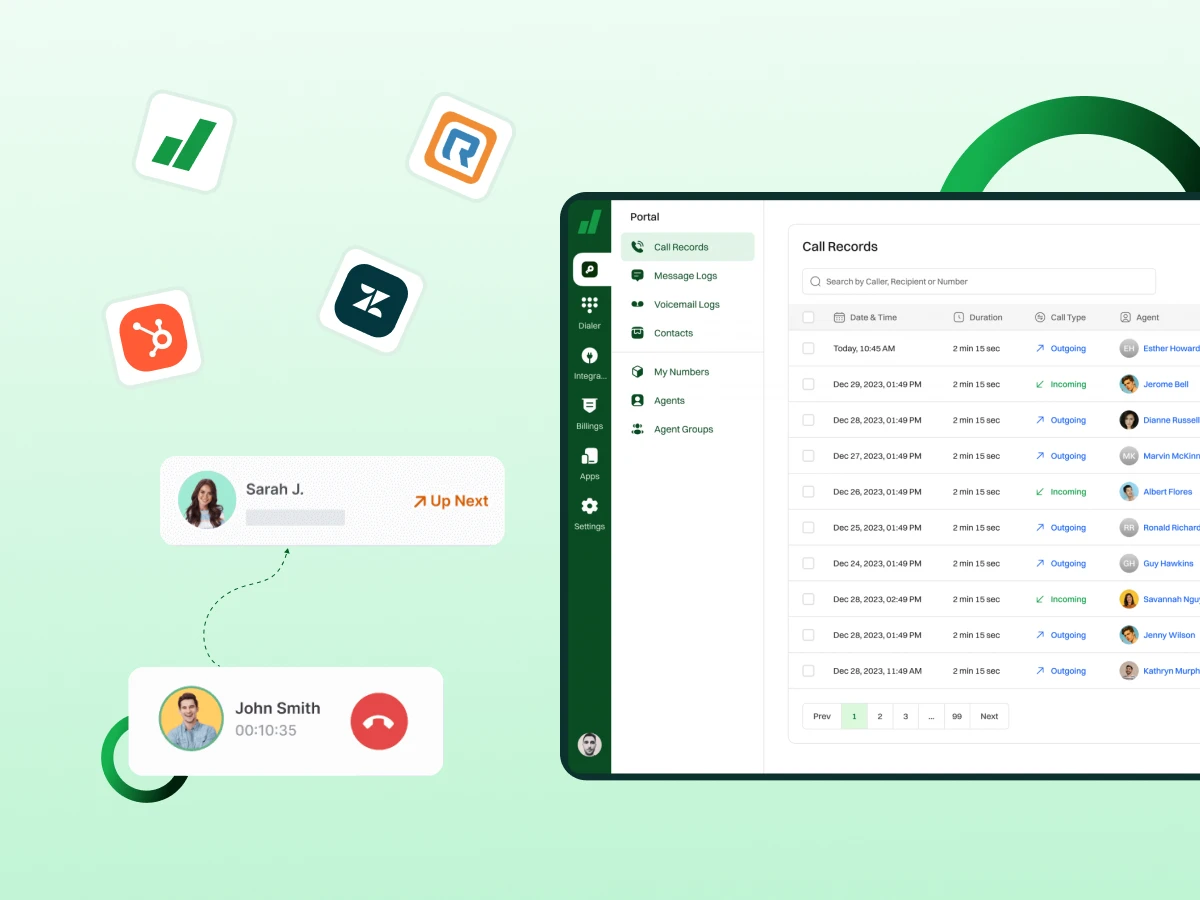
Are you tired of outdated, expensive, and inflexible traditional call centers that hold your business back? If you are struggling to keep up with high call volume and customer demands across every channel, you are not alone. The right cloud-based solution is your ticket to seamless scalability and stellar customer experiences.
This deep-dive review promises to give you the exact knowledge you need to choose the perfect virtual call center software. We will unpack the top platforms, analyzing essential features like AI assistance and omnichannel customer support.
By the end, you will confidently know which platform will boost agent productivity. Let’s find the definitive virtual contact center solution that is ready for your future.
3 Things You’ll Walk Away With
By the end of this comprehensive virtual call center software review, you will understand three key concepts.
The business world moves fast. Customers expect great service all the time. To keep up, companies need smart, flexible tools that handle these demands. Virtual call center software is not just an upgrade.
It is absolutely necessary for success and keeping customers happy. Here is why this software is so important for modern business:
A physical office quickly limits your company. A traditional setup restricts where you can hire people and how quickly you can grow your team. Virtual contact center solutions tear those walls down. You can hire the best call center agent talent from anywhere in the world.
When your sales spike unexpectedly, you simply add more users per month licenses—it takes minutes. This ability to scale instantly means your company is always ready for growth or sudden changes in demand.
Today’s customers contact you using phones, email, chat, and social media. They want the service to feel smooth across all these communication channels. This software is key to an omnichannel customer approach. Agents see all past conversations and customer data right away.
This access helps them offer quick, personalized help, which is the foundation of great customer experiences.
Running a physical call center is seriously expensive. You have to pay for rent, heating, electricity, all that bulky computer hardware, and maintenance. Moving to a cloud-based call center software removes almost all of those costs.
You change from big, fixed expenses to smaller, predictable monthly fees. This much more efficient model frees up cash that you can use to invest in other important parts of your business.
Agents work better when they have smart tools helping them. Features like AI assistance can instantly show answers or helpful suggestions during a customer interaction. Tools like call recording and call monitoring let managers coach their teams in real-time.
This excellent support helps improve agent performance, making them faster, more confident, and more successful.
Every inbound call and outbound call gives you important information. The software tracks everything that happens. It collects huge amounts of customer data and provides deep conversational analytics.
Managers can quickly see trends in call volume or discover the most common customer problems. This clear view allows the company to make smart, proven moves to improve customer service and boost customer satisfaction.
If a local flood or power outage shuts down a physical office, your service stops completely. Because a virtual system is hosted safely in the cloud, agents can keep working from anywhere else.
The whole call center operation stays running no matter what problem happens locally. This high level of guaranteed uptime is critical for any modern business.
Virtual call center software is a cloud-based call center solution that enables agents to manage customer calls, contact center operations, and call queues remotely. Unlike traditional call centers, it eliminates the need for physical infrastructure while offering flexibility and cost efficiency.
Cloud-based vs. VoIP vs. Virtual Center
How it Works
The center software works by routing all incoming and outgoing communication through a central, secure cloud server.
Types of virtual call center software
Here are the following types of virtual call center software:
Choosing the best virtual call center solution means finding the right set of tools. These features help your team give customers great service without needing a big office. Every good contact center platform should have these essential parts.
Here are the must-have features of virtual call center software:
Using virtual call center software gives businesses several powerful advantages. These benefits help teams deliver better service. They handle higher call volume and stay flexible in a changing world. Here are the main benefits:
A virtual setup makes it simple for a call center agent to work from any location. They only need a laptop and a good internet connection. This freedom helps companies build stronger teams.
They can hire talent from different cities or even countries. Agents feel more comfortable and productive working from their preferred space. This expanded hiring pool is great for finding the best talent.
One of the biggest advantages is the reduction in expenses. There is no need for landlines, bulky hardware, or a physical office full of wires. The cloud handles the technical work, so businesses only pay for active users per month or features they actually need.
This subscription model converts large capital expenses into manageable operating costs. It helps startups and growing companies control their budget easily.
Customers always want fast, friendly service. Virtual contact center solutions use smart tools like call routing, IVR systems, and queue management. These help connect customers to the right agent fast. Agents also see all the customer data right away.
This helps them answer questions correctly and with confidence. When customers get quick fixes, they feel important and stay loyal to your business.
A virtual setup does not limit your team size or your growth. If you need more agents during busy months, you can easily add a user per month within minutes. When things slow down, you can scale down just as fast.
This excellent flexibility helps businesses stay prepared for seasonal demand or sudden growth. You avoid spending money on new physical equipment that you might only use for a short time.
Agents work better when they have the right tools. AI assistance, call recording, coaching tools, and real-time screens help agents stay focused and organized. Supervisors can use call monitoring to listen to live calls.
They can give instant feedback and guide teams to improve agent performance. This supportive environment helps agents grow, and customers get quality service every time.
Virtual call center platforms record and track every single customer interaction. Managers can see clear patterns in call volume, common problems, and where service is weak.
These insights help teams understand what customers need and make much smarter business moves. With solid data and conversational analytics, companies can quickly improve their methods, update training, and boost overall customer satisfaction.
Choosing the right structure is essential for business success. This table highlights the key differences between a traditional, physical call center and a modern virtual contact center.
| Feature | Virtual Call Center | Traditional Call Center |
|---|---|---|
| Technology Base | Cloud-based call center software | On-premise PBX hardware and dedicated servers |
| Location | Agents work remotely from anywhere | Agents must be on-site |
| Setup & Infrastructure | Quick deployment using cloud software | Requires office space, hardware, and utilities |
| Cost | Lower operating costs with no office rent | High costs for infrastructure and staffing |
| Scalability | Easy to add or remove agents as needed | Scaling requires more staff and physical space |
| Technology & Tools | AI tools, predictive dialers, automation, omnichannel support | Basic phone systems with limited digital channels |
| Flexibility | High flexibility for schedules and remote work | Fixed shifts within office hours |
| Customer Experience | Supports chat, social media, call monitoring, and recording | Mostly voice calls with fewer channels |
| Workforce Management | Data-driven agent monitoring and task automation | Manual tracking with limited insights |
| Adaptability | Quickly adapts to growth and seasonal demand | Slower adaptation to change |
Choosing the right virtual call center software is essential for businesses. It allows companies to improve customer communication, streamline call center operations, and significantly boost agent productivity.
Below is an in-depth review of the top six platforms. We will cover their key features, pros and cons, transparent pricing, and most suitable use cases.
Dialaxy is a powerful cloud-based call center solution. It is designed for businesses that need a fast, simple setup and reliable global reach. This platform focuses on core communication needs. It provides excellent call quality and basic automation for all business sizes.
Dialaxy helps remote teams maintain clear, consistent contact with customers worldwide. It includes essential tools like a simple dashboard and an easy setup process. This is a very budget-friendly way to manage call center operations.
Key Features:
Pros and Cons:
| Pros | Cons |
|---|---|
| Ease of use | Limited international integrations |
| Exceptional customer support | Advanced reporting requires add-ons |
| Affordable international numbers | Learning curve for new agents |
| Exceptional call quality | Fewer third-party integrations than competitors |
| Reliable performance | Some advanced features are plan-limited |
Pricing:
Best For:
Dialaxy truly excels across the board. It is perfectly suited for nimble small business teams, growing medium business operations, and large enterprise setups, always keeping customer-centric organizations as the priority.
Rating and reviews: 4.8/5.
RingCentral is a leading provider of virtual contact center solutions. It offers an AI-powered, unified platform. This robust system blends voice, video, team messaging, and a comprehensive call center solution.
RingCentral is known for its incredible reliability, backed by a high uptime guarantee. It is ideal for businesses that want all their communication tools in one place. RingCentral provides managers with deep, actionable insights into all their operations and customer data. Its strength lies in providing seamless omnichannel customer experiences.
Key Features:
Pros and Cons:
| Pros | Cons |
|---|---|
| Scalable across industries | Slightly expensive for small teams |
| Provides reliable uptime with a 99.999% SLA uptime guarantee | Customization may require technical support |
| Strong customer engagement tools | Learning curve for some advanced features |
| Easy to integrate digital channels | Occasional downtime during updates |
| Good analytics and reporting | Limited native workforce management tools |
Pricing:
Best For:
This software stands out when you need powerful, advanced analytics and detailed reporting tools. It gives managers deep, actionable insights into all their operations and data.
Rating and reviews: 4.3/5
Nextiva offers a user-friendly and reliable virtual call center platform. It combines voice, video, and collaboration tools into one comprehensive suite. Nextiva is known for its excellent support and dedication to simplifying complex communication technology.
This makes it highly accessible for growing businesses. It ensures teams can deliver professional, high-quality customer experiences effortlessly. Their focus is on reliable voice service and clear customer communication.
Key Features:
Pros and Cons:
| Pros | Cons |
|---|---|
| Intuitive interface | Initial setup can be complex |
| Great customer support | Pricing can increase with advanced features |
| Reliable uptime | The mobile app has minor glitches |
| Comprehensive analytics and reporting features | Many key integrations are only available on higher-tier plans |
| Scalable for global teams | |
| Excellent for sales and customer communications |
Pricing:
Best For:
Nextiva is an ideal choice for ambitious small business startups and customer-centric businesses like e-commerce retailers. It also serves remote teams and global businesses well, especially those working with many international clients.
Rating and reviews: 4.5/5
Cloudtalk is a dynamic virtual contact center software designed specifically for sales and support teams. It stands out for its global numbers and powerful workflow automation capabilities. This solution makes it simple to manage high call volume and boost agent productivity.
Cloudtalk offers a range of dialers and intelligent call routing options. This helps teams connect with prospects faster and manage customer interactions more effectively. Cloudtalk is a highly data-driven platform that supports global expansion effortlessly.
Key Features:
Pros and Cons:
| Pros | Cons |
|---|---|
| User-friendly interface | UI may feel complex initially |
| Strong agent performance tracking | Some features require premium plans |
| Supports multiple communication channels | Workflow automation is not included in the starter plan |
| Integrates with CRM platforms | Needs better API support |
| Occasional call latency reported | |
| Mobile app functionality is basic |
Pricing:
Best For:
This solution is outstanding for any business wanting to craft more efficient processes and design smarter, automated workflows. It helps operations run much more smoothly right away.
Rating and reviews: 4.4/5
Five9 is an established leader in the virtual contact center software space. It offers a comprehensive, enterprise-grade platform. Five9 is known for its strong blend of artificial intelligence (AI) and robust functionality. It excels at managing complex, high-volume operations for large organizations.
The platform is designed to turn every interaction into a positive customer journey. It provides agents with the tools they need to resolve issues quickly. Five9’s focus on Intelligent routing and advanced WFM makes it a market powerhouse.
Key Features:
Pros and Cons:
| Pros | Cons |
|---|---|
| No long-term contracts | Implementation can be complex |
| AI-powered upsell and cross-sell | Pricing increases with advanced features |
| Simple pricing structure | Some features require higher-tier plans |
| Scales well for large teams | Softphone may have occasional glitches |
| Strong analytics and reporting | CRM integration may need support |
Pricing:
Digital: $119 per user/month
Core: $159 per user/month
Plus: Contact Sales
Best For:
This platform is a powerful tool for organizations focused on building strong, lasting customer relationships. It provides the necessary features to actively support sales teams and help them greatly increase sales.
Rating and reviews: 4.1/5
Dialpad offers a modern virtual call center solution driven by its proprietary Voice Intelligence (Vi) artificial intelligence. This AI provides powerful, real-time insights during every interaction. Dialpad is a great choice for companies valuing cutting-edge technology and a unified workspace.
It merges both Unified Communications (UC) and contact center into a single, seamless platform. This allows reps and agents to handle both internal collaboration and customer communication in one place. Dialpad focuses on boosting agent performance through live, contextual help.
Key Features:
Pros and Cons:
| Pros | Cons |
|---|---|
| Strong customer engagement tools | Limited advanced features in lower tiers |
| Easy integration of digital channels | Separate video app |
| Cloud platform supports remote/hybrid teams easily | Potential for call issues |
| AI-driven coaching and real-time transcription boost agent performance | Inconsistent support |
Pricing:
Standard: $15 per user/month
Pro: $25 per user/month
Enterprise: Contact us
Best For:
Dialpad works best for teams that want a truly unified workspace. Reps and agents can handle both internal collaboration and customer communication in one place.
Rating and reviews: 4.4/5
Selecting the best virtual call center platform for your company can be a daunting task, as there are many different companies with many different products that do essentially the same thing. A simple decision matrix makes the task much easier. Here are the key factors to compare before making your final choice.
Start by listing the features your team actually needs. Some businesses require omnichannel customer support, handling chat and social media. Others only need voice calling, intelligent call routing, or basic call recording. Focus on the tools that support your real workflow. Anything extra only adds cost without improving agent performance.
Look for virtual call center solutions that fit the size of your team today and can scale as you grow. A platform should let you add more call center agent seats easily. Your virtual call center software will also need to be able to handle increases in call volume without being affected by the increase in call volume. This aspect is particularly important to businesses that are growing quickly or those whose business has seasonal spikes in demand.
Complex systems slow teams down. Check how simple the interface is for your call center agent staff. See how quickly agents can learn the system. Also, check whether the provider offers helpful onboarding and training. A clean setup boosts agent productivity from the very start.
Your contact center platform should connect smoothly with the tools you use daily. This includes your CRM integration, helpdesk system, or other key software solutions. Strong integrations reduce switching between apps. This helps agents access customer data instantly during live calls.
A call center cannot afford downtime. Look for platforms that offer guaranteed uptime and stable performance. Search for platforms that provide an uptime guarantee and performance that is steady performance. This allows your staff to take customer calls in a calm manner, even when it is a rush period. That is the basis of reliable customer communication.
Compare pricing plans and check what specific advanced features are included. Some platforms offer low base prices but then charge extra for analytics, predictive dialer access, or advanced routing. A clear, transparent pricing structure helps you avoid unwelcome surprise costs for each user per month.
Good support is essential when issues come up. Choose a provider known for quick responses, helpful documentation, and strong training resources. This is especially important for teams new to virtual call center technology. You need help to improve agent skills and resolve technical snags fast.
Many competitors skip this vital topic. Moving to the cloud is a smart move, but you need to check your current setup first. The best virtual call center software won’t help if your basic foundation is shaky. You should focus on three key technical areas.
For clear voice calls, each call center agent needs stable bandwidth. We suggest at least 5 Mbps for download and 1 Mbps for upload speeds. This minimum speed prevents dropped calls and choppy audio. Using a wired Ethernet connection is always better than relying on Wi-Fi for stability.
Agents also need the right hardware. A modern computer with sufficient RAM keeps the agent dashboard running fast. It should have a noise-cancelling USB headset of high quality. It eliminates the background noise, and customers listen to agents clearly.
Lastly, have a look at your router settings for Quality of Service or QoS. What QoS does for your network is to prioritize the traffic of voice over other things. For instance, a user is downloading a large file. By doing this correctly, you are effectively routing calls to flow smoothly and enhancing the customers’ experience. Even the most advanced features of your virtual call center solution depend on these basic requirements.
The future of the virtual call center relies heavily on artificial intelligence. AI tools are rapidly growing beyond simple chat boxes. These intelligent virtual agents can now handle more difficult tasks. This frees up your human call center agent staff to focus on complex problem-solving. AI is making customer communication much better with things like real-time sentiment analysis.
This means the agent gets a warning if the customer sounds angry, so they can quickly change their approach. Soon, workflow automation will use AI to write summaries of calls and update customer data by itself. This greatly boosts agent productivity. You will see AI voice becoming nearly impossible to tell apart from a real person for all your basic questions.
Choosing the right virtual call center software is the most important decision for modern service and sales teams. We have shown that moving to a cloud-based model offers huge advantages, providing the flexibility and scale that traditional call centers simply cannot match. This shift is crucial for controlling costs and delivering excellent, consistent customer experiences.
We detailed the must-have tools, from smart ACD systems to powerful AI assistance and deep CRM integration. These features empower every call center agent to boost their productivity significantly. Finding the right blend of reliability and functionality, as shown in our platform reviews, ensures you are ready for future growth.
Now is the perfect time to upgrade your contact center operations and embrace the future. Stop letting outdated methods limit your team’s success and your customer satisfaction.
Explore the power of the Dialaxy virtual call center software today.
It typically costs $ 25 to $ 150 per user per month, depending on features and plan tier (basic to enterprise).
Yes, most providers let you port your existing phone numbers, so you can keep using them without any changes.
Ensuring security with remote agents requires a multi-layered approach focusing on access control, strong authentication, and agent training.
A VoIP phone system lets you make calls over the internet, while a virtual call center is a full cloud-based setup for managing customer support and sales teams remotely.
For a small team on a budget, software like Dialaxy, Zoho Desk, or Freshdesk works well. They’re affordable, easy to set up, and offer essential call‑center and help‑desk features without complicated overhead.
