

Call Center Wallboard: The Ultimate Guide to Real-Time Performance Monitoring

Call centers work under hectic conditions. Agents make several calls. Supervisors monitor performance. Customers are demanding fast responses. In the absence of real-time visibility, teams would struggle to keep up. Delays go unnoticed. SLAs are missed.
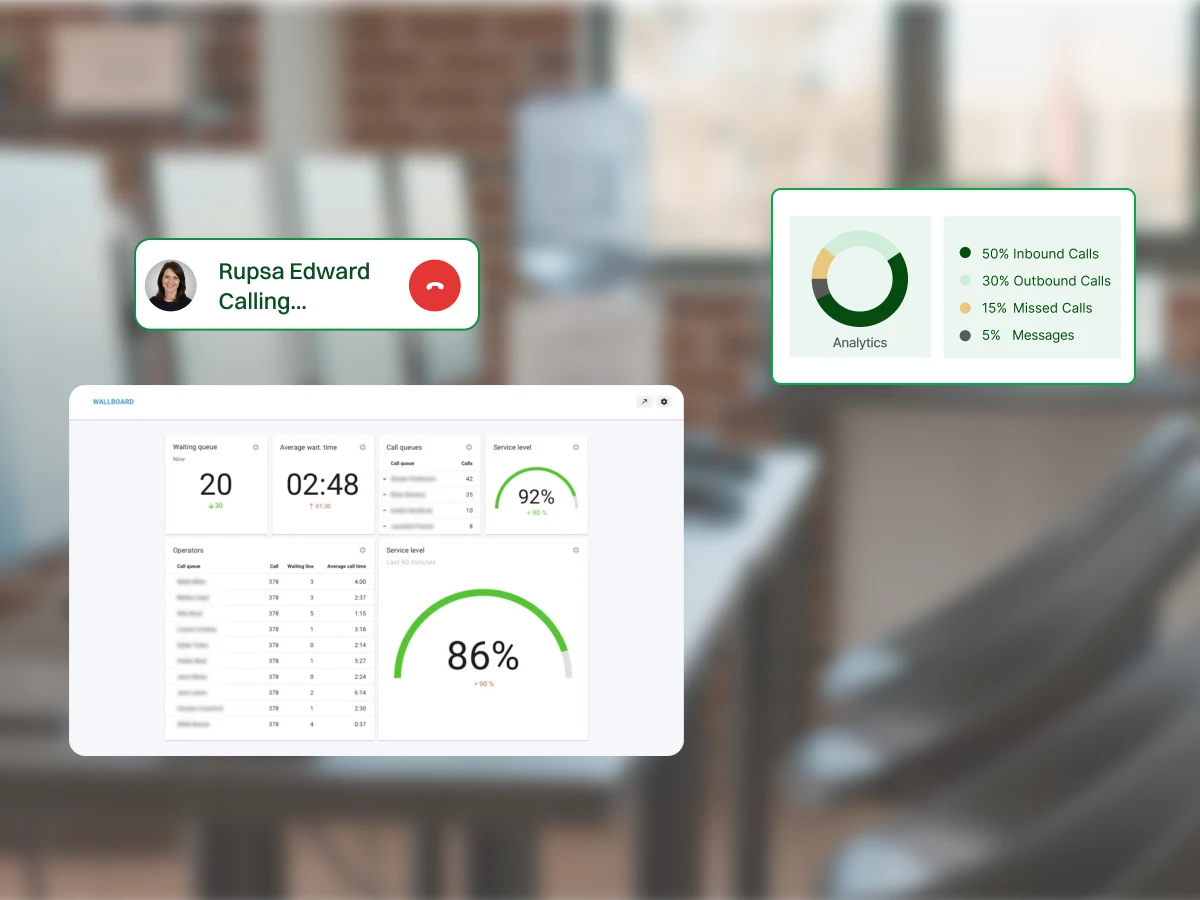
Call center wallboards come in at this point. Wallboards give real-time visibility to live call center statistics. They present the performance data in real time. Agents are aware of their performance. Supervisors can act quickly. Teams remain goal-oriented. Call centers respond immediately rather than late.
This guide explains why wallboards are necessary in call centers. It defines a wallboard and its functioning. It disaggregates implementation aspects, KPIs, errors, best practices, tools, and a case study. Lastly, it discusses the future of wallboards, AI, and automation.
Clear Understanding of Call Center Wallboards:
Learn what wallboards are, how they work, and why real-time metrics matter for performance.
Effective Strategies and Tools:
Discover how dashboards, leaderboards, alerts, and gamification can improve productivity and customer experience.
Measurable Results and Insights:
See how tracking KPIs, monitoring performance, and using data can boost efficiency and team morale.
Wallboards in the call centers are not just screens with figures. They are tools of decision-making. They create transparency. They enhance accountability. They help teams act fast. Wallboards enhance effectiveness, motivation, and consumer satisfaction when used effectively.
Live contact center data are displayed on wallboards. Call queues increase at the mercy of supervisors. Agents are observing longer wait times. Teams act quickly. This avoids delays. It reduces bottlenecks. Decisions are based on facts. Not guesses or assumptions.
The agents perform optimally where the output is tangible. Calls are displayed on wall boards and availability. Agents stay focused. They monitor their performance. Responsibility features better on its own. Supervisors identify problems early. Coaching happens faster. Performance is maintained.
There are warning boards about service problems. Wait times increase. Service levels drop. Alerts appear instantly. Supervisors shuffle agents around. Priorities change on time. Issues are fixed early. Customers are not put on hold.
Wall boards are installed in public places to motivate people. Agents see team progress. Friendly competition grows. Goals feel achievable. Good performance is observed. Recognition becomes clear. Morale improves daily. Enthusiastic participation is developed without coercion or control.
Wallboards ensure that everyone is on track. The same data is available to agents, supervisors, and managers. Goals are clear. Confusion is reduced. Communication improves. Teams work together better. Attention is paid to customer experience and performance outcomes.
Wallboards may be on agent desktops, in mobile apps, on team screens, or on large office screens. They can also be referred to as performance dashboards or live monitoring tools. Such displays ensure that everyone can view the current operational information immediately.
The primary purpose of a wallboard is to provide managers with a clear picture of current performance. It minimizes the use of lengthy reports. Managers can easily detect problems, allocate resources, and identify training gaps early, before problems escalate.
Key Features of Call Center Wallboards:
Wallboards also motivate agents by making performance visible. Gamified metrics encourage healthy competition. Agents stay engaged and aim to meet targets. This improves productivity, accountability, and overall contact center performance without constant supervision.
A call center wallboard works only when it is designed and implemented correctly. Poor design leads to confusion. Too much data overwhelms agents. The following elements ensure success.
A call center wallboard works best when it has a clear purpose. Define whether it supports agent productivity, SLA tracking, or queue performance. One goal per wallboard avoids clutter. It helps teams focus. It improves decision-making across the contact center.
Different roles need different data. Agents view personal performance on agent desktops. Supervisors monitor queue lengths and the call queue. Call center managers review trends. Role-based wallboards improve relevance. They reduce confusion. They help each team act faster.
Avoid showing too many KPIs. Only consider action-driving metrics. The key numbers are call volume, average handle time, and the number of available agents. Fewer measures enhance understanding. Teams respond faster. Wallboards remain handy and comprehensible.
Wallboards must show accurate real-time data. Delays reduce trust. Integrations with call center software, CRM, and phone system must stay reliable. Accurate data helps center managers act quickly. It protects customer experience. It supports better center performance.
Good design matters. Use large fonts and simple charts. Apply clear labels. Use red for alerts and green for targets. Clean data visualization reduces mental effort. It helps agents and managers understand issues quickly. It improves response speed.
Wallboard software must scale with growth. It should support more agents, inbound and outbound calls, and channels such as live chat or video conferencing. Flexible center solutions avoid redesign. They support long-term success as the contact center performs better.
Average Handle Time is the time agents spend with a customer, including talk time and follow-up work. It assists contact centers in understanding efficiency, issue complexity, and training requirements in day-to-day activities.
Wallboards assist teams in managing AHT by allowing them to:
Service monitors the percentage of calls entering a company that are answered within a set target period. It is a direct measure of the contact center’s performance, assessing satisfaction with both customer expectations and SLA promises.
Wallboards will assist service level performance in helping teams:
Wait time and queue length indicate the number of callers and the time they spend in the call queue. These indicators are essential for controlling peak times and customer frustration.
Wallboards assist the supervisor in managing the queues by enabling him or her to:
Both agent availability and occupancy measure how busy the agents are during the day and who is willing to take calls, respectively. All these metrics can help centers balance the workload and ensure agents’ well-being.
Wallboards facilitate staffing choices because they assist the managers:
First Call Resolution is the percentage of customer problems resolved during the initial contact without requiring follow-up. It portrays the quality of services, the agents’ knowledge, and customer satisfaction.
FCR is strengthened by wallboards that assist in assisting teams to:
Abandonment rate follows the percentage of people who call and do not get an answer. It usually peaks as wait times increase or when staffing shortages occur during peak times.
Wallboards show trends of abandonment at the level of managers:
Adherence measures agents’ compliance with scheduled and assigned times, such as meeting times, breaks, and availability. High compliance helps predict forecast accuracy and consistent service delivery.
Wallboards simplify compliance by giving managers the ability to:
Having too many metrics displayed on a wallboard overwhelms agents. Relevant details are lost. Focus drops. Reaction time slows. Few but carefully selected KPIs are better. Operational data helps teams move more quickly and stay on track with the contact center’s objectives.
Wallboards are not supposed to be surveillance instruments. When agents feel they are being spied upon, engagement decreases. Trust is reduced. Performance suffers. Coaching and development should be supported using wallboards.
They are not to cause fear or pressure; they should inspire and stimulate betterment in the teams.
Wallboards are used by agents daily. It is relevant to disregard their feedback, as it results in displays that are irrelevant. Adoption declines. The use of agents enhances usability. It increases ownership. Feedback assists teams in creating wallboards, which, in fact, facilitate day-to-day work processes & performance enhancement.
Wallboards should be adapted according to the changing goals. Statistical exhibits become outdated. Metrics become outdated. Teams stop paying attention. Wallboards are continually updated to align with priorities. They keep data relevant and help make better decisions.
Wallboard has a poor design, which diminishes its effectiveness. Minuscule fonts strain the eyes. Disorganized designs bewilder the audience. The colors are not transparent, which distorts judgment. Designing simply enhances comprehension.
Each wallboard should answer one operational question. Limit metrics and remove “dead air” to focus on actionable data. This helps agents and supervisors see performance in real time. It prevents confusion during fast-paced contact center operations.
Impact:
Select KPIs that improve service and revenue. Regularly review these metrics with your team to ensure they spark smart actions. It prioritizes the best goals for your business phone system. It keeps your contact center focused.
Impact:
Enforce uniform color standards on performance standards. Establish the meanings of green, amber, and red across teams. Set wall boards to automatically highlight exceptions so teams can quickly identify risks and take action before service levels or targets are compromised.
Impact:
Periodically change the contents of wallboards to reflect campaigns, seasonal demand, or priorities that change. Rotate measurements, plans, or comparisons; This makes displays always pertinent, eliminates metric fatigue, and keeps one interested in the ongoing performance targets.
Impact:
Use wallboard data for coaching. Discuss trends, praise success, and fix issues. This simplifies growth through clear action plans. It keeps agents accountable within your contact center software. These insights help everyone using the business phone system.
Impact:
Train your team on metrics and data sources. Explain why each KPI matters for your business phone strategy. This builds confidence in your knowledge base. It helps staff use call routing data to self-correct and make wise decisions.
Impact:
Talkdesk delivers a clean and modern call center wallboard designed for fast decision-making. Its focus on strong data visualization, color coding, and large numbers helps contact center managers quickly understand real-time data. This improves visibility and boosts agent productivity across teams.
Key Features
Best For
Talkdesk is best for growing contact centers that prioritize modern design and usability. It helps teams monitor queue lengths, improve agent productivity, and support consistent customer satisfaction. It also works well for teams using unified communications and digital signage for on-floor visibility.
Pricing
Five9 provides a native agent dashboard that functions as a color-coded center wallboard. The default layout is data-heavy, but its add-ons improve clarity. This helps call center managers track call volume, average handle time, and agent performance more effectively.
Key Features
Best For
Five9 is ideal for large call center software environments that handle high volumes of inbound and outbound calls. It supports center managers who need deep analytics and strong queue performance insights. It also works well for teams that need robust center solutions and scalable operations.
Pricing
Genesys offers highly flexible contact center software with customizable contact center wallboards. Teams can cycle multiple dashboards in full-screen mode. This makes it ideal for digital signage displays across large call centers.
Key Features
Best For
Genesys works best for enterprises running an omnichannel center. It helps teams manage queue lengths, track agent productivity, and improve center performance. It also supports complex unified communications environments and advanced operational workflows.
Pricing
Dialpad uses a real-time, table-based call center wallboard rather than charts. This approach highlights queue length, wait time, and the number of agents available through clear visual alerts. The alerts change color when thresholds are breached.
Key Features
Best For
Dialpad is best for fast-moving contact centers that want simple visibility into queue lengths and agent desktops. It helps teams reduce abandonment rate, improve average handle, and maintain steady customer experiences. It also supports teams that rely heavily on agent productivity metrics and quick decision-making.
Pricing
NICE CXone combines performance tracking with gamification inside its center wallboard. While the interface is dense, it provides strong motivational tools. These tools encourage agent productivity and support long-term customer satisfaction initiatives.
Key Features
Best For
NICE CXone suits call center managers focused on motivation and engagement. It helps teams improve agent performance, strengthen accountability, and enhance customer experiences. It is also ideal for teams that want to create a competitive, goal-driven environment.
Pricing
8×8 offers all center wallboard, focused on simplicity. While its data visualization is limited, the setup is fast and easy. It helps teams quickly track queue lengths and wait-time metrics.
Key Features
Best For
8×8 is best for small call centers needing simple center solutions. It supports teams tracking calls queue, average handle time, and agents available. It is ideal for teams that want a lightweight solution without heavy customization.
Pricing
Nextiva provides a modern contact center wallboard with customizable metric tiles. Its strong color coding and flexible layout support better visibility into center performance and day-to-day agent productivity.
Key Features
Best For
Nextiva is ideal for teams seeking balanced call center software with strong usability. It helps center managers monitor queue performance, improve customer experiences, and support growing teams. It also works well for teams that want simple agent desktops and precise KPI tracking.
Pricing
CloudTalk delivers flexible and visually appealing wallboard software built for modern contact centers. Its focus on trends, targets, and agent-level tracking makes performance monitoring easy.
Key Features
Best For
CloudTalk is best for sales and support teams focused on agent productivity. It helps center managers track queue lengths, optimize agent desktops, and improve the center’s performance during peak demand. It also supports teams that rely on detailed agent-level reporting.
Pricing
One of the mid-sized customer support centers faced long wait times and missed SLAs. Supervisors were dependent on the delayed reports. There was no real-time awareness among agents.
What They Did:
Results:
Takeaway:
Real-time visibility transformed reactive management into proactive control.
Wallboards are evolving beyond static dashboards. AI will make them predictive and intelligent. AI-powered wallboards will forecast call volumes. They will suggest staffing adjustments. Agents will receive real-time prompts. Supervisors will see risk alerts before SLAs fail.
Automation will personalize wallboards by role, shift, and skill. Voice and sentiment analytics will add quality insights. Wallboards will become decision engines, not just displays.
Call center wallboards provide real-time visibility into performance. They improve accountability, motivation, and decision-making. Successful wallboards focus on clear goals, relevant KPIs, and a simple design. Tracking the proper metrics enables faster responses and better customer experiences.
Avoid common mistakes, such as clutter and punitive use. Combine wallboards with coaching and continuous improvement. With AI and automation, wallboards will become smarter, more predictive, and more valuable.
A wallboard is a real-time dashboard that displays live performance metrics for agents, supervisors, and managers.
Common KPIs include service level, AHT, queue length, wait time, agent availability, FCR, and abandonment rate.
Yes. Cloud-based wallboards allow remote agents and supervisors to access real-time data from anywhere.
They increase awareness, accountability, motivation, and clarity around expectations.
Yes. Most modern wallboards integrate with CRMs, ACDs, and workforce tools for accurate data.
