

Top Call Center Analytics Software: A Complete Review

In the high-stakes world of B2C, each touch point is a make-or-break moment for your brand. Do you actually listen to your customers, or are you minutes away?
This is where the modern call center analytics software will be your eventual competitive edge. With the help of the AI-based platforms, you will be able to decode the sentiment of customers in real-time, anticipate churn before it occurs, and transform every agent into a high performer.
In this blog, we will venture into the top tools of the industry so that you can put the guesses to an end. It is high time to leave behind mere reporting and adopt a data-driven future of elite customer experience.
For B2C companies, every call is a chance to keep or lose a customer. Using a modern AI platform for center analytics removes the guesswork by showing you exactly why customers are calling. Without these analytics capabilities, you only hear about problems when someone leaves a bad review. With them, you see trends in real-time.
High-quality contact center analytics software identifies “at-risk” customers by detecting negative language. Early detection of such signals enables the contact center managers to get in touch with a view of repairing the relationship. The cost of customer retention is significantly lower than the cost of acquiring a new customer.
Analytics software spots “dead air” and long moments that drive up your costs. If you find that the average handling time is high because of a confusing script, you can fix it immediately. Center efficiency improves when you remove the friction that makes work harder for your agents.
Advanced analytics uncovers what your customers actually want by tracking mentioned needs. When you hear hundreds of people asking for a feature you don’t have, you gain actionable insights for your next update. This turns center data into a roadmap for higher sales.
Analytics is capable of identifying what your customers desire, through tracking of mentioned needs. When you receive pleads to add a feature that hundreds of people are asking for, you acquire practical ideas on how to improve your next update.
Call center analytics software is a smart tool that gathers data from every customer interaction to help your business grow. It does more than just count calls; it uses an AI platform to “listen” to what people say and understand their feelings.
The software tracks key metrics like average handling time and call resolution to see how fast your team helps people. A top feature is sentiment analysis, which uses voice analytics to tell if a customer is happy or angry by the tone of their voice.
For your business, this tool is like having a private coach for every worker. It uses speech analytics to score every call automatically, which makes quality management much easier for everyone. By looking at call center data, you can lower your abandon rate and make sure customers get the right help on their very first try.
Modern platforms go beyond just counting calls. They use AI to “read” the mood and meaning of every interaction. This allows you to look at the “soft” side of data, like feelings and intent, rather than just the “hard” side, like call duration.
The center’s analytics monitors the caller’s mood during the conversation. The AI will examine the selection of words and tone, and even the pace of an individual’s speech, to determine whether the interaction progresses well or poorly. It can distinguish between a thank-you said politely and one said sarcastically.
Example: The software indicates a high-frustration call when the customer uses words such as ‘useless’ or ‘disappointed,’ in a high-pitched, quick voice. This will enable you to listen to the call immediately to determine whether the agent handled the heat well or needs further training in de-escalation.
Analytics software measures whether a problem was solved on the first try. It is one of the most important metrics for customer happiness because nobody likes calling back for the same issue twice. A high FCR usually means your agents are well-trained and empowered to help.
Example: If a customer calls back about a billing error within 24 hours of their first call, the system automatically marks the first interaction as an “unresolved” failure. This helps you find where your training is failing or where your internal processes are too slow to solve a problem in one go.
The data interpretation tells you the specific “Why” behind the calls. Instead of just seeing a generic category like “Support,” you see exactly what specific topics or product bugs are making people pick up the phone. This helps you fix the root cause of the phone calls.
Example: You might notice a 20% spike in calls about “login errors” immediately after a new app update. You can alert your tech team with real data and recorded examples before the problem spins out of control. This helps prevent your support team from being overwhelmed.
The software measures the “flow” of a conversation. It seeks clumsy pauses (silence) when nothing is being said, or instances where the agent and the customer are speaking simultaneously (talk-over), which tend to indicate the failure of communication.
Example: When an agent remains silent during 40 percent of the call, it is a typical indication that he/she is having trouble with the software or lack an idea where to locate the information within your database. It is a definite indication that they require additional technical training in your internal tools to enable them to respond quicker to customers.
Troubleshooting & Support
Aug 26, 2025
Read More
Sales & Marketing
Sep 9, 2025
Read More
With so many tools on the market, finding the right one can feel like a guessing game. To help you choose, we’ve narrowed down the top five players that balance powerful features with real-world results.
Whether you are a small startup looking for an easy start or a massive corporation needing deep data, there is a perfect call center analytics software for your team on this list.
Dialaxy is a powerful VoIP-based tool designed for small and medium-sized businesses (SMEs). This is a highly recommended option if the business has reached maturity and requires professional tracking, but without the enterprise-level price.
Level AI is an advanced AI engine that specializes in extracting insights from “unstructured data.” Most call data is messy, but Level AI cleans it up. It works well when teams are ready to leave the manual method of call grading (where a manager listens to 2% of calls) and switch to a system that automatically grades all calls.
Loris.ai focuses heavily on the “soft skills” of conversation. It is designed to help support teams catch issues early by using predictive CSAT (Customer Satisfaction) scores. Instead of waiting for a survey that the customer might never fill out, Loris tells you how the customer felt while they were still on the line.
CallMiner is an enterprise-grade speech analytics platform. It is built for companies that deal with millions of interactions across phone, chat, and email. It is highly customizable, which means you can build it to do exactly what you want.
Qualtrics is more than just a call center tool; it is a full Experience Management platform. It looks at the entire customer journey. It uses AI to find patterns not just in your calls, but across your whole business.
It fits very well with the companies that wish to correlate the data in the call center with their web traffic and sales.
Using an analytics solution transforms your center from a “black box” into an open book. It allows you to prove the value of your team to the rest of the company. However, it does require a shift in how you manage people and data.
| Feature | Pros | Cons |
|---|---|---|
| AI Transcription | No more manual note-taking for agents. | May struggle with heavy accents or jargon. |
| Real-Time Coaching | Fixes mistakes while the customer is on the line. | Can feel like micromanagement to some agents. |
| Automated QA | Checks every call for compliance and quality. | Requires a higher initial investment in software. |
| Data Dashboards | Shows clear ROI to company leaders. | Can be overwhelming if not configured correctly. |
| Predictive Analytics | Forecasts future call spikes and staffing needs. | Needs a large amount of historical data to be accurate. |
The details of the features are explained below:
The AI transcription feature listens to the voice analytics and turns it into text immediately. It removes the burden of writing summaries from the agent. Example: Instead of an agent typing “Customer called about a broken screen,” the AI provides a full, word-for-word transcript they can search later.
Real-time coaching acts as a digital assistant during a customer conversation. If an agent starts talking too fast or misses a key step, a prompt appears on their screen. Example: If a customer mentions “canceling,” the software instantly shows the agent a special discount script to save the account.
Instead of contact center managers listening to only 2% of calls, automated QA scores 100% of them. This makes performance management much fairer. Example: The system checks if every agent said the required legal greeting, ensuring 100% compliance without manual checking.
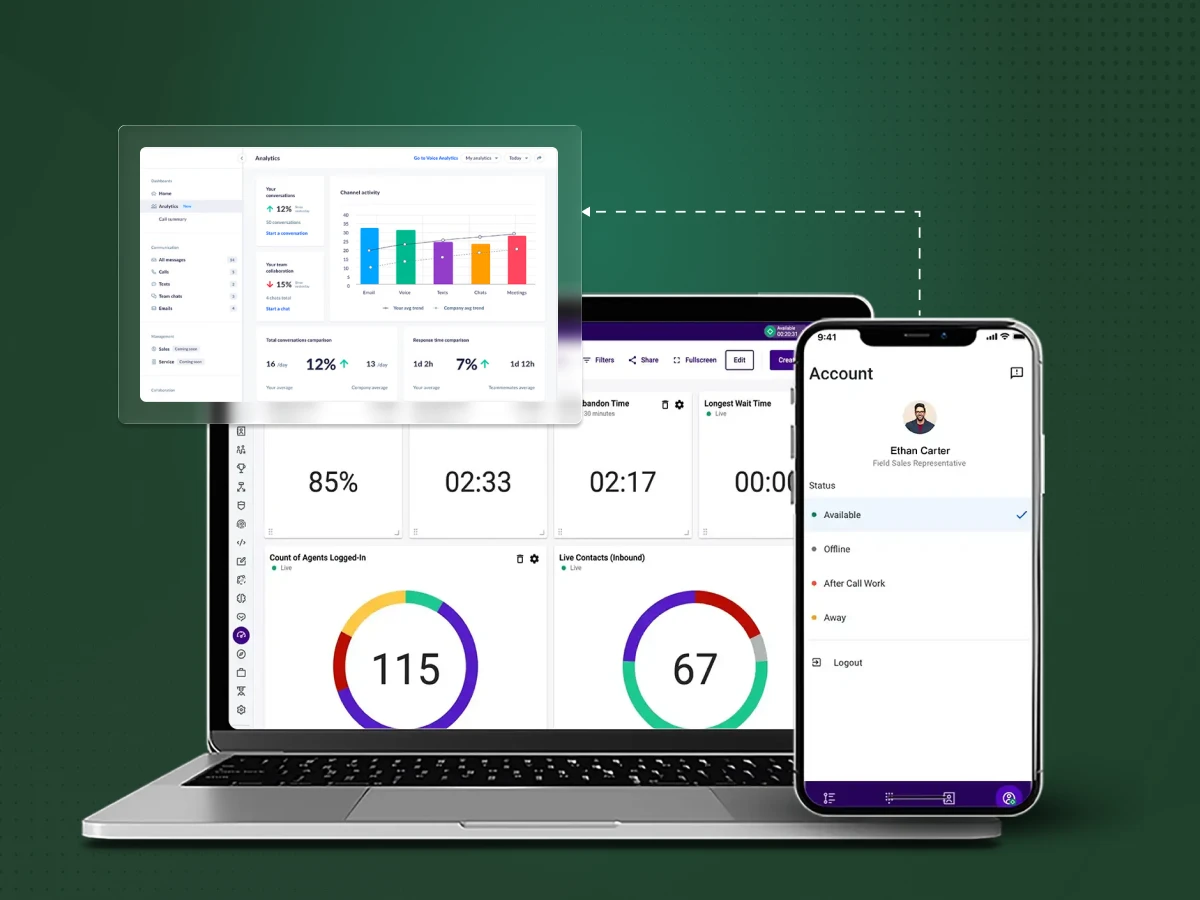
Dashboards are pictorial representations that indicate such performance indicators as call abandonment rate in real-time. Example: A manager may observe a massive red chart when the callers are made to wait excessively, thus they can instantly transfer extra agents to the phones.
Predictive analytics uses advanced analytics to predict what will happen next. It helps you prepare for busy times. Example: The software looks at last year’s data and tells you to hire 10 more agents for the “Black Friday” rush because call volume is expected to triple.
Finding the right tool is not about getting the most expensive one but about what suits your daily work the best. To make a perfect decision, you need to consider the specific regulations of your industry and the size of your team.
Every business field has its own unique problems to solve, from keeping secrets safe to handling busy holiday rushes. Here is how your specific industry defines which software features you will need to use every day:
Healthcare companies must follow strict privacy laws like HIPAA. You need call center speech analytics software that can automatically “mask” or hide names and medical IDs in transcripts. For example, if a patient says their social security number, the software should replace it with “XXXX” to keep the data safe.
Finance brands face heavy fines if they don’t follow rules. You need contact center analytics that track compliance every second. For example, if an agent forgets to say “This call is being recorded,” the system should flag that specific call for a manager to review instantly.
E-commerce businesses live and die by speed during sales. You need analytics tools that focus on lowering average handling time so you can help more people. For example, during a holiday sale, you want to see exactly which product questions are slowing agents down so you can give them faster answers.
Travel and hotels need to see the whole picture across many platforms. You need omnichannel messaging because a guest might start on a chatbot and finish on a phone call. For example, if a guest calls to confirm a booking they made online, the agent should already see their “online journey” on the screen.
Tech and SaaS teams need to stay on top of software bugs. You need conversation intelligence to pick up on technical words. For example, if users start saying “Error 404” or “System Crash,” the software can group those calls together to show the tech team exactly what is broken.
Beyond just what you do, how you operate matters just as much; a small team needs agility, while a giant corporation needs iron-clad scale. Your company’s growth stage will define whether you need a simple “plug-and-play” tool or a deep, data-heavy platform.
Startups usually have small budgets and need to move fast. You should look for simple analytics software that has a low monthly cost and doesn’t require a complex setup. You want something that works “out of the box” so you can focus on selling your product.
Mid-Market companies are growing and need their tools to talk to each other. Look for analytics software features that integrate deeply with your CRM, like Salesforce or HubSpot. This ensures your call center data and customer sales data are always in the same place.
Enterprise organizations deal with massive amounts of data. You need a full AI platform that can process millions of interactions without slowing down. These companies should look for analytics software vendors that provide dedicated support teams and high-level security features.
Getting your new software is just the beginning of the great victory when your team starts using it. Go through this straightforward step, by, step plan to transition from a new installation to locating the data that allows you to make more money.
Before you even install the software, you must decide what you want to fix. If you try to track 100 things at once, you will fail.
This is where you make the software your own. Don’t use the “default” settings.
If your agents hate the software, it won’t work. You must show them it is a tool for their success.
The world of cloud contact center analytics is moving fast. We are shifting from just looking at old data to using predictive analytics that change how we work in the moment. In the next few years, an AI platform won’t just record the call; it will actually do the work for you.
Here is what the future looks like for center operations.
Robotic Process Automation (RPA) uses software “bots” to handle the boring, repetitive tasks that usually slow down a call. These bots automatically take care of customer identification, account lookups, and order updates.
Your analytics software tracks which tasks consume the most time for your human team. Once a pattern is found, it triggers a bot to handle that specific workflow. This drastically reduces average handling time and removes human errors, allowing your agents to focus on the customer conversation instead of typing into three different screens.
The future is all about journey mapping. Instead of looking at a phone call as a single event, AI joins data from every touchpoint, voice, chat, email, and your mobile app. This creates omnichannel analytics that show exactly where customers get stuck.
These models can predict the “next-best action” for a customer. For example, if the data shows a customer is struggling on your “Returns” webpage, the system can trigger a proactive chat or a phone call. This type of advanced analytics moves your team from reactive support to proactive care.
This is the “brain” of the call center performance engine. Central orchestration layers use AI to decide the best way to solve a problem. It decides when to use a bot and when to involve a human agent.
Contact center managers will use real-time dashboards to see how these “orchestrators” are working. If the call volume spikes, the AI can automatically change routing rules or spin up more digital agents to keep the abandon rate low. This ensures operational efficiency without a manager having to manually move agents between queues.
Future voice analytics won’t just listen; they will see. Analytics software features are expanding to include video calls, screen sharing, and even Augmented Reality (AR).
Example: If a customer is struggling to set up a piece of hardware, an agent can use AR to point to a specific button on the customer’s phone camera. The speech analytics software logs these visual interactions just like a phone call, providing actionable insights on how to improve your physical product manuals.
Traditional quality management is changing. Instead of checking a few calls a month, AI provides a continuous performance management loop for every single agent.
The AI identifies tiny “micro-skill” gaps, like a lack of empathy or poor objection handling, and automatically recommends a training module. This provides contact center managers with objective data to improve agent skills based on thousands of calls rather than just a small sample. This constant feedback loop is the best way to boost your net promoter score over time.
Selecting an appropriate call center analytics software is not merely a matter of adding a piece of technology to your technology stack, but rather a complete change of thinking about how to transform your business into a responsive cost center into a proactive engine of growth.
You are either a growing SME that needs the lean power of Dialaxy or an enterprise powerhouse that leverages the deep omnichannel understanding provided by Qualtrics: the objective is to know your customer at scale.
Gone are the days when you are in the dark as to why you get frustrated calls or why your agents ignore their scripts. By using high-performance call center analytics software, you can see everything happening inside your company. This analytics solution helps you retain more customers, reduce operational efficiency friction, and push your growth several times over.
Discover how Dialaxy’s powerful analytics can transform your team’s performance and boost your retention today.
Yes, small businesses can find affordable options. Many analytics software vendors offer “lite” versions or monthly plans that grow as you do. Tools like Dialaxy are built specifically for SMEs to track agent performance without the high enterprise price tag.
No, most modern analytics tools are made for regular managers. They use simple dashboards and actionable insights that explain the data in plain English. You can see trends in call volume and average handling time without needing a math degree.
Yes, reputable speech analytics software uses high-level encryption to keep your data safe. Many tools also feature automatic “redaction,” which hides sensitive details like credit card numbers. Always check if a vendor follows rules like GDPR or HIPAA to protect your center’s data.
1. Descriptive: Tells you what happened (e.g., your abandon rate last week).
2. Diagnostic: Explains why it happened (finding the root cause of a problem).
3. Predictive: Uses an AI platform to guess what will happen next (like future call volume).
4. Prescriptive: Suggests exactly what you should do to fix a problem.
Reporting is just a list of facts, like how many calls you took. Call center analytics goes deeper to tell you the meaning behind those numbers. While reporting shows that call resolution is low, analytics explains that it is low because customers are confused by a specific new policy.
