

What Are AI Virtual Assistants and How Do They Work?

Last Tuesday, I watched my colleague spend four hours trying to coordinate one meeting. Four people, four time zones, endless email chains. Meanwhile, the startup across the street? Their AI virtual assistant had the whole thing scheduled in under two minutes.
Companies are splitting into two camps right now. There’s the group using AI assistants to blow through work that used to take days. Then there’s everyone else, still drowning in email and wondering why they can’t keep up. The gap keeps getting wider.
Look, nobody’s asking if you should use this stuff anymore. That ship sailed. The real question is how fast you can get moving before your competition leaves you in the dust.
Here’s what to grab before starting:
Step 1: Define Your Needs
Step 2: Evaluate Integration Capabilities
Step 3: Consider Scalability
Step 4: Assess Learning Capabilities
Step 5: Review Security Features
Step 6: Test User Experience
Step 7: Calculate Total Cost
Step 8: Check Support and Documentation
It’s software that gets what you’re saying and actually does it, not like the old systems that broke if you used the wrong word. These use natural language to understand you even when you’re being vague or unclear.
Imagine someone on your team who works 24/7, never gets tired, and learns more every single day. That’s basically it. AI virtual assistants go from simple voice helpers like Google Assistant all the way to complex business AI agents running entire operations. They tackle simple questions, coordinate projects, and manage workflows across different platforms.
The big difference from old-school automation? These adapt. They predict what you need next. They get better without you constantly fixing them. Nobody’s trying to replace humans here. It’s about dumping the tedious garbage so people can focus on work that matters.
A few technologies work together behind the scenes. Natural language processing lets the system understand you whether you’re typing or talking. Throw a request at it, and the AI tool breaks down your words, figures out what you want, and grabs the important pieces.
Machine learning handles the smart part. Every time you interact, it learns. Keep asking for 2 PM meetings? It’ll start offering at that time without being told. This never stops, so your experience gets more personalized constantly.
The process is pretty straightforward: you say something, it analyzes what you meant, does the thing, and responds. More advanced versions with agentic AI make their own calls and handle multiple steps alone. Tell it “get ready for tomorrow’s presentation,” and it might pull files, write summaries, check schedules, send invites, without you touching anything.
What makes this practical is connecting to other software. Your AI assistant talks to email, VoIP, project stuff, CRM, and databases.
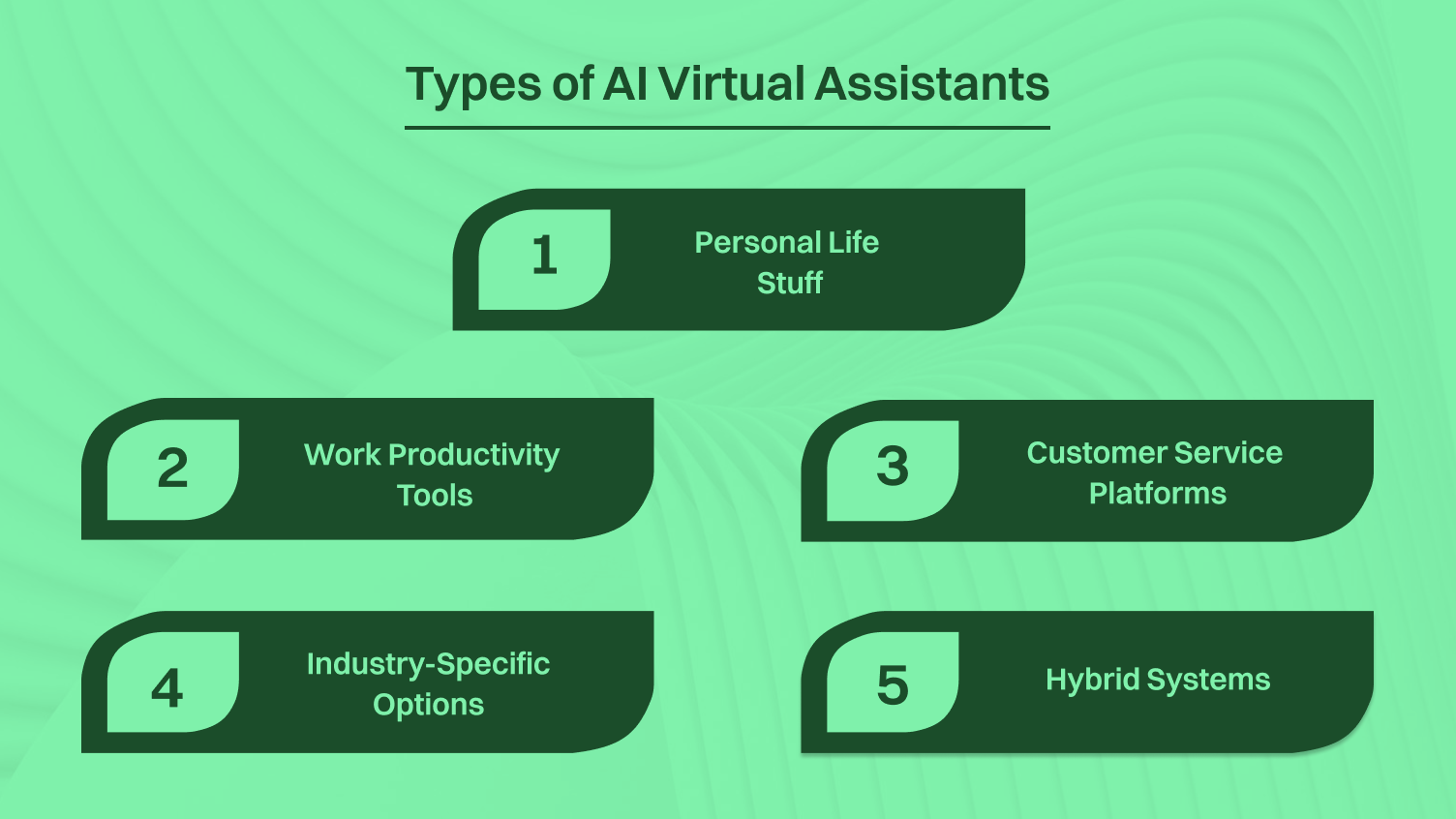
These break down into a few categories:
Business changed. Remote work scattered teams everywhere. Customers expect instant help, not “we’ll get back to you.” The competition got brutal.
AI virtual assistance solves these problems head-on. Customer needs help at 2 AM? The AI assistants handle it. Project manager juggling fifteen things? AI tracks everything. Small team competing against larger organizations? Artificial intelligence multiplies what each person accomplishes.
Skipping this technology costs real money now. Companies still using humans for every repetitive task spend way more on payroll while delivering slower results. Teams burn out doing mindless work instead of thinking. Competitors using AI virtual assistants run leaner, move faster, and make more money.
These systems stay consistent, too. An AI assistant gives customer 1,000 the same quality response as customer one. Never has a bad day. Never forgets anything. Learns new procedures automatically without training sessions.
The pandemic pushed everything forward by years. Companies that adapted made it. AI virtual assistance is the next wave. Waiting around isn’t going to work out well.
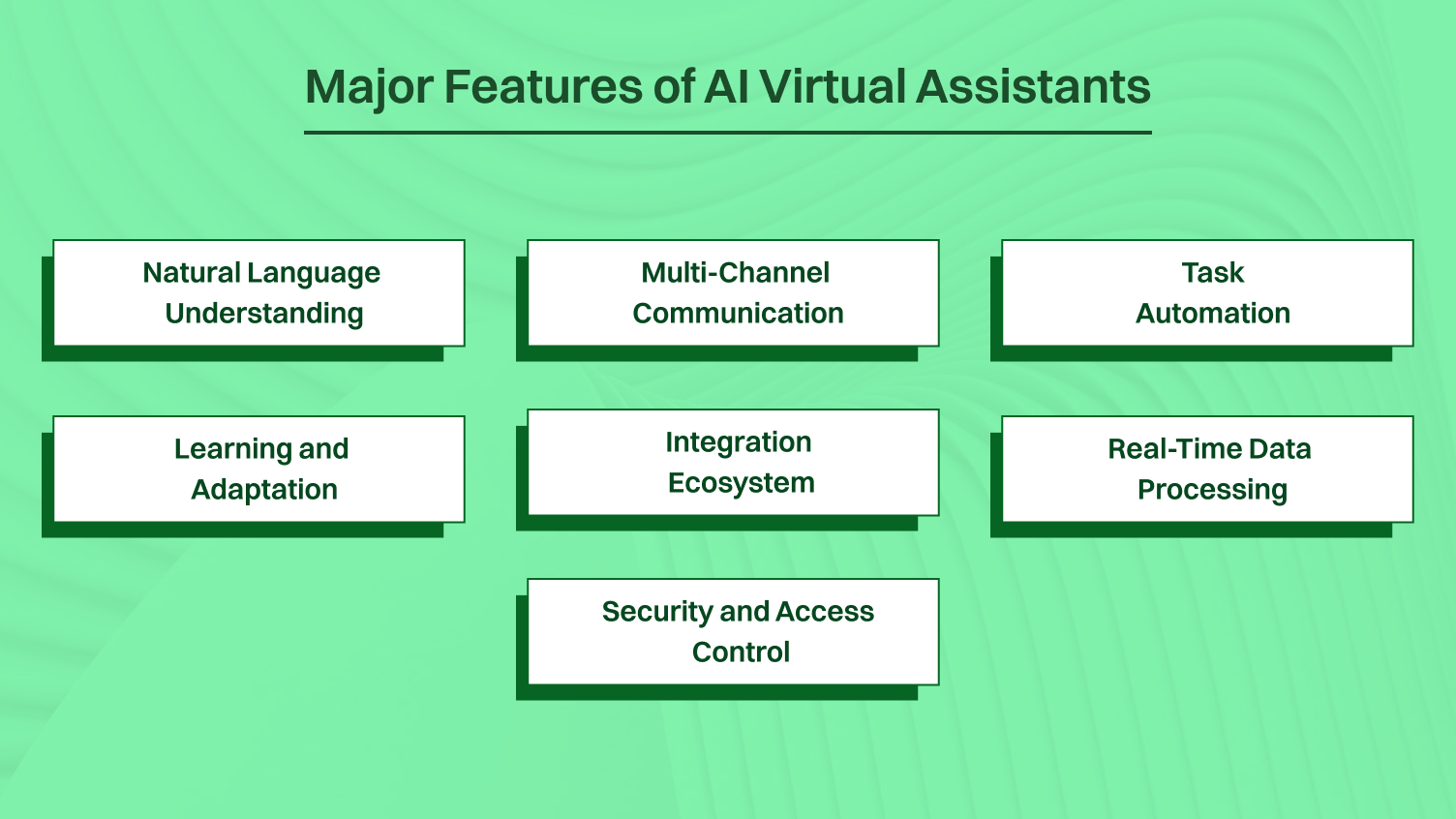
Modern systems pack in way more than basic stuff:
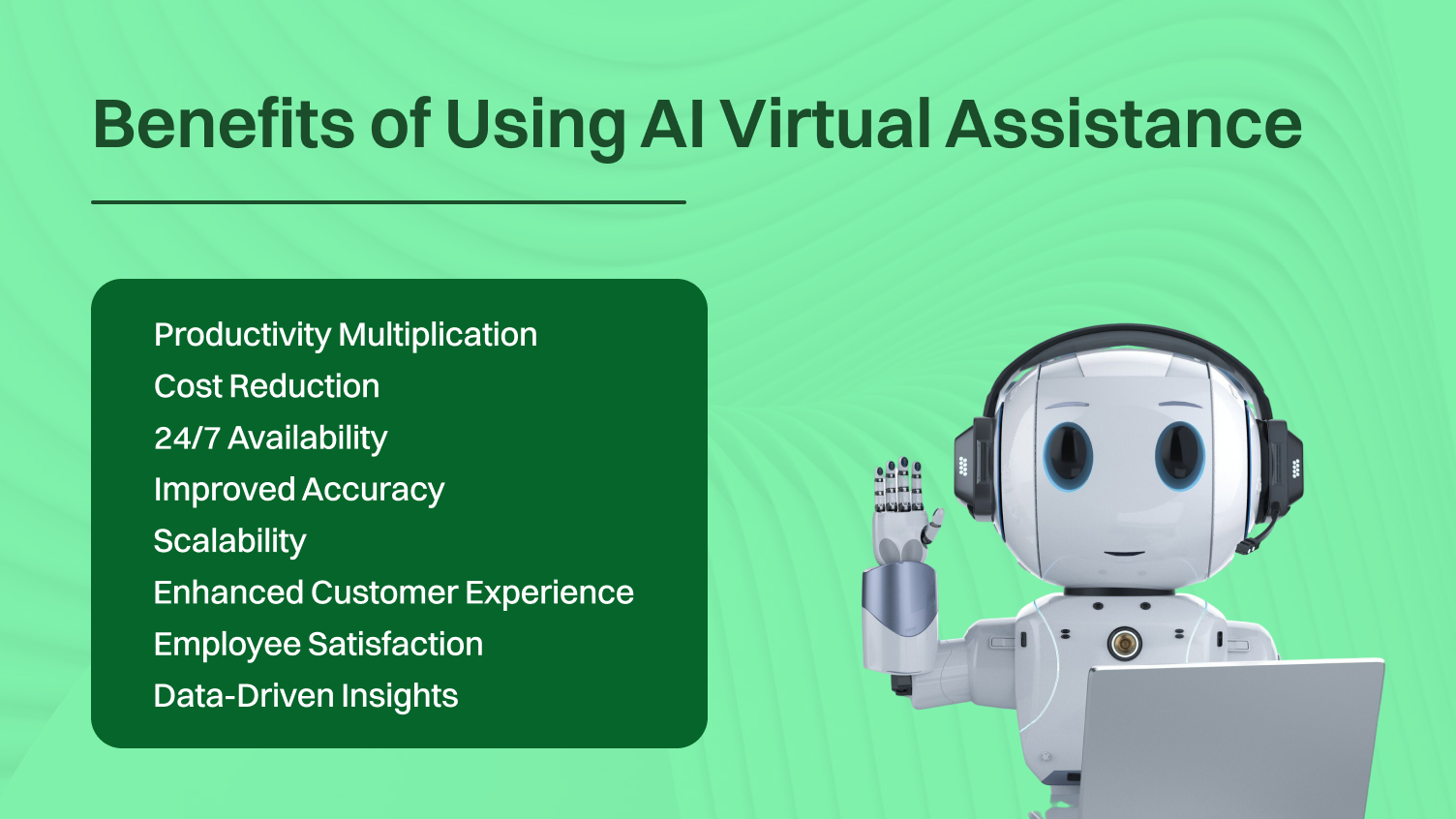
The advantages hit different areas:
Growth means doing more without proportionally increasing resources. AI virtual assistance makes this happen:
Deployment choice depends on your situation:
Cloud-Based Solutions: Run on providers’ servers, accessed through the internet. Benefits include zero hardware costs, automatic updates, easy scaling, and working from anywhere. Setup takes hours instead of weeks. Pricing follows subscriptions; costs stay predictable.
Downsides? Need internet. Less control over where data lives. Some regulated industries face compliance headaches with cloud storage.
On-Premise Deployment: Installing on your own servers gives maximum control over data, security settings, and customization. Works for larger organizations with complex requirements, specific compliance needs, or security concerns that rule out cloud storage.
Tradeoffs include big upfront hardware costs, ongoing maintenance, and slower setup. Updates need manual work instead of happening automatically.
Hybrid Approaches: Some platforms offer hybrid deployment, sensitive data stays on-premise, and processing happens in the cloud. Balances security and convenience but adds complexity.
Most small to mid-sized companies should go cloud. Best balance of functionality, cost, and simplicity. Bigger organizations with dedicated IT teams might justify on-premises solutions for specific cases.
You may also like: How to fix audio delay in VoIP calls?
Selection requires looking at what actually matters:
Step 1: Define Your Needs:
List tasks that eat most of your time. Customer questions? Project coordination? Data entry? Different AI virtual assistants excel at different things. Know what you need, or you’ll buy powerful tools that sit unused.
Step 2: Evaluate Integration Capabilities
Your assistant must connect smoothly with existing management tools. Check compatibility with project software, email, CRM, accounting programs, and communication platforms. Bad integration creates information silos, defeating the whole purpose.
Step 3: Consider Scalability:
Think past today. Will this AI tool grow with you? Handle 10x current volume without choking? Switching platforms later wastes time and money. Choose systems built for growth.
Step 4: Assess Learning Capabilities:
Some improve through use, others stay static. Systems with strong machine learning adapt to your organization’s unique language, preferences, and workflows. This personalization compounds returns over time.
Step 5: Review Security Features:
Protecting sensitive data isn’t optional. Check encryption standards, access controls, compliance certifications, and data handling policies. Organizations dealing with customer information need AI virtual assistance to meet industry regulations.
Step 6: Test User Experience:
The most powerful AI agent becomes worthless if nobody wants to use it. Request demos. Run pilot programs. Get feedback from actual users. Intuitive interfaces and natural language capabilities determine whether people actually adopt it.
Step 7: Calculate Total Cost:
Look past subscription fees. Factor in integration costs, training time, potential customization, and ongoing support. Some platforms charge per user, per interaction, or based on features. Understand the complete financial picture.
Step 8: Check Support and Documentation:
When things break, responsive support makes the difference between minor hiccups and disasters. Review support channels, response times, and resource library quality. Good documentation lets you fix problems yourself.
Here’s where this is headed:
These advances are closer than people think. Technologies that seem futuristic become commonplace within a few years. Organizations building skills with current AI virtual assistance adopt next-generation capabilities smoothly.
| Feature | Google Assistant | Microsoft Cortana | Amazon Alexa | Business AI Agents | Customer Service AI |
| Best For | Smart home, personal tasks | Office productivity | Shopping, smart home | Complex workflows, project management | Customer experience |
| Natural Language | Excellent | Very Good | Excellent | Advanced | Excellent |
| Integration | Extensive | Microsoft-focused | Amazon-centric | Customizable | CRM-focused |
| Business Features | Limited | Moderate | Limited | Extensive | Specialized |
| Cost | Free | Included with Office | Free | Subscription | Variable |
| Learning | Strong | Moderate | Strong | Advanced | Strong |
| Setup | Simple | Simple | Simple | Moderate to Complex | Moderate |
| Customization | Limited | Moderate | Moderate | Extensive | Extensive |
| Privacy | Standard | Enterprise options | Standard | Configurable | Configurable |
| Mobile | Excellent | Good | Good | Variable | Excellent |
This gives starting points, but your needs determine the best choice. Many organizations use multiple Google Assistants for personal tasks, specialized AI agents for business processes, and conversational AI for customer interactions.
Start Small and Specific. Don’t automate everything at once. Pick one workflow causing the most pain, implement AI virtual assistance there, measure results, and expand. Builds expertise and shows value before major investment.
Document Your Processes First: AI assistants work best when procedures are clear. Before implementation, document current workflows. Helps configure the AI tool effectively and gives baselines for measuring improvement.
Involve Users Early: People resist tools forced on them. Include team members in selection and setup. Their input improves outcomes and increases adoption. When people help choose solutions, they become advocates instead of roadblocks.
Set Realistic Expectations: AI virtual assistants are powerful but not magic. Excel at defined, repeatable tasks. Struggle with novel situations requiring creativity or empathy. Communicate capabilities honestly, avoiding disappointment.
Monitor and Adjust Continuously: Implementation isn’t set-it-and-forget-it. Review performance regularly. What works? What doesn’t? Use analytics from your AI assistant to spot optimization opportunities. Systems improve through feedback.
Integrate Don’t Isolate: AI virtual assistance delivers maximum value when connected to a broader tech ecosystem. Invest time in proper integration with management tools, communication platforms, and data sources. Isolated tools create minimal impact.
Train Your AI: Spend time teaching your virtual assistant your organization’s language, preferences, and priorities. Most systems improve dramatically with focused training during the first few weeks.
Plan for Security from Day One: Don’t add security as an afterthought. Build appropriate access controls, data handling procedures, and compliance measures into the initial setup. Retrofitting security is expensive and risky.
Create Escalation Paths: Define clearly when and how tasks move from AI to humans. Your virtual assistant needs to know its limits and routing complex situations appropriately. Good escalation prevents frustration.
Measure Impact Systematically Track metrics before and after. Time saved, costs reduced, accuracy improved, customer satisfaction increased—quantify it. Data justifies continued investment and identifies areas needing attention.
Overcomplicating Initial Implementation: Many try automating everything at once, creating overwhelming complexity. Solution: Start with one well-defined use case. Prove value, learn lessons, expand systematically.
Neglecting Change Management: Introducing AI virtual assistance changes how people work. Without proper communication and training, even excellent tools fail. Fix: Invest in change management. Explain benefits, provide training, address concerns proactively, and celebrate early wins.
Choosing Features Over Fit: Impressive feature lists don’t guarantee utility. An ai tool with capabilities you’ll never use costs more and complicates things unnecessarily. Answer: Prioritize solutions matching actual needs over the longest feature lists.
Ignoring Data Quality: AI virtual assistants make decisions based on available data. Garbage in, garbage out. Poor data quality produces poor results. Remedy: Audit and clean data before implementation. Establish data quality standards and maintain them.
Underestimating Integration Effort: Connecting AI assistants to existing SIP Phone systems often takes longer than expected. Incompatibilities pop up. APIs don’t work as documented. Workaround: Allocate sufficient time and resources for integration. Consider hiring specialists for complex setups.
Failing to Establish Governance: Without clear policies about AI use, inconsistencies and problems multiply. Who accesses what data? How are decisions escalated? What privacy protections apply? Solution: Create governance frameworks before widespread deployment.
Expecting Immediate Perfection: AI virtual assistance improves over time through learning. Initial performance may disappoint. Approach: Set appropriate expectations. Allow time for system learning patterns and optimizing. Monitor improvement trajectories rather than demanding perfection immediately.
Neglecting Human Oversight: Completely autonomous AI can make mistakes with serious consequences. Safeguard: Maintain appropriate human intervention points, especially for high-stakes decisions. AI should augment human judgment, not replace it entirely.
AI virtual assistance evolved from experimental tech to essential business infrastructure. Organizations implementing these tools successfully report game-changing impacts on productivity, costs, and competitive positioning. Technology handles routine tasks, freeing humans for strategic work, driving growth.
Benefits of AI virtual assistants, from saving time to improving customer experience, compound over time. Early adopters build expertise and reap advantages that accelerate. Waiting means falling further behind competitors already leveraging artificial intelligence.
Implementation doesn’t require massive technical skills or enormous budgets. Start small, choose the right AI tool for your needs, integrate thoughtfully with existing management tools, and scale based on results. The future belongs to organizations augmenting human capabilities with AI, not those resisting change.
Your next step: Identify one workflow eating excessive time, research AI virtual assistants suited to that specific challenge, and run a pilot program. Measure impact. Learn from it. Expand. Technology exists. The question is whether you’ll use it to transform operations before your competitors do.
For complex tasks and repetitive tasks, specialized conversational AI platforms integrated with CRM deliver better results than basic assistants. Getting started involves identifying your primary pain point, whether it’s customer communication or internal coordination, and choosing accordingly.
Modern AI virtual assistants are designed for regular people, with cloud-based solutions offering intuitive interfaces for getting started. While basic implementation doesn’t need a tech background, complex tasks like advanced customization or on-premise deployments might require IT support.
AI systems like virtual assistants cover more ground than chatbots, handling scheduling, data analysis, and workflow automation for complex tasks. Chatbots primarily focus on answering questions and guiding simple processes, while virtual assistants make decisions and coordinate workflows.
Yes, most AI systems integrate seamlessly with phones, offering mobile apps with full functionality for providing real-time responsiveness. This mobile access means teams can use AI project assistance anywhere, supporting remote work regardless of location.
Data security is paramount and depends on the chosen AI project and its setup, with enterprise-grade solutions offering robust encryption and compliance. Always review security features and data handling policies before implementing any AI system for sensitive information.
Most AI systems work on standard devices with internet access, like smartphones or computers, especially for cloud-based solutions. Consumer personal assistants work through smart speakers and smart home devices, requiring minimal hardware investment for getting started.
AI systems excel at supporting remote teams by coordinating across time zones and maintaining consistent communication standards, essential for providing real-time updates. Features like centralized information access and 24/7 availability address common remote work challenges, making AI project assistance invaluable.
Costs for an AI project vary wildly based on capabilities and scale, from free consumer assistants to enterprise solutions costing thousands monthly. Many platforms offer tiered pricing for getting started, allowing you to scale your investment with growth, with ROI often seen through time savings from handling repetitive tasks.
