

How to Use AI to Analyze Phone Calls?

Let’s be real. Nobody wants to sit and listen to hours of call recordings.
Whether you’re a sales manager trying to figure out why a deal fell apart or a business owner sweating about compliance, doing this manually is a nightmare.
You’re going to zone out and miss the important stuff.
That’s where AI call analysis actually becomes useful.
Using AI to analyze phone calls lets you uncover the “why” behind the chat.
It takes that pile of audio files gathering digital dust and turns it into actionable insights you can actually use to fix your sales team or stop customers from leaving.
Here is a step-by-step guide on how you can use AI to analyze phone calls for your business:
Ask yourself what the issue is at present.
Is it sales performance? Maybe you need to know if your agents are actually using the new closing-deal script or just winging it.
Or maybe it’s customer sentiment, you want to catch people who are pissed off before they cancel. If you run a call center or contact center, you need to make sure your agents are reading the mandatory legal lines so you don’t get fined.
Map your business problems to what the bot looks for. If you want better sales coaching, tell the system to flag “competitor mentions.” If you’re worried about support, look for calls that drag on too long.
You can’t analyze what you don’t record. Most modern VoIP phone systems, like Dialaxy, RingCentral, Dialpad, or Aircall, have call recording built in.
Make sure auto-record is on for the teams that matter. You don’t need to record the front desk receptionist ordering lunch, but you definitely need the sales and support lines covering 24/7.
Also, check your gear. If your audio is full of static, echoes, or background noise because your team is using cheap earbuds, the transcription accuracy is going to tank. Get them decent headsets.
And strictly, don’t forget the “this call is being recorded” warning. Compliance isn’t optional.
Need a reliable way to capture high-quality audio automatically? Check out Dialaxy’s call recording features.
Once you have the audio, the software needs to turn it into something readable. This is just speech-to-text. The system listens to the file, figures out who is speaking (that’s called diarization), and transcribes it.
Here is the catch: real people don’t talk like news anchors. We mumble, we interrupt, and we use slang.
High-end intelligence tools handle this pretty well, but if your industry uses weird jargon or if you have a lot of heavy accents, you might need to train the tool with a custom “dictionary” so it doesn’t write gibberish.
This is the fun part. The tech doesn’t just read the words; it tries to get the vibe.
It uses sentiment analysis to check the tone. Is the customer sounding frustrated? Is the agent sounding bored? It helps you spot the fires without listening to the whole call.
You can also set it to hunt for specific things. For example, if you launched a promo for March 15, 2026, you can track exactly how many times that date or offer was mentioned.
It also categorizes intent. Why did they call? Was it a billing issue? A product update? The AI sorts this stuff into buckets so you can see trends instead of individual messes.
Imagine walking in on Monday morning and having a “scorecard” on your desk for every single call.
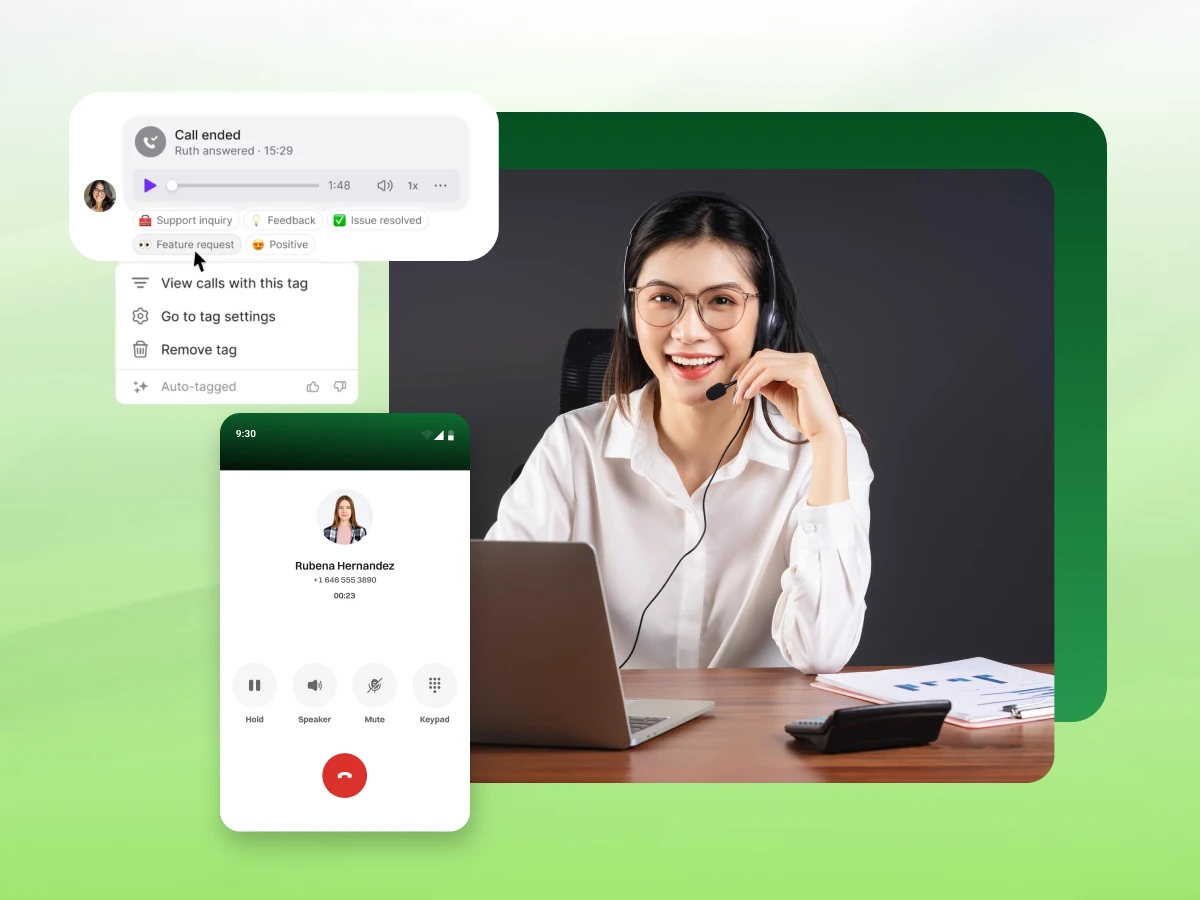
Automated call scoring can grade a conversation based on your rules. Did the agent ask for the sale? Did they resolve the issue quickly? You can also have the system slap tags on calls automatically.
If a call went south, tag it “Churn Risk.” If it went great, tag it “High-Value Lead.” This saves managers so much time because they stop random sampling and start looking at the calls that actually matter.
Look, AI is an assistant, not the CEO. It’s going to make mistakes. It struggles with sarcasm. If a customer says, “Oh, great job, you guys really messed this up,” the AI might see the words “great job” and mark it as positive.
You need human oversight. Don’t fire your QA team; just change what they do. Instead of listening to random calls, have them check the ones the AI flagged as “extreme.”
Their job is to verify the data and reduce those false positives. This creates a feedback loop that makes the model smarter over time.
Data is useless if it just sits in a dashboard. You have to do something with it.
If the data shows that John from sales freezes up every time price is mentioned, his manager needs to sit down and role-play that specific objection. That’s targeted agent coaching.
If you see that mentioning “annual contracts” makes customers angry, rewrite the script.
You can also hook this up to your CRM. If a call gets tagged as “Budget Approved,” have the system automatically push that deal to the next stage in your pipeline. That’s workflow automation that actually moves the needle.
This isn’t a one-time thing. It’s a machine that learns.
Most platforms let you give a thumbs-up or thumbs-down on a transcript or a sentiment score. Use that feature. It teaches the bot your specific business context.
Watch your metrics. Is the transcription accuracy getting better? Is the talk-to-listen ratio looking healthy? A little tuning goes a long way to making sure you get a return on your investment.
By following these steps, you move from guessing what happens on your calls to knowing exactly what makes your business tick.
Now you’re probably wondering if this is actually worth the investment. Let’s look at the hard numbers and the financial impact this will have on your bottom line.
Need a reliable way to capture high-quality audio automatically? Check out Dialaxy’s call recording features.
Analyzing your calls isn’t just a “nice to have” feature; it’s a financial lever that impacts everything from your payroll to your revenue growth.
The most immediate impact is on your daily spend. By automating the listening process, you see significant operational cost reductions. You no longer need a room full of people manually listening to calls for quality assurance, reducing staffing costs.
Furthermore, because the system handles the heavy lifting, like note-taking and summarization, your agents spend less time wrapping up files.
This efficiency drives lower cost per call and increases productivity, as your managers can focus on strategy rather than administration.
This technology directly supports revenue generation and retention by highlighting what actually sells. You can identify the exact phrases and objections that kill deals, allowing you to fix the script for improved sales and conversion.
On the defensive side, catching frustration early allows you to save accounts that are at risk, leading to increased customer retention and stable recurring revenue.
For financial services, the ability to analyze negotiation tactics allows teams to replicate the top performers, resulting in higher collection rates. But it’s also your safety net.
The software acts as a shield for risk mitigation and compliance by scanning every single interaction for mandatory disclosures. This leads to reduced compliance costs (no more hefty fines) and proactive fraud reduction by flagging suspicious caller patterns instantly.
Ultimately, all these factors improve your key financial metrics & ROI. Better, faster, and more accurate support leads to increased customer satisfaction (CSAT), which increases customer lifetime value.
And because modern tools are cloud-based and quick to deploy, businesses typically experience a much faster ROI compared to traditional, clunky enterprise installations.
However, the value goes beyond just the spreadsheet. While saving money is critical, improving the daily grind for your team and the experience for your customers is what actually sustains that growth.
Why bother setting this up?
Because treating your phone calls like a black box is a missed opportunity. When you actually start analyzing what’s being said, you unlock a lot of value that’s been hiding in plain sight.
Here is what you actually get out of it:
You can’t be everywhere at once, but this software can. It “reads the room” for you, flagging customer sentiment instantly. It tells you whether a caller is thrilled or about to hang up in anger.
This lets you fix a bad experience in the moment, rather than finding out about it later in a nasty online review.
Let’s face it: agents hate typing up notes, and managers hate scrubbing through hours of audio to find one teachable moment. This tool fixes both. It handles the busywork, writing summaries and organizing data, so agent productivity goes up.
Plus, it highlights exactly where a team member is struggling, making training faster and way more effective.
Your customers are constantly telling you what they want, what’s broken, and what your competitors are offering. It’s just buried in the audio.
Data mining digs that info out for you. You get actionable insights, like realizing a new pricing tier is confusing everyone, so you can make smart business moves based on facts, not hunches.
It’s simple math. When your team spends less time on administrative tasks and more time actually talking to people, operational costs drop.
And when you know exactly which sales pitch works best, you can get everyone to use it. That consistency directly drives increased revenue.
For many businesses, this is the part that helps you sleep at night. Compliance and quality assurance features act like an automated safety net.
The system listens to 100% of calls to ensure your team is following the rules and reading the required legal scripts, saving you from fines and lawsuits.
By looking at patterns from thousands of past calls, the system uses predictive analytics to show you what’s likely to happen next.
It can warn you which customers are at risk of leaving or predict which leads are ready to buy, giving your team a heads-up before they even pick up the phone.
In short, this tech makes your team smarter, faster, and more consistent. It turns your phone system from a utility into your best business asset.
But before you start recording everything, you need to cover your bases. Recording laws can be tricky, and getting them wrong is expensive. Next is the compliance checklist you need to follow to keep your business out of trouble.
Use this checklist before going live, and revisit it regularly, to ensure your AI call analysis stays compliant, secure, and responsible.
1. Call Disclosure & Consent
2. Data Security & Access Control
3. Data Retention & Deletion
4. Sensitive Data Protection
5. AI Accuracy & Human Oversight
6. Compliance Monitoring
7. Vendor & Integration Compliance
8. Final Readiness Check
Sticking to these rules protects your business and keeps your customers’ trust intact. Compliance isn’t just about avoiding fines; it’s the safety net that lets you use this powerful tech without looking over your shoulder.
Now that the legal stuff is sorted. Let’s talk tools. It’s easy to get distracted by flashy sales pitches, so let’s focus on the non-negotiable features you actually need to get the job done.
If you are looking for a tool, don’t get distracted by shiny features you’ll never use.
Here are the non-negotiables that actually matter for your daily operations.
High-Accuracy Transcription & Diarization: If the tool can’t accurately record what was said, it’s useless. You need a system that gets the words right (even with accents or background noise) and handles diarization, which is just a fancy way of knowing who is speaking. It needs to clearly separate the agent from the customer so your data makes sense.
Advanced Sentiment & Intent Detection: It’s not enough to count how many times someone said “good” or “bad.” You need advanced sentiment & intent detection that understands context.
Is the customer being sarcastic? Are they calling to buy something or to cancel their service? Good software spots the difference between a real opportunity and a polite “no thanks.”
Automated Actionable Summaries: Nobody has time to read a five-page transcript. You want a tool that boils the conversation down to automated, actionable summaries: what was discussed, what was promised, and what needs to happen next. It saves your team hours of boring manual data entry every week.
Real-Time Agent Assistance & Coaching: The best tools don’t just judge the call after it’s over; they help while it’s happening. Real-time agent assistance & coaching is like having a manager whispering helpful tips in the agent’s ear.
If a customer asks a tough technical question, the system should pop up the answer on the screen instantly to save the call.
CRM Integration & Context: Your call data shouldn’t live on a separate app. It needs to sync automatically with your CRM (like Salesforce or HubSpot).
CRM integration & context means that when an agent opens a client file, they see the call summary and sentiment score right there, giving them the full picture without having to click around.
Compliance & Quality Assurance: This is your safety net. The system must be able to automatically redact sensitive information (like credit card numbers) to keep you safe.
It should also flag any calls where mandatory legal scripts weren’t read, protecting your business without you having to micromanage every interaction.
Stick to these essentials, and you’ll have a system that actually works. But fair warning: even the best software fails if you use it wrong. Here are the classic mistakes to watch out for so you don’t waste your budget.
Setting this up isn’t rocket science, but there are plenty of ways to mess it up if you aren’t paying attention. Here are some AI call analysis mistakes you need to watch out for:
Avoid these common traps, and you’re already ahead of the curve. Now, let’s get practical. Let’s look at how you can use this technology to solve actual business problems right now.
It’s easy to talk about tech features, but how does this actually look on a random day when the phones are ringing off the hook?
Here are ten real ways businesses use call intelligence to solve problems right now.
The old way of checking sales teams’ performance was random and slow. Managers would listen to maybe five calls a month. That’s a blind spot.
Now, you can use sales calls analysis to score 100% of your interactions automatically. The system checks if the agent stuck to the script and solved the problem, giving you a fair view of the board without the manual grunt work.
This is your early warning system. You don’t have to wait for a bad review to know a customer is angry. You can analyze sentiment in real time.
If a customer starts yelling or using “churn” language, the software flags it instantly. A supervisor can jump in to de-escalate, saving the relationship before the customer hangs up.
Think of this as a digital whisper in the ear. With AI coaching, if a new hire gets stuck on a tough question during AI sales conversations, the system pops the answer up on their screen. It helps them sound like a pro from day one and keeps the deal moving.
Sometimes the issue isn’t the agent; it’s your website. The Artificial Intelligence tracks specific phrases. If multiple customers call in complaining that something went wrong while submitting or they are stuck submitting the form on your checkout page, the system flags it.
You catch the technical glitch immediately, rather than waiting for IT to notice.
Agents hate typing notes. It kills their momentum. Modern tools transcribe calls automatically. These call transcriptions capture the key action items and sync them to your CRM.
This saved time adds up to hours every week, allowing agents to focus on the next caller rather than paperwork.
Old phone trees are annoying. Conversational AI can answer, understand that the caller wants to “return a product,” and route them directly to support.
It also monitors call length; if it sees customers getting stuck in a routing loop, it can alert you to fix the flow.
Ditch the confusing phone menus. Route your customers to the right support agent faster by upgrading your call routing setup with Dialaxy.
Why are deals stalling? By running sales calls analysis, you can find the pattern. Maybe prospects are freezing up at the price drop.
You can analyze calls to see exactly where the drop-off happens, tweak the script to enhance sales, and help your team handle those objections better next time.
This is huge for customer support. Calls with AI capabilities can detect if a caller sounds confused, elderly, or in distress.
It alerts the agent to slow down and show extra empathy, ensuring you handle sensitive situations with care.
Your customers are a free focus group. Using broad conversation intelligence, you can spot trends. If fifty people suddenly mention a competitor or a specific feature request, the data shows up in your post-call analysis.
You can pass that straight to marketing to adjust your strategy.
You don’t want credit card numbers sitting in your text logs. When the system transcribes calls, it detects sensitive digits and automatically redacts them. It keeps your customer data safe and keeps you compliant without you lifting a finger.
These examples prove the value, but you can’t get the benefits if the tech is impossible to install. The good news? It’s easier than you think.
Connecting AI to your phone lines sounds like a massive headache, the kind that requires expensive engineers and weeks of downtime. It usually isn’t. For most businesses, it’s less like building a new server room and more like downloading an app on your phone.
The goal is simple: create a secure pipe between where your calls happen and where the analysis happens. Here is the practical way to get everything talking.
Most modern cloud VoIP systems and Unified Communications platforms are already built to do this. You don’t need to rip and replace your hardware.
Check your current provider’s settings. Many have an “integrations” or “marketplace” tab where you can turn on these features with a click.
If you are on an older, on-premise system, you might need a simple cloud connector to bridge the gap, but you rarely need to change your core business phone system just to get started.
The software can’t analyze silence. It needs raw material to work with.
(Note: Always make sure your recording settings play the standard “This call may be recorded” notification to keep things legal.)
Once the data is flowing, you need to set the ground rules. If you don’t tell the system what matters, it will just give you a generic summary.
Go into your settings and configure your specific business rules. This might mean uploading your sales script so the tool can track if agents are sticking to it, or adding a list of trigger words (like specific competitor names).
You are essentially drawing a map so the analytics engine knows where to focus.
Data is useless if it’s stuck in a separate login screen that nobody uses. You need to put the insights where your team actually works.
Most setups allow you to sync call recording and AI summary directly to your CRM (like Salesforce or HubSpot). This is the game-changer.
It means when an agent opens a client’s profile, the call summary is right there in the activity timeline. It keeps your data organized and ensures your team actually sees the insights.
Finally, turn on the lights. Configure your dashboard to show you what is happening right now, not just what happened last week.
Set up alerts for the big stuff. You can have the system ping a manager if a call goes on too long or if a “risk” tag gets triggered during a conversation.
This real-time view lets you jump in and fix problems while the phone is still off the hook, rather than reading about them in a report later.
Follow these steps, and your system will start feeding you data immediately. It really is that simple to get started.
Now let’s look at the hard numbers and see what industry experts are actually saying about this shift.
Use of AI to analyze phone calls has moved from “experimental” to “essential” for modern businesses.
The numbers back this up.
Research shows that about 65% of contact centers are already using AI to improve the customer experience, and nearly 90% plan double down on their investment soon.
Companies doing this just to be high-tech; they are doing it because they need deeper insights from their conversations.
The tech has also finally caught up to the hype. Sentiment analysis used to be hit-or-miss, but it is now hitting over 85% accuracy.
The impact on the floor is huge, too. 80% of agents report higher productivity when AI tools handle the grunt work like summaries and feedback. It’s helping teams solve problems faster, boosting first-contact resolution by around 25%.
Interestingly, 41% of industry experts rank sentiment analysis as their top feature, even above automation, because understanding how a customer feels is what actually saves deals and improves customer satisfaction.
The consensus is clear: AI call analysis is already here. It delivers practical value by catching the patterns humans miss and turning raw audio into business wins.
Analyzing phone calls doesn’t have to be a manual nightmare anymore.
By using AI to manage phone calls, you can instantly uncover why deals stall, catch angry customers early, and coach your team effectively, without listening to endless hours of audio yourself.
It’s time to stop guessing and start using the data you already have.
Ready to turn every conversation into a growth opportunity? Partner with Dialaxy today!
Absolutely. AI tools listen to conversations and automatically generate summaries with key discussion points, decisions, and action items, helping teams save time and improve follow-ups.
Yes. AI tracks more than call duration by identifying keywords, analyzing customer sentiment, monitoring agent performance, and providing insights into what was discussed during each conversation.
Definitely. Modern AI-powered tools can analyze audio by detecting emotions, identifying multiple speakers, and converting speech into accurate, searchable transcripts in real time.
Yes, in most regions it is legal when callers are properly notified. Many AI call analysis platforms automatically play call recording notices and protect sensitive information by masking details like credit card numbers in transcripts.
