

Phone Number Extension Explained: A Beginner’s Guide

Tired of missed calls and confusing call routing?
Your business phone rings with a new lead. They ask for sales, so you put them on hold. You frantically text your colleague while the lead waits, growing more frustrated by the second. It’s a confusing process that looks deeply unprofessional.
What if you could connect that caller to the right person instantly, with just the press of a button? A phone number extension makes this possible.
A phone number extension is a short internal number that directs calls to a specific person or department within your company’s main phone number. Think of your main number as the building address. Extensions are the individual apartment numbers.
In this guide, you’ll learn what phone number extensions are, their key benefits for your business, and how to set your own up in just minutes..
At its core, a phone extension is the key to efficient call routing. It’s a short internal number, usually 3 or 4 digits, that connects callers directly to a person, department, or device instantly, eliminating hold times and confusion.
Think of your main business number as the street address of a large building; it gets everyone to the front door, but no further. A phone number extension is the apartment number. It guides the caller directly to the right destination, whether that’s:
This system doesn’t just save time; it dramatically improves the customer experience. Calls are routed instantly, often guided by a professional auto-attendant menu (e.g., “Press 1 for Sales, 2 for Support”).
The benefits extend internally, too. Employees can dial each other’s extensions (e.g., just 101) for quick, free calls, making communication across offices, call centers, or remote teams frictionless.
Extensions are also the foundation for advanced features like:
They are a core part of modern VoIP phone systems and work seamlessly on desk phones, cell phones, and virtual apps.
This clear structure makes your business communications stronger and more professional. And with a modern VoIP system, setting it all up is simpler than you think.
The technology behind phone extensions has undergone a revolution, moving from clunky, physical hardware to intelligent, cloud-based software. Understanding this evolution is key to choosing the right system for your business’s growth and flexibility.
Traditional Private Branch Exchange (PBX) systems were entirely reliant on hardware locked in an office closet. Every telephone extension required a physical copper cable running from a central box to a desk phone.
This system worked, but it was inherently limited. Scaling was difficult and expensive. Adding a new extension was a days-long ordeal that required a technician to run new cables and manually configure the hardware.
Maintenance was a constant challenge; hardware failures meant system-wide downtime, and updates required on-site IT staff. Most critically, the system tethered employees to their desks, making remote work impossible.
This approach provided extensions but at a high cost, with minimal flexibility and poor scalability.
Modern business communications run on Voice over Internet Protocol (VoIP). A VoIP provider hosts the entire phone system in the cloud.
In this model, an extension is no longer tied to a wall jack; it’s a virtual identity tied to a user. A single person’s extension can ring simultaneously on their desk phone, their laptop softphone, and their mobile app, so they never miss a call.
This cloud-based setup supports every communication need: internal and external calls, inbound and outbound call centers, call forwarding, video conferencing, and more.
The benefits are transformative:
| Feature | Traditional PBX (The Old Way) | VoIP System |
|---|---|---|
| Cost | High upfront capital expense | Low, predictable monthly subscription |
| Flexibility | Fixed to a physical desk phone | Works on any device (desk phone, cell, laptop) |
| Scalability | Slow, requires technician & hardware | Instantly add multiple extensions online |
| Infrastructure | On-premise hardware & physical wires | Virtual, cloud-based, no on-site hardware |
| Maintenance | Requires on-site IT staff & downtime | Handled 24/7 by your VoIP provider |
| Business Continuity | The system fails if the office power/internet is down | Calls automatically route to cell phones |
This contrast shows why modern VoIP phone systems are the undeniable choice. They transform business communications into a flexible, reliable, and scalable asset that supports growth rather than hindering it.
Phone extensions do more than just route calls; they are a strategic tool that can strengthen your customer experience, reduce costs, and improve overall business communication. Here are six of the most powerful benefits.
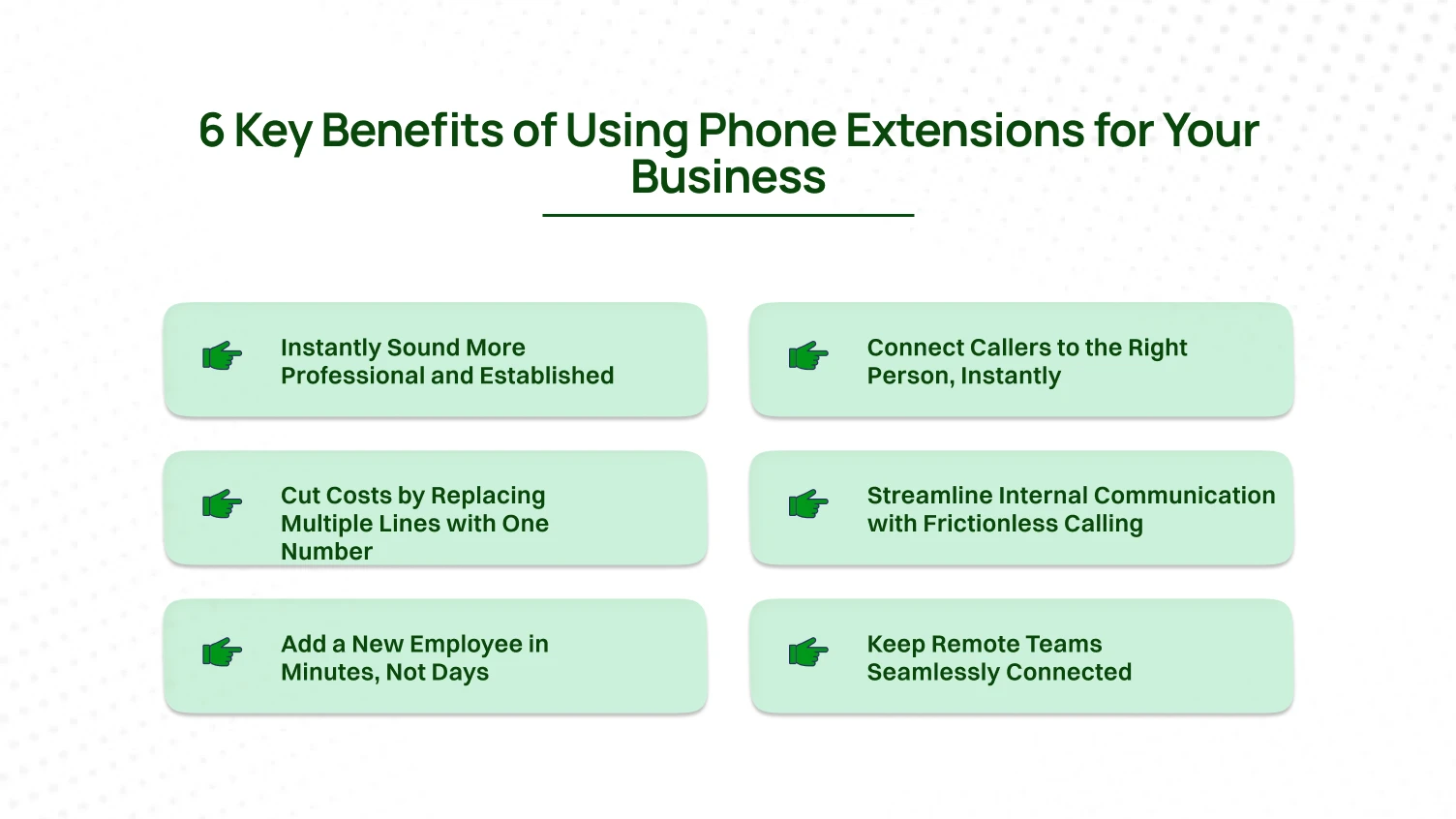
The Problem: When customers call a single mobile number, it can make your business seem small or unprofessional, potentially eroding trust before the conversation even begins.
The Solution: An extension system, combined with a professional auto-attendant (“Press 1 for Sales, 2 for Support”), immediately projects the image of an organized, established company. This builds credibility and assures callers they’ve reached a legitimate business, improving the customer experience from the very first ring.
The Problem: Nothing frustrates a customer more than being put on hold, transferred to the wrong person, and forced to repeat their issue. This friction wastes time and kills satisfaction
.
The Solution: Extensions empower callers to get directly to the person or department they need without delay. This leads to faster resolutions and a smoother customer journey, which is crucial for both inbound support calls and outbound call center efficiency.
The Problem: Traditional phone systems often required a separate, costly phone line for each employee, leading to high monthly bills and complex infrastructure.
The Solution: Modern VoIP systems change the game. You operate from one main business number and add multiple extensions for each user at a low cost. All internal calls between extensions are free, and external calls are cheaper, saving you significant money and simplifying your entire communication budget.
The Problem: Employees waste valuable time looking up long phone numbers or sending chat messages just to see if a colleague is available to talk.
The Solution: With extensions, internal calls are instant. Dial 105 to reach your manager or 301 to check with the warehouse. This frictionless communication boosts productivity and helps your teams collaborate more effectively, whether they’re in a central office or working remotely.
The Problem: With old PBX systems, onboarding a new hire’s phone was a slow process, often requiring a technician to install wires and configure hardware.
The Solution: With a VoIP system, an admin can log into a simple dashboard and assign a new virtual extension in under two minutes. Your new employee can be making and receiving calls on their VoIP phone, laptop, or mobile app from day one, allowing your business to scale at the speed it needs to.
The Problem: In a remote or hybrid model, using personal numbers looks unprofessional and disconnects employees from the central business phone system.
The Solution: A modern extension is tied to a user, not a location. Calls follow your employees from their desk phone to their laptop to their mobile app, ensuring they are always connected. This unifies your entire team under one professional system for all calls and even video conferencing, no matter where they are.
Setting up phone extensions is simple. Planning them well makes your business phone system stronger and easier to manage.
A clear extension strategy improves customer experience and keeps business communications organized. Before assigning numbers randomly, map out a structure.
Your first choice is extension length. Both three-digit and four-digit schemes work, but each serves different needs.
Recommendation: If you have fewer than 100 employees, use three-digit extensions. They are simple, practical, and easy to manage.
Once you choose digits, decide how to group them. Two common methods are department-based and role-based numbering.
Recommendation: Department-based numbering is best for most businesses. Role-based numbering fits shared functions like reception or technical support.
The final step is creating a clear directory. A simple record prevents confusion and keeps your extension system reliable.
Build a master document with employee names, departments, and assigned extensions. Store it in your knowledge base, Google Sheets, or internal wiki.
Update the directory whenever employees join, move departments, or leave. An outdated list causes mistakes, delays, and poor customer experience.
Ready to map out your own system? We’ve created a simple worksheet to help you organize your departments and assign extensions logically.
You have planned your numbering strategy. Now it’s time to bring it to life. Setting up phone number extensions is fast, simple, and empowering. You can connect a new user in minutes without wires, technicians, or stress.
Go to your phone system’s login page and enter your admin credentials.
Only admins can add or edit business phone extensions. Make sure your account has the right permissions.
After logging in, the admin dashboard opens. It gives you a complete view of your business phone system, users, and active extensions.
From the dashboard, open the left-hand menu. Click on “Users” or “Phone Numbers.”
This section is your central hub. You can see all users, their assigned phone number extensions, and available numbers.
To add someone new, click “Add User.” To edit an existing user, simply select their name from the list.
This is where you make the extension real. The setup process makes each step clear and fast.
Testing confirms everything works perfectly. This final step proves the system is reliable and ready.
With these four steps, you have created a professional business phone extension. A modern system makes the process quick, reliable, and empowering. Every new extension strengthens your business communications and improves customer experience.
Once you’ve mastered the basics, your extensions become more than shortcuts. They become the foundation for smarter business communications and a stronger customer experience. With Dialaxy, you can take full advantage of these advanced strategies.

An extension is not tied to one device. Call Forwarding lets you route calls from your desk phone to your cell phone or another number.
Best Use Case: Set a rule so that if a sales rep misses their desk phone after three rings, the call forwards to their mobile. This ensures no lead is lost, even when the rep is away from the office.
Listening to audio voicemails is slow and easy to overlook. Dialaxy’s Voicemail-to-Email feature sends every message as an audio file directly to your inbox.
Best Use Case: Managers and support teams can read, sort, and delegate messages from email. Each voicemail becomes searchable, archived, and part of your customer record. No inquiry gets ignored.
Customers often know the person they need, not their extension. A Dial-by-Name Directory solves this instantly.
Best Use Case: Callers type the first few letters of an employee’s name. They are connected right away without waiting through long menus. This improves customer experience and adds a professional touch.
A Ring Group lets one extension reach an entire team. When that extension is dialed, every phone in the group rings.
Example: The Sales Hunt Group
This setup reduces wait times and boosts efficiency in any inbound call center.
The Problem: Smith’s Consulting, a 15-person firm, relied on one receptionist to transfer every call. This caused bottlenecks, missed calls, and lost messages.
The Solution: They rolled out Dialaxy extensions. Each consultant received a direct extension. A Support Call Group at extension 201 was created. Voicemail-to-Email was enabled for everyone.
The Result: Missed calls dropped by 40% within a week. Clients reached consultants directly. Support response times were cut in half. Extensions gave Smith’s Consulting better service quality and a professional image.
This shows that extensions are not just a feature. They are a foundation for call forwarding, voicemail-to-email, ring groups, inbound calls, and overall better business communications.
The message is clear: phone extensions are not just a feature. They are a core part of modern business communications. They improve customer experience, reduce costs, and make your team more productive.
What was once expensive PBX hardware is now simple and affordable. A VoIP provider like Dialaxy delivers virtual extensions that work on desk phones, laptops, or mobile apps. Your business gets flexibility, scalability, and reliability without the old complexity.
The time to act is now. Don’t let missed calls or confusing call routing affect your professional image. Build a business phone system that works for you, not against you.
Ready to get started?
Start your free demo of Dialaxy today and set up your first extension in under 5 minutes.
Yes. With a VoIP phone system, extensions are tied to users, not devices. This means your business phone extension works on a desk phone, a laptop softphone, or a cell phone app. You can receive incoming calls and make outbound calls using the same extension anywhere.
It depends on your plan and provider. A 3-digit numbering scheme allows up to 900 extensions. A 4-digit scheme allows up to 9,999 extensions. Dialaxy supports multiple extensions so your system can scale with business growth, whether for small teams or large enterprises.
Traditional phone systems charge for each line, but VoIP phone systems are different. You use one main business number, then assign extensions for each user. Internal calls between extensions are free. External calls are billed through your VoIP provider. With Dialaxy, you get predictable monthly pricing without extra per-line costs.
A direct line is its own unique phone number. An extension is a short number linked to your main business phone system. Customers can dial the main number and enter the extension to reach the right person or department. Extensions allow flexibility, call forwarding, call recording, and inbound call center routing without adding multiple phone numbers.
