

How to Enable MMS messaging on a Virtual Number?

Overview: Learn how to enable MMS messaging on a virtual number to send images, videos, and audio with ease. This guide covers setup steps, device configuration, common fixes, and real business use cases. Improve communication, boost engagement, and turn your messaging into a more powerful and effective customer connection tool.
Is your virtual number limiting your messaging experience?.
You can send texts and calls, but images, videos, and audio won’t go through. That’s because MMS messaging isn’t fully enabled on your virtual number service.
MMS, or Multimedia Messaging Service, powers rich media beyond SMS messaging. Without it, your messages stay stuck in text-only mode.
This guide covers how to enable MMS messaging on iPhone, Android, or any device by adjusting your virtual number’s MMS settings. Follow these steps to start sending multimedia messages with full messaging functionality.
The possibility of allowing MMS messaging with a virtual number is not limited to sending messages that have visuals. It is not a messaging do-over that opens up a whole new world of messaging that enriches your brand communication.
SMS does the trick, but MMS will allow your business to send multimedia messages, which are used to inspire dialogue and educate the consumer in order to create brand loyalty. The reason you can not afford to miss this messaging upgrade is because whatever your involvement is in customer service, marketing, or sales.
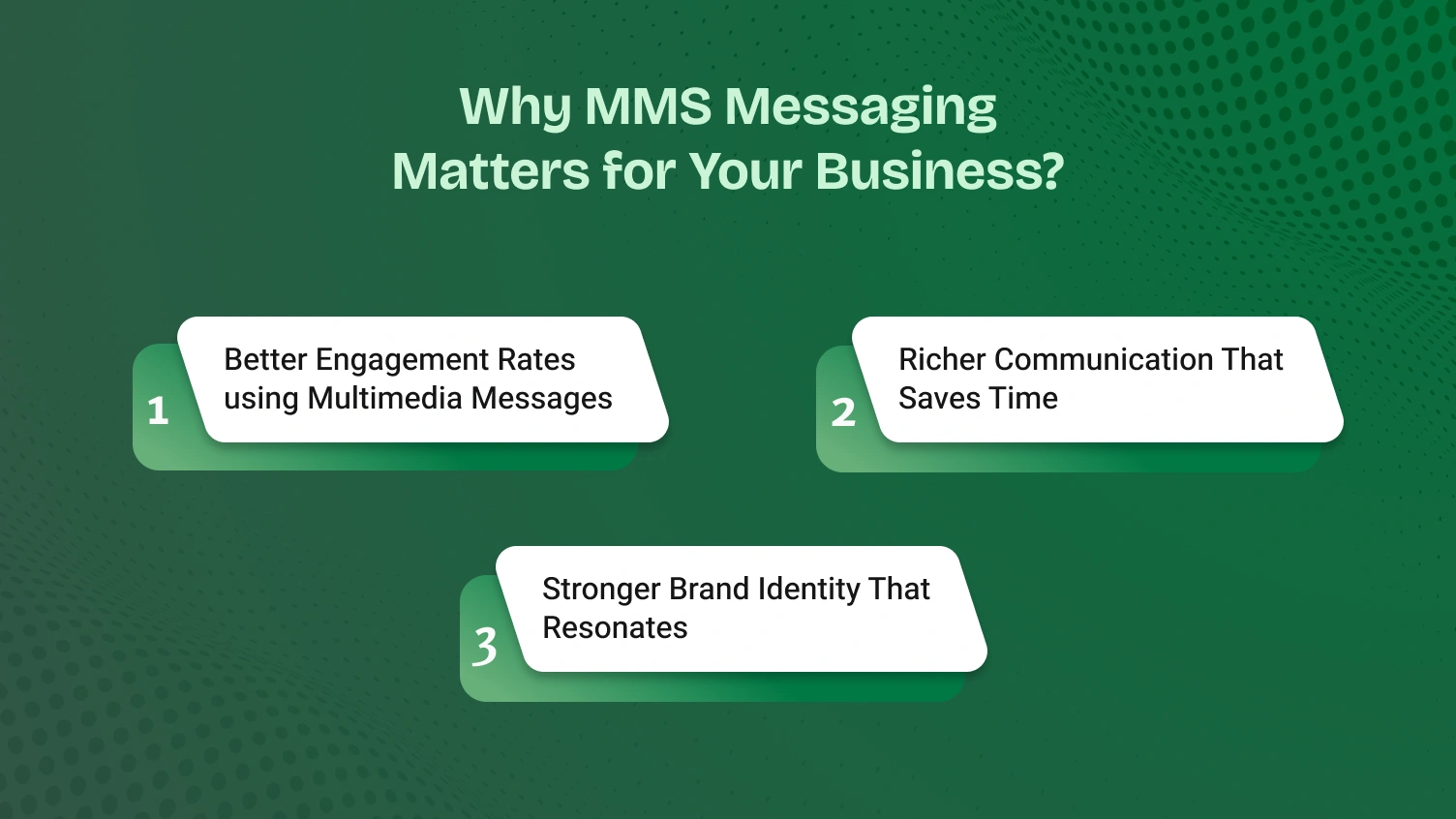
Messages that contain text only are easy to miss. Multimedia messages do not think of images that are to be glued to the eyes, videos that fascinate, or funny GIFs. Humans are vision-oriented creatures, with the most amount of work being viewed normally much quicker than reading it in text form.
MMS assists your virtual number to cut through the noise to ensure your communication has been received and recalled.
SMS or MMS makes a difference. With standard SMS, conversations can feel limited or vague. But when you enable MMS messaging, communication becomes faster, clearer, and more effective.
MMS messaging streamlines interactions across devices and operating systems, making your virtual number a more powerful tool.
Every message is a branding opportunity. With SMS, you’re limited to plain text. But MMS texting lets you inject personality, design, and consistency into every interaction.
With MMS enabled, your virtual number becomes a marketing channel, not just a contact point.
Before we walk through how to enable MMS, let’s clear up a common confusion: SMS and MMS aren’t the same. Most people think of all texting as one service, but the technology behind each message determines what you can and can’t send. This quick guide explains the difference and why it matters for your virtual number.
SMS is Short Message Service. It is the original global standard with regard to mobile text messaging. It is simple and sound.
It has the capability to support up to 160 characters in a message and does not use any media. This implies that one will not be able to send images, audio files, videos, or GIFs, but only simple text.
Consider SMS to be like a postcard on the internet; it can be quick, lightweight, and simple to deliver; however, it has not mushroomed with rich content applications. It is perfect when one needs alerts, reminders, and verification codes.
The MMS acronym means Multimedia Messaging Service. It is the new upgrade that is specifically targeted at rich media.
It allows photo, video, audio files, GIFs, and contact cards. You may also write messages of more than 1,000 characters and have a subject line, too. MMS is not like SMS because it enables actual group chats that can be viewed by the whole category.
MMS is like a padded envelope that holds more, says more, and shows more, resulting in a better messaging experience than a postcard SMS.
Not all virtual numbers support MMS by default. Even if your number handles SMS perfectly, it may not have the backend support to handle media files. Why?
Because MMS uses a different infrastructure and requires your virtual number provider to explicitly support and enable it at the account or plan level, this is often why you can send text but get errors when trying to send a photo.
| Feature | SMS (Short Message Service) | MMS (Multimedia Messaging Service) |
|---|---|---|
| Content Type | Plain text only | Images, videos, audio, GIFs, long text |
| Character Limit | 160 characters | 1,000+ characters |
| Subject Line | Not supported | Yes, like a short email |
| Group Messaging | Limited (individual threads) | Robust (one unified conversation thread) |
| Virtual Number Support | Almost always supported | Requires provider support and activation |
Now that you understand the difference, let’s walk through the exact steps to check for and enable MMS on your virtual number. We’ll cover everything from provider settings to device-specific adjustments for iPhone and Android.
Now that you know the difference between SMS and MMS, it’s time to enable the feature that lets you send rich media images, videos, and audio through your virtual number.
This guide walks you through each step clearly and efficiently.
⚠️ Note: All actions occur inside your virtual number app or web dashboard, not your phone’s native messaging settings.
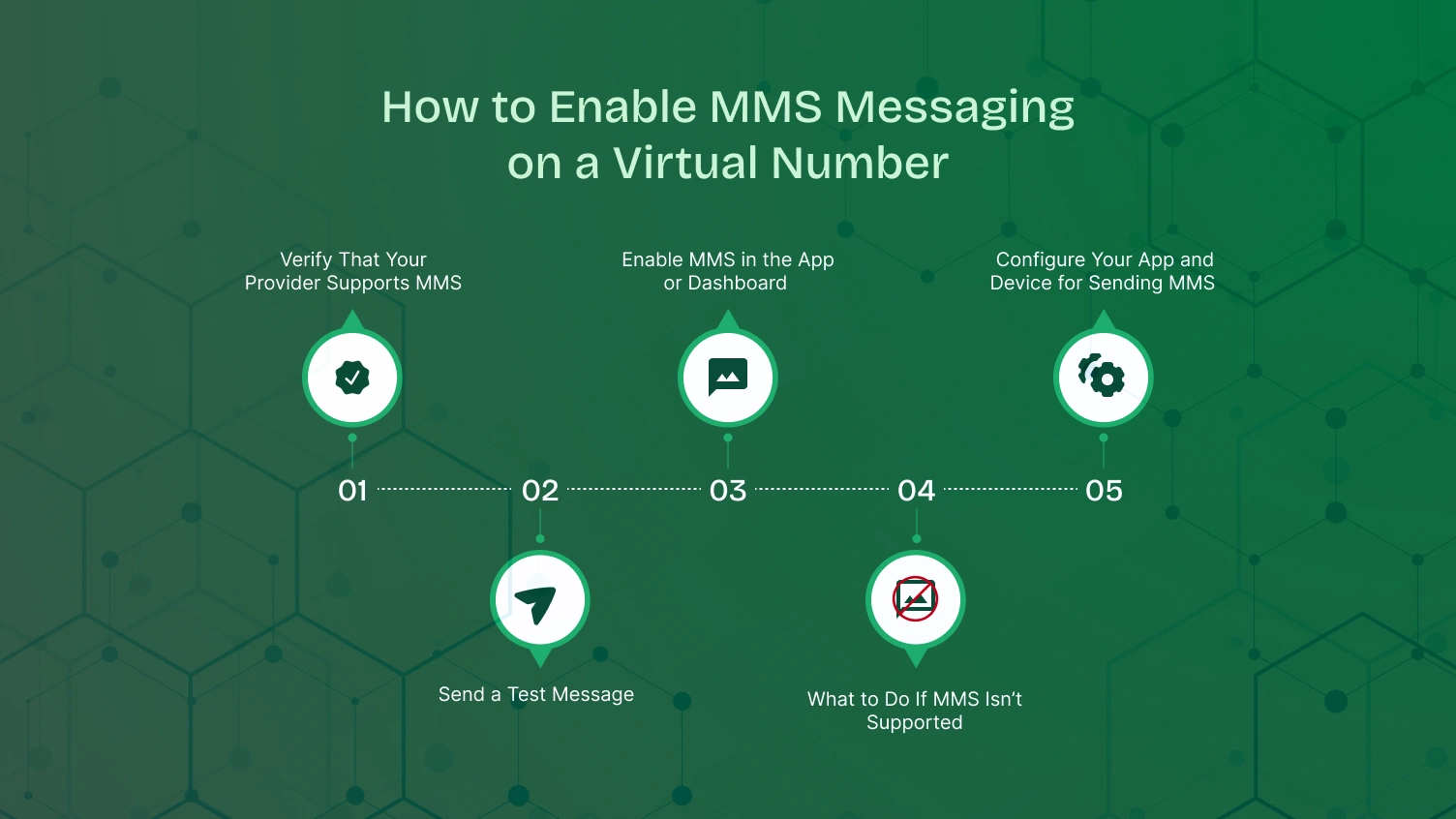
Before making any changes, confirm that your provider and plan include MMS functionality.
✅ If supported, move to Step 2.
❌ If not, skip ahead to Step 5.
Once confirmed, activate MMS functionality in just a few clicks:
Let’s ensure your app is set up to send and receive MMS correctly.
Try toggling Airplane Mode on and off to reset all connections or temporarily switch to a strong cellular data signal to test.
⚠️ No need to adjust iMessage, SMS fallback, or native messaging settings. These only apply to your personal SIM, not your virtual number.
Now, let’s confirm everything is working as expected:
If both media messages are successfully exchanged, you’re all set!
No MMS? No problem. You’ve got options:
With MMS now enabled, your virtual number is a complete communication tool ready to send and receive the rich media that drives modern business.
You’ve followed the setup steps and turned on all the right settings, but your MMS messages are still failing. Don’t worry. These issues are common, and the fix is usually straightforward. Let’s walk through the most frequent problems step by step.
This classic error usually points to a connection or app glitch. Run through this checklist, starting with the most common fix.
Most MMS functionality has a file limit of about 1MB. Large videos and audio files or high-res images can trigger a failure.
This is a tell-tale sign of an iMessage conflict.
You can send mms messages, but you’re not receiving replies. This is usually a permissions or network issue.
If you’ve followed all the steps above and your mms functionality still doesn’t work, it’s time to get help. Open a support ticket with your provider. List exactly what you’ve tried. This saves time and helps their team resolve your issue faster.
Now that your MMS messaging is fully operational, let’s explore best practices to ensure every message is delivered successfully and makes a lasting impact.
Now that your MMS is enabled, it’s time to unlock its full potential. MMS transforms your virtual number from a simple contact point into a dynamic communication tool. Let’s explore how leading industries are using it to get real results.
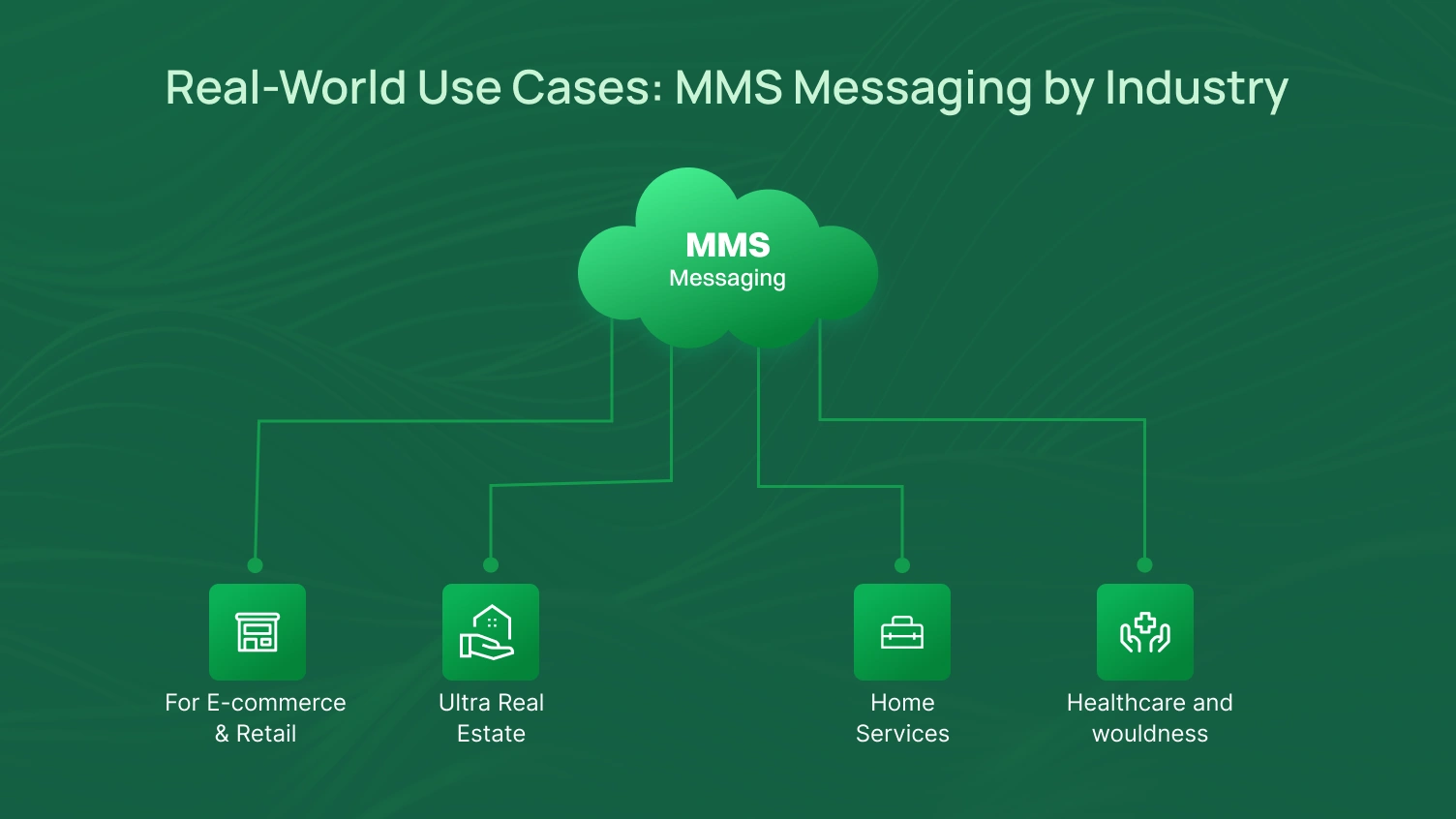
Visual content sells products. MMS gets that content in front of customers faster than any other channel.
With speed being the deciding factor in any market, MMS is your competitive advantage. Instant Property Previews: Is the customer interested? Immediately give out 3-4 quality images or a small tour video.
Gain the trust of people and save time by making every experience clearer.
Clarify the communication for patients and improve patient outcomes, reducing no-shows through visual communication.
You’ve finished enabling MMS and learned how to send mms messages. Now it’s time to use that power wisely. These best practices help you protect your business, improve deliverability, and keep your audience engaged.
This is not optional. SMS marketing and mms messaging are regulated under strict laws. Follow these steps to stay compliant.
Your mms messages must not just look good; they must be delivered without failure. Small changes help messages land smoothly across all operating systems.
Every mms texting campaign must offer real value. Avoid flooding inboxes. Earn trust with quality over quantity.
By combining smart strategy with ethical delivery, your MMS messaging becomes a powerful and sustainable tool for growth. This responsibility holds true whether you’re a solo entrepreneur sending from an iPhone or a marketing team using a sophisticated platform.
Respect attention. Deliver clarity. Build trust.
What started as a small problem, “Why can’t I send a picture?” has now transformed into a clear, strategic advantage. You’ve learned how to enable MMS messaging, troubleshoot common issues, and apply it across real business scenarios.
More than that, you’ve gained the tools to send messages that are visual, engaging, and effective. Your virtual number now goes beyond text messaging; it’s a modern, multimedia channel for growth.
You’re not just sending content. You’re sending clarity, connection, and brand value. You’re ready. It’s time to send MMS messages that make an impact.
Enable MMS, send rich media, and connect with customers more effectively.
If images, videos, or audio files aren’t sending, it’s likely because MMS messaging isn’t enabled on your virtual number. Most providers require manual activation or a specific plan that supports multimedia content. You’ll need to check your provider’s MMS settings or contact support.
Yes. Once enabled at the provider level, MMS functionality works across both iOS and Android operating systems. Just make sure your phone has cellular data turned on, and your app has the right permissions (like access to media files).
Start by checking your cellular data connection. Then restart your app or device. If you use an iPhone, try to disable iMessage temporarily to avoid delivery conflicts. For Android, clear the app cache if messages are stuck.
You can send images, videos, audio files, and GIFs. Stick to standard formats like JPEG, PNG, MP4, and GIF. Keep file sizes under 1MB to avoid errors and ensure smooth delivery.
Yes, but you must follow TCPA regulations. That includes getting clear consent, identifying your business in every message, and offering a simple opt-out option like “Reply STOP to end.” Always follow compliance best practices when sending SMS or MMS campaigns.
