

IVR Call Center: What is it and How Does it Work? An In-Depth Guide

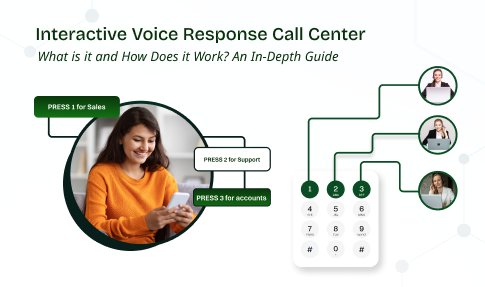
Your business phone is your digital front door. The first impression here defines your customer relationship. For many companies, that front door is broken. They mostly have to listen to endless hold music.
What if that front door became intelligent, helpful, and available 24/7?
A modern IVR call center is the solution.
A well-designed system lets customers solve simple issues on their own. It connects people to the right expert on the first try.
This in-depth guide will break down how this technology works from the inside out. You will learn to turn a frustrating maze into your most valuable customer service asset.
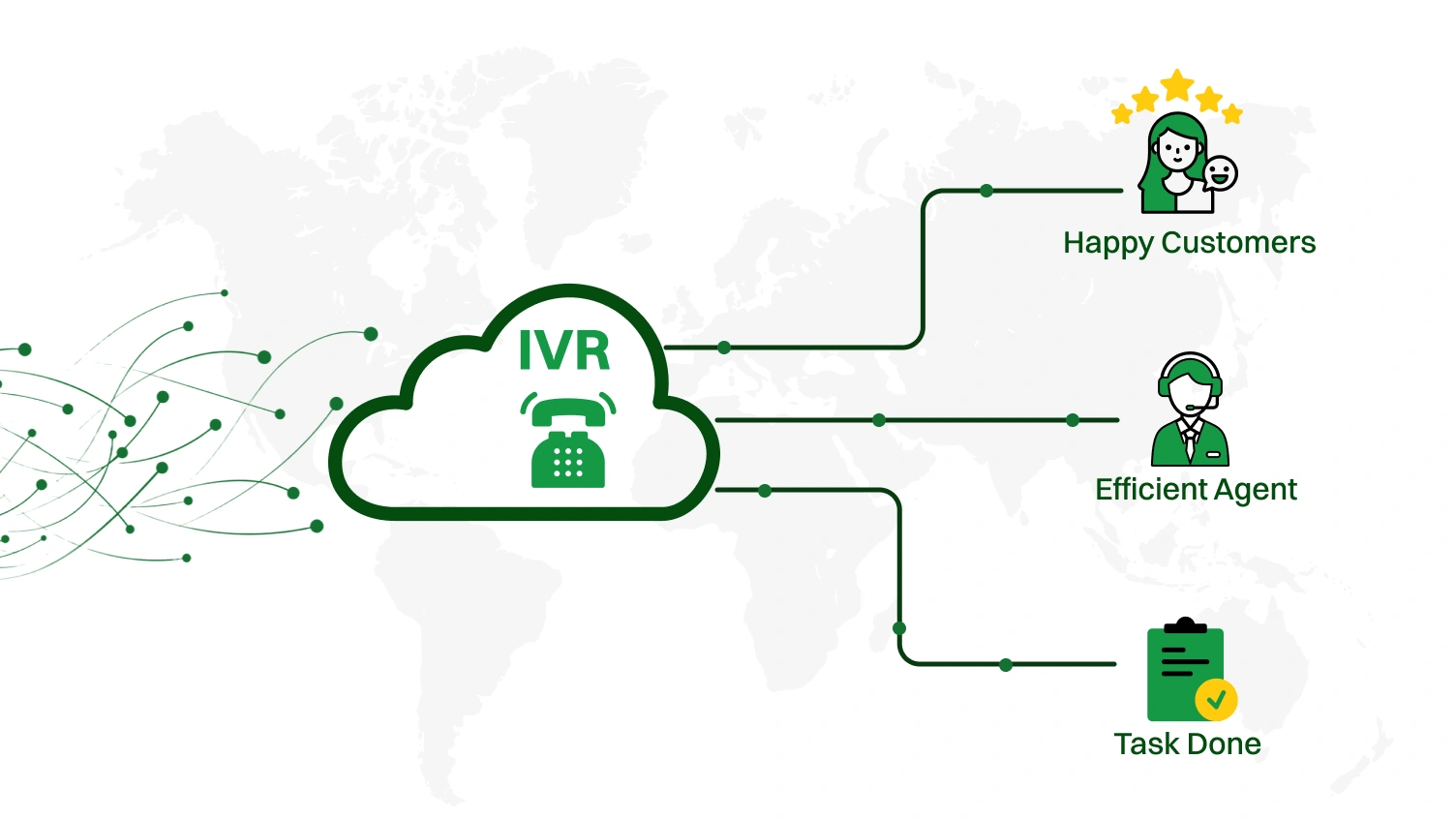 An IVR call center utilizes technology to manage customer calls automatically. It interacts with callers. It gathers information and routes calls to the right place. This system acts as the digital front door for any business that receives a high volume of inbound calls.
Let’s break down this powerful technology into its simplest parts.
A Simple Analogy:
Think of an Interactive Voice Response (IVR) system as a smart, automated receptionist for your call center. It is available 24/7. It never calls in sick. It can handle thousands of calls at once. The IVR system greets every caller. It understands their needs. It either solves their problem directly or connects them to the best-equipped call center agent.
This automated process frees up human agents to handle more complex issues.
At its core, an IVR operates using one of two primary input methods. The choice of technology defines the user interaction.
DTMF is the classic “press-tone” system. Callers interact by pressing keys on their phone’s keypad. You hear, “For sales, press 1. For support, press 2.” This method is simple. It is universally compatible. DTMF is a foundational element of traditional IVR systems.
This is the “say a command” system. ASR or Voice Recognition technology allows callers to speak their needs in natural language. They might say, “Check my account balance” or “I need technical support.”
Advanced systems use Natural Language Processing (NLP) to understand intent. It provides a more intuitive and human-like interaction.
These two technologies are the pillars upon which all modern IVR experiences are built.
Implementing a well-designed IVR system delivers substantial returns. It enhances everything from operational budgets to customer satisfaction. They are measurable.
Here are the top five advantages you can expect.
An IVR handles routine queries automatically. This significantly reduces the number of calls that need a live agent. Research from IBM shows that AI-powered systems, such as IVR, skip unnecessary steps and route frustrated customers directly to live agents.
The automation allows centers to operate with a more streamlined workforce. It reduces salary costs. It minimizes training overhead. Call distribution becomes more efficient. This leads to major operational savings.
The efficiency allows your business to scale its support capabilities without a proportional increase in employees.
Your customers do not operate on a 9-to-5 schedule. Neither should your support. An IVR call center provides round-the-clock service. A customer can check their order status at 2 AM. They can make a payment on a Sunday. This constant availability meets modern customer expectations. It provides instant access to information and self-service options.
The 24/7 access builds stronger customer relationships and brand loyalty.
No one likes being on hold. Long wait times are a primary driver of customer frustration. An IVR drastically cuts down these hold times. It deflects simple calls from the queue. It provides answers quickly.
For calls requiring an agent, the IVR can gather preliminary information. This enables faster and more effective live interaction. The result is a direct increase in customer satisfaction and a better overall customer experience.
A modern IVR can do more than just present a generic menu. Through CRM integrations, the system can identify a caller using their Caller ID. Imagine a customer named John calling your e-commerce store.
Generic IVR: “Welcome. Press 1 for order status.”
Personalized IVR: “Welcome back, John. I see your recent order for a coffee maker is out for delivery. Are you calling about that?”
This level of personalization shows the customer that you know them. It makes the interaction feel valued. It speeds up the entire process. This improves contact resolution on the first try.
This tailored approach is a key way to improve customer engagement.
Every interaction with your IVR is a data point. The system tracks call volumes. It records which menu options are most popular. It identifies where callers are dropping off. This customer data is a goldmine. It helps you understand customer behavior.
You can optimize your IVR menu. You can identify new opportunities for self-service options. You can improve your entire customer journey.
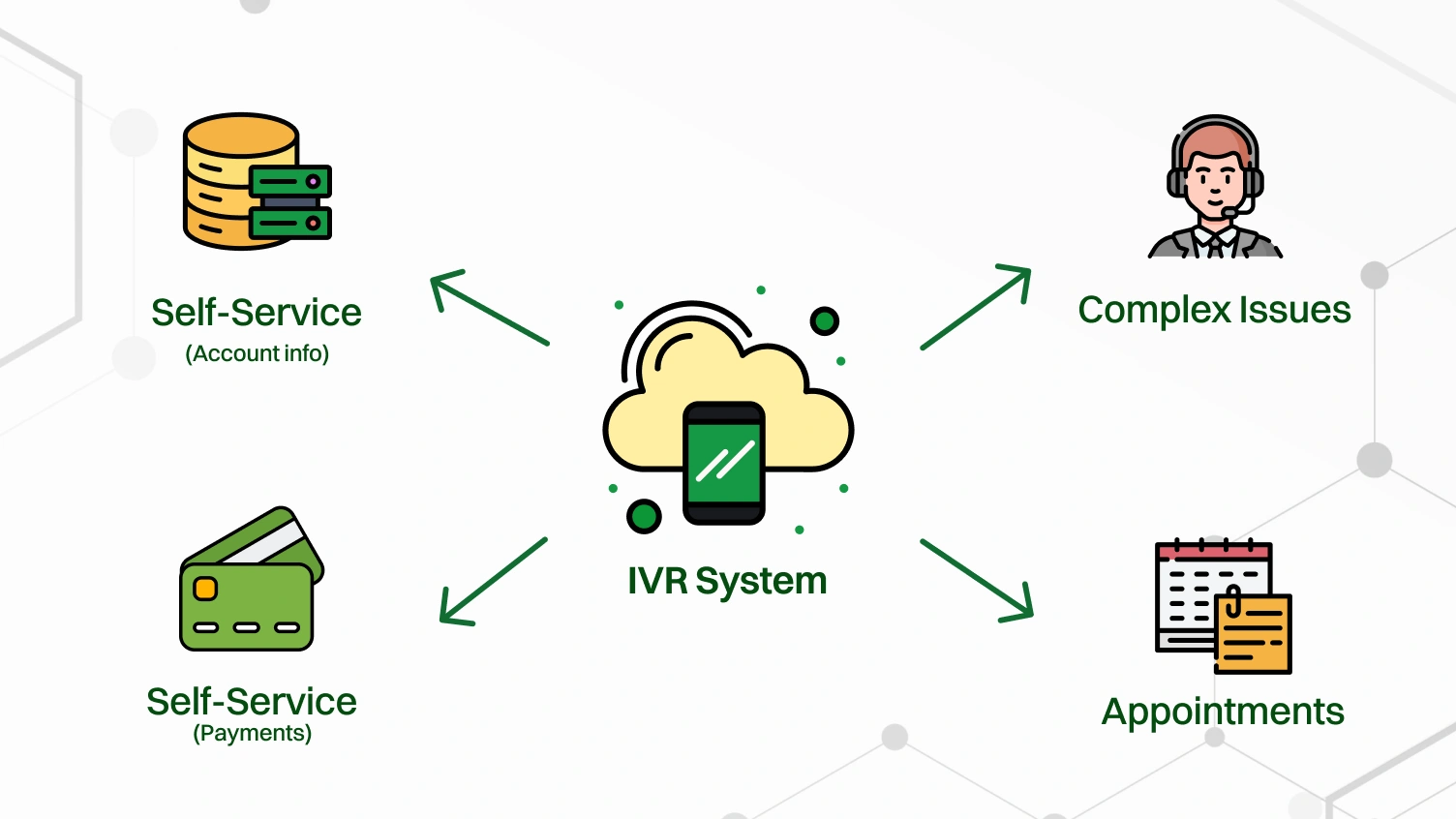 The process of an IVR interaction may seem complex. It is actually a logical sequence of events. From the moment a customer dials to the moment their issue is resolved. The system follows a clear path. This path is designed to be as efficient as possible.
Let’s walk through the six key steps of a typical IVR interaction.
The journey begins when a customer places an inbound call to your business’s phone number. The call center software immediately receives the call. It is then passed to the IVR phone system to begin the automated interaction. This happens instantly.
The system is now ready to engage the caller.
The IVR plays a pre-recorded welcome message. This is the first impression your brand makes. A modern IVR may then use the Caller ID to look up the customer in the company’s CRM.
If a match is found, it might personalize the greeting. For sensitive transactions, the IVR may ask for authentication. This could be an account number, a PIN, or a date of birth entered via the keypad. This step ensures security and prepares for a personalized experience.
After the greeting, the system presents the caller with a set of choices. This is the IVR menu. It can be delivered in two ways.
DTMF Menu: “For billing, press 1. For technical support, press 2. To speak with an operator, press 0.”
Speech Recognition Menu: “You can say things like ‘payment status’, ‘technical help ‘, or ‘speak to an agent’.
The goal is to offer clear, concise paths to resolution.
The caller makes their choice. They either press a key on their phone (DTMF) or speak a command. The IVR system captures this input. Its ability to correctly interpret the input is critical. For speech recognition, this is where NLP technology analyzes the spoken words to understand intent.
This input determines the next action the system will take.
A successful resolution defines a positive customer experience.
IVR systems work differently based on their model. The deployment model you choose will impact cost, scalability, and maintenance. The main choice is between a cloud-based solution and a traditional on-premise setup.
Let’s compare these models directly.
| Feature | Cloud-Based IVR | On-Premise IVR |
|---|---|---|
| Cost Model | Subscription-based (OpEx). Lower upfront cost. Predictable monthly fees. | High upfront capital investment (CapEx) for hardware and software licenses. |
| Scalability | Highly scalable. Easily add or remove capacity to handle fluctuating call volumes. | Limited scalability. Requires purchasing and installing new hardware to scale. |
| Maintenance | Managed by the provider. No in-house IT overhead for updates or maintenance. | Managed by your internal IT team. Requires specialized expertise and resources. |
| Implementation | Fast and simple setup. Can be deployed in days or even hours. | Long and complex implementation. Requires physical installation and configuration. |
| Accessibility | Accessible from anywhere with an internet connection. Ideal for remote workforces. | Tied to a physical location. Less flexible for distributed teams. |
| Updates | Features and security are updated automatically by the provider. | Updates must be manually installed and managed by your IT staff. |
A third-party provider hosts a Cloud Contact Center IVR. It is delivered over the Internet as a service. Most modern businesses favor this model for its flexibility and lower total cost of ownership. You pay a subscription fee.
The provider handles all the hardware, software, and security. This allows you to focus on designing great customer journeys. It is the agile choice for businesses that need to adapt quickly.
An on-premise IVR requires you to purchase and house all the necessary hardware and software in your own data center. This approach gives you complete control over the system. It can be a good fit for large enterprises with very specific security or compliance requirements.
However, it comes with a high upfront cost. It also requires a dedicated IT team for maintenance and updates. This model offers maximum control at the cost of flexibility and higher initial investment.
Within these IVR models, you will find different functional types. Let’s look into it.
Understanding these distinctions helps you choose a system with the exact capabilities you need.
An Auto Attendant is a simpler form of call routing. It provides a basic menu. For example, “For sales, press 1. For marketing, press 2.” Its only job is to direct the call to the right extension or department.
An Interactive Voice Response (IVR) is much more advanced. It is interactive. It can connect to databases. It can perform tasks (self-service options). It can process payments. It can authenticate users. An Auto Attendant routes the call. An IVR solves problems.
Think of an Auto Attendant as a simple signpost. An IVR is a fully interactive kiosk.
The IVR and the Automatic Call Distributor (ACD) are partners. They are not competitors. They perform two distinct but sequential jobs.
The IVR is the greeter and information gatherer. The ACD is the intelligent traffic controller.
A high-performing IVR system is more than just pre-recorded prompts. It is a sophisticated blend of software, connectivity, and intelligence. Understanding these core components helps you evaluate different vendors and build a more effective system.
Let’s look under the hood.
The IVR software is the central command unit. It contains the call flow logic. This is where you design your IVR menu. You script the prompts. You define the rules for call routing.
Modern IVR software often features a drag-and-drop visual editor. This makes it easy for non-technical users to design and modify customer journeys without needing to code.
An IVR is useless if it cannot connect to other systems.
These integrations transform a generic IVR into a context-aware, intelligent assistant.
For an advanced IVR, the ability to understand human speech is paramount.
These AI technologies are what power a truly Conversational AI experience.
Setting up an IVR system can seem daunting. By breaking it down into a structured process, you can ensure a smooth and successful launch. This blueprint will guide you from the initial strategy to ongoing optimization.
Follow these five steps to build an IVR that serves both your business and your customers.
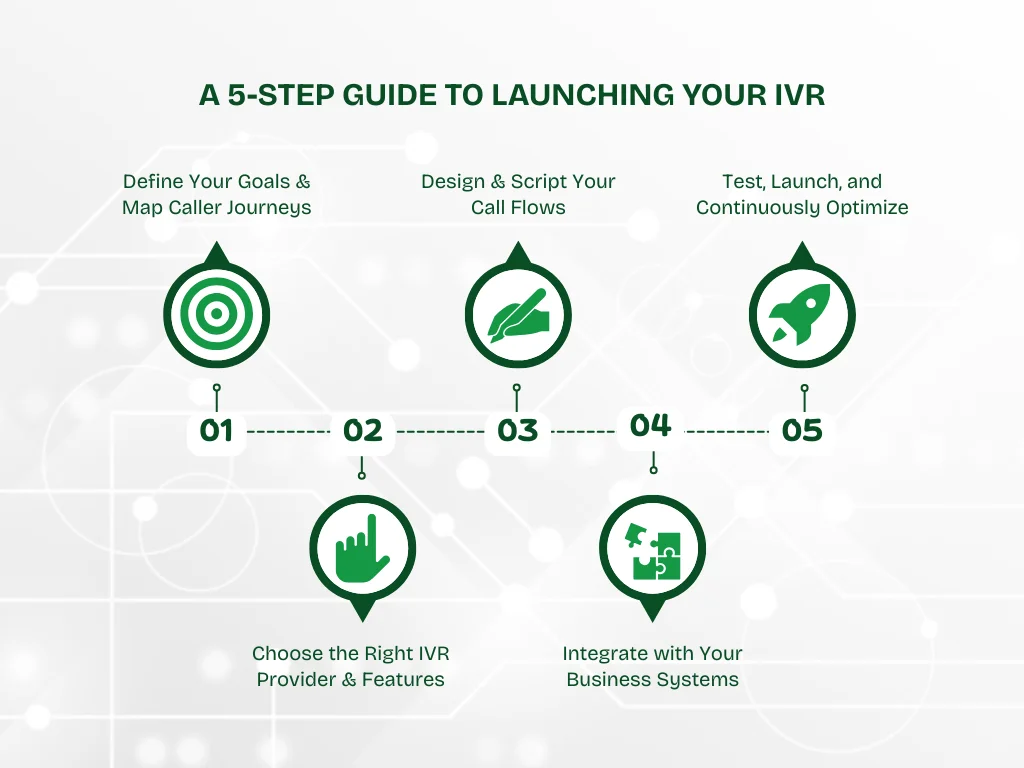
Before you write a single script, ask why. What do you want your IVR to achieve?
Once you have goals, map out your most common customer journeys. What are the top 5-10 reasons customers call? For each reason, chart the ideal path from the initial greeting to the final resolution.
This strategic foundation is the most important step.
With your goals defined, evaluate IVR software providers. Look beyond the price.
Choose a partner whose technology aligns with your long-term vision.
Now, bring your journey maps to life in the IVR software.
This is where the user experience is truly crafted.
Connect your new IVR to your existing tech stack. The most crucial link is your CRM. This integration ensures that when a call is transferred, the agent’s screen is pre-populated with the caller’s information and the context of their IVR interaction. This is called Computer Telephony Integration (CTI).
This step eliminates the dreaded “Can you tell me your account number again?” question.
Never launch an IVR without rigorous testing. Call into the system from different numbers. Test every single menu option and path. Try to “break” it. Once you are confident, launch it.
But the work isn’t done. Use the IVR’s analytics to track KPIs. Look at where callers are dropping off. Listen to call recording files. Use this data to refine and continually improve your IVR menu.
An IVR is not a “set it and forget it” tool. It is a living system that requires ongoing care.
The applications of IVR technology are vast. They span across nearly every industry. They automate routine tasks. They provide immense value to both businesses and customers.
Here are a few real-world examples of IVR systems in action.
This is a critical tool for managing communication during times of disruption.
A powerful IVR system must also be user-friendly. Following key IVR best practices creates a superior customer experience. These five principles place your customer first.
Long wait times are a top source of frustration. Your IVR design should give callers control over their time.
This transparent approach shows you value the caller’s time.
A generic IVR feels cold. A personalized one feels valued. Use CRM integrations to connect your IVR to your customer data.
The system can use the Caller ID to greet callers by name. It can anticipate their needs based on recent activity. For example: “Welcome back, Sarah. Calling about your recent order?”
This integration dramatically improves the customer journey.
Complexity creates confusion. Your IVR’s path to resolution must be incredibly simple.
A simple design ensures an effortless path to contact resolution.
Waiting does not have to be a negative experience. Use this time wisely.
Replace generic music with useful information. You can share helpful tips or answer common questions. This keeps the caller engaged. It can even solve their problem before an agent connects.
This change turns a negative wait into a positive brand touchpoint.
Your IVR is not a static tool. It requires constant refinement.
Analyze call data to understand user behavior. Prune unused menu options to keep things simple. Use automated customer surveys to gather direct feedback after calls.
This data-driven approach ensures your IVR system evolves with customer needs.
Even with the best intentions, IVR designs can go wrong. Recognizing these common pitfalls is the first step toward fixing them and preventing customer frustration. A bad IVR experience can damage your brand reputation and increase call abandonment.
Here are three common problems and their solutions.
Your IVR analytics show that a high percentage of callers hang up while on the menu. Or they repeatedly “zero-out” to reach an agent. This is a sign of a poorly designed menu. It is too long, uses confusing jargon, or the options don’t match the caller’s needs.
A customer spends two minutes navigating the IVR and entering their account number. They are finally transferred to a live agent. The agent’s first words are: “Hello, can I have your account number, please?” This is infuriating for the customer. It signals a broken process.
Your advanced IVR is designed for natural language, but it constantly misunderstands callers. “I said ‘Billing’, not ‘Chilling’!” This forces callers to repeat themselves. It eventually leads them to mash the “0” key in frustration.
You cannot improve what you do not measure. Tracking the right Key Performance Indicators (KPIs) is essential for understanding your IVR’s effectiveness. These metrics provide a clear picture of what is working and what needs to be fixed.
Focus on these five essential KPIs for your IVR call center.
This is the percentage of calls that are fully resolved within the IVR without needing to be transferred to a live agent. A high containment rate is a strong indicator that your self-service options are effective and meet customer needs.
This KPI tracks the percentage of callers who press “0” or say “agent” to bypass the IVR menu as quickly as possible. A high zero-out rate suggests your IVR menu is confusing, too long, or not offering the options callers are looking for.
This measures how many calls are transferred by the IVR to the wrong department or agent. The caller then has to be transferred again. A high misrouted rate points to unclear menu options or flawed call routing logic. It is a major source of customer frustration.
This is a more granular metric than the containment rate. For each self-service task (e.g., “check balance,” “track order”), what percentage of callers who start the task actually complete it successfully? A low completion rate on a specific task indicates a problem with that particular call flow.
This measures the average time a caller spends in the IVR system before their call is either contained or transferred. A long average time could mean your menus are too complex. You want this number to be as low as possible while still allowing for successful task completion.
 The traditional “press 1” IVR system is outdated. Artificial Intelligence (AI) transforms the IVR into an intelligent conversational partner. This is the modern IVR. It is more personal. It is more effective.
AI achieves this through several key advancements.
We have journeyed from the basic definition of an IVR Call Center to the possibilities of conversational AI. The key takeaway is simple. Your Interactive Voice Response system is far more than a cost-saving tool. It is the first impression many customers will have of your brand. It is a strategic asset that can either build loyalty or create frustration.
By focusing on the customer, leveraging technology like CRM integrations and AI, and adhering to IVR best practices, you transform that front door. It becomes an intelligent, welcoming, and remarkably helpful entry point to your business.
A great IVR is built around the customer. It anticipates their needs. It values their time. It provides a clear path to resolution.
Upgrade to Dialaxy’s intelligent IVR to streamline every interaction, route calls smarter, and create a seamless front-door experience for your business.
An IVR call center uses Interactive Voice Response (IVR) technology to automate and manage customer calls. The system offers self-service options or routes callers to the correct agent.
An IVR is an interactive menu that greets a caller to gather information. A call queue is a virtual line where callers wait for a live agent after the IVR completes its routing.
A standard IVR system does not track your live GPS location. It may use your caller ID’s area code to infer a general region for routing.
Traditional on-premise IVR systems have high upfront costs. Modern cloud-based IVR solutions are very affordable, with predictable monthly fees.
VoIP is the technology that transmits voice calls over the Internet. An IVR is a software application that runs on a phone system to manage those calls.
Yes, payments through an IVR are very safe if the system is PCI-DSS compliant. This standard ensures sensitive payment information is handled securely and is never exposed to an agent.
