

How to Make an Anonymous Call: A Complete Review

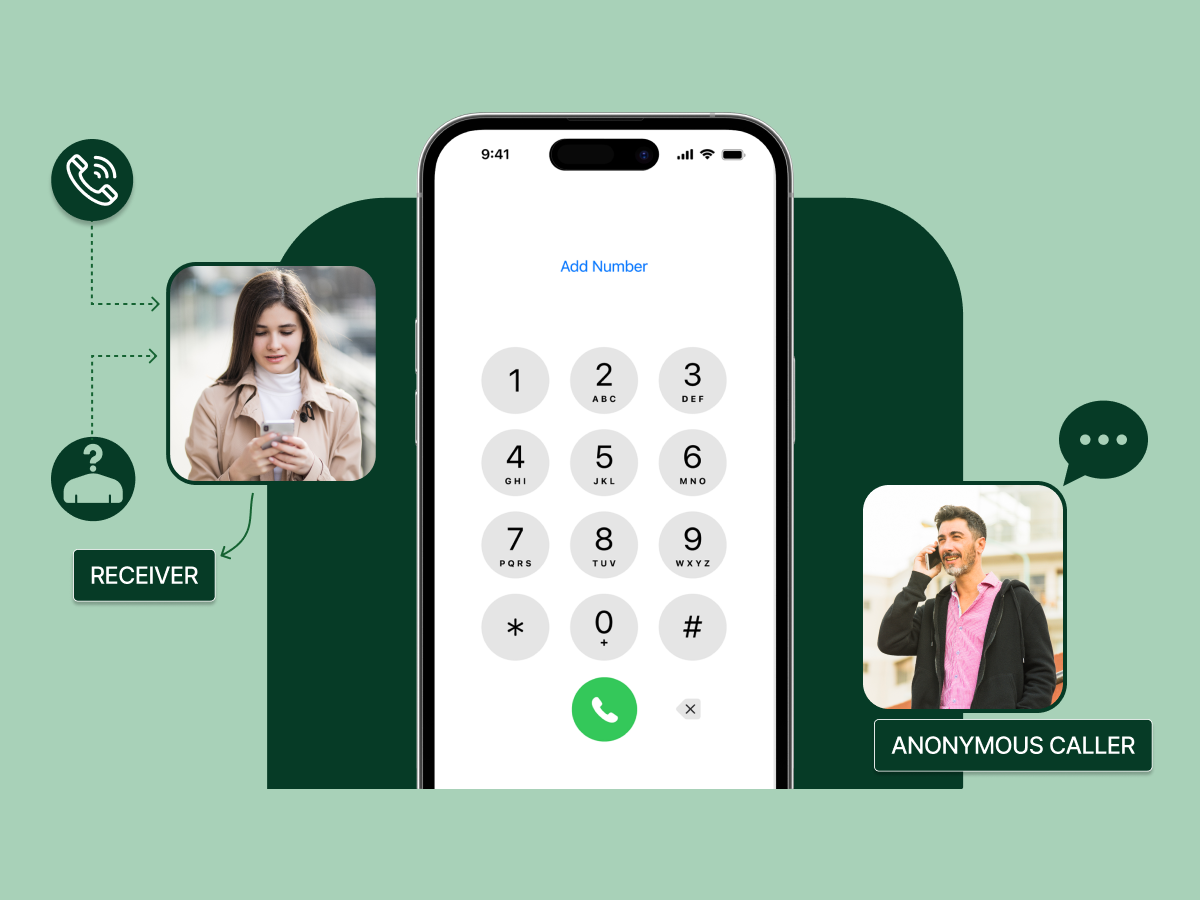
Your phone number carries power. It connects you fast, yet it also exposes you when you want privacy. Many people search for How to Make an Anonymous Call because they want control over what shows on the screen during a sensitive moment.
Modern tools now help you hide your caller ID, call privately, or reach someone without revealing your number.
This guide explains how codes, phone settings, VoIP apps, and alternate lines shape anonymous calls on any device. You keep your privacy without losing the ability to reach someone when it matters.
Making a private call using traditional methods remains useful in 2025. Many people still rely on phone codes and settings to hide their caller ID. These methods allow you to call someone anonymously without installing extra apps or revealing your identity unnecessarily.
Understanding these approaches helps when other options, like apps or VoIP, are unavailable. Before exploring apps, let’s see how to make an anonymous call using classic phone settings and carrier codes.
Phone Numbers
Nov 17, 2025
Read More
Modern users prefer apps over legacy code for calling privately. WhatsApp, Telegram, Signal, and FaceTime allow anonymous calls using a second phone number or burner numbers. These apps provide private calls without revealing your main number.
Modern apps show you exactly how to make an anonymous call. Below are the main apps and steps to make calls privately.
WhatsApp allows calling someone without showing your main number. You can register with a burner phone or secondary number.
This approach ensures private calls without revealing your real number to the person you are calling.
Telegram supports anonymous calls by using secondary accounts.
The recipient sees an unknown caller, and your main number remains hidden.
Signal allows calling privately with encryption and a secondary number.
It ensures the person you are calling cannot see your main number while keeping your calls secure.
FaceTime can hide your caller ID using an alternate Apple ID or secondary number.
This method allows private calls for iPhone users without using third-party apps.
Product Insights
Nov 14, 2025
Read More
People want privacy for many reasons. Some want to contact businesses without sharing personal numbers. Others want to protect their identity during sensitive conversations. Anonymous-calling apps make this possible by giving users extra layers of control.
These apps offer temporary numbers, hidden caller IDs, or encrypted calling features to keep identity safe.
How it works:
Google Voice gives you a secondary number that routes through your Google account. When you call through the app, the receiver sees your Google Voice number instead of your real phone number.
Google Voice makes calls private by masking the primary phone line. It adds a buffer between your identity and the public, which helps when placing calls to unknown contacts.
How it keeps calls anonymous:
Google Voice doesn’t reveal your SIM-based number. It only shows the virtual number assigned to you.
How it works:
Burner offers disposable numbers you can delete anytime. You choose a temporary number, call through the app, and protect your personal phone line.
Burner helps users stay private when dealing with sales listings, short-term projects, or unfamiliar callers. When you’re done, you just delete the number.
How it keeps calls anonymous:
Your real number never appears. It routes calls through the Burner line, creating complete separation from your identity.
How it works:
Hushed gives you a private, prepaid number that you can use for calling or texting. The app keeps your primary SIM number hidden by routing calls through its own network.
Hushed is helpful for people who want full control over how long their number stays active. You can buy a number for a week, a month, or longer.
How it keeps calls anonymous:
No call reveals your real phone number. Everything shows only the Hushed number you selected.
How it works:
TextNow assigns a free VoIP-based number. Calls go over the internet, not your cellular identity. This creates a separation that protects your original phone number.
TextNow is ideal for users who want a free method to protect privacy during casual or temporary communication.
How it keeps calls anonymous:
Your actual mobile number is never displayed. The VoIP number appears instead.
How it works:
Skype lets you call using your Skype ID or a Skype Number. Calls made from the app do not automatically show your real number unless you enable caller ID.
This makes Skype useful for professional or international communication when you want more control over what information appears.
How it keeps calls anonymous:
If you disable caller ID, Skype shows “Skype Caller” instead of your real phone number.
How it works:
Signal focuses on encrypted communication. When you make a voice call through Signal, your number is shown only to contacts you allow, and the app protects all call data with strong encryption.
Signal is ideal for people who want privacy from a security perspective rather than just caller-ID masking.
How it keeps calls anonymous:
Call metadata stays private, and users can hide profile details. While your number is used to register, Signal prevents exposure beyond what you allow.
How it works:
CoverMe provides secure calling along with vault-style privacy. It gives disposable numbers that create distance between your identity and the person you’re calling.
People often use CoverMe for sensitive or confidential conversations.
How it keeps calls anonymous:
You use a virtual phone number that never exposes your real identity. Calls route through encrypted channels for extra protection.
How it works:
Phoner offers multiple anonymous numbers you can use at the same time. You can switch between numbers for different tasks, keeping your primary identity completely private.
Phoner suits people who need various lines for business, dating apps, or classified calls.
How it keeps calls anonymous:
The app masks the real identity by displaying only the selected phone number during calls.
How it works:
Bluff My Call lets you change how your caller ID appears. You can select a different number to display when calling.
This app focuses strongly on caller ID manipulation rather than providing a full virtual number ecosystem.
How it keeps calls anonymous:
The displayed ID can be disguised, so your real number stays hidden.
How it works:
Sideline gives you a second business line. While not fully anonymous by default, you can turn off caller ID to hide your number.
Sideline is more business-oriented but still useful for privacy needs.
How it keeps calls anonymous:
When caller ID is disabled, the call appears private or restricted instead of showing your Sideline number.
Stay Private with Dialaxy Before You Decide. Make every call anonymous using a real alternate number. Protect your identity while reaching anyone globally with ease.
A VoIP or burner app gives a fresh way to make anonymous calls without using old tricks. This option hides your caller ID with a valid alternate number that appears real on the recipient’s phone. The method works on both Android and iPhone and helps you avoid ACR blocks.
VoIP apps like Dialaxy, Hushed, and Google Voice teach you how to make an anonymous call with a real alternate number instead of “Unknown.”
How does it make the call anonymous?
Dialaxy gives a secondary number that hides your main line during outgoing calls. The app routes your calls through a valid alternate number. The person you’re calling sees a legitimate line instead of “Unknown.”
Features
Dialaxy offers international numbers and local options. You can manage multiple lines and send texts or voicemails. The platform keeps your main number separate and supports Android and iPhone.
Pricing
Dialaxy follows a subscription model tailored for businesses and startups looking for affordable contact center solutions:
Limitations
A few carriers may block VoIP routes in certain regions.
How does it make the call anonymous?
Hushed creates a second number that hides your phone during outgoing calls. The app replaces your real identity with a clean alternate line that appears normal on the other side. The system masks your details through VoIP routing and call masking flows.
Features
Hushed gives flexible number choices for local or global calls. The app keeps call logs inside the platform and avoids linking it to your main line. You get text support and basic voicemail tools that help you handle short tasks or quick outreach.
Pricing
Hushed offers highly flexible options ranging from temporary use to long-term subscriptions:
Limitations
Some temporary numbers expire fast. A few regions block VoIP routes during high load. The app also needs stable data for smooth voice delivery.
How does it make the call anonymous?
Burner hides your caller ID by giving a disposable number that covers your real line. The identity stays behind a shield so you can call someone anonymously without triggering unwanted checks.
Features
The app focuses on privacy first. Each number runs inside the app and keeps your personal line away from the phone system. You get texting tools, voicemail, and quick number swap options for short tasks or casual use.
Pricing
Burner operates on a subscription basis, though it also offers prepaid credit options:
Limitations
Burner does not offer broad international support. Some numbers get flagged when used for rapid outreach. The data load also shapes voice quality.
How does it make the call anonymous?
Google Voice gives a stable alternate line that hides your main number during each call. The app routes traffic through cloud servers, so the person you’re calling only sees the Google Voice number.
Features
The app blends calling, voicemail, and texts in one panel. You can keep records and manage simple tasks without touching your core line. It works well for light use and personal reach.
Pricing
Limitations
Voice does not hide identity on every global carrier. Some regions block private calling from cloud apps. The setup also needs a linked number at the start.
Overall, Hushed supports wide number of pools. Burner focuses on fast swaps. Google Voice offers stability for long-term use. Each app hides your identity in a different way and helps you call without revealing your real number.
Dialaxy Leads the Way in Anonymous Calling. Use a secondary number that hides your caller ID, works on Android and iPhone, and bypasses unknown caller blocks safely.
Even with apps, learning how to make an anonymous call sometimes fails due to ACR or flagged numbers. Understanding the reasons helps maintain privacy.
Many VoIP apps reuse numbers that had heavy activity in the past. ACR tools mark these lines as high-risk because the pattern shows rapid outgoing calls from different places. The system reads the history and treats the number as unsafe.
A sudden burst of calls activates filters. ACR tools track behavior at scale and react to fast patterns. The system reads your traffic as a push tactic and blocks your call anonymously, attempting before it reaches the other side.
Some carriers limit VoIP routes. The check happens before the phone rings. The system detects cloud traffic and pushes the call to silence. This block hurts users who try calling privately across borders or special networks.
A number gains risk when people mark it as spam. The flag stays inside the system and shapes future results. Even if you try to hide your number when calling, the call may fail because the baseline already holds a negative score.
VoIP apps need stable data. Weak signals break voice packets and trigger call drops. Some filters treat poor quality as suspicious because it matches risky patterns. This leads to blocks before the person you’re calling even hears a sound.
Troubleshooting & Support
Aug 8, 2025
Read More
ACR exists because carriers want safe networks. The system protects users from risky calls that hide identity and push unwanted contact. Carriers study patterns in caller ID records and block anything that looks unsafe or harmful to the recipient’s phone.
This line moves you toward the points that show how carriers view risk and why anonymous calls face rules inside modern networks.
Carriers design ACR to slow down spam waves. The system reads large batches of unknown caller activity and pushes them away from users. This gives people a cleaner space because fewer unwanted calls reach daily life or work hours.
Scam calls use hidden numbers. Carriers fight this by tracking call traits that match risky actions. When the pattern repeats, ACR blocks the private call before it rings. This protects users from quick fraud tricks that use fast dialing and identity cover.
Networks face stress when bad routes hit capacity. ACR checks these flows and lowers pressure by blocking dangerous traffic. The system keeps the network stable and gives users a better path even when anonymous calls enter cloud routes.
Some regions demand strict call checks. Carriers follow these rules to avoid fines. ACR helps carriers meet these laws by blocking calls that hide identity. This protects the system from misuse and keeps compliance strong.
Carriers want users to trust the screen when they receive a call. ACR filters lines that fail identity checks. This gives people confidence because fewer unknown calls slip through. Trust rises when callers show records that pass the check.
Making an anonymous call today requires more than just dialing *67. Modern networks check identity and block unknown callers automatically.
Here’s a modern guide on how to make an anonymous call in 2025. Apps, VoIP lines, and secondary devices ensure your number stays hidden while reaching anyone safely.
Choosing the right method depends on your goal. One-time calls, callbacks, or international calls need different tools. Below are the best approaches to call privately and safely in 2025.
A secondary device hides your real number. Using a burner phone ensures outgoing calls remain separate from your main line. Pairing it with a temporary number allows calling someone anonymously without triggering ACR filters or revealing your identity.
WhatsApp, Telegram, Signal, and FaceTime let you register a second number. Calls made through this account hide your main number. You can manage privacy settings inside each app to block caller ID and call someone anonymously without showing your real phone number.
VoIP apps replace your real number with a valid alternate line. Calls appear normal to the person you’re calling. These tools work well for callbacks, one-time business outreach, or international communication while keeping your number private and secure.
Sometimes using a VoIP line on a burner phone works best. Apps on a secondary device increase anonymity. You can also pair encrypted services like Signal with a disposable number to call someone privately and prevent unknown caller exposure.
Even today, some carriers allow legacy codes like *67 or #31#. Knowing the code and phone for your region helps when apps or VoIP fail. Adjust Android or iPhone settings to block caller ID and maintain private calls.
Calling someone anonymously across borders requires preparation. Different countries have different no caller ID codes, and some carriers block unknown numbers. Using Dialaxy, a VoIP app, or other burner apps ensures your calls stay private. These methods keep your caller ID hidden and your main number safe.
Knowing local codes and using VoIP apps are essential for anyone learning how to make an anonymous call internationally.
Combining apps like Dialaxy with legacy codes or local settings increases reliability. Below is a cheat sheet of common countries with their no caller ID codes.
| Country | Code to Hide Caller ID | Notes |
|---|---|---|
| USA | *67 | Works on landlines and mobile phones |
| UK | 141 | Supports outgoing private calls |
| Canada | *67 | Same as the USA, blocks caller ID |
| Australia | 1831 | Works on mobile and landlines |
| India | #31# | GSM network support |
| Germany | #31# | Use with mobile numbers |
| France | #31# | Landlines require a prefix before the number |
| Italy | #31# | Works on mobile lines |
| Spain | #31# | Works on postpaid and prepaid lines |
| Sweden | *31# | Blocks caller ID for outgoing calls |
| Norway | *31# | Supports landline and mobile calls |
| Netherlands | *31# | Can combine with local area code |
| Belgium | *31# | Works on major carriers |
| Switzerland | #31# | Mobile numbers only |
| Japan | 184 | Requires dialing before the number |
| South Korea | *23 | Mobile support only |
| Brazil | #31# | Use before full number |
| Mexico | *67 | Supports local carriers |
| Russia | *67 | Some VoIP may bypass this code |
| Singapore | *67 | Works on mobile lines |
Call Globally, Stay Hidden with Dialaxy. Keep your number private across borders. Dialaxy provides valid alternate numbers anywhere you call, giving peace of mind during international outreach.
Even with Dialaxy or other VoIP apps, some anonymous calls fail. Modern carriers use ACR and call flags to protect users. Understanding why calls are blocked helps you maintain caller ID privacy and avoid showing your real number.
The following points explain the most common reasons for failure and how to fix them when calling privately.
Anonymous call rejection (ACR) blocks calls from lines labeled “Unknown” or previously flagged. Dialaxy and other VoIP apps bypass this by presenting a real alternate number. Using a valid line ensures your anonymous call attempt reaches the recipient’s phone.
Some VoIP apps reuse numbers often. Carriers detect heavy usage and block it for privacy reasons. Dialaxy rotates numbers efficiently, reducing risk. Hushed or Burner users should also check their number history to ensure successful private calls.
Certain countries and carriers limit VoIP traffic. Calls may fail if the network blocks unknown or cloud-based lines. Using Dialaxy’s international-ready numbers or combining with local no caller ID codes increases success when calling abroad.
Weak connections break voice data packets, triggering ACR or automatic drops. Ensure stable Wi-Fi or mobile data when using Dialaxy or any VoIP app. High-quality data keeps your caller ID on Android or iPhone hidden and calls uninterrupted.
Numbers previously marked as spam are blocked automatically. Even a valid VoIP number can fail if flagged. Dialaxy maintains clean number pools, while Hushed or Burner users may need a fresh line for reliable call anonymously calls.
Using anonymity tools carries responsibility. You must avoid misuse, such as harassment, scams, or deceit. It will help you ensure that you stay within legal bounds while using hidden-caller tools.
Implication: In the US, you may block caller ID or use alternate numbers, but avoid spoofing with false identity if your intent is dishonourable. Doing so can lead to prosecution.
Implication: In Canada, hiding your own number or using a legitimate alternate number may be allowed. But using spoofed or misleading caller-ID, especially for marketing, harassment, or deception, is illegal under regulatory law.
Privacy starts with a single choice, and your phone becomes stronger when you control what it reveals. Anonymous calling is no longer a secret trick. It is a simple skill you use when you want calm, safety, or space during a sensitive moment.
Now you know how to make an anonymous call using codes, settings, and VoIP apps. You also know how modern apps protect your identity during private calls. Each method supports a different need, so you pick what fits your moment.
Your number stays yours, your identity stays safe, and your call reaches the person without exposing anything you want to keep private.
Using *67 hides your caller ID on a standard phone call. The recipient’s phone sees “Unknown” or “Private Number” instead of your real number. It works for one-time calls but may fail if the person uses Anonymous Call Rejection (ACR) or certain network settings.
Generally, the person you’re calling cannot see your number. Carriers still log the call, so law enforcement or service providers can trace it if necessary. This method hides your caller ID but does not make you completely untraceable.
Unmasking a hidden number is difficult. Standard phones do not reveal the line. Apps like Dialaxy or VoIP tools may show an alternate number, but identifying the real source usually requires carrier access or legal intervention.
Caller ID spoofing means displaying a number that is not your own on the recipient’s phone. It can hide your line for privacy or be misused for fraud. Legitimate VoIP apps use this feature to protect your real number without breaking the law.
Dialaxy, Hushed, Burner, and Google Voice are popular choices. Dialaxy works globally by providing a valid alternate number that hides your caller ID. Hushed and Burner offer temporary numbers for one-time calls, while Google Voice provides stable numbers for long-term private calling.
