

How to Set Up an Automated Calling Solution?

Tired of your team playing “Who dialed it best?” every day?
Manual calls for appointment reminders, payment follow-ups, and customer updates waste hours and sanity. Automated calling isn’t a robocall horror; it’s your business phone’s smarter cousin.
It handles call routing, voicemail drops, and even says “Press 1” without messing it up. It scales outreach, saves money, and keeps messages consistent. It boosts productivity and personalizes calls using your CRM.
This guide on how to set up an automated calling solution covers everything from strategy, compliance, setup, and how not to annoy customers, so you can automate calls without becoming that company.
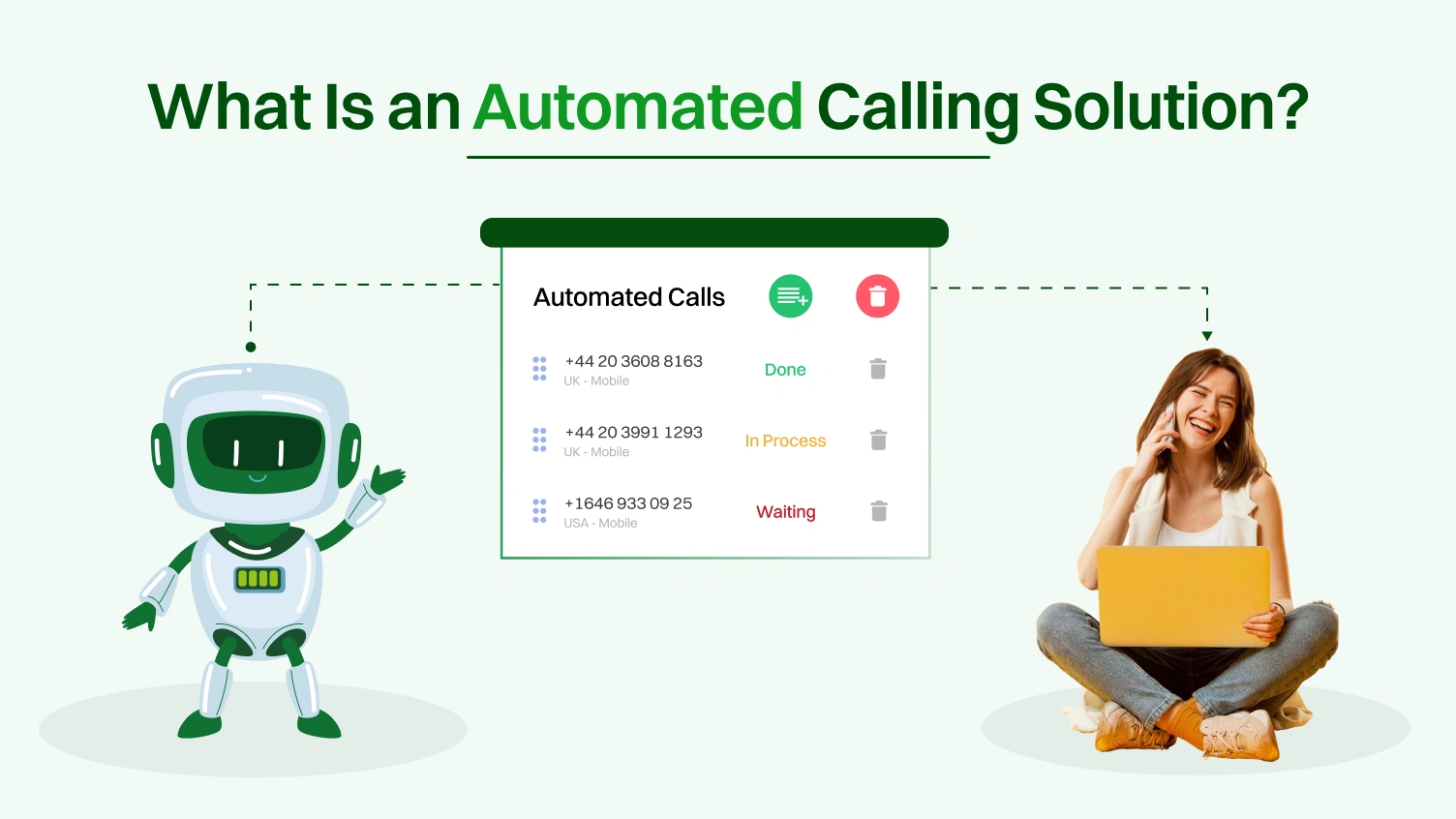
An automated calling solution is not just a robocall tool. It is a complete phone system that uses software to manage calls. It handles outbound calls, inbound calls, call routing, and voicemail drops. It uses prerecorded messages and an AI voice to deliver consistent communication. It connects with crm systems to personalize each call. It reduces manual work and helps your team focus on tasks that need human attention.
It supports appointment reminders, sales calls, and payment follow-ups. It follows call routing rules, respects business hours, and can handle call volumes no human team could match.
Automated calling works across industries. Here are examples where it creates the most impact:
Different business needs require different caller types. These are the three main ones:
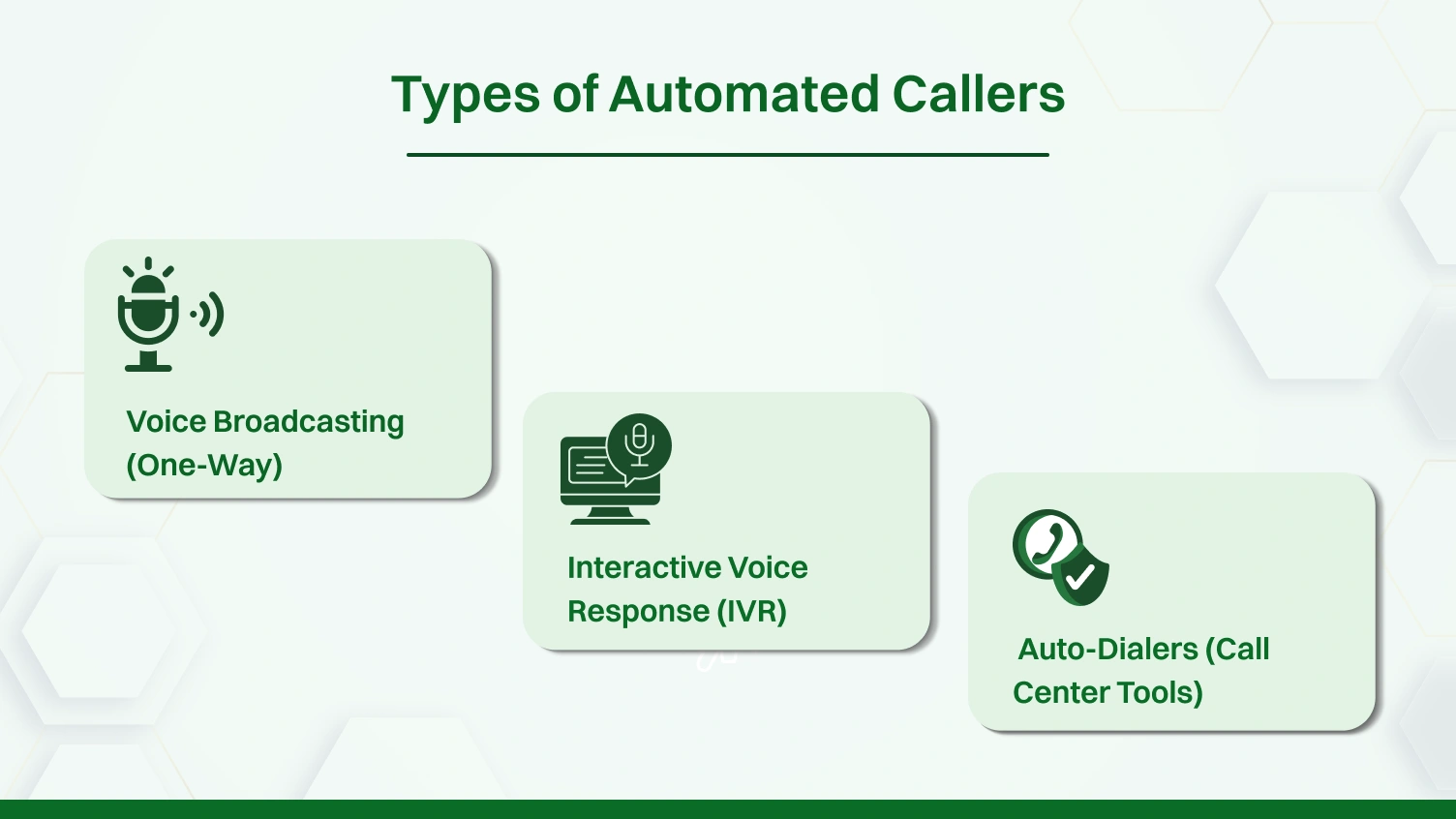
This type plays a prerecorded message to a list of contacts. There is no interaction. It delivers fast information with minimal setup.
Best for: Emergency notifications, announcements, and alerts that do not need a reply.
This type allows two-way interaction. It uses DTMF tones or voice to guide the caller. It supports call routing, appointment confirmation, and account status checks. It connects to crm integration and uses custom greetings or an AI voice.
Best for: Customer service, self-service menus, and personalized reminders.
These tools help sales teams and support agents reach more people in less time. There are three types:
Each of these systems supports a calling solution that improves productivity, reduces cost, and helps your business stay compliant. In the next section, we’ll explore how to choose and set up the right one for you.
The very thought of implementing an automated calling solution might seem like too much to handle; there are numerous tools and rules to take into account. However, when used properly, it is also one of the most significant means of reaching out to your customers, making your phone system more efficient, and expanding your company.
This section distills it into easy-to-understand practical steps using real experience to help you develop a calling system not only efficient, but also trustworthy, compliant, and one your team can easily manage.
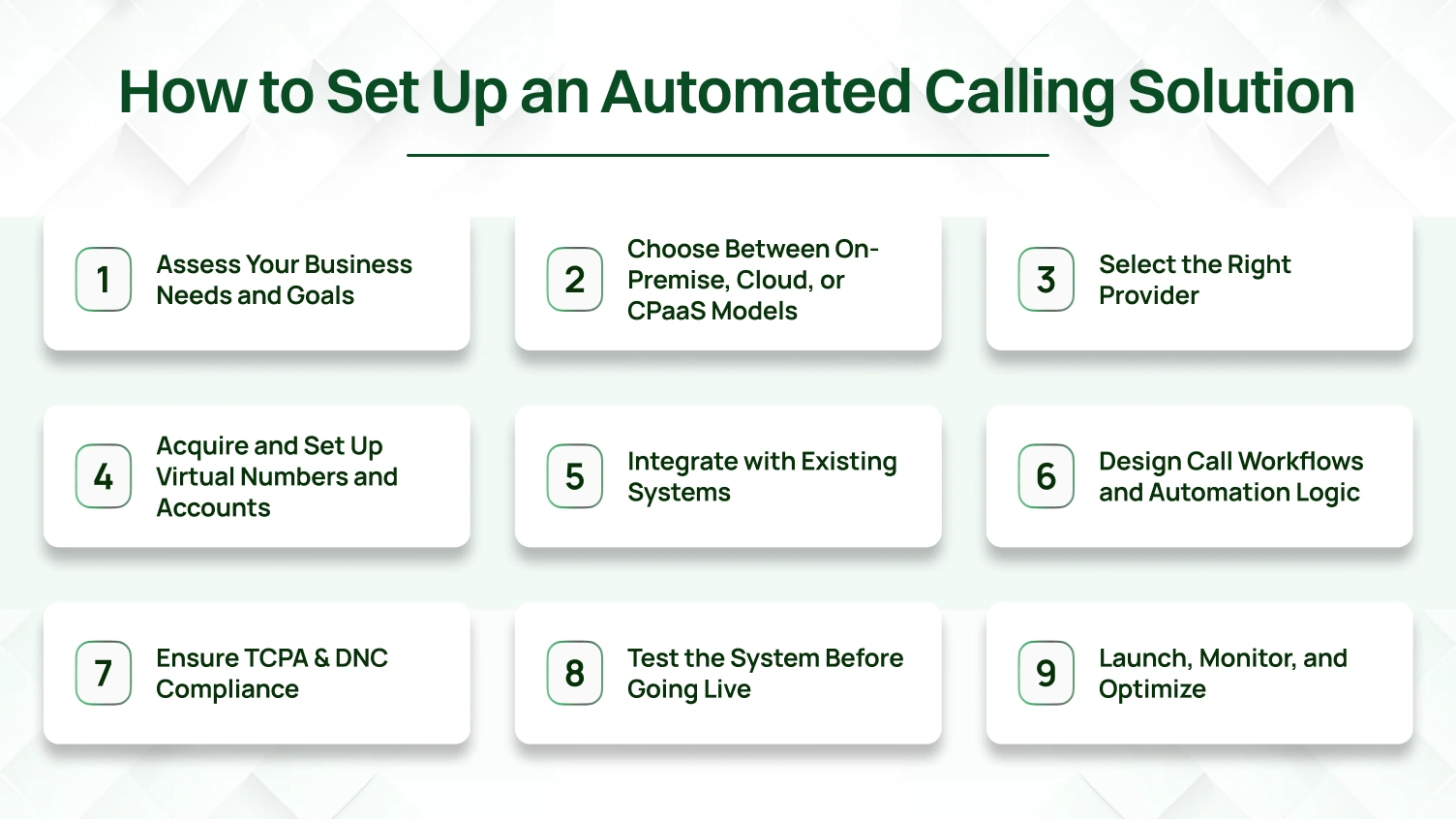
Start by defining clear business goals. Avoid vague answers. Think in numbers. Ask your team:
Different industries have different needs. A dental office might reduce no-shows. A real estate firm might scale outbound calling to new leads. A SaaS startup might send automated text alerts to avoid churn. Each use case affects your automated call setup, from call flows to routing rules.
Use our worksheet to write down your team’s priorities. Click to download
Include top call strategies. Decide if inbound calling is required or only outbound call scheduling. Your automated calling solution should be built for your exact case, not a generic one.
Now, select your infrastructure. You have three main options: On-premise, cloud phone systems, or CPaaS platforms.
| Model | Best For | Cost | Scaling | Key Notes |
|---|---|---|---|---|
| On-Premise | Large enterprises | High upfront | Hard to scale | High control, long setup, full hardware required |
| Cloud | SMBs to mid-sized businesses | Monthly fee | Easy to scale | Low maintenance, fast deployment, easy setup |
| CPaaS | Tech-forward startups & developers | Pay-as-you-go | Highly flexible | Build your own flows using APIs and auto dialers |
Example: With CPaaS, your app could trigger an automated phone call when a subscription fails. That’s the power of flexible infrastructure. But it needs developer help. Most small businesses choose cloud phone systems for automated answering and easy call handling.
Now choose a platform that fits your needs. Ask direct questions to each provider.
Don’t only promote your solution. Mention competitors honestly. If you offer a business phone system, say so. Then mention Twilio for API calls or Five9 for large contact center solutions. That builds trust.
After selecting a provider, secure your virtual numbers. Decide if you want local or toll-free. Local numbers can improve pickup rates for outbound calls.
Know the difference:
💡Tip: Use local area codes where your leads live. This helps with customer communication and outgoing call results. It’s not just a phone number, it’s part of your identity.
Then, create accounts for your agents or AI assistants. If available, assign a virtual receptionist to greet callers using prerecorded messages and route calls by menu options.
Your automated phone system must work with your tools. CRM integration is not optional; it’s essential.
Use direct integration or middleware tools like Zapier. Here’s how it should look:
Diagrams help here. Show how call routing connects with your CRM, helpdesk, and text messaging platform. It’s not just about syncing data. It’s about delivering personalized interactions based on real-time info.
This is where the automated system comes alive. Start by mapping your call flows.
Visualize your IVR:
Use clear, short phrases. Avoid more than four options. Always include a way to reach someone.
Use automation logic:
Advanced flows allow customers to interact with callers using speech or a keypad. Keep flows short. Too much logic can confuse people.
This is critical. Automated phone calls are highly regulated in the U.S. You must follow the rules.
Key Terms
Must-Follow Rules
Link to official resources:
⚠️Disclaimer: This section is educational. Consult legal counsel before launching your automated calling system.
Compliance isn’t optional. It protects your brand and your customers.
Don’t guess. Test everything.
Use this checklist:
✅Do IVR options route correctly?
✅Are call recordings working?
✅Are CRM records updating properly?
✅Is the voicemail drop clean and clear?
✅Does your opt-out key actually remove a contact?
Roll out slowly. Start with internal staff or a test group. Watch how calls answered vary by time. Note where customers drop off. Fix problems before customers see them.
Run call analytics for every test. Track wait times. Make changes as needed. If call flows break under pressure, fix it now, not during your busy season.
Now go live. But keep watching.
Track metrics:
If a menu option sees too much drop-off, change it. If incoming calls spike during lunch, route calls to voicemail or an AI voice agent. Your system must learn.
Keep refining. Use call analytics to drive updates. Send surveys. Improve custom greetings. Optimize routing calls to reduce frustration. Always keep customer communication easy and respectful.
Want to see this in action? Schedule one of our on-demand demos. Learn how to build a cloud phone system that customers trust and your team enjoys using.
Your strategy becomes real when you choose the right technology. The “best” automated calling solution isn’t universal. It’s the one that aligns with your goals from Step 1.
Use this to build your shortlist. Schedule on-demand demos. Ask each vendor to walk you through your specific call flows, call handling rules, and customer communication needs.
| Provider | Best For | Key Strength | Consider If You Need… |
|---|---|---|---|
| CloudTalk | Small Sales/Support Teams | CRM syncing, voicemail drop support | Agents managing calls within the CRM |
| JustCall | Startups needing voice + SMS | Voice + text messaging in one tool | Voice and automated text in a single system |
| PhoneBurner | High-volume outbound calling | Speed and no delay between calls | Outbound strategy with zero call lag |
| Dialpad | Growing teams using AI | Live transcription, AI voice coaching | Sentiment analysis and real-time agent support |
| 8×8 | Teams needing uptime + security | Cloud phone + contact center suite | Reliable inbound calling and high availability |
| RingCentral | All-in-one business platform | Unified phone, chat, meetings | Phone system and messaging under one roof |
| Five9 | Enterprise contact center ops | Compliance, routing, workforce tools | Advanced routing, legal outbound calls |
| Twilio | Developer-focused builds | Full API control over voice and text | Custom-built calling systems from the ground up |
These tools focus on simplicity, call handling, CRM integration, and fast setup. They support core automated calling strategies and help teams scale without a full IT team.
These platforms support CRM integration, AI voice features, call analytics, and flexible call flows. They’re designed to grow with your team.
These platforms support complex contact center solutions with strict compliance, AI capabilities, and advanced routing logic.
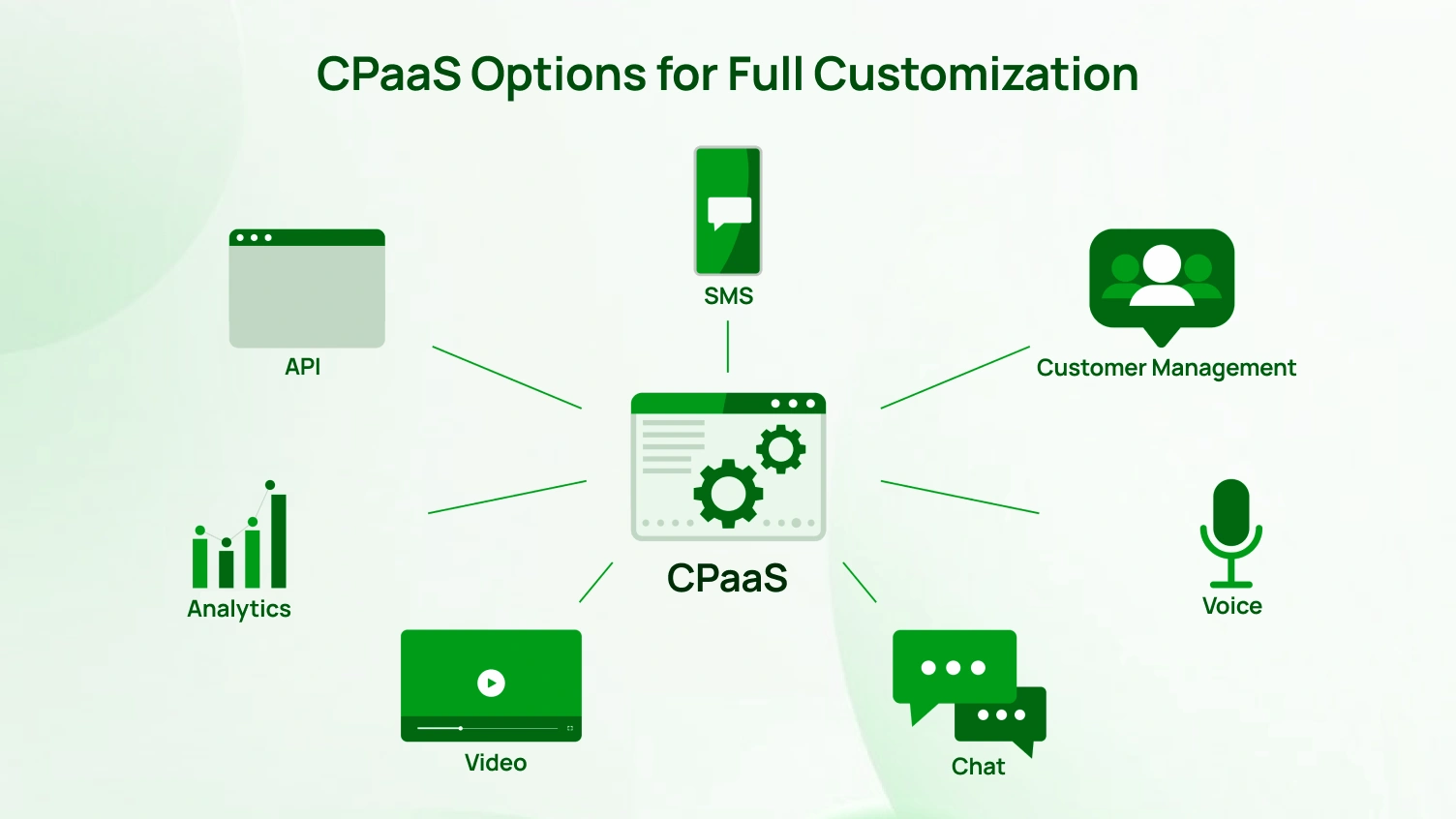
Sometimes, you need more than a plug-and-play tool. If your business requires embedded communication or event-based logic, CPaaS is the right direction.
CPaaS is a good fit if you need:
Twilio is the leading name. Its APIs cover voice, video, email, and SMS. You can build your automated phone system from scratch, including routing rules and real-time call analytics.
Plivo offers a cost-effective alternative. It’s favored for its reliable voice quality and strong documentation. Great for building simple, scalable automated calling systems.
MessageBird lets you go beyond voice. It supports omnichannel workflows combining voice calls, SMS, WhatsApp, and email under a single interface. Use it if you engage customers across channels.
Don’t get mesmerized by a long list of features. The most important question is:“Does this tool fit our team’s workflow and our brand’s communication style?”
A simple platform your team actually uses is more powerful than a complex one that collects dust. Use this guide to narrow your search, ask hard questions, and pick the platform that supports your real-world calling strategies clearly, compliantly, and confidently.
⚠️Legal Disclaimer: This Is Not Legal Advice
The information below is for educational purposes only. It does not replace professional legal counsel. The TCPA, DNC, and related laws are complex, and penalties can reach $1,500 per automated phone call or automated text. Always consult a qualified attorney to ensure your automated calling system and call strategies follow federal and state laws.
The TCPA is the main federal law for automated phone calls and automated texting. It applies to all auto dialers, prerecorded messages, and outbound calls in the U.S.
Calling Hours
Calls are only legal between 8:00 a.m. and 9:00 p.m. in the recipient’s local time zone.
Identification
You must clearly state your business name at the start of each automated call. No exceptions.
Opt-Out Requirement
All marketing calls must include an easy way to opt out. For example, “Press 9 to be removed.” This applies to auto dialers, predictive dialers, and prerecorded messages.
Outbound Calling Tip
Every automated phone system must offer automated answering and clear opt-out options for outbound calls.
Respecting DNC rules is critical for any automated calling solution. It applies to every outbound call made using an auto dialer or predictive dialer.
National DNC Registry
Before running an outbound campaign, you must scrub your contact list against the National Do Not Call list. You must re-scrub every 31 days.
Internal DNC List
If someone asks not to be contacted again, you must add them to your own internal DNC list immediately. This applies even if they are not on the national registry.
Your automated calling system should include built-in scrubbing tools. Choose a provider that supports both lists in real time.
Consent is the foundation of every legal automated calling strategy. The type of consent depends on the type of call.
Express Consent
You need this for non-marketing calls. This includes appointment reminders, delivery updates, or emergency notifications. It is given when someone provides their number while doing business with you.
Prior Express Written Consent
Required for any marketing call or automated text using an auto-dialer. Consent must be clear and unambiguous. A check box on your form is valid only if the user checks it. Pre-checked boxes are not valid.
💡Tip: Track consent status inside your crm. Flag which contacts gave written consent and when. This avoids mistakes during outbound call scheduling or text messaging campaigns.
If your automated phone system or contact center solution includes call recording, you must know the laws in each state.
One-Party Consent States
Most U.S. states only require one party to know the call is being recorded. This usually means the live agent or AI voice agent is enough.
Two-Party Consent States
States like California, Florida, and Pennsylvania require consent from both the agent and the customer.
Best Practice
Always assume two-party rules apply. Start each call with a disclosure. For example: “This call may be recorded for quality and training.”
Caller ID matters. Misleading or inaccurate caller ID is illegal under federal law.
Caller ID Spoofing
You may not send a false caller ID to mislead or defraud. You can use a virtual phone number from your provider, but it must be traceable and honest.
STIR/SHAKEN Framework
These standards help verify call origin. Calls from verified sources are less likely to be flagged as spam. Choose an automated calling solution that supports STIR/SHAKEN.
💡Tip: A cloud phone system that supports this framework can improve your call answer rate and build trust over time.
If you work in a regulated industry, your compliance burden is even higher. You must layer these rules on top of TCPA and DNC.
HIPAA (Healthcare)
You may not send automated phone calls or text messages with any protected health information unless the patient has given explicit consent. Even appointment reminders must be carefully worded.
FDCPA (Debt Collection)
Debt-related calls are governed by the Fair Debt Collection Practices Act. There are limits on call volume, time of day, and what messages you can leave.
🔔Reminder: Your automated phone system must let you customize call flows, voicemail drops, and call routing rules to meet industry compliance standards.
This section is not just a formality. It is your firewall against legal risk. The right automated calling system makes compliance easier. Look for built-in features like DNC list management, opt-out flows, and consent tracking. Compliance is not a feature. It is a mindset. Make it part of every decision, every call, every campaign.
Setting up an automated calling system is just the beginning. Many businesses make the same mistakes that lead to legal risk, lost revenue, and damaged customer communication. Learn from these common missteps so your automated calling strategies stay compliant and effective.
The Mistake
Using a predictive dialer or power dialer at full speed to churn through contact lists can cause major issues. You risk high abandonment rates, TCPA violations, and a poor customer experience.
The Fix
Use predictive dialers carefully. Monitor your abandoned call rate and stay under 3% of answered calls. Prioritize clean call routing and proper call handling over high outbound call volume. Respect call flow pacing and agent availability.
The Mistake
Uploading purchased lists into your auto dialer without checking for prior consent or running DNC scrubs is risky. This mistake can result in serious legal penalties.
The Fix
Automated calling systems must treat compliance as mandatory. Your CRM integrations should log consent for every number. Scrub all contacts against national and internal DNC lists before scheduling any outbound calls or automated texts.
The Mistake
Disconnected systems create confusion. Agents ask for the same details twice. Important data is missing. Call schedules fall apart. Voicemail drops are not logged.
The Fix
Make CRM integration a must-have. Your automated phone system should connect directly with your crm to show past tickets, call analytics, and consent status. Every call answered should open the right contact record automatically.
The Mistake
Launching new call flows, menu options, or IVR systems without proper testing leads to failure. Routing rules break. Customers get lost in loops. Calls legal on paper fail in practice.
The Fix
Start with internal testing. Let your sales teams and support teams test all call flows. Then move to a pilot rollout. Gather feedback and monitor call analytics closely before scaling the system across your contact center or business phone platform.
The Mistake
Sending multiple follow-up voicemail drops, text messages, and emails in a short time can feel like harassment. It reduces trust and increases opt-outs.
The Fix
Build smart calling strategies. Use self-service options like interactive voice response ivr and wait times between touchpoints. An unanswered call can trigger a text message, but not instantly. Use call analytics to learn what works best for customer communication in your business.
Automated phone systems are evolving fast. Voice bots are no longer robotic. Call flows are smarter. Compliance is tighter. If you’re setting up an automated calling solution today, you need to plan for tomorrow.
AI voice agents are becoming standard in many cloud phone systems. These bots can answer questions, take actions, and complete tasks without a live agent. They allow customers to interact with callers naturally. Businesses using AI calling tools will reduce wait times and improve call handling at scale.
No customer journey stays on one channel. An automated calling system must support text messaging, automated emails, and outbound calls that connect with each other. Future contact center solutions will track full interaction history across all channels in one view.
AI capabilities will extend beyond automation. Aipowered calling tools will analyze tone and intent during incoming calls. Managers will get alerts if a customer sounds upset. Call analytics will score agent performance without manual review. This helps sales teams and support teams improve with every call.
Generic voice messages are fading. With deep crm integration and access to customer data, outbound calling can be specific. A virtual receptionist might reference a recent order. An automated call can recommend a service upgrade based on behavior. These personalized interactions increase engagement and lower drop-off.
As automation and AI expand, privacy concerns will grow. Laws similar to the GDPR or CCPA will shape how businesses collect and use data in automated phone calls. Businesses’ phone systems must offer opt-out tools, consent management, and full transparency. Expect future rules that affect how you implement an automated calling system in every state.
The future of automated calling is smart, respectful, and human-centered. The best businesses won’t just automate, they’ll personalize, protect, and improve every customer interaction.
Implementing an automated calling system isn’t just a tech decision. As this guide has shown, it’s a strategic commitment to better conversations, smarter systems, and stronger compliance.
You now hold the blueprint to cut through noise and focus on what truly matters: clear goals, human-centered design, and unwavering respect for every customer interaction.
Dialaxy makes automated calling simple, from CRM integration to full compliance without the technical overwhelm.
👉Book a quick, personalized demo at Dialaxy and see your first call workflow come to life in minutes.
An automated phone answering system is called an Interactive Voice Response (IVR) system.
Automated calling uses software to dial numbers, play messages, and interact with callers using voice or keypad inputs.
Yes, most automated calling systems allow you to schedule calls in advance based on time, date, or events.
You can use call automation apps or phone settings (if supported) to auto-answer specific numbers, often under “Auto Answer” or “Do Not Disturb” exceptions.
An automatic telephone dialing system (ATDS) is software that automatically dials phone numbers without human input, often used in outbound campaigns.
